












Introduction
Designing a high-converting main image for a keyboard on Ozon is not about making something that simply looks “cool.” It is about building instant clarity, trust, and desire within a single screen. As designers, our task is to communicate product value faster than the user can scroll.
For this project, we created a complete main image design system for an Ozon keyboard listing, using a modular, feature-driven visual structure. Every uploaded image plays a specific role in guiding buyers from first impression to purchase confidence. This article breaks down why we designed each image the way we did, how visual hierarchy was applied, and how these decisions directly support conversion on Ozon.
| Deliver Time | Category | Application Platform |
| 8days | keyboard | Ozon |
| Designers Involved | Cost | Effect |
| Lin Zhang | $110 | Number of orders📈307% |
Understanding the Ozon Main Image Environment
Ozon is a fast-decision marketplace. Users browse quickly, compare aggressively, and rely heavily on visuals. Unlike brand websites, there is very little patience for interpretation.
That means a successful keyboard main image must:
- Clearly define product type and layout
- Highlight key technical features
- Reduce hesitation by showing usage scenarios and compatibility
- Reinforce value through structure, not decoration
With that in mind, we designed this keyboard image set to function as a visual sales funnel, not a random gallery.
Image 1: Primary Hero Image — Defining the Product Instantly
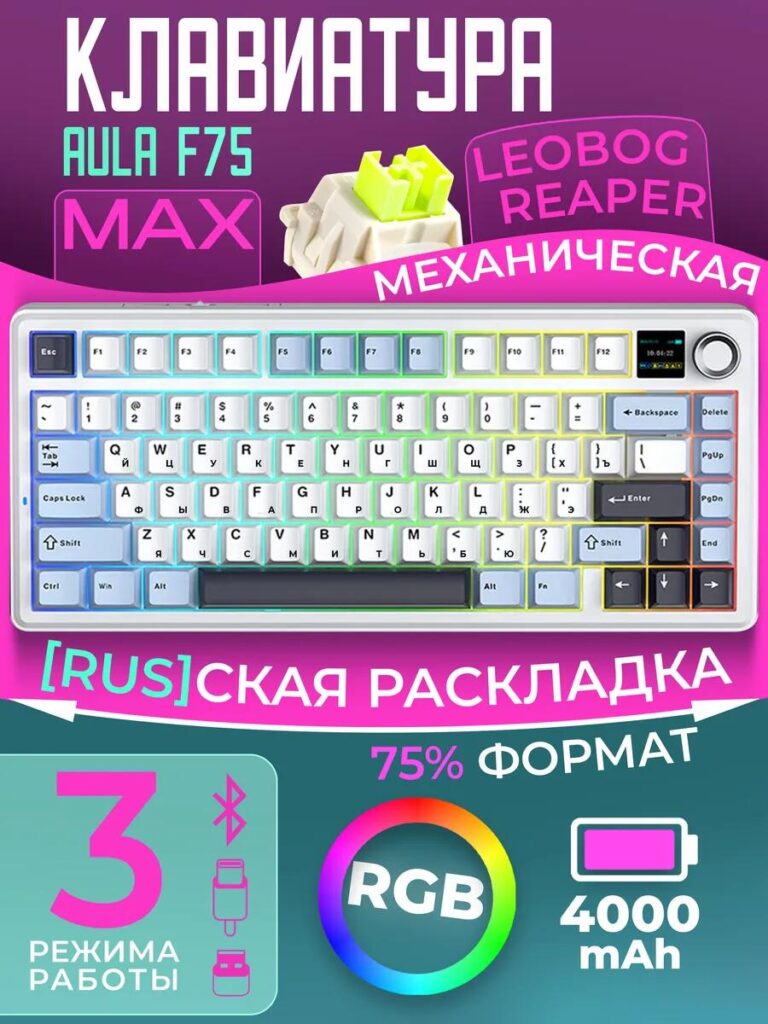
The first image introduces the keyboard as a 75% mechanical keyboard with RGB lighting, Russian layout, and a modern aesthetic.
Design Decisions
- Centered keyboard composition ensures instant recognition
- Bright gradient background creates contrast without overpowering the product
- Large, bold typography communicates:
- Keyboard type
- Layout format (75%)
- Mechanical positioning
- Feature icons are minimal and clean, avoiding clutter
Why This Works on Ozon
Ozon buyers scan thumbnails quickly. This image answers the top questions immediately:
- What is it? → A mechanical keyboard
- What size? → 75% layout
- Who is it for? → RGB-focused, modern users
No guessing. No ambiguity.
Image 2: TFT Screen Feature Breakdown — Showing Intelligence, Not Just Hardware
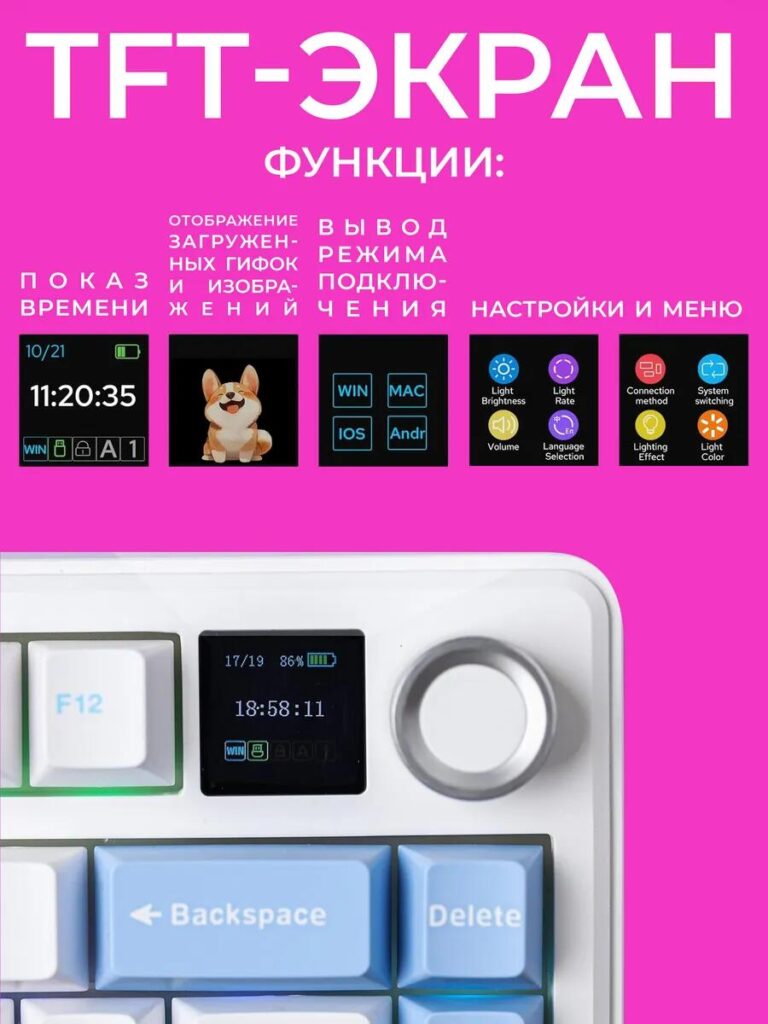
This image focuses on the built-in TFT screen, a differentiating feature.
Design Decisions
- Bright background to isolate the screen as a hero element
- Clear icon-based layout showing:
- Time display
- GIF and image support
- System switching (Windows / macOS / iOS / Android)
- Menu and lighting controls
- Real screen UI displayed on the keyboard, not mocked separately
Conversion Value
Many keyboards look similar at first glance. This image immediately positions the product as smarter and more interactive. Buyers understand that this is not just a typing tool, but a customizable control hub.
Image 3: Connectivity Modes — Reducing Compatibility Anxiety
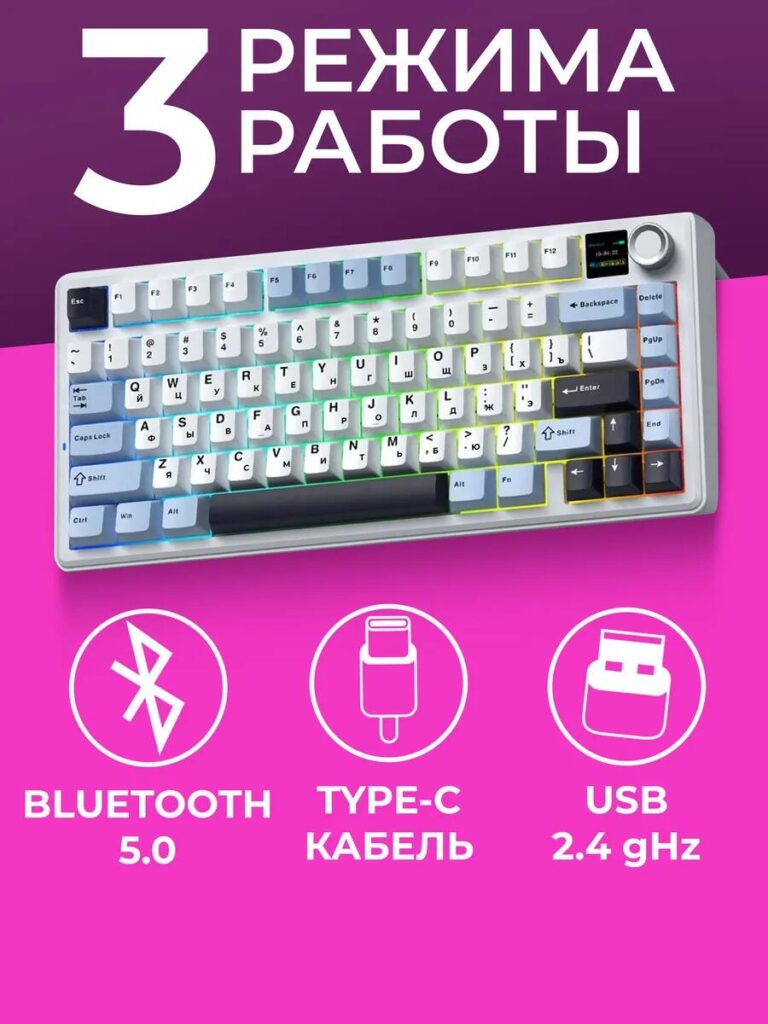
This image explains the three working modes:
- Bluetooth 5.0
- 2.4GHz wireless
- USB Type-C wired
Design Decisions
- Large numeric headline (“3 modes”) for fast comprehension
- Universal connection icons for instant recognition
- Keyboard shown at a slight angle to add depth and realism
Why This Matters
Wireless keyboards often trigger buyer hesitation:
- “Will it work with my device?”
- “Is the connection stable?”
This image eliminates those doubts in seconds.
Image 4: Battery Capacity — Selling Endurance Visually
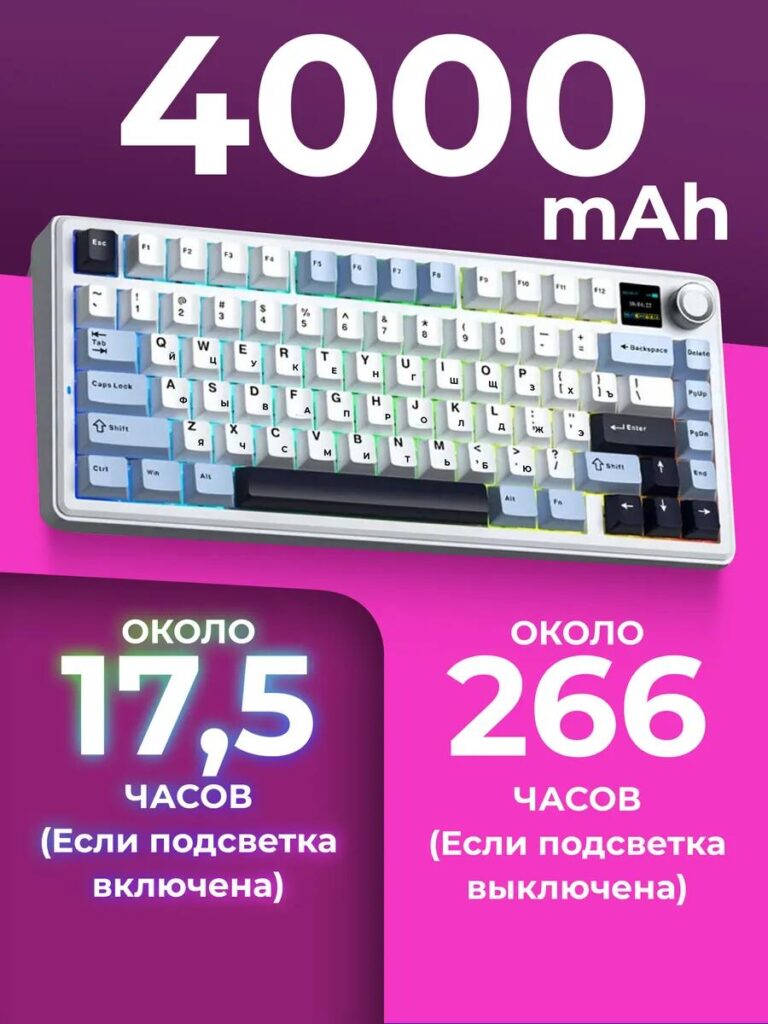
Here we highlight the 4000mAh battery and real-world usage time.
Design Decisions
- Large numeric focus (“4000 mAh”) to anchor attention
- Split visual layout explaining:
- Approx. 175 hours with RGB on
- Approx. 266 hours with RGB off
- Clean separation to avoid cognitive overload
Marketplace Advantage
Battery life is a rational buying trigger. By presenting real usage scenarios visually, we turn a technical spec into a lifestyle benefit.
Image 5: Full Keyboard Assortment — Expanding Perceived Choice
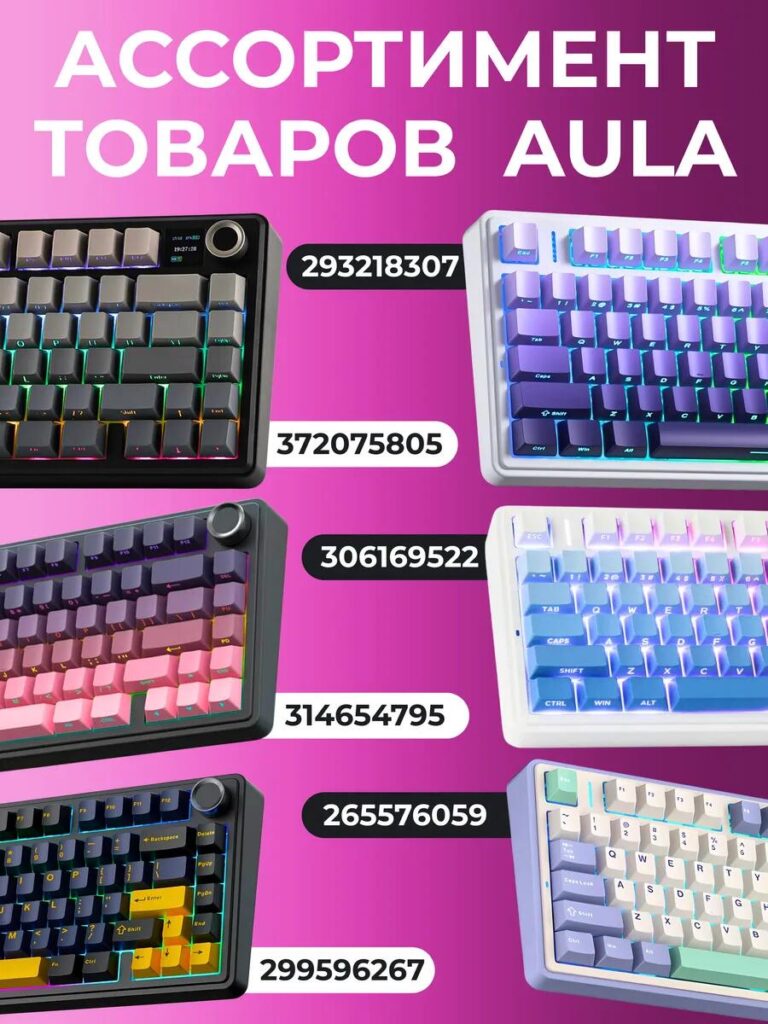
This image showcases the AULA keyboard lineup, not just one model.
Design Decisions
- Grid-based layout with multiple colorways
- Each keyboard visually distinct but stylistically consistent
- SKU numbers clearly visible for easy selection
Strategic Purpose
This image:
- Increases perceived brand scale
- Encourages cross-comparison within the same listing
- Gives buyers a sense of customization and choice
It subtly shifts the mindset from “Should I buy this?” to “Which one should I choose?”
Color System and Visual Language
Across all images, we maintained:
- High-contrast gradients for visibility on mobile
- Consistent lighting angles to keep product realism
- Bold typography optimized for small screens
- Clean iconography aligned with tech products
The goal was not decoration, but readability at speed.
Why This Image Set Works as a System
Each image answers a different buyer question:
- What is it?
- What makes it special?
- Will it connect easily?
- How long does it last?
- Do I have options?
Together, they form a complete conversion narrative.
Final Thoughts
Effective main image design for Ozon keyboards is about strategy, not aesthetics alone. By treating the image set as a structured story, we turn browsing into understanding—and understanding into action.
This project demonstrates how thoughtful visual hierarchy, feature prioritization, and platform-specific logic can significantly improve listing performance.
At AIRSANG, this is exactly what we specialize in: designing marketplace visuals that don’t just look good, but sell.


Design and build a WordPress website or corporate site with a full eCommerce system for you.
Price range: $200.00 through $2,500.00Custom requirements or special quotations
Original price was: $2.00.$1.00Current price is: $1.00. Main Image Design for Amazon Home Physiotherapy Device Explained
Introduction: Building a Trustworthy Image for Home Therapy Devices on Amazon When designing the main image for a home therapy device on Amazon, our primary...

Main Image Design for Amazon Lipstick Conversion
Introduction: Designing a Lipstick Main Image That Sells on Amazon When we design a Main image for an Amazon lipstick, our responsibility goes far beyond...

What Makes an Amazon Liquid Foundation Main Image Convert
Introduction Designing a Main image design for Amazon Liquid foundation is never just about making a product look beautiful. On Amazon, the main image and...

Designing an Effective Amazon Main Image for Filter Cartridges
Introduction Designing a Main image for Amazon is never just about making a product look attractive. It is about clarity, trust, and instant understanding—especially for...

Five Pet WordPress Themes Compared
Introduction Choosing the right pet-related WordPress theme is more than a design decision—it directly affects usability, scalability, and long-term business growth. Pet care and pet...

Building a Scalable WordPress Website for a Science-Driven Brand: The AminoUSA Project
Introduction In today’s digital landscape, a website is more than a place to list products. For science-driven brands operating in regulated or research-focused industries, a...

Building a Scalable Shopify Store for a Global Blade Brand: The CoolKatana Project
Introduction In cross-border eCommerce, a Shopify website is more than a storefront.For brands operating in niche, culture-driven categories, the website must do far more than...

Designing a High-Conversion Shopify Store for Pokémon Cards
Introduction In the world of collectible eCommerce, especially within the Pokémon Trading Card Game (TCG) market, a website must do more than simply list products....

High-Converting Shopify Design for a Custom Brick Brand
Introduction In today’s competitive eCommerce landscape, especially in the personalized gift and collectible space, a Shopify website must do far more than display products. It...
Shopify Website Design Case Study for a Premium Floral Brand
Introduction In today’s competitive eCommerce landscape, a Shopify website must do far more than display products. It needs to communicate brand value instantly, guide users...
Shopify Design Case Study: Retro Gaming Store
Introduction In a highly competitive eCommerce environment, visual clarity and emotional connection often determine whether a visitor becomes a customer. This is especially true in...
Shopify Design Case Study: Tactical Rescue Brand
Introduction A strong Shopify website does more than display products—it communicates purpose, builds trust, and guides users toward confident purchasing decisions. This is especially true...
Shopify Website Design Case Study for an Electric Bike Brand
Introduction In today’s competitive electric bike market, a Shopify website must do more than display products—it must tell a story, build trust, and guide users...
Scalable Shopify E-commerce for a Creative Brand
Introduction When creative brands grow, their websites often struggle to keep up. As product lines expand, content increases, and traffic rises, many visually driven brands...
Shopify Website Design Case Study for a Home Decor Brand
Introduction In the highly competitive home decor market, visual identity is no longer just about aesthetics—it directly influences trust, browsing behavior, and purchasing decisions. For...

Building a Scalable WordPress Subscription Website Case Study
Introduction For modern e-commerce brands, a website is no longer just a digital storefront. It is the engine that supports subscriptions, content storytelling, trust building,...
High-Conversion WordPress Design for Adult Brands
Introduction In highly competitive eCommerce markets, strong visuals alone are not enough. A successful WordPress website must guide visitors through a clear, intentional journey—one that...

Scalable WordPress Sex Doll E-commerce Website
Introduction Launching a high-performing cross-border eCommerce website is never just about putting products online.For brands operating in highly competitive and visually driven markets, the website...