












Introduction
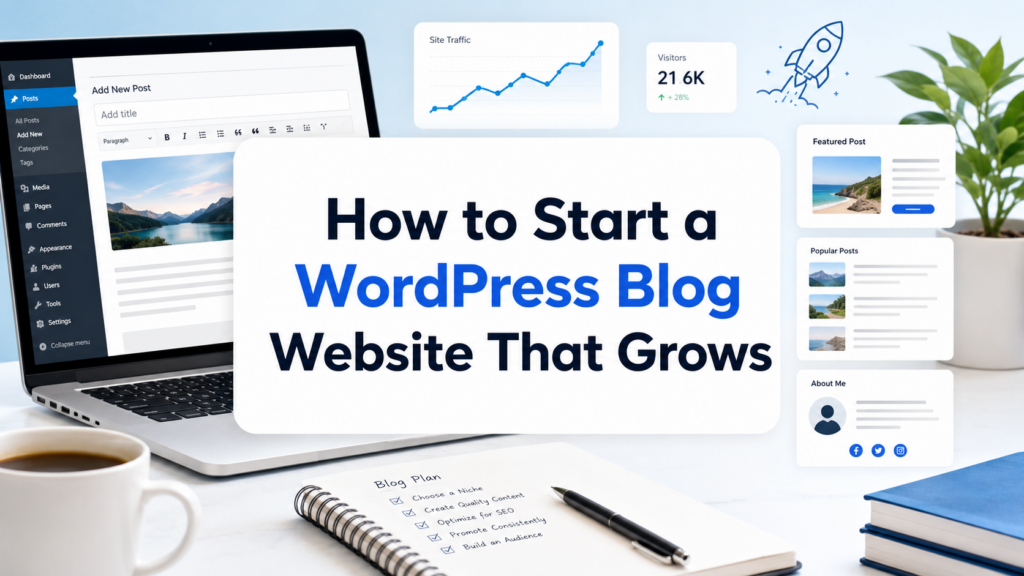
Starting a blog may sound technical at first, but the basic idea is simple: you need a topic, a web address, a place to host your website, and a publishing system that lets you write and manage content. WordPress is one of the most popular choices because it gives beginners a friendly way to create posts, design pages, upload images, organize categories, and grow a blog over time.
If you are searching for how to start a WordPress blog website, this guide explains the process in a practical, beginner-friendly way. You do not need to be a developer, designer, or marketing expert to begin. What you do need is a clear purpose, a few setup steps, and a simple plan for publishing helpful content consistently.
A WordPress blog website can be used for many goals. Some people start one to share personal stories. Others use it to teach skills, review products, build a portfolio, promote a service, or create a long-term online business. The advantage of WordPress is that it can start small and grow with you. You can publish your first article with a basic theme today, then later add email forms, SEO tools, digital products, online courses, or even ecommerce features.
This guide walks through the full process: choosing your blog topic, picking a domain name, getting hosting, installing WordPress, selecting a theme, writing your first post, customizing the site, and promoting your content.
1. Understand What a WordPress Blog Website Is
A WordPress blog website is a site built with WordPress that focuses on regularly published articles, guides, updates, stories, or resources. The blog section is usually organized by posts, categories, tags, authors, and publishing dates.
There are two common WordPress options beginners often confuse: WordPress.com and WordPress.org. WordPress.com is a hosted service where many technical details are handled for you, but some features may be limited depending on your plan. WordPress.org is the self-hosted version. With this option, you download or install WordPress through your hosting provider and get more control over design, plugins, monetization, SEO, and long-term website growth.
For most serious bloggers, creators, and business owners, self-hosted WordPress is the better choice because it gives more freedom. You can choose your hosting company, install plugins, customize your theme, add tracking tools, use ads, create affiliate content, collect email subscribers, and build a brand that is fully yours.
2. Choose a Blog Topic Before Buying Anything
Before you register a domain or install WordPress, decide what your blog is about. This step matters because your topic affects your domain name, design style, content plan, audience, and monetization options.
A strong blog topic should sit between your interests, your knowledge, and what readers want. If you choose a topic only because it seems profitable, you may lose motivation quickly. If you choose a topic only because you enjoy it but no one searches for it, growth may be slow. The best blog topics usually combine both: something you care about and something useful to a specific audience.
For example, “food” is too broad. “Easy meal prep for busy parents” is clearer. “Travel” is broad. “Budget travel guides for first-time solo travelers” is more focused. “Fitness” is huge. “Beginner strength training for women over 40” gives the blog a stronger identity.
A clear topic helps readers understand why they should follow your site. It also helps search engines understand your content focus.
3. Pick a Simple and Memorable Domain Name
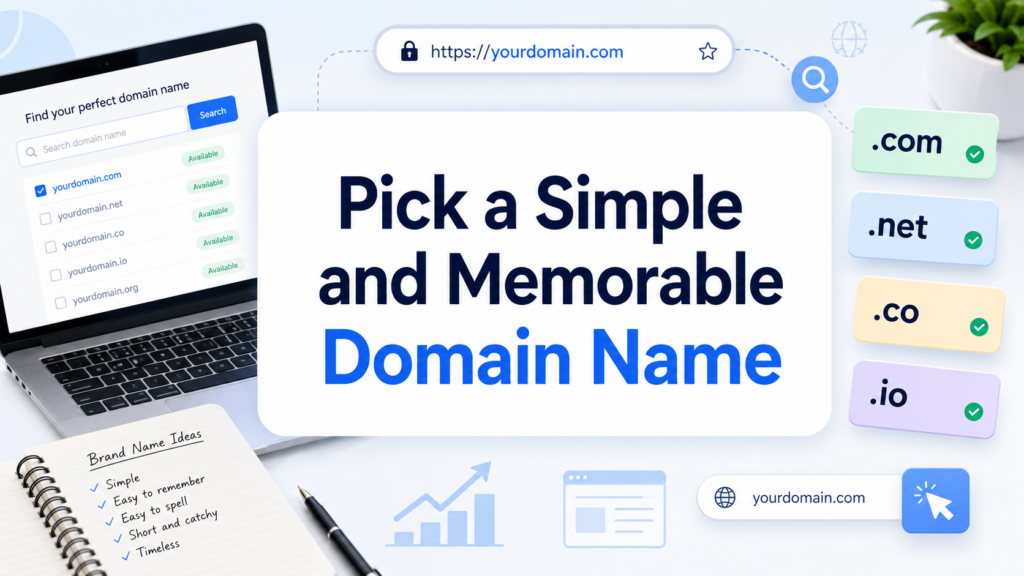
Your domain name is your website address. It is one of the first branding decisions you will make, so keep it simple, easy to spell, and easy to remember.
A good domain name should be short, readable, and connected to your blog topic or brand identity. Avoid long strings of words, confusing abbreviations, hyphens, and numbers unless they are part of your brand. If possible, choose a .com domain because it is familiar to most users, especially in the U.S. market.
Before you decide, say the domain name out loud. If someone heard it once, could they type it correctly? Would it still make sense if your blog grows beyond your first topic idea? A slightly broader brand name can be useful if you plan to expand later.
For example, a blog about beginner gardening could use a name that leaves room for topics like tools, soil, vegetables, flowers, and backyard design. A name that is too narrow may feel limiting after a few months.
4. Choose Reliable Web Hosting
Hosting is the service that stores your website files and makes your blog accessible online. Without hosting, your domain is only an address with nowhere to go.
For a beginner WordPress blog, shared hosting is usually enough. It is affordable, easy to manage, and often includes one-click WordPress installation. As your blog grows and traffic increases, you can upgrade to better hosting later.
When comparing hosting providers, look for a few essentials: WordPress support, free SSL certificate, easy installation, automatic backups, customer support, good uptime, and a beginner-friendly dashboard. SSL is especially important because it allows your site to load with https, which helps protect user data and makes your website look more trustworthy.
Many hosting companies also include a free domain for the first year. That can make the first setup easier, but always check renewal prices so you understand the long-term cost.
5. Install WordPress
After you buy hosting and connect your domain, the next step is installing WordPress. Most beginner-friendly hosts provide a simple WordPress installer inside the hosting dashboard. You usually select your domain, create a site title, set an admin username and password, and click install.
Once installation is complete, you can log into the WordPress dashboard. The login page often looks like this:
yourdomain.com/wp-admin
The dashboard is the control center of your blog. This is where you create posts, upload images, install themes, manage plugins, edit pages, review comments, and adjust settings.
At first, the dashboard may feel unfamiliar, but you only need to understand a few main areas:
Posts are for blog articles. Pages are for static content like About, Contact, and Privacy Policy. Media stores images and files. Appearance controls your theme and design. Plugins add extra features. Settings control basic site behavior.
6. Set Up Basic WordPress Settings
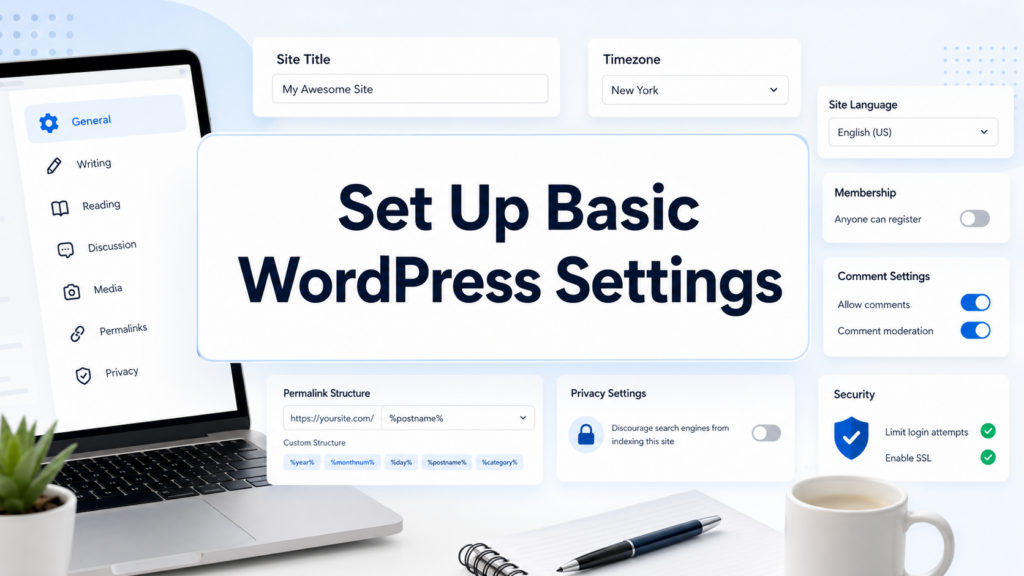
Before you design the blog, adjust a few important settings.
Start with your site title and tagline. These should clearly explain what your blog is about. Then check your permalink settings. Permalinks control how your article URLs look. A clean structure like yourdomain.com/sample-post/ is better than a URL filled with random numbers.
Next, set your timezone, date format, and reading settings. If your homepage will show your latest blog posts, you can leave the default setting. If you want a custom homepage later, you can create one and set it as your homepage.
You should also create essential pages early. At minimum, most blogs need an About page, a Contact page, and a Privacy Policy page. If you plan to use affiliate links, ads, sponsored content, or collect emails, you may also need disclosure pages depending on your location and business model.
7. Choose a WordPress Theme
A WordPress theme controls the look and layout of your blog. It affects typography, colors, spacing, headers, footers, blog post layouts, sidebar options, and mobile responsiveness.
For your first blog, choose a clean, lightweight, mobile-friendly theme. Do not pick a theme only because the demo looks beautiful. Look for readability, speed, simple customization, and compatibility with the plugins you may need.
A blog should be easy to read. That means clear fonts, strong contrast, comfortable spacing, and a layout that does not distract from the content. Fancy animations and complicated layouts may look impressive, but they can slow the site down or make articles harder to consume.
You can install a theme from your WordPress dashboard by going to Appearance, then Themes, then Add New. Browse the available options, preview the theme, install it, and activate it. You can always change your theme later, though it is best to avoid switching too often once your design is established.
8. Customize the Blog Design
After activating a theme, customize the design so the blog feels like your own. Most themes allow you to adjust the logo, colors, fonts, homepage layout, menus, and footer.
Start with the basics. Upload a logo if you have one. Choose two or three brand colors. Set readable font sizes. Create a main navigation menu with links to your most important pages and categories.
Keep the design simple at the beginning. Many new bloggers spend too much time adjusting small visual details before publishing any content. A clean blog with helpful articles is more valuable than a perfect-looking site with no posts.
Make sure your blog works well on mobile. Many readers will visit from phones, so your menu, images, buttons, and article text should be easy to use on smaller screens.
9. Install Essential Plugins
Plugins add features to WordPress without requiring custom coding. However, too many plugins can slow down your website or create conflicts, so install only what you need.
A beginner blog usually needs plugins for SEO, security, backups, caching, contact forms, and spam protection. An SEO plugin can help you write better titles, descriptions, and search-friendly content. A security plugin can reduce common risks. A backup plugin helps protect your work if something goes wrong. A caching plugin can improve loading speed. A form plugin lets visitors contact you.
Always install plugins from trusted developers, check reviews, and keep them updated. Delete plugins you are not using. A lighter WordPress site is often faster and easier to maintain.
10. Write Your First Blog Post
Now comes the most important part: writing. To start your first post, go to Posts, then Add New.
A strong first blog post does not need to be perfect. It should be clear, useful, and relevant to your audience. Choose a topic that solves a beginner problem or answers a common question in your niche.
Start with a headline that tells readers exactly what they will learn. Then write an introduction that explains the problem. Use H2 and H3 headings to organize the article. Add short paragraphs, examples, images, and practical tips.
Before publishing, check your post title, URL slug, category, featured image, meta description, and internal links if you have other related pages. Preview the post on desktop and mobile. When it looks ready, click Publish.
Your first post is a milestone, not the finish line. Blogging grows through consistent publishing.
11. Create a Simple Content Plan
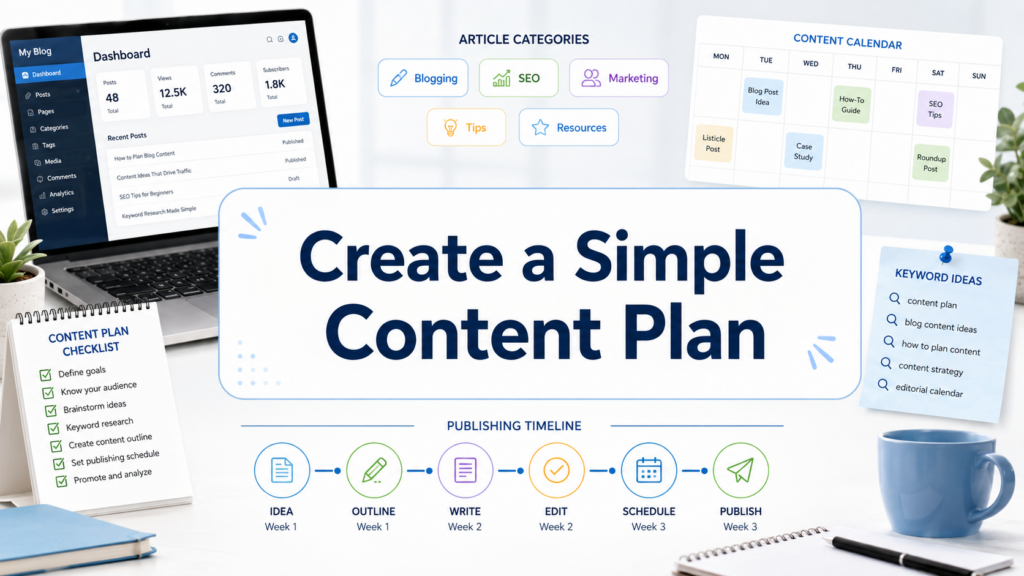
A blog becomes stronger when it has a clear content plan. Instead of writing random posts, create a list of topics your target readers care about.
You can divide your content into several categories. For example, a personal finance blog might include budgeting, saving, debt, credit cards, investing basics, and side income. A parenting blog might include baby care, school tips, family routines, product guides, and home organization.
Start with beginner-friendly topics because they often attract new readers. Write guides that answer real questions. Use simple language. Explain terms clearly. Add examples. A good blog post should make the reader feel less confused than when they arrived.
Consistency matters more than speed. Publishing one strong article every week is better than posting daily for two weeks and then disappearing for months.
12. Learn Basic SEO
SEO, or search engine optimization, helps people find your blog through Google and other search engines. You do not need advanced SEO knowledge to start, but you should understand the basics.
Use keywords naturally in your title, introduction, headings, and body text. For this article, the main keyword is how to start a wordpress blog website. The phrase should appear in a natural way, not be forced into every paragraph.
Write helpful content that matches search intent. If someone searches for a beginner guide, they probably want step-by-step instructions, not a sales pitch. Use descriptive headings, optimize image alt text, write meta descriptions, and link to related posts on your site.
SEO takes time. A new blog may not rank quickly, but each quality post becomes part of your long-term content foundation.
13. Promote Your Blog After Publishing
Publishing is only the first step. To get readers, you need to promote your content.
Share posts on social media platforms where your audience spends time. Build an email list so you can reach readers directly. Join relevant online communities, answer questions, and share your articles when they genuinely help. Repurpose blog content into short posts, videos, newsletters, or visual tips.
You can also collaborate with other bloggers, write guest posts, appear on podcasts, or create downloadable resources. The goal is not to spam links everywhere. The goal is to bring useful content to people who already care about your topic.
14. Maintain and Improve Your Blog
A WordPress blog needs regular maintenance. Update WordPress, themes, and plugins. Back up your site. Check broken links. Review old posts and refresh outdated information. Monitor loading speed. Remove unused plugins and media files.
As your blog grows, study what works. Look at which posts get traffic, which topics receive comments, and which articles bring email subscribers or sales. Use that information to plan better content.
Over time, you can improve your homepage, create stronger category pages, add lead magnets, test monetization methods, and build a more complete brand experience.
Conclusion
Starting a WordPress blog website is much easier when you break the process into clear steps. First, choose a focused topic and a memorable domain name. Then select reliable hosting, install WordPress, adjust the basic settings, and choose a clean theme. After that, customize the design, install essential plugins, publish your first post, and build a simple content plan.
The most important lesson is that a successful blog is not built in one day. It grows through useful content, consistent publishing, basic SEO, smart promotion, and regular maintenance. If you understand the foundation of how to start a WordPress blog website, you can create a blog that begins simply and becomes more valuable over time.
FAQ
1. How do I start a WordPress blog website as a beginner?
To start a WordPress blog website, choose a blog topic, register a domain name, buy web hosting, install WordPress, select a theme, adjust basic settings, and publish your first blog post.
2. Is WordPress good for beginners?
Yes. WordPress is beginner-friendly because it has a simple dashboard, many free themes, useful plugins, and flexible editing tools. You can start with basic features and add more functions as your blog grows.
3. Do I need coding skills to start a WordPress blog?
No. You can create and manage a WordPress blog without coding. Most tasks, such as writing posts, changing themes, adding pages, and installing plugins, can be done directly from the WordPress dashboard.
4. How much does it cost to start a WordPress blog website?
The main costs are usually a domain name and web hosting. Many beginners start with affordable shared hosting. Themes and plugins can be free at first, though premium options are available later.
5. What pages should a new WordPress blog have?
A new WordPress blog should usually include a Home page, About page, Contact page, Blog page, and Privacy Policy page. Depending on your content, you may also need a disclosure or terms page.
6. How can I get traffic to my WordPress blog?
You can grow traffic by publishing helpful content, using SEO keywords naturally, sharing posts on social media, building an email list, adding internal links, and updating older articles regularly.


Design and build a WordPress website or corporate site with a full eCommerce system for you.
Price range: $200.00 through $2,500.00custom-requirements-or-special-quotations
Original price was: $2.00.$1.00Current price is: $1.00. Are 50 Plugins Too Many for a WordPress eCommerce Store?
Understanding the Real Performance Impact Having 50 plugins on a WordPress eCommerce site isn’t automatically a problem. In fact, the number alone rarely determines performance....

Main Image Design for Amazon Home Physiotherapy Device Explained
Introduction: Building a Trustworthy Image for Home Therapy Devices on Amazon When designing the main image for a home therapy device on Amazon, our primary...

Main Image Design for Amazon Lipstick Conversion
Introduction: Designing a Lipstick Main Image That Sells on Amazon When we design a Main image for an Amazon lipstick, our responsibility goes far beyond...

How Hackers Steal WordPress Admin Emails (And How to Stop Them)
Let’s start with an uncomfortable truth: Your WordPress admin email is probably way more public than you think.And hackers? They love that. To them, your...

What Makes an Amazon Liquid Foundation Main Image Convert
Introduction Designing a Main image design for Amazon Liquid foundation is never just about making a product look beautiful. On Amazon, the main image and...

Designing an Effective Amazon Main Image for Filter Cartridges
Introduction Designing a Main image for Amazon is never just about making a product look attractive. It is about clarity, trust, and instant understanding—especially for...

Replay Attacks on WordPress: Real Threat or Overhyped Myth?
Let’s clear something up first. Replay attacks don’t look scary.They don’t smash passwords.They don’t inject evil code with green hacker text flying everywhere. They’re sneaky....

How to Duplicate WordPress Pages Without Breaking Anything
Let’s face it. Sometimes you don’t want to create a new page.You just want the same page… but slightly different. Same layout.Same blocks.Same settings. Because...

Five Pet WordPress Themes Compared
Introduction Choosing the right pet-related WordPress theme is more than a design decision—it directly affects usability, scalability, and long-term business growth. Pet care and pet...

Comparing Five Swimwear eCommerce Themes
Introduction Choosing the right theme for a swimwear or lingerie independent store is not just a visual decision—it directly affects conversion rates, scalability, and long-term...

How to Turn Off Comments in WordPress (Without Losing Your Mind)
Let’s talk about WordPress comments. In theory, comments are great.They encourage discussion.They build community.They make your website feel “alive.” In reality? They’re often a magnet...

WordPress 500 Error: When Your Website Decides to Panic
Your WordPress site was fine a minute ago.You refreshed the page.And suddenly—boom 💥—500 Internal Server Error. No explanation.No apology.Just a cold, confusing message that basically...

Building a Scalable WordPress Website for a Science-Driven Brand: The AminoUSA Project
Introduction In today’s digital landscape, a website is more than a place to list products. For science-driven brands operating in regulated or research-focused industries, a...

Building a Scalable Shopify Store for a Global Blade Brand: The CoolKatana Project
Introduction In cross-border eCommerce, a Shopify website is more than a storefront.For brands operating in niche, culture-driven categories, the website must do far more than...

Designing a High-Conversion Shopify Store for Pokémon Cards
Introduction In the world of collectible eCommerce, especially within the Pokémon Trading Card Game (TCG) market, a website must do more than simply list products....

High-Converting Shopify Design for a Custom Brick Brand
Introduction In today’s competitive eCommerce landscape, especially in the personalized gift and collectible space, a Shopify website must do far more than display products. It...

How to Contact Shopify Support: Simple, Stress-Free Guide
Running a Shopify store should feel exciting—not confusing. When questions pop up or issues slow you down, Shopify offers several support paths depending on what...

How to Deactivate a Shopify Store: A Clear, Practical Guide
Deactivating a Shopify store isn’t complicated, but it does come with consequences many merchants overlook. This guide breaks the process down in a simple, educational...