













If you manage a WordPress website, you’ve probably seen a błąd 404 WordPress at least once — a page that simply won’t load and instead shows an error message like “404 Not Found”. Whether you’re running a personal blog, an online store, or a business site, understanding what this error means and knowing how to fix it is crucial for user experience and search engine optimization.
In this guide, we’ll explain what a 404 error is, why it happens, common causes, simple fixes you can try right away, and tips to prevent these errors in the future.
What Is błąd 404 WordPress?

A błąd 404 WordPress — “404 Not Found” error — is an HTTP status code that means the page requested by a visitor can’t be found on the server. It’s your WordPress site’s way of saying, “We couldn’t find what you were looking for.”
This might happen when:
- A visitor types a URL incorrectly.
- A link on your site points to missing content.
- You moved or deleted a page.
- Your site’s permalinks (the URL structure) are broken.
- The server can’t correctly interpret the URL.
A 404 error doesn’t usually break your entire site, but if ignored it can hurt your SEO rankings and frustrate users who expected to find something useful.
Why Fixing błąd 404 WordPress Matters
Many WordPress sites accumulate 404 errors over time — even small sites might get hundreds of broken links each month because of typos, outdated links, or removed content.
Here’s why you should care:
- User Experience: Visitors who land on broken pages are more likely to leave and go to a competitor.
- SEO Impact: Search engines like Google may lower your rankings if they encounter many broken pages or wasted link value.
- Traffic & Revenue Loss: Especially for eCommerce sites, missing pages can interrupt customer journeys and sales.
Common Causes of błąd 404 WordPress
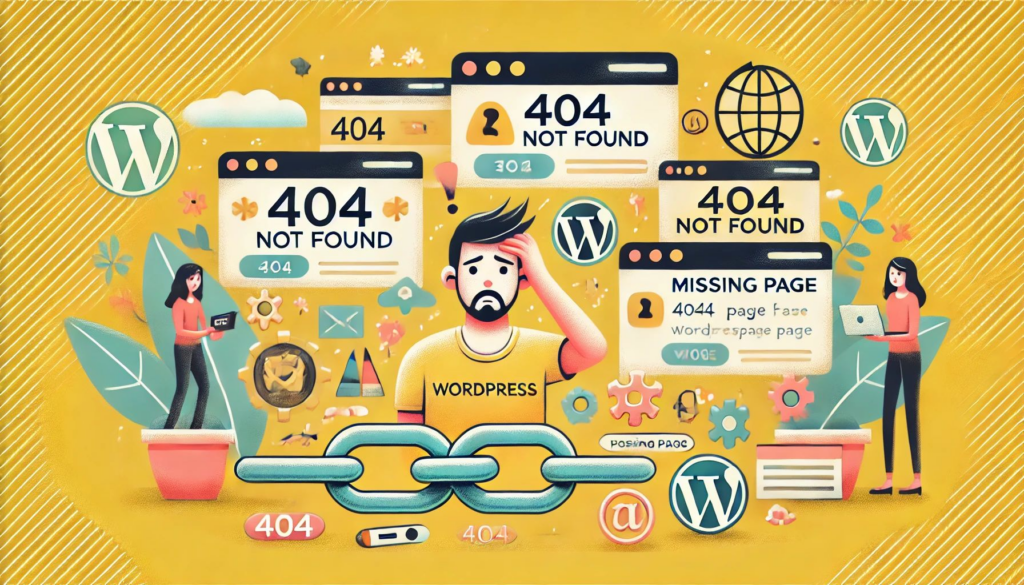
Before fixing the error, it helps to understand why it’s happening. Here are the most frequent causes:
1. Incorrect Permalink Settings
WordPress uses “permalinks” to structure URLs. If this configuration breaks, many pages might start returning 404 errors — not just one.
2. Broken or Deleted Pages
If a page was removed or the URL changed without redirecting from the old link, visitors will see a 404 error when visiting the outdated address.
3. Corrupted .htaccess File
On Apache servers, WordPress uses a file called .htaccess to handle how URLs are interpreted. If this file is missing or corrupt, 404 errors can appear site-wide.
4. Plugin or Theme Conflicts
Sometimes plugins or themes interfere with URL rewrites or permalink handling. Deactivating them temporarily can reveal whether they’re the cause.
5. Cache Issues or Typos
Old cached versions and typos in links can trigger 404s too. While typos are easy to fix, server or browser caching can make changes slower to appear.
Step-by-Step Solutions to Fix błąd 404 WordPress
Most 404 errors can be resolved without coding experience. Here are the most reliable fixes:
1. Reset Permalink Structure
This is often the quickest fix.
- Log in to your WordPress Dashboard.
- Go to Settings → Permalinks.
- Without changing anything, click Save Changes.
This forces WordPress to update its permalink structure and often fixes broken URLs.
🔁 Tip: Even if you didn’t change anything, simply saving triggers a permalink refresh that corrects many internal routing issues.
2. Edit or Regenerate the .htaccess File
If resetting permalinks doesn’t work, the issue could be with your .htaccess file:
- Connect to your hosting admin or FTP.
- Look for the
.htaccessfile in the root directory of your WordPress installation. - Rename or delete it (after making a backup).
- Then go back to Settings → Permalinks and click Save Changes to generate a fresh
.htaccessfile.
If your host uses Apache, this file controls URL rewriting, so a fresh version often restores link functionality.
3. Redirect Old URLs
If you changed URLs or deleted pages, use a redirect plugin such as Redirection to send users from missing links to correct pages.
This is especially helpful if the page used to rank in search engines — the redirect preserves SEO value.
4. Find & Fix Broken Links
Tools like Google Search Console or plugins (e.g., Broken Link Checker) help you find links that lead to 404 errors. Then either update them to the correct URL or set up redirects for them.
5. Check Plugins and Themes
If the error appeared after installing a plugin or updating your theme:
- Deactivate all plugins.
- Check if the error still shows.
- Reactivate plugins one by one to isolate the cause.
- Try switching to a default theme like Twenty Twenty-One temporarily.
Custom 404 Pages: Better User Experience
Even after you fix most errors, some 404s are unavoidable — people can still type wrong URLs or try to access deleted links.
That’s why creating a customized 404 page is a good idea. A friendly 404 page can:
- Explain what happened in clear terms.
- Offer links to your most useful pages.
- Include a search box so users can find something else.
Most WordPress themes allow you to design your own 404 page through the theme editor or a page builder like Elementor.
Monitor 404 Errors Over Time
Once fixed, it’s wise to keep an eye on 404 errors so they don’t accumulate again:
- Use Google Analytics to track pages that show 404 titles.
- Use Google Search Console to spot crawl errors.
- Some plugins like Redirection log 404s and help you set redirects when needed.
Monitoring errors helps maintain SEO health and prevents users from landing on frustrating broken links.
Common błąd 404 WordPress FAQs
Q: Why do I get 404 errors only after migrating my site?
A: Migration often changes server settings or removes key files like .htaccess. Resetting permalinks and regenerating .htaccess usually fixes this.
Q: Can 404 errors hurt my search ranking?
A: Yes, especially broken internal links can waste valuable SEO equity and lead to lower rankings.
Q: What if my admin dashboard shows a 404 error?
A: This might be due to server settings, plugin conflicts, or a missing wp-admin file. Checking file integrity or restoring backups usually helps.
Conclusion: Keep Your WordPress Site Healthy
A błąd 404 WordPress is common, but it doesn’t need to be a permanent problem. By understanding what causes these errors and applying reliable fixes — like resetting permalinks, managing redirects, and auditing links — you can improve your site’s usability and SEO.
If you find these issues confusing or time-consuming, AIRSANG specializes in cross-border web design and WordPress optimization. Whether you’re launching an international business, managing an online store, or need a professional to fix persistent WordPress errors, we can help make your site reliable, SEO-ready, and user-friendly. Feel free to reach out to us anytime. We’re here to help!


Design and build a WordPress website or corporate site with a full eCommerce system for you.
Price range: $200.00 through $2,500.00Custom requirements or special quotations
Original price was: $2.00.$1.00Current price is: $1.00. Are 50 Plugins Too Many for a WordPress eCommerce Store?
Understanding the Real Performance Impact Having 50 plugins on a WordPress eCommerce site isn’t automatically a problem. In fact, the number alone rarely determines performance....

Main Image Design for Amazon Lipstick Conversion
Introduction: Designing a Lipstick Main Image That Sells on Amazon When we design a Main image for an Amazon lipstick, our responsibility goes far beyond...

How Hackers Steal WordPress Admin Emails (And How to Stop Them)
Let’s start with an uncomfortable truth: Your WordPress admin email is probably way more public than you think.And hackers? They love that. To them, your...

What Makes an Amazon Liquid Foundation Main Image Convert
Introduction Designing a Main image design for Amazon Liquid foundation is never just about making a product look beautiful. On Amazon, the main image and...

Designing an Effective Amazon Main Image for Filter Cartridges
Introduction Designing a Main image for Amazon is never just about making a product look attractive. It is about clarity, trust, and instant understanding—especially for...

Replay Attacks on WordPress: Real Threat or Overhyped Myth?
Let’s clear something up first. Replay attacks don’t look scary.They don’t smash passwords.They don’t inject evil code with green hacker text flying everywhere. They’re sneaky....

How to Duplicate WordPress Pages Without Breaking Anything
Let’s face it. Sometimes you don’t want to create a new page.You just want the same page… but slightly different. Same layout.Same blocks.Same settings. Because...

Five Pet WordPress Themes Compared
Introduction Choosing the right pet-related WordPress theme is more than a design decision—it directly affects usability, scalability, and long-term business growth. Pet care and pet...

Comparing Five Swimwear eCommerce Themes
Introduction Choosing the right theme for a swimwear or lingerie independent store is not just a visual decision—it directly affects conversion rates, scalability, and long-term...

How to Turn Off Comments in WordPress (Without Losing Your Mind)
Let’s talk about WordPress comments. In theory, comments are great.They encourage discussion.They build community.They make your website feel “alive.” In reality? They’re often a magnet...

WordPress 500 Error: When Your Website Decides to Panic
Your WordPress site was fine a minute ago.You refreshed the page.And suddenly—boom 💥—500 Internal Server Error. No explanation.No apology.Just a cold, confusing message that basically...

How to Contact Shopify Support: Simple, Stress-Free Guide
Running a Shopify store should feel exciting—not confusing. When questions pop up or issues slow you down, Shopify offers several support paths depending on what...

How to Deactivate a Shopify Store: A Clear, Practical Guide
Deactivating a Shopify store isn’t complicated, but it does come with consequences many merchants overlook. This guide breaks the process down in a simple, educational...

Five Shoe Store Themes Compared
Introduction Choosing the right theme for a footwear-focused independent store is not just a visual decision—it directly affects scalability, daily operations, and long-term conversion performance....

Shopify vs Etsy: The Ultimate Online Selling Showdown
Introduction: Two Platforms Walk Into a Bar… If Shopify and Etsy were people, Etsy would be that charming friend who already has a booth at...

Is Your Shopify or WordPress Site Hacked? Here’s What to Do
Introduction: The Digital Equivalent of Waking Up to a Broken Window Imagine waking up, grabbing your morning coffee, opening your laptop… and discovering your website...

How to Start a Shopify Store Without Losing Your Mind
Starting a Shopify store sounds glamorous. You picture yourself sipping coffee at noon, checking sales notifications, and casually telling friends,“Yeah, my store did pretty well...

Is Shopify Legit? A Clear Guide for New Online Sellers
If you’re researching eCommerce platforms, chances are you’ve typed one very specific question into Google: is Shopify legit? That question is completely reasonable. Launching an...