












Understanding the Real Performance Impact
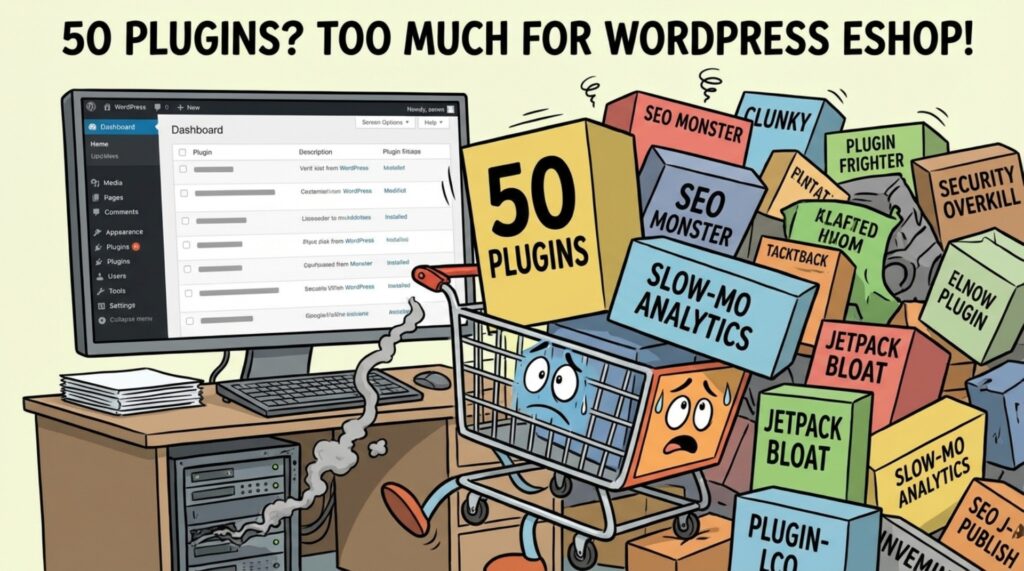
Having 50 plugins on a WordPress eCommerce site isn’t automatically a problem. In fact, the number alone rarely determines performance. What truly matters is how those plugins are built, maintained, and configured. A well-optimized store can run smoothly with dozens of plugins, while a poorly managed site can slow to a crawl with far fewer.
When building a WordPress eShop, plugins are essential. They power everything from payments and shipping to SEO, security, and customer experience. But relying too heavily on plugins—without strategy—can quietly undermine site speed, stability, and scalability.
So where’s the real line? And when do plugins become a liability instead of an asset?
Let’s break it down.
The Plugin Paradox: More Features, More Responsibility

Why Plugins Are Essential for WordPress eShops
Plugins extend WordPress beyond its core capabilities. For eCommerce stores, they enable critical features such as:
- Product and inventory management
- Payment gateways and checkout flows
- SEO optimization
- Security and anti-spam protection
- Performance enhancements
Without plugins, WordPress simply wouldn’t be a viable eCommerce platform.
However, every plugin also introduces additional code, scripts, and database activity. When unmanaged, this extra load can affect page speed—an especially serious issue for online stores, where even a one-second delay can reduce conversions and increase bounce rates.
How Multiple Plugins Can Slow Down Your Store
1. Increased HTTP Requests
Most plugins load their own CSS, JavaScript, and assets. Each file adds an HTTP request when a page loads. With 50 plugins, those requests can quickly multiply.
More requests = longer load times.
This becomes especially noticeable on product pages, category pages, and checkout flows—areas where speed directly impacts revenue.
2. Database Bloat
Many plugins store data in the WordPress database. Over time, this can lead to:
- Larger tables
- Slower queries
- Heavier server load
Plugins that don’t clean up after themselves—such as leaving behind old transients, logs, or unused tables—can gradually degrade performance without obvious warning signs.
3. Plugin Conflicts and Redundancy
When multiple plugins attempt to modify similar functionality (headers, scripts, checkout behavior, tracking, etc.), conflicts can occur. Even when no visible errors appear, overlapping logic can create unnecessary processing overhead.
In an eCommerce environment—where plugins handle pricing, carts, taxes, and payments—these inefficiencies add up quickly.
4. Maintenance, Updates, and Security Risks
More plugins mean:
- More updates to manage
- More chances for compatibility issues
- More potential security vulnerabilities
Outdated or abandoned plugins can slow down your site or expose it to attacks. A compromised plugin doesn’t just threaten security—it can destroy performance and uptime.
Can a WordPress eShop Run Well with 50 Plugins?
Yes—if they’re chosen and managed correctly.
The problem isn’t the number. It’s poor-quality plugins, overlapping functionality, and lack of optimization.
Many high-performing WordPress stores run 40–60 plugins without issues because they follow best practices.
How to Maintain Speed with Many Plugins
1. Be Selective and Strategic
Not all plugins are created equal. Prioritize plugins that are:
- Actively maintained
- Well-reviewed
- Lightweight and performance-conscious
Whenever possible, choose multi-purpose plugins instead of stacking several single-function ones. One well-built SEO plugin is better than five scattered tools doing the same job.
2. Regularly Audit Your Plugin Stack
Plugin audits should be routine—not reactive.
Ask yourself:
- Is this plugin still necessary?
- Does another plugin already cover this feature?
- Has it been updated recently?
Remove anything redundant, outdated, or unused. Fewer active plugins mean less code to execute and fewer things that can go wrong.
3. Optimize the Site Around the Plugins
Plugins don’t operate in isolation. Performance depends on the entire ecosystem.
Key optimizations include:
- Caching: Reduce server load by serving static content
- Image optimization: Compress and serve properly sized images
- CSS & JS minification: Reduce file size and requests
- Hosting quality: A weak server will struggle regardless of plugin count
Tools like WP Rocket, Autoptimize, or server-level caching can dramatically offset plugin overhead.
4. Monitor Performance Continuously
Use tools like:
- Google PageSpeed Insights
- GTmetrix
- Pingdom
If performance drops after installing a plugin, that’s your signal. Test plugins individually to identify the bottleneck before it impacts users.
Final Thoughts
At the end of the day, the number of plugins on a WordPress eCommerce site isn’t the real issue. What truly determines performance is strategy, structure, and execution. With the right plugin choices, proper optimization, and a well-planned architecture, even a feature-rich store can remain fast, stable, and scalable.
At AIRSANG, this is exactly what we focus on. We specialize in WordPress and Shopify website eCommerce store building, and conversion-driven web design. Instead of blindly stacking plugins, we design clean, efficient systems that balance functionality, performance, and long-term growth.
If you’re building a new online store, struggling with slow load times, or feeling overwhelmed by plugin conflicts and technical decisions, AIRSANG can help. We don’t just build websites — we create optimized, scalable platforms that support real business results.


Design and build a WordPress website or corporate site with a full eCommerce system for you.
Price range: $200.00 through $2,500.00Custom requirements or special quotations
Original price was: $2.00.$1.00Current price is: $1.00. How Hackers Steal WordPress Admin Emails (And How to Stop Them)
Let’s start with an uncomfortable truth: Your WordPress admin email is probably way more public than you think.And hackers? They love that. To them, your...

Replay Attacks on WordPress: Real Threat or Overhyped Myth?
Let’s clear something up first. Replay attacks don’t look scary.They don’t smash passwords.They don’t inject evil code with green hacker text flying everywhere. They’re sneaky....

How to Duplicate WordPress Pages Without Breaking Anything
Let’s face it. Sometimes you don’t want to create a new page.You just want the same page… but slightly different. Same layout.Same blocks.Same settings. Because...

Five Pet WordPress Themes Compared
Introduction Choosing the right pet-related WordPress theme is more than a design decision—it directly affects usability, scalability, and long-term business growth. Pet care and pet...

Comparing Five Swimwear eCommerce Themes
Introduction Choosing the right theme for a swimwear or lingerie independent store is not just a visual decision—it directly affects conversion rates, scalability, and long-term...

How to Turn Off Comments in WordPress (Without Losing Your Mind)
Let’s talk about WordPress comments. In theory, comments are great.They encourage discussion.They build community.They make your website feel “alive.” In reality? They’re often a magnet...

WordPress 500 Error: When Your Website Decides to Panic
Your WordPress site was fine a minute ago.You refreshed the page.And suddenly—boom 💥—500 Internal Server Error. No explanation.No apology.Just a cold, confusing message that basically...

How to Contact Shopify Support: Simple, Stress-Free Guide
Running a Shopify store should feel exciting—not confusing. When questions pop up or issues slow you down, Shopify offers several support paths depending on what...

How to Deactivate a Shopify Store: A Clear, Practical Guide
Deactivating a Shopify store isn’t complicated, but it does come with consequences many merchants overlook. This guide breaks the process down in a simple, educational...

Five Shoe Store Themes Compared
Introduction Choosing the right theme for a footwear-focused independent store is not just a visual decision—it directly affects scalability, daily operations, and long-term conversion performance....

Shopify vs Etsy: The Ultimate Online Selling Showdown
Introduction: Two Platforms Walk Into a Bar… If Shopify and Etsy were people, Etsy would be that charming friend who already has a booth at...

Is Your Shopify or WordPress Site Hacked? Here’s What to Do
Introduction: The Digital Equivalent of Waking Up to a Broken Window Imagine waking up, grabbing your morning coffee, opening your laptop… and discovering your website...

How to Start a Shopify Store Without Losing Your Mind
Starting a Shopify store sounds glamorous. You picture yourself sipping coffee at noon, checking sales notifications, and casually telling friends,“Yeah, my store did pretty well...

Is Shopify Legit? A Clear Guide for New Online Sellers
If you’re researching eCommerce platforms, chances are you’ve typed one very specific question into Google: is Shopify legit? That question is completely reasonable. Launching an...

Kids Clothing Store Themes Compared: WordPress & Shopify
Introduction Choosing the right theme is one of the most important decisions when building a kids or baby clothing independent store. Design tone, platform compatibility,...

Is Shopify Legit? Shopify vs BigCommerce Guide
When people first step into eCommerce, one question comes up again and again: Is Shopify legit? It’s a fair question.Starting an online store means trusting...

How to Create a Shopify Store: A Simple Step-by-Step Guide
Creating an online store used to feel overwhelming.Domains, hosting, payments, design, shipping, marketing—everything sounded technical, expensive, and confusing. That’s exactly why platforms like Shopify exist....

Best Kids Toy Store Themes Compared
Introduction Choosing the right theme for a kids toy or children’s clothing store is more than a visual decision. It affects how easily you can...