












If you’ve ever opened your website only to be greeted by the message “Error establishing a database connection WordPress”, you’re not alone. This is one of the most common — and most confusing — errors WordPress users encounter.
The good news?
This error usually means WordPress can’t talk to its database — not that your site is permanently broken.
In this guide, we’ll explain what this error really means, why it happens, and how to troubleshoot it step by step, using plain language instead of technical jargon. Whether you run a business site, blog, or cross-border eCommerce store, this article will help you understand the issue and regain control.
What Does “Error Establishing a Database Connection” Mean?
At its core, WordPress works like a messenger.
When someone visits your site, WordPress:
- Connects to the database
- Fetches content (posts, pages, products, settings)
- Displays everything using your theme
If WordPress cannot reach the database, it has nothing to display — so it shows the error instead.
In other words:
WordPress itself is running, but the database connection has failed.
This usually points to a configuration problem, server issue, or database outage, not a broken theme or page builder.
How WordPress Connects to the Database (Simple Explanation)
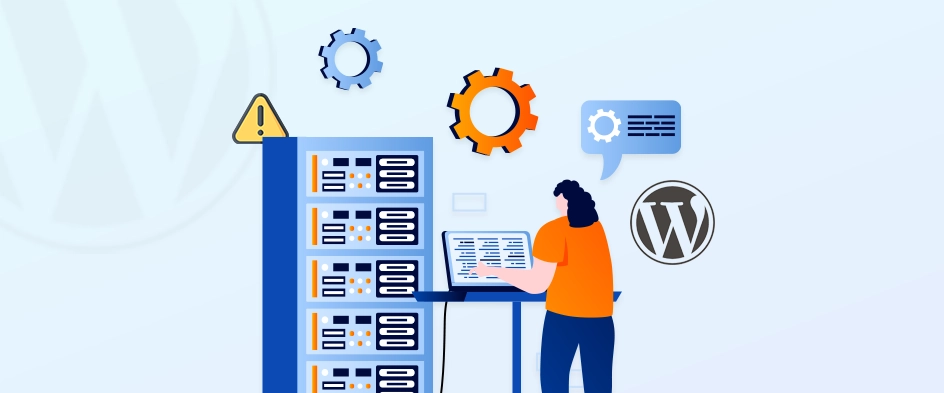
To understand the problem, it helps to know how WordPress connects to its database.
WordPress stores critical connection details inside a file called:
wp-config.php
This file contains:
- Database name
- Database username
- Database password
- Database host (server address)
When even one of these values is wrong — or the database server is unavailable — WordPress cannot connect.
Most Common Causes of This Error
Let’s break down the real-world reasons this error appears.
1. Incorrect Database Credentials
This is the most common cause.
If the database name, username, or password in wp-config.php doesn’t match what’s on your server, the connection fails.
This often happens when:
- Migrating a site to a new host
- Restoring a backup
- Changing database passwords
- Setting up a staging or development site
Even a single typo can trigger the error.
2. Corrupted WordPress Database
Databases can become corrupted due to:
- Server crashes
- Plugin conflicts
- Failed updates
- Malware or brute-force attacks
In these cases, WordPress may reach the database server but fail to read the data properly.
3. Database Server Is Down
Sometimes the issue isn’t WordPress at all.
If the database server (MySQL/MariaDB) is offline or overloaded, WordPress cannot connect — even with correct credentials.
This often happens on:
- Shared hosting
- Cheap VPS setups
- Servers under traffic spikes
4. Corrupted Core WordPress Files
Less common, but still possible.
If core WordPress files are damaged or incomplete (often due to failed updates or manual uploads), WordPress may not initialize correctly.
5. Hosting Environment Problems
Hosting issues can include:
- Insufficient PHP memory
- Disabled MySQL services
- Incorrect server permissions
- Misconfigured firewall rules
These problems are especially common on DIY servers or poorly optimized hosting environments.
Step-by-Step: How to Fix the Error
Let’s go through practical troubleshooting steps — from simplest to more advanced.
Step 1: Check Your Database Credentials
Open wp-config.php and look for these lines:
define('DB_NAME', 'database_name_here');
define('DB_USER', 'username_here');
define('DB_PASSWORD', 'password_here');
define('DB_HOST', 'localhost');
Make sure they match exactly what your hosting provider shows in:
- cPanel
- Plesk
- CloudPanel
- Hosting dashboard
Common mistakes:
- Extra spaces
- Wrong database name after migration
- Using old credentials
If you recently changed hosts, this step alone often fixes the issue.
Step 2: Test Database Connection Manually
If credentials look correct, test whether the database itself is reachable.
Most hosts provide:
- phpMyAdmin
- Adminer
- Database management panel
Try logging in using the same username and password.
If login fails, the problem is not WordPress — it’s the database or credentials.
Step 3: Repair a Corrupted Database
WordPress includes a built-in database repair tool.
Add this line to wp-config.php:
define('WP_ALLOW_REPAIR', true);
Then visit:
yourwebsite.com/wp-admin/maint/repair.php
Run the repair process.
⚠️ Important:
Remove the line after repairing — leaving it active is a security risk.
Step 4: Check Your Database Host
Most sites use:
DB_HOST = localhost
But some hosts require:
- A custom IP
- A different hostname
- Internal network address
If you’re unsure, ask your host or check their documentation.
Using the wrong database host will trigger this error even with correct credentials.
Step 5: Restart Database Server (Advanced)
If you manage your own server (VPS or dedicated), your database service may be down.
Common services:
- MySQL
- MariaDB
Restarting the service often resolves temporary outages caused by memory exhaustion or crashes.
If you’re on managed hosting, contact support instead.
Step 6: Check for Plugin or Theme Conflicts
Sometimes a plugin:
- Sends malformed queries
- Overloads the database
- Breaks the connection under traffic
If possible:
- Rename the
pluginsfolder temporarily - Check if the site loads
- Restore plugins one by one
This helps identify problematic plugins.
Step 7: Reupload Core WordPress Files
If nothing else works, corrupted core files may be the issue.
Upload fresh copies of:
wp-adminwp-includes
⚠️ Do not overwrite wp-content or wp-config.php.
This step fixes issues caused by incomplete updates or file corruption.
How to Prevent This Error in the Future
Prevention matters just as much as fixing the issue.
Best Practices:
- Use reliable hosting
- Avoid excessive low-quality plugins
- Keep WordPress, themes, and plugins updated
- Set up automated backups
- Monitor server resource usage
- Secure your site against brute-force attacks
For business and eCommerce sites, these steps are critical — downtime directly impacts revenue and trust.
Why This Error Matters for Business Websites
If your site shows a database error:
- Customers can’t browse
- Search engines may deindex pages
- Ads traffic is wasted
- Brand trust drops instantly
For cross-border brands, the impact is even larger due to:
- Multiple time zones
- Paid traffic campaigns
- International customers
This is why database stability and hosting architecture are not “just technical details” — they’re business fundamentals.
Final Thoughts
The “Error establishing database connection WordPress” message looks intimidating, but it usually points to a clear, fixable issue.
In most cases:
- Credentials are incorrect
- The database needs repair
- The server is under stress
Understanding the logic behind the error empowers you to fix it faster — or communicate clearly with your hosting provider or technical team.
How AIRSANG Can Help
At AIRSANG, we specialize in cross-border websites, WordPress architecture, and performance-focused design — not just how a site looks, but how it works under real traffic conditions.
We help brands:
- Build stable WordPress infrastructures
- Optimize databases and hosting setups
- Design conversion-focused websites
- Prevent critical downtime issues before they happen
If you’re running — or planning — an international website and want reliability, scalability, and professional execution, AIRSANG is here to help.
Feel free to reach out if you want your WordPress site built the right way from day one.


Design and build a WordPress website or corporate site with a full eCommerce system for you.
Price range: $200.00 through $2,500.00Custom requirements or special quotations
Original price was: $2.00.$1.00Current price is: $1.00. Are 50 Plugins Too Many for a WordPress eCommerce Store?
Understanding the Real Performance Impact Having 50 plugins on a WordPress eCommerce site isn’t automatically a problem. In fact, the number alone rarely determines performance....

Main Image Design for Amazon Lipstick Conversion
Introduction: Designing a Lipstick Main Image That Sells on Amazon When we design a Main image for an Amazon lipstick, our responsibility goes far beyond...

How Hackers Steal WordPress Admin Emails (And How to Stop Them)
Let’s start with an uncomfortable truth: Your WordPress admin email is probably way more public than you think.And hackers? They love that. To them, your...

What Makes an Amazon Liquid Foundation Main Image Convert
Introduction Designing a Main image design for Amazon Liquid foundation is never just about making a product look beautiful. On Amazon, the main image and...

Designing an Effective Amazon Main Image for Filter Cartridges
Introduction Designing a Main image for Amazon is never just about making a product look attractive. It is about clarity, trust, and instant understanding—especially for...

Replay Attacks on WordPress: Real Threat or Overhyped Myth?
Let’s clear something up first. Replay attacks don’t look scary.They don’t smash passwords.They don’t inject evil code with green hacker text flying everywhere. They’re sneaky....

How to Duplicate WordPress Pages Without Breaking Anything
Let’s face it. Sometimes you don’t want to create a new page.You just want the same page… but slightly different. Same layout.Same blocks.Same settings. Because...

Five Pet WordPress Themes Compared
Introduction Choosing the right pet-related WordPress theme is more than a design decision—it directly affects usability, scalability, and long-term business growth. Pet care and pet...

Comparing Five Swimwear eCommerce Themes
Introduction Choosing the right theme for a swimwear or lingerie independent store is not just a visual decision—it directly affects conversion rates, scalability, and long-term...

How to Turn Off Comments in WordPress (Without Losing Your Mind)
Let’s talk about WordPress comments. In theory, comments are great.They encourage discussion.They build community.They make your website feel “alive.” In reality? They’re often a magnet...

WordPress 500 Error: When Your Website Decides to Panic
Your WordPress site was fine a minute ago.You refreshed the page.And suddenly—boom 💥—500 Internal Server Error. No explanation.No apology.Just a cold, confusing message that basically...

How to Contact Shopify Support: Simple, Stress-Free Guide
Running a Shopify store should feel exciting—not confusing. When questions pop up or issues slow you down, Shopify offers several support paths depending on what...

How to Deactivate a Shopify Store: A Clear, Practical Guide
Deactivating a Shopify store isn’t complicated, but it does come with consequences many merchants overlook. This guide breaks the process down in a simple, educational...

Five Shoe Store Themes Compared
Introduction Choosing the right theme for a footwear-focused independent store is not just a visual decision—it directly affects scalability, daily operations, and long-term conversion performance....

Shopify vs Etsy: The Ultimate Online Selling Showdown
Introduction: Two Platforms Walk Into a Bar… If Shopify and Etsy were people, Etsy would be that charming friend who already has a booth at...

Is Your Shopify or WordPress Site Hacked? Here’s What to Do
Introduction: The Digital Equivalent of Waking Up to a Broken Window Imagine waking up, grabbing your morning coffee, opening your laptop… and discovering your website...

How to Start a Shopify Store Without Losing Your Mind
Starting a Shopify store sounds glamorous. You picture yourself sipping coffee at noon, checking sales notifications, and casually telling friends,“Yeah, my store did pretty well...

Is Shopify Legit? A Clear Guide for New Online Sellers
If you’re researching eCommerce platforms, chances are you’ve typed one very specific question into Google: is Shopify legit? That question is completely reasonable. Launching an...