












Building an online store is no longer something reserved for large companies or technical teams. Today, anyone with a product idea and a clear goal can build a Shopify store and start selling globally. But while the tools are easier than ever, success still depends on understanding the process, making the right decisions, and avoiding common mistakes.
This guide breaks down how to build a Shopify store step by step, using a clear and educational approach. Whether you’re launching your first online business or planning to scale a cross-border brand, this article will help you understand what really matters.
What It Means to Build a Shopify Store
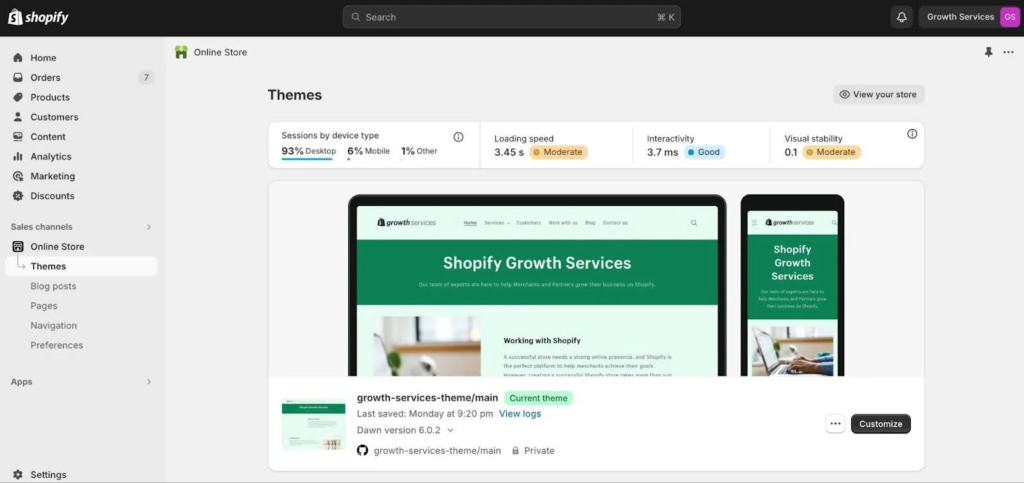
When people hear “build a Shopify store,” they often think it’s just about choosing a theme and uploading products. In reality, building a Shopify store means creating a complete online sales system.
A real store includes:
- A clear brand identity
- A structured product catalog
- Trust-building design
- Smooth checkout and payment flow
- A foundation for marketing and growth
Shopify provides the infrastructure, but how you use it determines whether your store looks professional, converts visitors, and scales internationally.
Step 1: Clarify Your Business Model Before You Build
Before touching any settings, you need clarity. Many failed stores don’t fail because of design or ads — they fail because the business logic is unclear.
Ask yourself:
- Are you selling physical products, digital products, or services?
- Will you ship locally or internationally?
- Are you targeting B2C customers or wholesale buyers?
- Are you building a brand or testing a product?
Your answers directly affect how you build your Shopify store. A single-product brand, for example, needs a very different layout from a multi-category catalog store.
Step 2: Choose the Right Shopify Plan
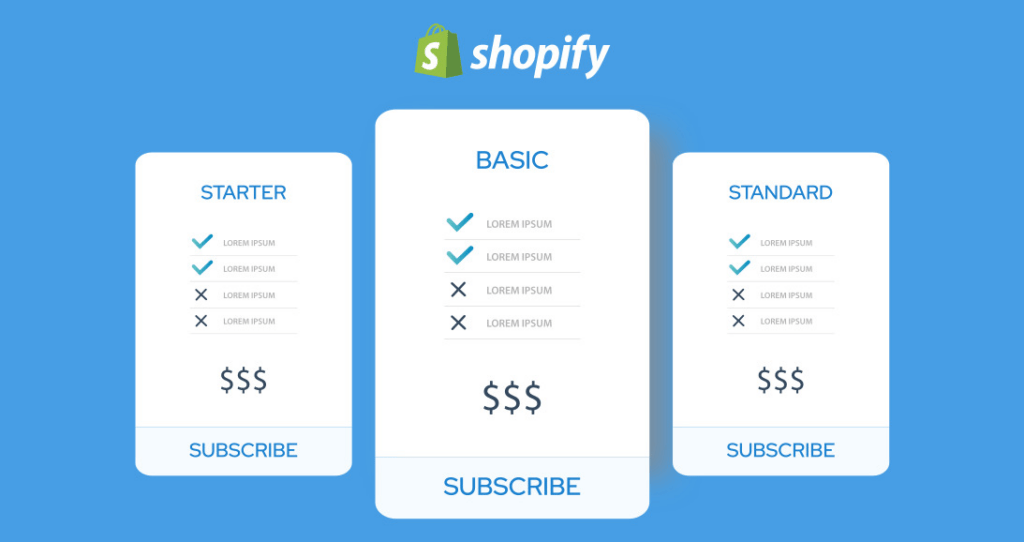
Shopify offers multiple plans, but beginners often overthink this step. In most cases, starting small is the smartest choice.
For most new sellers:
- The basic plan is enough to launch
- You can upgrade later as traffic and sales grow
- Features like abandoned cart recovery and discount codes are already included
The goal at this stage is not perfection, but speed and validation.
Step 3: Set Up Your Store Foundation Correctly
Once your account is active, Shopify will guide you through initial setup. This part looks simple, but small details matter.
Key elements to configure early:
- Store name and brand tone
- Currency and time zone
- Business address and contact info
- Legal pages (Privacy Policy, Terms, Refund Policy)
These details may seem boring, but they are essential for trust, compliance, and payment approval — especially for cross-border selling.
Step 4: Design Matters More Than Most Beginners Expect
One of the biggest misconceptions is that design is just about looking “nice.” In reality, design directly affects conversion rates.
When you build a Shopify store, design should:
- Guide users visually
- Reduce confusion
- Highlight value, not decoration
- Feel familiar to your target market
A clean, structured layout almost always outperforms an over-designed one.
Step 5: Selecting a Theme With Purpose
Shopify themes are more than templates — they define how flexible your store can be.
When choosing a theme, focus on:
- Mobile responsiveness
- Product page layout options
- Navigation clarity
- Speed and performance
Avoid choosing a theme just because it looks trendy. Instead, choose one that supports your product type and future growth.
Step 6: Build Product Pages That Actually Sell
Your product page is where decisions are made. A weak product page kills conversions, no matter how good your ads are.
A strong product page includes:
- Clear product titles
- Benefit-focused descriptions
- High-quality images
- Transparent pricing and shipping info
- Visible trust signals
When you build a Shopify store, remember that customers don’t buy features — they buy solutions.
Step 7: Pricing and Payments: Remove Friction
A common mistake is setting prices without strategy. Pricing should reflect:
- Your brand positioning
- Shipping and tax realities
- Customer expectations in your target market
Equally important is payment setup. Shopify supports multiple payment gateways, but you must:
- Enable the right options for your region
- Avoid unnecessary steps at checkout
- Ensure currency consistency
Every extra click at checkout reduces conversion.
Step 8: Shipping Strategy Is Part of the Brand Experience
Shipping is not just logistics — it’s part of customer experience.
When building your Shopify store, decide:
- Will you offer free shipping?
- Will you ship internationally?
- How will you communicate delivery times?
Clear shipping information builds confidence. Hidden or confusing shipping rules destroy trust instantly.
Step 9: Don’t Ignore Store Navigation and Structure
Navigation is one of the most underestimated parts of store building.
Good navigation:
- Helps users find products in seconds
- Reduces bounce rate
- Improves SEO structure
Think like a customer, not a store owner. If visitors can’t find what they want quickly, they leave.

Step 10: Prepare for Marketing From Day One
Even the best-looking store won’t sell without traffic.
When you build a Shopify store, you should prepare for:
- SEO-friendly URLs and structure
- Email capture for future marketing
- Social media integration
- Analytics tracking
Marketing is not something you “add later.” It should be part of the foundation.
Step 11: Test Before You Launch
Before opening your store to the public, test everything:
- Place test orders
- Check emails and notifications
- Review mobile experience
- Verify payment flow
Many beginners skip this step and lose their first customers due to preventable errors.
Step 12: Launch Is Just the Beginning
Launching your Shopify store is not the finish line — it’s the starting point.
After launch, focus on:
- Collecting user behavior data
- Improving product pages
- Optimizing loading speed
- Refining design based on real feedback
Successful stores are built through iteration, not one-time setup.
Common Mistakes When Building a Shopify Store
To summarize, avoid these pitfalls:
- Overdesigning without purpose
- Copying competitors blindly
- Ignoring mobile users
- Launching without trust signals
- Treating the store as “done” after launch
Understanding these mistakes early can save months of wasted effort.
Why Professional Help Can Make a Big Difference
While Shopify makes it possible to build a store on your own, building a store that converts and scales is another story.
Professional teams help with:
- Strategic store structure
- Conversion-focused design
- Cross-border user experience
- Brand consistency
- Long-term scalability
This is especially important if you’re targeting international markets or building a brand, not just testing a product.
Final Thoughts
To build a Shopify store successfully, you don’t need advanced coding skills — but you do need clarity, structure, and strategy. Shopify provides the tools, but the results depend on how well those tools are used.
If you’re serious about cross-border eCommerce, brand building, or turning your store into a long-term asset, working with experienced designers and strategists can dramatically shorten your learning curve.
At AIRSANG, we specialize in cross-border eCommerce and professional website design. From Shopify store setup to conversion-focused design and international market optimization, we help brands build stores that don’t just launch — but grow.
If you’re planning to build a Shopify store and want to do it right from the start, AIRSANG is here to help.


Design and build a WordPress website or corporate site with a full eCommerce system for you.
Price range: $200.00 through $2,500.00Custom requirements or special quotations
Original price was: $2.00.$1.00Current price is: $1.00. Are 50 Plugins Too Many for a WordPress eCommerce Store?
Understanding the Real Performance Impact Having 50 plugins on a WordPress eCommerce site isn’t automatically a problem. In fact, the number alone rarely determines performance....

Main Image Design for Amazon Lipstick Conversion
Introduction: Designing a Lipstick Main Image That Sells on Amazon When we design a Main image for an Amazon lipstick, our responsibility goes far beyond...

How Hackers Steal WordPress Admin Emails (And How to Stop Them)
Let’s start with an uncomfortable truth: Your WordPress admin email is probably way more public than you think.And hackers? They love that. To them, your...

What Makes an Amazon Liquid Foundation Main Image Convert
Introduction Designing a Main image design for Amazon Liquid foundation is never just about making a product look beautiful. On Amazon, the main image and...

Designing an Effective Amazon Main Image for Filter Cartridges
Introduction Designing a Main image for Amazon is never just about making a product look attractive. It is about clarity, trust, and instant understanding—especially for...

Replay Attacks on WordPress: Real Threat or Overhyped Myth?
Let’s clear something up first. Replay attacks don’t look scary.They don’t smash passwords.They don’t inject evil code with green hacker text flying everywhere. They’re sneaky....

How to Duplicate WordPress Pages Without Breaking Anything
Let’s face it. Sometimes you don’t want to create a new page.You just want the same page… but slightly different. Same layout.Same blocks.Same settings. Because...

Five Pet WordPress Themes Compared
Introduction Choosing the right pet-related WordPress theme is more than a design decision—it directly affects usability, scalability, and long-term business growth. Pet care and pet...

Comparing Five Swimwear eCommerce Themes
Introduction Choosing the right theme for a swimwear or lingerie independent store is not just a visual decision—it directly affects conversion rates, scalability, and long-term...

How to Turn Off Comments in WordPress (Without Losing Your Mind)
Let’s talk about WordPress comments. In theory, comments are great.They encourage discussion.They build community.They make your website feel “alive.” In reality? They’re often a magnet...

WordPress 500 Error: When Your Website Decides to Panic
Your WordPress site was fine a minute ago.You refreshed the page.And suddenly—boom 💥—500 Internal Server Error. No explanation.No apology.Just a cold, confusing message that basically...

How to Contact Shopify Support: Simple, Stress-Free Guide
Running a Shopify store should feel exciting—not confusing. When questions pop up or issues slow you down, Shopify offers several support paths depending on what...

How to Deactivate a Shopify Store: A Clear, Practical Guide
Deactivating a Shopify store isn’t complicated, but it does come with consequences many merchants overlook. This guide breaks the process down in a simple, educational...

Five Shoe Store Themes Compared
Introduction Choosing the right theme for a footwear-focused independent store is not just a visual decision—it directly affects scalability, daily operations, and long-term conversion performance....

Shopify vs Etsy: The Ultimate Online Selling Showdown
Introduction: Two Platforms Walk Into a Bar… If Shopify and Etsy were people, Etsy would be that charming friend who already has a booth at...

Is Your Shopify or WordPress Site Hacked? Here’s What to Do
Introduction: The Digital Equivalent of Waking Up to a Broken Window Imagine waking up, grabbing your morning coffee, opening your laptop… and discovering your website...

How to Start a Shopify Store Without Losing Your Mind
Starting a Shopify store sounds glamorous. You picture yourself sipping coffee at noon, checking sales notifications, and casually telling friends,“Yeah, my store did pretty well...

Is Shopify Legit? A Clear Guide for New Online Sellers
If you’re researching eCommerce platforms, chances are you’ve typed one very specific question into Google: is Shopify legit? That question is completely reasonable. Launching an...