











لا توجد منتجات في سلة التسوق.


If you’re planning to build a website, combining ووردبريس with GoDaddy is one of the most accessible and popular ways to get started. WordPress powers a large portion of the internet thanks to its flexibility and ease of use, while GoDaddy provides domain registration and hosting services that make launching a website straightforward—even for beginners.
This guide explains how to use WordPress with GoDaddy in a clear, educational way. Whether you’re building a business site, blog, or eCommerce store, you’ll learn how everything fits together—from domain setup to site management—without diving into complex technical details.
Before getting started, it’s important to understand how these two work together.
When you use WordPress with GoDaddy, you’re essentially installing WordPress on GoDaddy’s hosting environment and using it to build your website.

Your domain is your website’s identity online (like yourbrand.com).
.comOnce you purchase a domain through GoDaddy, it will automatically connect to your hosting if both are under the same account.
To run WordPress, you need hosting. GoDaddy offers several options, but for beginners, these are the most common:
For most users learning how to use WordPress with GoDaddy, managed WordPress hosting is the easiest option.
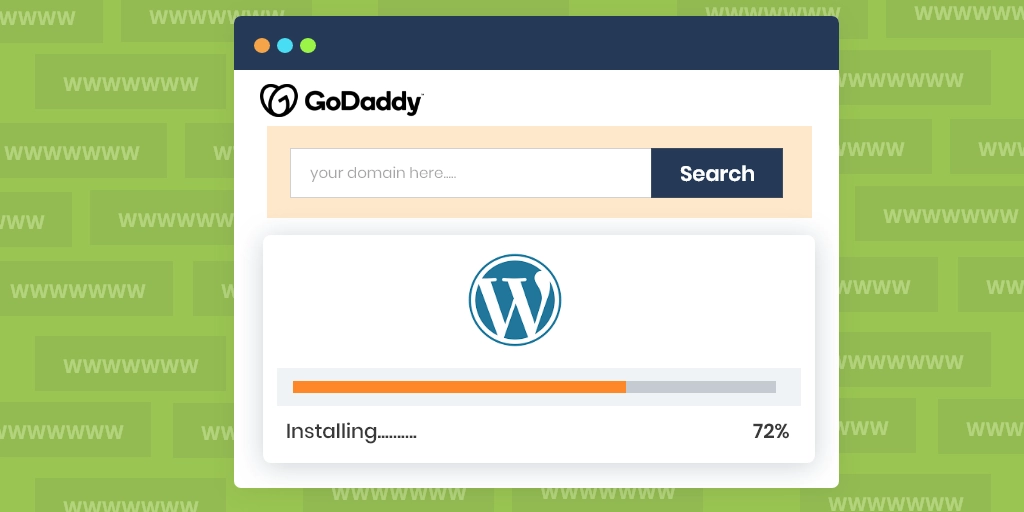
GoDaddy simplifies the installation process significantly.
For most users, the one-click method is faster and avoids unnecessary complexity.
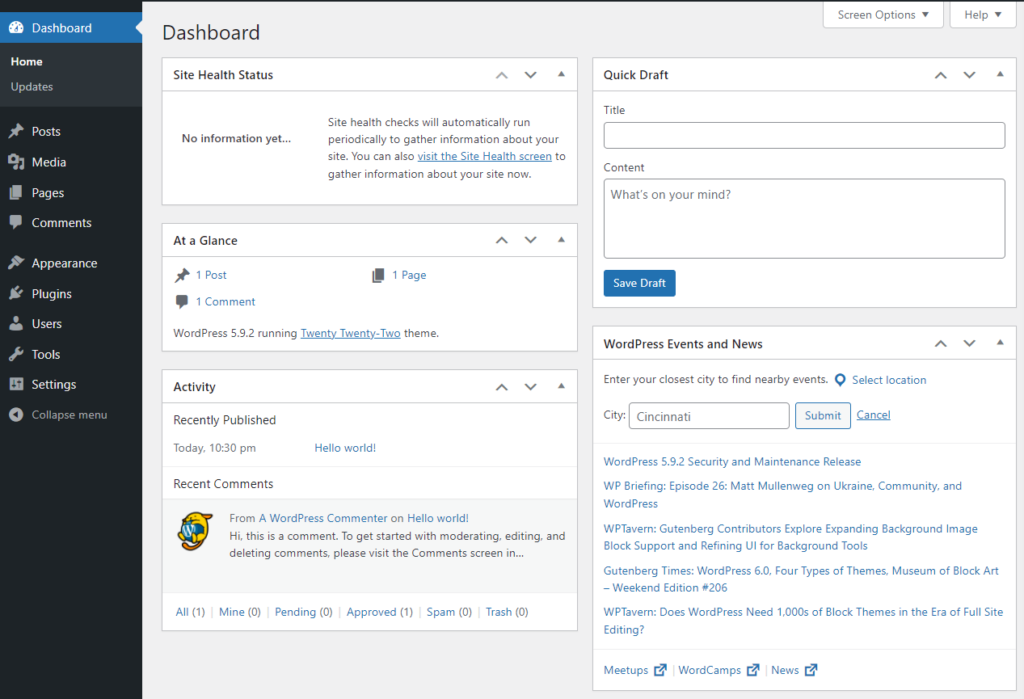
After installation, you’ll receive a login URL like:
yourdomain.com/wp-admin
This is where you control everything:
The dashboard is designed to be user-friendly, even if you have no coding experience.
Themes define how your website looks and feels.
بعد التثبيت، يمكنك تخصيص ما يلي:
This is where design starts to shape user experience and brand perception.
Plugins extend WordPress functionality. Think of them as apps for your website.
Be careful not to install too many plugins, as this can slow down your website.
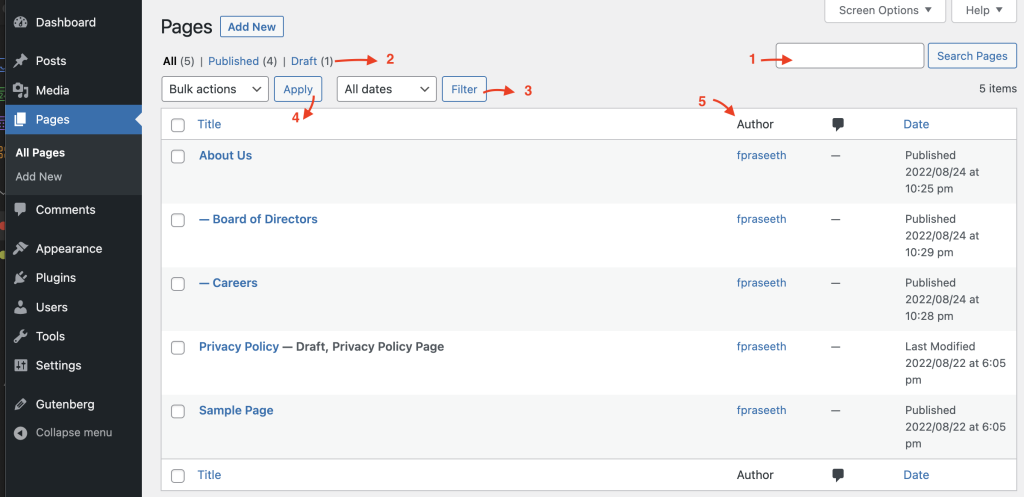
Now comes the most important part—building your actual website content.
WordPress allows you to create both static pages and blog posts, making it suitable for almost any type of website.
A well-structured website improves usability and conversions.
You can manage menus directly in the WordPress dashboard under Appearance settings.
Website speed plays a crucial role in user experience and SEO.
GoDaddy’s managed hosting often includes performance enhancements, but additional optimization is still important.
Security should never be overlooked.
GoDaddy typically provides SSL certificates and basic protection features, especially on managed plans.
قبل البث المباشر، تحقق مما يلي:
Once everything is ready, your WordPress site on GoDaddy is ready for visitors.
When learning how to use WordPress with GoDaddy, many beginners encounter similar issues:
Start simple. You don’t need advanced features right away.
Inconsistent fonts, colors, and spacing reduce professionalism.
This can slow down your site and create conflicts.
Most users browse on mobile devices—your site must perform well on smaller screens.
Using WordPress with GoDaddy is popular because it balances simplicity and flexibility.
It allows beginners to start quickly while still offering room to expand later.
Understanding how to use ووردبريس with GoDaddy is one of the most practical skills for building a website today. By combining a reliable hosting provider with a flexible CMS, you can create anything from a simple blog to a full-scale business site.
The process involves:
With the right approach, even beginners can launch a professional-looking website without technical complexity.
No, you don’t need any coding experience. WordPress provides a user-friendly dashboard, and GoDaddy offers one-click installation, making it easy for beginners to build and manage a website.
Managed WordPress hosting is usually the best option for beginners. It simplifies setup, improves performance, and includes automatic updates and security features.
With GoDaddy’s one-click installation, you can set up WordPress in just a few minutes. However, customizing your site and adding content may take additional time.
Yes, you can connect an existing domain to your GoDaddy hosting and install WordPress on it, even if the domain was purchased elsewhere.
You can improve speed by using a lightweight theme, optimizing images, enabling caching, limiting plugins, and choosing a performance-optimized hosting plan.


















