












Introdução
When people search for “what is.wordpress”, they are usually trying to understand one simple thing: what WordPress is and why so many websites use it. WordPress is a content management system, often called a CMS, that helps people create, edit, organize, and publish websites without needing to write code from scratch. It started as a blogging tool, but it has grown into one of the most flexible website platforms in the world. TechRadar describes WordPress as a free CMS that helps users build many types of sites, including blogs, portfolios, business websites, and online stores.
In simple terms, WordPress is like a website-building workspace. Instead of manually creating every page with programming languages, users can log into a dashboard, choose a design, add pages, upload images, write content, install features, and manage the website from one place. This makes it useful for beginners, small businesses, bloggers, creators, agencies, and even large organizations.
What Is WordPress in Simple Words?
WordPress is software that lets you build and manage a website. It gives you a control panel where you can create pages, publish blog posts, change your site design, organize menus, add contact forms, upload media, and install extra tools.
A traditional website often requires knowledge of HTML, CSS, JavaScript, server setup, databases, and security. WordPress reduces that barrier. You still need to learn how the platform works, but you do not need to become a professional developer just to launch a basic website.
Think of WordPress like a digital workshop. The theme controls the general look of your website. The pages hold your main content. The plugins add extra functions. The dashboard lets you manage everything. You can start with a simple website and gradually expand it as your needs grow.
This is one reason WordPress became so popular. It gives beginners a clear starting point, but it also gives advanced users enough freedom to build highly customized websites.
Why Do People Use WordPress?
People use WordPress because it combines flexibility, affordability, and control. Many website builders are easy to use, but they can feel limited when your website becomes more complex. WordPress gives users more room to grow.
A small personal blog can use WordPress. A service business can use WordPress. A restaurant can use WordPress. A news website can use WordPress. A portfolio site can use WordPress. With WooCommerce, WordPress can also support online stores.
The platform is popular because users can change almost every part of their website. They can choose different designs, install new features, improve search engine optimization, create landing pages, add multilingual content, connect email marketing tools, and more.
WordPress also has a large community. That means there are many tutorials, forums, themes, plugins, hosting companies, designers, and support resources available. For beginners, this matters because help is usually easy to find.
WordPress as a Content Management System
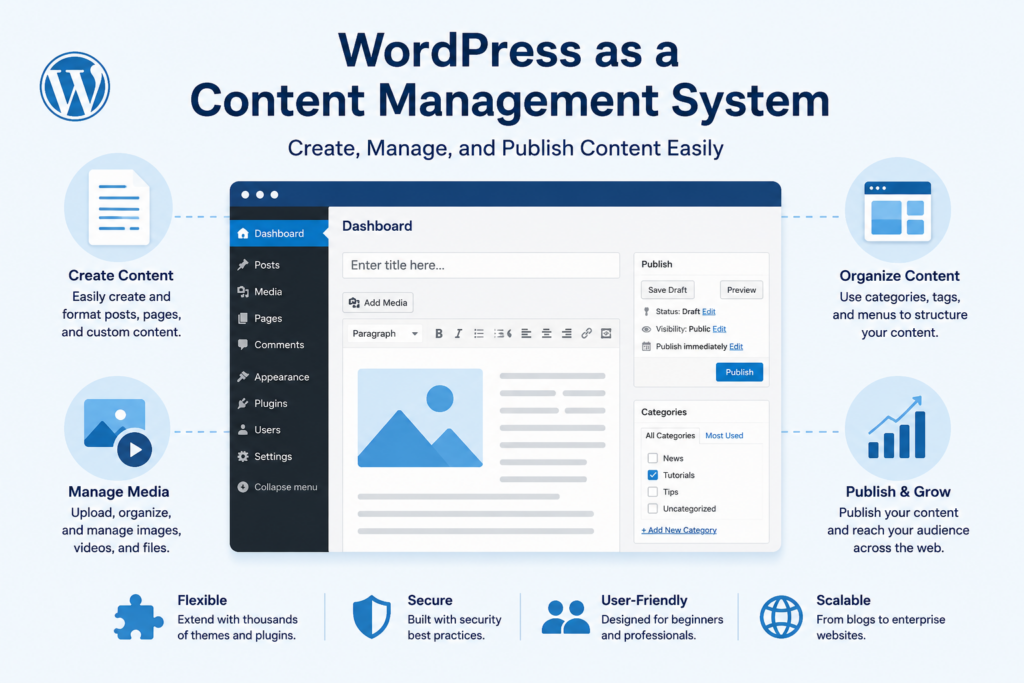
To understand WordPress clearly, it helps to understand what a CMS does. A content management system is software that helps users manage digital content. In the case of WordPress, that content can include text, images, videos, pages, blog posts, product information, menus, categories, and more.
Without a CMS, changing a website may require editing code files directly. With WordPress, users can make many changes through the dashboard. For example, if you want to publish a blog post, you can write it in the editor, add images, choose a category, preview it, and publish it with a button.
This is especially useful for businesses that update content often. A company may need to add service pages, publish announcements, update pricing, post case studies, or share blog articles. WordPress makes these tasks easier to manage.
WordPress.org vs WordPress.com
One of the most confusing parts for beginners is the difference between WordPress.org and WordPress.com. They sound almost the same, but they are not identical.
WordPress.org is where you can get the free, open-source WordPress software. This version is often called self-hosted WordPress. You install it on a web hosting account, connect a domain name, and control the website yourself. This option gives you the most flexibility. You can install themes, plugins, custom tools, and advanced features.
WordPress.com is a hosted service connected to Automattic. It allows users to create a website without managing hosting in the same way. It can be easier for some beginners, but depending on the plan, it may come with more limits than self-hosted WordPress.
The easiest way to understand the difference is this: WordPress.org gives you the software and more control, while WordPress.com gives you a hosted environment that may feel simpler but can be more restricted. TechRadar also explains that using WordPress does not require WordPress.com, since many hosting companies provide WordPress installation and support.
What Can You Build With WordPress?
WordPress can support many types of websites. This is one of its biggest advantages.
A beginner might use it to build a personal blog. A freelancer might create a portfolio to show past work. A local business might create a service website with contact forms and location information. A brand might build a content-rich blog for SEO. A store owner might use WooCommerce to sell products online.
WordPress can also be used for membership websites, online courses, directories, booking websites, nonprofit websites, event websites, news websites, and landing pages. The exact result depends on the theme, plugins, hosting, content, and setup.
This wide range of use cases makes WordPress different from many simple website builders. It can begin as a basic site and later become something much more advanced.
How WordPress Themes Work
A WordPress theme controls the visual appearance of a website. It affects layout, typography, colors, spacing, headers, footers, blog styles, page templates, and mobile responsiveness.
For beginners, themes are helpful because they provide a ready-made design foundation. Instead of starting with a blank screen, users can choose a theme that already matches their website type. A restaurant theme may include menu layouts. A portfolio theme may include image galleries. A business theme may include service sections and call-to-action areas.
Themes can usually be customized. Users can change colors, upload logos, adjust menus, edit homepage sections, and modify page layouts. Some themes offer many built-in options, while others are lightweight and rely more on page builders or custom blocks.
Choosing the right theme is important. A good theme should look professional, load efficiently, work well on mobile devices, and support the features your website needs.
How WordPress Plugins Work
Plugins are add-ons that extend what WordPress can do. If themes control much of the design, plugins control many of the features.
For example, you can install a plugin to create a contact form. You can install another plugin to improve SEO. You can use a plugin to add image compression, security protection, backups, analytics, popups, ecommerce, appointment booking, multilingual content, or social sharing.
This plugin system is one of the main reasons WordPress is so flexible. You do not need every feature built into the core software. Instead, you can add the tools your website actually needs.
However, plugins should be used carefully. Installing too many plugins can slow down a website or create compatibility problems. It is better to choose reliable plugins, keep them updated, and remove tools you do not use.
Is WordPress Easy for Beginners?
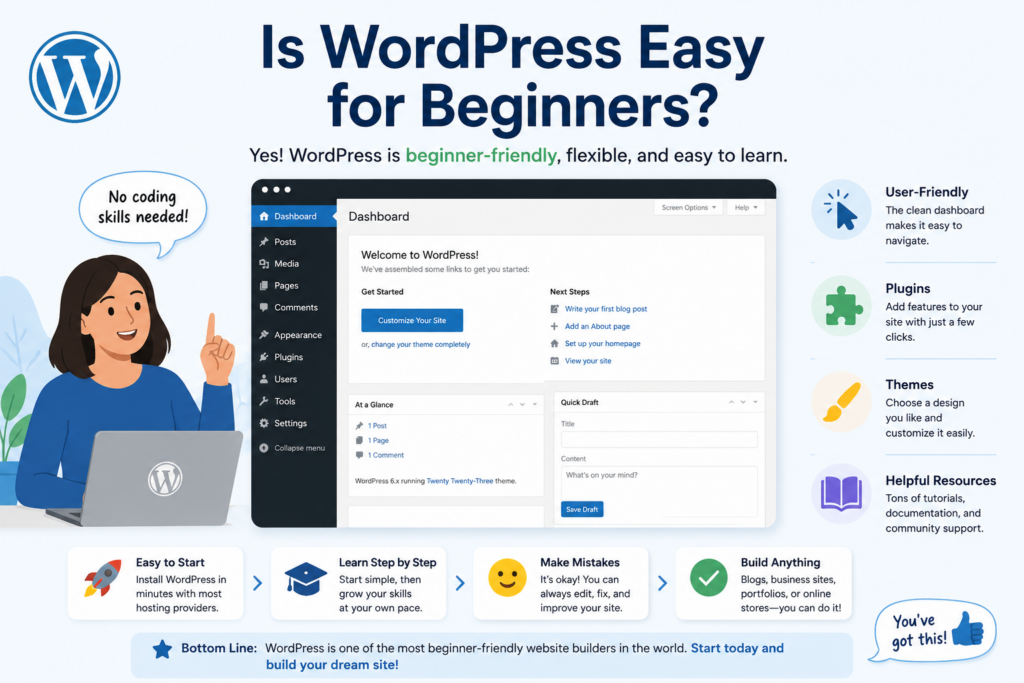
WordPress is beginner-friendly, but it is not always effortless. A beginner can create a simple website with WordPress, but there is still a learning curve.
The dashboard has many sections, including posts, pages, media, themes, plugins, menus, users, and settings. At first, this can feel overwhelming. However, once users understand the basic structure, WordPress becomes much easier to manage.
The learning experience also depends on the theme and tools you choose. A clean theme with simple settings may be easier for beginners. A complex theme with many options may require more time. Page builders can make design easier for visual users, but they also add another layer to learn.
In general, WordPress is a good choice for beginners who are willing to spend time learning. It may not be the best choice for someone who wants the simplest possible website with almost no setup decisions. But for users who want long-term flexibility, WordPress is worth learning.
How Much Does WordPress Cost?
WordPress software itself is free, but running a live website usually has costs. The main required costs are hosting and a domain name.
A domain name is your website address, such as example.com. Hosting is the server space where your website files are stored. Without hosting, people cannot access your site online.
There may also be optional costs. You might pay for a premium theme, premium plugins, a professional page builder, security tools, backup services, or professional design help. TechRadar notes that typical website costs may include hosting, domain registration, premium themes, plugins, page builders, and professional services depending on the user’s needs.
This makes WordPress flexible in terms of budget. A basic site can be affordable, while a larger business website may require a bigger investment.
WordPress and Website Design
WordPress gives users many design options. You can start with a theme, customize it, and use blocks or page builders to create layouts.
The WordPress block editor lets users build pages with sections such as headings, paragraphs, images, buttons, columns, galleries, lists, and embeds. This makes content creation more visual than older editing systems.
For users who want more advanced design control, tools like Elementor, Divi, and other page builders can offer drag-and-drop editing. These tools allow users to build custom page layouts without writing code. They are popular for landing pages, service pages, homepages, and ecommerce layouts.
Good website design is not only about appearance. It also affects usability, trust, mobile experience, and conversion. WordPress provides the tools, but users still need to organize content clearly and make design choices that support the website’s purpose.
WordPress and SEO
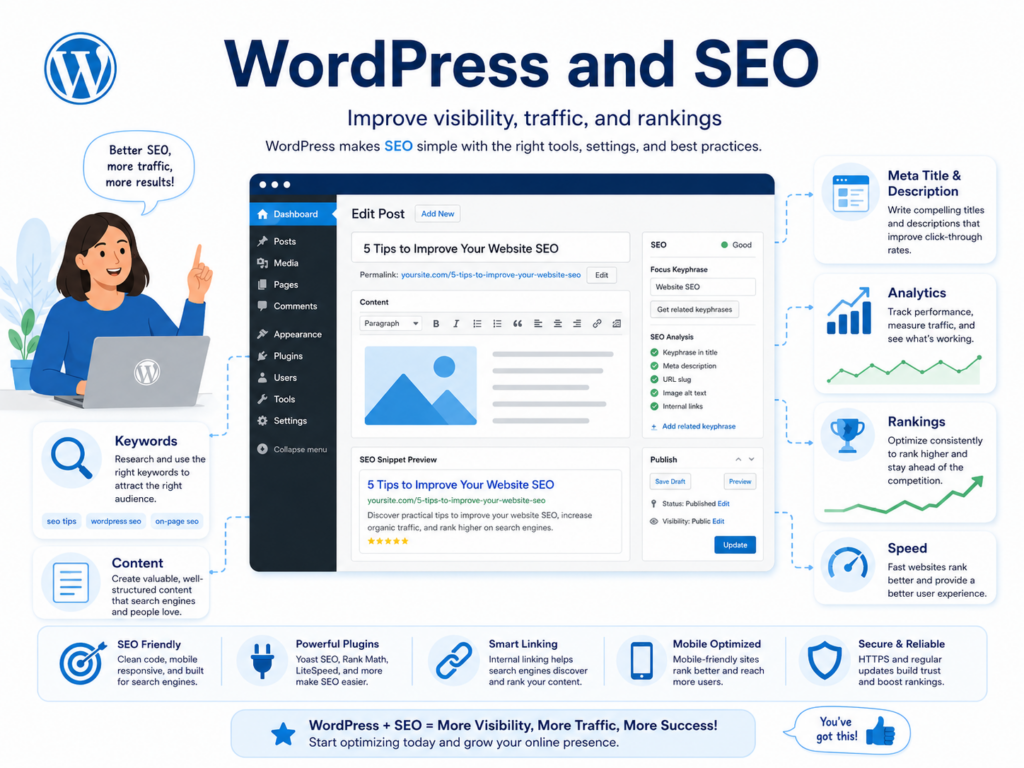
WordPress is often used for SEO-focused websites because it makes publishing and organizing content easier. Users can create blog posts, optimize titles, write meta descriptions, add internal links, structure headings, and update old content.
SEO plugins can also help users manage important search engine settings. These plugins may provide keyword guidance, XML sitemaps, schema markup, readability checks, canonical URLs, and page previews.
However, WordPress does not automatically guarantee strong SEO. A website still needs useful content, fast loading speed, mobile-friendly design, clear structure, proper keyword targeting, and quality backlinks. WordPress gives users a strong foundation, but the strategy still matters.
For a keyword like “what is.wordpress”, the content should explain the topic clearly, answer beginner questions, and use related phrases naturally, such as “what is WordPress,” “WordPress CMS,” “WordPress website,” and “how WordPress works.”
WordPress and Ecommerce
WordPress can become an ecommerce platform through WooCommerce, a popular plugin for online stores. WooCommerce lets users add products, organize categories, manage carts, set shipping options, create coupons, and accept payments.
This makes WordPress useful for businesses that want both content and commerce. For example, a brand can publish blog articles, create landing pages, build product pages, and manage an online store in one system.
WooCommerce is powerful, but it also requires careful setup. Store owners need to think about payment gateways, shipping rules, taxes, product images, checkout design, performance, and security. For simple stores, hosted ecommerce platforms may feel easier. For flexible content-driven stores, WordPress with WooCommerce can be a strong option.
The Advantages of WordPress
The biggest advantage of WordPress is flexibility. You can build many different types of websites with the same core platform.
Another advantage is ownership. With self-hosted WordPress, you have more control over your website files, hosting, design, and features. You are not locked into one closed system in the same way as some website builders.
WordPress also has a huge ecosystem. There are thousands of themes, plugins, tutorials, developers, hosting providers, and learning resources. This makes it easier to find solutions when your website needs new features.
Cost is another benefit. The software is free, and users can start with affordable hosting. While premium tools may cost money, WordPress allows users to choose what they want to pay for.
The Disadvantages of WordPress
WordPress also has drawbacks. The first is the learning curve. Beginners need to understand hosting, domains, themes, plugins, updates, backups, and security.
Maintenance is another concern. WordPress websites should be updated regularly. Themes, plugins, and the core software need attention. If updates are ignored, the website may become slower, less secure, or less compatible with newer tools.
Performance can also become a problem if the website uses heavy themes, too many plugins, large images, or poor hosting. A WordPress site can be fast, but it needs proper optimization.
Security is important as well. Because WordPress is widely used, it can be a target for attacks. Good hosting, strong passwords, security plugins, backups, and regular updates can reduce risk.
Who Should Use WordPress?
WordPress is a strong choice for users who want flexibility, content control, and long-term growth. It works well for bloggers, service businesses, content marketers, creators, small companies, agencies, educators, nonprofits, and online stores.
It is also good for people who want to build SEO content over time. If your website depends on articles, guides, landing pages, product pages, or educational content, WordPress gives you strong publishing tools.
However, WordPress may not be ideal for someone who wants the fastest possible setup with no technical decisions. In that case, a simpler website builder may feel easier. The tradeoff is that simpler platforms may offer less flexibility later.
Final Summary
WordPress is a free and flexible content management system that helps people build and manage websites without starting from code. It can support blogs, business websites, portfolios, online stores, landing pages, news sites, and many other digital projects. The platform works through themes, plugins, pages, posts, media, and a dashboard that gives users control over content and design.
For anyone searching “what is.wordpress”, the simple answer is this: WordPress is a powerful website-building system that gives beginners a practical way to create a site and gives advanced users enough flexibility to grow. It has a learning curve, but it also offers strong customization, a large community, many design options, and long-term scalability. WordPress is best for users who want more control over their website and are willing to learn how the platform works.
Perguntas frequentes
1. What is WordPress?
WordPress is a content management system that helps users create, edit, publish, and manage websites. It can be used for blogs, business websites, portfolios, landing pages, and online stores.
2. Is WordPress good for beginners?
Yes. WordPress is beginner-friendly because users can manage pages, posts, images, menus, and basic design settings through a dashboard. However, it still takes some time to learn themes, plugins, hosting, and updates.
3. What is the difference between WordPress.org and WordPress.com?
WordPress.org is the self-hosted version that gives users more control over hosting, themes, plugins, and customization. WordPress.com is a hosted service that is easier to start with but may have more limitations depending on the plan.
4. Can WordPress be used for ecommerce?
Yes. WordPress can support ecommerce through plugins like WooCommerce. Users can add products, manage orders, set shipping options, accept payments, and build a full online store.
5. O WordPress é bom para SEO?
Yes. WordPress is good for SEO because it makes it easy to publish content, organize pages, create blog posts, optimize URLs, and use SEO plugins. Strong SEO still depends on quality content, site speed, mobile design, and proper optimization.
6. Do I need coding skills to use WordPress?
No. You can build and manage a basic WordPress website without coding. Themes, plugins, and page builders allow users to create professional-looking websites through visual settings and drag-and-drop tools.


Conceber e construir um sítio Web WordPress ou um sítio empresarial com um sistema de comércio eletrónico completo para si.
Faixa de preço: $200.00 a $2,500.00custom-requirements-or-special-quotations
O preço original era: $2.00.$1.00O preço atual é: $1.00. 50 plugins são demais para uma loja virtual WordPress?
Entendendo o Impacto Real no Desempenho Ter 50 plugins em um site de eCommerce WordPress não é automaticamente um problema. Na verdade, o número por si só raramente determina o desempenho....

Explicação do design da imagem principal para o dispositivo de fisioterapia doméstica da Amazon
Introdução: Construindo uma imagem confiável para dispositivos de terapia doméstica na Amazon Ao projetar a imagem principal de um dispositivo de terapia doméstica na Amazon, nosso principal...

Design da imagem principal para conversão de batom da Amazon
Introdução: Conceber uma imagem principal de batom que vende na Amazon Quando concebemos uma imagem principal para um batom da Amazon, a nossa responsabilidade vai muito além...

Como os hackers roubam e-mails de administradores do WordPress (e como impedi-los)
Vamos começar com uma verdade incómoda: o seu e-mail de administrador do WordPress é provavelmente muito mais público do que pensa e os hackers? Eles adoram isso. Para eles, o seu...

O que faz uma base líquida da Amazon converter a imagem principal?
Introdução: Criar uma imagem principal para a base líquida da Amazon não se resume apenas a deixar o produto bonito. Na Amazon, a imagem principal e...

Como projetar uma imagem principal eficaz para cartuchos de filtro Amazon
Introdução: Criar uma imagem principal para a Amazon nunca se resume apenas a tornar um produto atraente. Trata-se de clareza, confiança e compreensão imediata — especialmente para...

Ataques de repetição no WordPress: ameaça real ou mito exagerado?
Vamos esclarecer uma coisa primeiro. Ataques de repetição não parecem assustadores. Eles não quebram senhas. Eles não injetam código malicioso com texto verde de hacker voando por toda parte. Eles são sorrateiros...

Como duplicar páginas do WordPress sem danificar nada
Vamos ser sinceros. Às vezes você não quer criar uma página nova. Você só quer a mesma página… mas um pouco diferente. Mesmo layout. Mesmos blocos. Mesmas configurações. Porque….

Comparativo de cinco temas WordPress para animais de estimação
Introdução Escolher o tema WordPress certo para o seu negócio de animais de estimação é mais do que uma decisão de design — afeta diretamente a usabilidade, a escalabilidade e o crescimento a longo prazo. Cuidados com animais de estimação e...

Comparando cinco temas de e-commerce de moda praia
Introdução: Escolher o tema certo para uma loja independente de moda praia ou lingerie não é apenas uma decisão visual — afeta diretamente as taxas de conversão, a escalabilidade e o sucesso a longo prazo...

Como desativar os comentários no WordPress (sem enlouquecer)
Vamos falar sobre os comentários do WordPress. Em teoria, os comentários são ótimos. Eles incentivam a discussão, constroem comunidade e dão vida ao seu site. Na prática? Muitas vezes, eles atraem...

Erro 500 do WordPress: Quando seu site decide entrar em pânico
Seu site WordPress estava funcionando perfeitamente até um minuto atrás. Você atualizou a página. E de repente — bum 💥 — Erro Interno do Servidor 500. Sem explicação. Sem pedido de desculpas. Apenas uma mensagem fria e confusa que basicamente...

Criando um site WordPress escalável para uma marca voltada para a ciência: o projeto AminoUSA
Introdução No cenário digital atual, um website é mais do que um lugar para listar produtos. Para marcas com foco em ciência que atuam em setores regulamentados ou voltados para pesquisa, um...

Construindo uma loja Shopify escalável para uma marca global de lâminas: O Projeto CoolKatana
Introdução No comércio eletrônico internacional, um site Shopify é muito mais do que uma vitrine. Para marcas que atuam em nichos de mercado e categorias culturais específicas, o site precisa fazer muito mais do que...

Criando uma loja Shopify de alta conversão para cartas Pokémon.
Introdução No mundo do comércio eletrônico de itens colecionáveis, especialmente no mercado do Pokémon Trading Card Game (TCG), um site precisa fazer mais do que simplesmente listar produtos...

Design Shopify de alta conversão para uma marca de tijolos personalizada.
Introdução No cenário competitivo do comércio eletrônico atual, especialmente no segmento de presentes personalizados e itens colecionáveis, um site Shopify precisa fazer muito mais do que simplesmente exibir produtos. Ele...

Como entrar em contato com o suporte da Shopify: um guia simples e sem complicações.
Gerir uma loja Shopify deve ser uma experiência empolgante, não confusa. Quando surgem dúvidas ou problemas que atrapalham o seu trabalho, a Shopify oferece diversas opções de suporte, dependendo da situação.

Como desativar uma loja Shopify: um guia claro e prático
Desativar uma loja Shopify não é complicado, mas acarreta consequências que muitos lojistas ignoram. Este guia explica o processo de forma simples e didática...