











Keine Produkte im Warenkorb.


Wenn Sie ein WordPress website, you’ve probably faced this situation: you’ve built a well-structured page with the perfect layout, design blocks, SEO settings, and formatting — and now you need a similar page with only minor changes.
Instead of rebuilding everything from scratch, the smarter solution is to duplicate page in WordPress and reuse the existing structure.
In this guide, we’ll explain what it means to duplicate a page, why it matters, and the safest, most efficient methods to do it. Whether you’re running a blog, a business site, or a cross-border eCommerce store, understanding how to duplicate page in WordPress can dramatically improve your workflow and consistency.
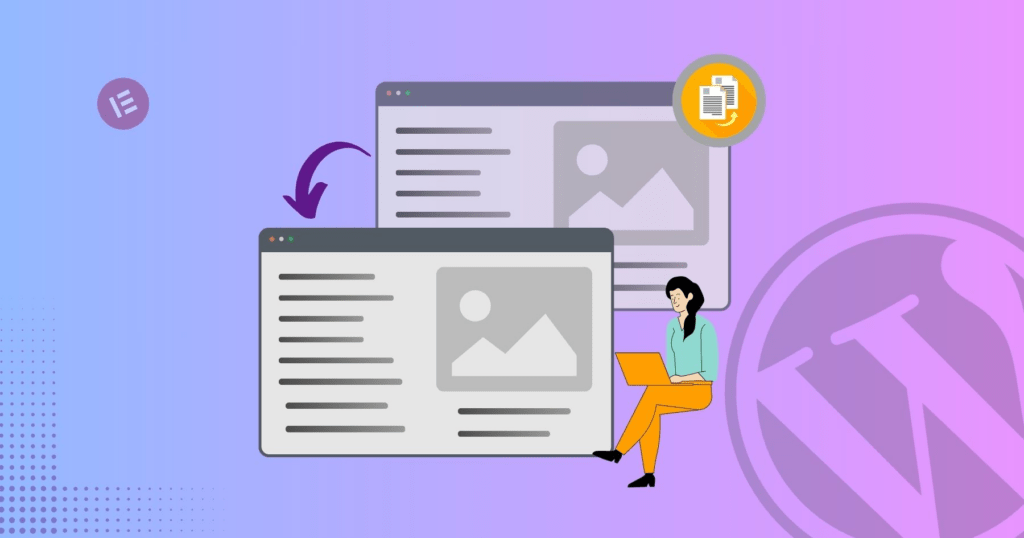
To duplicate page in WordPress means creating an exact copy of an existing page — including its:
The duplicated page acts as a draft copy. You can modify it without affecting the original version.
This is especially useful when:
Many site owners underestimate how much time is wasted rebuilding pages from scratch. Learning how to properly duplicate page in WordPress helps you:
Instead of reconfiguring blocks, columns, and design elements, you start with a ready-made structure.
When your website follows a consistent structure, it looks more professional and improves user experience.
Manual recreation often leads to spacing issues, inconsistent fonts, broken links, or missing metadata.
If you run paid ads, seasonal promotions, or A/B tests, duplicating landing pages is essential.
The easiest and most reliable way to duplicate page in WordPress is by using a plugin.
Several plugins are designed specifically for this purpose. Popular options include:
A new draft page will instantly appear.
For most website owners, using a plugin is the safest solution.
If you prefer not to install extra plugins, you can duplicate page in WordPress manually.
However, this method only copies visible content. It does not copy:
This makes it less efficient for complex websites.
Developers can duplicate pages via the WordPress database or using PHP functions.
This approach involves:
Because this method touches core data, it should only be used by experienced developers. Improper duplication can cause:
For most business owners, plugins remain the safer choice.
In WordPress, pages and posts are different content types.
Pages are typically used for:
Posts are used for:
The process to duplicate page in WordPress is similar to duplicating posts, but be sure you’re duplicating the correct content type.
Understanding real-world applications helps clarify why duplication matters.
If you’re running Google Ads or Facebook Ads, you may want to test multiple headlines. Duplicating a high-performing landing page lets you adjust messaging while keeping layout intact.
If your company operates in multiple cities, you can duplicate page in WordPress and adjust location-specific content without redesigning the entire page.
Many WooCommerce sites use structured product layouts. Duplicating allows you to maintain consistent product presentation.
Holiday promotions, limited-time offers, or event pages can reuse design structure from previous campaigns.

Duplicating pages must be handled carefully from an SEO perspective.
WordPress automatically adds a suffix like “-2”. Always edit the URL to match your new page topic.
If you use SEO plugins like Rank Math or Yoast, ensure metadata is unique.
Duplicated pages should be edited before publishing. Identical live pages may cause SEO conflicts.
Ensure canonical URLs are properly set to avoid indexing confusion.
Many websites use builders like:
Most page builders include built-in duplication features.
Zum Beispiel:
This is especially helpful when managing visually complex designs.
If you’re using a builder, always check whether it offers native duplication before installing additional plugins.
Although duplicating pages is safe, common mistakes include:
Always modify duplicated content before publishing.
Old internal links may still point to the original page.
Ensure analytics or conversion scripts are updated if needed.
If media filenames are identical, make sure alt text is updated.
Here are practical tips for professionals:
If you manage multiple client websites, establishing a duplication workflow can significantly improve productivity.
There are situations where duplication is not recommended:
In those cases, building from scratch ensures structural integrity.
For cross-border independent websites, duplication becomes even more valuable.
International sellers often need:
Instead of redesigning for each market, duplicating and localizing is far more efficient.
A structured duplication strategy ensures consistency across:
This is especially critical when scaling globally.
Learning how to duplicate page in WordPress is more than a technical trick — it’s a productivity strategy.
It helps you:
Whether you use a plugin, manual copy method, or builder feature, the key is applying duplication thoughtfully and strategically.
If you’re building or scaling a cross-border independent website and want structured page systems, conversion-optimized landing pages, or scalable design architecture — this is exactly what we specialize in.
From WordPress website design to full cross-border eCommerce site planning, we help brands create structured, high-converting digital experiences.
Unter AIRSANG, we combine strategy, design logic, and global market understanding to build websites that are not only visually strong — but built for growth.
If you need help duplicating, structuring, or scaling your WordPress website, feel free to reach out.


















