











Keine Produkte im Warenkorb.

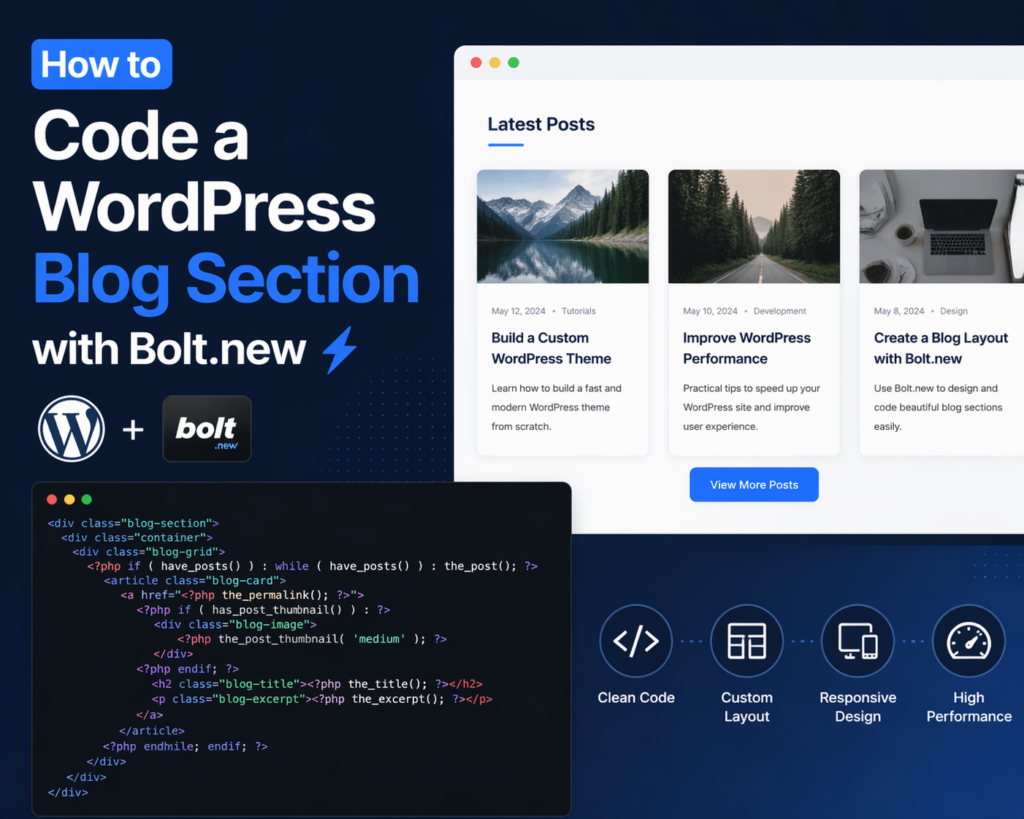
Building a modern, high-performing blog section is one of the most effective ways to enhance a WordPress website. Whether you’re aiming to improve SEO, increase engagement, or organize content more efficiently, a well-structured blog section plays a critical role. In recent years, tools like Bolt.new have made it easier to streamline development workflows, even for those who are not deeply technical.
In this guide, we’ll break down how to code a WordPress blog section with Bolt.new in a clear, beginner-friendly way. Instead of diving into overly complex development jargon, this article explains the process step by step, helping you understand both the logic and the practical implementation.

Before diving into the coding process, it’s important to understand what Bolt.new is and why it matters.
Bolt.new is a modern development tool designed to simplify how developers and designers create components, layouts, and structured sections for websites. It allows you to quickly generate, test, and refine UI components—like a blog section—without starting from scratch every time.
For WordPress users, this means you can design a blog section that is both visually appealing and performance-friendly, without getting stuck in complex backend logic.
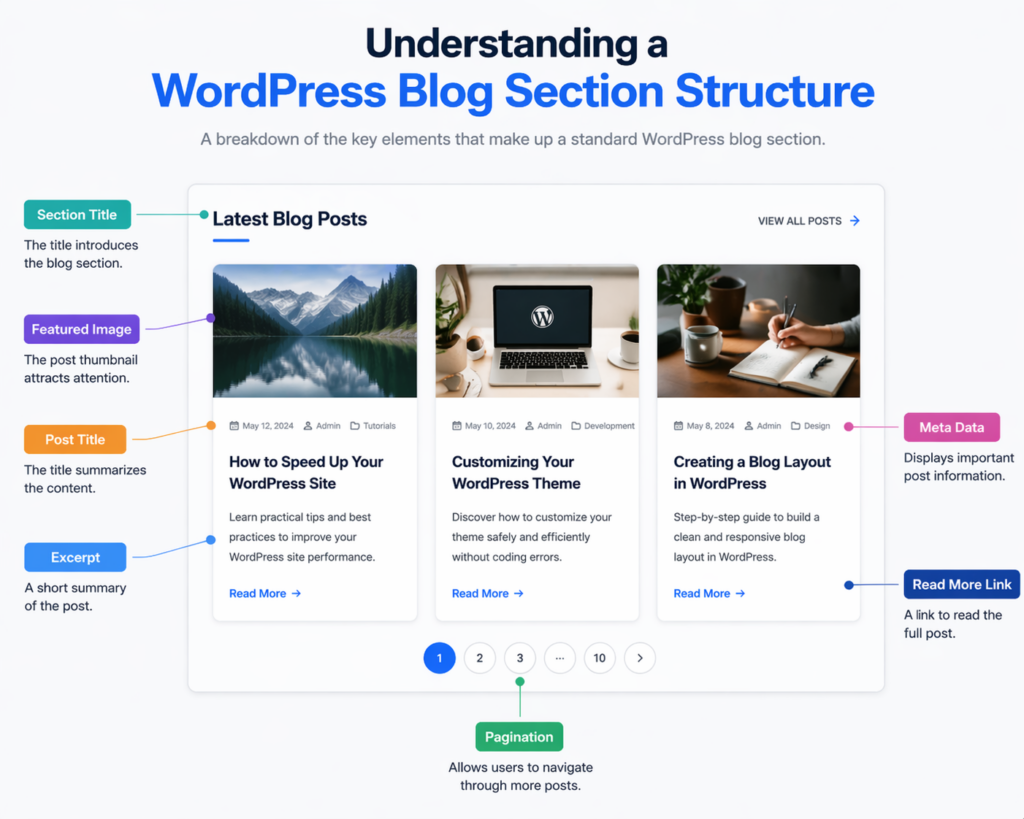
Before writing any code, you need to understand what a typical blog section includes. Most WordPress blog sections consist of:
The goal is to organize these elements in a way that improves readability and user experience.
To begin coding your blog section, make sure your WordPress setup is ready.
Using a child theme ensures your custom blog section won’t be lost during theme updates.
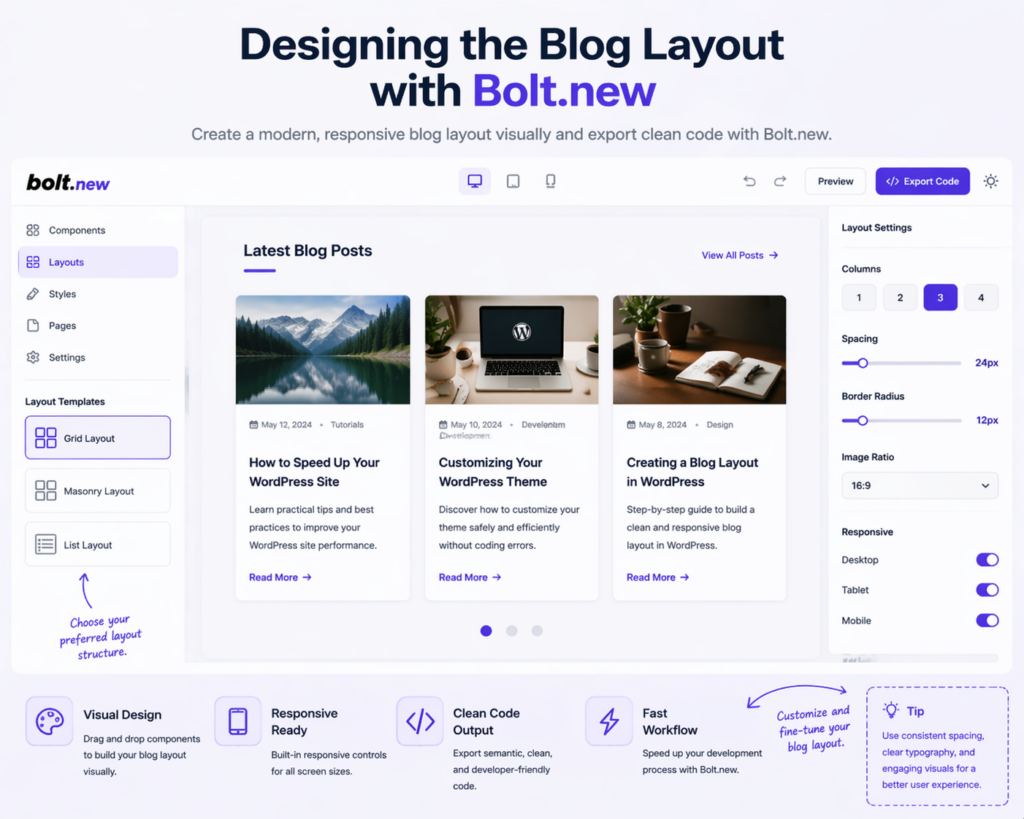
Bolt.new is particularly useful at the design stage. Instead of coding blindly, you can first structure your layout visually.
For most use cases, a responsive grid layout works best because it balances readability and visual hierarchy.
Bolt.new allows you to preview these structures quickly, helping you finalize your layout before moving into WordPress coding.
Now it’s time to translate your design into WordPress code.
You’ll typically create or edit a template file such as:
home.phparchive.phpblog-section.php<div class="blog-section">
<div class="container">
<div class="blog-grid">
<?php if ( have_posts() ) : while ( have_posts() ) : the_post(); ?>
<article class="blog-card">
<a href="/de/</?php the_permalink(); ?>">
<?php if ( has_post_thumbnail() ) : ?>
<div class="blog-image">
<?php the_post_thumbnail('medium'); ?>
</div>
<?php endif; ?>
<h2 class="blog-title"><?php the_title(); ?></h2>
</a>
<p class="blog-excerpt"><?php the_excerpt(); ?></p>
</article>
<?php endwhile; endif; ?>
</div>
</div>
</div>
This is the foundation of your blog section. It pulls posts dynamically and displays them in a structured format.
Once the structure is in place, styling becomes essential.
.blog-section {
  padding: 60px 0;
}.blog-grid {
  display: grid;
  grid-template-columns: repeat(3, 1fr);
  gap: 30px;
}.blog-card {
  background: #fff;
  border-radius: 12px;
  overflow: hidden;
  transition: transform 0.3s ease;
}.blog-card:hover {
  transform: translateY(-5px);
}.blog-title {
  font-size: 20px;
  margin: 15px;
}.blog-excerpt {
  font-size: 14px;
  margin: 0 15px 20px;
}
@media (max-width: 768px) {
  .blog-grid {
    grid-template-columns: 1fr;
  }
}
A responsive layout ensures your blog section performs well across all devices, which is crucial for both user experience and SEO.
Bolt.new isn’t just about layout—it also helps you think in modular components.
You can break your blog section into reusable parts:
This modular approach makes future updates much easier.
A blog section needs navigation for multiple posts.
<div class="pagination">
  <?php the_posts_pagination(); ?>
</div>
Using AJAX for “Load More” improves user experience by avoiding full page reloads.
A blog section isn’t just about design—it must also perform well.
After building your blog section, testing is critical.
Tools like browser developer tools can help you debug and refine the design.
When learning how to code a WordPress blog section with Bolt.new, beginners often make these mistakes:
Keeping your design simple and structured usually leads to better results.
Using Bolt.new alongside WordPress provides a balanced workflow:
This combination is especially powerful for designers who want more control without diving too deep into backend development.
Learning how to code a WordPress blog section with Bolt.new doesn’t have to be overwhelming. By breaking the process into clear steps—planning the layout, structuring the template, styling the design, and optimizing performance—you can build a blog section that is both functional and visually appealing.
Bolt.new simplifies the design process, while WordPress handles content management, making the two a strong combination. Focus on clarity, responsiveness, and performance, and your blog section will not only look great but also deliver real results in terms of user engagement and search visibility.
Bolt.new is a modern tool that helps streamline the process of designing and coding website components. It allows users to visually build layouts and generate clean code, making it easier to create WordPress blog sections efficiently.
Basic knowledge of HTML, CSS, and WordPress templates is helpful, but Bolt.new simplifies the process, making it accessible even for beginners who want to build structured blog layouts.
Common files include home.php, archive.php, or custom template files like blog-section.php. These templates control how blog posts are displayed on your site.
You can use CSS Grid or Flexbox along with media queries to ensure your blog layout adapts smoothly to different screen sizes, including mobile and tablet devices.
Yes, Bolt.new allows you to create custom layouts such as grid, list, or masonry styles, and then export clean code that can be integrated into your WordPress theme.
Focus on fast loading speed, clean design, proper heading structure, optimized images, and mobile responsiveness to improve both user experience and SEO performance.


















