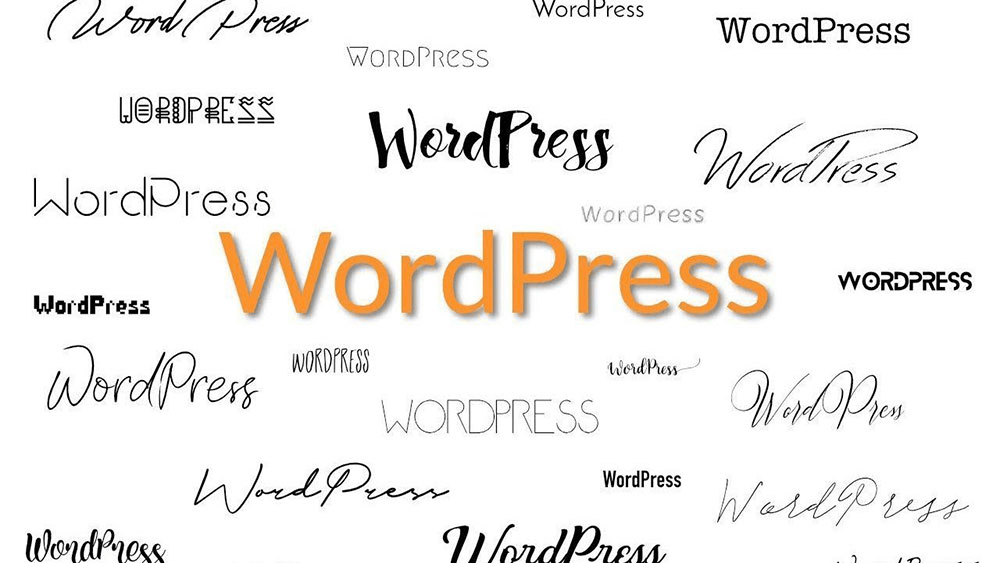
Fonts are one of the most underestimated elements in วordpress website design. Many site owners spend hours adjusting layouts, colors, and images, yet overlook how much typography influences readability, brand perception, and user trust.
If you’ve ever searched for a WordPress font styles list, you’re likely trying to understand what font options exist, how WordPress handles typography, and how to control fonts without breaking your site. This guide explains WordPress font styles in a clear, beginner-friendly way—without assuming technical knowledge.
Why Font Styles Matter in WordPress

Typography is not just about aesthetics. Fonts directly affect:
- Readability across devices and screen sizes
- Brand identity and perceived professionalism
- User engagement and time on page
- Accessibility for different user groups
WordPress powers millions of sites, from blogs to enterprise platforms. Because of this flexibility, it offers multiple ways to define and control font styles—but understanding how they work is key.
How WordPress Handles Fonts by Default

Out of the box, WordPress does not impose a single universal font. Instead, typography is controlled by three main layers:
- Browser default fonts
- Theme-defined fonts
- User-defined custom fonts
Understanding these layers helps you avoid conflicts and unexpected font changes.
Common Default Fonts in WordPress Themes
Most WordPress themes rely on system font stacks or popular web-safe fonts. These fonts load quickly and work reliably across devices.
Typical examples include:
- Arial
- Helvetica
- Times New Roman
- Georgia
- Verdana
- Tahoma
These fonts form the foundation of many WordPress font styles lists, especially in lightweight or performance-focused themes.
System Font Stacks Explained
Modern WordPress themes often use system font stacks instead of a single font family. A system stack adapts automatically to the user’s operating system.
Example concept (not code):
- macOS → San Francisco
- Windows → Segoe UI
- Android → Roboto
This approach improves performance and ensures text feels “native” to each device.
Theme Fonts: Where Most Typography Comes From
In WordPress, themes control the primary font styles. This includes:
- Body text
- Headings (H1–H6)
- Navigation menus
- Buttons and UI elements
When you browse a WordPress font styles list, many of the fonts you see are actually chosen by the theme developer—not WordPress itself.
Changing themes often changes fonts instantly, which surprises many beginners.
Popular Font Categories Used in WordPress
Understanding font categories helps you choose the right typography for your site.
Serif Fonts
- Classic and traditional
- Often used for long-form content
- Examples: Georgia, Times New Roman
Sans-Serif Fonts
- Clean and modern
- Common in business and SaaS websites
- Examples: Arial, Helvetica, Roboto
Monospace Fonts
- Fixed-width characters
- Best for code snippets
- Example: Courier New
Display Fonts
- Decorative and expressive
- Used sparingly for branding
- Not recommended for body text
Web Fonts vs System Fonts in WordPress
A key decision when reviewing a WordPress font styles list is whether to use web fonts or system fonts.
Web Fonts
- Loaded from external sources (e.g. Google Fonts)
- More stylistic variety
- Slight performance cost
System Fonts
- No external loading
- Faster page speed
- Limited style variety
The right choice depends on brand goals and performance priorities.
How Google Fonts Fit into WordPress Typography
Many WordPress themes integrate Google Fonts by default. This gives users access to hundreds of font families without manual setup.
Common Google Fonts seen in WordPress font styles lists include:
- Roboto
- Open Sans
- Lato
- Montserrat
- Poppins
While powerful, overusing Google Fonts can impact performance if not optimized correctly.
Font Styles in the WordPress Block Editor
With the modern WordPress block editor, typography controls are more visual than ever.
You can often adjust:
- Font size
- Font weight
- Line height
- Letter spacing
- Text transformation (uppercase/lowercase)
However, these controls still depend on what your theme allows.
Theme.json and Modern Font Management
Newer WordPress themes use a configuration system to define font styles globally. This approach allows:
- Centralized font control
- Consistent typography across pages
- Easier design maintenance
For non-technical users, this means fewer surprises when editing content.
Custom Fonts in WordPress: What to Know
Advanced users may want to upload and use custom fonts. This adds flexibility but requires careful setup to avoid:
- Font loading errors
- ปัญหาด้านประสิทธิภาพ
- Inconsistent rendering across browsers
Custom fonts should always be tested on desktop and mobile devices.
Accessibility and Font Choices
Typography also affects accessibility. When reviewing a WordPress font styles list, keep these principles in mind:
- Avoid overly thin fonts
- Maintain sufficient contrast
- Use readable font sizes
- Avoid decorative fonts for long text
Accessible typography improves usability for all visitors.
Common Font Mistakes in WordPress
Many WordPress sites suffer from font-related issues such as:
- Too many font families on one page
- Inconsistent heading styles
- Overuse of decorative fonts
- Poor mobile readability
A clean, limited font system usually performs best.
How Fonts Impact Conversion Rates
Typography directly influences how users perceive your site. Clean and consistent fonts:
- Build trust faster
- Improve reading flow
- Reduce bounce rates
- Increase form completion
Fonts are not just design choices—they are conversion tools.
Choosing Fonts for Different WordPress Site Types
Different sites require different typography strategies:
- Blogs: prioritize readability
- Ecommerce: clarity and trust
- Corporate sites: professionalism
- Creative portfolios: personality with restraint
A good WordPress font styles list should be filtered by purpose, not just appearance.
Maintaining Consistency Across Pages
Consistency matters more than font variety. Limit your site to:
- 1 primary body font
- 1 heading font (optional)
This keeps your design cohesive and easier to manage long-term.
When You Should Customize Fonts Professionally
If your site is part of a business—especially a cross-border or international brand—font decisions become more complex. Language support, performance, and brand positioning all matter.
This is where professional WordPress design guidance can save time and prevent costly redesigns later.
Final Thoughts: Fonts Are the Silent Foundation of WordPress Design
A วordpress font styles list is more than a catalog of typefaces. It’s a framework for readability, branding, accessibility, and performance. Whether you rely on system fonts, Google Fonts, or custom typography, understanding how WordPress handles font styles empowers you to build better websites.
If you’re running or planning a cross-border WordPress website, typography choices become even more critical—especially for global audiences and multilingual content.
ที่ AIRSANG, we specialize in cross-border website design and WordPress-based brand experiences. From typography systems to full-scale site design, we help businesses build clean, conversion-focused websites that work globally.
If you need professional help optimizing your WordPress design, feel free to reach out—this is exactly what we do at AIRSANG.