How to Duplicate Page in WordPress: A Complete Guide

If you manage a วordpress website, you’ve probably faced this situation: you’ve built a well-structured page with the perfect layout, design blocks, SEO settings, and formatting — and now you need a similar page with only minor changes.

Instead of rebuilding everything from scratch, the smarter solution is to duplicate page in WordPress and reuse the existing structure.

In this guide, we’ll explain what it means to duplicate a page, why it matters, and the safest, most efficient methods to do it. Whether you’re running a blog, a business site, or a cross-border eCommerce store, understanding how to duplicate page in WordPress can dramatically improve your workflow and consistency.
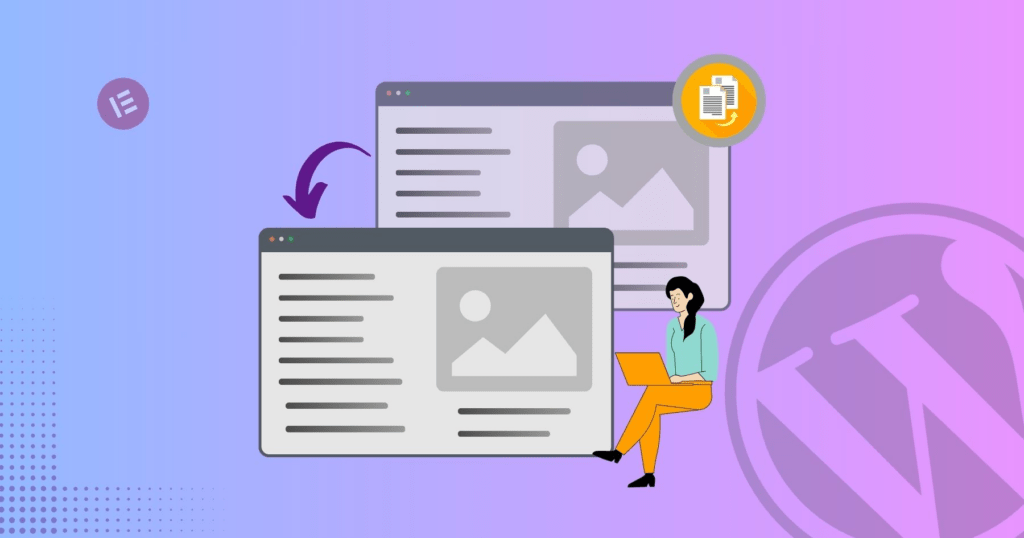
What Does It Mean to Duplicate a Page in WordPress?

How to Duplicate Page in WordPress: A Complete Guide-What Does It Mean to Duplicate a Page in WordPress?

To duplicate page in WordPress means creating an exact copy of an existing page — including its:

  • Layout and design blocks
  • Text content
  • Images and media
  • ช่องข้อมูลที่กำหนดเอง
  • SEO settings (depending on method)
  • เทมเพลตหน้าเว็บ

The duplicated page acts as a draft copy. You can modify it without affecting the original version.

This is especially useful when:
  • Creating landing page variations
  • Building product pages with similar layouts
  • Designing seasonal campaigns
  • Testing conversion-focused page variations
  • Maintaining design consistency across multiple service pages

Why Duplicating Pages Is Important

How to Duplicate Page in WordPress: A Complete Guide-Why Duplicating Pages Is Important

Many site owners underestimate how much time is wasted rebuilding pages from scratch. Learning how to properly duplicate page in WordPress helps you:

1. Save Development Time

Instead of reconfiguring blocks, columns, and design elements, you start with a ready-made structure.

2. รักษาความสอดคล้องของการออกแบบ

When your website follows a consistent structure, it looks more professional and improves user experience.

3. Reduce Human Error

Manual recreation often leads to spacing issues, inconsistent fonts, broken links, or missing metadata.

4. Speed Up Marketing Campaigns

If you run paid ads, seasonal promotions, or A/B tests, duplicating landing pages is essential.

Method 1: Duplicate Page in WordPress Using a Plugin (Recommended)

The easiest and most reliable way to duplicate page in WordPress is by using a plugin.

Several plugins are designed specifically for this purpose. Popular options include:

  • Duplicate Post
  • Yoast Duplicate Post
  • Post Duplicator

Step-by-Step Process

  1. Log in to your WordPress dashboard.
  2. Go to Plugins → Add New.
  3. Search for a duplication plugin (for example, “Duplicate Post”).
  4. Install and activate it.
  5. Navigate to Pages → All Pages.
  6. Hover over the page you want to copy.
  7. Click Duplicate or Clone (depending on plugin).

A new draft page will instantly appear.

Why Plugins Are Ideal

  • One-click duplication
  • Preserves metadata
  • Maintains custom templates
  • Safe and non-destructive
  • เหมาะสำหรับผู้เริ่มต้น

For most website owners, using a plugin is the safest solution.

Method 2: Duplicate Page in WordPress Manually (Without Plugin)

If you prefer not to install extra plugins, you can duplicate page in WordPress manually.

Option A: Copy and Paste Content

  1. Open the page in the WordPress editor.
  2. Select all content (Ctrl + A).
  3. Copy it.
  4. Create a new page.
  5. Paste the content.

However, this method only copies visible content. It does not copy:

  • เมตาเดต้า SEO
  • Page template settings
  • ช่องข้อมูลที่กำหนดเอง
  • ภาพประกอบ

This makes it less efficient for complex websites.

Option B: Duplicate Using Code (Advanced Users)

Developers can duplicate pages via the WordPress database or using PHP functions.

This approach involves:

  • Copying post entries in the database
  • Preserving metadata
  • Handling taxonomies
  • Managing post status

Because this method touches core data, it should only be used by experienced developers. Improper duplication can cause:

  • ลิงก์ภายในเสียหาย
  • SEO conflicts
  • Duplicate slug issues
  • ความไม่สอดคล้องกันของฐานข้อมูล

For most business owners, plugins remain the safer choice.

Duplicate Page vs Duplicate Post: What’s the Difference?

In WordPress, pages and posts are different content types.

Pages are typically used for:

  • หน้าแรก
  • About page
  • บริการ
  • Contact page
  • หน้า Landing Page

Posts are used for:

  • Blog articles
  • News updates
  • การตลาดเนื้อหา

The process to duplicate page in WordPress is similar to duplicating posts, but be sure you’re duplicating the correct content type.

Common Use Cases for Duplicating Pages

Understanding real-world applications helps clarify why duplication matters.

1. Landing Page Variations

If you’re running Google Ads or Facebook Ads, you may want to test multiple headlines. Duplicating a high-performing landing page lets you adjust messaging while keeping layout intact.

2. Multi-Location Service Pages

If your company operates in multiple cities, you can duplicate page in WordPress and adjust location-specific content without redesigning the entire page.

3. eCommerce Product Templates

Many WooCommerce sites use structured product layouts. Duplicating allows you to maintain consistent product presentation.

4. Seasonal Campaigns

Holiday promotions, limited-time offers, or event pages can reuse design structure from previous campaigns.

SEO Considerations When You Duplicate Page in WordPress

How to Duplicate Page in WordPress: A Complete Guide-SEO Considerations When You Duplicate Page in WordPress

Duplicating pages must be handled carefully from an SEO perspective.

1. Change the Slug

WordPress automatically adds a suffix like “-2”. Always edit the URL to match your new page topic.

2. Update Meta Title & Description

If you use SEO plugins like Rank Math or Yoast, ensure metadata is unique.

3. Avoid Publishing Duplicate Content

Duplicated pages should be edited before publishing. Identical live pages may cause SEO conflicts.

4. Check Canonical Tags

Ensure canonical URLs are properly set to avoid indexing confusion.

Duplicate Page in WordPress with Page Builders

Many websites use builders like:

  • เอเลเมนเตอร์
  • Divi
  • WPBakery

Most page builders include built-in duplication features.

ตัวอย่างเช่น:

  • Duplicate section
  • Duplicate row
  • Save as template
  • Import template

This is especially helpful when managing visually complex designs.

If you’re using a builder, always check whether it offers native duplication before installing additional plugins.

Potential Risks and How to Avoid Them

Although duplicating pages is safe, common mistakes include:

1. Publishing Without Editing

Always modify duplicated content before publishing.

2. Forgetting Internal Links

Old internal links may still point to the original page.

3. Copying Tracking Scripts

Ensure analytics or conversion scripts are updated if needed.

4. Duplicate Images

If media filenames are identical, make sure alt text is updated.

Best Practices for Efficient Page Duplication

Here are practical tips for professionals:

  • Keep original pages as templates
  • Use “Draft” status for duplicated versions
  • Rename clearly (Example: Landing Page – Version B)
  • Create structured naming conventions
  • Review SEO before publishing

If you manage multiple client websites, establishing a duplication workflow can significantly improve productivity.

When Should You Not Duplicate a Page?

There are situations where duplication is not recommended:

  • When creating entirely new content topics
  • When changing site structure
  • When redesigning branding
  • When migrating to a new theme

In those cases, building from scratch ensures structural integrity.

Duplicate Page in WordPress for Cross-Border eCommerce

For cross-border independent websites, duplication becomes even more valuable.

International sellers often need:

  • Multi-language landing pages
  • Regional service pages
  • Variant product showcases
  • Different pricing layouts
  • Market-specific messaging

Instead of redesigning for each market, duplicating and localizing is far more efficient.

A structured duplication strategy ensures consistency across:

  • ลำดับชั้นทางภาพ
  • Conversion elements
  • Call-to-action placement
  • Trust badges
  • Layout rhythm

This is especially critical when scaling globally.

ข้อคิดส่งท้าย

Learning how to duplicate page in WordPress is more than a technical trick — it’s a productivity strategy.

It helps you:

  • Build faster
  • Maintain consistency
  • Scale marketing campaigns
  • Improve operational efficiency
  • Reduce design friction

Whether you use a plugin, manual copy method, or builder feature, the key is applying duplication thoughtfully and strategically.

Need Professional Help?

If you’re building or scaling a cross-border independent website and want structured page systems, conversion-optimized landing pages, or scalable design architecture — this is exactly what we specialize in.

From วordpress website design to full cross-border eCommerce site planning, we help brands create structured, high-converting digital experiences.

ที่ AIRSANG, we combine strategy, design logic, and global market understanding to build websites that are not only visually strong — but built for growth.

If you need help duplicating, structuring, or scaling your WordPress website, feel free to reach out.


จัดส่งทั่วโลก

AIRSANG ให้บริการออกแบบเว็บไซต์ สร้างเอกลักษณ์แบรนด์ และโซลูชันอีคอมเมิร์ซที่คุ้มค่า ตั้งแต่ Shopify และ WordPress ไปจนถึงภาพสินค้าสำหรับ Amazon, เราช่วยแบรนด์ระดับโลกสร้าง พัฒนา และขยายธุรกิจออนไลน์ของพวกเขา.

ออกแบบและสร้างเว็บไซต์ WordPress หรือเว็บไซต์องค์กรพร้อมระบบอีคอมเมิร์ซครบวงจรสำหรับคุณ.
ข้อกำหนดเฉพาะหรือใบเสนอราคาพิเศษ

ข้อกำหนดเฉพาะหรือใบเสนอราคาพิเศษ

ราคาเดิมคือ: $2.00.ราคาปัจจุบันคือ: $1.00.
การใช้ปลั๊กอิน 50 ตัวมากเกินไปสำหรับร้านค้าออนไลน์ที่ใช้ WordPress หรือไม่?
การเข้าใจผลกระทบที่แท้จริงต่อประสิทธิภาพ การมีปลั๊กอิน 50 ตัวบนเว็บไซต์อีคอมเมิร์ซ WordPress ไม่ใช่ปัญหาโดยอัตโนมัติ จริงๆ แล้ว จำนวนเพียงอย่างเดียวแทบจะไม่สามารถกำหนดประสิทธิภาพได้....
ภาพหลักสำหรับการแปลงลิปสติกเป็นสินค้าสำหรับ Amazon
บทนำ: การออกแบบภาพหลักลิปสติกที่ขายได้บน Amazon เมื่อเราออกแบบภาพหลักสำหรับลิปสติกบน Amazon ความรับผิดชอบของเราไม่ได้จำกัดอยู่แค่...
แฮกเกอร์ขโมยอีเมลผู้ดูแลระบบ WordPress ได้อย่างไร (และวิธีป้องกัน)
มาเริ่มกันด้วยความจริงที่ไม่น่าสบายใจ: อีเมลแอดมิน WordPress ของคุณอาจเปิดเผยต่อสาธารณะมากกว่าที่คุณคิด และแฮกเกอร์? พวกเขาชอบมาก สำหรับพวกเขา...
การออกแบบภาพหลัก Amazon ที่มีประสิทธิภาพสำหรับตลับกรอง
บทนำ การออกแบบภาพหลักสำหรับ Amazon ไม่ใช่แค่การทำให้สินค้าดูน่าดึงดูดเท่านั้น แต่ยังเกี่ยวกับความชัดเจน ความน่าเชื่อถือ และความเข้าใจได้ในทันที โดยเฉพาะอย่างยิ่งสำหรับ...
การโจมตีแบบ Replay Attack บน WordPress: ภัยคุกคามจริงหรือแค่เรื่องที่ถูกพูดเกินจริง?
ก่อนอื่นขอชี้แจงให้ชัดเจนก่อน การโจมตีแบบ Replay Attack นั้นดูไม่น่ากลัว มันไม่ได้ทำลายรหัสผ่าน มันไม่ได้แทรกโค้ดที่เป็นอันตรายพร้อมข้อความแฮ็กเกอร์สีเขียวกระจัดกระจายไปทั่ว มันแนบเนียนกว่า...
วิธีคัดลอกหน้าเว็บ WordPress โดยไม่ทำให้ระบบเสียหาย
ยอมรับกันเถอะ บางครั้งคุณอาจไม่อยากสร้างหน้าเว็บใหม่ คุณแค่อยากได้หน้าเว็บเดิม...แต่แตกต่างไปเล็กน้อย รูปแบบเหมือนเดิม บล็อกเหมือนเดิม การตั้งค่าเหมือนเดิม เพราะ...
เปรียบเทียบธีม WordPress สำหรับสัตว์เลี้ยง 5 แบบ
บทนำ การเลือกธีม WordPress ที่เหมาะสมสำหรับธุรกิจเกี่ยวกับสัตว์เลี้ยงนั้นไม่ใช่แค่เรื่องของการออกแบบเท่านั้น แต่ยังส่งผลโดยตรงต่อการใช้งาน ความสามารถในการขยายขนาด และการเติบโตของธุรกิจในระยะยาว การดูแลสัตว์เลี้ยงและ...
เปรียบเทียบธีมอีคอมเมิร์ซชุดว่ายน้ำ 5 แบบ
บทนำ การเลือกธีมที่เหมาะสมสำหรับร้านค้าอิสระที่จำหน่ายชุดว่ายน้ำหรือชุดชั้นในนั้นไม่ใช่แค่การตัดสินใจด้านภาพลักษณ์เท่านั้น แต่ยังส่งผลโดยตรงต่ออัตราการเปลี่ยนลูกค้าให้เป็นผู้ซื้อ ความสามารถในการขยายธุรกิจ และความยั่งยืนในระยะยาว...
วิธีปิดการแสดงความคิดเห็นใน WordPress (โดยไม่ต้องเสียสติ)
มาพูดถึงระบบแสดงความคิดเห็นของ WordPress กันดีกว่า ในทางทฤษฎีแล้ว ความคิดเห็นนั้นยอดเยี่ยมมาก มันช่วยกระตุ้นการสนทนา สร้างชุมชน และทำให้เว็บไซต์ของคุณดูมีชีวิตชีวา แต่ในความเป็นจริงแล้ว มันมักจะเป็นเหมือนแม่เหล็กดึงดูด...
ข้อผิดพลาด WordPress 500: เมื่อเว็บไซต์ของคุณเกิดอาการผิดปกติ
เว็บไซต์ WordPress ของคุณยังใช้งานได้ปกติดีเมื่อสักครู่ คุณรีเฟรชหน้าเว็บ แล้วจู่ๆ ก็เกิดข้อผิดพลาด 500 Internal Server Error ขึ้นมา ไม่มีคำอธิบาย ไม่มีคำขอโทษ มีเพียงข้อความที่เย็นชาและสับสนซึ่งโดยพื้นฐานแล้ว...
วิธีติดต่อฝ่ายสนับสนุนของ Shopify: คู่มือที่ง่ายและไม่ยุ่งยาก
การบริหารร้านค้า Shopify ควรเป็นเรื่องที่น่าตื่นเต้น ไม่ใช่เรื่องที่ทำให้สับสน เมื่อมีคำถามหรือปัญหาเกิดขึ้น Shopify มีช่องทางการสนับสนุนหลายช่องทาง ขึ้นอยู่กับสถานการณ์...
วิธีปิดใช้งานร้านค้า Shopify: คู่มือที่ชัดเจนและใช้งานได้จริง
การปิดใช้งานร้านค้า Shopify นั้นไม่ซับซ้อน แต่ก็มีผลกระทบหลายอย่างที่ผู้ขายหลายรายมองข้ามไป คู่มือนี้จะอธิบายขั้นตอนอย่างละเอียดและเข้าใจง่าย...
เปรียบเทียบธีมร้านขายรองเท้า 5 แบบ
บทนำ การเลือกธีมที่เหมาะสมสำหรับร้านค้าอิสระที่เน้นจำหน่ายรองเท้าไม่ใช่แค่การตัดสินใจด้านภาพลักษณ์เท่านั้น แต่ยังส่งผลโดยตรงต่อความสามารถในการขยายธุรกิจ การดำเนินงานประจำวัน และประสิทธิภาพการแปลงลูกค้าในระยะยาว...
เว็บไซต์ Shopify หรือ WordPress ของคุณถูกแฮ็กหรือไม่? นี่คือสิ่งที่คุณควรทำ
บทนำ: เปรียบเสมือนการตื่นขึ้นมาพบกับหน้าต่างที่แตกในโลกดิจิทัล ลองนึกภาพว่าคุณตื่นนอน หยิบกาแฟยามเช้า เปิดแล็ปท็อป… แล้วพบว่าเว็บไซต์ของคุณ….
วิธีเริ่มต้นร้านค้า Shopify โดยไม่เสียสติ
การเริ่มต้นร้านค้าบน Shopify ฟังดูหรูหรา คุณนึกภาพตัวเองกำลังจิบกาแฟตอนเที่ยง ตรวจสอบการแจ้งเตือนยอดขาย และบอกเพื่อน ๆ อย่างสบาย ๆ ว่า “ใช่ ร้านค้าของฉันทำได้ดีทีเดียว...”.
Shopify น่าเชื่อถือหรือไม่? คู่มือฉบับสมบูรณ์สำหรับผู้ขายออนไลน์มือใหม่
หากคุณกำลังค้นหาข้อมูลเกี่ยวกับแพลตฟอร์มอีคอมเมิร์ซ คุณอาจพิมพ์คำถามเฉพาะเจาะจงข้อหนึ่งลงใน Google ว่า Shopify น่าเชื่อถือหรือไม่? คำถามนั้นสมเหตุสมผลอย่างยิ่ง การเปิดตัว...

พร้อมที่จะเปลี่ยนแปลงธุรกิจของคุณหรือไม่?

จองการโทรเพื่อเรียนรู้เพิ่มเติมเกี่ยวกับวิธีที่เอเจนซี่การตลาดดิจิทัลของเราสามารถยกระดับธุรกิจของคุณไปอีกขั้น.