Project Overview
For 365 Market’s Shopyy website, we connected room inspiration with furniture catalogs. Promotional banners featuring furnished interiors establish the theme, followed by living-room furniture, vases, and other categories leading to individual products. Orange banners, light furniture grids, and a dark footer connect inspiration, catalog comparison, and product exploration.
| Services | Industry | Platform |
| Shopyy Website Design & Development | Home & Living | Shopyy |
| Project Requirements | Target Market | Design Style |
| Connect room inspiration with furniture catalogs | Spanish-language product catalog with a contact address in Panama | Orange promotional banners, light furniture grids, and a dark footer |
| Project Quote | Deliverables | Delivery Time |
| CNY 5,400 | Homepage, category structure, product details, responsive layouts, and a contact page | 11 days |
Design Challenge
Furniture needs room settings to convey atmosphere, but individual silhouettes and specifications must also be easy to inspect. Homepage banners establish the setting, followed by category grids, product images, and descriptions that progressively add detail.
Design Strategy: Connect Room Inspiration with Furniture Catalogs
Promotional banners with interior scenes introduce the theme. Living-room furniture, vases, and related sections then connect room inspiration with specific products. The homepage sets direction, categories support comparison, and product pages explain appearance and specifications, linked through navigation and content entry points.
Montserrat organizes headings, navigation, and body text, with type size, weight, and paragraph width establishing hierarchy. Orange promotional imagery, light furniture grids, and a dark footer continue across the main pages. Compact information groups and larger gaps between sections keep images, explanations, and controls distinct.
Motion and Functionality: Supporting the Current Choice
Grouped header menus link to dining chairs, living-room furniture, outdoor items, and other catalogs. Category pages retain sorting and filtering. Product images, quantity controls, and sectioned descriptions support closer inspection. Mobile condenses navigation into a menu icon while preserving the desktop action sequence.
Homepage: Interior Photography Connects the Promotion to the Setting
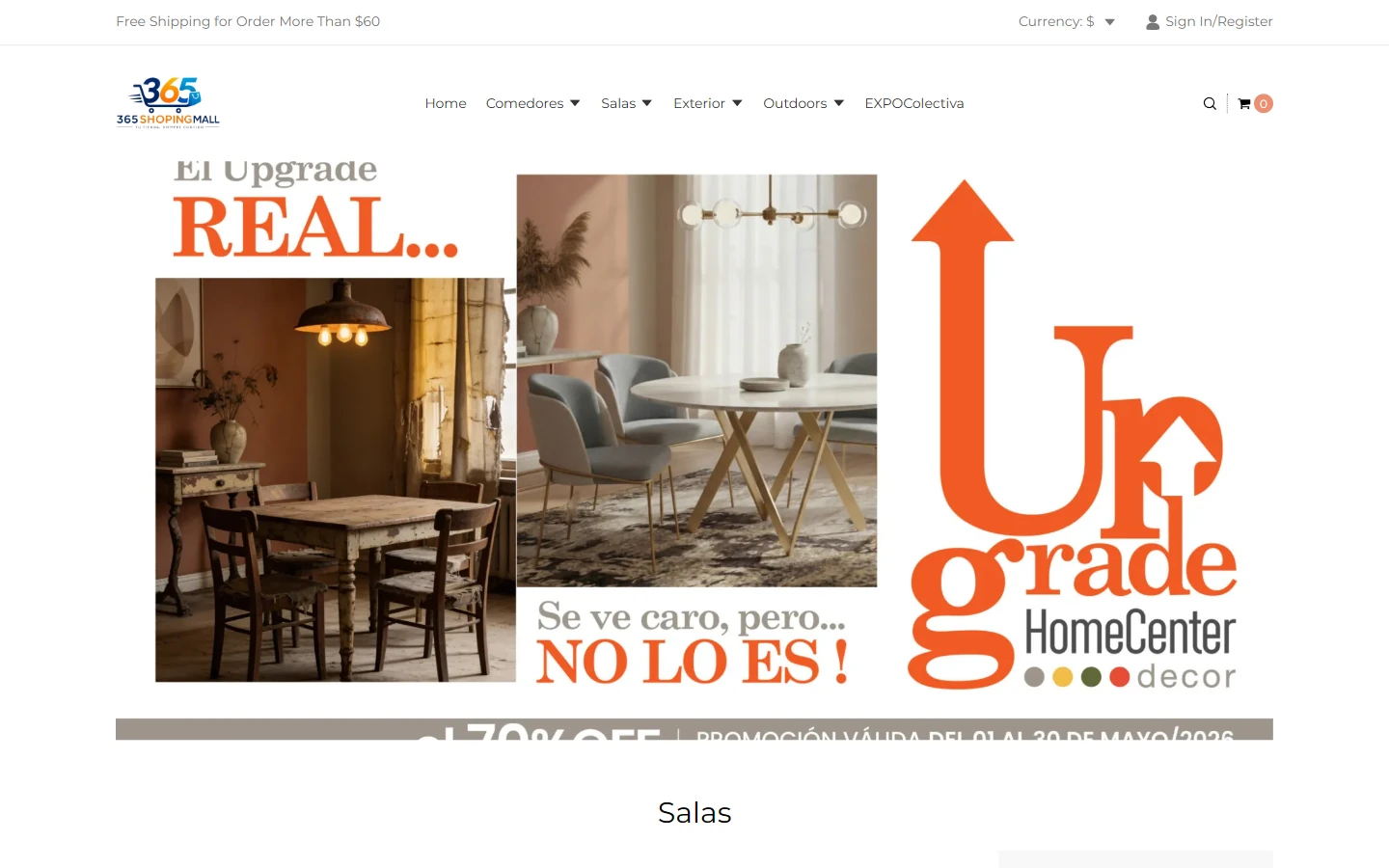
Interior furniture photography and orange Upgrade promotional copy form the homepage banner. The logo, categories, and search remain lightweight in the header. A Salas living-room section follows the banner, giving the theme a direct path into products.
Clear Montserrat lettering connects navigation and section headings. The white canvas gives interior photography enough space, while orange stays concentrated in the promotion and the remaining interface uses restrained gray and black text.
Living-Room Furniture and Vases: Group Products by Use
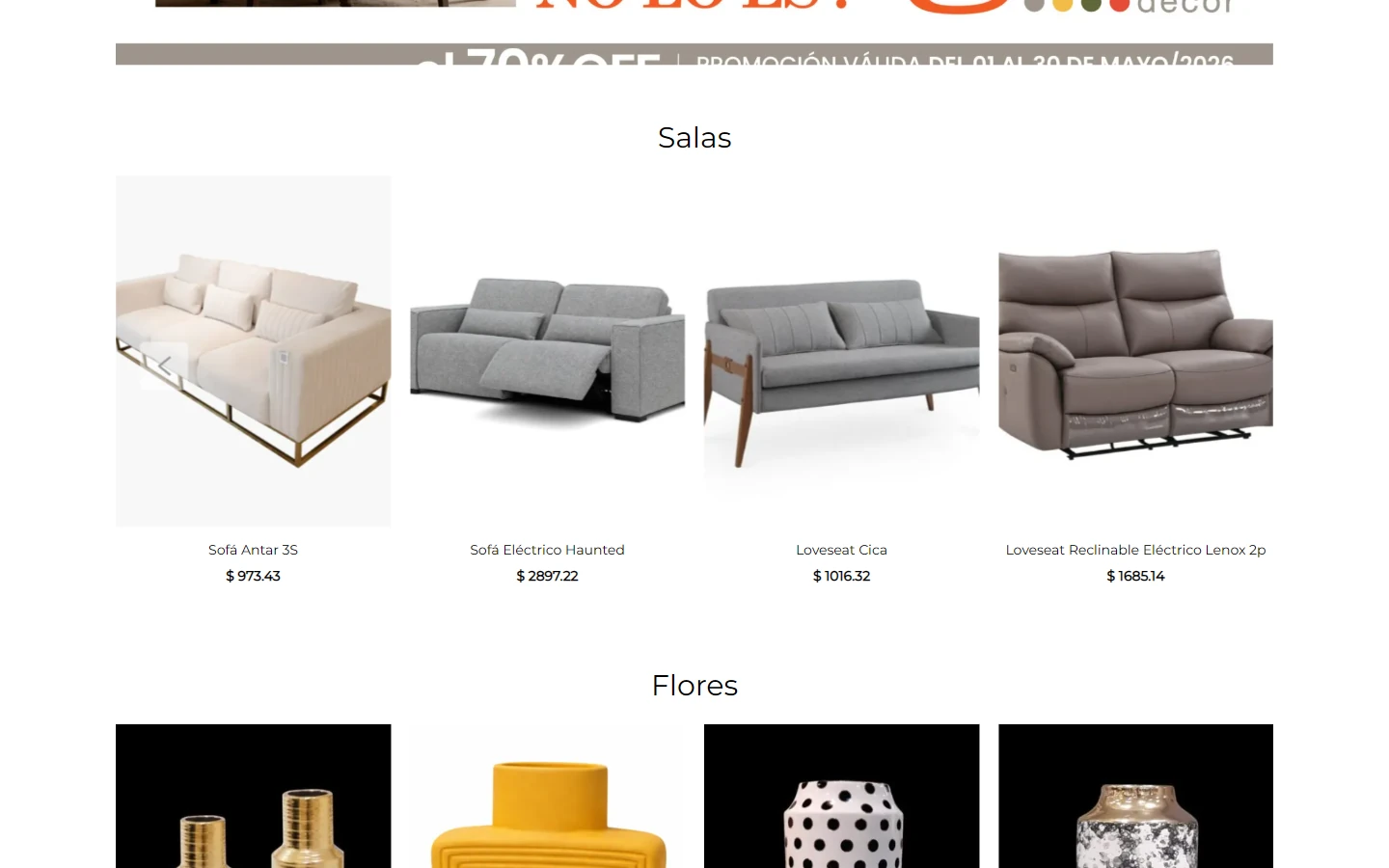
The homepage first presents living-room seating, then moves into vases under the Flores heading. Each category occupies its own row, with names and prices below the pictures, organizing browsing around home settings.
Sofa and vase images share consistent card widths, with larger spaces between groups. Centered section headings mark the end of one theme and the beginning of the next.
Dining Chair Catalog: Make Silhouette Differences Easy to Compare
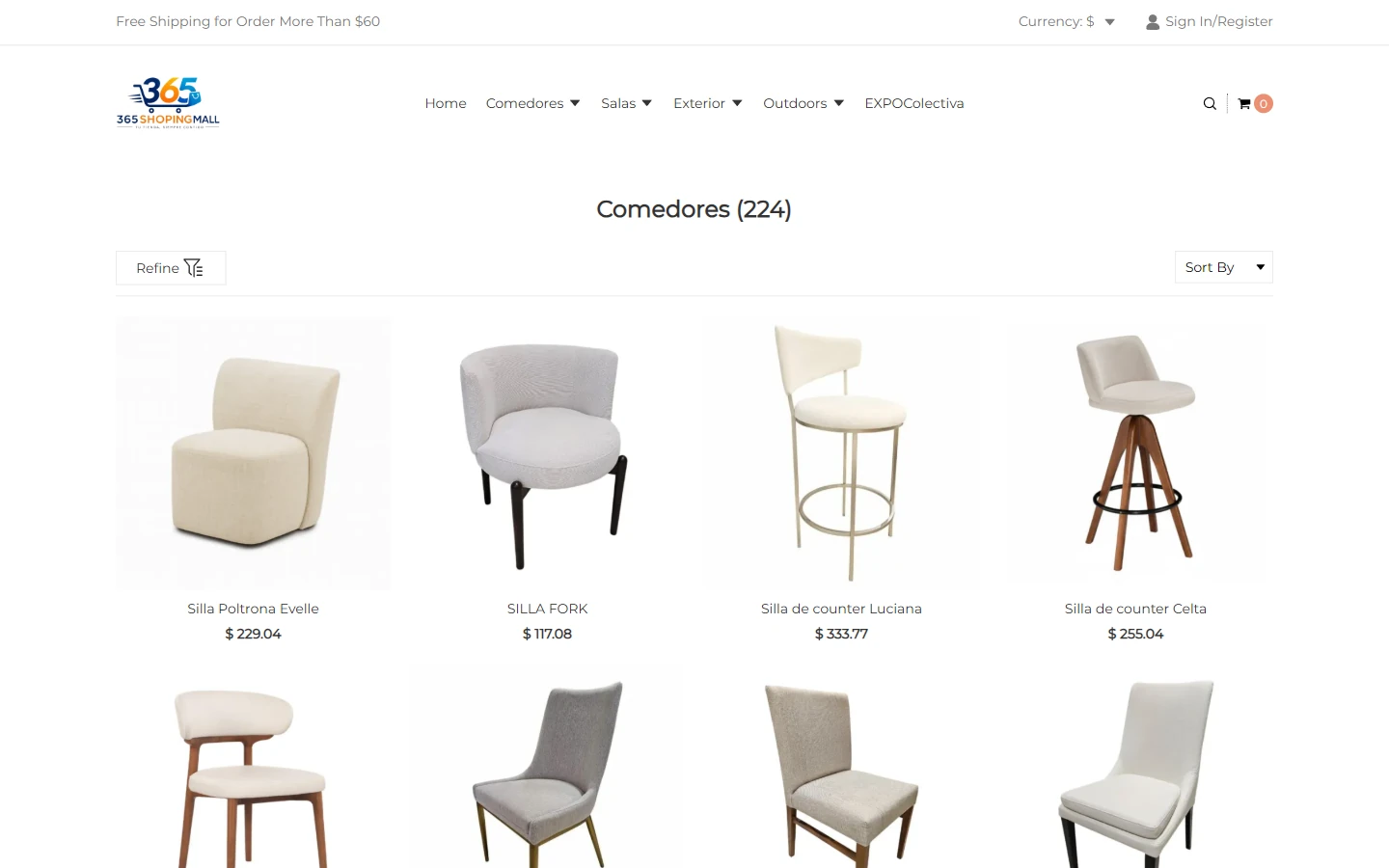
The Comedores category uses a regular grid for dining chairs, with the title and item count above and sorting and filtering in a separate area. Front-facing images directly show differences in backs, arms, and bases.
Light backgrounds and even gaps keep furniture outlines clear. Smaller names and prices appear below each image. Photography supports comparison, while longer specifications move to individual product pages.
Sofa Details: Appearance and Specifications Side by Side
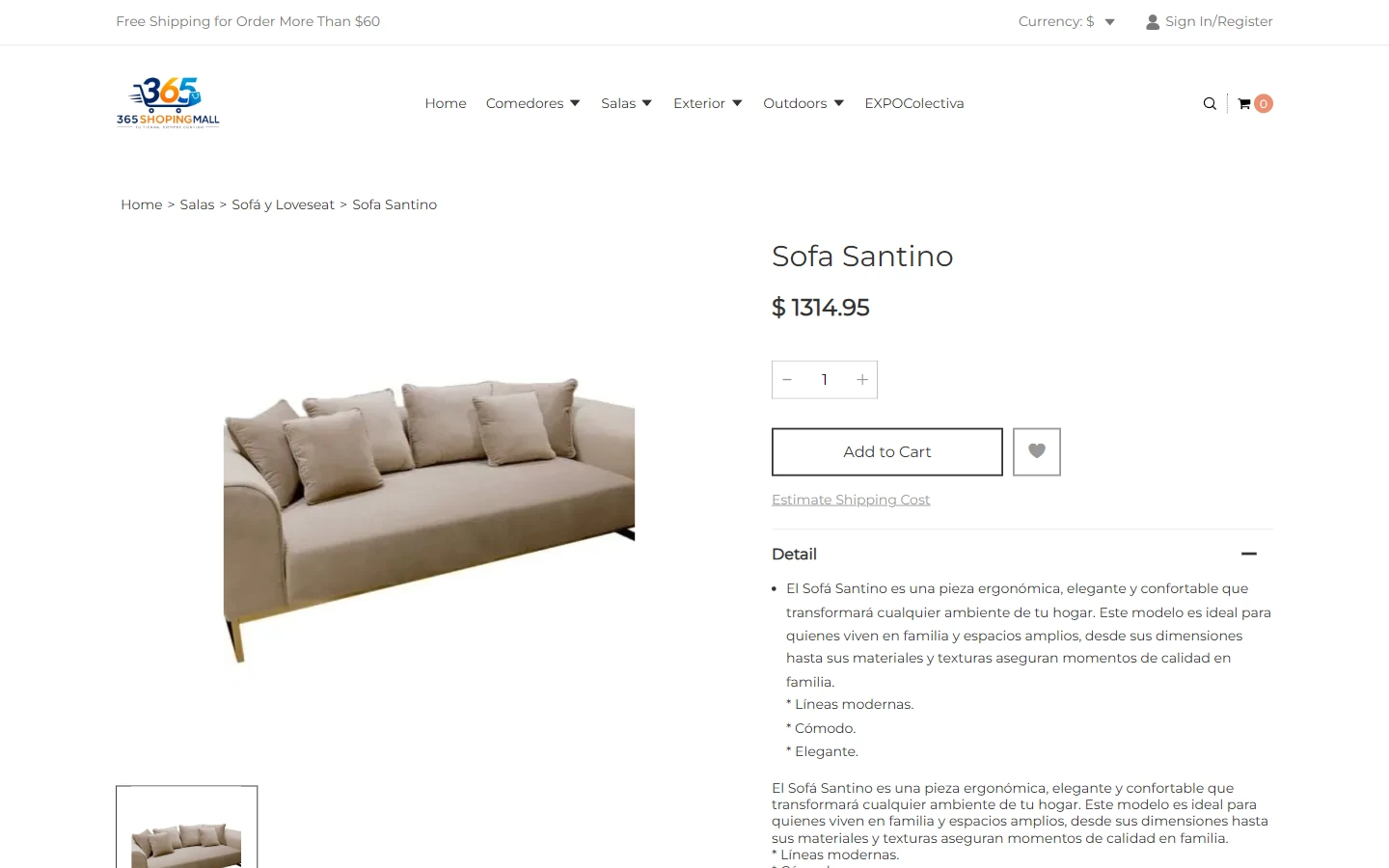
The Sofa Santino page places the sofa image on the left, with its name, price, quantity, and Detail description on the right. The furniture has room to stand on its own, while dimensions and material information unfold alongside it.
Wide white margins surround the image, and short paragraphs and bullets organize the description. A pale interface complements the beige sofa, while finely outlined controls avoid competing with the product.
Lower Details: Continue the Description and Browse Related Furniture
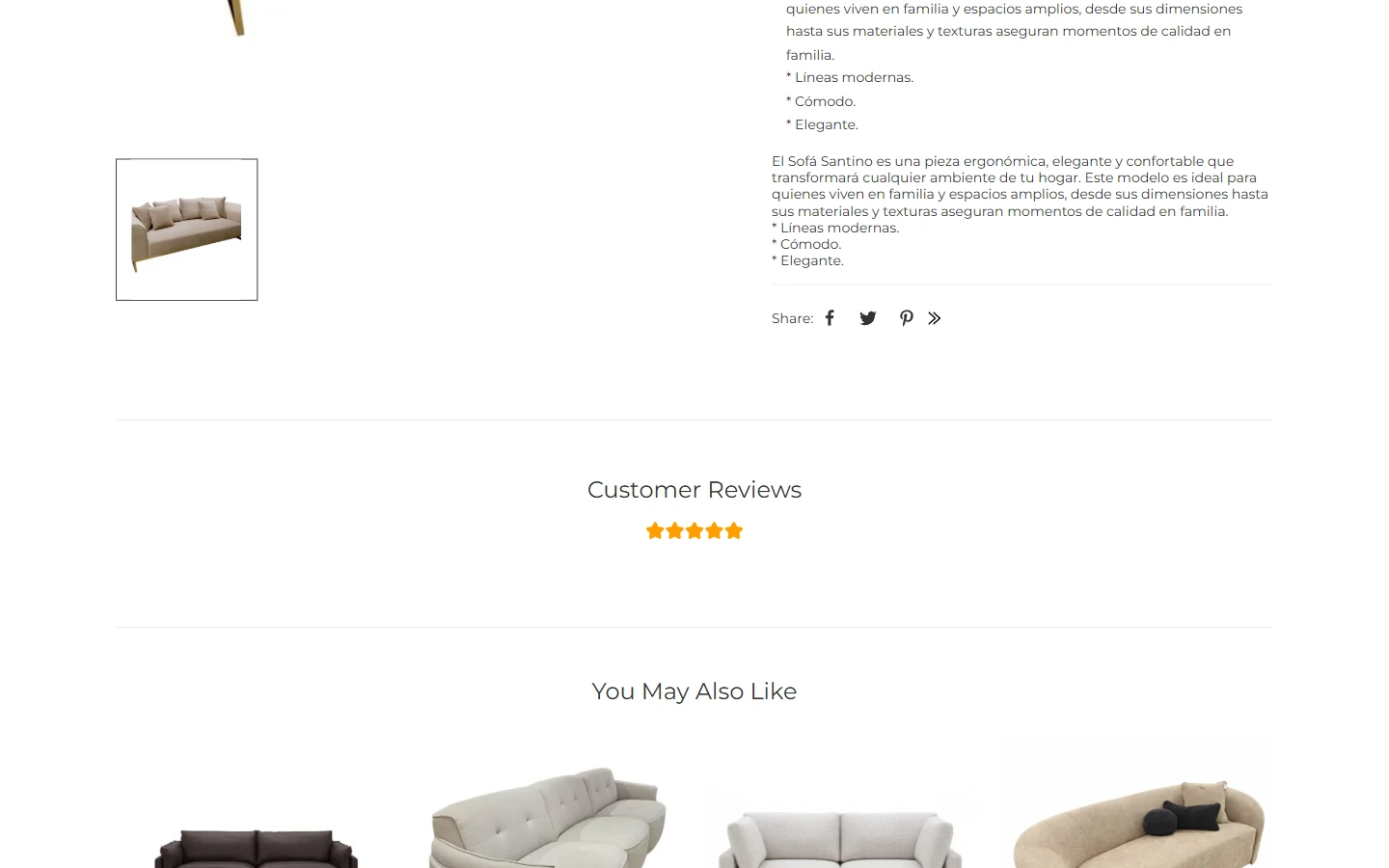
This section continues with sofa thumbnails, the rest of the product description, reviews, and recommendations below. After checking the current item, visitors can naturally move into other furniture.
Whitespace and headings separate the sections, and recommendation cards retain consistent widths. Specifications and images for the current sofa stay together, while other styles occupy a separate area to avoid confusion.
Contact Page: A Dedicated Entry Point for Order Questions
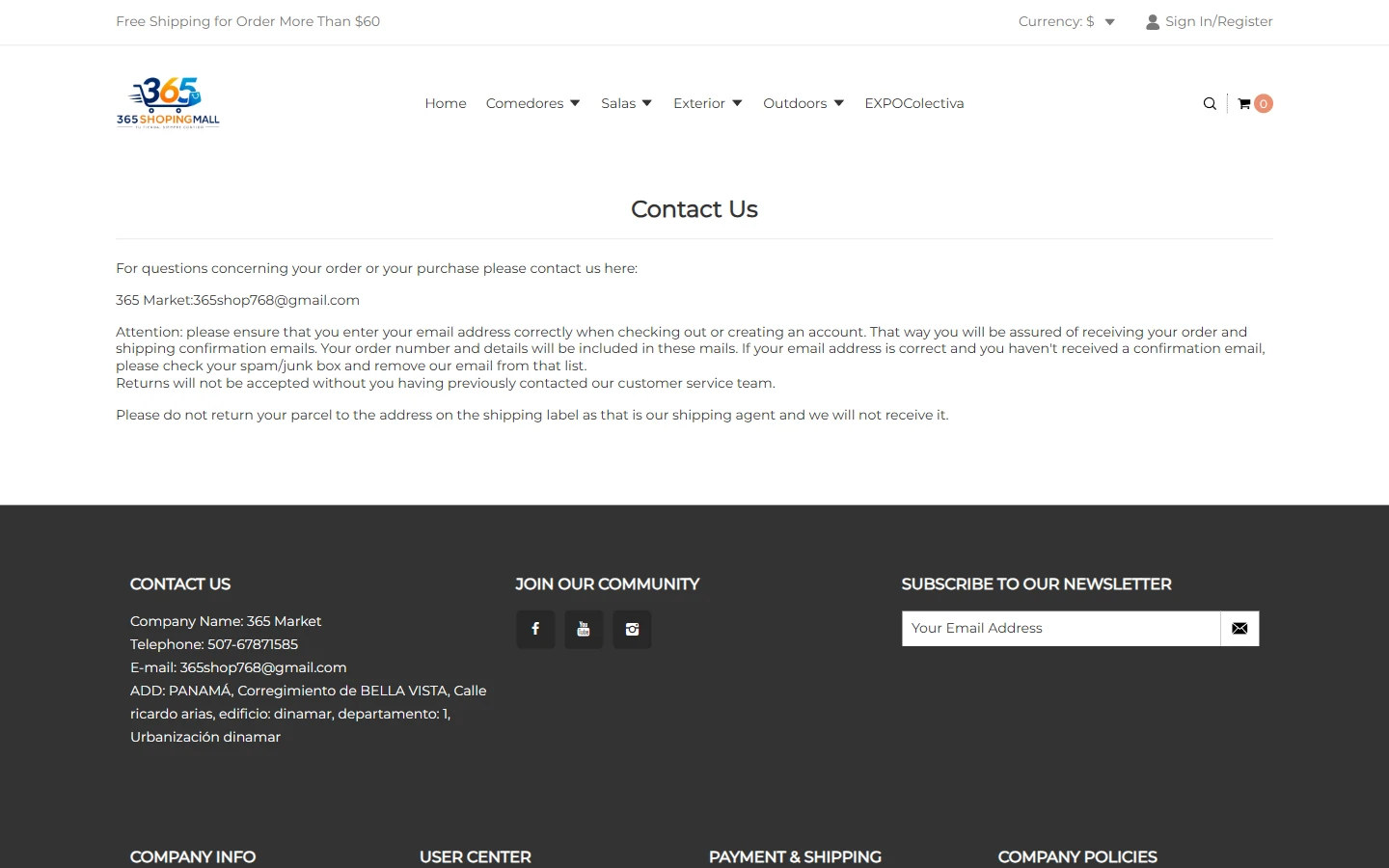
The contact page brings email and order-related communication instructions into the main text, with additional merchant contact information in the dark footer. Its purpose is quick access to communication channels, separate from product comparisons.
Simple headings and paragraphs organize the body. The light content area and dark footer have a clear boundary, and readable line spacing avoids unnecessary decoration around contact details.
Mobile Homepage: Preserve the Interior Banner and Living-Room Theme
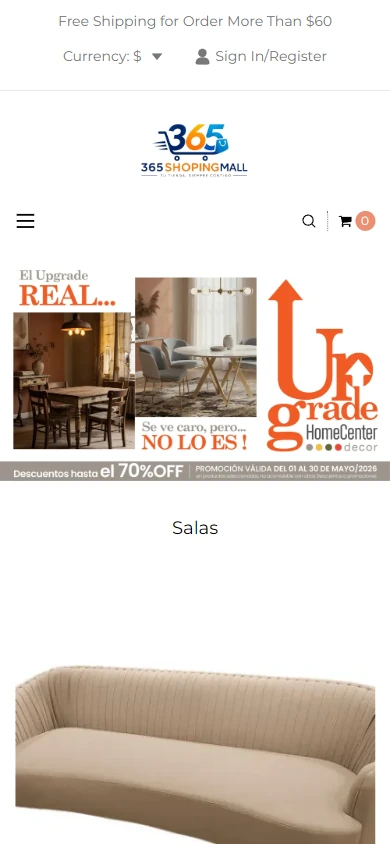
On mobile, the logo, menu, and search appear in sequence. The promotional banner adapts to the narrow screen, followed by Salas products. The room-focused theme remains while furniture images retain enough display space.
Clear vertical gaps separate the banner, section heading, and furniture. Images do not compete with navigation in one row. Small-screen browsing follows the same progression from theme to category to product.
Mobile Sofa Page: Show the Complete Silhouette
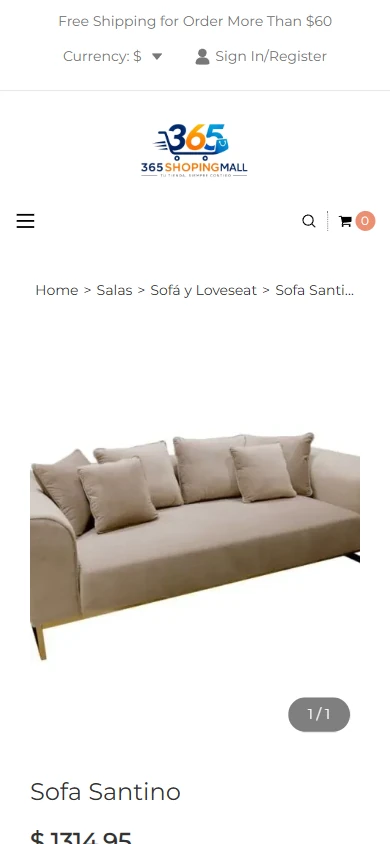
The mobile product page begins with breadcrumbs and a large sofa image, followed by the name and price. The desktop side-by-side layout becomes vertical, preserving a complete view of the furniture.
Whitespace remains around the image, and a naturally wrapping heading connects it to the information below. Product, specification, and control sections unfold in order, continuing the site’s light backgrounds and clear typography.
Design Summary: Connect the Theme to Practical Details
For 365 Market, the connection between room inspiration and furniture catalogs guides orange banners, light grids, and a dark footer across homepage, category, and product pages. Imagery establishes the theme, copy explains specifics, and catalog and specification links lead to the next action. Mobile preserves the sequence for a consistent experience.
Plan a Clear Shopyy Website for Your Brand
Share your current website, brand assets, and required pages. We will review your products, target market, and content priorities to plan suitable pages, visuals, and functionality together.