












Introdução
If you’ve ever tried to access your WordPress site and suddenly faced a blank screen or a vague “Internal Server Error,” you’re not alone. The http error 500 wordpress issue is one of the most common—and frustrating—problems website owners encounter.
Unlike other errors that clearly indicate what went wrong, HTTP 500 errors are ambiguous. They don’t tell you whether the issue comes from your theme, plugins, server configuration, or something else entirely.
In this guide, we’ll break down what this error really means, why it happens, and—most importantly—how to fix it step by step. Whether you’re running a business site, an eCommerce store, or a content platform, understanding this issue is essential for maintaining a stable and high-converting website.
O que é o erro HTTP 500 no WordPress?
The HTTP 500 Internal Server Error is a general server-side error. It means something went wrong on the server, but the server cannot specify exactly what.
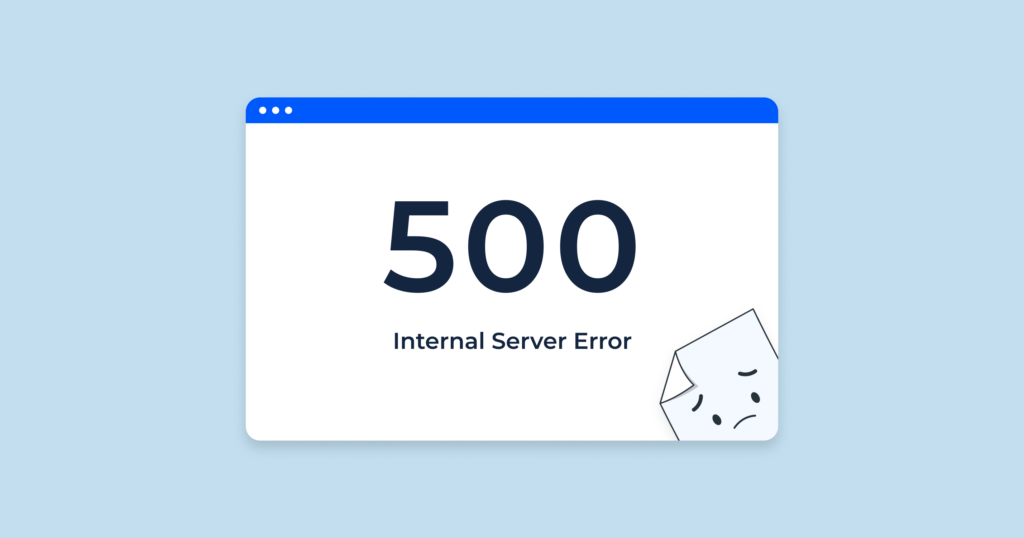
From a user’s perspective, it might appear as:
- A blank white screen
- A “500 Internal Server Error” message
- A generic browser error page
From a business perspective, this error is much more serious. It can:
- Block customers from accessing your store
- Break checkout or landing pages
- Hurt your SEO rankings
- Damage trust in your brand
That’s why resolving it quickly is critical.
Why Does HTTP Error 500 Happen?
The http error 500 wordpress issue can be caused by multiple factors. Let’s simplify the most common ones:
1. Corrupted .htaccess File
O .htaccess file controls how your server handles requests. If it becomes corrupted, your site may stop functioning properly.
2. Plugin Conflicts
Plugins extend WordPress functionality, but conflicts between them can cause server errors—especially when poorly coded or outdated plugins are involved.
3. Questões Temáticas
A faulty or incompatible theme can break your site structure and trigger a 500 error.
4. PHP Memory Limit Exhaustion
If your website exceeds the allocated PHP memory, it can crash and return an internal server error.
5. Server Configuration Problems
Incorrect server settings or hosting limitations can also cause the issue.
6. File Permission Errors
Improper permissions can prevent WordPress from accessing critical files.
Step-by-Step Fixes for HTTP Error 500 in WordPress
Let’s walk through the most effective solutions. You don’t need to apply all of them—just go step by step until the issue is resolved.
Fix 1: Check and Regenerate the .htaccess File
This is often the quickest fix.
Passos:
- Access your site via FTP or file manager
- Localize o
.htaccessfile in the root directory - Renomeie para
.htaccess_old - Refresh your website
If the site works again, go to your WordPress dashboard → Settings → Permalinks → Save Changes to regenerate a new .htaccess.
Fix 2: Disable All Plugins
Plugin conflicts are a leading cause of this error.
Passos:
- Access your
/wp-content/pasta - Renomeie o
pluginspasta paraplugins_disabled - Atualize seu site
If the site loads, rename the folder back and activate plugins one by one to find the problematic one.
Fix 3: Switch to a Default Theme
Sometimes the theme is the issue.
Passos:
- Vá para
/wp-content/temas/ - Renomeie a pasta do seu tema ativo.
- O WordPress mudará automaticamente para um tema padrão.
If the error disappears, your theme needs fixing or replacing.
Fix 4: Increase PHP Memory Limit
Low memory limits can crash your site.
You can increase it by editing your wp-config.php file:
define('WP_MEMORY_LIMIT', '256M');
Or contact your hosting provider to increase it from the server side.
Fix 5: Re-upload Core WordPress Files
Corrupted core files can also trigger the error.
Passos:
- Download a fresh copy of WordPress
- Upload and overwrite the
/wp-admin/e/wp-includes/folders - Do NOT overwrite
/wp-content/
Fix 6: Check File Permissions
Incorrect permissions can block file access.
Typical settings:
- Folders: 755
- Files: 644
Adjust them via FTP or your hosting panel.
Fix 7: Contact Your Hosting Provider
If none of the above works, the issue may be server-related.
Your hosting provider can:
- Verifique os registros do servidor.
- Identify backend errors
- Fix configuration issues
How to Prevent HTTP Error 500 in the Future
Fixing the issue is important—but preventing it is even better.
Here are some best practices:
1. Use Reliable Plugins and Themes
Avoid poorly maintained tools.
2. Keep Everything Updated
Regular updates reduce compatibility issues.
3. Choose Quality Hosting
A stable hosting environment minimizes server errors.
4. Monitor Site Performance
Use tools to track uptime and errors.
5. Backup Regularly
Always have a recovery plan.
FAQ
HTTP error 500 means there is a server-side issue preventing your WordPress site from loading, but the server cannot identify the exact cause.
The most common causes include corrupted .htaccess files, plugin conflicts, theme issues, and insufficient PHP memory limits.
Yes, incompatible or poorly coded plugins can conflict with each other or with your theme, leading to a 500 internal server error.
Start by renaming your .htaccess file, disabling plugins, switching to a default theme, and increasing your PHP memory limit.
Yes. If your site is frequently unavailable, search engines may lower your rankings, and users may lose trust in your brand.
The Hidden Impact on Conversions and User Experience
Many site owners treat the http error 500 wordpress issue as purely technical—but it’s actually a conversion killer.
Imagine a customer visiting your site:
- They click your ad
- They land on your page
- And suddenly… error 500
That’s not just a technical failure—it’s a lost sale.
From a design and UX perspective:
- Stability = Trust
- Speed = Conversion
- Reliability = Brand value
A high-performing website isn’t just about visuals—it’s about consistent, uninterrupted experience.
How AIRSANG Approaches This Differently
Em AIRSANG, we don’t just design websites—we design conversion-driven digital experiences.
When we work on WordPress or eCommerce projects, we focus on:
1. Stability-First Design
We ensure the site structure is clean, scalable, and less prone to errors.
2. Performance Optimization
From image loading to layout structure, everything is optimized for speed and reliability.
3. User-Centered Experience
We design websites that guide users smoothly—from landing to checkout—without friction.
4. Cross-Border eCommerce Expertise
We understand global audiences and build websites tailored for international markets.
Conclusão
The http error 500 wordpress issue may seem intimidating, but in most cases, it can be resolved with a structured approach.
By understanding the root causes—whether it’s plugins, themes, server limits, or configuration—you can quickly restore your website and prevent future issues.
More importantly, remember this:
A stable website is the foundation of any successful online business.
If you’re building or optimizing an independent site—especially for cross-border eCommerce—your website needs more than just functionality. It needs to be reliable, fast, and designed to convert.
That’s exactly what we do at AIRSANG.
If you’re looking to elevate your website design, improve performance, and create a high-converting digital experience, feel free to reach out. We specialize in crafting independent sites that not only look great—but work flawlessly.


Conceber e construir um sítio Web WordPress ou um sítio empresarial com um sistema de comércio eletrónico completo para si.
Faixa de preço: $200.00 a $2,500.00Requisitos personalizados ou orçamentos especiais
O preço original era: $2.00.$1.00O preço atual é: $1.00. 50 plugins são demais para uma loja virtual WordPress?
Entendendo o Impacto Real no Desempenho Ter 50 plugins em um site de eCommerce WordPress não é automaticamente um problema. Na verdade, o número por si só raramente determina o desempenho....

Explicação do design da imagem principal para o dispositivo de fisioterapia doméstica da Amazon
Introdução: Construindo uma imagem confiável para dispositivos de terapia doméstica na Amazon Ao projetar a imagem principal de um dispositivo de terapia doméstica na Amazon, nosso principal...

Design da imagem principal para conversão de batom da Amazon
Introdução: Conceber uma imagem principal de batom que vende na Amazon Quando concebemos uma imagem principal para um batom da Amazon, a nossa responsabilidade vai muito além...

Como os hackers roubam e-mails de administradores do WordPress (e como impedi-los)
Vamos começar com uma verdade incómoda: o seu e-mail de administrador do WordPress é provavelmente muito mais público do que pensa e os hackers? Eles adoram isso. Para eles, o seu...

O que faz uma base líquida da Amazon converter a imagem principal?
Introdução: Criar uma imagem principal para a base líquida da Amazon não se resume apenas a deixar o produto bonito. Na Amazon, a imagem principal e...

Como projetar uma imagem principal eficaz para cartuchos de filtro Amazon
Introdução: Criar uma imagem principal para a Amazon nunca se resume apenas a tornar um produto atraente. Trata-se de clareza, confiança e compreensão imediata — especialmente para...

Ataques de repetição no WordPress: ameaça real ou mito exagerado?
Vamos esclarecer uma coisa primeiro. Ataques de repetição não parecem assustadores. Eles não quebram senhas. Eles não injetam código malicioso com texto verde de hacker voando por toda parte. Eles são sorrateiros...

Como duplicar páginas do WordPress sem danificar nada
Vamos ser sinceros. Às vezes você não quer criar uma página nova. Você só quer a mesma página… mas um pouco diferente. Mesmo layout. Mesmos blocos. Mesmas configurações. Porque….

Comparativo de cinco temas WordPress para animais de estimação
Introdução Escolher o tema WordPress certo para o seu negócio de animais de estimação é mais do que uma decisão de design — afeta diretamente a usabilidade, a escalabilidade e o crescimento a longo prazo. Cuidados com animais de estimação e...

Comparando cinco temas de e-commerce de moda praia
Introdução: Escolher o tema certo para uma loja independente de moda praia ou lingerie não é apenas uma decisão visual — afeta diretamente as taxas de conversão, a escalabilidade e o sucesso a longo prazo...

Como desativar os comentários no WordPress (sem enlouquecer)
Vamos falar sobre os comentários do WordPress. Em teoria, os comentários são ótimos. Eles incentivam a discussão, constroem comunidade e dão vida ao seu site. Na prática? Muitas vezes, eles atraem...

Erro 500 do WordPress: Quando seu site decide entrar em pânico
Seu site WordPress estava funcionando perfeitamente até um minuto atrás. Você atualizou a página. E de repente — bum 💥 — Erro Interno do Servidor 500. Sem explicação. Sem pedido de desculpas. Apenas uma mensagem fria e confusa que basicamente...

Criando um site WordPress escalável para uma marca voltada para a ciência: o projeto AminoUSA
Introdução No cenário digital atual, um website é mais do que um lugar para listar produtos. Para marcas com foco em ciência que atuam em setores regulamentados ou voltados para pesquisa, um...

Construindo uma loja Shopify escalável para uma marca global de lâminas: O Projeto CoolKatana
Introdução No comércio eletrônico internacional, um site Shopify é muito mais do que uma vitrine. Para marcas que atuam em nichos de mercado e categorias culturais específicas, o site precisa fazer muito mais do que...

Criando uma loja Shopify de alta conversão para cartas Pokémon.
Introdução No mundo do comércio eletrônico de itens colecionáveis, especialmente no mercado do Pokémon Trading Card Game (TCG), um site precisa fazer mais do que simplesmente listar produtos...

Design Shopify de alta conversão para uma marca de tijolos personalizada.
Introdução No cenário competitivo do comércio eletrônico atual, especialmente no segmento de presentes personalizados e itens colecionáveis, um site Shopify precisa fazer muito mais do que simplesmente exibir produtos. Ele...

Como entrar em contato com o suporte da Shopify: um guia simples e sem complicações.
Gerir uma loja Shopify deve ser uma experiência empolgante, não confusa. Quando surgem dúvidas ou problemas que atrapalham o seu trabalho, a Shopify oferece diversas opções de suporte, dependendo da situação.

Como desativar uma loja Shopify: um guia claro e prático
Desativar uma loja Shopify não é complicado, mas acarreta consequências que muitos lojistas ignoram. Este guia explica o processo de forma simples e didática...