












Введение
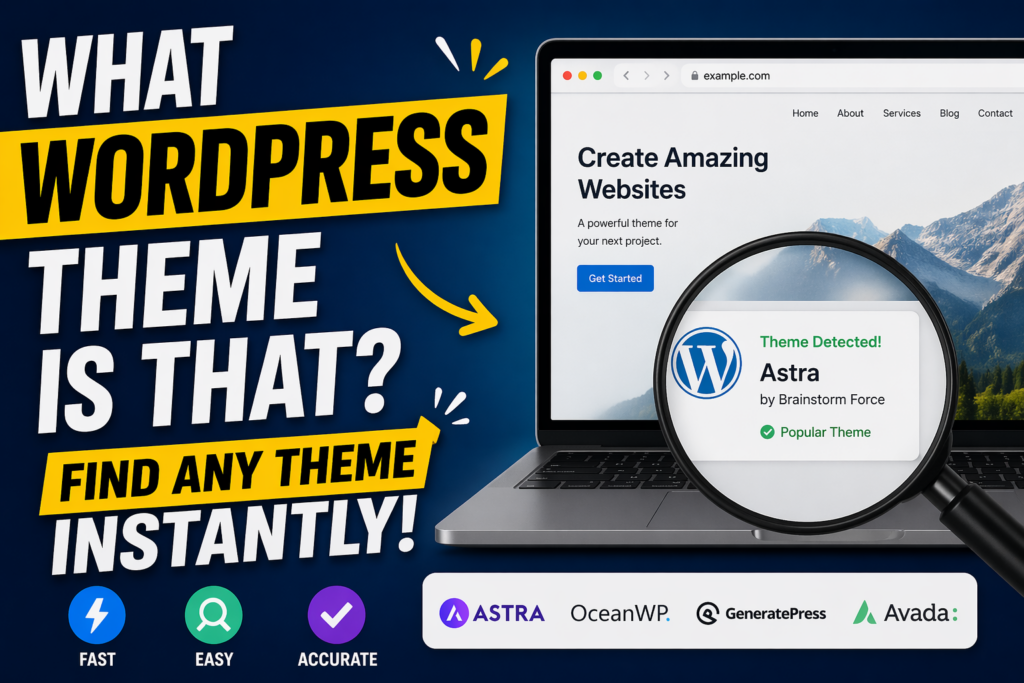
If you’ve ever browsed a website and thought, “What WordPress theme is that?”, you’re not alone. Whether you’re building your own site or analyzing competitors, identifying a WordPress theme can give you valuable insights into design, functionality, and user experience.
In this guide, we’ll break down exactly how to find out what WordPress theme a site is using—step by step. This article is written in a clear, educational style so even beginners can follow along while still offering useful depth for more experienced users.
Why Identifying a WordPress Theme Matters
Before diving into the “how,” it’s important to understand the “why.”
Knowing what WordPress theme a website uses can help you:
- Replicate design styles you admire
- Understand layout structures that improve conversions
- Analyze competitors’ websites more effectively
- Choose the right theme for your own project
- Discover plugins or tools often bundled with themes
Instead of guessing or starting from scratch, identifying a theme gives you a shortcut to proven design solutions.
What Is a WordPress Theme?
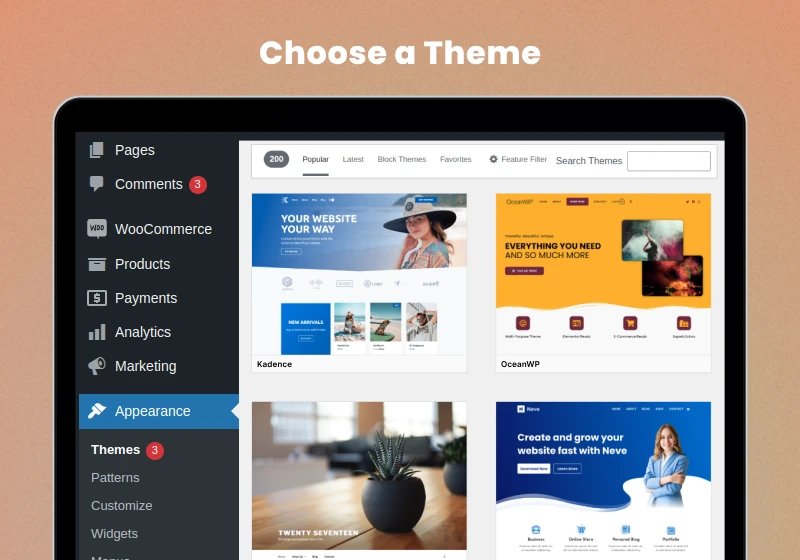
A WordPress theme controls the visual appearance and layout of a website. It defines elements like:
- Typography and font styles
- Colors and spacing
- Page layouts and structure
- Header, footer, and navigation design
- Blog and product page styling
Themes can be free or premium, and many include built-in customization options or integrations with page builders like Elementor or Gutenberg.
How to Tell If a Website Uses WordPress
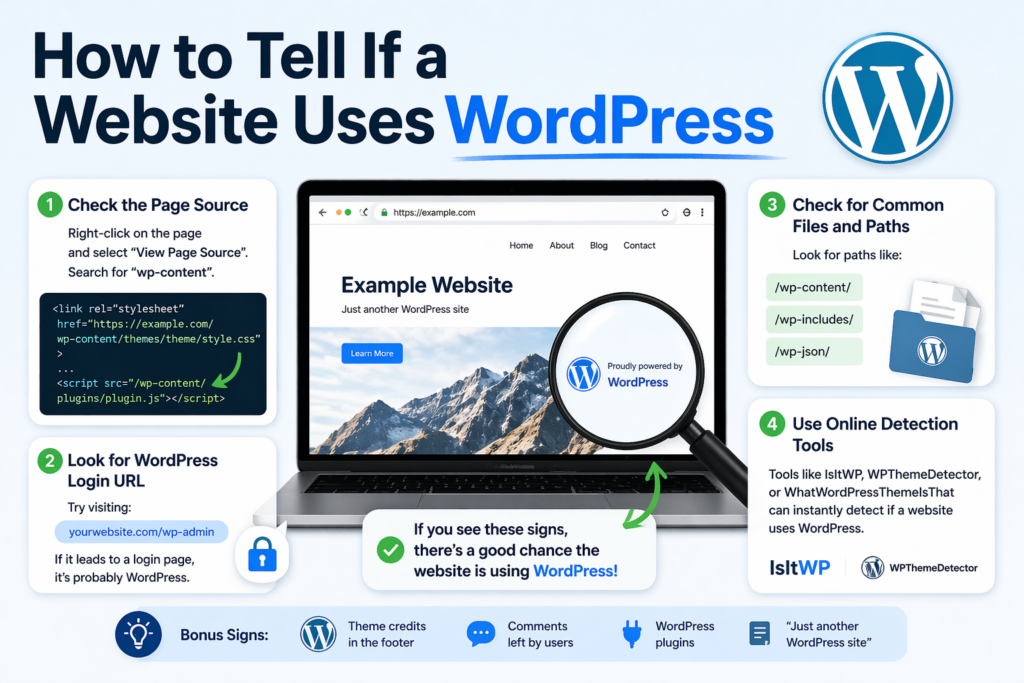
Before asking “what WordPress theme is that?”, you need to confirm whether the website is actually built with WordPress.
Here are a few quick ways:
1. Check the Page Source
Right-click on the page and select “View Page Source,” then search for:
wp-content
If you see it, the site is almost certainly using WordPress.
2. Look for WordPress Login URLs
Try visiting:
example.com/wp-admin
If it leads to a login page, that’s a strong indicator.
3. Use Detection Tools
There are online tools that can instantly tell you what platform a site uses, including WordPress.
Method 1: Use Online Theme Detection Tools
The fastest and easiest way to answer “what WordPress theme is that” is by using a theme detector.
Как это работает
You simply paste the website URL into the tool, and it scans the site’s code to identify:
- Название темы
- Theme author
- Plugins used
- Sometimes even customizations
Popular Theme Detector Tools
- What WordPress Theme Is That
- WPThemeDetector
- IsItWP
Плюсы
- Fast and beginner-friendly
- No technical knowledge required
- Often shows plugin information too
Минусы
- May fail on heavily customized themes
- Can’t always detect custom-built themes
Method 2: Inspect the Website Source Code

If detection tools don’t work, you can manually find the theme.
Step-by-Step Guide
- Right-click on the page
- Click “View Page Source”
- Press Ctrl + F (or Cmd + F)
- Search for:
wp-content/themes/
You’ll see something like:
wp-content/themes/astra/style.css
In this example, the theme is Astra.
Reading the Style.css File
Once you find the theme folder, open:
style.css
At the top, you’ll usually see:
Theme Name: Astra
Author: Brainstorm Force
Version: 4.x
This confirms the exact theme.
Method 3: Use Browser Developer Tools
Modern browsers offer powerful inspection tools.
Шаги
- Right-click → Inspect
- Go to the Elements tab
- Look for CSS or JS files
- Find links containing:
/wp-content/themes/
This method is especially useful when source code is cluttered or minimized.
Method 4: Check Theme Credits in the Footer
Some websites include theme attribution in the footer.
Примеры:
- “Powered by Astra”
- “Theme by StudioPress”
However, many websites remove this, especially premium or custom builds.
Method 5: Identify Custom or Modified Themes
Sometimes, you won’t find a clear answer.
Почему?
Because the site might be using:
- A heavily customized theme
- A child theme
- A completely custom-built theme
How to Recognize This
- Theme name appears generic (e.g., “custom-theme”)
- No public theme matches the design
- Detection tools fail
In these cases, the site may not be using a publicly available theme.
What About Page Builders?
Even if you find the theme, the design you see might not fully come from it.
Many WordPress websites use page builders like:
- Элементор
- WPBakery
- Divi Builder
These tools allow designers to create custom layouts independent of the theme.
Why This Matters
Two websites can use the same theme but look completely different.
So when asking “what WordPress theme is that?”, remember:
The theme provides the foundation—but builders shape the final look.
How Plugins Affect Theme Detection
Plugins can also influence the appearance and functionality of a website.
Например:
- Sliders
- Popups
- E-commerce layouts
- Animations
Many detection tools will also show plugins, giving you a fuller picture of how the site is built.
Limitations of Theme Detection
Not every theme can be identified easily.
Here are common challenges:
1. Custom Development
Some businesses build themes from scratch.
2. Renamed Themes
Developers can rename theme folders, making detection harder.
3. Minified Code
Optimized sites may hide useful information.
4. CDN or Security Layers
Some sites block detection tools entirely.
Tips for Better Results
If you’re struggling to identify a theme, try these strategies:
- Use multiple detection tools
- Check both homepage and inner pages
- Inspect CSS and JS files
- Look for theme-related class names
- Combine manual and automated methods
Persistence often leads to results.
How to Choose a Similar Theme
If you can’t find the exact theme, don’t worry.
Instead, focus on:
1. Layout Structure
- Grid vs. list
- Full-width vs. boxed
2. Design Style
- Minimalist
- Bold and colorful
- Editorial
3. Functionality
- E-commerce support
- Blog features
- Portfolio layouts
You can then search for themes with similar characteristics.
Best Practices When Using Another Theme as Inspiration
It’s perfectly fine to take inspiration—but avoid copying directly.
Do:
- Study layout and UX patterns
- Adapt design to your brand
- Improve usability
Don’t:
- Clone designs pixel-for-pixel
- Copy copyrighted assets
- Misrepresent another brand
Originality always wins in the long run.
Free vs. Premium Themes: What’s the Difference?
When you identify a theme, you may wonder whether to use it.
Free Themes
- Экономически эффективный
- Basic features
- Ограниченные возможности персонализации
Premium Themes
- Advanced design options
- Better support
- More flexibility
Choosing the right one depends on your goals and budget.
Common Popular WordPress Themes
While identifying themes, you’ll often encounter:
- Astra
- OceanWP
- Divi
- GeneratePress
- Avada
These are widely used because they’re flexible and customizable.
When You Should Use a Custom Theme
Sometimes, a pre-built theme isn’t enough.
You might consider a custom theme if:
- You need unique branding
- You require specialized features
- You want full control over design
However, custom themes require more time and resources.
Заключительные мысли
If you’ve ever wondered “what WordPress theme is that?”, the good news is that there are multiple ways to find out. From simple online tools to manual code inspection, you can uncover valuable insights about almost any WordPress website.
While not every theme can be identified—especially in the case of custom builds—understanding how themes work and how to detect them gives you a strong advantage. It helps you learn from successful websites, make better design decisions, and build more effective online experiences.
In the end, identifying a theme is just the starting point. What truly matters is how you apply those insights to create a website that looks great, performs well, and delivers real value to your audience.
Часто задаваемые вопросы
You can identify a WordPress theme by using online theme detector tools, checking the page source for “wp-content/themes,” or inspecting the website with browser developer tools.
Most theme detector tools are accurate for standard themes, but they may struggle with heavily customized or custom-built themes.
Yes, you can manually check the website’s source code or inspect CSS files to find the theme name, often located in the “style.css” file.
Some websites use custom themes, renamed theme folders, or optimized code that hides theme details, making detection more difficult.
Yes, plugins and page builders can significantly change a website’s design, so the final appearance may not fully reflect the original theme.
Yes, using the same theme is completely legal, but you should avoid copying content or designs directly to maintain originality and avoid copyright issues.


Спроектируем и создадим для вас WordPress-сайт или корпоративный сайт с полной системой электронной коммерции.
Ценовой диапазон: от $200.00 до $2,500.00custom-requirements-or-special-quotations
Первоначальная цена составляла: $2.00.$1.00Текущая цена: $1.00. Не слишком ли много 50 плагинов для интернет-магазина на WordPress?
Понимание реального влияния на производительность Наличие 50 плагинов на сайте электронной коммерции WordPress не является автоматической проблемой. На самом деле, само по себе их количество редко определяет производительность.....

Дизайн главного изображения для домашнего физиотерапевтического устройства Amazon: пояснения.
Введение: Создание достоверного изображения для домашних терапевтических приборов на Amazon При разработке главного изображения для домашнего терапевтического прибора на Amazon мы в первую очередь...

Дизайн основного изображения для конвертации помады на Amazon.
Введение: Разработка главного образа помады, которая продается на Amazon Когда мы разрабатываем главный образ для помады Amazon, наша ответственность выходит далеко за рамки...

Как хакеры крадут электронные письма администраторов WordPress (и как им это предотвратить)
Начнем с неприятной истины: ваша электронная почта администратора WordPress, вероятно, гораздо более публична, чем вы думаете. А хакеры? Им это нравится. Для них ваш...

Что делает основное изображение жидкой тональной основы Amazon конвертируемым?
Введение. Разработка дизайна основного изображения для жидкой тональной основы на Amazon — это не просто создание красивого внешнего вида продукта. На Amazon основное изображение и...

Разработка эффективного основного изображения Amazon для фильтрующих картриджей
Введение. Разработка основного изображения для Amazon — это не просто создание привлекательного внешнего вида товара. Речь идёт о ясности, доверии и мгновенном понимании, особенно для...

Повторные атаки на WordPress: реальная угроза или преувеличенный миф?
Давайте сначала кое-что проясним. Атаки повторного воспроизведения не выглядят страшно. Они не взламывают пароли. Они не внедряют вредоносный код с зелёным хакерским текстом, разлетающимся повсюду. Они действуют коварно...

Как скопировать страницы WordPress, ничего не сломав
Давайте посмотрим правде в глаза. Иногда вам не хочется создавать новую страницу. Вам нужна та же самая страница… но немного другая. Тот же макет. Те же блоки. Те же настройки. Потому что….

Сравнение пяти тем WordPress для сайтов о домашних животных
Введение. Выбор подходящей темы WordPress для сайтов, посвященных домашним животным, — это не просто решение, связанное с дизайном; оно напрямую влияет на удобство использования, масштабируемость и долгосрочный рост бизнеса. Уход за домашними животными и...

Сравнение пяти тем оформления для интернет-магазинов купальников
Введение. Выбор правильной тематики для независимого магазина купальников или нижнего белья — это не просто визуальное решение, оно напрямую влияет на коэффициент конверсии, масштабируемость и долгосрочную перспективу...

Как отключить комментарии в WordPress (не сойдя с ума)
Давайте поговорим о комментариях в WordPress. В теории комментарии — это здорово. Они стимулируют дискуссии. Они создают сообщество. Они делают ваш сайт “живым”. А на практике? Зачастую они притягивают...

Ошибка WordPress 500: когда ваш сайт начинает паниковать
Ваш сайт WordPress ещё минуту назад работал нормально. Вы обновили страницу. И вдруг — бац 💥 — ошибка 500 Internal Server Error. Никаких объяснений. Никаких извинений. Просто холодное, непонятное сообщение, которое, по сути...

Создание масштабируемого веб-сайта на WordPress для научно-ориентированного бренда: проект AminoUSA
Введение. В современном цифровом пространстве веб-сайт — это больше, чем просто место для размещения информации о товарах. Для научно-ориентированных брендов, работающих в регулируемых или научно-исследовательских отраслях, это….

Создание масштабируемого магазина Shopify для глобального бренда ножей: проект CoolKatana
Введение. В трансграничной электронной коммерции веб-сайт Shopify — это больше, чем просто витрина магазина. Для брендов, работающих в нишевых, ориентированных на культуру категориях, веб-сайт должен делать гораздо больше, чем...

Разработка высокоэффективного магазина Shopify для карточек Pokémon.
Введение. В мире электронной коммерции коллекционных товаров, особенно на рынке коллекционных карточных игр Pokémon, веб-сайт должен делать больше, чем просто перечислять товары...

Высокоэффективный дизайн Shopify для индивидуального бренда стационарной торговой точки.
Введение. В условиях современной конкурентной среды электронной коммерции, особенно в сегменте персонализированных подарков и коллекционных товаров, веб-сайт на платформе Shopify должен делать гораздо больше, чем просто отображать товары. Он...

Как связаться со службой поддержки Shopify: простое и понятное руководство
Управление магазином Shopify должно приносить удовольствие, а не путаницу. Когда возникают вопросы или проблемы замедляют вашу работу, Shopify предлагает несколько вариантов поддержки в зависимости от ситуации...

Как деактивировать магазин Shopify: понятное и практичное руководство
Деактивация магазина Shopify — несложная процедура, но она влечет за собой последствия, которые многие продавцы упускают из виду. В этом руководстве процесс описан простым и понятным языком...