












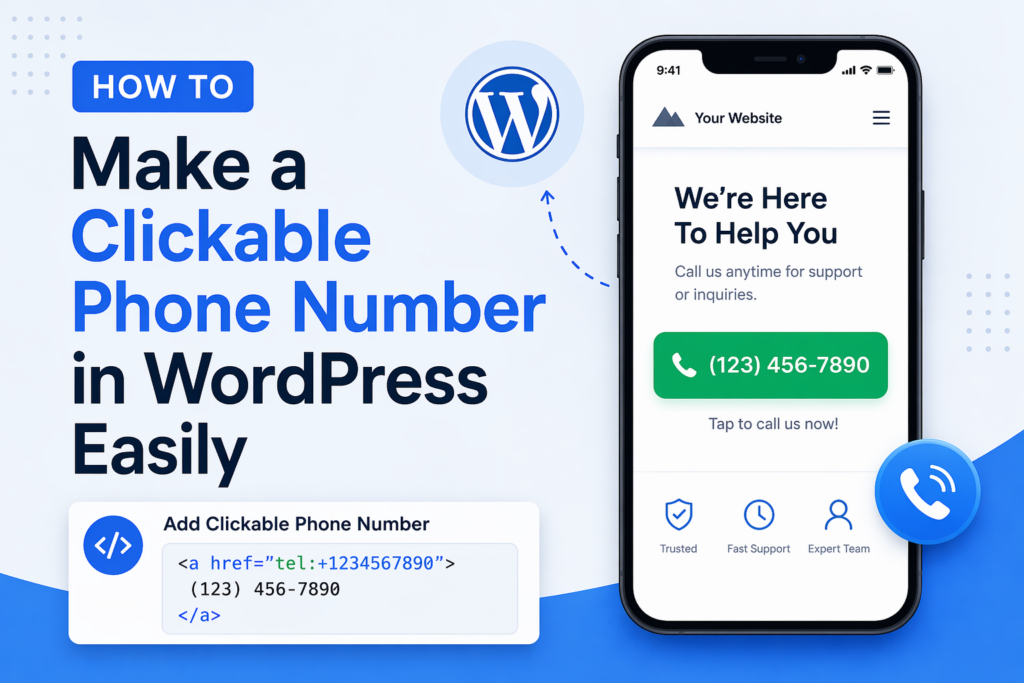
In today’s mobile-first world, making it easy for users to contact you is no longer optional—it’s essential. One of the simplest yet most powerful ways to improve user experience and increase conversions is by adding a clickable phone number to your 워드프레스 website.
If you’ve ever wondered how to make a clickable phone number WordPress, this guide will walk you through everything you need to know—from basic methods to advanced customization—using a clear, educational approach.
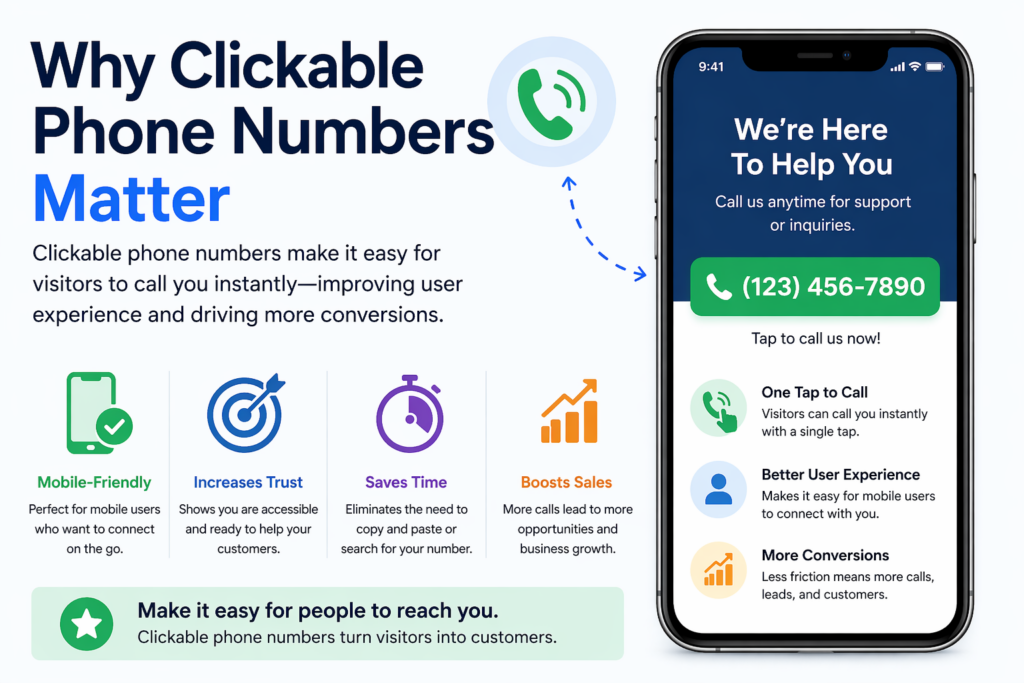
Why Clickable Phone Numbers Matter
Before diving into the “how,” let’s understand the “why.”
When visitors land on your website—especially from mobile devices—they expect instant interaction. If they need to manually copy your phone number into their dialer, you’re already adding friction.
A clickable phone number allows users to:
- Tap once to call directly
- Avoid copy-paste errors
- Connect instantly with your business
이는 특히 다음과 같은 경우에 중요합니다.
- Local businesses
- Service-based companies
- E-commerce stores offering support
- Lead generation websites
In short, reducing friction increases conversions.
What Is a Clickable Phone Number?
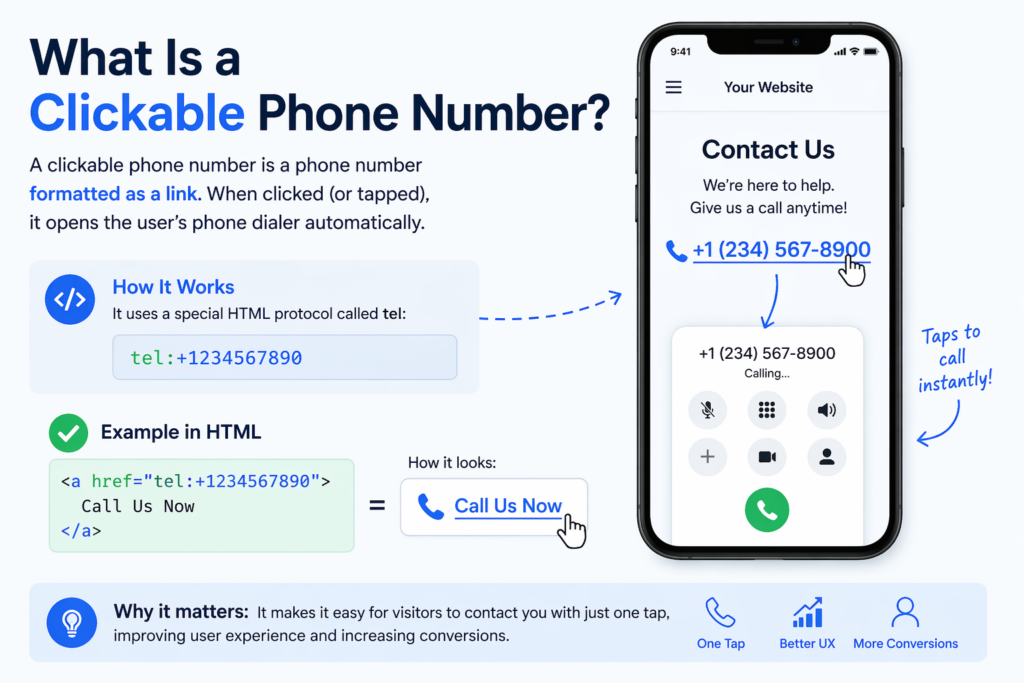
A clickable phone number is a phone number formatted as a link. When clicked (or tapped), it opens the user’s phone dialer automatically.
This is done using a special HTML protocol:
tel:+1234567890
When embedded into your website, it looks like a normal link but functions as a call trigger.
Method 1: Add a Clickable Phone Number Using HTML
The most basic way to create a clickable phone number in WordPress is by using HTML.
단계별
- Open your WordPress editor (Gutenberg or Classic Editor)
- Switch to HTML mode
- Add the following code:
<a href="tel:+1234567890">Call Us Now</a>
Or, if you want to display the number:
<a href="tel:+1234567890">+1 (234) 567-890</a>
Best Practices
- Always include the country code (
+1for the U.S.) - Avoid spaces in the
tel:link - Format the visible text for readability
Where to Use It
You can place this link in:
- Pages (Contact, Home, Landing pages)
- 게시물
- Widgets (footer, sidebar)
- Headers
Method 2: Use the WordPress Block Editor (Gutenberg)
If you prefer a visual approach, the Gutenberg editor makes this easy.
단계
- Add a Paragraph block or Button block
- Highlight the text (e.g., “Call Now”)
- Click the link icon
- Enter:
tel:+1234567890
- Save and publish
Why This Works Well
- 코딩이 필요하지 않습니다.
- Fully customizable design
- Works with buttons for higher conversions
Method 3: Add Click-to-Call Buttons
Instead of just a text link, you can create a more visible call button.
Example HTML Button
<a href="tel:+1234567890" style="display:inline-block;padding:12px 20px;background:#000;color:#fff;text-decoration:none;border-radius:5px;">
Call Now
</a>
Benefits of Buttons
- Higher visibility
- 모바일 사용성 향상
- Stronger call-to-action (CTA)
Where to Place Call Buttons
- Sticky header
- Floating corner button
- Hero section
- Contact page
Method 4: Use WordPress Plugins
If you want more advanced features, plugins are a great option.
Common Plugin Features
- Floating call buttons
- Click tracking
- Device targeting (mobile only)
- Custom styling and animations
Popular Plugin Types
While there are many plugins available, look for ones that offer:
- Lightweight performance
- Mobile optimization
- Easy customization
When to Use Plugins
Use plugins if you want:
- Analytics (track how many people click)
- Persistent floating buttons
- No-code setup
Method 5: Add Clickable Numbers in Menus
You can also add a clickable phone number directly in your navigation menu.
단계
- Go to Appearance → Menus
- Add a Custom Link
- Enter:
tel:+1234567890
- Set link text (e.g., “Call Us”)
- Save menu
Why This Is Effective
- Always visible
- Great for mobile users
- Increases accessibility
Method 6: Add Click-to-Call in Widgets and Footers
Your footer is one of the most consistent areas across your site.
단계
- Go to Appearance → Widgets
- Add a Text or HTML widget
- Insert:
<a href="tel:+1234567890">Call: +1 (234) 567-890</a>
Benefits
- Appears on every page
- Reinforces contact availability
- Improves trust
Method 7: Make Phone Numbers Clickable Automatically
Some themes or plugins can automatically convert phone numbers into clickable links.
작동 방식
- Scans your content
- Detects phone number patterns
- Converts them into
tel:links
장점
- Saves time
- No manual coding
단점
- Less control over formatting
- May incorrectly detect numbers
Mobile Optimization Tips
Since most click-to-call actions happen on mobile, optimization is key.
1. Use Large Tap Targets
Buttons should be:
- At least 44px high
- Easy to tap without zooming
2. Place Strategically
Best placements:
- Top of the page
- Sticky bottom bar
- Floating button
3. Use Clear CTAs
Instead of just “Call,” try:
- “Call Now for a Free Quote”
- “Speak With an Expert”
- “Get Instant Support”
SEO Considerations

While clickable phone numbers are primarily for UX, they also support SEO indirectly.
1. Improve User Experience
Better UX leads to:
- Lower bounce rates
- Higher engagement
- More conversions
2. Local SEO Benefits
Including your phone number consistently helps:
- Build trust signals
- Improve local search relevance
3. Schema Markup (Advanced)
You can add structured data to highlight your phone number:
{
  "@context": "https://schema.org",
  "@type": "Organization",
  "telephone": "+1234567890"
}
This helps search engines better understand your contact info.
흔히 저지르는 실수들을 피하는 방법
1. Missing Country Code
Always include +1, +44, etc.
2. Using Images Instead of Text
Search engines can’t read phone numbers in images.
3. Poor Placement
If users can’t find your number easily, it’s ineffective.
4. Not Testing on Mobile
Always test your clickable links on real devices.
Advanced Ideas for Higher Conversions
1. Sticky Call Bar
Add a fixed bar at the bottom of mobile screens:
- Always visible
- One-tap calling
2. Combine With Live Chat
Offer multiple contact options:
- Call
- Chat
- 이메일
3. Track Clicks
다음과 같은 도구를 사용하세요:
- Google Analytics events
- Plugin tracking
This helps measure performance.
When Should You Use Clickable Phone Numbers?
Clickable phone numbers are especially useful if you:
- Offer services requiring consultation
- Want to increase direct leads
- Target mobile users
- Provide customer support
For e-commerce stores, this is also valuable for:
- Pre-sale questions
- 신뢰 구축
- High-ticket product support
결론
Learning how to make a clickable phone number 워드프레스 is one of the simplest ways to improve both user experience and conversion rates.
By using methods like HTML links, Gutenberg blocks, buttons, menus, or plugins, you can make your website more accessible and user-friendly. The key is to reduce friction—allowing visitors to contact you instantly without unnecessary steps.
When implemented correctly, clickable phone numbers can turn passive visitors into active leads, especially in a mobile-driven environment. Keep your design clean, your placement strategic, and your calls-to-action clear to maximize results.


완전한 전자상거래 시스템을 갖춘 워드프레스 웹사이트 또는 기업 사이트를 디자인하고 구축하세요.
가격 범위: $200.00~$2,500.00custom-requirements-or-special-quotations
원래 가격: $2.00.$1.00현재 가격: $1.00. 워드프레스 전자상거래 쇼핑몰에 플러그인 50개는 너무 많은 걸까요?
실제 성능에 미치는 영향 이해하기 워드프레스 전자상거래 사이트에 50개의 플러그인이 있다고 해서 자동으로 문제가 되는 것은 아닙니다. 사실 그 숫자만으로 성능이 결정되는 경우는 거의 없습니다....

아마존 가정용 물리치료 기기 메인 이미지 디자인 설명
소개 소개: 아마존에서 홈 테라피 기기의 신뢰할 수 있는 이미지 구축 아마존에서 홈 테라피 기기의 기본 이미지를 디자인할 때 기본 ...

아마존 립스틱 전환을 위한 메인 이미지 디자인
소개: 소개: 아마존에서 판매되는 립스틱 메인 이미지 디자인하기 아마존 립스틱의 메인 이미지를 디자인할 때 우리의 책임은 그 이상입니다.

해커들이 워드프레스 관리자 이메일을 훔치는 방법(그리고 이를 막는 방법)
불편한 진실부터 말씀드리자면, 워드프레스 관리자 이메일은 생각보다 훨씬 더 많이 공개되어 있습니다. 그들은 그것을 좋아합니다. 해커에게 여러분의...

아마존 리퀴드 파운데이션 메인 이미지 변환의 특징은 무엇일까요?
서론 아마존 리퀴드 파운데이션의 메인 이미지 디자인은 단순히 제품을 아름답게 보이게 하는 것만이 아닙니다. 아마존에서 메인 이미지와...

필터 카트리지 제품을 위한 효과적인 아마존 메인 이미지 디자인하기
서론 아마존 메인 이미지 디자인은 단순히 제품을 매력적으로 보이게 하는 것만이 아닙니다. 명확성, 신뢰, 그리고 즉각적인 이해를 제공하는 것이 중요합니다. 특히...

워드프레스에 대한 리플레이 공격: 실제 위협인가, 과장된 신화인가?
먼저 한 가지를 분명히 해두죠. 리플레이 공격은 겉보기에 무섭지 않습니다. 비밀번호를 날려버리지도 않고, 초록색 해커 텍스트가 사방에 흩날리는 악성 코드를 주입하지도 않습니다. 그저 교묘하게 이루어질 뿐입니다.

WordPress 페이지를 손상 없이 복제하는 방법
솔직히 말해봅시다. 때로는 새 페이지를 만들고 싶지 않을 때가 있죠. 그냥 기존 페이지를 약간만 다르게 하고 싶을 때가 있어요. 레이아웃도, 블록도, 설정도 그대로요. 왜냐하면...

반려동물 관련 워드프레스 테마 5가지 비교
서론 반려동물 관련 워드프레스 테마를 선택하는 것은 단순한 디자인 결정 이상의 의미를 지닙니다. 사용성, 확장성, 그리고 장기적인 비즈니스 성장에 직접적인 영향을 미치기 때문입니다. 반려동물 관리 및 관련...

수영복 온라인 쇼핑몰 테마 5가지 비교
서론 수영복이나 란제리 독립 매장에 적합한 테마를 선택하는 것은 단순히 시각적인 결정에 그치는 것이 아니라, 전환율, 확장성, 그리고 장기적인 성공에 직접적인 영향을 미칩니다.

워드프레스에서 댓글 기능을 끄는 방법 (정신줄 놓지 않고)
워드프레스 댓글에 대해 이야기해 봅시다. 이론적으로 댓글은 훌륭합니다. 토론을 장려하고, 커뮤니티를 형성하며, 웹사이트에 생동감을 불어넣습니다. 하지만 현실은 어떨까요? 댓글은 종종 문제를 야기하기도 합니다...

워드프레스 500 오류: 웹사이트가 갑자기 오류를 일으킬 때
방금 전까지만 해도 워드프레스 사이트는 아무 문제 없었는데, 페이지를 새로고침하자마자 갑자기 💥 500 내부 서버 오류가 발생했습니다. 아무런 설명도, 사과도 없이 그저 차갑고 혼란스러운 메시지만 남았습니다.

과학 중심 브랜드를 위한 확장 가능한 워드프레스 웹사이트 구축: 아미노USA 프로젝트
서론 오늘날의 디지털 환경에서 웹사이트는 단순히 제품을 나열하는 공간 이상의 의미를 지닙니다. 규제 산업이나 연구 중심 산업에서 활동하는 과학 기반 브랜드에게 웹사이트는 더욱 중요한 역할을 합니다.

글로벌 블레이드 브랜드를 위한 확장 가능한 쇼피파이 스토어 구축: 쿨카타나 프로젝트
서론: 국경을 넘나드는 전자상거래에서 Shopify 웹사이트는 단순한 매장 이상의 의미를 지닙니다. 특정 문화권에서 사업을 운영하는 브랜드의 경우, 웹사이트는 단순한 판매 공간을 넘어 훨씬 더 많은 기능을 수행해야 합니다.

포켓몬 카드 판매를 위한 높은 전환율을 자랑하는 쇼피파이 스토어 디자인하기
서론 수집품 전자상거래, 특히 포켓몬 트레이딩 카드 게임(TCG) 시장에서 웹사이트는 단순히 제품 목록을 나열하는 것 이상의 역할을 해야 합니다.

맞춤형 오프라인 브랜드에 최적화된 전환율 높은 쇼피파이 디자인
서론 오늘날 경쟁이 치열한 전자상거래 환경, 특히 맞춤형 선물 및 수집품 분야에서 Shopify 웹사이트는 단순히 제품을 전시하는 것 이상의 역할을 해야 합니다. ...

Shopify 고객 지원팀에 문의하는 방법: 간단하고 스트레스 없는 가이드
쇼피파이 스토어 운영은 흥미진진해야지 혼란스러워서는 안 됩니다. 궁금한 점이 생기거나 문제가 발생하여 진행이 늦어질 때, 쇼피파이는 상황에 따라 다양한 지원 경로를 제공합니다.

쇼피파이 스토어 비활성화 방법: 명확하고 실용적인 가이드
쇼피파이 스토어를 비활성화하는 것은 복잡하지 않지만, 많은 판매자가 간과하는 몇 가지 결과가 따릅니다. 이 가이드에서는 비활성화 과정을 간단하고 유익하게 설명합니다.