












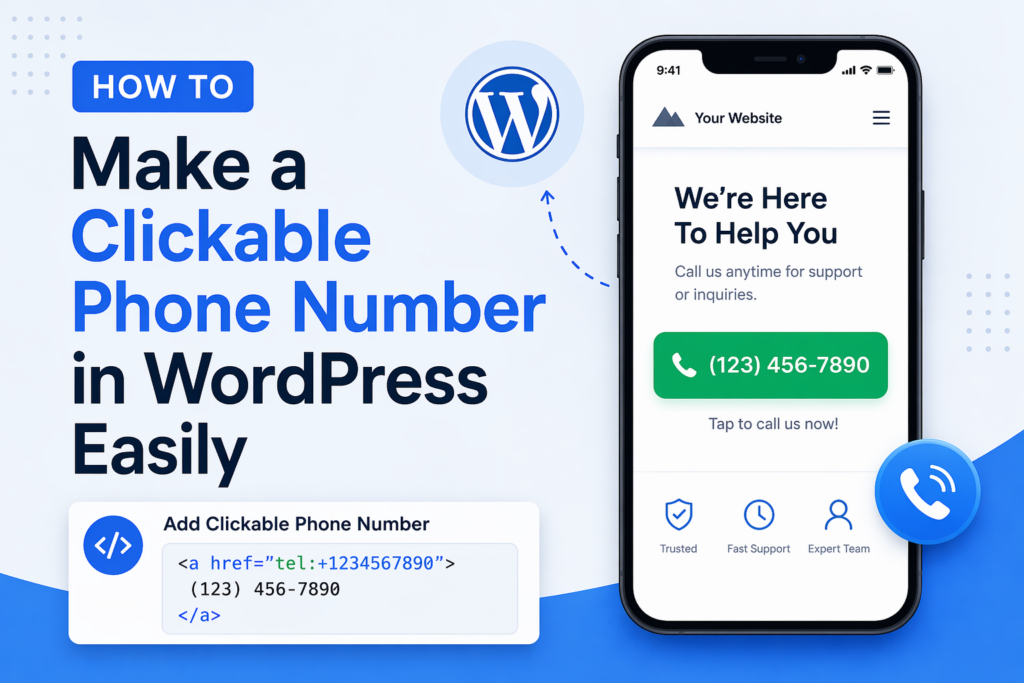
In today’s mobile-first world, making it easy for users to contact you is no longer optional—it’s essential. One of the simplest yet most powerful ways to improve user experience and increase conversions is by adding a clickable phone number to your วordpress เว็บไซต์.
If you’ve ever wondered how to make a clickable phone number WordPress, this guide will walk you through everything you need to know—from basic methods to advanced customization—using a clear, educational approach.
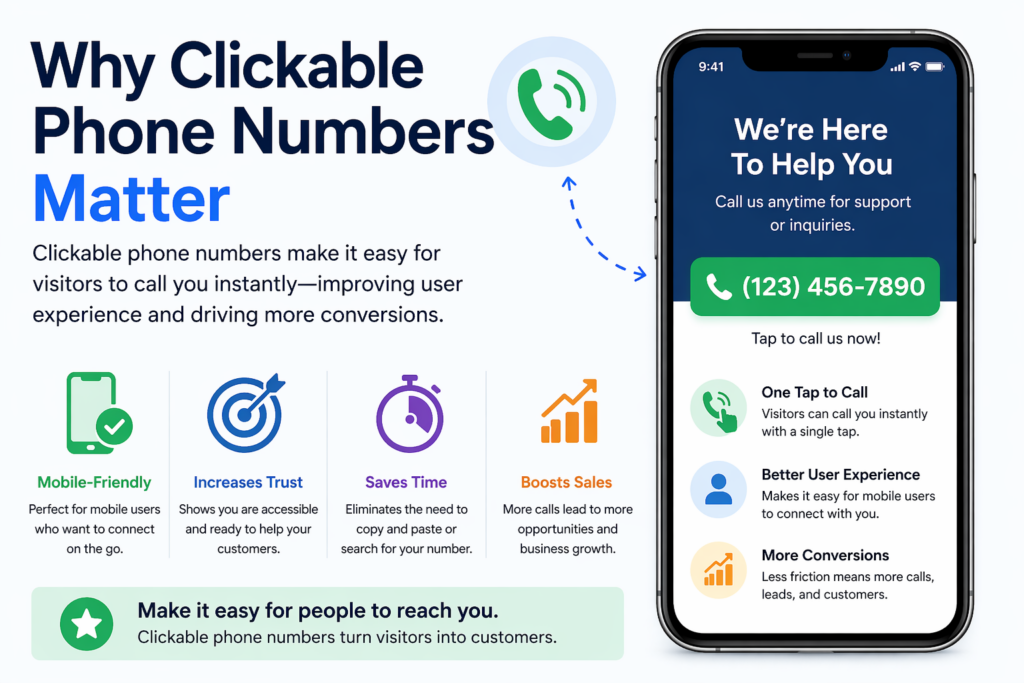
Why Clickable Phone Numbers Matter
Before diving into the “how,” let’s understand the “why.”
When visitors land on your website—especially from mobile devices—they expect instant interaction. If they need to manually copy your phone number into their dialer, you’re already adding friction.
A clickable phone number allows users to:
- Tap once to call directly
- Avoid copy-paste errors
- Connect instantly with your business
สิ่งนี้มีความสำคัญเป็นพิเศษสำหรับ:
- Local businesses
- Service-based companies
- E-commerce stores offering support
- Lead generation websites
In short, reducing friction increases conversions.
What Is a Clickable Phone Number?
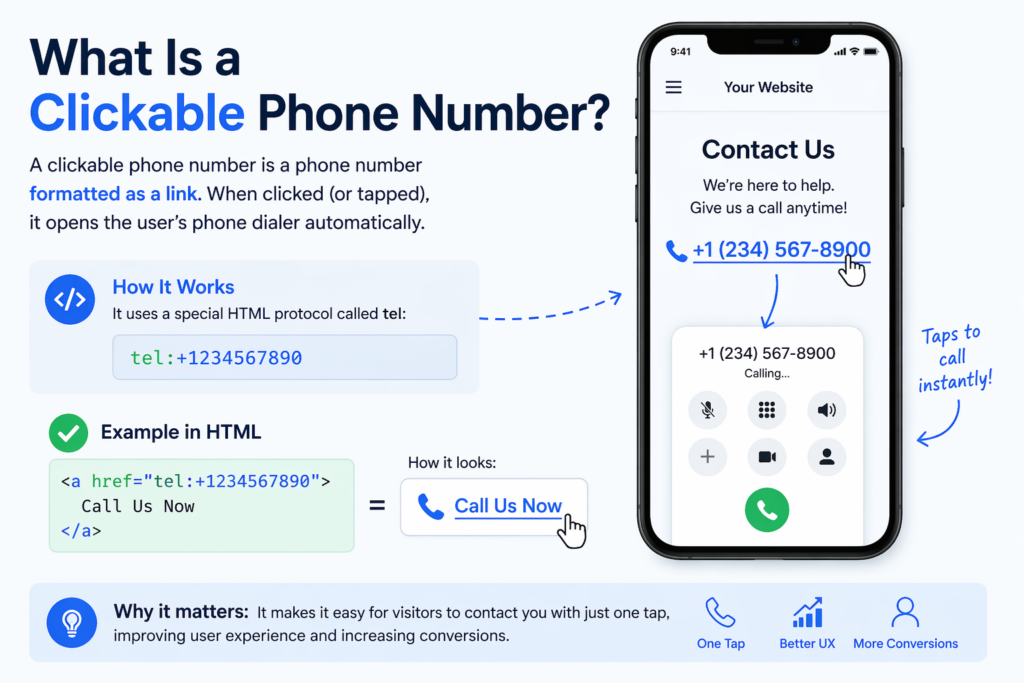
A clickable phone number is a phone number formatted as a link. When clicked (or tapped), it opens the user’s phone dialer automatically.
This is done using a special HTML protocol:
tel:+1234567890
When embedded into your website, it looks like a normal link but functions as a call trigger.
Method 1: Add a Clickable Phone Number Using HTML
The most basic way to create a clickable phone number in WordPress is by using HTML.
ทีละขั้นตอน
- Open your WordPress editor (Gutenberg or Classic Editor)
- Switch to HTML mode
- Add the following code:
<a href="tel:+1234567890">Call Us Now</a>
Or, if you want to display the number:
<a href="tel:+1234567890">+1 (234) 567-890</a>
แนวปฏิบัติที่ดีที่สุด
- Always include the country code (
+1for the U.S.) - Avoid spaces in the
tel:link - Format the visible text for readability
Where to Use It
You can place this link in:
- Pages (Contact, Home, Landing pages)
- โพสต์
- Widgets (footer, sidebar)
- Headers
Method 2: Use the WordPress Block Editor (Gutenberg)
If you prefer a visual approach, the Gutenberg editor makes this easy.
ขั้นตอน
- Add a Paragraph block or Button block
- Highlight the text (e.g., “Call Now”)
- Click the link icon
- Enter:
tel:+1234567890
- Save and publish
Why This Works Well
- ไม่ต้องเขียนโค้ด
- Fully customizable design
- Works with buttons for higher conversions
Method 3: Add Click-to-Call Buttons
Instead of just a text link, you can create a more visible call button.
Example HTML Button
<a href="tel:+1234567890" style="display:inline-block;padding:12px 20px;background:#000;color:#fff;text-decoration:none;border-radius:5px;">
Call Now
</a>
Benefits of Buttons
- Higher visibility
- การใช้งานบนมือถือที่ดีขึ้น
- Stronger call-to-action (CTA)
Where to Place Call Buttons
- Sticky header
- Floating corner button
- Hero section
- Contact page
Method 4: Use WordPress Plugins
If you want more advanced features, plugins are a great option.
Common Plugin Features
- Floating call buttons
- Click tracking
- Device targeting (mobile only)
- Custom styling and animations
Popular Plugin Types
While there are many plugins available, look for ones that offer:
- Lightweight performance
- Mobile optimization
- Easy customization
When to Use Plugins
Use plugins if you want:
- Analytics (track how many people click)
- Persistent floating buttons
- No-code setup
Method 5: Add Clickable Numbers in Menus
You can also add a clickable phone number directly in your navigation menu.
ขั้นตอน
- Go to Appearance → Menus
- Add a Custom Link
- Enter:
tel:+1234567890
- Set link text (e.g., “Call Us”)
- Save menu
Why This Is Effective
- Always visible
- Great for mobile users
- Increases accessibility
Method 6: Add Click-to-Call in Widgets and Footers
Your footer is one of the most consistent areas across your site.
ขั้นตอน
- Go to Appearance → Widgets
- Add a Text or HTML widget
- Insert:
<a href="tel:+1234567890">Call: +1 (234) 567-890</a>
Benefits
- Appears on every page
- Reinforces contact availability
- Improves trust
Method 7: Make Phone Numbers Clickable Automatically
Some themes or plugins can automatically convert phone numbers into clickable links.
วิธีการทำงาน
- Scans your content
- Detects phone number patterns
- Converts them into
tel:links
ข้อดี
- Saves time
- No manual coding
ข้อเสีย
- Less control over formatting
- May incorrectly detect numbers
Mobile Optimization Tips
Since most click-to-call actions happen on mobile, optimization is key.
1. Use Large Tap Targets
Buttons should be:
- At least 44px high
- Easy to tap without zooming
2. Place Strategically
Best placements:
- Top of the page
- Sticky bottom bar
- Floating button
3. Use Clear CTAs
Instead of just “Call,” try:
- “Call Now for a Free Quote”
- “Speak With an Expert”
- “Get Instant Support”
SEO Considerations

While clickable phone numbers are primarily for UX, they also support SEO indirectly.
1. Improve User Experience
Better UX leads to:
- Lower bounce rates
- Higher engagement
- More conversions
2. Local SEO Benefits
Including your phone number consistently helps:
- Build trust signals
- Improve local search relevance
3. Schema Markup (Advanced)
You can add structured data to highlight your phone number:
{
  "@context": "https://schema.org",
  "@type": "Organization",
  "telephone": "+1234567890"
}
This helps search engines better understand your contact info.
ข้อผิดพลาดทั่วไปที่ควรหลีกเลี่ยง
1. Missing Country Code
Always include +1, +44, etc.
2. Using Images Instead of Text
Search engines can’t read phone numbers in images.
3. Poor Placement
If users can’t find your number easily, it’s ineffective.
4. Not Testing on Mobile
Always test your clickable links on real devices.
Advanced Ideas for Higher Conversions
1. Sticky Call Bar
Add a fixed bar at the bottom of mobile screens:
- Always visible
- One-tap calling
2. Combine With Live Chat
Offer multiple contact options:
- Call
- Chat
- อีเมล
3. Track Clicks
ใช้เครื่องมือต่างๆ เช่น:
- Google Analytics events
- Plugin tracking
This helps measure performance.
When Should You Use Clickable Phone Numbers?
Clickable phone numbers are especially useful if you:
- Offer services requiring consultation
- Want to increase direct leads
- Target mobile users
- Provide customer support
For e-commerce stores, this is also valuable for:
- Pre-sale questions
- การสร้างความไว้วางใจ
- High-ticket product support
บทสรุป
Learning how to make a clickable phone number วordpress is one of the simplest ways to improve both user experience and conversion rates.
By using methods like HTML links, Gutenberg blocks, buttons, menus, or plugins, you can make your website more accessible and user-friendly. The key is to reduce friction—allowing visitors to contact you instantly without unnecessary steps.
When implemented correctly, clickable phone numbers can turn passive visitors into active leads, especially in a mobile-driven environment. Keep your design clean, your placement strategic, and your calls-to-action clear to maximize results.


ออกแบบและสร้างเว็บไซต์ WordPress หรือเว็บไซต์องค์กรพร้อมระบบอีคอมเมิร์ซครบวงจรสำหรับคุณ.
ช่วงราคา: $200.00 ถึง $2,500.00custom-requirements-or-special-quotations
ราคาเดิมคือ: $2.00.$1.00ราคาปัจจุบันคือ: $1.00. การใช้ปลั๊กอิน 50 ตัวมากเกินไปสำหรับร้านค้าออนไลน์ที่ใช้ WordPress หรือไม่?
การเข้าใจผลกระทบที่แท้จริงต่อประสิทธิภาพ การมีปลั๊กอิน 50 ตัวบนเว็บไซต์อีคอมเมิร์ซ WordPress ไม่ใช่ปัญหาโดยอัตโนมัติ จริงๆ แล้ว จำนวนเพียงอย่างเดียวแทบจะไม่สามารถกำหนดประสิทธิภาพได้....

ภาพหลักสำหรับการออกแบบอุปกรณ์กายภาพบำบัดที่บ้านของ Amazon (อธิบายรายละเอียด)
บทนำ: การสร้างภาพลักษณ์ที่น่าเชื่อถือสำหรับอุปกรณ์บำบัดที่บ้านบน Amazon เมื่อออกแบบภาพหลักสำหรับอุปกรณ์บำบัดที่บ้านบน Amazon สิ่งสำคัญอันดับแรกของเราคือ...

ภาพหลักสำหรับการแปลงลิปสติกเป็นสินค้าสำหรับ Amazon
บทนำ: การออกแบบภาพหลักลิปสติกที่ขายได้บน Amazon เมื่อเราออกแบบภาพหลักสำหรับลิปสติกบน Amazon ความรับผิดชอบของเราไม่ได้จำกัดอยู่แค่...

แฮกเกอร์ขโมยอีเมลผู้ดูแลระบบ WordPress ได้อย่างไร (และวิธีป้องกัน)
มาเริ่มกันด้วยความจริงที่ไม่น่าสบายใจ: อีเมลแอดมิน WordPress ของคุณอาจเปิดเผยต่อสาธารณะมากกว่าที่คุณคิด และแฮกเกอร์? พวกเขาชอบมาก สำหรับพวกเขา...

อะไรทำให้รองพื้นชนิดเหลวของ Amazon (ภาพหลัก) ขายดี?
บทนำ การออกแบบภาพหลักสำหรับรองพื้นชนิดเหลวบน Amazon ไม่ใช่แค่การทำให้ผลิตภัณฑ์ดูสวยงามเท่านั้น บน Amazon ภาพหลักและ...

การออกแบบภาพหลัก Amazon ที่มีประสิทธิภาพสำหรับตลับกรอง
บทนำ การออกแบบภาพหลักสำหรับ Amazon ไม่ใช่แค่การทำให้สินค้าดูน่าดึงดูดเท่านั้น แต่ยังเกี่ยวกับความชัดเจน ความน่าเชื่อถือ และความเข้าใจได้ในทันที โดยเฉพาะอย่างยิ่งสำหรับ...

การโจมตีแบบ Replay Attack บน WordPress: ภัยคุกคามจริงหรือแค่เรื่องที่ถูกพูดเกินจริง?
ก่อนอื่นขอชี้แจงให้ชัดเจนก่อน การโจมตีแบบ Replay Attack นั้นดูไม่น่ากลัว มันไม่ได้ทำลายรหัสผ่าน มันไม่ได้แทรกโค้ดที่เป็นอันตรายพร้อมข้อความแฮ็กเกอร์สีเขียวกระจัดกระจายไปทั่ว มันแนบเนียนกว่า...

วิธีคัดลอกหน้าเว็บ WordPress โดยไม่ทำให้ระบบเสียหาย
ยอมรับกันเถอะ บางครั้งคุณอาจไม่อยากสร้างหน้าเว็บใหม่ คุณแค่อยากได้หน้าเว็บเดิม...แต่แตกต่างไปเล็กน้อย รูปแบบเหมือนเดิม บล็อกเหมือนเดิม การตั้งค่าเหมือนเดิม เพราะ...

เปรียบเทียบธีม WordPress สำหรับสัตว์เลี้ยง 5 แบบ
บทนำ การเลือกธีม WordPress ที่เหมาะสมสำหรับธุรกิจเกี่ยวกับสัตว์เลี้ยงนั้นไม่ใช่แค่เรื่องของการออกแบบเท่านั้น แต่ยังส่งผลโดยตรงต่อการใช้งาน ความสามารถในการขยายขนาด และการเติบโตของธุรกิจในระยะยาว การดูแลสัตว์เลี้ยงและ...

เปรียบเทียบธีมอีคอมเมิร์ซชุดว่ายน้ำ 5 แบบ
บทนำ การเลือกธีมที่เหมาะสมสำหรับร้านค้าอิสระที่จำหน่ายชุดว่ายน้ำหรือชุดชั้นในนั้นไม่ใช่แค่การตัดสินใจด้านภาพลักษณ์เท่านั้น แต่ยังส่งผลโดยตรงต่ออัตราการเปลี่ยนลูกค้าให้เป็นผู้ซื้อ ความสามารถในการขยายธุรกิจ และความยั่งยืนในระยะยาว...

วิธีปิดการแสดงความคิดเห็นใน WordPress (โดยไม่ต้องเสียสติ)
มาพูดถึงระบบแสดงความคิดเห็นของ WordPress กันดีกว่า ในทางทฤษฎีแล้ว ความคิดเห็นนั้นยอดเยี่ยมมาก มันช่วยกระตุ้นการสนทนา สร้างชุมชน และทำให้เว็บไซต์ของคุณดูมีชีวิตชีวา แต่ในความเป็นจริงแล้ว มันมักจะเป็นเหมือนแม่เหล็กดึงดูด...

ข้อผิดพลาด WordPress 500: เมื่อเว็บไซต์ของคุณเกิดอาการผิดปกติ
เว็บไซต์ WordPress ของคุณยังใช้งานได้ปกติดีเมื่อสักครู่ คุณรีเฟรชหน้าเว็บ แล้วจู่ๆ ก็เกิดข้อผิดพลาด 500 Internal Server Error ขึ้นมา ไม่มีคำอธิบาย ไม่มีคำขอโทษ มีเพียงข้อความที่เย็นชาและสับสนซึ่งโดยพื้นฐานแล้ว...

การสร้างเว็บไซต์ WordPress ที่ปรับขนาดได้สำหรับแบรนด์ที่ขับเคลื่อนด้วยวิทยาศาสตร์: โครงการ AminoUSA
บทนำ ในยุคดิจิทัลปัจจุบัน เว็บไซต์เป็นมากกว่าแค่สถานที่สำหรับแสดงรายการสินค้า สำหรับแบรนด์ที่ขับเคลื่อนด้วยวิทยาศาสตร์ซึ่งดำเนินงานในอุตสาหกรรมที่มีการควบคุมหรือเน้นการวิจัย...

สร้างร้านค้า Shopify ที่ปรับขนาดได้สำหรับแบรนด์ใบมีดระดับโลก: โครงการ CoolKatana
บทนำ ในธุรกิจอีคอมเมิร์ซข้ามพรมแดน เว็บไซต์ Shopify เป็นมากกว่าแค่หน้าร้าน สำหรับแบรนด์ที่ดำเนินธุรกิจในกลุ่มเฉพาะหรือกลุ่มที่ขับเคลื่อนด้วยวัฒนธรรม เว็บไซต์ต้องทำมากกว่านั้น...

การออกแบบร้านค้า Shopify ที่มีอัตราการแปลงสูงสำหรับขายการ์ดโปเกมอน
บทนำ ในโลกของอีคอมเมิร์ซสินค้าสะสม โดยเฉพาะอย่างยิ่งในตลาดเกมการ์ดโปเกมอน (TCG) เว็บไซต์จะต้องทำมากกว่าแค่แสดงรายการสินค้า...

ดีไซน์ Shopify ที่เพิ่มยอดขายสำหรับแบรนด์อิฐสั่งทำพิเศษ
บทนำ ในสภาพแวดล้อมการแข่งขันอีคอมเมิร์ซในปัจจุบัน โดยเฉพาะอย่างยิ่งในตลาดของขวัญส่วนบุคคลและของสะสม เว็บไซต์ Shopify ต้องทำมากกว่าแค่แสดงสินค้า...

วิธีติดต่อฝ่ายสนับสนุนของ Shopify: คู่มือที่ง่ายและไม่ยุ่งยาก
การบริหารร้านค้า Shopify ควรเป็นเรื่องที่น่าตื่นเต้น ไม่ใช่เรื่องที่ทำให้สับสน เมื่อมีคำถามหรือปัญหาเกิดขึ้น Shopify มีช่องทางการสนับสนุนหลายช่องทาง ขึ้นอยู่กับสถานการณ์...

วิธีปิดใช้งานร้านค้า Shopify: คู่มือที่ชัดเจนและใช้งานได้จริง
การปิดใช้งานร้านค้า Shopify นั้นไม่ซับซ้อน แต่ก็มีผลกระทบหลายอย่างที่ผู้ขายหลายรายมองข้ามไป คู่มือนี้จะอธิบายขั้นตอนอย่างละเอียดและเข้าใจง่าย...