












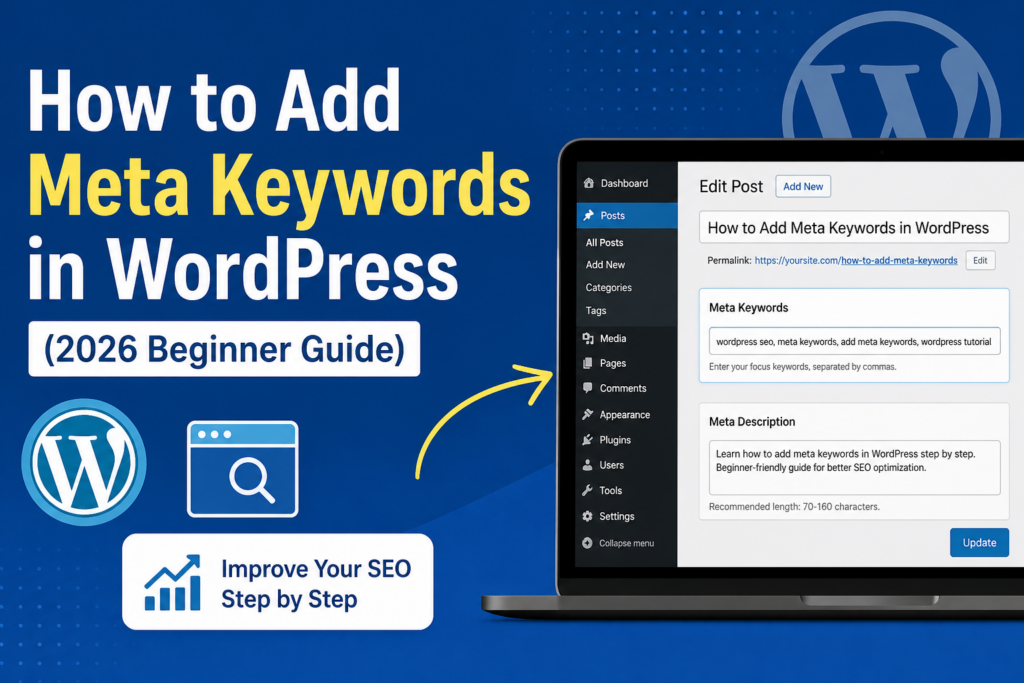
소개
If you’re trying to improve your website’s visibility on search engines, you’ve probably come across the term meta keywords. While they were once a core part of SEO, their role has changed significantly over time. Still, many 워드프레스 users want to understand how to add meta keywords in WordPress, whether for legacy optimization, niche search engines, or better content organization.
In this guide, we’ll walk you through everything you need to know—from what meta keywords are, to whether they still matter, and most importantly, how to add them in WordPress step by step using modern tools.
What Are Meta Keywords?
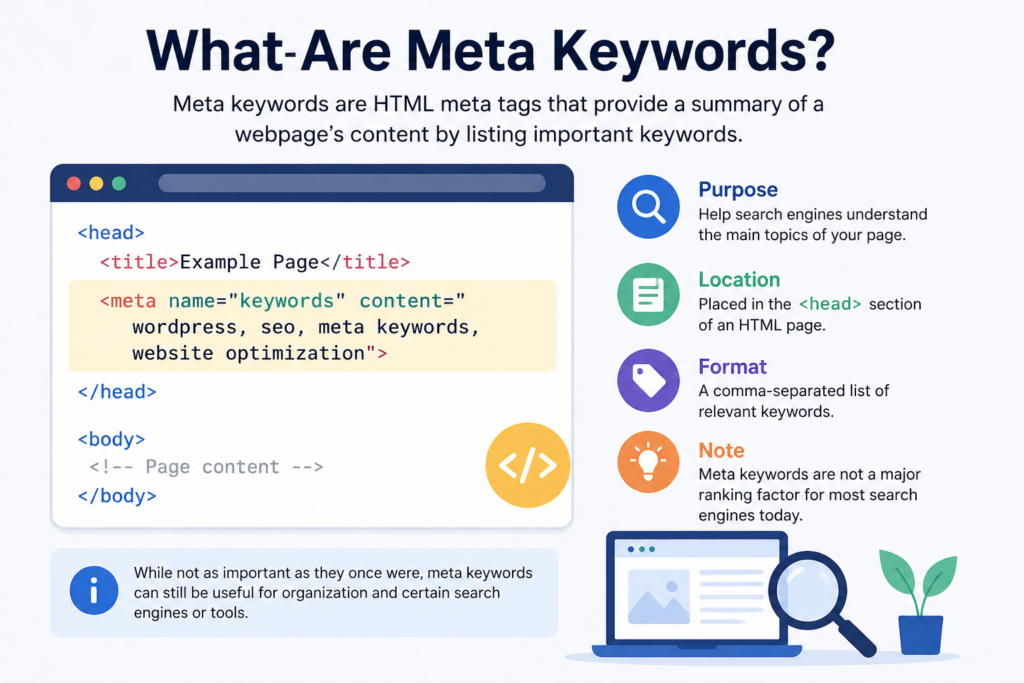
Meta keywords are a type of HTML meta tag that lives in the <head> section of your webpage. Their original purpose was to tell search engines what your page is about by listing relevant keywords.
Here’s what a typical meta keywords tag looks like:
<meta name="keywords" content="wordpress SEO, meta keywords, add meta keywords wordpress">
Back in the early days of SEO, search engines relied heavily on this tag to understand page content. Website owners could list multiple keywords separated by commas to help pages rank for those terms.
Do Meta Keywords Still Matter in 2026?
Before you rush to add meta keywords in WordPress, it’s important to understand their relevance today.
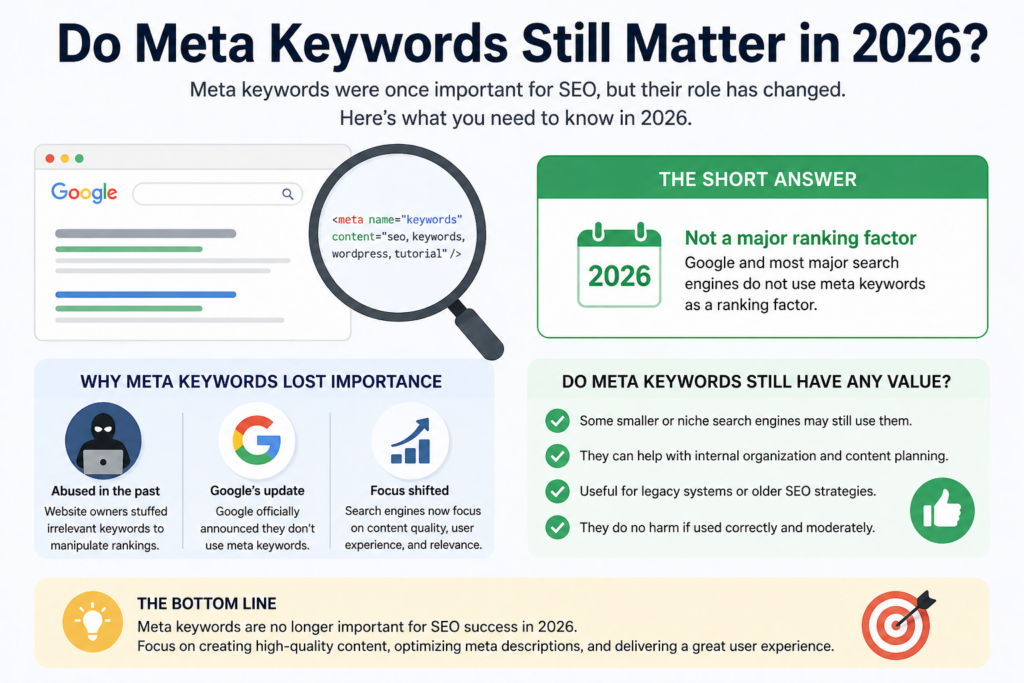
Major search engines like Google no longer use meta keywords as a ranking factor. This change happened because the tag was widely abused—many websites stuffed irrelevant or excessive keywords into this field to manipulate rankings.
However, meta keywords are not completely useless:
- Some smaller search engines may still consider them
- They can help with internal organization or documentation
- Certain SEO tools still allow their use for consistency
That said, your primary focus should always be on high-quality content, meta descriptions, and on-page SEO.
Meta Keywords vs Meta Description
It’s easy to confuse meta keywords with meta descriptions, but they serve very different purposes.
- Meta Keywords: Invisible to users, used (historically) for search engine indexing
- Meta Description: A short summary of your page that appears in search results
Example of a meta description:
<meta name="description" content="Learn how to add meta keywords in WordPress with this beginner-friendly guide.">
While meta keywords have lost importance, meta descriptions are still critical because they influence click-through rates.
Why You Might Still Want to Add Meta Keywords
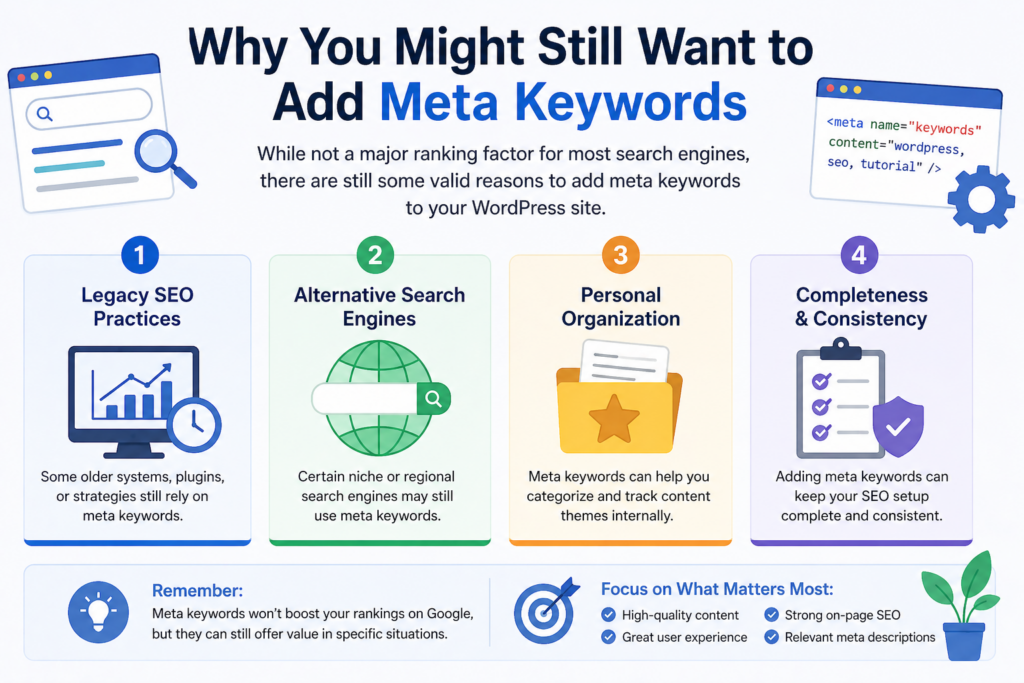
Even though they’re not essential for SEO anymore, there are still valid reasons to add them:
1. Legacy SEO Practices
Some older systems or strategies still rely on them.
2. Alternative Search Engines
Certain niche or regional search engines may still use meta keywords.
3. Personal Organization
They can help you categorize and track content themes internally.
How to Add Meta Keywords in WordPress
Now let’s get into the practical part—how to actually add meta keywords in WordPress.
There are several methods, but using an SEO plugin is the easiest and safest approach.
Method 1: Using Yoast SEO
Yoast SEO is one of the most popular WordPress plugins. However, it’s important to note that Yoast has removed the meta keywords feature by default.
단계:
- Install and activate Yoast SEO
- Go to SEO → Dashboard → Features
- Look for “Advanced settings pages” and enable it
- Navigate to SEO → Search Appearance → Taxonomies/Content Types
- (Optional) Enable advanced meta box settings
Even after enabling advanced settings, Yoast does not officially support meta keywords anymore. This is intentional, based on modern SEO best practices.
Method 2: Using All in One SEO (AIOSEO)
If you specifically want to add meta keywords, All in One SEO (AIOSEO) is a better choice.
단계:
- Install and activate the AIOSEO plugin
- Go to All in One SEO → Search Appearance
- Click on the Advanced tab
- Enable Use Meta Keywords
Once enabled:
- Edit any post or page
- Scroll down to the AIOSEO settings section
- Find the Meta Keywords field
- Add your keywords separated by commas
예:
wordpress meta keywords, add meta keywords wordpress, SEO basics
Save or update the post, and the meta keywords will be added to your page’s HTML.
Method 3: Adding Meta Keywords Manually
If you prefer not to use a plugin, you can add meta keywords manually.
Option A: Edit Theme Header File
- Go to Appearance → Theme File Editor
- 열기
헤더.php파일 - Add this line inside the
<head>section:
<meta name="keywords" content="your keywords here">
⚠️ Be careful: Editing theme files directly can break your site if done incorrectly.
Option B: Use a Custom Code Plugin
A safer approach is to use plugins like WPCode or Code Snippets.
- Add a custom snippet
- Insert your meta keywords dynamically or globally
This avoids direct theme modification and keeps your changes safe during updates.
Best Practices for Using Meta Keywords
If you decide to use meta keywords, follow these best practices:
Keep It Relevant
Only include keywords directly related to your content.
Avoid Keyword Stuffing
Don’t overload the tag with dozens of keywords.
Limit Quantity
Stick to 5–10 keywords per page.
Use Variations
Include slight keyword variations instead of repeating the same phrase.
흔히 저지르는 실수들을 피하는 방법
Here are some common errors WordPress users make:
1. Expecting SEO Impact
Meta keywords won’t improve rankings on Google.
2. Using Duplicate Keywords
Repeating the same keyword multiple times is unnecessary.
3. Ignoring Meta Descriptions
Meta descriptions are far more important for SEO and CTR.
4. Overcomplicating Setup
You don’t need complex configurations—keep it simple.
Should You Use Meta Keywords in WordPress?
The honest answer: it depends on your goals.
- If you’re focused on modern SEO → Skip them
- If you want completeness or niche optimization → You can include them
But remember, your time is better spent on:
- 콘텐츠 품질
- 페이지 속도
- 사용자 경험
- Keyword-rich headings and structure
마지막으로
Learning how to add meta keywords in 워드프레스 is useful, especially if you’re exploring all aspects of SEO. While they are no longer a major ranking factor, adding them is still possible through plugins like AIOSEO or manual methods.
That said, don’t rely on meta keywords to drive traffic. Focus on creating valuable content, optimizing your meta descriptions, and building a strong overall SEO strategy.
자주 묻는 질문
1. What are meta keywords in WordPress?
Meta keywords are HTML tags that list relevant keywords for a webpage. They are added in the <head> section and were historically used to help search engines understand page content.
2. Do meta keywords still help SEO in 2026?
No, major search engines like Google no longer use meta keywords as a ranking factor. However, they may still have minor value for niche search engines or internal organization.
3. How can I add meta keywords in WordPress?
You can add meta keywords using SEO plugins like All in One SEO (AIOSEO), or manually by editing your theme’s header file or using a code snippet plugin.
4. Which plugin is best for adding meta keywords in WordPress?
All in One SEO (AIOSEO) is one of the best plugins because it still supports meta keywords, while plugins like Yoast SEO have removed this feature.
5. How many meta keywords should I use per page?
It’s best to use 5–10 relevant keywords per page. Avoid keyword stuffing and only include terms that accurately reflect your content.
6. What is the difference between meta keywords and meta descriptions?
Meta keywords are invisible tags used for keyword listing, while meta descriptions are short summaries that appear in search results and influence click-through rates.


완전한 전자상거래 시스템을 갖춘 워드프레스 웹사이트 또는 기업 사이트를 디자인하고 구축하세요.
가격 범위: $200.00~$2,500.00custom-requirements-or-special-quotations
원래 가격: $2.00.$1.00현재 가격: $1.00. 워드프레스 전자상거래 쇼핑몰에 플러그인 50개는 너무 많은 걸까요?
실제 성능에 미치는 영향 이해하기 워드프레스 전자상거래 사이트에 50개의 플러그인이 있다고 해서 자동으로 문제가 되는 것은 아닙니다. 사실 그 숫자만으로 성능이 결정되는 경우는 거의 없습니다....

아마존 가정용 물리치료 기기 메인 이미지 디자인 설명
소개 소개: 아마존에서 홈 테라피 기기의 신뢰할 수 있는 이미지 구축 아마존에서 홈 테라피 기기의 기본 이미지를 디자인할 때 기본 ...

아마존 립스틱 전환을 위한 메인 이미지 디자인
소개: 소개: 아마존에서 판매되는 립스틱 메인 이미지 디자인하기 아마존 립스틱의 메인 이미지를 디자인할 때 우리의 책임은 그 이상입니다.

해커들이 워드프레스 관리자 이메일을 훔치는 방법(그리고 이를 막는 방법)
불편한 진실부터 말씀드리자면, 워드프레스 관리자 이메일은 생각보다 훨씬 더 많이 공개되어 있습니다. 그들은 그것을 좋아합니다. 해커에게 여러분의...

아마존 리퀴드 파운데이션 메인 이미지 변환의 특징은 무엇일까요?
서론 아마존 리퀴드 파운데이션의 메인 이미지 디자인은 단순히 제품을 아름답게 보이게 하는 것만이 아닙니다. 아마존에서 메인 이미지와...

필터 카트리지 제품을 위한 효과적인 아마존 메인 이미지 디자인하기
서론 아마존 메인 이미지 디자인은 단순히 제품을 매력적으로 보이게 하는 것만이 아닙니다. 명확성, 신뢰, 그리고 즉각적인 이해를 제공하는 것이 중요합니다. 특히...

워드프레스에 대한 리플레이 공격: 실제 위협인가, 과장된 신화인가?
먼저 한 가지를 분명히 해두죠. 리플레이 공격은 겉보기에 무섭지 않습니다. 비밀번호를 날려버리지도 않고, 초록색 해커 텍스트가 사방에 흩날리는 악성 코드를 주입하지도 않습니다. 그저 교묘하게 이루어질 뿐입니다.

WordPress 페이지를 손상 없이 복제하는 방법
솔직히 말해봅시다. 때로는 새 페이지를 만들고 싶지 않을 때가 있죠. 그냥 기존 페이지를 약간만 다르게 하고 싶을 때가 있어요. 레이아웃도, 블록도, 설정도 그대로요. 왜냐하면...

반려동물 관련 워드프레스 테마 5가지 비교
서론 반려동물 관련 워드프레스 테마를 선택하는 것은 단순한 디자인 결정 이상의 의미를 지닙니다. 사용성, 확장성, 그리고 장기적인 비즈니스 성장에 직접적인 영향을 미치기 때문입니다. 반려동물 관리 및 관련...

수영복 온라인 쇼핑몰 테마 5가지 비교
서론 수영복이나 란제리 독립 매장에 적합한 테마를 선택하는 것은 단순히 시각적인 결정에 그치는 것이 아니라, 전환율, 확장성, 그리고 장기적인 성공에 직접적인 영향을 미칩니다.

워드프레스에서 댓글 기능을 끄는 방법 (정신줄 놓지 않고)
워드프레스 댓글에 대해 이야기해 봅시다. 이론적으로 댓글은 훌륭합니다. 토론을 장려하고, 커뮤니티를 형성하며, 웹사이트에 생동감을 불어넣습니다. 하지만 현실은 어떨까요? 댓글은 종종 문제를 야기하기도 합니다...

워드프레스 500 오류: 웹사이트가 갑자기 오류를 일으킬 때
방금 전까지만 해도 워드프레스 사이트는 아무 문제 없었는데, 페이지를 새로고침하자마자 갑자기 💥 500 내부 서버 오류가 발생했습니다. 아무런 설명도, 사과도 없이 그저 차갑고 혼란스러운 메시지만 남았습니다.

과학 중심 브랜드를 위한 확장 가능한 워드프레스 웹사이트 구축: 아미노USA 프로젝트
서론 오늘날의 디지털 환경에서 웹사이트는 단순히 제품을 나열하는 공간 이상의 의미를 지닙니다. 규제 산업이나 연구 중심 산업에서 활동하는 과학 기반 브랜드에게 웹사이트는 더욱 중요한 역할을 합니다.

글로벌 블레이드 브랜드를 위한 확장 가능한 쇼피파이 스토어 구축: 쿨카타나 프로젝트
서론: 국경을 넘나드는 전자상거래에서 Shopify 웹사이트는 단순한 매장 이상의 의미를 지닙니다. 특정 문화권에서 사업을 운영하는 브랜드의 경우, 웹사이트는 단순한 판매 공간을 넘어 훨씬 더 많은 기능을 수행해야 합니다.

포켓몬 카드 판매를 위한 높은 전환율을 자랑하는 쇼피파이 스토어 디자인하기
서론 수집품 전자상거래, 특히 포켓몬 트레이딩 카드 게임(TCG) 시장에서 웹사이트는 단순히 제품 목록을 나열하는 것 이상의 역할을 해야 합니다.

맞춤형 오프라인 브랜드에 최적화된 전환율 높은 쇼피파이 디자인
서론 오늘날 경쟁이 치열한 전자상거래 환경, 특히 맞춤형 선물 및 수집품 분야에서 Shopify 웹사이트는 단순히 제품을 전시하는 것 이상의 역할을 해야 합니다. ...

Shopify 고객 지원팀에 문의하는 방법: 간단하고 스트레스 없는 가이드
쇼피파이 스토어 운영은 흥미진진해야지 혼란스러워서는 안 됩니다. 궁금한 점이 생기거나 문제가 발생하여 진행이 늦어질 때, 쇼피파이는 상황에 따라 다양한 지원 경로를 제공합니다.

쇼피파이 스토어 비활성화 방법: 명확하고 실용적인 가이드
쇼피파이 스토어를 비활성화하는 것은 복잡하지 않지만, 많은 판매자가 간과하는 몇 가지 결과가 따릅니다. 이 가이드에서는 비활성화 과정을 간단하고 유익하게 설명합니다.