












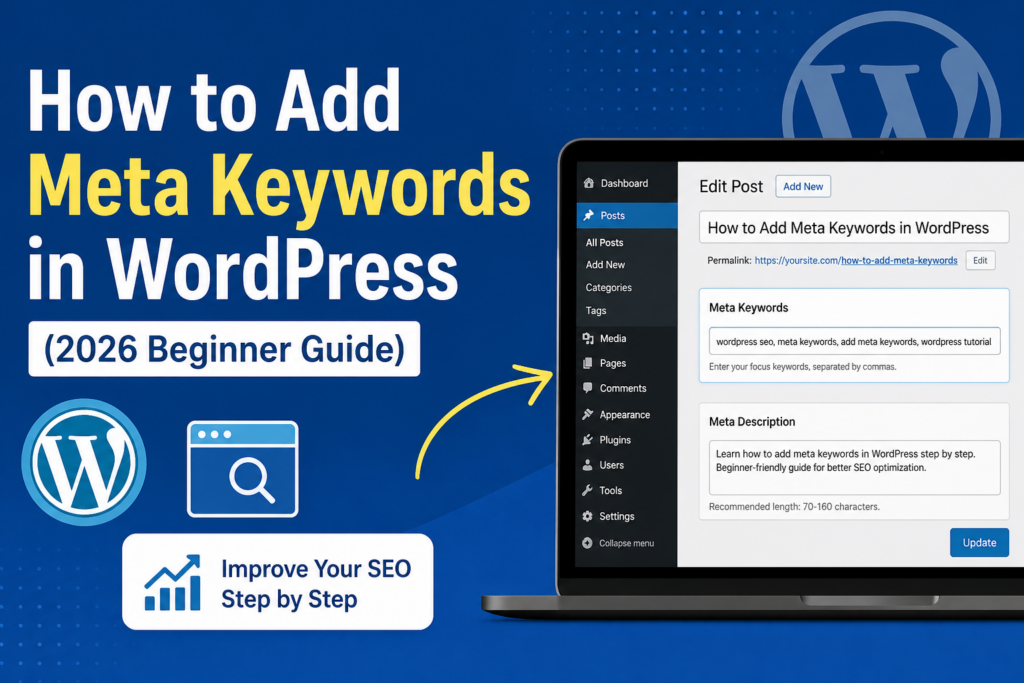
การแนะนำ
If you’re trying to improve your website’s visibility on search engines, you’ve probably come across the term meta keywords. While they were once a core part of SEO, their role has changed significantly over time. Still, many วordpress users want to understand how to add meta keywords in WordPress, whether for legacy optimization, niche search engines, or better content organization.
In this guide, we’ll walk you through everything you need to know—from what meta keywords are, to whether they still matter, and most importantly, how to add them in WordPress step by step using modern tools.
เมตาคีย์เวิร์ดคืออะไร?
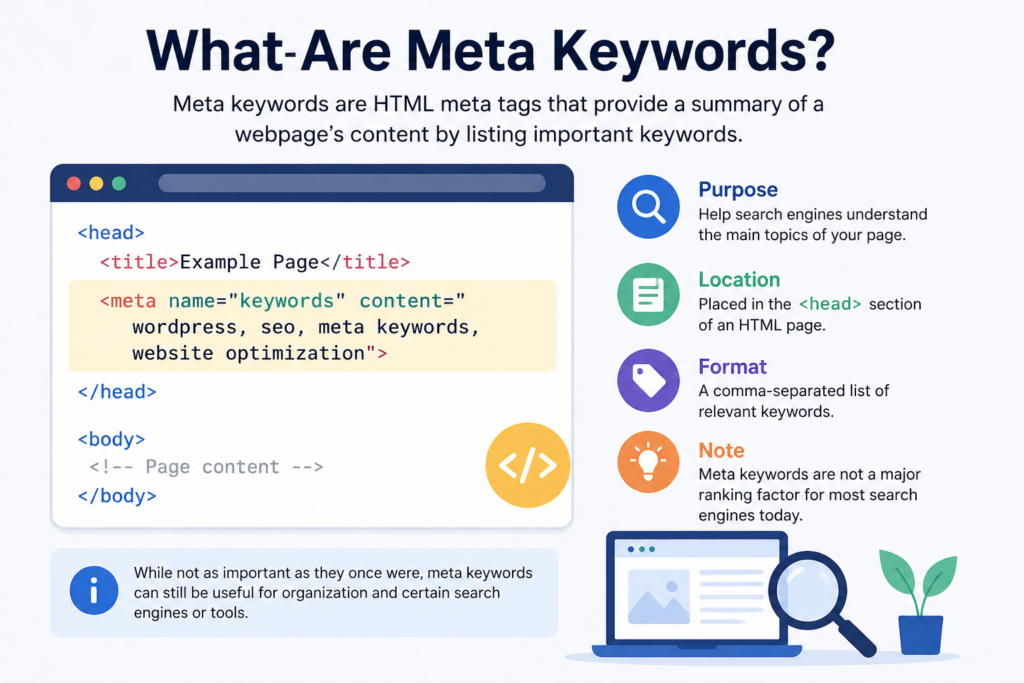
Meta keywords are a type of HTML meta tag that lives in the <head> section of your webpage. Their original purpose was to tell search engines what your page is about by listing relevant keywords.
Here’s what a typical meta keywords tag looks like:
<meta name="keywords" content="wordpress SEO, meta keywords, add meta keywords wordpress">
Back in the early days of SEO, search engines relied heavily on this tag to understand page content. Website owners could list multiple keywords separated by commas to help pages rank for those terms.
Do Meta Keywords Still Matter in 2026?
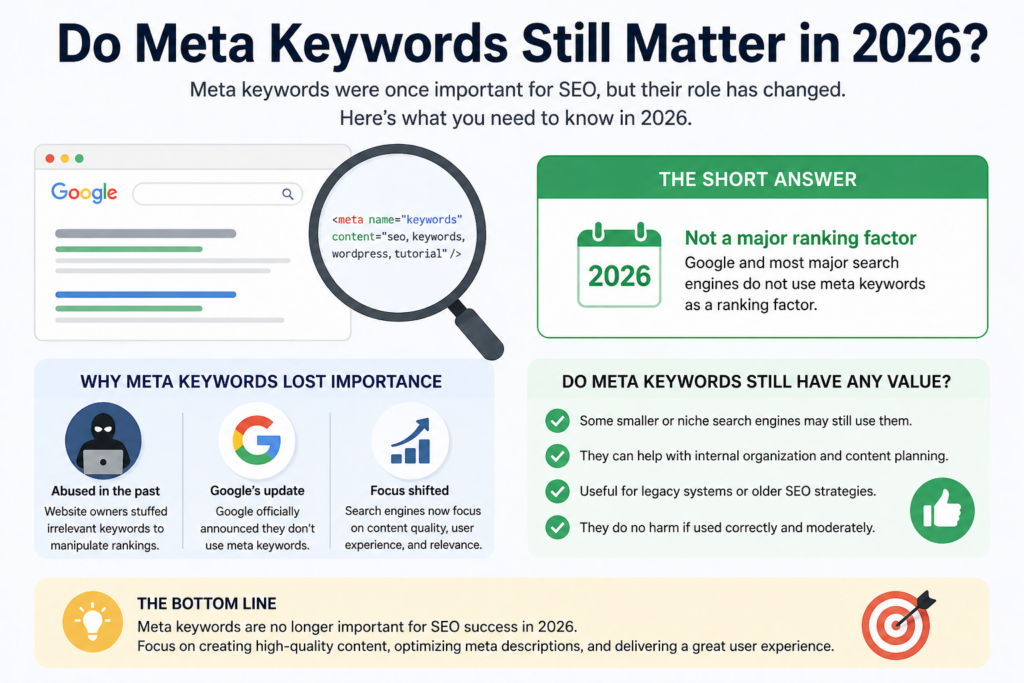
Before you rush to add meta keywords in WordPress, it’s important to understand their relevance today.
Major search engines like Google no longer use meta keywords as a ranking factor. This change happened because the tag was widely abused—many websites stuffed irrelevant or excessive keywords into this field to manipulate rankings.
However, meta keywords are not completely useless:
- Some smaller search engines may still consider them
- They can help with internal organization or documentation
- Certain SEO tools still allow their use for consistency
That said, your primary focus should always be on high-quality content, meta descriptions, and on-page SEO.
Meta Keywords vs Meta Description
It’s easy to confuse meta keywords with meta descriptions, but they serve very different purposes.
- Meta Keywords: Invisible to users, used (historically) for search engine indexing
- Meta Description: A short summary of your page that appears in search results
Example of a meta description:
<meta name="description" content="Learn how to add meta keywords in WordPress with this beginner-friendly guide.">
While meta keywords have lost importance, meta descriptions are still critical because they influence click-through rates.
Why You Might Still Want to Add Meta Keywords
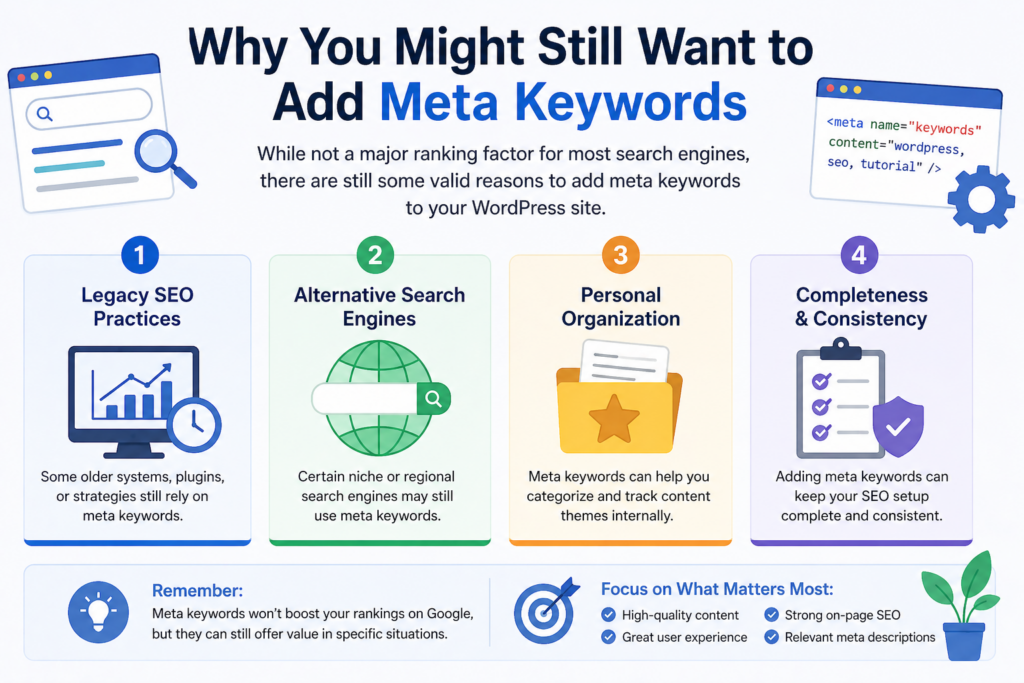
Even though they’re not essential for SEO anymore, there are still valid reasons to add them:
1. Legacy SEO Practices
Some older systems or strategies still rely on them.
2. Alternative Search Engines
Certain niche or regional search engines may still use meta keywords.
3. Personal Organization
They can help you categorize and track content themes internally.
How to Add Meta Keywords in WordPress
Now let’s get into the practical part—how to actually add meta keywords in WordPress.
There are several methods, but using an SEO plugin is the easiest and safest approach.
Method 1: Using Yoast SEO
โยสต์ SEO is one of the most popular WordPress plugins. However, it’s important to note that Yoast has removed the meta keywords feature by default.
ขั้นตอน:
- Install and activate Yoast SEO
- Go to SEO → Dashboard → Features
- Look for “Advanced settings pages” and enable it
- Navigate to SEO → Search Appearance → Taxonomies/Content Types
- (Optional) Enable advanced meta box settings
Even after enabling advanced settings, Yoast does not officially support meta keywords anymore. This is intentional, based on modern SEO best practices.
Method 2: Using All in One SEO (AIOSEO)
If you specifically want to add meta keywords, All in One SEO (AIOSEO) is a better choice.
ขั้นตอน:
- Install and activate the AIOSEO plugin
- Go to All in One SEO → Search Appearance
- Click on the Advanced tab
- Enable Use Meta Keywords
Once enabled:
- Edit any post or page
- Scroll down to the AIOSEO settings section
- Find the Meta Keywords field
- Add your keywords separated by commas
ตัวอย่าง:
wordpress meta keywords, add meta keywords wordpress, SEO basics
Save or update the post, and the meta keywords will be added to your page’s HTML.
Method 3: Adding Meta Keywords Manually
If you prefer not to use a plugin, you can add meta keywords manually.
Option A: Edit Theme Header File
- Go to Appearance → Theme File Editor
- เปิด
เฮดเดอร์.phpไฟล์ - Add this line inside the
<head>section:
<meta name="keywords" content="your keywords here">
⚠️ Be careful: Editing theme files directly can break your site if done incorrectly.
Option B: Use a Custom Code Plugin
A safer approach is to use plugins like WPCode or Code Snippets.
- Add a custom snippet
- Insert your meta keywords dynamically or globally
This avoids direct theme modification and keeps your changes safe during updates.
Best Practices for Using Meta Keywords
If you decide to use meta keywords, follow these best practices:
Keep It Relevant
Only include keywords directly related to your content.
Avoid Keyword Stuffing
Don’t overload the tag with dozens of keywords.
Limit Quantity
Stick to 5–10 keywords per page.
Use Variations
Include slight keyword variations instead of repeating the same phrase.
ข้อผิดพลาดทั่วไปที่ควรหลีกเลี่ยง
Here are some common errors WordPress users make:
1. Expecting SEO Impact
Meta keywords won’t improve rankings on Google.
2. Using Duplicate Keywords
Repeating the same keyword multiple times is unnecessary.
3. Ignoring Meta Descriptions
Meta descriptions are far more important for SEO and CTR.
4. Overcomplicating Setup
You don’t need complex configurations—keep it simple.
Should You Use Meta Keywords in WordPress?
The honest answer: it depends on your goals.
- If you’re focused on modern SEO → Skip them
- If you want completeness or niche optimization → You can include them
But remember, your time is better spent on:
- คุณภาพของเนื้อหา
- ความเร็วหน้าเว็บ
- ประสบการณ์ผู้ใช้
- Keyword-rich headings and structure
ข้อคิดส่งท้าย
เรียนรู้วิธีการเพิ่มเมตาคีย์เวิร์ดใน วordpress is useful, especially if you’re exploring all aspects of SEO. While they are no longer a major ranking factor, adding them is still possible through plugins like AIOSEO or manual methods.
That said, don’t rely on meta keywords to drive traffic. Focus on creating valuable content, optimizing your meta descriptions, and building a strong overall SEO strategy.
คำถามที่พบบ่อย
1. What are meta keywords in WordPress?
Meta keywords are HTML tags that list relevant keywords for a webpage. They are added in the <head> section and were historically used to help search engines understand page content.
2. Do meta keywords still help SEO in 2026?
No, major search engines like Google no longer use meta keywords as a ranking factor. However, they may still have minor value for niche search engines or internal organization.
3. How can I add meta keywords in WordPress?
You can add meta keywords using SEO plugins like All in One SEO (AIOSEO), or manually by editing your theme’s header file or using a code snippet plugin.
4. Which plugin is best for adding meta keywords in WordPress?
All in One SEO (AIOSEO) is one of the best plugins because it still supports meta keywords, while plugins like Yoast SEO have removed this feature.
5. How many meta keywords should I use per page?
It’s best to use 5–10 relevant keywords per page. Avoid keyword stuffing and only include terms that accurately reflect your content.
6. What is the difference between meta keywords and meta descriptions?
Meta keywords are invisible tags used for keyword listing, while meta descriptions are short summaries that appear in search results and influence click-through rates.


ออกแบบและสร้างเว็บไซต์ WordPress หรือเว็บไซต์องค์กรพร้อมระบบอีคอมเมิร์ซครบวงจรสำหรับคุณ.
ช่วงราคา: $200.00 ถึง $2,500.00custom-requirements-or-special-quotations
ราคาเดิมคือ: $2.00.$1.00ราคาปัจจุบันคือ: $1.00. การใช้ปลั๊กอิน 50 ตัวมากเกินไปสำหรับร้านค้าออนไลน์ที่ใช้ WordPress หรือไม่?
การเข้าใจผลกระทบที่แท้จริงต่อประสิทธิภาพ การมีปลั๊กอิน 50 ตัวบนเว็บไซต์อีคอมเมิร์ซ WordPress ไม่ใช่ปัญหาโดยอัตโนมัติ จริงๆ แล้ว จำนวนเพียงอย่างเดียวแทบจะไม่สามารถกำหนดประสิทธิภาพได้....

ภาพหลักสำหรับการออกแบบอุปกรณ์กายภาพบำบัดที่บ้านของ Amazon (อธิบายรายละเอียด)
บทนำ: การสร้างภาพลักษณ์ที่น่าเชื่อถือสำหรับอุปกรณ์บำบัดที่บ้านบน Amazon เมื่อออกแบบภาพหลักสำหรับอุปกรณ์บำบัดที่บ้านบน Amazon สิ่งสำคัญอันดับแรกของเราคือ...

ภาพหลักสำหรับการแปลงลิปสติกเป็นสินค้าสำหรับ Amazon
บทนำ: การออกแบบภาพหลักลิปสติกที่ขายได้บน Amazon เมื่อเราออกแบบภาพหลักสำหรับลิปสติกบน Amazon ความรับผิดชอบของเราไม่ได้จำกัดอยู่แค่...

แฮกเกอร์ขโมยอีเมลผู้ดูแลระบบ WordPress ได้อย่างไร (และวิธีป้องกัน)
มาเริ่มกันด้วยความจริงที่ไม่น่าสบายใจ: อีเมลแอดมิน WordPress ของคุณอาจเปิดเผยต่อสาธารณะมากกว่าที่คุณคิด และแฮกเกอร์? พวกเขาชอบมาก สำหรับพวกเขา...

อะไรทำให้รองพื้นชนิดเหลวของ Amazon (ภาพหลัก) ขายดี?
บทนำ การออกแบบภาพหลักสำหรับรองพื้นชนิดเหลวบน Amazon ไม่ใช่แค่การทำให้ผลิตภัณฑ์ดูสวยงามเท่านั้น บน Amazon ภาพหลักและ...

การออกแบบภาพหลัก Amazon ที่มีประสิทธิภาพสำหรับตลับกรอง
บทนำ การออกแบบภาพหลักสำหรับ Amazon ไม่ใช่แค่การทำให้สินค้าดูน่าดึงดูดเท่านั้น แต่ยังเกี่ยวกับความชัดเจน ความน่าเชื่อถือ และความเข้าใจได้ในทันที โดยเฉพาะอย่างยิ่งสำหรับ...

การโจมตีแบบ Replay Attack บน WordPress: ภัยคุกคามจริงหรือแค่เรื่องที่ถูกพูดเกินจริง?
ก่อนอื่นขอชี้แจงให้ชัดเจนก่อน การโจมตีแบบ Replay Attack นั้นดูไม่น่ากลัว มันไม่ได้ทำลายรหัสผ่าน มันไม่ได้แทรกโค้ดที่เป็นอันตรายพร้อมข้อความแฮ็กเกอร์สีเขียวกระจัดกระจายไปทั่ว มันแนบเนียนกว่า...

วิธีคัดลอกหน้าเว็บ WordPress โดยไม่ทำให้ระบบเสียหาย
ยอมรับกันเถอะ บางครั้งคุณอาจไม่อยากสร้างหน้าเว็บใหม่ คุณแค่อยากได้หน้าเว็บเดิม...แต่แตกต่างไปเล็กน้อย รูปแบบเหมือนเดิม บล็อกเหมือนเดิม การตั้งค่าเหมือนเดิม เพราะ...

เปรียบเทียบธีม WordPress สำหรับสัตว์เลี้ยง 5 แบบ
บทนำ การเลือกธีม WordPress ที่เหมาะสมสำหรับธุรกิจเกี่ยวกับสัตว์เลี้ยงนั้นไม่ใช่แค่เรื่องของการออกแบบเท่านั้น แต่ยังส่งผลโดยตรงต่อการใช้งาน ความสามารถในการขยายขนาด และการเติบโตของธุรกิจในระยะยาว การดูแลสัตว์เลี้ยงและ...

เปรียบเทียบธีมอีคอมเมิร์ซชุดว่ายน้ำ 5 แบบ
บทนำ การเลือกธีมที่เหมาะสมสำหรับร้านค้าอิสระที่จำหน่ายชุดว่ายน้ำหรือชุดชั้นในนั้นไม่ใช่แค่การตัดสินใจด้านภาพลักษณ์เท่านั้น แต่ยังส่งผลโดยตรงต่ออัตราการเปลี่ยนลูกค้าให้เป็นผู้ซื้อ ความสามารถในการขยายธุรกิจ และความยั่งยืนในระยะยาว...

วิธีปิดการแสดงความคิดเห็นใน WordPress (โดยไม่ต้องเสียสติ)
มาพูดถึงระบบแสดงความคิดเห็นของ WordPress กันดีกว่า ในทางทฤษฎีแล้ว ความคิดเห็นนั้นยอดเยี่ยมมาก มันช่วยกระตุ้นการสนทนา สร้างชุมชน และทำให้เว็บไซต์ของคุณดูมีชีวิตชีวา แต่ในความเป็นจริงแล้ว มันมักจะเป็นเหมือนแม่เหล็กดึงดูด...

ข้อผิดพลาด WordPress 500: เมื่อเว็บไซต์ของคุณเกิดอาการผิดปกติ
เว็บไซต์ WordPress ของคุณยังใช้งานได้ปกติดีเมื่อสักครู่ คุณรีเฟรชหน้าเว็บ แล้วจู่ๆ ก็เกิดข้อผิดพลาด 500 Internal Server Error ขึ้นมา ไม่มีคำอธิบาย ไม่มีคำขอโทษ มีเพียงข้อความที่เย็นชาและสับสนซึ่งโดยพื้นฐานแล้ว...

การสร้างเว็บไซต์ WordPress ที่ปรับขนาดได้สำหรับแบรนด์ที่ขับเคลื่อนด้วยวิทยาศาสตร์: โครงการ AminoUSA
บทนำ ในยุคดิจิทัลปัจจุบัน เว็บไซต์เป็นมากกว่าแค่สถานที่สำหรับแสดงรายการสินค้า สำหรับแบรนด์ที่ขับเคลื่อนด้วยวิทยาศาสตร์ซึ่งดำเนินงานในอุตสาหกรรมที่มีการควบคุมหรือเน้นการวิจัย...

สร้างร้านค้า Shopify ที่ปรับขนาดได้สำหรับแบรนด์ใบมีดระดับโลก: โครงการ CoolKatana
บทนำ ในธุรกิจอีคอมเมิร์ซข้ามพรมแดน เว็บไซต์ Shopify เป็นมากกว่าแค่หน้าร้าน สำหรับแบรนด์ที่ดำเนินธุรกิจในกลุ่มเฉพาะหรือกลุ่มที่ขับเคลื่อนด้วยวัฒนธรรม เว็บไซต์ต้องทำมากกว่านั้น...

การออกแบบร้านค้า Shopify ที่มีอัตราการแปลงสูงสำหรับขายการ์ดโปเกมอน
บทนำ ในโลกของอีคอมเมิร์ซสินค้าสะสม โดยเฉพาะอย่างยิ่งในตลาดเกมการ์ดโปเกมอน (TCG) เว็บไซต์จะต้องทำมากกว่าแค่แสดงรายการสินค้า...

ดีไซน์ Shopify ที่เพิ่มยอดขายสำหรับแบรนด์อิฐสั่งทำพิเศษ
บทนำ ในสภาพแวดล้อมการแข่งขันอีคอมเมิร์ซในปัจจุบัน โดยเฉพาะอย่างยิ่งในตลาดของขวัญส่วนบุคคลและของสะสม เว็บไซต์ Shopify ต้องทำมากกว่าแค่แสดงสินค้า...

วิธีติดต่อฝ่ายสนับสนุนของ Shopify: คู่มือที่ง่ายและไม่ยุ่งยาก
การบริหารร้านค้า Shopify ควรเป็นเรื่องที่น่าตื่นเต้น ไม่ใช่เรื่องที่ทำให้สับสน เมื่อมีคำถามหรือปัญหาเกิดขึ้น Shopify มีช่องทางการสนับสนุนหลายช่องทาง ขึ้นอยู่กับสถานการณ์...

วิธีปิดใช้งานร้านค้า Shopify: คู่มือที่ชัดเจนและใช้งานได้จริง
การปิดใช้งานร้านค้า Shopify นั้นไม่ซับซ้อน แต่ก็มีผลกระทบหลายอย่างที่ผู้ขายหลายรายมองข้ามไป คู่มือนี้จะอธิบายขั้นตอนอย่างละเอียดและเข้าใจง่าย...