
Website design and development often get stuck on one question: “The design looked good, so why is the live site hard to edit and different from the original?” The problem is usually not a button color, but a failure to clarify how pages, content, mobile layouts, and the administration interface will be delivered before work begins. For your first website, divide the work into three stages: decide what visitors need to accomplish, hand the designs to developers for implementation, and then check each requirement on actual web pages. You can then understand what to review at every stage without knowing how to code.
Before starting, define whom the website serves and what it helps them do
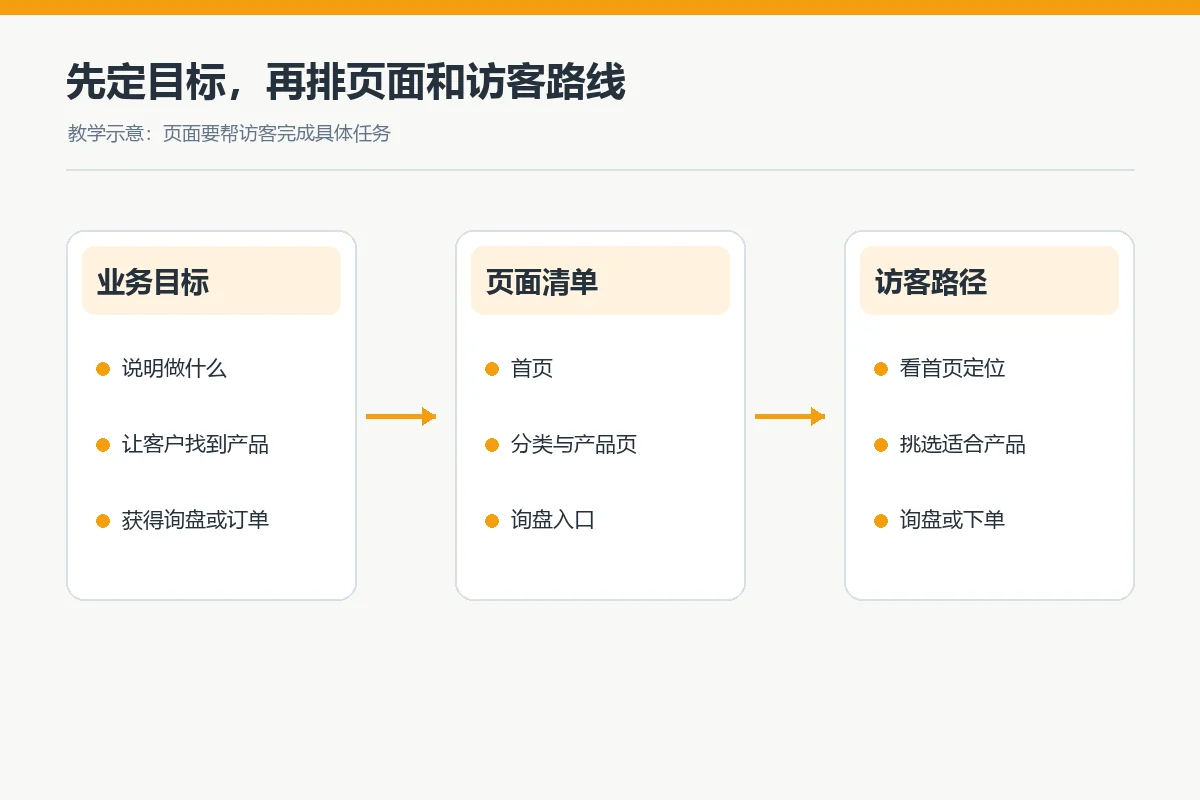
If a designer is only told to “make a premium-looking website,” it is hard to decide whether products, case studies, or an inquiry entry point should come first on the homepage. The person responsible for the site can write a simple one-page brief: who the main visitors are, what you most want them to do after reading, which products or services to introduce, and their three most common questions. For an industrial parts company, for example, buyers care more about model numbers, compatible equipment, and lead times. Hide these under an elaborate hero image and even a beautiful page becomes difficult to navigate.
Next, list the pages. The homepage, product category pages, individual product pages, About Us, and contact page usually need separate discussion. Include multilingual content, downloadable resources, inquiry forms, or membership features if required. Do not simply specify “ten pages”; identify which pages share a layout. Designing one product page template and entering ten products differs in workload and acceptance checks from designing ten entirely different product pages. To gather requirements first, use this site’s website design brief requirements checklist to fill them in one by one.
Work backward from visitor actions: first find a category in the navigation, then check information on a product page, and finally submit an inquiry. To organize navigation first, see this site’s homepage navigation review method . That article discusses how visitors find content; this one goes a step further, explaining how those pages become functioning websites from design files.
How detailed should the page list be?
Give each page type at least four columns: whom it is for, what content it needs, what visitors can do, and who supplies the information. On a product page, “content” might include specifications, usage photos, and FAQs; “actions” might include an inquiry or downloading a manual. The project owner confirms the information and business claims, the designer determines its arrangement, and the developer builds the page and makes its buttons and forms work. Assigning responsibilities explicitly saves more time than repeatedly saying “you should have known that” after work starts.
A design handoff requires more than one long image
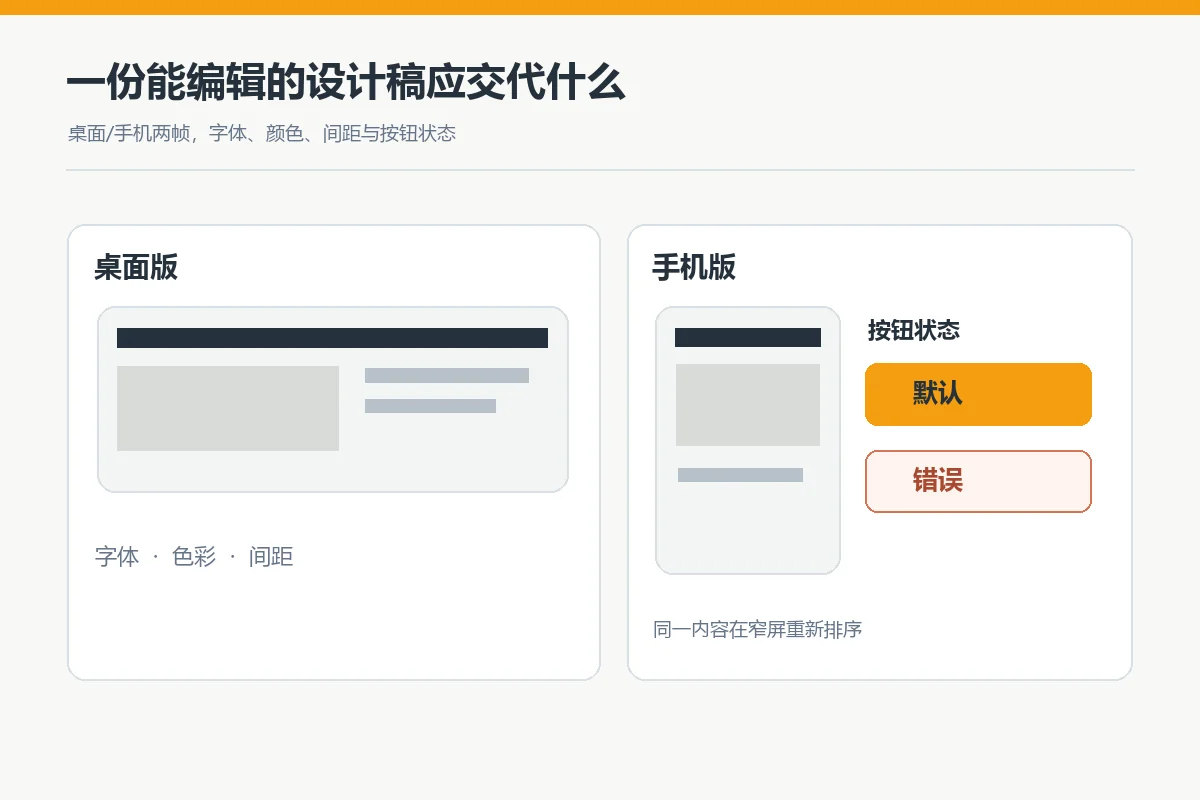
Giving a developer only a long screenshot is like giving a renovation contractor only a rendering: the appearance is visible, but how the doors open is unknown. Explain separately where website buttons lead and how content is arranged on mobile. Editable design files should include key desktop and mobile pages, typography, colors, spacing, button states, and original images or usable image URLs. Identify where components are reused, too: for example, product cards on both the homepage and category pages, how long titles wrap, and how images with different aspect ratios are cropped.
“Responsive” means the layout changes with screen width, rather than shrinking the entire desktop page. Four columns of product cards on a computer may become one on a phone; navigation may collapse into a menu, and tables may need horizontal scrolling within their own area. MDN’s explanation of responsive design also treats usability across screen sizes as essential. Designers should at least provide examples at key widths and explain how developers should make the intermediate sizes transition naturally; there is no need to draw a layout for every phone model.
If a page contains pop-ups, filters, carousels, or forms, include a simple interaction description in the handoff: where to click, what appears, what happens on error, and where users return after closing it. For an inquiry form, specify required fields, the success message, the email recipients, and whether visitors can retry after failure. Drawing an attractive Send button alone does not complete the handoff for that feature.
During development, check both usability and ease of editing
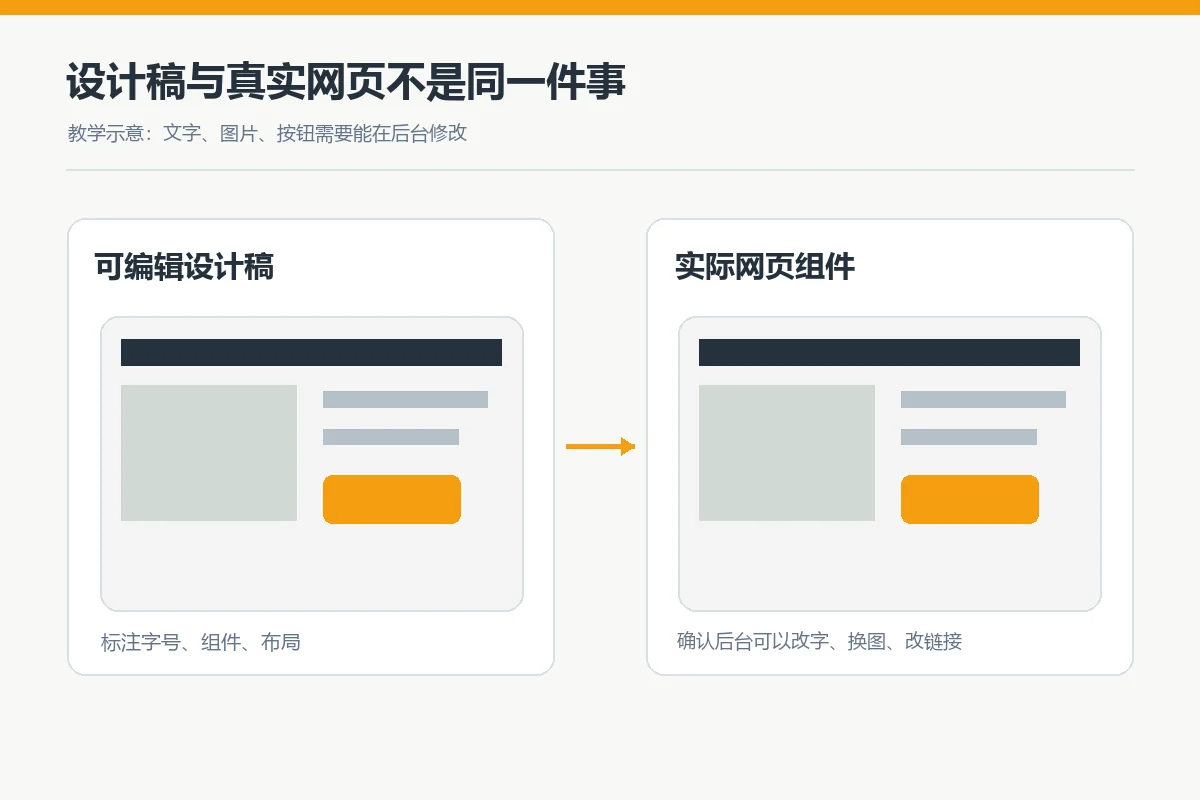
Development is not assembling an immovable picture from a design. Pages need real headings, text, links, and forms, and the project owner must be able to change frequently updated content through the agreed administration interface. Promotional copy that changes monthly, for example, is best editable there, without asking a programmer to change code each time. Complex animation or special interactions should be specified in the quote and delivery scope. Simply put, “editable” means you can change agreed content such as text and images, not drag every item on the page around as if drawing.
After handing over the designs, build a sample page first: implement typography, navigation, buttons, product cards, forms, and the mobile layout, then have the project owner review the direction. Once approved, extend it to similar pages. This is easier to adjust than discovering that headings are too small after a dozen pages are finished. Watch content length: a design may contain only two lines, while a real product name may be much longer. Test with actual titles and images, not only placeholders.
Images need delivery rules too. Original files, final versions, cropping instructions, and alternative text must correspond to the right pages. Alternative text briefly describes an image when it fails to load or when a screen reader is used. Decorative images can be handled according to their purpose; product images should identify the item shown. Google’s SEO Starter Guide recommends placing clear images near relevant text and providing descriptive alt text for images that need explanation. This does not mean “adding alt text guarantees rankings,” but it makes content easier to understand.
How does a design handoff differ from development delivery?
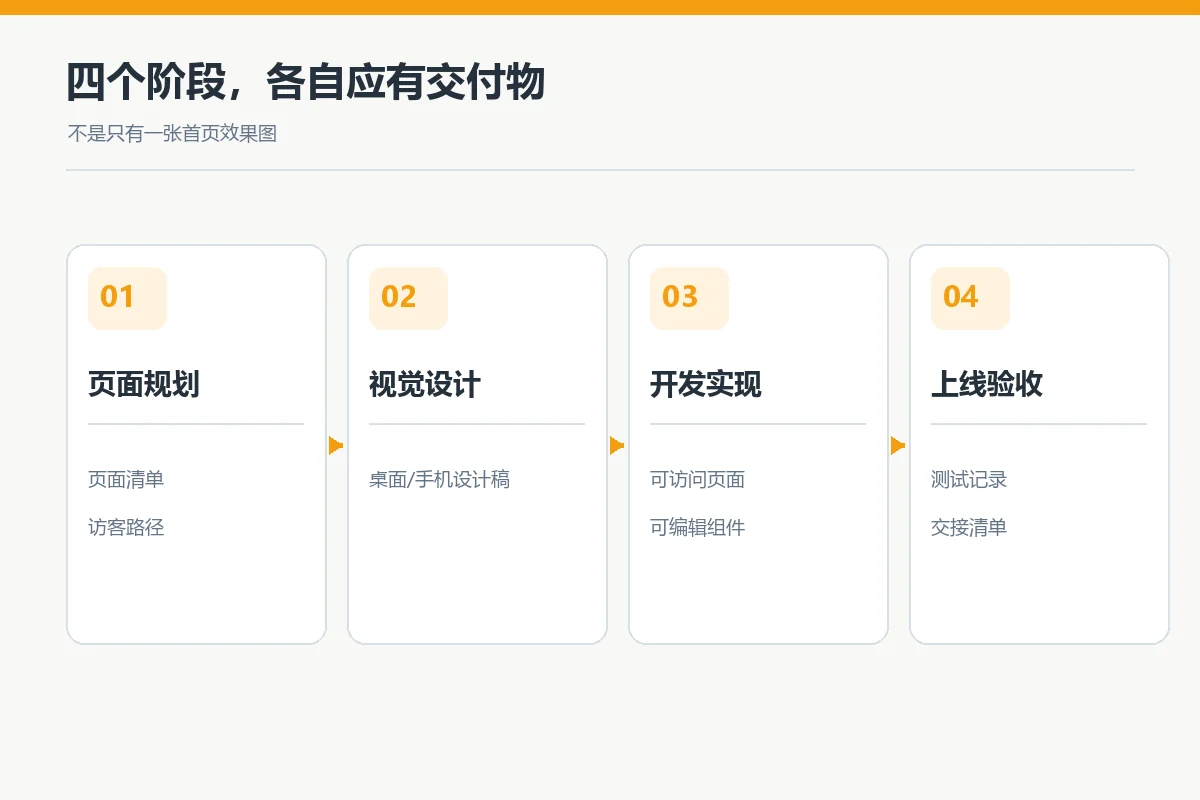
Both often appear on the same quote, but their deliverables differ. Review the comparison below before deciding which files and permissions you should receive at project completion. The table provides a general checking method, not any provider’s fixed service package.
| Stage | What you should receive | How the project owner checks it |
|---|---|---|
| Content and page planning | Page list, information responsibilities, and visitor paths | Every page type has a clear purpose and an assigned information provider |
| Visual design | Editable design files, key desktop/mobile layouts, and component states | Use actual copy and images to check reading order |
| Development implementation | Accessible web pages, agreed administration fields, features, and accounts | Personally edit some text and send a test inquiry |
| Pre-launch acceptance | Issue list, fix records, and handoff documentation | Complete key journeys on both desktop and mobile |
If you only need a showcase page, development can be simpler. If you need multiple languages, product filters, or inquiry routing, list the data rules and error handling. Separate design, development, content entry, and post-launch maintenance in the quote so you know which changes the fee includes. To compare providers, also see this site’s international trade website development company verification checklist ; this article focuses on the internal project handoff from design to development.
Before launch, follow an actual visitor’s journey yourself
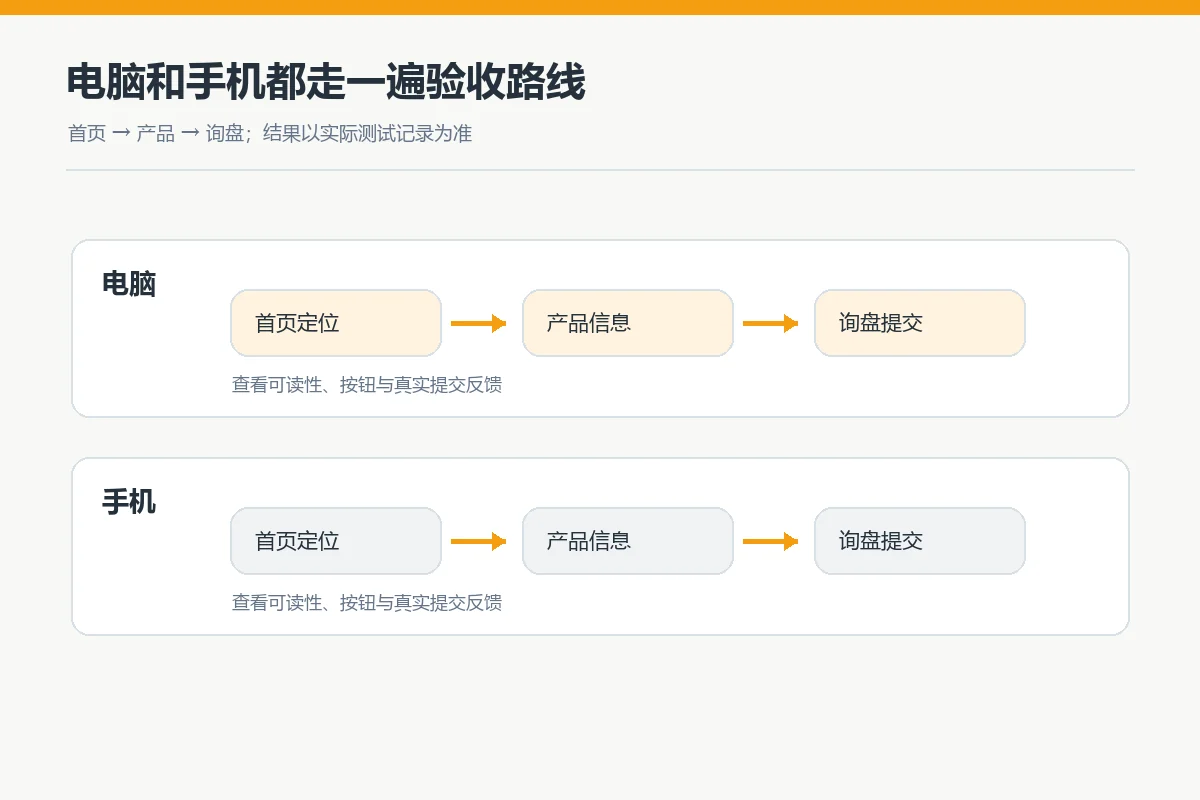
Do not settle for a screenshot labeled “completed” from the production team. On both a phone and a computer, the project owner should complete three tasks: find a product from the homepage, open its page and read the main information, and submit a test inquiry. Record the URL, observed result, and any problem at each step. Verify that test emails arrive by checking the designated inbox; a “sent successfully” message in the administration interface does not prove the recipient received them.
Next, check headings, body text, images, links, and forms on every page type, not just the homepage. Google’s search developer guide recommends descriptive titles and meta descriptions, readable text within web pages, and usability across devices. A meta description is a page summary that search results may quote; the search engine decides what actually appears. Provide an editable field for each page type during production, rather than discovering just before launch that every page shares one description.
On mobile, pay particular attention to whether navigation opens, buttons are easy to tap, tables stretch the whole page wider, and pop-ups can be closed. W3C’s accessibility resources for design and development remind teams to consider text, visuals, and interaction together. The project owner need not conduct a full compliance audit alone, but should at least ensure that important actions are visible, clickable, and understandable. After a redesign, you can also use this site’s cross-page acceptance checklist for independent website design to recheck navigation, page hierarchy, and mobile behavior, instead of focusing on just one page.
What control should you receive after acceptance?
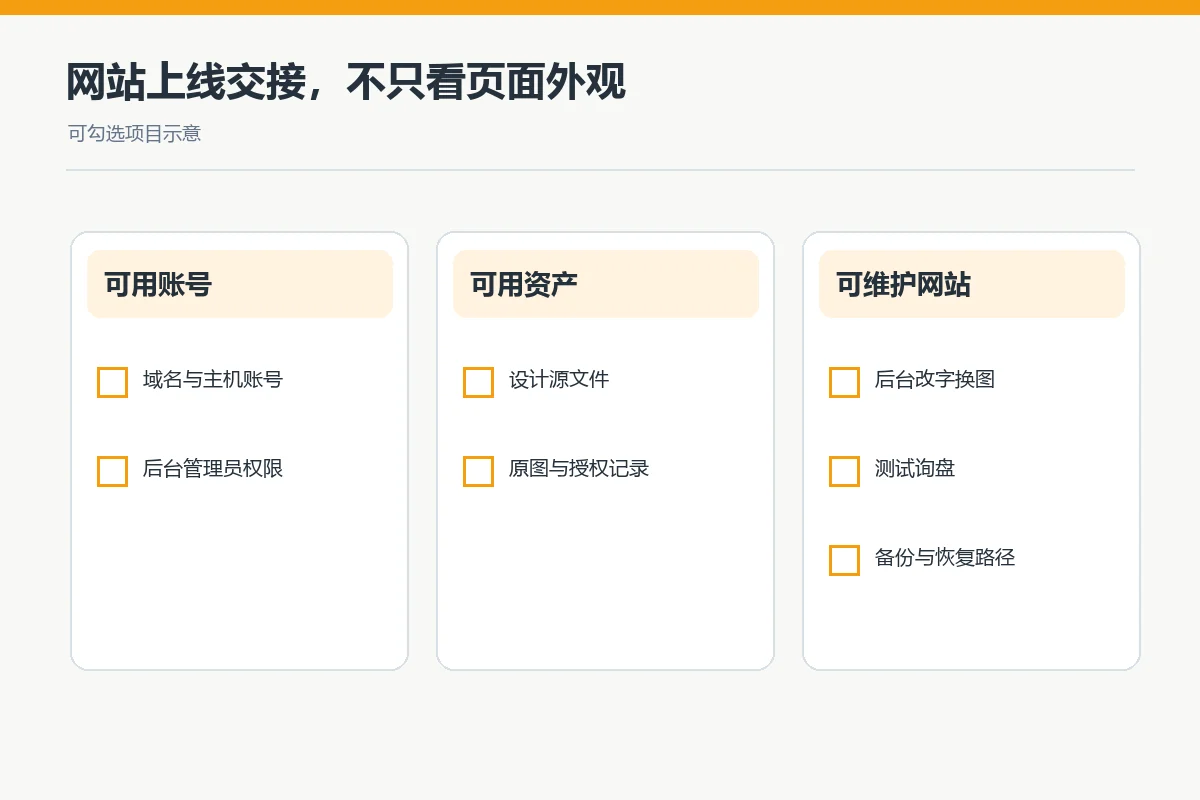
A website opening successfully is only the first step. Confirm who holds the domain, hosting or platform, administration accounts, original images, design files, and necessary plugins. Agree which accounts can be handed over and which the provider manages. Obtain brief instructions for routine changes: updating homepage text, adding products, making backups, and whom to contact if forms fail. Without contractual terms for the maintenance period, update scope, and response arrangements, small post-launch changes can easily become new disputes.
Ask the delivery team to record an actual operation: edit a line of copy in the administration interface, save it, and refresh the public page to confirm the change. Then perform a backup restoration drill or provide a backup plan that can be verified. If technical or permission constraints prevent handing over something, document those limitations and alternatives. This makes acceptance about a website you can manage continuously, rather than a demo that only its creators can open.
Conclusion: agree the handoff before deciding how to build the pages
Smooth collaboration between website design and development depends on defining pages, information, interactions, mobile layouts, and the scope of administration editing from the start, rather than on one attractive long image. Check designs against actual content before handing them to developers. After development, personally complete the journey from product to inquiry and try editing text in the administration interface. Keep identified issues and their fixes in a checklist, then confirm the transfer of accounts and files. When adding products or changing pages later, you will know whom to contact and where to make changes, and can more easily judge whether the project was truly delivered.