How to Open WordPress Site by IP Instead of Domain Name

If you’ve ever worked with วordpress long enough, you’ve probably run into that one annoying situation: your website exists, your server is alive, your files are all in place… but your domain just isn’t cooperating.

Maybe DNS hasn’t propagated yet. Maybe you’re migrating a site. Maybe something broke and your domain is pointing into the void.

So what do you do?

You bypass the domain entirely.

Yes — you can actually open a WordPress site using its IP address instead of the domain name. It’s a handy trick that developers, designers, and anyone working behind the scenes should absolutely know.

Let’s break it down in a simple, slightly entertaining way.

Why Would You Open a WordPress Site by IP?

How to Open WordPress Site by IP Instead of Domain Name-Why Would You Open a WordPress Site by IP?

First, let’s answer the obvious question: why would anyone want to do this?

Here are some common scenarios:

1. DNS Is Taking Forever

You just pointed your domain to a new server. Everything is set up. You’re excited.

But DNS propagation? Not so much.

Instead of waiting hours (or sometimes longer), you can access the site instantly via IP.

2. You’re Migrating a Website

Moving a WordPress site from one host to another?

Before switching the domain, you’ll want to test everything — layout, images, plugins, checkout flow, etc.

Using the IP lets you preview the site safely before going live.

3. Your Domain Is Broken

Sometimes domains just… stop working.

  • Expired domain
  • Misconfigured DNS
  • Nameserver issues

Accessing the site via IP can help you troubleshoot without panic.

4. You’re Debugging or Developing

If you’re building or customizing a WordPress site, you might want to access it directly on the server.

No domain needed. Just the raw connection.
What Does “Open WordPress Site by IP” Actually Mean?

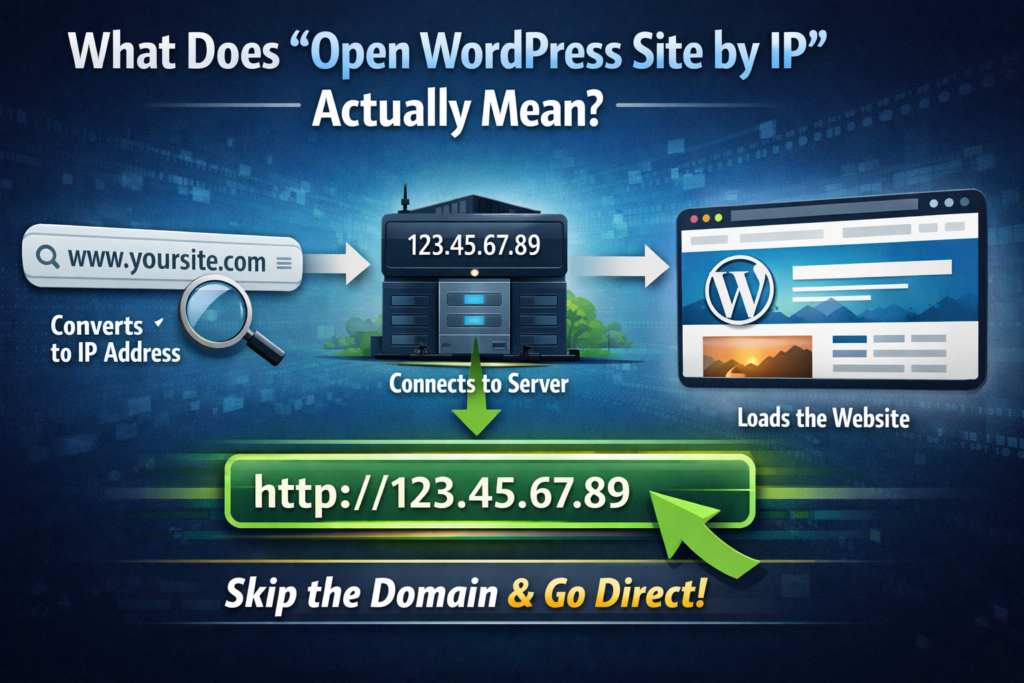
How to Open WordPress Site by IP Instead of Domain Name-What Does “Open WordPress Site by IP” Actually Mean?

Normally, when you type:

www.yoursite.com

Your browser:

  1. Converts the domain into an IP address
  2. Connects to the server
  3. Loads the site

When you use the IP directly, you skip step 1.

You go straight to:

http://123.45.67.89

Simple, right?

Well… not always.

The Catch (Because There’s Always One)

WordPress is very domain-dependent.

It stores your site URL in its database. That means:

  • Internal links
  • Images
  • สคริปต์
  • Redirects

…are all tied to your domain.

So when you open the site by IP, you might see:

  • Broken layouts
  • Missing images
  • Redirect loops
  • Login issues

Don’t worry — this is normal. And fixable.
Method 1: Access WordPress by IP Directly

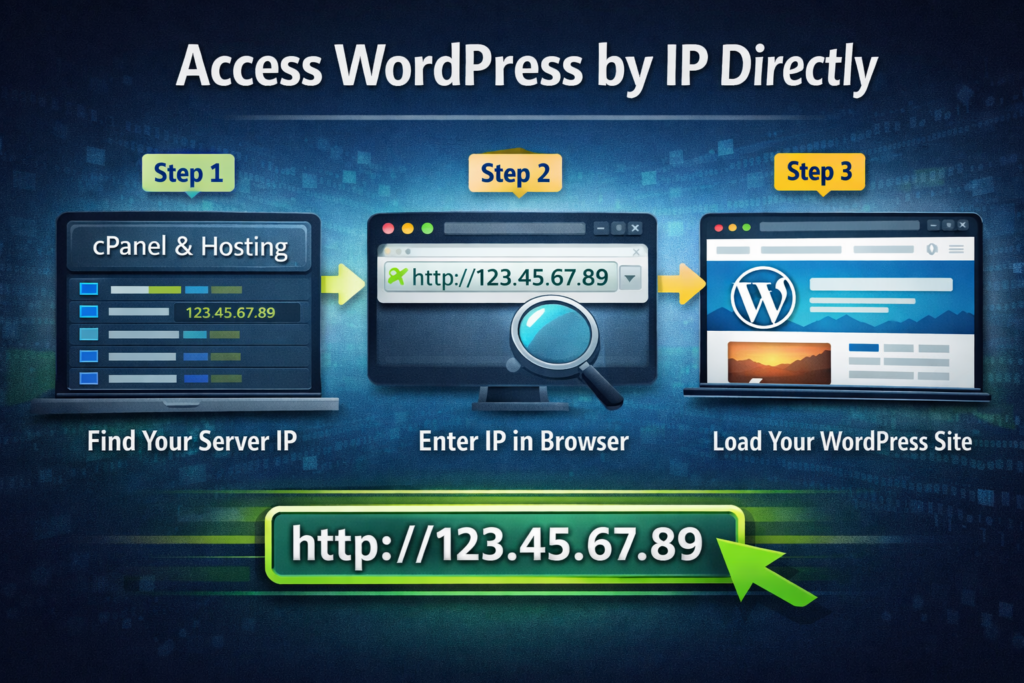
How to Open WordPress Site by IP Instead of Domain Name-Access WordPress by IP Directly

Let’s start with the simplest method.

Step 1: Find Your Server IP

You can get this from:

  • Your hosting dashboard
  • cPanel / CloudPanel
  • Server provider

ตัวอย่าง:

123.45.67.89

Step 2: Enter It in Your Browser

Just type:

http://123.45.67.89

If everything is configured properly, your site should load.

Step 3: Add WordPress Path (Optional)

Sometimes you’ll need to go directly to:

http://123.45.67.89/wp-admin

This helps you log into the backend.
วิธีนี้ได้ผลดีที่สุดเมื่อใด

  • Fresh installs
  • Temporary testing
  • Simple setups

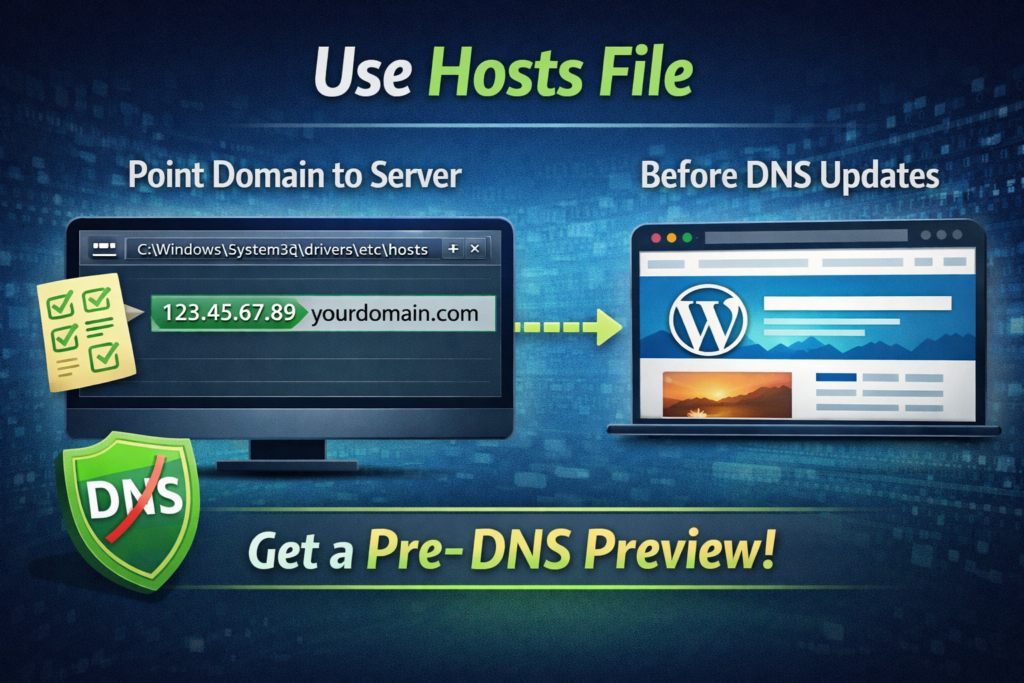
Method 2: Use Hosts File (Best Practice)

How to Open WordPress Site by IP Instead of Domain Name-Use Hosts File

If you want a real preview (and not a broken-looking site), this is the way to go.

Instead of using the IP directly, you trick your computer into thinking the domain already points to your server.

Step 1: Locate Your Hosts File

On Windows:

C:\Windows\System32\drivers\etc\hosts

On macOS:

/etc/hosts

Step 2: Add an Entry

Add this line:

123.45.67.89   yourdomain.com

Step 3: Save and Refresh

Now when you visit:

yourdomain.com

Your computer connects to the new server — even if DNS hasn’t updated globally.

Why This Is Better

  • No broken images
  • No redirect issues
  • Fully functional preview
  • Accurate testing

This is what professionals use.

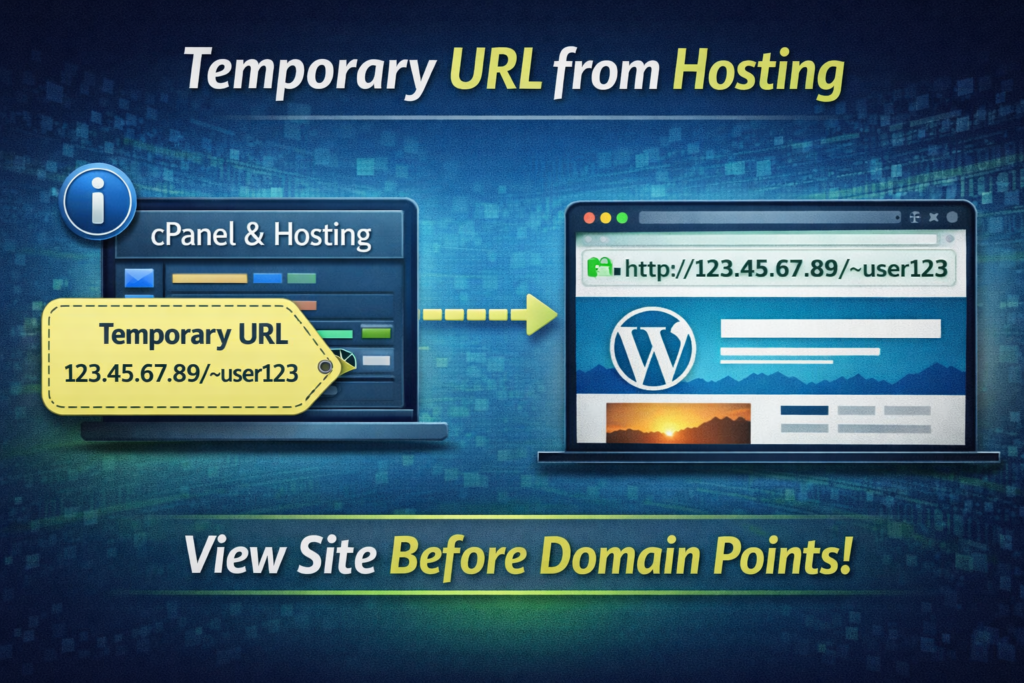
Method 3: Temporary URL from Hosting

How to Open WordPress Site by IP Instead of Domain Name-Temporary URL from Hosting

Some hosting providers give you a temporary URL like:

http://server123.hosting.com/~username

This is another way to access your WordPress site before the domain is ready.

ข้อดี

  • No configuration needed
  • Easy access

ข้อเสีย

  • Not always accurate preview
  • Can break layouts
  • Some features won’t work

Fixing Common Issues When Using IP

Let’s be honest — opening a WordPress site by IP isn’t always smooth.

Here are the most common problems (and how to fix them).

1. Redirect Loops

WordPress might force redirect to your domain.

Fix:

Update your site URL temporarily in the database:

  • siteurl
  • home

Set them to:

http://123.45.67.89

2. Broken Images

Images are usually stored with full domain URLs.

Fix:

  • Use a search & replace tool
  • Or ignore (for testing purposes)

3. Login Issues

Cookies and sessions rely on domain consistency.

Fix:

ใช้:

http://IP/wp-login.php

Or switch to hosts file method.

4. SSL Problems

If your site uses HTTPS, accessing via IP may trigger warnings.

Fix:

  • Use HTTP instead
  • Or ignore SSL temporarily

FAQ: Open WordPress Site by IP Instead of Domain Name

Yes, you can open a WordPress site by IP instead of a domain name by entering the server’s IP address directly into your browser. However, due to WordPress relying heavily on domain-based URLs, some elements like images, styles, or redirects may not function correctly.

When you open a WordPress site by IP instead of a domain name, the site may appear broken because WordPress stores URLs using the domain. This can cause missing images, incorrect links, and layout issues. Using a hosts file is a better way to preview the site properly.

The best method is to use your computer’s hosts file to map the domain to the server IP. This allows you to access the site as if the domain is already pointing to the new server, ensuring a full and accurate preview without broken elements.

Yes, it is generally safe to use an IP address or a temporary URL provided by your hosting service. These methods are commonly used for testing and development. However, they should not be used as a permanent solution for live websites.

When Should You NOT Use IP Access?

While useful, this method isn’t always ideal.

Avoid using IP access when:

  • You’re testing final design accuracy
  • You need SEO validation
  • You’re sharing previews with clients

In those cases, always use the hosts file method instead.

Best Workflow (Recommended)

Here’s how professionals typically handle this:

  1. Upload WordPress to server
  2. Access via IP (quick check)
  3. Use hosts file for full preview
  4. Test everything
  5. Update DNS
  6. Go live

Clean, efficient, and no surprises.

A Quick Reality Check

Opening a WordPress site by IP is not a “daily-use” feature.

It’s more like:

  • A troubleshooting shortcut
  • A staging tool
  • A developer trick

But when you need it, it can save hours — sometimes even days.

ข้อคิดส่งท้าย

The ability to open WordPress site by IP instead of domain name is one of those small but powerful techniques that separates beginners from professionals.

It gives you control.

It lets you work faster.

And most importantly, it keeps your workflow moving even when DNS or domains decide to misbehave.

AIRSANG Perspective

ที่ AIRSANG, we deal with scenarios like this all the time — especially in cross-border eCommerce projects where timing, stability, and launch precision matter.

From ช็อปฟี่ builds to วordpress custom sites, we focus on:

  • Conversion-driven design
  • Stable deployment workflows
  • Seamless pre-launch testing
  • Clean, high-performance UX

If you’re building or scaling an independent website and want it done right — both visually and technically — this is exactly where we can help.

Because in the end, a great website isn’t just about how it looks.

It’s about how smoothly it works, even behind the scenes.

จัดส่งทั่วโลก

AIRSANG ให้บริการออกแบบเว็บไซต์ สร้างเอกลักษณ์แบรนด์ และโซลูชันอีคอมเมิร์ซที่คุ้มค่า ตั้งแต่ Shopify และ WordPress ไปจนถึงภาพสินค้าสำหรับ Amazon, เราช่วยแบรนด์ระดับโลกสร้าง พัฒนา และขยายธุรกิจออนไลน์ของพวกเขา.

ออกแบบและสร้างเว็บไซต์ WordPress หรือเว็บไซต์องค์กรพร้อมระบบอีคอมเมิร์ซครบวงจรสำหรับคุณ.
ข้อกำหนดเฉพาะหรือใบเสนอราคาพิเศษ

ข้อกำหนดเฉพาะหรือใบเสนอราคาพิเศษ

ราคาเดิมคือ: $2.00.ราคาปัจจุบันคือ: $1.00.
การใช้ปลั๊กอิน 50 ตัวมากเกินไปสำหรับร้านค้าออนไลน์ที่ใช้ WordPress หรือไม่?
การเข้าใจผลกระทบที่แท้จริงต่อประสิทธิภาพ การมีปลั๊กอิน 50 ตัวบนเว็บไซต์อีคอมเมิร์ซ WordPress ไม่ใช่ปัญหาโดยอัตโนมัติ จริงๆ แล้ว จำนวนเพียงอย่างเดียวแทบจะไม่สามารถกำหนดประสิทธิภาพได้....
ภาพหลักสำหรับการออกแบบอุปกรณ์กายภาพบำบัดที่บ้านของ Amazon (อธิบายรายละเอียด)
บทนำ: การสร้างภาพลักษณ์ที่น่าเชื่อถือสำหรับอุปกรณ์บำบัดที่บ้านบน Amazon เมื่อออกแบบภาพหลักสำหรับอุปกรณ์บำบัดที่บ้านบน Amazon สิ่งสำคัญอันดับแรกของเราคือ...
ภาพหลักสำหรับการแปลงลิปสติกเป็นสินค้าสำหรับ Amazon
บทนำ: การออกแบบภาพหลักลิปสติกที่ขายได้บน Amazon เมื่อเราออกแบบภาพหลักสำหรับลิปสติกบน Amazon ความรับผิดชอบของเราไม่ได้จำกัดอยู่แค่...
แฮกเกอร์ขโมยอีเมลผู้ดูแลระบบ WordPress ได้อย่างไร (และวิธีป้องกัน)
มาเริ่มกันด้วยความจริงที่ไม่น่าสบายใจ: อีเมลแอดมิน WordPress ของคุณอาจเปิดเผยต่อสาธารณะมากกว่าที่คุณคิด และแฮกเกอร์? พวกเขาชอบมาก สำหรับพวกเขา...
การออกแบบภาพหลัก Amazon ที่มีประสิทธิภาพสำหรับตลับกรอง
บทนำ การออกแบบภาพหลักสำหรับ Amazon ไม่ใช่แค่การทำให้สินค้าดูน่าดึงดูดเท่านั้น แต่ยังเกี่ยวกับความชัดเจน ความน่าเชื่อถือ และความเข้าใจได้ในทันที โดยเฉพาะอย่างยิ่งสำหรับ...
การโจมตีแบบ Replay Attack บน WordPress: ภัยคุกคามจริงหรือแค่เรื่องที่ถูกพูดเกินจริง?
ก่อนอื่นขอชี้แจงให้ชัดเจนก่อน การโจมตีแบบ Replay Attack นั้นดูไม่น่ากลัว มันไม่ได้ทำลายรหัสผ่าน มันไม่ได้แทรกโค้ดที่เป็นอันตรายพร้อมข้อความแฮ็กเกอร์สีเขียวกระจัดกระจายไปทั่ว มันแนบเนียนกว่า...
วิธีคัดลอกหน้าเว็บ WordPress โดยไม่ทำให้ระบบเสียหาย
ยอมรับกันเถอะ บางครั้งคุณอาจไม่อยากสร้างหน้าเว็บใหม่ คุณแค่อยากได้หน้าเว็บเดิม...แต่แตกต่างไปเล็กน้อย รูปแบบเหมือนเดิม บล็อกเหมือนเดิม การตั้งค่าเหมือนเดิม เพราะ...
เปรียบเทียบธีม WordPress สำหรับสัตว์เลี้ยง 5 แบบ
บทนำ การเลือกธีม WordPress ที่เหมาะสมสำหรับธุรกิจเกี่ยวกับสัตว์เลี้ยงนั้นไม่ใช่แค่เรื่องของการออกแบบเท่านั้น แต่ยังส่งผลโดยตรงต่อการใช้งาน ความสามารถในการขยายขนาด และการเติบโตของธุรกิจในระยะยาว การดูแลสัตว์เลี้ยงและ...
เปรียบเทียบธีมอีคอมเมิร์ซชุดว่ายน้ำ 5 แบบ
บทนำ การเลือกธีมที่เหมาะสมสำหรับร้านค้าอิสระที่จำหน่ายชุดว่ายน้ำหรือชุดชั้นในนั้นไม่ใช่แค่การตัดสินใจด้านภาพลักษณ์เท่านั้น แต่ยังส่งผลโดยตรงต่ออัตราการเปลี่ยนลูกค้าให้เป็นผู้ซื้อ ความสามารถในการขยายธุรกิจ และความยั่งยืนในระยะยาว...
วิธีปิดการแสดงความคิดเห็นใน WordPress (โดยไม่ต้องเสียสติ)
มาพูดถึงระบบแสดงความคิดเห็นของ WordPress กันดีกว่า ในทางทฤษฎีแล้ว ความคิดเห็นนั้นยอดเยี่ยมมาก มันช่วยกระตุ้นการสนทนา สร้างชุมชน และทำให้เว็บไซต์ของคุณดูมีชีวิตชีวา แต่ในความเป็นจริงแล้ว มันมักจะเป็นเหมือนแม่เหล็กดึงดูด...
ข้อผิดพลาด WordPress 500: เมื่อเว็บไซต์ของคุณเกิดอาการผิดปกติ
เว็บไซต์ WordPress ของคุณยังใช้งานได้ปกติดีเมื่อสักครู่ คุณรีเฟรชหน้าเว็บ แล้วจู่ๆ ก็เกิดข้อผิดพลาด 500 Internal Server Error ขึ้นมา ไม่มีคำอธิบาย ไม่มีคำขอโทษ มีเพียงข้อความที่เย็นชาและสับสนซึ่งโดยพื้นฐานแล้ว...
การสร้างเว็บไซต์ WordPress ที่ปรับขนาดได้สำหรับแบรนด์ที่ขับเคลื่อนด้วยวิทยาศาสตร์: โครงการ AminoUSA
บทนำ ในยุคดิจิทัลปัจจุบัน เว็บไซต์เป็นมากกว่าแค่สถานที่สำหรับแสดงรายการสินค้า สำหรับแบรนด์ที่ขับเคลื่อนด้วยวิทยาศาสตร์ซึ่งดำเนินงานในอุตสาหกรรมที่มีการควบคุมหรือเน้นการวิจัย...
สร้างร้านค้า Shopify ที่ปรับขนาดได้สำหรับแบรนด์ใบมีดระดับโลก: โครงการ CoolKatana
บทนำ ในธุรกิจอีคอมเมิร์ซข้ามพรมแดน เว็บไซต์ Shopify เป็นมากกว่าแค่หน้าร้าน สำหรับแบรนด์ที่ดำเนินธุรกิจในกลุ่มเฉพาะหรือกลุ่มที่ขับเคลื่อนด้วยวัฒนธรรม เว็บไซต์ต้องทำมากกว่านั้น...
การออกแบบร้านค้า Shopify ที่มีอัตราการแปลงสูงสำหรับขายการ์ดโปเกมอน
บทนำ ในโลกของอีคอมเมิร์ซสินค้าสะสม โดยเฉพาะอย่างยิ่งในตลาดเกมการ์ดโปเกมอน (TCG) เว็บไซต์จะต้องทำมากกว่าแค่แสดงรายการสินค้า...
ดีไซน์ Shopify ที่เพิ่มยอดขายสำหรับแบรนด์อิฐสั่งทำพิเศษ
บทนำ ในสภาพแวดล้อมการแข่งขันอีคอมเมิร์ซในปัจจุบัน โดยเฉพาะอย่างยิ่งในตลาดของขวัญส่วนบุคคลและของสะสม เว็บไซต์ Shopify ต้องทำมากกว่าแค่แสดงสินค้า...
วิธีติดต่อฝ่ายสนับสนุนของ Shopify: คู่มือที่ง่ายและไม่ยุ่งยาก
การบริหารร้านค้า Shopify ควรเป็นเรื่องที่น่าตื่นเต้น ไม่ใช่เรื่องที่ทำให้สับสน เมื่อมีคำถามหรือปัญหาเกิดขึ้น Shopify มีช่องทางการสนับสนุนหลายช่องทาง ขึ้นอยู่กับสถานการณ์...
วิธีปิดใช้งานร้านค้า Shopify: คู่มือที่ชัดเจนและใช้งานได้จริง
การปิดใช้งานร้านค้า Shopify นั้นไม่ซับซ้อน แต่ก็มีผลกระทบหลายอย่างที่ผู้ขายหลายรายมองข้ามไป คู่มือนี้จะอธิบายขั้นตอนอย่างละเอียดและเข้าใจง่าย...

พร้อมที่จะเปลี่ยนแปลงธุรกิจของคุณหรือไม่?

จองการโทรเพื่อเรียนรู้เพิ่มเติมเกี่ยวกับวิธีที่เอเจนซี่การตลาดดิจิทัลของเราสามารถยกระดับธุรกิจของคุณไปอีกขั้น.