












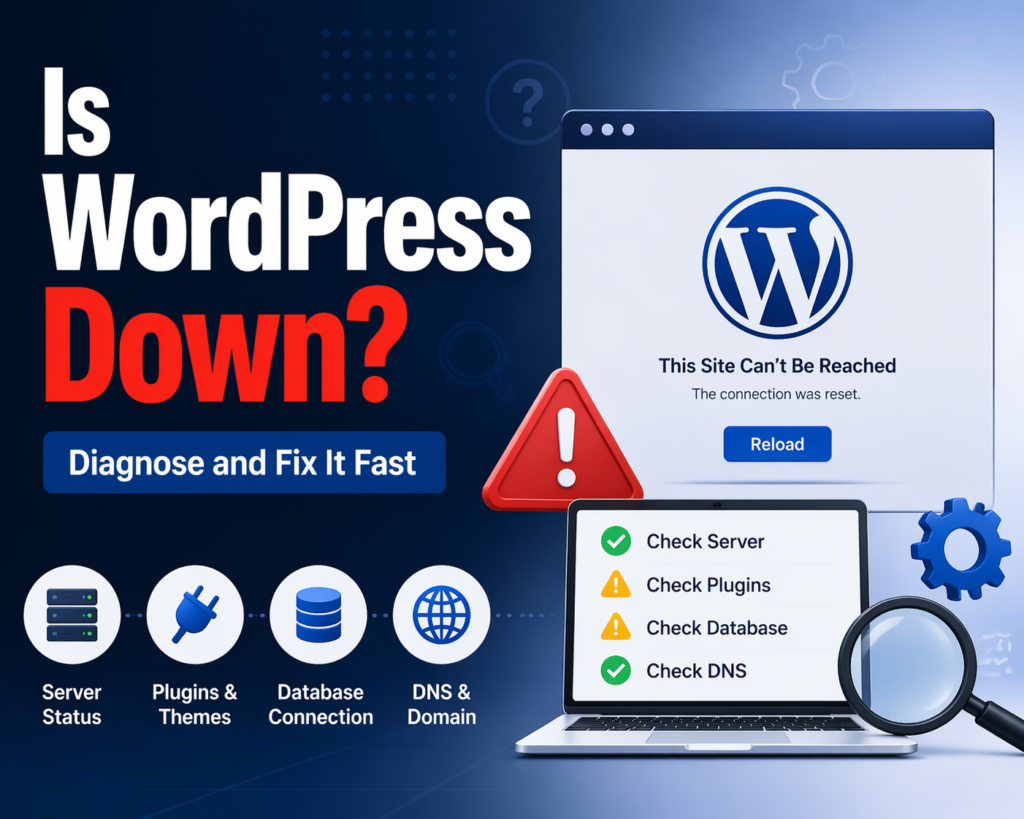
การแนะนำ
If you’ve ever tried to open your website and suddenly found it inaccessible, your first reaction is probably: “Is WordPress down?”
This question is incredibly common among website owners, bloggers, and online store operators. However, the truth is a bit more nuanced. WordPress itself rarely “goes down” as a platform. Instead, the issue usually lies somewhere within your hosting environment, website configuration, or external services.
In this guide, we’ll break down what “WordPress down” actually means, how to quickly diagnose the problem, and the most effective ways to fix it. Whether you’re a beginner or managing multiple sites, this article will help you understand what’s happening and what to do next.
What Does “Is WordPress Down” Actually Mean?

Before jumping into troubleshooting, it’s important to understand what people mean when they ask this question.
WordPress exists in two main forms:
- WordPress.com – A hosted platform managed for you
- WordPress.org – Self-hosted WordPress installed on your own server
When your website becomes unavailable, it’s rarely because WordPress itself is down. Instead, the issue usually falls into one of these categories:
- Your hosting server is offline
- A plugin or theme is causing a crash
- Your domain or DNS is misconfigured
- There is a temporary network or browser issue
So when asking “is WordPress down?”, what you’re really asking is:
“Why is my WordPress website not loading?”
Common Signs Your WordPress Site Is Down
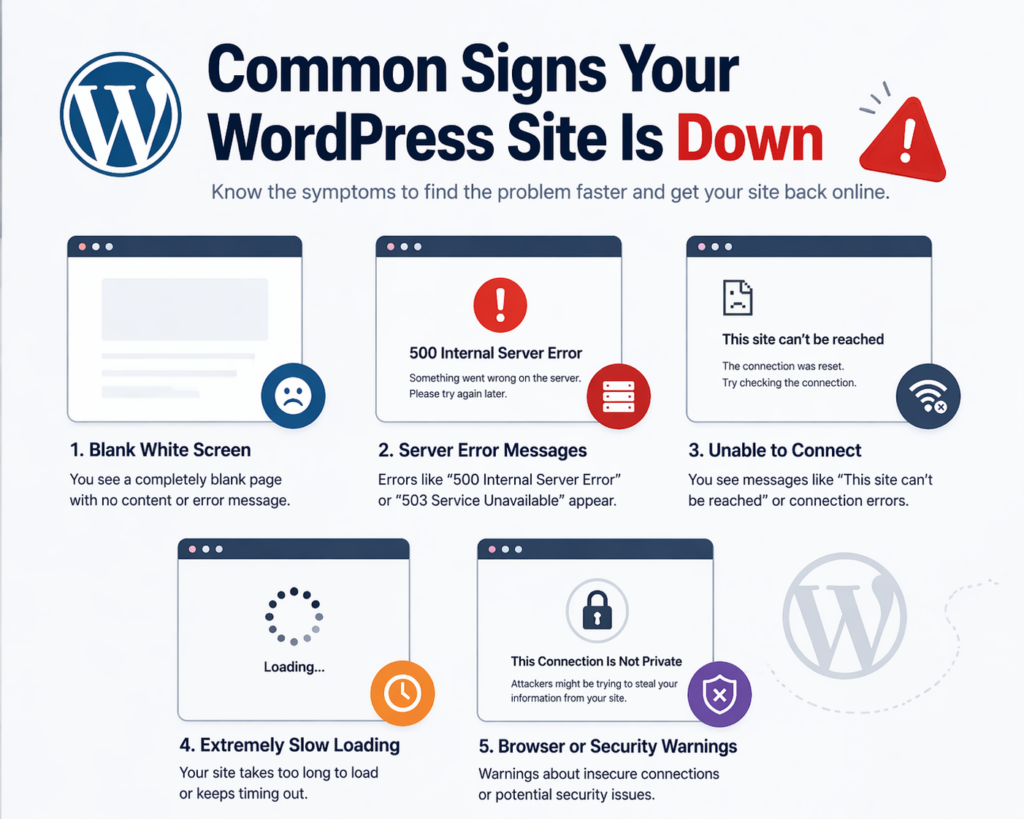
Before diagnosing, you should recognize the typical symptoms of a down website. These include:
- A blank white screen (often called the “White Screen of Death”)
- Error messages like:
- “500 Internal Server Error”
- “Error establishing a database connection”
- Extremely slow loading or timeouts
- Your site works for you but not for others (or vice versa)
Understanding these symptoms helps narrow down the root cause faster.
Step 1: Check If It’s Really Down for Everyone
The first thing you should do is confirm whether your website is down globally or just for you.
Quick checks:
- Open your site in a different browser
- Use incognito/private mode
- Try accessing from another device or network
If your site loads elsewhere, the issue may be local (browser cache, DNS, or network).
If it’s down everywhere, then the problem is more serious and likely server-side.
Step 2: Check Your Hosting Server Status
Your hosting provider plays a major role in your website’s availability. If their servers go down, your WordPress site goes down with them.
What to look for:
- Hosting provider status page
- Maintenance announcements
- Outage reports
Common hosting-related issues:
- Server overload
- Scheduled maintenance
- Hardware failure
- Misconfigured server settings
If your host is experiencing downtime, there’s little you can do except wait or contact support.
Step 3: Identify Plugin or Theme Conflicts
Plugins and themes are powerful—but they can also break your site.
Typical scenarios:
- You installed a new plugin and the site crashed
- You updated a plugin or theme and things stopped working
- Multiple plugins conflict with each other
How to fix it:
- Access your site via FTP or hosting file manager
- Navigate to
/wp-content/plugins/ - Rename the plugins folder (e.g.,
ปลั๊กอินเก่า) - Check if your site comes back online
If it does, a plugin is the issue. Then:
- เปิดใช้งานปลั๊กอินทีละตัว
- Identify the problematic one
You can do the same with themes by switching to a default theme.
Step 4: Look for Database Connection Errors
One of the most common WordPress issues is:
“Error establishing a database connection”
This means your website cannot communicate with its database.
Possible causes:
- Incorrect database credentials
- Database server down
- Corrupted database
- Hosting issues
What to check:
- Open your
wp-config.phpไฟล์ - Verify:
- ชื่อฐานข้อมูล
- Username
- Password
- Host
If everything looks correct, contact your hosting provider to check database status.
Step 5: Check for Server Errors (500, 503, etc.)
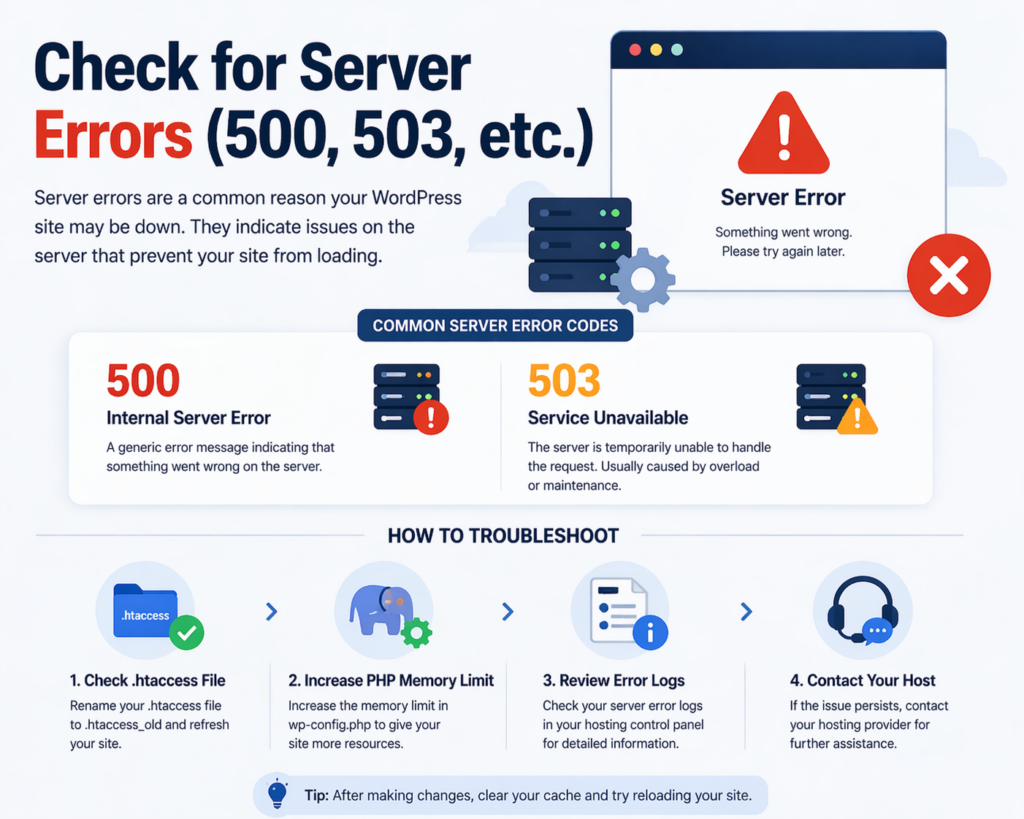
Server errors are another major reason people think WordPress is down.
Common error codes:
- 500 ข้อผิดพลาดเซิร์ฟเวอร์ภายใน – Generic server issue
- 503 Service Unavailable – Server overloaded or under maintenance
How to troubleshoot:
- ตรวจสอบ
.htaccessfile (rename it temporarily) - Increase PHP memory limit
- Review error logs from your hosting panel
These errors are usually fixable once you identify the underlying cause.
Step 6: Clear Cache and CDN Issues
Sometimes your site isn’t actually down—it just appears that way due to caching problems.
Possible culprits:
- Browser cache
- WordPress caching plugins
- CDN (Content Delivery Network)
Solutions:
- ล้างแคชของเบราว์เซอร์ของคุณ
- Disable caching plugins temporarily
- Purge CDN cache
Caching issues can make a live site look broken or outdated.
Step 7: DNS and Domain Problems
If your domain settings are incorrect, your website may become unreachable.
Common DNS issues:
- Domain expired
- Nameservers misconfigured
- DNS propagation delay
How to check:
- Verify your domain is active
- Check nameserver settings
- Wait for DNS changes to propagate (can take up to 48 hours)
Step 8: Security Issues and Malware
Security problems can also take your site offline.
ตัวอย่าง:
- Malware infection
- Hacked website
- Hosting suspension due to security risks
Signs:
- Redirects to strange websites
- Warnings from browsers
- Hosting account suspended
สิ่งที่ต้องทำ:
- Scan your site for malware
- Restore from backup
- ติดต่อผู้ให้บริการโฮสติ้งของคุณ
Security issues should be handled immediately to avoid further damage.
Step 9: Resource Limits and Traffic Spikes
If your website suddenly receives a lot of traffic, your server may not handle the load.
Symptoms:
- Slow loading
- Timeouts
- Temporary downtime
Causes:
- Viral content
- Marketing campaigns
- Bots or attacks
Solutions:
- Upgrade hosting plan
- Use caching
- Implement a CDN
Step 10: Maintenance Mode Problems
Sometimes your site gets stuck in maintenance mode after an update.
Message:
“Briefly unavailable for scheduled maintenance.”
แก้ไข:
- Delete the
.maintenancefile in your root directory
This is a quick and common fix.
Preventing Future Downtime
Once your site is back online, it’s important to reduce the risk of future issues.
แนวปฏิบัติที่ดีที่สุด:
- Choose reliable hosting
- หมั่นอัปเดตปลั๊กอินและธีมอยู่เสมอ
- ใช้เฉพาะปลั๊กอินที่จำเป็นเท่านั้น
- Set up regular backups
- Monitor uptime with tools
- Implement security measures
Prevention is always better than emergency fixes.
When Should You Contact Support?
If you’ve tried everything and your site is still down, it’s time to reach out.
Contact your hosting provider if:
- Server is unresponsive
- Database is inaccessible
- You see repeated server errors
Contact a developer if:
- Code issues are involved
- Complex plugin conflicts occur
- You’re unsure about technical fixes
ข้อคิดส่งท้าย
So, is WordPress down?
In most cases, the answer is no—WordPress itself is rarely the problem. What appears to be a platform outage is usually caused by hosting issues, plugin conflicts, server errors, or configuration problems.
By following a structured troubleshooting process—checking server status, disabling plugins, verifying database connections, and reviewing DNS settings—you can quickly identify and resolve the issue.
Understanding these common causes not only helps you fix problems faster but also makes you more confident in managing your website.
คำถามที่พบบ่อย
WordPress itself is rarely down. If your site isn’t loading, the issue is usually related to your hosting server, plugins, or configuration rather than the WordPress platform.
Common reasons include server downtime, plugin or theme conflicts, database connection errors, DNS issues, or excessive traffic overwhelming your hosting resources.
You can try accessing your site from different devices, browsers, or networks. If it doesn’t load anywhere, it’s likely a server-side issue.
One of the most common errors is “Error establishing a database connection,” which happens when your site cannot connect to its database.
You can fix it by checking your .htaccess file, increasing PHP memory limits, disabling plugins, or reviewing server error logs to identify the root cause.
Yes, incompatible or poorly coded plugins can crash your site. Deactivating plugins and reactivating them one by one can help identify the problematic one.


ออกแบบและสร้างเว็บไซต์ WordPress หรือเว็บไซต์องค์กรพร้อมระบบอีคอมเมิร์ซครบวงจรสำหรับคุณ.
ช่วงราคา: $200.00 ถึง $2,500.00custom-requirements-or-special-quotations
ราคาเดิมคือ: $2.00.$1.00ราคาปัจจุบันคือ: $1.00. การใช้ปลั๊กอิน 50 ตัวมากเกินไปสำหรับร้านค้าออนไลน์ที่ใช้ WordPress หรือไม่?
การเข้าใจผลกระทบที่แท้จริงต่อประสิทธิภาพ การมีปลั๊กอิน 50 ตัวบนเว็บไซต์อีคอมเมิร์ซ WordPress ไม่ใช่ปัญหาโดยอัตโนมัติ จริงๆ แล้ว จำนวนเพียงอย่างเดียวแทบจะไม่สามารถกำหนดประสิทธิภาพได้....

ภาพหลักสำหรับการออกแบบอุปกรณ์กายภาพบำบัดที่บ้านของ Amazon (อธิบายรายละเอียด)
บทนำ: การสร้างภาพลักษณ์ที่น่าเชื่อถือสำหรับอุปกรณ์บำบัดที่บ้านบน Amazon เมื่อออกแบบภาพหลักสำหรับอุปกรณ์บำบัดที่บ้านบน Amazon สิ่งสำคัญอันดับแรกของเราคือ...

ภาพหลักสำหรับการแปลงลิปสติกเป็นสินค้าสำหรับ Amazon
บทนำ: การออกแบบภาพหลักลิปสติกที่ขายได้บน Amazon เมื่อเราออกแบบภาพหลักสำหรับลิปสติกบน Amazon ความรับผิดชอบของเราไม่ได้จำกัดอยู่แค่...

แฮกเกอร์ขโมยอีเมลผู้ดูแลระบบ WordPress ได้อย่างไร (และวิธีป้องกัน)
มาเริ่มกันด้วยความจริงที่ไม่น่าสบายใจ: อีเมลแอดมิน WordPress ของคุณอาจเปิดเผยต่อสาธารณะมากกว่าที่คุณคิด และแฮกเกอร์? พวกเขาชอบมาก สำหรับพวกเขา...

อะไรทำให้รองพื้นชนิดเหลวของ Amazon (ภาพหลัก) ขายดี?
บทนำ การออกแบบภาพหลักสำหรับรองพื้นชนิดเหลวบน Amazon ไม่ใช่แค่การทำให้ผลิตภัณฑ์ดูสวยงามเท่านั้น บน Amazon ภาพหลักและ...

การออกแบบภาพหลัก Amazon ที่มีประสิทธิภาพสำหรับตลับกรอง
บทนำ การออกแบบภาพหลักสำหรับ Amazon ไม่ใช่แค่การทำให้สินค้าดูน่าดึงดูดเท่านั้น แต่ยังเกี่ยวกับความชัดเจน ความน่าเชื่อถือ และความเข้าใจได้ในทันที โดยเฉพาะอย่างยิ่งสำหรับ...

การโจมตีแบบ Replay Attack บน WordPress: ภัยคุกคามจริงหรือแค่เรื่องที่ถูกพูดเกินจริง?
ก่อนอื่นขอชี้แจงให้ชัดเจนก่อน การโจมตีแบบ Replay Attack นั้นดูไม่น่ากลัว มันไม่ได้ทำลายรหัสผ่าน มันไม่ได้แทรกโค้ดที่เป็นอันตรายพร้อมข้อความแฮ็กเกอร์สีเขียวกระจัดกระจายไปทั่ว มันแนบเนียนกว่า...

วิธีคัดลอกหน้าเว็บ WordPress โดยไม่ทำให้ระบบเสียหาย
ยอมรับกันเถอะ บางครั้งคุณอาจไม่อยากสร้างหน้าเว็บใหม่ คุณแค่อยากได้หน้าเว็บเดิม...แต่แตกต่างไปเล็กน้อย รูปแบบเหมือนเดิม บล็อกเหมือนเดิม การตั้งค่าเหมือนเดิม เพราะ...

เปรียบเทียบธีม WordPress สำหรับสัตว์เลี้ยง 5 แบบ
บทนำ การเลือกธีม WordPress ที่เหมาะสมสำหรับธุรกิจเกี่ยวกับสัตว์เลี้ยงนั้นไม่ใช่แค่เรื่องของการออกแบบเท่านั้น แต่ยังส่งผลโดยตรงต่อการใช้งาน ความสามารถในการขยายขนาด และการเติบโตของธุรกิจในระยะยาว การดูแลสัตว์เลี้ยงและ...

เปรียบเทียบธีมอีคอมเมิร์ซชุดว่ายน้ำ 5 แบบ
บทนำ การเลือกธีมที่เหมาะสมสำหรับร้านค้าอิสระที่จำหน่ายชุดว่ายน้ำหรือชุดชั้นในนั้นไม่ใช่แค่การตัดสินใจด้านภาพลักษณ์เท่านั้น แต่ยังส่งผลโดยตรงต่ออัตราการเปลี่ยนลูกค้าให้เป็นผู้ซื้อ ความสามารถในการขยายธุรกิจ และความยั่งยืนในระยะยาว...

วิธีปิดการแสดงความคิดเห็นใน WordPress (โดยไม่ต้องเสียสติ)
มาพูดถึงระบบแสดงความคิดเห็นของ WordPress กันดีกว่า ในทางทฤษฎีแล้ว ความคิดเห็นนั้นยอดเยี่ยมมาก มันช่วยกระตุ้นการสนทนา สร้างชุมชน และทำให้เว็บไซต์ของคุณดูมีชีวิตชีวา แต่ในความเป็นจริงแล้ว มันมักจะเป็นเหมือนแม่เหล็กดึงดูด...

ข้อผิดพลาด WordPress 500: เมื่อเว็บไซต์ของคุณเกิดอาการผิดปกติ
เว็บไซต์ WordPress ของคุณยังใช้งานได้ปกติดีเมื่อสักครู่ คุณรีเฟรชหน้าเว็บ แล้วจู่ๆ ก็เกิดข้อผิดพลาด 500 Internal Server Error ขึ้นมา ไม่มีคำอธิบาย ไม่มีคำขอโทษ มีเพียงข้อความที่เย็นชาและสับสนซึ่งโดยพื้นฐานแล้ว...

การสร้างเว็บไซต์ WordPress ที่ปรับขนาดได้สำหรับแบรนด์ที่ขับเคลื่อนด้วยวิทยาศาสตร์: โครงการ AminoUSA
บทนำ ในยุคดิจิทัลปัจจุบัน เว็บไซต์เป็นมากกว่าแค่สถานที่สำหรับแสดงรายการสินค้า สำหรับแบรนด์ที่ขับเคลื่อนด้วยวิทยาศาสตร์ซึ่งดำเนินงานในอุตสาหกรรมที่มีการควบคุมหรือเน้นการวิจัย...

สร้างร้านค้า Shopify ที่ปรับขนาดได้สำหรับแบรนด์ใบมีดระดับโลก: โครงการ CoolKatana
บทนำ ในธุรกิจอีคอมเมิร์ซข้ามพรมแดน เว็บไซต์ Shopify เป็นมากกว่าแค่หน้าร้าน สำหรับแบรนด์ที่ดำเนินธุรกิจในกลุ่มเฉพาะหรือกลุ่มที่ขับเคลื่อนด้วยวัฒนธรรม เว็บไซต์ต้องทำมากกว่านั้น...

การออกแบบร้านค้า Shopify ที่มีอัตราการแปลงสูงสำหรับขายการ์ดโปเกมอน
บทนำ ในโลกของอีคอมเมิร์ซสินค้าสะสม โดยเฉพาะอย่างยิ่งในตลาดเกมการ์ดโปเกมอน (TCG) เว็บไซต์จะต้องทำมากกว่าแค่แสดงรายการสินค้า...

ดีไซน์ Shopify ที่เพิ่มยอดขายสำหรับแบรนด์อิฐสั่งทำพิเศษ
บทนำ ในสภาพแวดล้อมการแข่งขันอีคอมเมิร์ซในปัจจุบัน โดยเฉพาะอย่างยิ่งในตลาดของขวัญส่วนบุคคลและของสะสม เว็บไซต์ Shopify ต้องทำมากกว่าแค่แสดงสินค้า...

วิธีติดต่อฝ่ายสนับสนุนของ Shopify: คู่มือที่ง่ายและไม่ยุ่งยาก
การบริหารร้านค้า Shopify ควรเป็นเรื่องที่น่าตื่นเต้น ไม่ใช่เรื่องที่ทำให้สับสน เมื่อมีคำถามหรือปัญหาเกิดขึ้น Shopify มีช่องทางการสนับสนุนหลายช่องทาง ขึ้นอยู่กับสถานการณ์...

วิธีปิดใช้งานร้านค้า Shopify: คู่มือที่ชัดเจนและใช้งานได้จริง
การปิดใช้งานร้านค้า Shopify นั้นไม่ซับซ้อน แต่ก็มีผลกระทบหลายอย่างที่ผู้ขายหลายรายมองข้ามไป คู่มือนี้จะอธิบายขั้นตอนอย่างละเอียดและเข้าใจง่าย...