












การแนะนำ
If you’ve ever tried to access your วordpress site and suddenly faced a blank screen or a vague “Internal Server Error,” you’re not alone. The http error 500 wordpress issue is one of the most common—and frustrating—problems website owners encounter.
Unlike other errors that clearly indicate what went wrong, HTTP 500 errors are ambiguous. They don’t tell you whether the issue comes from your theme, plugins, server configuration, or something else entirely.
In this guide, we’ll break down what this error really means, why it happens, and—most importantly—how to fix it step by step. Whether you’re running a business site, an eCommerce store, or a content platform, understanding this issue is essential for maintaining a stable and high-converting website.
ข้อผิดพลาด HTTP 500 ใน WordPress คืออะไร?
The HTTP 500 Internal Server Error is a general server-side error. It means something went wrong on the server, but the server cannot specify exactly what.
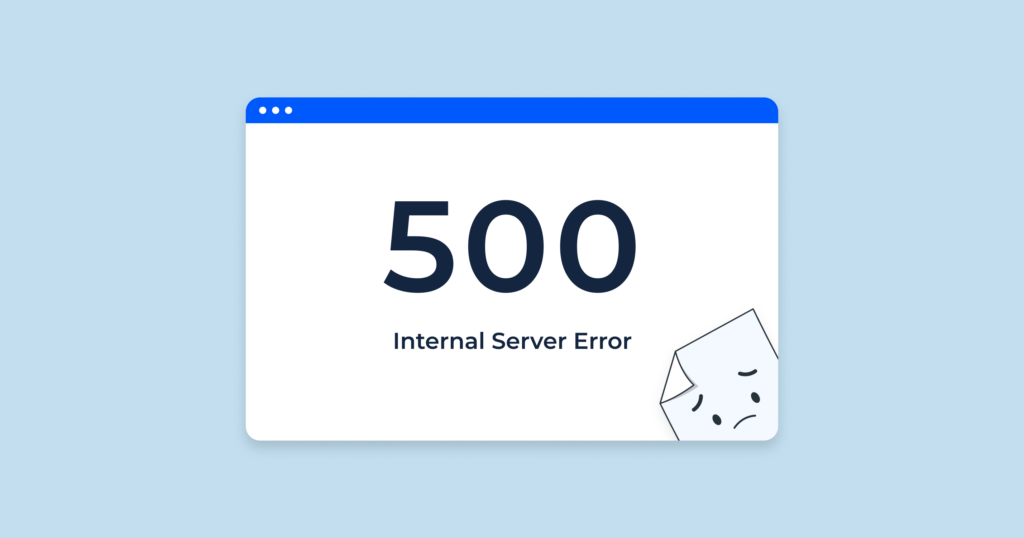
From a user’s perspective, it might appear as:
- A blank white screen
- A “500 Internal Server Error” message
- A generic browser error page
From a business perspective, this error is much more serious. It can:
- Block customers from accessing your store
- Break checkout or landing pages
- Hurt your SEO rankings
- Damage trust in your brand
That’s why resolving it quickly is critical.
Why Does HTTP Error 500 Happen?
The http error 500 wordpress issue can be caused by multiple factors. Let’s simplify the most common ones:
1. Corrupted .htaccess File
เดอะ .htaccess file controls how your server handles requests. If it becomes corrupted, your site may stop functioning properly.
2. Plugin Conflicts
Plugins extend WordPress functionality, but conflicts between them can cause server errors—especially when poorly coded or outdated plugins are involved.
3. ประเด็นหลัก
A faulty or incompatible theme can break your site structure and trigger a 500 error.
4. PHP Memory Limit Exhaustion
If your website exceeds the allocated PHP memory, it can crash and return an internal server error.
5. Server Configuration Problems
Incorrect server settings or hosting limitations can also cause the issue.
6. File Permission Errors
Improper permissions can prevent WordPress from accessing critical files.
Step-by-Step Fixes for HTTP Error 500 in WordPress
Let’s walk through the most effective solutions. You don’t need to apply all of them—just go step by step until the issue is resolved.
Fix 1: Check and Regenerate the .htaccess File
This is often the quickest fix.
ขั้นตอน:
- Access your site via FTP or file manager
- ค้นหา
.htaccessfile in the root directory - เปลี่ยนชื่อเป็น
.htaccess_เก่า - Refresh your website
If the site works again, go to your WordPress dashboard → Settings → Permalinks → Save Changes to regenerate a new .htaccess.
Fix 2: Disable All Plugins
Plugin conflicts are a leading cause of this error.
ขั้นตอน:
- Access your
/wp-content/โฟลเดอร์ - เปลี่ยนชื่อ
ปลั๊กอินโฟลเดอร์ไปยังplugins_disabled - รีเฟรชเว็บไซต์ของคุณ
If the site loads, rename the folder back and activate plugins one by one to find the problematic one.
Fix 3: Switch to a Default Theme
Sometimes the theme is the issue.
ขั้นตอน:
- ไปที่
/wp-content/themes/ - เปลี่ยนชื่อโฟลเดอร์ธีมที่ใช้งานอยู่ของคุณ
- WordPress จะเปลี่ยนไปใช้ธีมเริ่มต้นโดยอัตโนมัติ
If the error disappears, your theme needs fixing or replacing.
Fix 4: Increase PHP Memory Limit
Low memory limits can crash your site.
You can increase it by editing your wp-config.php file:
define('WP_MEMORY_LIMIT', '256M');
Or contact your hosting provider to increase it from the server side.
Fix 5: Re-upload Core WordPress Files
Corrupted core files can also trigger the error.
ขั้นตอน:
- Download a fresh copy of WordPress
- Upload and overwrite the
/wp-admin/และ/wp-includes/folders - Do NOT overwrite
/wp-content/
Fix 6: Check File Permissions
Incorrect permissions can block file access.
Typical settings:
- Folders: 755
- Files: 644
Adjust them via FTP or your hosting panel.
Fix 7: Contact Your Hosting Provider
If none of the above works, the issue may be server-related.
Your hosting provider can:
- ตรวจสอบบันทึกของเซิร์ฟเวอร์
- Identify backend errors
- Fix configuration issues
How to Prevent HTTP Error 500 in the Future
Fixing the issue is important—but preventing it is even better.
Here are some best practices:
1. Use Reliable Plugins and Themes
Avoid poorly maintained tools.
2. Keep Everything Updated
Regular updates reduce compatibility issues.
3. Choose Quality Hosting
A stable hosting environment minimizes server errors.
4. Monitor Site Performance
Use tools to track uptime and errors.
5. Backup Regularly
Always have a recovery plan.
FAQ
HTTP error 500 means there is a server-side issue preventing your WordPress site from loading, but the server cannot identify the exact cause.
The most common causes include corrupted .htaccess files, plugin conflicts, theme issues, and insufficient PHP memory limits.
Yes, incompatible or poorly coded plugins can conflict with each other or with your theme, leading to a 500 internal server error.
Start by renaming your .htaccess file, disabling plugins, switching to a default theme, and increasing your PHP memory limit.
Yes. If your site is frequently unavailable, search engines may lower your rankings, and users may lose trust in your brand.
The Hidden Impact on Conversions and User Experience
Many site owners treat the http error 500 wordpress issue as purely technical—but it’s actually a conversion killer.
Imagine a customer visiting your site:
- They click your ad
- They land on your page
- And suddenly… error 500
That’s not just a technical failure—it’s a lost sale.
From a design and UX perspective:
- Stability = Trust
- Speed = Conversion
- Reliability = Brand value
A high-performing website isn’t just about visuals—it’s about consistent, uninterrupted experience.
How AIRSANG Approaches This Differently
ที่ AIRSANG, we don’t just design websites—we design conversion-driven digital experiences.
When we work on WordPress or eCommerce projects, we focus on:
1. Stability-First Design
We ensure the site structure is clean, scalable, and less prone to errors.
2. Performance Optimization
From image loading to layout structure, everything is optimized for speed and reliability.
3. User-Centered Experience
We design websites that guide users smoothly—from landing to checkout—without friction.
4. Cross-Border eCommerce Expertise
We understand global audiences and build websites tailored for international markets.
บทสรุป
The http error 500 wordpress issue may seem intimidating, but in most cases, it can be resolved with a structured approach.
By understanding the root causes—whether it’s plugins, themes, server limits, or configuration—you can quickly restore your website and prevent future issues.
More importantly, remember this:
A stable website is the foundation of any successful online business.
If you’re building or optimizing an independent site—especially for cross-border eCommerce—your website needs more than just functionality. It needs to be reliable, fast, and designed to convert.
That’s exactly what we do at AIRSANG.
If you’re looking to elevate your website design, improve performance, and create a high-converting digital experience, feel free to reach out. We specialize in crafting independent sites that not only look great—but work flawlessly.


ออกแบบและสร้างเว็บไซต์ WordPress หรือเว็บไซต์องค์กรพร้อมระบบอีคอมเมิร์ซครบวงจรสำหรับคุณ.
ช่วงราคา: $200.00 ถึง $2,500.00ข้อกำหนดเฉพาะหรือใบเสนอราคาพิเศษ
ราคาเดิมคือ: $2.00.$1.00ราคาปัจจุบันคือ: $1.00. การใช้ปลั๊กอิน 50 ตัวมากเกินไปสำหรับร้านค้าออนไลน์ที่ใช้ WordPress หรือไม่?
การเข้าใจผลกระทบที่แท้จริงต่อประสิทธิภาพ การมีปลั๊กอิน 50 ตัวบนเว็บไซต์อีคอมเมิร์ซ WordPress ไม่ใช่ปัญหาโดยอัตโนมัติ จริงๆ แล้ว จำนวนเพียงอย่างเดียวแทบจะไม่สามารถกำหนดประสิทธิภาพได้....

ภาพหลักสำหรับการออกแบบอุปกรณ์กายภาพบำบัดที่บ้านของ Amazon (อธิบายรายละเอียด)
บทนำ: การสร้างภาพลักษณ์ที่น่าเชื่อถือสำหรับอุปกรณ์บำบัดที่บ้านบน Amazon เมื่อออกแบบภาพหลักสำหรับอุปกรณ์บำบัดที่บ้านบน Amazon สิ่งสำคัญอันดับแรกของเราคือ...

ภาพหลักสำหรับการแปลงลิปสติกเป็นสินค้าสำหรับ Amazon
บทนำ: การออกแบบภาพหลักลิปสติกที่ขายได้บน Amazon เมื่อเราออกแบบภาพหลักสำหรับลิปสติกบน Amazon ความรับผิดชอบของเราไม่ได้จำกัดอยู่แค่...

แฮกเกอร์ขโมยอีเมลผู้ดูแลระบบ WordPress ได้อย่างไร (และวิธีป้องกัน)
มาเริ่มกันด้วยความจริงที่ไม่น่าสบายใจ: อีเมลแอดมิน WordPress ของคุณอาจเปิดเผยต่อสาธารณะมากกว่าที่คุณคิด และแฮกเกอร์? พวกเขาชอบมาก สำหรับพวกเขา...

อะไรทำให้รองพื้นชนิดเหลวของ Amazon (ภาพหลัก) ขายดี?
บทนำ การออกแบบภาพหลักสำหรับรองพื้นชนิดเหลวบน Amazon ไม่ใช่แค่การทำให้ผลิตภัณฑ์ดูสวยงามเท่านั้น บน Amazon ภาพหลักและ...

การออกแบบภาพหลัก Amazon ที่มีประสิทธิภาพสำหรับตลับกรอง
บทนำ การออกแบบภาพหลักสำหรับ Amazon ไม่ใช่แค่การทำให้สินค้าดูน่าดึงดูดเท่านั้น แต่ยังเกี่ยวกับความชัดเจน ความน่าเชื่อถือ และความเข้าใจได้ในทันที โดยเฉพาะอย่างยิ่งสำหรับ...

การโจมตีแบบ Replay Attack บน WordPress: ภัยคุกคามจริงหรือแค่เรื่องที่ถูกพูดเกินจริง?
ก่อนอื่นขอชี้แจงให้ชัดเจนก่อน การโจมตีแบบ Replay Attack นั้นดูไม่น่ากลัว มันไม่ได้ทำลายรหัสผ่าน มันไม่ได้แทรกโค้ดที่เป็นอันตรายพร้อมข้อความแฮ็กเกอร์สีเขียวกระจัดกระจายไปทั่ว มันแนบเนียนกว่า...

วิธีคัดลอกหน้าเว็บ WordPress โดยไม่ทำให้ระบบเสียหาย
ยอมรับกันเถอะ บางครั้งคุณอาจไม่อยากสร้างหน้าเว็บใหม่ คุณแค่อยากได้หน้าเว็บเดิม...แต่แตกต่างไปเล็กน้อย รูปแบบเหมือนเดิม บล็อกเหมือนเดิม การตั้งค่าเหมือนเดิม เพราะ...

เปรียบเทียบธีม WordPress สำหรับสัตว์เลี้ยง 5 แบบ
บทนำ การเลือกธีม WordPress ที่เหมาะสมสำหรับธุรกิจเกี่ยวกับสัตว์เลี้ยงนั้นไม่ใช่แค่เรื่องของการออกแบบเท่านั้น แต่ยังส่งผลโดยตรงต่อการใช้งาน ความสามารถในการขยายขนาด และการเติบโตของธุรกิจในระยะยาว การดูแลสัตว์เลี้ยงและ...

เปรียบเทียบธีมอีคอมเมิร์ซชุดว่ายน้ำ 5 แบบ
บทนำ การเลือกธีมที่เหมาะสมสำหรับร้านค้าอิสระที่จำหน่ายชุดว่ายน้ำหรือชุดชั้นในนั้นไม่ใช่แค่การตัดสินใจด้านภาพลักษณ์เท่านั้น แต่ยังส่งผลโดยตรงต่ออัตราการเปลี่ยนลูกค้าให้เป็นผู้ซื้อ ความสามารถในการขยายธุรกิจ และความยั่งยืนในระยะยาว...

วิธีปิดการแสดงความคิดเห็นใน WordPress (โดยไม่ต้องเสียสติ)
มาพูดถึงระบบแสดงความคิดเห็นของ WordPress กันดีกว่า ในทางทฤษฎีแล้ว ความคิดเห็นนั้นยอดเยี่ยมมาก มันช่วยกระตุ้นการสนทนา สร้างชุมชน และทำให้เว็บไซต์ของคุณดูมีชีวิตชีวา แต่ในความเป็นจริงแล้ว มันมักจะเป็นเหมือนแม่เหล็กดึงดูด...

ข้อผิดพลาด WordPress 500: เมื่อเว็บไซต์ของคุณเกิดอาการผิดปกติ
เว็บไซต์ WordPress ของคุณยังใช้งานได้ปกติดีเมื่อสักครู่ คุณรีเฟรชหน้าเว็บ แล้วจู่ๆ ก็เกิดข้อผิดพลาด 500 Internal Server Error ขึ้นมา ไม่มีคำอธิบาย ไม่มีคำขอโทษ มีเพียงข้อความที่เย็นชาและสับสนซึ่งโดยพื้นฐานแล้ว...

การสร้างเว็บไซต์ WordPress ที่ปรับขนาดได้สำหรับแบรนด์ที่ขับเคลื่อนด้วยวิทยาศาสตร์: โครงการ AminoUSA
บทนำ ในยุคดิจิทัลปัจจุบัน เว็บไซต์เป็นมากกว่าแค่สถานที่สำหรับแสดงรายการสินค้า สำหรับแบรนด์ที่ขับเคลื่อนด้วยวิทยาศาสตร์ซึ่งดำเนินงานในอุตสาหกรรมที่มีการควบคุมหรือเน้นการวิจัย...

สร้างร้านค้า Shopify ที่ปรับขนาดได้สำหรับแบรนด์ใบมีดระดับโลก: โครงการ CoolKatana
บทนำ ในธุรกิจอีคอมเมิร์ซข้ามพรมแดน เว็บไซต์ Shopify เป็นมากกว่าแค่หน้าร้าน สำหรับแบรนด์ที่ดำเนินธุรกิจในกลุ่มเฉพาะหรือกลุ่มที่ขับเคลื่อนด้วยวัฒนธรรม เว็บไซต์ต้องทำมากกว่านั้น...

การออกแบบร้านค้า Shopify ที่มีอัตราการแปลงสูงสำหรับขายการ์ดโปเกมอน
บทนำ ในโลกของอีคอมเมิร์ซสินค้าสะสม โดยเฉพาะอย่างยิ่งในตลาดเกมการ์ดโปเกมอน (TCG) เว็บไซต์จะต้องทำมากกว่าแค่แสดงรายการสินค้า...

ดีไซน์ Shopify ที่เพิ่มยอดขายสำหรับแบรนด์อิฐสั่งทำพิเศษ
บทนำ ในสภาพแวดล้อมการแข่งขันอีคอมเมิร์ซในปัจจุบัน โดยเฉพาะอย่างยิ่งในตลาดของขวัญส่วนบุคคลและของสะสม เว็บไซต์ Shopify ต้องทำมากกว่าแค่แสดงสินค้า...

วิธีติดต่อฝ่ายสนับสนุนของ Shopify: คู่มือที่ง่ายและไม่ยุ่งยาก
การบริหารร้านค้า Shopify ควรเป็นเรื่องที่น่าตื่นเต้น ไม่ใช่เรื่องที่ทำให้สับสน เมื่อมีคำถามหรือปัญหาเกิดขึ้น Shopify มีช่องทางการสนับสนุนหลายช่องทาง ขึ้นอยู่กับสถานการณ์...

วิธีปิดใช้งานร้านค้า Shopify: คู่มือที่ชัดเจนและใช้งานได้จริง
การปิดใช้งานร้านค้า Shopify นั้นไม่ซับซ้อน แต่ก็มีผลกระทบหลายอย่างที่ผู้ขายหลายรายมองข้ามไป คู่มือนี้จะอธิบายขั้นตอนอย่างละเอียดและเข้าใจง่าย...