













Introduction: Why This Issue Matters
If you’ve ever logged into your วordpress dashboard and suddenly found yourself being redirected to an unexpected page, you’re not alone. One common culprit behind this behavior is something known as a “Sky Login Redirect”—a modification that forces users away from the default WordPress login flow.
For website owners, especially those running eCommerce or cross-border businesses, this can be more than just an annoyance. It can affect user trust, disrupt workflows, and even signal potential security or plugin conflicts.
In this guide, we’ll walk you through how to uninstall sky login redirect from WordPress, explain why it happens, and show you safe, effective ways to regain full control of your login system.
What Is Sky Login Redirect in WordPress?
Before removing it, it’s important to understand what you’re dealing with.
A “Sky Login Redirect” isn’t an official WordPress feature. Instead, it typically refers to:
- A plugin or script that alters login behavior
- A custom redirect rule added to your site
- In rare cases, malicious code inserted into your theme or database
Its main function is simple:
👉 After login, instead of going to /wp-admin, users are redirected elsewhere.
This might be intentional (for custom user flows) or accidental (from leftover code or plugin conflicts).
Why You Should Remove It
There are several reasons why uninstalling this redirect is important:
1. User Experience Issues
Unexpected redirects confuse users and reduce trust.
2. Admin Access Problems
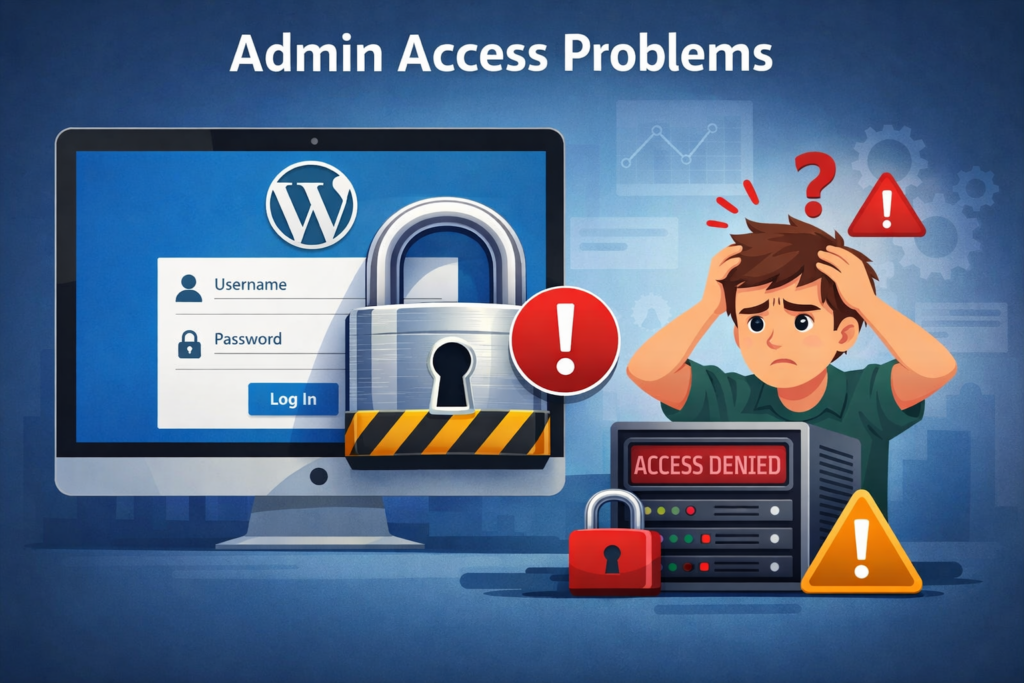
You might lose direct access to your dashboard or key backend features.
3. ความขัดแย้งของปลั๊กอิน
Redirect scripts often interfere with membership plugins, WooCommerce, or custom login systems.
4. Security Risks

If the redirect was added maliciously, it could expose your site to further vulnerabilities.
Step-by-Step: How to Uninstall Sky Login Redirect from WordPress
Let’s break it down into practical steps you can follow.
Step 1: Check Installed Plugins
Start with the simplest possibility.
- Go to WordPress Dashboard → Plugins
- Look for plugins related to:
- Login customization
- Redirect management
- Security or membership systems
Common signs:
- Plugin names containing “redirect,” “login,” or “custom login”
- Recently installed or unfamiliar plugins
👉 Action:
Deactivate suspicious plugins one by one and test your login behavior.
Step 2: Inspect Theme Functions (functions.php)
If the redirect isn’t from a plugin, it may be embedded in your theme.
- Navigate to:
- ลักษณะที่ปรากฏ → ตัวแก้ไขไฟล์ธีม
- Open functions.php
Look for code like:
add_action('wp_login', 'custom_login_redirect');
or:
wp_redirect('https://example.com');
exit;
👉 Action:
Remove or comment out any redirect-related code.
⚠️ Always back up your file before editing.
Step 3: Check .htaccess File
เดอะ .htaccess file can also enforce redirects.
- Access your site via FTP or hosting panel
- Locate
.htaccessin the root directory
Look for lines like:
Redirect 302 /wp-login.php https://example.com
👉 Action:
Delete suspicious redirect rules and save the file.
Step 4: Scan for Malicious Code
If you didn’t intentionally install anything, the redirect might be injected.
ใช้เครื่องมือต่างๆ เช่น:
- WordPress security plugins
- Hosting malware scanners
ตรวจสอบ:
- ไฟล์ธีม
- Plugin directories
- Database entries
👉 Action:
Remove any unfamiliar scripts or obfuscated code.
Step 5: Review Database Settings
Sometimes redirects are stored in the database.
- เปิด phpMyAdmin
- Check tables like:
wp_optionswp_usermeta
Search for keywords:
- redirect
- login_url
- custom_login
👉 Action:
Delete or update incorrect values.
Step 6: Reset Login Behavior
To restore default WordPress behavior:
- Ensure login URL is: yourdomain.com/wp-login.php
- Remove all custom redirect hooks
- Clear cache (plugin + browser)
Common Causes of Sky Login Redirect
Understanding the root cause helps prevent it in the future.
Plugin Misconfiguration
Some plugins add redirects but don’t clean up properly after uninstall.
Theme Customization
Developers sometimes hardcode redirects for specific workflows.
Security Plugins
Certain tools hide or redirect login pages for protection.
มัลแวร์
Unauthorized scripts can hijack login behavior.
คำถามที่พบบ่อย
Why does WordPress redirect me to the homepage after login?
It’s usually caused by a plugin or theme that has a custom login redirect feature. It may also happen if someone added custom code.
Can I remove the redirect without editing the code?
Yes. If the redirect came from a plugin, deactivate or delete the plugin. If not, you can use another plugin to override the redirect.
Will deleting the Sky Login Redirect break my site?
No. Removing the redirect sends users back to the standard WordPress dashboard after logging in. It won’t break anything unless the feature is deeply built into your theme.
Is there a way to check where the redirect comes from?
You can check your browser address bar after login or use a plugin like Query Monitor to track what’s happening behind the scenes.
Best Practices to Avoid Future Issues
Here are some simple but powerful habits:
1. Install Trusted Plugins Only
Avoid unknown or poorly reviewed plugins.
2. Regular Backups
Always keep a recent backup before making changes.
3. Use a Staging Environment
Test changes before applying them to your live site.
4. Keep WordPress Updated
Outdated systems are more vulnerable to issues.
5. Monitor Login Behavior
If something changes unexpectedly, investigate immediately.
When You Might Actually Want a Redirect
Interestingly, not all login redirects are bad.
Some use cases include:
- Redirecting users to dashboards
- Sending customers to account pages
- Creating role-based experiences
The key is control and intention.
If you didn’t set it up, it shouldn’t be there.
Troubleshooting Checklist
If the issue persists, run through this quick list:
- ✅ All plugins checked and tested
- ✅ Theme files cleaned
- ✅ .htaccess reviewed
- ✅ Database scanned
- ✅ Cache cleared
- ✅ Security scan completed
If everything looks clean but the issue remains, it may require deeper debugging.
ข้อคิดส่งท้าย
Fixing login redirect issues in WordPress may seem technical at first, but when broken down step by step, it becomes manageable. The key is identifying whether the source is a plugin, theme, server rule, or something more serious like malware.
By following this guide on how to uninstall sky login redirect from WordPress, you can restore your site’s normal login flow and ensure a smoother, more secure experience for both admins and users.
เกี่ยวกับ AIRSANG
ที่ AIRSANG, we specialize in cross-border digital solutions, including วordpress และ ช็อปฟี่ website design focused on conversion and user experience.
From fixing technical issues like login redirects to building high-performing eCommerce websites, we help brands create seamless, trustworthy online experiences that drive growth globally.
If you’re facing challenges with your website—or want to build something better—feel free to reach out. We’re here to help you scale with design-driven strategy.


ออกแบบและสร้างเว็บไซต์ WordPress หรือเว็บไซต์องค์กรพร้อมระบบอีคอมเมิร์ซครบวงจรสำหรับคุณ.
ช่วงราคา: $200.00 ถึง $2,500.00custom-requirements-or-special-quotations
ราคาเดิมคือ: $2.00.$1.00ราคาปัจจุบันคือ: $1.00. การใช้ปลั๊กอิน 50 ตัวมากเกินไปสำหรับร้านค้าออนไลน์ที่ใช้ WordPress หรือไม่?
การเข้าใจผลกระทบที่แท้จริงต่อประสิทธิภาพ การมีปลั๊กอิน 50 ตัวบนเว็บไซต์อีคอมเมิร์ซ WordPress ไม่ใช่ปัญหาโดยอัตโนมัติ จริงๆ แล้ว จำนวนเพียงอย่างเดียวแทบจะไม่สามารถกำหนดประสิทธิภาพได้....

ภาพหลักสำหรับการออกแบบอุปกรณ์กายภาพบำบัดที่บ้านของ Amazon (อธิบายรายละเอียด)
บทนำ: การสร้างภาพลักษณ์ที่น่าเชื่อถือสำหรับอุปกรณ์บำบัดที่บ้านบน Amazon เมื่อออกแบบภาพหลักสำหรับอุปกรณ์บำบัดที่บ้านบน Amazon สิ่งสำคัญอันดับแรกของเราคือ...

ภาพหลักสำหรับการแปลงลิปสติกเป็นสินค้าสำหรับ Amazon
บทนำ: การออกแบบภาพหลักลิปสติกที่ขายได้บน Amazon เมื่อเราออกแบบภาพหลักสำหรับลิปสติกบน Amazon ความรับผิดชอบของเราไม่ได้จำกัดอยู่แค่...

แฮกเกอร์ขโมยอีเมลผู้ดูแลระบบ WordPress ได้อย่างไร (และวิธีป้องกัน)
มาเริ่มกันด้วยความจริงที่ไม่น่าสบายใจ: อีเมลแอดมิน WordPress ของคุณอาจเปิดเผยต่อสาธารณะมากกว่าที่คุณคิด และแฮกเกอร์? พวกเขาชอบมาก สำหรับพวกเขา...

อะไรทำให้รองพื้นชนิดเหลวของ Amazon (ภาพหลัก) ขายดี?
บทนำ การออกแบบภาพหลักสำหรับรองพื้นชนิดเหลวบน Amazon ไม่ใช่แค่การทำให้ผลิตภัณฑ์ดูสวยงามเท่านั้น บน Amazon ภาพหลักและ...

การออกแบบภาพหลัก Amazon ที่มีประสิทธิภาพสำหรับตลับกรอง
บทนำ การออกแบบภาพหลักสำหรับ Amazon ไม่ใช่แค่การทำให้สินค้าดูน่าดึงดูดเท่านั้น แต่ยังเกี่ยวกับความชัดเจน ความน่าเชื่อถือ และความเข้าใจได้ในทันที โดยเฉพาะอย่างยิ่งสำหรับ...

การโจมตีแบบ Replay Attack บน WordPress: ภัยคุกคามจริงหรือแค่เรื่องที่ถูกพูดเกินจริง?
ก่อนอื่นขอชี้แจงให้ชัดเจนก่อน การโจมตีแบบ Replay Attack นั้นดูไม่น่ากลัว มันไม่ได้ทำลายรหัสผ่าน มันไม่ได้แทรกโค้ดที่เป็นอันตรายพร้อมข้อความแฮ็กเกอร์สีเขียวกระจัดกระจายไปทั่ว มันแนบเนียนกว่า...

วิธีคัดลอกหน้าเว็บ WordPress โดยไม่ทำให้ระบบเสียหาย
ยอมรับกันเถอะ บางครั้งคุณอาจไม่อยากสร้างหน้าเว็บใหม่ คุณแค่อยากได้หน้าเว็บเดิม...แต่แตกต่างไปเล็กน้อย รูปแบบเหมือนเดิม บล็อกเหมือนเดิม การตั้งค่าเหมือนเดิม เพราะ...

เปรียบเทียบธีม WordPress สำหรับสัตว์เลี้ยง 5 แบบ
บทนำ การเลือกธีม WordPress ที่เหมาะสมสำหรับธุรกิจเกี่ยวกับสัตว์เลี้ยงนั้นไม่ใช่แค่เรื่องของการออกแบบเท่านั้น แต่ยังส่งผลโดยตรงต่อการใช้งาน ความสามารถในการขยายขนาด และการเติบโตของธุรกิจในระยะยาว การดูแลสัตว์เลี้ยงและ...

เปรียบเทียบธีมอีคอมเมิร์ซชุดว่ายน้ำ 5 แบบ
บทนำ การเลือกธีมที่เหมาะสมสำหรับร้านค้าอิสระที่จำหน่ายชุดว่ายน้ำหรือชุดชั้นในนั้นไม่ใช่แค่การตัดสินใจด้านภาพลักษณ์เท่านั้น แต่ยังส่งผลโดยตรงต่ออัตราการเปลี่ยนลูกค้าให้เป็นผู้ซื้อ ความสามารถในการขยายธุรกิจ และความยั่งยืนในระยะยาว...

วิธีปิดการแสดงความคิดเห็นใน WordPress (โดยไม่ต้องเสียสติ)
มาพูดถึงระบบแสดงความคิดเห็นของ WordPress กันดีกว่า ในทางทฤษฎีแล้ว ความคิดเห็นนั้นยอดเยี่ยมมาก มันช่วยกระตุ้นการสนทนา สร้างชุมชน และทำให้เว็บไซต์ของคุณดูมีชีวิตชีวา แต่ในความเป็นจริงแล้ว มันมักจะเป็นเหมือนแม่เหล็กดึงดูด...

ข้อผิดพลาด WordPress 500: เมื่อเว็บไซต์ของคุณเกิดอาการผิดปกติ
เว็บไซต์ WordPress ของคุณยังใช้งานได้ปกติดีเมื่อสักครู่ คุณรีเฟรชหน้าเว็บ แล้วจู่ๆ ก็เกิดข้อผิดพลาด 500 Internal Server Error ขึ้นมา ไม่มีคำอธิบาย ไม่มีคำขอโทษ มีเพียงข้อความที่เย็นชาและสับสนซึ่งโดยพื้นฐานแล้ว...

การสร้างเว็บไซต์ WordPress ที่ปรับขนาดได้สำหรับแบรนด์ที่ขับเคลื่อนด้วยวิทยาศาสตร์: โครงการ AminoUSA
บทนำ ในยุคดิจิทัลปัจจุบัน เว็บไซต์เป็นมากกว่าแค่สถานที่สำหรับแสดงรายการสินค้า สำหรับแบรนด์ที่ขับเคลื่อนด้วยวิทยาศาสตร์ซึ่งดำเนินงานในอุตสาหกรรมที่มีการควบคุมหรือเน้นการวิจัย...

สร้างร้านค้า Shopify ที่ปรับขนาดได้สำหรับแบรนด์ใบมีดระดับโลก: โครงการ CoolKatana
บทนำ ในธุรกิจอีคอมเมิร์ซข้ามพรมแดน เว็บไซต์ Shopify เป็นมากกว่าแค่หน้าร้าน สำหรับแบรนด์ที่ดำเนินธุรกิจในกลุ่มเฉพาะหรือกลุ่มที่ขับเคลื่อนด้วยวัฒนธรรม เว็บไซต์ต้องทำมากกว่านั้น...

การออกแบบร้านค้า Shopify ที่มีอัตราการแปลงสูงสำหรับขายการ์ดโปเกมอน
บทนำ ในโลกของอีคอมเมิร์ซสินค้าสะสม โดยเฉพาะอย่างยิ่งในตลาดเกมการ์ดโปเกมอน (TCG) เว็บไซต์จะต้องทำมากกว่าแค่แสดงรายการสินค้า...

ดีไซน์ Shopify ที่เพิ่มยอดขายสำหรับแบรนด์อิฐสั่งทำพิเศษ
บทนำ ในสภาพแวดล้อมการแข่งขันอีคอมเมิร์ซในปัจจุบัน โดยเฉพาะอย่างยิ่งในตลาดของขวัญส่วนบุคคลและของสะสม เว็บไซต์ Shopify ต้องทำมากกว่าแค่แสดงสินค้า...

วิธีติดต่อฝ่ายสนับสนุนของ Shopify: คู่มือที่ง่ายและไม่ยุ่งยาก
การบริหารร้านค้า Shopify ควรเป็นเรื่องที่น่าตื่นเต้น ไม่ใช่เรื่องที่ทำให้สับสน เมื่อมีคำถามหรือปัญหาเกิดขึ้น Shopify มีช่องทางการสนับสนุนหลายช่องทาง ขึ้นอยู่กับสถานการณ์...

วิธีปิดใช้งานร้านค้า Shopify: คู่มือที่ชัดเจนและใช้งานได้จริง
การปิดใช้งานร้านค้า Shopify นั้นไม่ซับซ้อน แต่ก็มีผลกระทบหลายอย่างที่ผู้ขายหลายรายมองข้ามไป คู่มือนี้จะอธิบายขั้นตอนอย่างละเอียดและเข้าใจง่าย...