

Introduction: Why This Issue Matters
If you’ve ever logged into your WordPress dashboard and suddenly found yourself being redirected to an unexpected page, you’re not alone. One common culprit behind this behavior is something known as a “Sky Login Redirect”—a modification that forces users away from the default WordPress login flow.
For website owners, especially those running eCommerce or cross-border businesses, this can be more than just an annoyance. It can affect user trust, disrupt workflows, and even signal potential security or plugin conflicts.
In this guide, we’ll walk you through how to uninstall sky login redirect from WordPress, explain why it happens, and show you safe, effective ways to regain full control of your login system.
What Is Sky Login Redirect in WordPress?
Before removing it, it’s important to understand what you’re dealing with.
A “Sky Login Redirect” isn’t an official WordPress feature. Instead, it typically refers to:
- A plugin or script that alters login behavior
- A custom redirect rule added to your site
- In rare cases, malicious code inserted into your theme or database
Its main function is simple:
👉 After login, instead of going to /wp-admin, users are redirected elsewhere.
This might be intentional (for custom user flows) or accidental (from leftover code or plugin conflicts).
Why You Should Remove It
There are several reasons why uninstalling this redirect is important:
1. User Experience Issues
Unexpected redirects confuse users and reduce trust.
2. Admin Access Problems
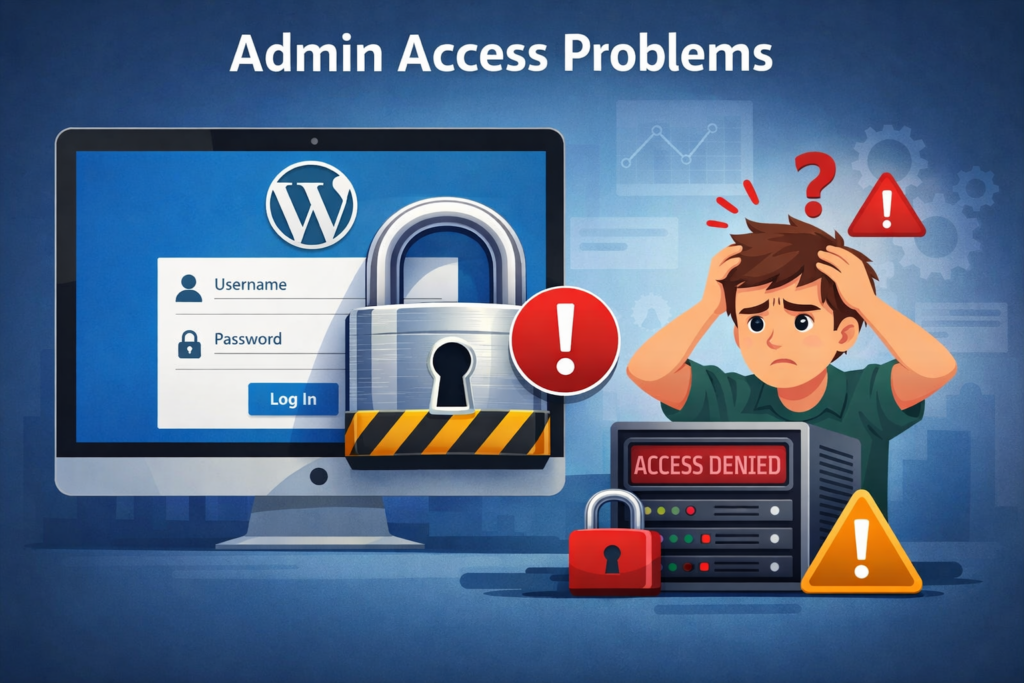
You might lose direct access to your dashboard or key backend features.
3. Conflitos de Plugins
Redirect scripts often interfere with membership plugins, WooCommerce, or custom login systems.
4. Security Risks

If the redirect was added maliciously, it could expose your site to further vulnerabilities.
Step-by-Step: How to Uninstall Sky Login Redirect from WordPress
Let’s break it down into practical steps you can follow.
Step 1: Check Installed Plugins
Start with the simplest possibility.
- Go to WordPress Dashboard → Plugins
- Look for plugins related to:
- Login customization
- Redirect management
- Security or membership systems
Common signs:
- Plugin names containing “redirect,” “login,” or “custom login”
- Recently installed or unfamiliar plugins
👉 Action:
Deactivate suspicious plugins one by one and test your login behavior.
Step 2: Inspect Theme Functions (functions.php)
If the redirect isn’t from a plugin, it may be embedded in your theme.
- Navigate to:
- Appearance → Theme File Editor
- Open functions.php
Look for code like:
add_action('wp_login', 'custom_login_redirect');
or:
wp_redirect('https://example.com');
exit;
👉 Action:
Remove or comment out any redirect-related code.
⚠️ Always back up your file before editing.
Step 3: Check .htaccess File
O .htaccess file can also enforce redirects.
- Access your site via FTP or hosting panel
- Locate
.htaccessin the root directory
Look for lines like:
Redirect 302 /wp-login.php https://example.com
👉 Action:
Delete suspicious redirect rules and save the file.
Step 4: Scan for Malicious Code
If you didn’t intentionally install anything, the redirect might be injected.
Utilize ferramentas como:
- WordPress security plugins
- Hosting malware scanners
Verificar:
- Arquivos do tema
- Plugin directories
- Database entries
👉 Action:
Remove any unfamiliar scripts or obfuscated code.
Step 5: Review Database Settings
Sometimes redirects are stored in the database.
- Open phpMyAdmin
- Check tables like:
wp_optionswp_usermeta
Search for keywords:
- redirect
- login_url
- custom_login
👉 Action:
Delete or update incorrect values.
Step 6: Reset Login Behavior
To restore default WordPress behavior:
- Ensure login URL is: yourdomain.com/wp-login.php
- Remove all custom redirect hooks
- Clear cache (plugin + browser)
Common Causes of Sky Login Redirect
Understanding the root cause helps prevent it in the future.
Plugin Misconfiguration
Some plugins add redirects but don’t clean up properly after uninstall.
Theme Customization
Developers sometimes hardcode redirects for specific workflows.
Plugins de segurança
Certain tools hide or redirect login pages for protection.
Malware
Unauthorized scripts can hijack login behavior.
Perguntas frequentes
Why does WordPress redirect me to the homepage after login?
It’s usually caused by a plugin or theme that has a custom login redirect feature. It may also happen if someone added custom code.
Can I remove the redirect without editing the code?
Yes. If the redirect came from a plugin, deactivate or delete the plugin. If not, you can use another plugin to override the redirect.
Will deleting the Sky Login Redirect break my site?
No. Removing the redirect sends users back to the standard WordPress dashboard after logging in. It won’t break anything unless the feature is deeply built into your theme.
Is there a way to check where the redirect comes from?
You can check your browser address bar after login or use a plugin like Query Monitor to track what’s happening behind the scenes.
Best Practices to Avoid Future Issues
Here are some simple but powerful habits:
1. Install Trusted Plugins Only
Avoid unknown or poorly reviewed plugins.
2. Regular Backups
Always keep a recent backup before making changes.
3. Use a Staging Environment
Test changes before applying them to your live site.
4. Keep WordPress Updated
Outdated systems are more vulnerable to issues.
5. Monitor Login Behavior
If something changes unexpectedly, investigate immediately.
When You Might Actually Want a Redirect
Interestingly, not all login redirects are bad.
Some use cases include:
- Redirecting users to dashboards
- Sending customers to account pages
- Creating role-based experiences
The key is control and intention.
If you didn’t set it up, it shouldn’t be there.
Troubleshooting Checklist
If the issue persists, run through this quick list:
- ✅ All plugins checked and tested
- ✅ Theme files cleaned
- ✅ .htaccess reviewed
- ✅ Database scanned
- ✅ Cache cleared
- ✅ Security scan completed
If everything looks clean but the issue remains, it may require deeper debugging.
Considerações finais
Fixing login redirect issues in WordPress may seem technical at first, but when broken down step by step, it becomes manageable. The key is identifying whether the source is a plugin, theme, server rule, or something more serious like malware.
By following this guide on how to uninstall sky login redirect from WordPress, you can restore your site’s normal login flow and ensure a smoother, more secure experience for both admins and users.
Sobre a AIRSANG
Em AIRSANG, we specialize in cross-border digital solutions, including WordPress e Shopify website design focused on conversion and user experience.
From fixing technical issues like login redirects to building high-performing eCommerce websites, we help brands create seamless, trustworthy online experiences that drive growth globally.
If you’re facing challenges with your website—or want to build something better—feel free to reach out. We’re here to help you scale with design-driven strategy.