












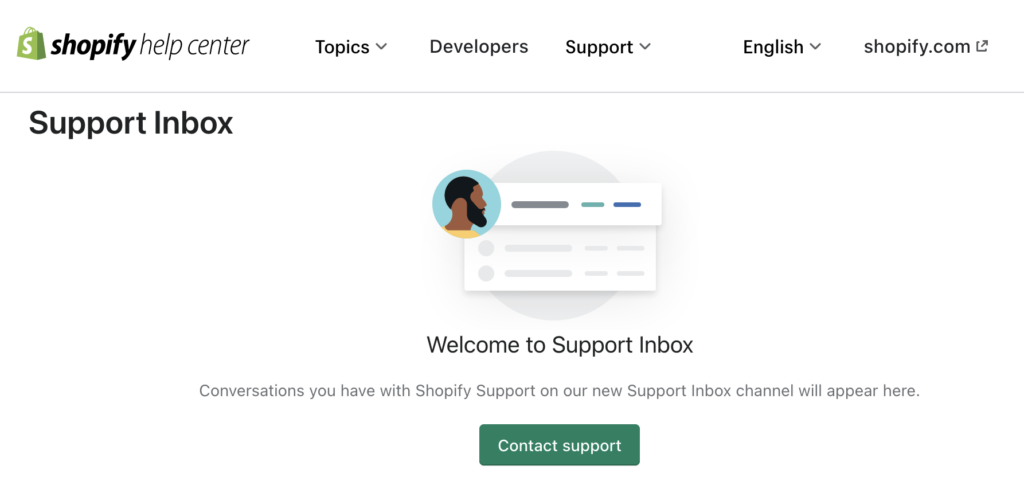
การดำเนินงาน ช็อปฟี่ ร้านค้าออนไลน์ควรให้ความรู้สึกตื่นเต้น ไม่ใช่สับสน เมื่อมีคำถามหรือปัญหาเกิดขึ้น Shopify มีช่องทางการสนับสนุนหลายช่องทาง ขึ้นอยู่กับสิ่งที่คุณต้องการและแผนการใช้งานของคุณ นี่คือคู่มือฉบับใหม่ที่เข้าใจง่าย เพื่อให้คุณได้รับความช่วยเหลือที่ถูกต้องโดยไม่ต้องปวดหัว.
การสนับสนุนสำหรับแอป Shop
แอป Shop มีช่องทางการสนับสนุนสองช่องทาง ได้แก่ ช่องทางสำหรับผู้ซื้อ และช่องทางสำหรับผู้ขาย.
- สำหรับลูกค้า:
หากคุณใช้แอป Shop ในการเรียกดูสินค้า ติดตามคำสั่งซื้อ หรือจัดการการชำระเงิน ศูนย์ช่วยเหลือของแอป Shop คือแหล่งข้อมูลหลักของคุณ คุณสามารถติดต่อร้านค้า ผู้ให้บริการขนส่ง หรือรายงานปัญหาได้โดยตรงภายในแอป. - สำหรับผู้ค้า:
หากคุณใช้แอป Shop เป็นช่องทางการขายและมีคำถามเกี่ยวกับร้านค้า คุณจะต้องติดต่อฝ่ายสนับสนุนของ Shopify โดยตรง ฝ่ายสนับสนุนแอป Shop ไม่ได้จัดการปัญหาที่เกิดขึ้นฝั่งร้านค้า.
การขอความช่วยเหลือเกี่ยวกับแอปพลิเคชัน
แอป Shopify ทุกแอปไม่ได้ถูกสร้างหรือได้รับการสนับสนุนในลักษณะเดียวกันเสมอไป.
- แอปจาก Shopify: ได้รับการสนับสนุนอย่างเต็มที่จาก Shopify.
- แอปจากผู้พัฒนาภายนอก: การสนับสนุนจะดำเนินการโดยผู้พัฒนาแอป ไม่ใช่ Shopify.
โดยปกติแล้ว คุณสามารถค้นหาลิงก์สนับสนุนและเอกสารประกอบได้โดยตรงภายในส่วนผู้ดูแลระบบ Shopify ของคุณ หากแอปต้องการการปรับแต่ง พาร์ทเนอร์ของ Shopify มักจะเป็นทางออกที่ดีที่สุด.
การขอความช่วยเหลือเกี่ยวกับคำถามด้านการเขียนโค้ด
สำหรับเรื่องที่เกี่ยวข้องกับโค้ด Shopify จะแนะนำให้คุณไปที่ระบบนิเวศของนักพัฒนา:
- Shopify.dev: เอกสารทางการและแนวปฏิบัติที่ดีที่สุด
- .ผู้ช่วย .dev: AI ช่วยเหลือคำถามเกี่ยวกับโค้ด
- ชุมชน Shopify: คำตอบจากประสบการณ์จริงของนักพัฒนาซอฟต์แวร์ท่านอื่นๆ
เว้นแต่คุณจะใช้ Shopify Plus หรือเป็นพาร์ทเนอร์ของ Shopify โดยทั่วไปแล้ว ฝ่ายสนับสนุนของ Shopify จะไม่ให้ความช่วยเหลือในการแก้ไขปัญหาโค้ดที่เขียนขึ้นเอง.
การสนับสนุนสำหรับธีม Shopify ฟรี

ใช้ธีมฟรีที่สร้างโดย Shopify ใช่ไหม? คุณจะได้รับสิทธิประโยชน์ดังต่อไปนี้:
- การแก้ไขปัญหาเบื้องต้น
- คำแนะนำสำหรับผู้ดูแลระบบ
- คำถามที่เกี่ยวข้องกับธุรกิจ (เช่น พื้นฐานการตลาด)
หากคุณใช้แพ็กเกจ Basic หรือสูงกว่า Shopify จะให้ความช่วยเหลือด้านการออกแบบฟรีสูงสุด 60 นาที (แบ่งเป็นช่วงละ 15 นาที) สำหรับการปรับแต่งธีมเล็กๆ น้อยๆ อย่างไรก็ตาม การเขียนโค้ดแบบกำหนดเองนั้นอยู่นอกเหนือขอบเขตการให้บริการของ Shopify.
รองรับธีมจากผู้พัฒนาภายนอกแบบเสียค่าใช้จ่าย
ธีมแบบเสียเงินจะได้รับการสนับสนุนจากผู้สร้างธีมนั้นๆ ไม่ใช่จาก Shopify.
คุณสามารถ:
- ดูเอกสารประกอบธีม
- ติดต่อผู้พัฒนาธีมผ่านทางผู้ดูแลระบบของคุณ
นักพัฒนาซอฟต์แวร์ภายนอกส่วนใหญ่ไม่รับทำคำขอออกแบบตามสั่ง หากต้องการปรับแต่งเพิ่มเติม แนะนำให้ทำงานร่วมกับพาร์ทเนอร์ของ Shopify.
วิธีติดต่อฝ่ายสนับสนุนของ Shopify
ตัวเลือกการสนับสนุนจาก Shopify ขึ้นอยู่กับแพ็กเกจที่คุณเลือก.
ตัวเลือกการสนับสนุนตามแผน
- แผนทั้งหมด: แชทสดตลอด 24 ชั่วโมง
- Shopify Plus: การสนับสนุนทางแชท โทรศัพท์ และอีเมล
- ขายปลีก: การสนับสนุนทางแชท โทรศัพท์ และอีเมล
วิธีที่เร็วที่สุดในการขอความช่วยเหลือ
ขั้นตอนที่ 1: ใช้การค้นหาด้วย AI
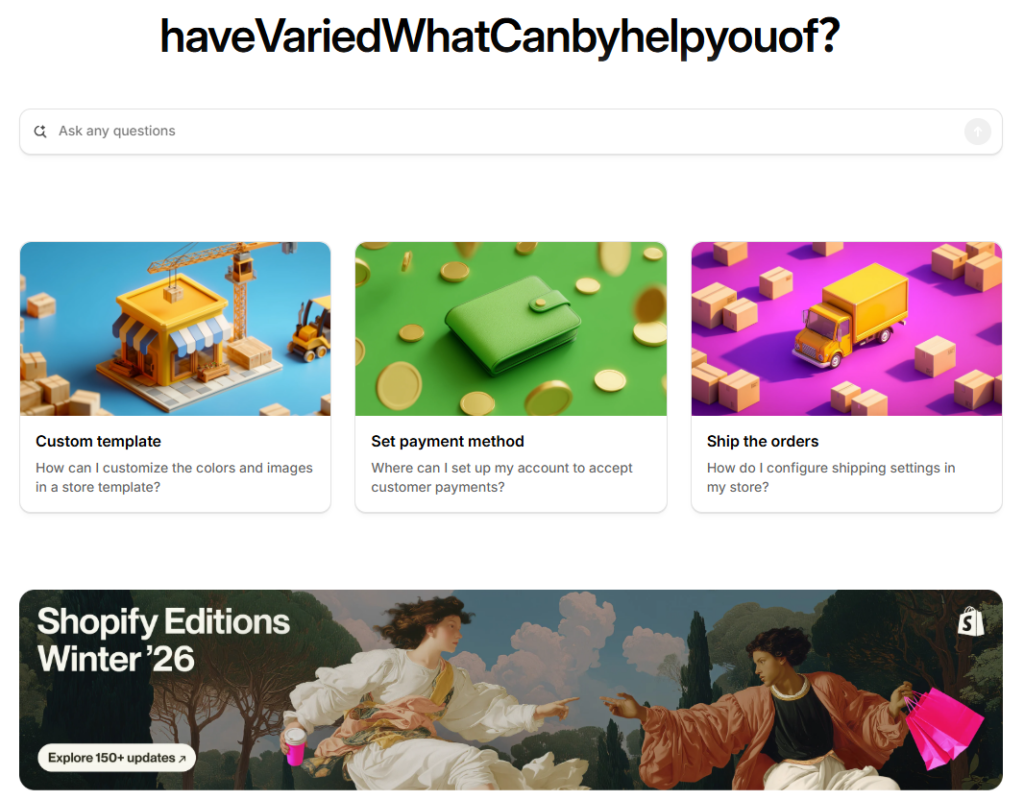
เริ่มต้นที่ ศูนย์ช่วยเหลือของ Shopify และถามคำถามของคุณในแถบค้นหา AI ได้เลย ใช้งานได้ตลอด 24 ชั่วโมง และมักให้คำตอบแบบทันทีและเป็นขั้นตอน.
ขั้นตอนที่ 2: ถามคำถามที่ชัดเจนและเจาะจง
ยิ่งคุณให้รายละเอียดมากเท่าไหร่ ผลลัพธ์ก็จะยิ่งดีขึ้นเท่านั้น ปัญหาหลายอย่างสามารถแก้ไขได้โดยไม่ต้องรอคำแนะนำจากผู้เชี่ยวชาญ.
การพูดคุยกับที่ปรึกษาด้านการสนับสนุนมนุษย์
หากการค้นหาด้วย AI ยังไม่เพียงพอ:
- เยี่ยม help.shopify.com
- คลิกที่ “แชทกับเรา” (มุมล่างขวา)
- เข้าสู่ระบบบัญชี Shopify ของคุณ
- เลือกสาขาของคุณ
- เข้าสู่ระบบคิวรับการสนับสนุนและดูเวลาที่ต้องรอโดยประมาณ
หากคุณไม่สามารถเข้าสู่ระบบได้ โปรดเลือกตัวเลือก "เข้าสู่ระบบไม่ได้" หรือส่งแบบฟอร์มแจ้งปัญหาการเข้าสู่ระบบ.
บันทึก: คุณต้องเข้าสู่ระบบก่อนจึงจะสามารถติดต่อกับเจ้าหน้าที่ฝ่ายสนับสนุนได้ ระบบจะสร้างตั๋วหลังจากเสร็จสิ้นการสนทนาสดแล้วเท่านั้น.
เคล็ดลับเพื่อประสบการณ์การสนับสนุนที่ดีขึ้น
- แชร์ภาพหน้าจอเพื่ออธิบายปัญหาได้เร็วขึ้น
- อธิบายให้ชัดเจนว่าคุณได้ลองทำอะไรไปบ้าง และอะไรที่ผิดพลาดไป
- โปรดระบุให้แน่ชัดว่าคุณกำลังถามถึงร้านค้าใด
ข้อจำกัดการสนับสนุนที่สำคัญ
- ไม่มีบริการให้ความช่วยเหลือทางโทรศัพท์หรืออีเมลสำหรับแพ็กเกจที่ไม่ใช่ Plus และไม่ใช่ Retail
- บริการแชทและค้นหาด้วย AI พร้อมให้บริการตลอด 24 ชั่วโมง
- คุณสามารถออกจากคิวได้ทุกเมื่อหากคุณไม่ต้องการความช่วยเหลืออีกต่อไป
การสนับสนุนเพิ่มเติมสำหรับ Shopify Plus และ Retail

- Shopify Plus: บริการแชทด่วน, สายโทรศัพท์, อีเมล
- ขายปลีก: การสนับสนุนทางโทรศัพท์และอีเมล (ตอบกลับภายในประมาณ 48 ชั่วโมง)
ข้อคิดส่งท้าย
ช็อปฟี่ เว็บไซต์นี้ให้เครื่องมือแก่คุณ แต่การรู้ว่าจะขอความช่วยเหลือจากที่ไหนนั้นสำคัญที่สุด ไม่ว่าจะเป็นโครงสร้างร้านค้า รูปแบบธีม หรือการออกแบบที่เน้นการเพิ่มยอดขาย ช่องทางการสนับสนุนที่ถูกต้องจะช่วยประหยัดเวลาและพลังงาน.
ที่ AIRSANG, เราทำงานในด้านนี้โดยตรง—ช่วยแบรนด์ต่างๆ เติบโตผ่านอีคอมเมิร์ซข้ามพรมแดน การออกแบบเว็บไซต์ Shopify และโครงสร้างหน้าเว็บที่เน้นการแปลงผู้เข้าชมเป็นลูกค้า หากคุณต้องการสร้างหรือปรับปรุงร้านค้า Shopify ที่มีประสิทธิภาพจริงๆ โปรดติดตามเรา AIRSANG และมาทำให้ร้านค้าของคุณดูชัดเจน สว่างขึ้น และมีประสิทธิภาพมากขึ้นกันเถอะ ✨


ออกแบบและสร้างเว็บไซต์ WordPress หรือเว็บไซต์องค์กรพร้อมระบบอีคอมเมิร์ซครบวงจรสำหรับคุณ.
ช่วงราคา: $200.00 ถึง $2,500.00ข้อกำหนดเฉพาะหรือใบเสนอราคาพิเศษ
ราคาเดิมคือ: $2.00.$1.00ราคาปัจจุบันคือ: $1.00. การใช้ปลั๊กอิน 50 ตัวมากเกินไปสำหรับร้านค้าออนไลน์ที่ใช้ WordPress หรือไม่?
การเข้าใจผลกระทบที่แท้จริงต่อประสิทธิภาพ การมีปลั๊กอิน 50 ตัวบนเว็บไซต์อีคอมเมิร์ซ WordPress ไม่ใช่ปัญหาโดยอัตโนมัติ จริงๆ แล้ว จำนวนเพียงอย่างเดียวแทบจะไม่สามารถกำหนดประสิทธิภาพได้....

ภาพหลักสำหรับการแปลงลิปสติกเป็นสินค้าสำหรับ Amazon
บทนำ: การออกแบบภาพหลักลิปสติกที่ขายได้บน Amazon เมื่อเราออกแบบภาพหลักสำหรับลิปสติกบน Amazon ความรับผิดชอบของเราไม่ได้จำกัดอยู่แค่...

แฮกเกอร์ขโมยอีเมลผู้ดูแลระบบ WordPress ได้อย่างไร (และวิธีป้องกัน)
มาเริ่มกันด้วยความจริงที่ไม่น่าสบายใจ: อีเมลแอดมิน WordPress ของคุณอาจเปิดเผยต่อสาธารณะมากกว่าที่คุณคิด และแฮกเกอร์? พวกเขาชอบมาก สำหรับพวกเขา...

อะไรทำให้รองพื้นชนิดเหลวของ Amazon (ภาพหลัก) ขายดี?
บทนำ การออกแบบภาพหลักสำหรับรองพื้นชนิดเหลวบน Amazon ไม่ใช่แค่การทำให้ผลิตภัณฑ์ดูสวยงามเท่านั้น บน Amazon ภาพหลักและ...

การออกแบบภาพหลัก Amazon ที่มีประสิทธิภาพสำหรับตลับกรอง
บทนำ การออกแบบภาพหลักสำหรับ Amazon ไม่ใช่แค่การทำให้สินค้าดูน่าดึงดูดเท่านั้น แต่ยังเกี่ยวกับความชัดเจน ความน่าเชื่อถือ และความเข้าใจได้ในทันที โดยเฉพาะอย่างยิ่งสำหรับ...

การโจมตีแบบ Replay Attack บน WordPress: ภัยคุกคามจริงหรือแค่เรื่องที่ถูกพูดเกินจริง?
ก่อนอื่นขอชี้แจงให้ชัดเจนก่อน การโจมตีแบบ Replay Attack นั้นดูไม่น่ากลัว มันไม่ได้ทำลายรหัสผ่าน มันไม่ได้แทรกโค้ดที่เป็นอันตรายพร้อมข้อความแฮ็กเกอร์สีเขียวกระจัดกระจายไปทั่ว มันแนบเนียนกว่า...

วิธีคัดลอกหน้าเว็บ WordPress โดยไม่ทำให้ระบบเสียหาย
ยอมรับกันเถอะ บางครั้งคุณอาจไม่อยากสร้างหน้าเว็บใหม่ คุณแค่อยากได้หน้าเว็บเดิม...แต่แตกต่างไปเล็กน้อย รูปแบบเหมือนเดิม บล็อกเหมือนเดิม การตั้งค่าเหมือนเดิม เพราะ...

เปรียบเทียบธีม WordPress สำหรับสัตว์เลี้ยง 5 แบบ
บทนำ การเลือกธีม WordPress ที่เหมาะสมสำหรับธุรกิจเกี่ยวกับสัตว์เลี้ยงนั้นไม่ใช่แค่เรื่องของการออกแบบเท่านั้น แต่ยังส่งผลโดยตรงต่อการใช้งาน ความสามารถในการขยายขนาด และการเติบโตของธุรกิจในระยะยาว การดูแลสัตว์เลี้ยงและ...

เปรียบเทียบธีมอีคอมเมิร์ซชุดว่ายน้ำ 5 แบบ
บทนำ การเลือกธีมที่เหมาะสมสำหรับร้านค้าอิสระที่จำหน่ายชุดว่ายน้ำหรือชุดชั้นในนั้นไม่ใช่แค่การตัดสินใจด้านภาพลักษณ์เท่านั้น แต่ยังส่งผลโดยตรงต่ออัตราการเปลี่ยนลูกค้าให้เป็นผู้ซื้อ ความสามารถในการขยายธุรกิจ และความยั่งยืนในระยะยาว...

วิธีปิดการแสดงความคิดเห็นใน WordPress (โดยไม่ต้องเสียสติ)
มาพูดถึงระบบแสดงความคิดเห็นของ WordPress กันดีกว่า ในทางทฤษฎีแล้ว ความคิดเห็นนั้นยอดเยี่ยมมาก มันช่วยกระตุ้นการสนทนา สร้างชุมชน และทำให้เว็บไซต์ของคุณดูมีชีวิตชีวา แต่ในความเป็นจริงแล้ว มันมักจะเป็นเหมือนแม่เหล็กดึงดูด...

ข้อผิดพลาด WordPress 500: เมื่อเว็บไซต์ของคุณเกิดอาการผิดปกติ
เว็บไซต์ WordPress ของคุณยังใช้งานได้ปกติดีเมื่อสักครู่ คุณรีเฟรชหน้าเว็บ แล้วจู่ๆ ก็เกิดข้อผิดพลาด 500 Internal Server Error ขึ้นมา ไม่มีคำอธิบาย ไม่มีคำขอโทษ มีเพียงข้อความที่เย็นชาและสับสนซึ่งโดยพื้นฐานแล้ว...

วิธีปิดใช้งานร้านค้า Shopify: คู่มือที่ชัดเจนและใช้งานได้จริง
การปิดใช้งานร้านค้า Shopify นั้นไม่ซับซ้อน แต่ก็มีผลกระทบหลายอย่างที่ผู้ขายหลายรายมองข้ามไป คู่มือนี้จะอธิบายขั้นตอนอย่างละเอียดและเข้าใจง่าย...

เปรียบเทียบธีมร้านขายรองเท้า 5 แบบ
บทนำ การเลือกธีมที่เหมาะสมสำหรับร้านค้าอิสระที่เน้นจำหน่ายรองเท้าไม่ใช่แค่การตัดสินใจด้านภาพลักษณ์เท่านั้น แต่ยังส่งผลโดยตรงต่อความสามารถในการขยายธุรกิจ การดำเนินงานประจำวัน และประสิทธิภาพการแปลงลูกค้าในระยะยาว...

Shopify ปะทะ Etsy: การประลองการขายออนไลน์ครั้งยิ่งใหญ่
บทนำ: สองแพลตฟอร์มเดินเข้าไปในบาร์… ถ้า Shopify และ Etsy เป็นคน Etsy ก็คงเป็นเพื่อนที่น่ารักคนนั้นที่มีบูธอยู่ที่….

เว็บไซต์ Shopify หรือ WordPress ของคุณถูกแฮ็กหรือไม่? นี่คือสิ่งที่คุณควรทำ
บทนำ: เปรียบเสมือนการตื่นขึ้นมาพบกับหน้าต่างที่แตกในโลกดิจิทัล ลองนึกภาพว่าคุณตื่นนอน หยิบกาแฟยามเช้า เปิดแล็ปท็อป… แล้วพบว่าเว็บไซต์ของคุณ….

วิธีเริ่มต้นร้านค้า Shopify โดยไม่เสียสติ
การเริ่มต้นร้านค้าบน Shopify ฟังดูหรูหรา คุณนึกภาพตัวเองกำลังจิบกาแฟตอนเที่ยง ตรวจสอบการแจ้งเตือนยอดขาย และบอกเพื่อน ๆ อย่างสบาย ๆ ว่า “ใช่ ร้านค้าของฉันทำได้ดีทีเดียว...”.

Shopify น่าเชื่อถือหรือไม่? คู่มือฉบับสมบูรณ์สำหรับผู้ขายออนไลน์มือใหม่
หากคุณกำลังค้นหาข้อมูลเกี่ยวกับแพลตฟอร์มอีคอมเมิร์ซ คุณอาจพิมพ์คำถามเฉพาะเจาะจงข้อหนึ่งลงใน Google ว่า Shopify น่าเชื่อถือหรือไม่? คำถามนั้นสมเหตุสมผลอย่างยิ่ง การเปิดตัว...

เปรียบเทียบธีมสำหรับร้านขายเสื้อผ้าเด็ก: WordPress และ Shopify
บทนำ การเลือกธีมที่เหมาะสมเป็นหนึ่งในการตัดสินใจที่สำคัญที่สุดเมื่อสร้างร้านค้าอิสระจำหน่ายเสื้อผ้าเด็กหรือทารก โทนสีของการออกแบบ ความเข้ากันได้กับแพลตฟอร์มต่างๆ...