












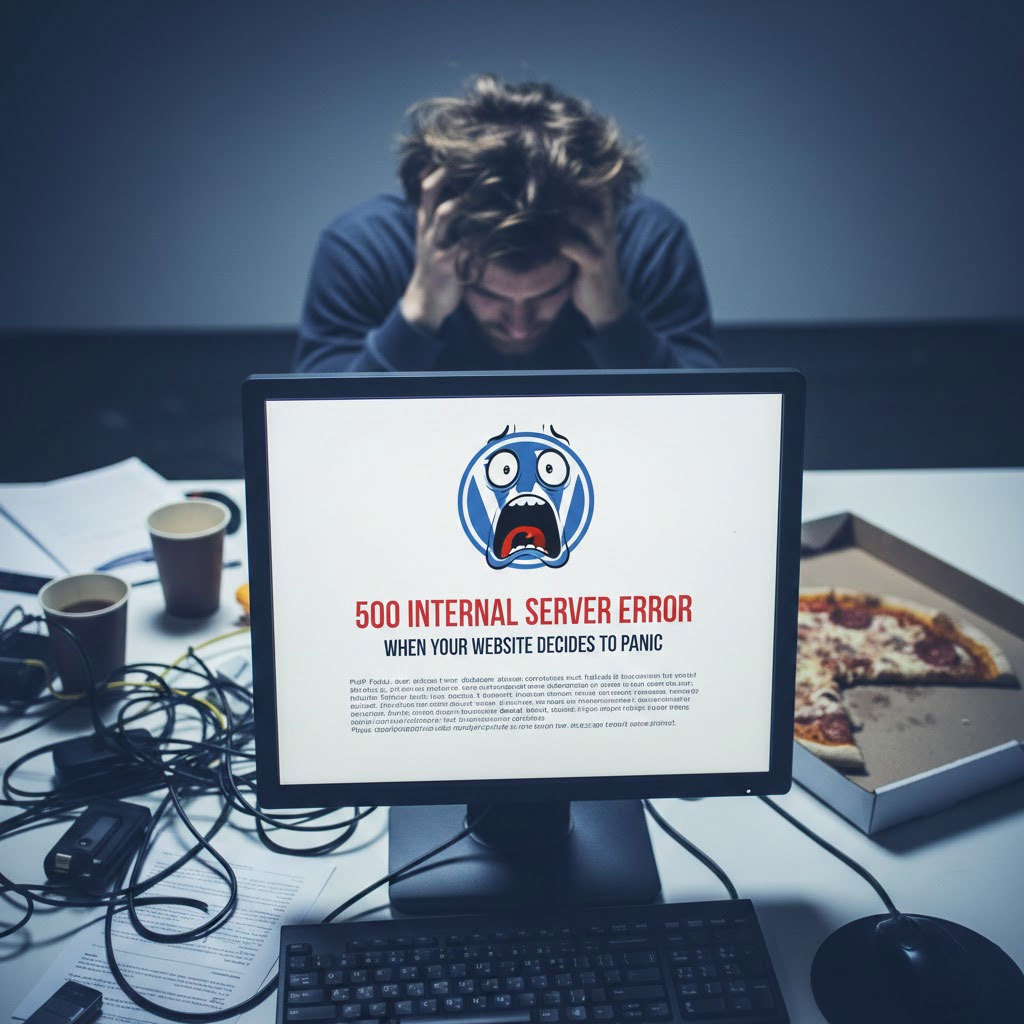
ของคุณ วordpress เว็บไซต์ยังใช้งานได้ปกติเมื่อสักครู่.
คุณได้รีเฟรชหน้าเว็บแล้ว.
แล้วอยู่ดีๆ ก็เกิดข้อผิดพลาดขึ้นมาทันที—ตูม 💥—ข้อผิดพลาด 500 Internal Server Error.
ไม่มีคำอธิบาย.
ไม่มีคำขอโทษ.
เป็นเพียงข้อความที่เย็นชาและสับสน ซึ่งโดยพื้นฐานแล้วบอกว่า:
“เกิดข้อผิดพลาดบางอย่างขึ้น”.
อย่าถามฉันว่าอะไร”
ถ้าคุณเคยจ้องมองข้อผิดพลาดนี้ราวกับว่ามันทรยศคุณเป็นการส่วนตัว ขอแสดงความยินดีด้วย คุณคือผู้ใช้ WordPress อย่างเป็นทางการแล้ว.
มาดูกันว่าข้อผิดพลาดนี้หมายความว่าอย่างไร เกิดขึ้นได้อย่างไร และจะแก้ไขได้อย่างไรโดยไม่เสียสติ (หรือทำให้เว็บไซต์ของคุณเสียหาย).
สิ่งแรกที่ต้องรู้: ข้อผิดพลาด 500 Internal Server Error คืออะไร?
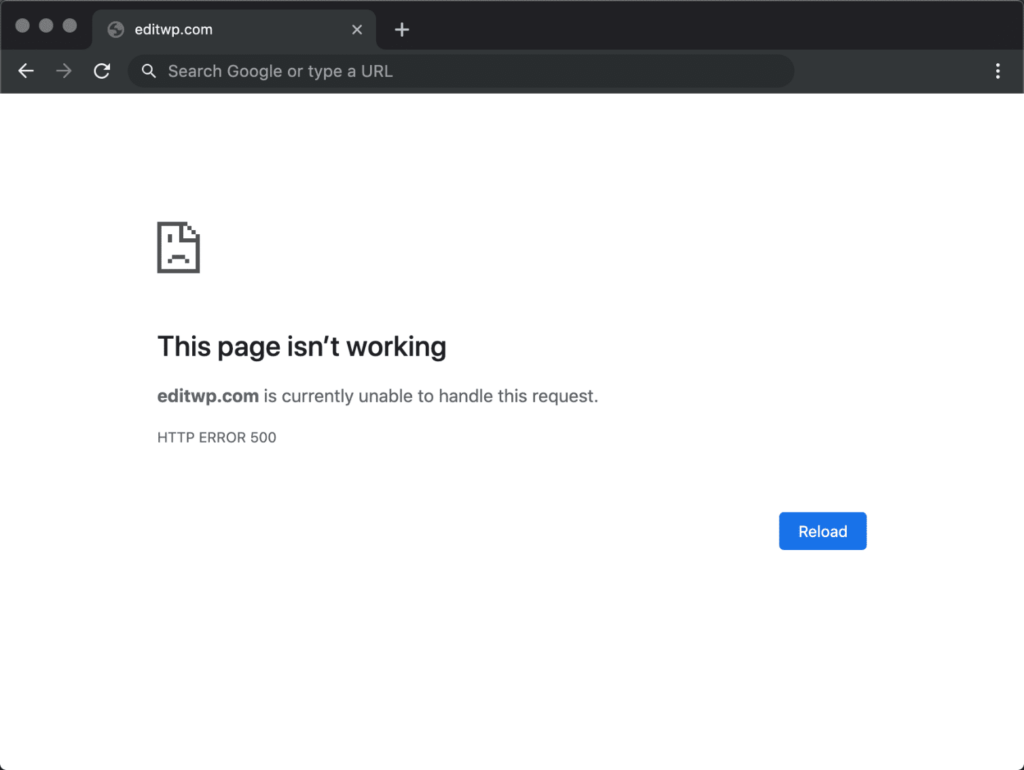
ข้อผิดพลาด 500 คือข้อความที่ WordPress แจ้งว่า:
“ฉันพยายามแล้ว”.
มีบางอย่างผิดพลาด.
ฉันไม่รู้ว่าอันไหน.
ขอให้โชคดี."”
นี่เป็นข้อผิดพลาดฝั่งเซิร์ฟเวอร์ ไม่ใช่ปัญหาของธีม ไม่ใช่การพิมพ์ผิด และไม่ใช่เพราะดาวพุธโคจรย้อนหลัง.
เซิร์ฟเวอร์ไม่สามารถประมวลผลคำขอได้.
น่ารำคาญไหม? ใช่.
พบเห็นได้บ่อยไหม? บ่อยมากเลยล่ะ.
แก้ไขได้ไหม? ได้แน่นอน.
สาเหตุที่พบบ่อยที่สุดที่ทำให้ WordPress แสดงข้อผิดพลาด 500
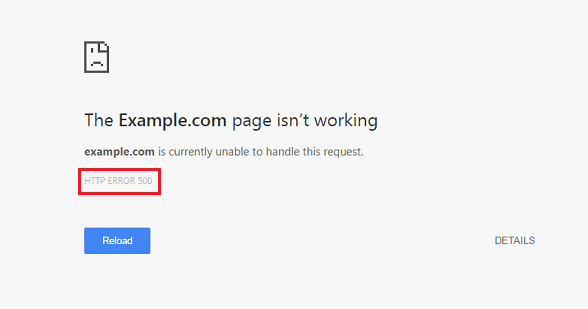
คิดซะว่าข้อผิดพลาดนี้เกิดจาก WordPress มีวันที่ไม่ดีก็ได้.
นี่คือรายชื่อผู้ต้องสงสัยตามปกติ:
1. ปลั๊กอินตัวหนึ่งตื่นขึ้นมาและเลือกที่จะใช้ความรุนแรง
ปลั๊กอินนั้นยอดเยี่ยมมาก จนกระทั่งการอัปเดตครั้งหนึ่งทำให้ทุกอย่างพังหมด.
สิ่งที่ต้องทำ:
- ปิดใช้งานปลั๊กอินทั้งหมด
- รีเฟรชหน้าเว็บ
- เปิดใช้งานทีละรายการ
เมื่อเกิดข้อผิดพลาดขึ้นอีกครั้ง นั่นหมายความว่าคุณพบต้นตอของปัญหาแล้ว.
(เคล็ดลับ: โดยปกติแล้วจะเป็นอันที่ระบุว่า "การอัปเดตเล็กน้อย")
2. ธีมของคุณกำลังเผชิญกับวิกฤตทางด้านอัตถิภาวะ
โค้ดที่เขียนเอง การอัปเดตที่ผิดพลาด หรือการแก้ไขที่ไม่สมบูรณ์ ฟังก์ชัน.php ไฟล์ดังกล่าวอาจทำให้เว็บไซต์ล่มได้.
ทดสอบอย่างรวดเร็ว:
- เปลี่ยนไปใช้ธีมเริ่มต้น (เช่น ธีมยี่สิบยี่สิบสี่)
- ถ้าเว็บไซต์โหลดได้ แสดงว่าธีมของคุณมีปัญหา ไม่ใช่ WordPress
3. เดอะ .htaccess ไฟล์ไม่ใช่เพื่อนของคุณในวันนี้
ทุจริต .htaccess ไฟล์ดังกล่าวอาจทำลายความฝันในการสร้างเว็บไซต์ของคุณโดยไม่รู้ตัว.
แก้ไข:
- เปลี่ยนชื่อ
.htaccessถึง.htaccess_เก่า - รีเฟรชเว็บไซต์ของคุณ
- ไปที่ การตั้งค่า → ลิงก์ถาวร แล้วคลิก บันทึก
WordPress จะสร้างไฟล์ที่สะอาดตาให้คุณโดยอัตโนมัติ.
4. ข้อจำกัดด้านหน่วยความจำของ PHP: ภัยเงียบที่ร้ายแรง
เว็บไซต์ของคุณต้องการทรัพยากรมาก.
เซิร์ฟเวอร์ของคุณแจ้งว่า: “หน่วยความจำเต็มแล้ว”
สารละลาย:
เพิ่มขีดจำกัดหน่วยความจำ PHP ใน wp-config.php:
define('WP_MEMORY_LIMIT', '256M');
เพราะแรม 64MB ในปี 2025 นั้นน้อยเกินไปจริงๆ.
5. ปัญหาเกี่ยวกับเซิร์ฟเวอร์หรือโฮสติ้ง (ใช่ มันเกิดขึ้นได้)
บางครั้งมันก็ไม่ใช่ความผิดของคุณ.
ปัญหาอยู่ที่เซิร์ฟเวอร์ครับ.
การโอเวอร์โหลดของโฮสติ้งแบบแชร์ เวอร์ชัน PHP ที่ตั้งค่าไม่ถูกต้อง หรือการหยุดทำงานชั่วคราว ล้วนสามารถทำให้เกิดข้อผิดพลาด 500 ได้.
หากวิธีอื่น ๆ ล้มเหลวทั้งหมด:
- ตรวจสอบบันทึกของเซิร์ฟเวอร์
- ติดต่อผู้ให้บริการโฮสติ้งของคุณ
- หรือพิจารณาอัปเกรดก่อนที่เว็บไซต์ของคุณจะเกิดปัญหาขึ้นอีกครั้ง
วิธีแก้ไขข้อผิดพลาดอย่างใจเย็นและมีความรับผิดชอบแบบผู้ใหญ่
เปิดใช้งานโหมดดีบักของ WordPress:
define('WP_DEBUG', true); define('WP_DEBUG_LOG', true);
วิธีนี้จะทำให้คุณได้รับข้อความแสดงข้อผิดพลาดที่แท้จริง แทนที่ WordPress จะแสดงแต่เพียงการบอกปัดเท่านั้น.
ความรู้ = อำนาจ.
ทำไมข้อผิดพลาด 500 ข้อถึงส่งผลเสียมากกว่าที่คุณคิด
ข้อผิดพลาด 500 ไม่ได้แค่ดูแย่เท่านั้น แต่ยัง:
- ทำลายการจัดทำดัชนี SEO
- ทำลายการแปลง
- ทำลายความไว้วางใจของผู้ใช้
- ทำให้ Google ตัดสินคุณอย่างเงียบๆ
หากเว็บไซต์ของคุณล่มระหว่างการแสดงโฆษณา โปรโมชั่น หรือช่วงที่มีผู้เข้าชมจำนวนมาก…
นั่นคือเงินจำนวนจริงที่หายไป.
ข้อคิดส่งท้าย (และการตรวจสอบความเป็นจริงอย่างเป็นมิตร)
ข้อผิดพลาด 500 Internal Server Error ส่วนใหญ่สามารถแก้ไขได้ภายในไม่กี่นาที หากคุณรู้วิธีตรวจสอบ.
แต่ถ้าเหตุการณ์แบบนี้เกิดขึ้นซ้ำเรื่อยๆ ล่ะ?
หากรู้สึกว่าการอัปเดตมีความเสี่ยง?
ถ้าเว็บไซต์ของคุณพังทุกครั้งที่คุณแตะต้องมันล่ะ?
นั่นไม่ใช่ "พฤติกรรมปกติของ WordPress"“
นั่นเป็นปัญหาด้านโครงสร้าง.
และนั่นคือจุดที่ผู้เชี่ยวชาญเข้ามามีบทบาท.
ต้องการเว็บไซต์ WordPress ที่เสถียรและไม่ล่มโดยไม่ทราบสาเหตุใช่ไหม?
ที่ AIRSANG, เรามีความเชี่ยวชาญในด้านต่างๆ ดังนี้:
- เว็บไซต์ธุรกิจข้ามพรมแดน
- วordpress - ช็อปฟี่ การออกแบบเว็บไซต์
- การเพิ่มประสิทธิภาพและความเสถียร
- โครงสร้างที่ออกแบบมาเพื่อการเติบโตและเป็นมิตรกับ SEO
เราไม่ได้แค่ทำให้เว็บไซต์ดูดีเท่านั้น แต่เรายังดูแลให้เว็บไซต์เหล่านั้นออนไลน์อยู่ได้ สร้างยอดขาย และขยายขนาดได้ทั่วโลกอีกด้วย.
หากคุณเบื่อกับข้อผิดพลาดที่ไม่คาดคิดและการรีเฟรชหน้าเว็บอย่างตื่นตระหนกในตอนกลางคืน,
ติดตาม AIRSANG หรือติดต่อมาเมื่อคุณพร้อมที่จะสร้างสิ่งที่เป็นรูปธรรม.
พนักงานเสิร์ฟจะขอบคุณคุณค่ะ 😌


ออกแบบและสร้างเว็บไซต์ WordPress หรือเว็บไซต์องค์กรพร้อมระบบอีคอมเมิร์ซครบวงจรสำหรับคุณ.
ช่วงราคา: $200.00 ถึง $2,500.00ข้อกำหนดเฉพาะหรือใบเสนอราคาพิเศษ
ราคาเดิมคือ: $2.00.$1.00ราคาปัจจุบันคือ: $1.00. การใช้ปลั๊กอิน 50 ตัวมากเกินไปสำหรับร้านค้าออนไลน์ที่ใช้ WordPress หรือไม่?
การเข้าใจผลกระทบที่แท้จริงต่อประสิทธิภาพ การมีปลั๊กอิน 50 ตัวบนเว็บไซต์อีคอมเมิร์ซ WordPress ไม่ใช่ปัญหาโดยอัตโนมัติ จริงๆ แล้ว จำนวนเพียงอย่างเดียวแทบจะไม่สามารถกำหนดประสิทธิภาพได้....

แฮกเกอร์ขโมยอีเมลผู้ดูแลระบบ WordPress ได้อย่างไร (และวิธีป้องกัน)
มาเริ่มกันด้วยความจริงที่ไม่น่าสบายใจ: อีเมลแอดมิน WordPress ของคุณอาจเปิดเผยต่อสาธารณะมากกว่าที่คุณคิด และแฮกเกอร์? พวกเขาชอบมาก สำหรับพวกเขา...

การโจมตีแบบ Replay Attack บน WordPress: ภัยคุกคามจริงหรือแค่เรื่องที่ถูกพูดเกินจริง?
ก่อนอื่นขอชี้แจงให้ชัดเจนก่อน การโจมตีแบบ Replay Attack นั้นดูไม่น่ากลัว มันไม่ได้ทำลายรหัสผ่าน มันไม่ได้แทรกโค้ดที่เป็นอันตรายพร้อมข้อความแฮ็กเกอร์สีเขียวกระจัดกระจายไปทั่ว มันแนบเนียนกว่า...

วิธีคัดลอกหน้าเว็บ WordPress โดยไม่ทำให้ระบบเสียหาย
ยอมรับกันเถอะ บางครั้งคุณอาจไม่อยากสร้างหน้าเว็บใหม่ คุณแค่อยากได้หน้าเว็บเดิม...แต่แตกต่างไปเล็กน้อย รูปแบบเหมือนเดิม บล็อกเหมือนเดิม การตั้งค่าเหมือนเดิม เพราะ...

วิธีปิดการแสดงความคิดเห็นใน WordPress (โดยไม่ต้องเสียสติ)
มาพูดถึงระบบแสดงความคิดเห็นของ WordPress กันดีกว่า ในทางทฤษฎีแล้ว ความคิดเห็นนั้นยอดเยี่ยมมาก มันช่วยกระตุ้นการสนทนา สร้างชุมชน และทำให้เว็บไซต์ของคุณดูมีชีวิตชีวา แต่ในความเป็นจริงแล้ว มันมักจะเป็นเหมือนแม่เหล็กดึงดูด...

วิธีติดต่อฝ่ายสนับสนุนของ Shopify: คู่มือที่ง่ายและไม่ยุ่งยาก
การบริหารร้านค้า Shopify ควรเป็นเรื่องที่น่าตื่นเต้น ไม่ใช่เรื่องที่ทำให้สับสน เมื่อมีคำถามหรือปัญหาเกิดขึ้น Shopify มีช่องทางการสนับสนุนหลายช่องทาง ขึ้นอยู่กับสถานการณ์...

วิธีปิดใช้งานร้านค้า Shopify: คู่มือที่ชัดเจนและใช้งานได้จริง
การปิดใช้งานร้านค้า Shopify นั้นไม่ซับซ้อน แต่ก็มีผลกระทบหลายอย่างที่ผู้ขายหลายรายมองข้ามไป คู่มือนี้จะอธิบายขั้นตอนอย่างละเอียดและเข้าใจง่าย...

เปรียบเทียบธีมร้านขายรองเท้า 5 แบบ
บทนำ การเลือกธีมที่เหมาะสมสำหรับร้านค้าอิสระที่เน้นจำหน่ายรองเท้าไม่ใช่แค่การตัดสินใจด้านภาพลักษณ์เท่านั้น แต่ยังส่งผลโดยตรงต่อความสามารถในการขยายธุรกิจ การดำเนินงานประจำวัน และประสิทธิภาพการแปลงลูกค้าในระยะยาว...

Shopify ปะทะ Etsy: การประลองการขายออนไลน์ครั้งยิ่งใหญ่
บทนำ: สองแพลตฟอร์มเดินเข้าไปในบาร์… ถ้า Shopify และ Etsy เป็นคน Etsy ก็คงเป็นเพื่อนที่น่ารักคนนั้นที่มีบูธอยู่ที่….

เว็บไซต์ Shopify หรือ WordPress ของคุณถูกแฮ็กหรือไม่? นี่คือสิ่งที่คุณควรทำ
บทนำ: เปรียบเสมือนการตื่นขึ้นมาพบกับหน้าต่างที่แตกในโลกดิจิทัล ลองนึกภาพว่าคุณตื่นนอน หยิบกาแฟยามเช้า เปิดแล็ปท็อป… แล้วพบว่าเว็บไซต์ของคุณ….

วิธีเริ่มต้นร้านค้า Shopify โดยไม่เสียสติ
การเริ่มต้นร้านค้าบน Shopify ฟังดูหรูหรา คุณนึกภาพตัวเองกำลังจิบกาแฟตอนเที่ยง ตรวจสอบการแจ้งเตือนยอดขาย และบอกเพื่อน ๆ อย่างสบาย ๆ ว่า “ใช่ ร้านค้าของฉันทำได้ดีทีเดียว...”.

Shopify น่าเชื่อถือหรือไม่? คู่มือฉบับสมบูรณ์สำหรับผู้ขายออนไลน์มือใหม่
หากคุณกำลังค้นหาข้อมูลเกี่ยวกับแพลตฟอร์มอีคอมเมิร์ซ คุณอาจพิมพ์คำถามเฉพาะเจาะจงข้อหนึ่งลงใน Google ว่า Shopify น่าเชื่อถือหรือไม่? คำถามนั้นสมเหตุสมผลอย่างยิ่ง การเปิดตัว...

Shopify น่าเชื่อถือหรือไม่? คู่มือเปรียบเทียบ Shopify กับ BigCommerce
เมื่อผู้คนเริ่มต้นเข้าสู่โลกอีคอมเมิร์ซ คำถามหนึ่งที่มักเกิดขึ้นซ้ำแล้วซ้ำเล่าก็คือ Shopify น่าเชื่อถือหรือไม่? เป็นคำถามที่สมเหตุสมผล การเริ่มต้นร้านค้าออนไลน์หมายถึงการไว้วางใจ...

วิธีสร้างร้านค้า Shopify: คู่มือทีละขั้นตอนง่ายๆ
การสร้างร้านค้าออนไลน์เคยดูเหมือนเป็นเรื่องยากลำบาก โดเมน โฮสติ้ง ระบบชำระเงิน การออกแบบ การจัดส่ง การตลาด ทุกอย่างดูซับซ้อน ราคาแพง และเข้าใจยาก นั่นคือเหตุผลที่แพลตฟอร์มอย่าง Shopify จึงถือกำเนิดขึ้น...

คู่มือสำหรับนักออกแบบ Shopify ที่มีงบประมาณต่ำกว่า 1,000 ดอลลาร์
การสร้างร้านค้า Shopify ไม่จำเป็นต้องใช้งบประมาณมหาศาลหรือทีมงานภายในองค์กรเต็มรูปแบบอีกต่อไป สำหรับสตาร์ทอัพ ผู้ก่อตั้งรายบุคคล และผู้ขายข้ามชาติจำนวนมาก การจ้าง Shopify...
ข้อผิดพลาดร้ายแรงของ WordPress: สาเหตุและวิธีแก้ไข
หากคุณใช้งานเว็บไซต์ WordPress ข้อความที่น่าตกใจที่สุดข้อความหนึ่งคือ “เกิดข้อผิดพลาดร้ายแรงบนเว็บไซต์นี้” สำหรับหลายๆ คน...

วิธีเพิ่มขีดจำกัดหน่วยความจำของ WordPress อย่างปลอดภัย
คู่มือฉบับย่อสำหรับมือใหม่เพื่อประสิทธิภาพที่ดีขึ้น หากเว็บไซต์ WordPress ของคุณทำงานช้า ขัดข้องโดยไม่คาดคิด หรือแสดงข้อผิดพลาดเช่น “หน่วยความจำที่อนุญาตหมดลงแล้ว” คุณไม่ได้อยู่คนเดียว...
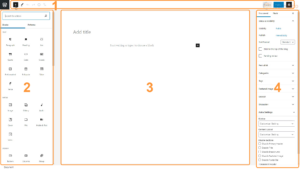
วิธีใช้งานตัวแก้ไขเริ่มต้นของ WordPress
หากคุณเพิ่งเริ่มต้นใช้งาน WordPress หนึ่งในเครื่องมือแรกๆ ที่คุณจะได้ใช้งานคือตัวแก้ไขข้อความเริ่มต้นของ WordPress ไม่ว่าคุณจะเขียนบทความบล็อก สร้างเว็บไซต์...