












Introdução
Learning how to create a blog on WordPress is one of the easiest ways to start publishing your ideas online. Whether you want to share personal stories, build a professional writing portfolio, teach a subject, document a hobby, or create content for a future business, WordPress gives you a flexible place to begin.
Many beginners think starting a blog requires coding, design experience, or a complicated technical setup. In reality, the basic process is much simpler. You need to choose your blog identity, create your first post, decide how your content will appear, organize your navigation, and help readers follow your updates.
This guide explains the process in a clear, beginner-friendly way. Instead of treating WordPress as a complicated website tool, think of it as a publishing home. Your goal is not to build a perfect website on day one. Your goal is to create a clear foundation, publish your first piece of content, and make it easy for people to read, understand, and return.
What Is a WordPress Blog?
A WordPress blog is a website where posts are published in a structured format. These posts usually appear in reverse chronological order, meaning the newest content shows first. A blog can be personal, educational, commercial, creative, or professional.
WordPress is popular because it gives beginners a simple way to publish content while also offering room to grow. You can start with a simple blog and later add pages, categories, email subscriptions, custom designs, social sharing, and even product-related content if your goals expand.
For beginners, the most important thing is not to use every available feature immediately. A strong blog starts with a clear topic, a readable layout, and consistent publishing.
Step 1: Choose Your Blog Identity
Before you publish anything, you need to define your blog’s identity. This includes your blog name, site title, tagline, domain name, and general direction.
Your blog name should help readers understand what your site is about. For example, a travel blog should sound different from a food blog, a tech blog, or a personal journal. A good name is easy to remember, easy to type, and connected to the content you plan to publish.
Your site title is usually the main name visitors see on your blog. Your tagline is a short sentence that explains your blog’s purpose. For example:
Site Title: Simple Home Cooking
Tagline: Easy recipes for busy families
This kind of identity gives readers instant context. They do not have to guess what the blog is about.
You also need to think about your domain name. A domain is your blog’s web address. Some beginners start with a free WordPress.com address first, then upgrade to a custom domain later. Others choose a custom domain from the beginning because it looks more professional and is easier to remember.
When choosing a domain, keep it short, clear, and relevant. Avoid complicated spellings, random numbers, or words that are hard to explain. Your domain should support your blog, not confuse your audience.
Step 2: Set a Clear Purpose for Your Blog
Before writing your first post, ask yourself one simple question: why does this blog exist?
Your answer will shape your content strategy. A blog without a clear purpose often becomes messy. One week it talks about travel, the next week it talks about finance, and then it suddenly becomes a personal diary. While personal blogs can cover many topics, readers still need some kind of pattern.
Your blog purpose can be simple:
You want to teach beginners a skill.
You want to share your experience in a specific hobby.
You want to document your personal growth.
You want to build trust around a professional service.
You want to create helpful content for a niche audience.
Once your purpose is clear, it becomes easier to choose article topics, categories, visuals, and writing style.
Step 3: Write Your First Blog Post
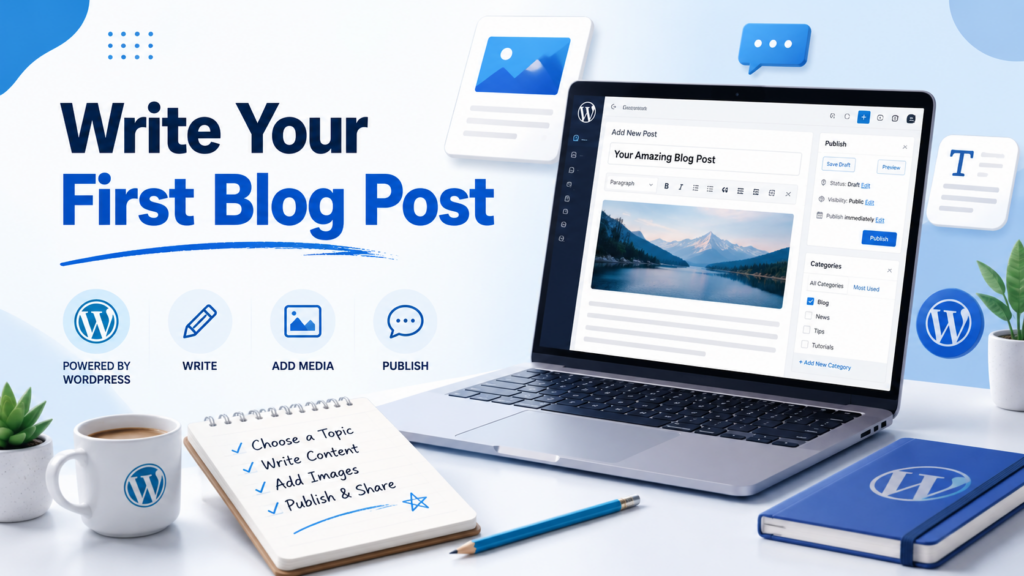
Your first post does not need to be perfect. It simply needs to introduce your blog and help readers understand what they can expect.
A good first blog post can answer a few basic questions:
Who are you?
Why did you start this blog?
What topics will you write about?
Who is the blog for?
What should readers expect next?
For example, if your blog is about beginner photography, your first post could explain your interest in photography, what kind of tutorials you plan to share, and how beginners can follow your learning journey.
Keep your first article clear and friendly. Do not overcomplicate it with too many sections or advanced formatting. The goal is to publish something that opens the door.
A simple first post structure could look like this:
Welcome to the Blog
Introduce the blog topic and explain why you created it.
What This Blog Will Cover
List the main themes or categories you plan to write about.
Who This Blog Is For
Explain the type of reader who will benefit from your content.
What Comes Next
Mention what readers can expect in future posts.
Publishing your first post is important because it turns your blog from an empty site into a real content platform.
Step 4: Choose How Your Posts Will Appear
After writing your first post, you need to decide how blog content will display on your site.
Some blogs show posts directly on the homepage. This is common for personal blogs, news-style blogs, and content-focused websites. Other blogs use a static homepage with a separate blog page. This works well when the site also includes services, products, a portfolio, or an about page.
For a beginner blog, either option can work. The best choice depends on your goal.
Use your homepage as the blog feed if content is the main focus.
Use a separate blog page if your site needs a more polished introduction before visitors read articles.
You can also organize posts by category. Categories help readers find related content. For example, a food blog might include categories such as Breakfast, Dinner, Desserts, and Meal Prep. A business blog might include Marketing, Web Design, SEO, and Case Studies.
Categories are useful because they make your blog easier to browse. They also help you plan future content more clearly.
Step 5: Pick a Simple Blog Design
Design matters, but beginners often make the mistake of spending too much time on it before publishing any content. A blog does not need to look fancy to be effective. It needs to be readable, organized, and visually consistent.
Choose a WordPress theme or design that fits your topic. A clean theme is usually better than a theme with too many effects. Readers come to your blog for information, so the design should support the content instead of distracting from it.
Pay attention to these design basics:
Your text should be easy to read.
Your headings should be clear.
Your images should support the topic.
Your homepage should explain what the blog is about.
Your layout should work well on mobile devices.
A good blog design creates trust. It makes readers feel that the content is organized and worth reading.
Step 6: Create Important Blog Pages
A blog is more than a list of posts. You should also create a few basic pages to help visitors understand your site.
Página Sobre
Your About page explains who you are and why the blog exists. This page is especially important because readers often want to know the person or purpose behind the content.
Página de contato
A Contact page gives readers, brands, clients, or collaborators a way to reach you. Even a simple contact form or email address can be enough when you are starting.
Página do blog
If your homepage is not your main post feed, create a separate Blog page where readers can browse your latest articles.
Privacy Page
If your blog collects emails, uses analytics, or has forms, a privacy page helps explain how visitor information is handled.
These pages make your blog feel more complete and trustworthy.
Step 7: Build a Clear Navigation Menu
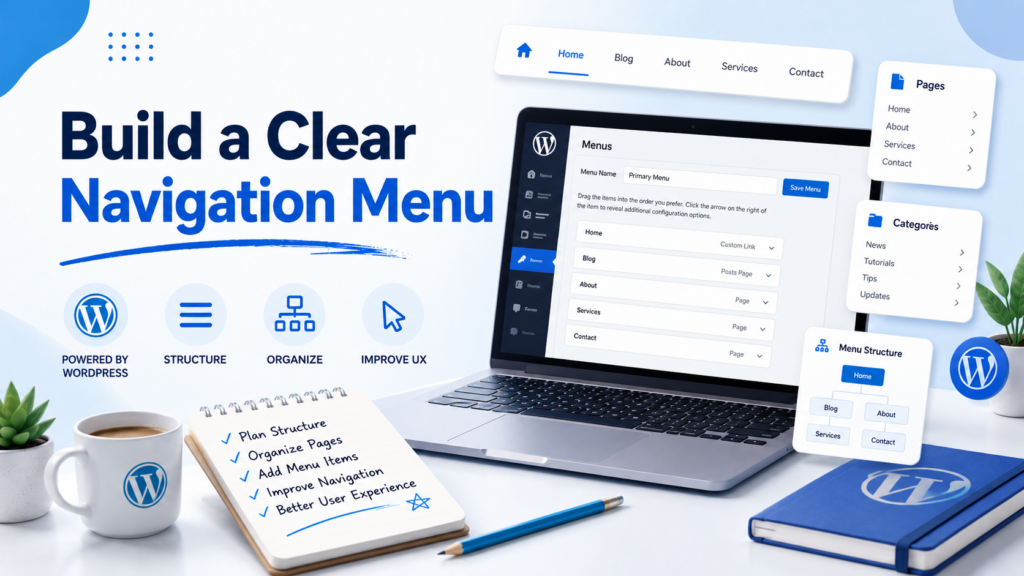
Your navigation menu is the roadmap of your blog. It usually appears at the top of the site and helps readers move between important sections.
A simple beginner menu might include:
Início
Blogue
Sobre
Contato
If your blog has several categories, you can also add category links. For example:
Recipes
Travel Guides
Productivity
Resources
Do not overload your menu with too many items. A crowded menu can confuse visitors. Start simple and expand only when your blog has enough content to justify more links.
The goal of navigation is clarity. Readers should always know where they are and where they can go next.
Step 8: Add a Subscribe Option
Once your blog has content, you need a way for people to follow future updates. A subscribe form lets readers receive notifications when you publish new posts.
This is important because most visitors will not remember to check your blog manually. If they like your content, a subscribe option gives them a simple way to stay connected.
Place your subscribe form somewhere visible, such as:
Página inicial
Blog sidebar
Rodapé
End of blog posts
About page
Your subscribe message should be simple. For example:
“Get new posts delivered to your inbox.”
You do not need a complicated email strategy at the beginning. Just make it easy for interested readers to follow your work.
Step 9: Share Your Blog With Your First Readers
After publishing your first post and setting up your basic blog structure, share it with people who may care about the topic.
You can start with friends, family, classmates, coworkers, online communities, or social media followers. The first audience does not need to be large. The goal is to get early feedback and build momentum.
Share your post with a short message explaining what it is about. Avoid simply dropping a link with no context. Give people a reason to click.
Por exemplo:
“I just started a blog about simple home cooking. My first post explains why I created it and what recipes I’ll be sharing next.”
This kind of message feels natural and clear.
Step 10: Plan Your Next Few Blog Topics
Many people publish one post and then stop because they do not know what to write next. To avoid that problem, plan at least five to ten blog topics in advance.
Your topics should match your blog’s purpose. If your blog teaches beginners about fitness, do not jump randomly into unrelated subjects. Build a content path that makes sense.
A simple topic plan could include:
Beginner guide
Common mistakes
Step-by-step tutorial
Personal experience
Product or tool recommendation
Frequently asked questions
Helpful checklist
Comparison article
Planning topics ahead of time makes blogging feel easier. It also helps you stay consistent.
Step 11: Keep Your Blog Easy to Read
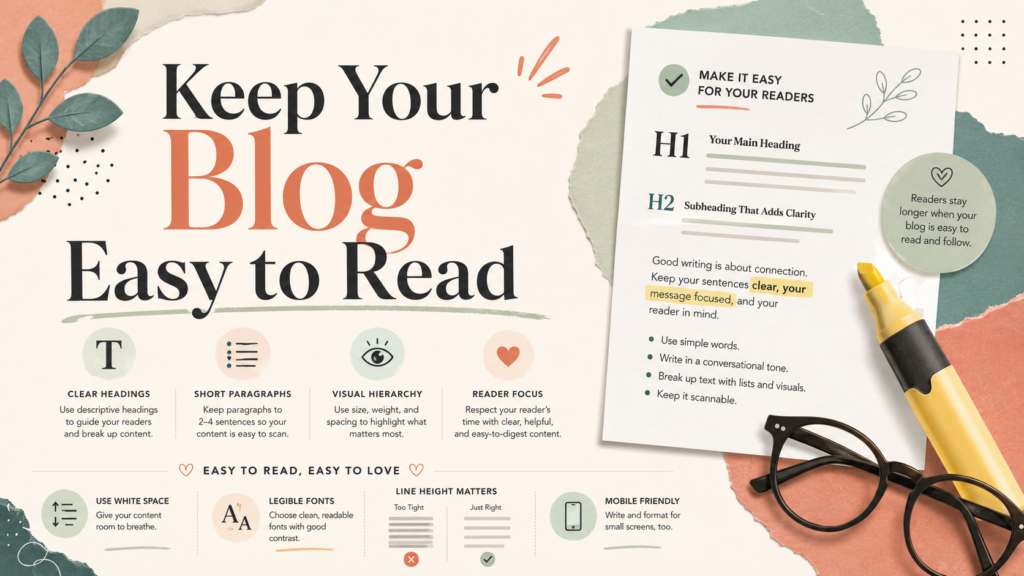
Good blog writing is not only about ideas. It is also about presentation. Online readers often scan before they read carefully, so your content should be easy to follow.
Use short paragraphs.
Add clear headings.
Break long sections into smaller parts.
Use simple language when possible.
Add examples to explain ideas.
Keep your introduction focused.
End with a clear summary.
You do not need to sound overly formal. The best blog writing often feels helpful, direct, and human.
Step 12: Improve Over Time
Your first version of the blog does not have to be final. WordPress allows you to adjust your design, update your pages, edit old posts, add new categories, and improve your structure later.
This is important for beginners to understand. Do not wait until everything feels perfect. Start with a clean foundation, publish useful content, and improve as you learn.
Over time, you can review your blog and ask:
Are visitors finding the right content?
Are my categories clear?
Does my homepage explain the blog well?
Is my menu simple?
Are my posts easy to read?
Do I have a clear subscribe option?
Am I publishing consistently?
Small improvements can make a big difference.
Erros comuns a evitar
When learning how to create a blog on WordPress, beginners often make a few common mistakes.
The first mistake is choosing a topic that is too broad. A blog about “everything” is hard to position. A more focused blog is easier for readers to understand.
The second mistake is spending too much time on design before writing. Design matters, but content gives the blog value.
The third mistake is ignoring navigation. If readers cannot find your posts, categories, or contact page, they may leave quickly.
The fourth mistake is not adding a follow or subscribe option. Without it, interested readers may never return.
The fifth mistake is giving up too soon. Blogging takes time. Your first posts may not get much traffic, but consistency helps your site grow.
Conclusão
Creating a blog on WordPress is not as difficult as it may seem. The process becomes much easier when you follow a clear order: choose your blog identity, define your purpose, write your first post, decide how posts will appear, select a simple design, create important pages, build a clear menu, add a subscribe option, and share your content with your first readers.
The most important step is to begin. Your blog does not need to be perfect on the first day. A strong blog grows through publishing, learning, editing, and improving over time. When you understand the basics of how to create a blog on WordPress, you can turn a simple idea into a real online publishing platform.
Perguntas frequentes
1. How do I create a blog on WordPress as a beginner?
You can create a blog on WordPress by choosing a blog name, setting up your site, selecting a theme, writing your first post, creating important pages, building a navigation menu, and publishing your content. Beginners should start simple and improve the blog gradually.
2. Do I need coding skills to create a WordPress blog?
No. You do not need coding skills to create a basic WordPress blog. WordPress provides themes, page settings, menus, and editing tools that allow beginners to publish content without writing code.
3. What should my first WordPress blog post be about?
Your first WordPress blog post can introduce who you are, why you started the blog, what topics you plan to cover, and what readers can expect in future posts. It should help visitors understand the purpose of your blog.
4. What pages should a new WordPress blog include?
A new WordPress blog should usually include a homepage, blog page, about page, contact page, and privacy policy page. These pages help visitors understand your site and make the blog feel more complete and trustworthy.
5. How can I make my WordPress blog easier to read?
You can make your WordPress blog easier to read by using clear headings, short paragraphs, readable fonts, enough white space, bullet points, images, and a mobile-friendly layout. Good readability helps readers stay longer and understand your content faster.
6. How do I get people to read my new WordPress blog?
You can get your first readers by sharing your posts on social media, sending them to friends or communities, adding a subscribe option, writing helpful content, and publishing consistently. Over time, search engines may also bring traffic if your content answers useful questions.


Conceber e construir um sítio Web WordPress ou um sítio empresarial com um sistema de comércio eletrónico completo para si.
Faixa de preço: $200.00 a $2,500.00custom-requirements-or-special-quotations
O preço original era: $2.00.$1.00O preço atual é: $1.00. 50 plugins são demais para uma loja virtual WordPress?
Entendendo o Impacto Real no Desempenho Ter 50 plugins em um site de eCommerce WordPress não é automaticamente um problema. Na verdade, o número por si só raramente determina o desempenho....

Explicação do design da imagem principal para o dispositivo de fisioterapia doméstica da Amazon
Introdução: Construindo uma imagem confiável para dispositivos de terapia doméstica na Amazon Ao projetar a imagem principal de um dispositivo de terapia doméstica na Amazon, nosso principal...

Design da imagem principal para conversão de batom da Amazon
Introdução: Conceber uma imagem principal de batom que vende na Amazon Quando concebemos uma imagem principal para um batom da Amazon, a nossa responsabilidade vai muito além...

Como os hackers roubam e-mails de administradores do WordPress (e como impedi-los)
Vamos começar com uma verdade incómoda: o seu e-mail de administrador do WordPress é provavelmente muito mais público do que pensa e os hackers? Eles adoram isso. Para eles, o seu...

O que faz uma base líquida da Amazon converter a imagem principal?
Introdução: Criar uma imagem principal para a base líquida da Amazon não se resume apenas a deixar o produto bonito. Na Amazon, a imagem principal e...

Como projetar uma imagem principal eficaz para cartuchos de filtro Amazon
Introdução: Criar uma imagem principal para a Amazon nunca se resume apenas a tornar um produto atraente. Trata-se de clareza, confiança e compreensão imediata — especialmente para...

Ataques de repetição no WordPress: ameaça real ou mito exagerado?
Vamos esclarecer uma coisa primeiro. Ataques de repetição não parecem assustadores. Eles não quebram senhas. Eles não injetam código malicioso com texto verde de hacker voando por toda parte. Eles são sorrateiros...

Como duplicar páginas do WordPress sem danificar nada
Vamos ser sinceros. Às vezes você não quer criar uma página nova. Você só quer a mesma página… mas um pouco diferente. Mesmo layout. Mesmos blocos. Mesmas configurações. Porque….

Comparativo de cinco temas WordPress para animais de estimação
Introdução Escolher o tema WordPress certo para o seu negócio de animais de estimação é mais do que uma decisão de design — afeta diretamente a usabilidade, a escalabilidade e o crescimento a longo prazo. Cuidados com animais de estimação e...

Comparando cinco temas de e-commerce de moda praia
Introdução: Escolher o tema certo para uma loja independente de moda praia ou lingerie não é apenas uma decisão visual — afeta diretamente as taxas de conversão, a escalabilidade e o sucesso a longo prazo...

Como desativar os comentários no WordPress (sem enlouquecer)
Vamos falar sobre os comentários do WordPress. Em teoria, os comentários são ótimos. Eles incentivam a discussão, constroem comunidade e dão vida ao seu site. Na prática? Muitas vezes, eles atraem...

Erro 500 do WordPress: Quando seu site decide entrar em pânico
Seu site WordPress estava funcionando perfeitamente até um minuto atrás. Você atualizou a página. E de repente — bum 💥 — Erro Interno do Servidor 500. Sem explicação. Sem pedido de desculpas. Apenas uma mensagem fria e confusa que basicamente...

Criando um site WordPress escalável para uma marca voltada para a ciência: o projeto AminoUSA
Introdução No cenário digital atual, um website é mais do que um lugar para listar produtos. Para marcas com foco em ciência que atuam em setores regulamentados ou voltados para pesquisa, um...

Construindo uma loja Shopify escalável para uma marca global de lâminas: O Projeto CoolKatana
Introdução No comércio eletrônico internacional, um site Shopify é muito mais do que uma vitrine. Para marcas que atuam em nichos de mercado e categorias culturais específicas, o site precisa fazer muito mais do que...

Criando uma loja Shopify de alta conversão para cartas Pokémon.
Introdução No mundo do comércio eletrônico de itens colecionáveis, especialmente no mercado do Pokémon Trading Card Game (TCG), um site precisa fazer mais do que simplesmente listar produtos...

Design Shopify de alta conversão para uma marca de tijolos personalizada.
Introdução No cenário competitivo do comércio eletrônico atual, especialmente no segmento de presentes personalizados e itens colecionáveis, um site Shopify precisa fazer muito mais do que simplesmente exibir produtos. Ele...

Como entrar em contato com o suporte da Shopify: um guia simples e sem complicações.
Gerir uma loja Shopify deve ser uma experiência empolgante, não confusa. Quando surgem dúvidas ou problemas que atrapalham o seu trabalho, a Shopify oferece diversas opções de suporte, dependendo da situação.

Como desativar uma loja Shopify: um guia claro e prático
Desativar uma loja Shopify não é complicado, mas acarreta consequências que muitos lojistas ignoram. Este guia explica o processo de forma simples e didática...