











 Japanese
導入
If you’ve ever explored scaling a website or managing multiple sites under one system, you’ve probably come across ワードプレス Multisite. One of the most common questions people ask is: is WordPress Multisite one theme or multiple?
This question is more important than it seems. Understanding how themes work in a Multisite network can directly affect your design consistency, user experience, maintenance workflow, and even performance.
In this guide, we’ll break it down in a simple, easy-to-understand way. Whether you’re a beginner or planning to manage multiple websites, this article will give you a clear answer—along with practical insights you can actually use.
What Is WordPress Multisite?
Before answering the main question, let’s quickly clarify what WordPress Multisite actually is.
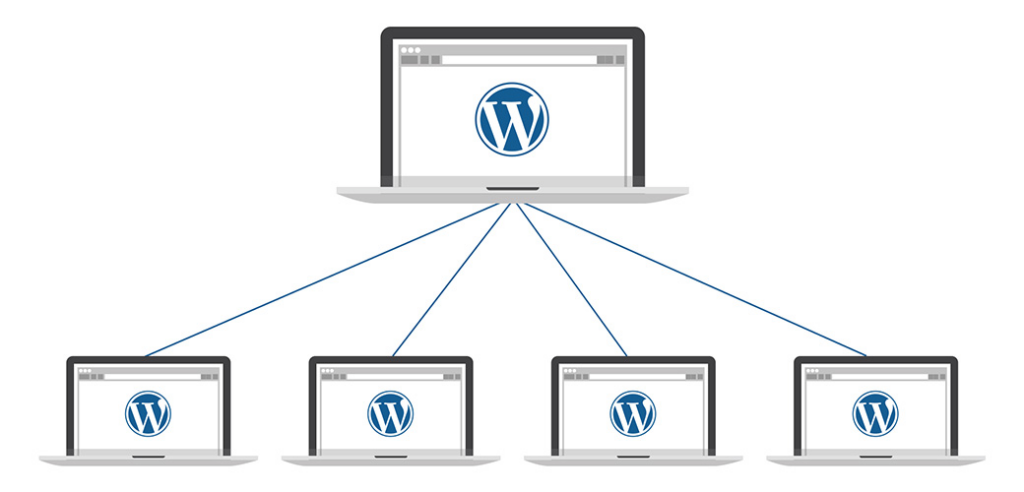
WordPress Multisite is a built-in feature that allows you to run multiple websites from a single WordPress installation. Instead of managing separate dashboards, hosting environments, and updates, everything is centralized.
With Multisite, you can:
- Create multiple websites under one dashboard
- Share plugins and themes across sites
- Manage users globally or per site
- Control permissions from a network admin level
This setup is often used by:
- Universities managing multiple departments
- Businesses running regional websites
- Agencies handling multiple client sites
- E-commerce brands with localized stores
Is WordPress Multisite One Theme or Multiple?
Now let’s answer the core question directly:
WordPress Multisite supports multiple themes—not just one.
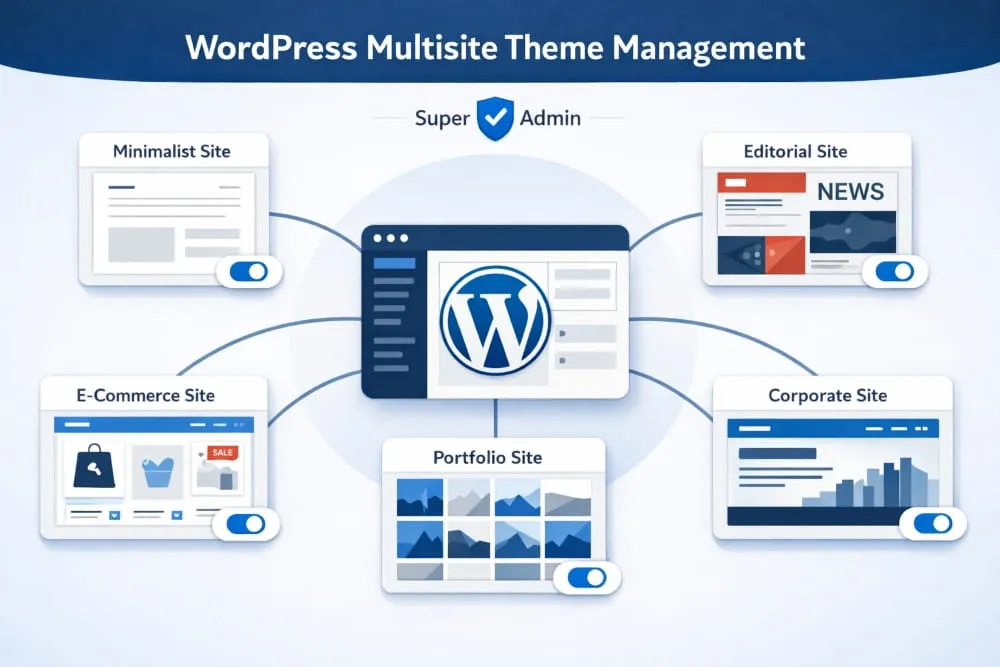
Each site in your Multisite network can use its own theme, or you can standardize everything under a single theme. The system is flexible, and the choice depends entirely on your goals.
How Themes Work in WordPress Multisite
To fully understand this, you need to know how theme management works inside Multisite.
1. Themes Are Installed Network-Wide
In a Multisite setup, themes are installed at the network level, not individually per site. This means:
- You install a theme once
- It becomes available to all sites in the network
- Individual sites can choose whether to use it
2. Themes Must Be Enabled
After installing a theme, you must enable it for the network. Only enabled themes can be selected by individual sites.
3. Each Site Can Choose Its Own Theme
Once enabled, site admins can:
- Select different themes
- Customize layouts independently
- Build unique branding experiences
So again, to reinforce:
👉 WordPress Multisite is not limited to one theme—it supports multiple themes across different sites.
When Should You Use One Theme Across All Sites?
Even though multiple themes are supported, there are situations where using a single theme across all sites makes more sense.
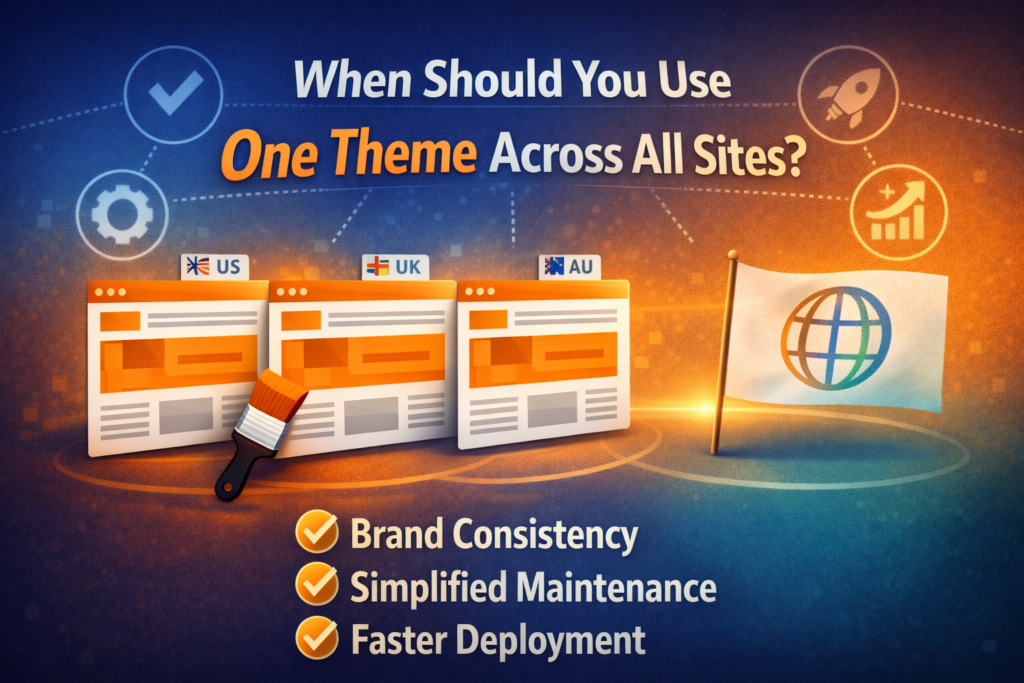
1. Brand Consistency
If all your websites belong to the same brand, using one theme ensures:
- Visual consistency
- Unified user experience
- Stronger brand identity
例:
A global company with regional sites (US, UK, AU) may want the same look and feel.
2. Easier Maintenance
Using one theme simplifies:
- Updates
- Bug fixes
- Design adjustments
You only need to manage one theme instead of several.
3. Faster Deployment
When launching new sites, you can:
- Clone existing layouts
- Reuse design structures
- Reduce development time
When Should You Use Multiple Themes?
On the other hand, there are many cases where using different themes is the better approach.
1. Different Target Audiences
If your sites serve different audiences, you may need:
- Different layouts
- Unique messaging styles
- Customized user journeys
2. Different Industries or Niches
例えば:
- A corporate site
- An e-commerce store
- A blog or media site
Each may require a completely different design structure.
3. Creative Freedom
Using multiple themes allows:
- Design experimentation
- A/B testing
- Unique branding per site
Advantages of Using Multiple Themes in Multisite
Choosing multiple themes gives you flexibility, but it also comes with specific benefits.
Design Flexibility
You can tailor each site to its specific purpose without limitations.
Better User Experience
Different audiences get experiences optimized for their needs.
スケーラビリティ
As your network grows, you can diversify your design approach.
Challenges of Using Multiple Themes
However, it’s not all perfect. Using multiple themes also introduces complexity.
Increased Maintenance
必要なもの:
- Update multiple themes
- Monitor compatibility
- Fix issues across different designs
Performance Considerations
Some themes may:
- Load slower
- Conflict with plugins
- Require extra optimization
Inconsistent Branding
Without proper guidelines, your network may feel fragmented.
Best Practices for Managing Themes in Multisite
To get the best results, follow these practical tips:
1. Limit the Number of Themes
Even though you can use many themes, it’s better to:
- Keep only necessary ones
- 雑然としたものを避ける
- Reduce maintenance workload
2. Use High-Quality Themes
Choose themes that are:
- Well-coded
- Regularly updated
- Compatible with your plugins
3. Standardize Key Elements
Even with different themes, try to maintain:
- Similar typography
- Consistent color palette
- Unified navigation structure
4. Test Before Deployment
Always test themes for:
- Speed
- Responsiveness
- プラグインの互換性
Common Misconceptions About Multisite Themes
Let’s clear up a few misunderstandings:
“Multisite forces one theme for all sites”
❌ False
✔ You can use multiple themes.
“Each site installs its own theme”
❌ False
✔ Themes are installed at the network level.
“Themes cannot be customized per site”
❌ False
✔ Each site can customize its theme independently.
実際の使用事例
Here are some examples of how businesses use themes in Multisite:
Case 1: Franchise Business
- Same theme across all locations
- Minor content differences
- 一貫したブランディング
Case 2: Digital Agency
- Different themes for different clients
- Fully customized designs
- Flexible structure
Case 3: Educational Institution
- Shared theme for departments
- Custom pages per faculty
- Balanced consistency and flexibility
One Theme vs Multiple Themes: Which Is Better?
There’s no one-size-fits-all answer.
It depends on:
- Your branding strategy
- Your operational capacity
- Your design requirements
Choose One Theme If:
- You want consistency
- You prefer easy management
- Your sites are similar
Choose Multiple Themes If:
- You need flexibility
- Your sites are very different
- You want creative freedom
最後に
So, is ワードプレス Multisite one theme or multiple?
The answer is simple: it supports both.
WordPress Multisite gives you the flexibility to use a single theme for consistency or multiple themes for customization. The right choice depends on your goals, your audience, and how you want your websites to grow.
By understanding how themes work in Multisite, you can make smarter decisions, build better user experiences, and manage your network more efficiently.
In the end, it’s not about choosing one or multiple themes—it’s about choosing the approach that best fits your strategy.
よくある質問
Yes, all sites in a WordPress Multisite network can use the same theme. You can install one theme at the network level and assign it across multiple sites to maintain a consistent design and branding.
Using one theme helps ensure brand consistency, simplifies maintenance, and speeds up deployment. It also makes it easier to manage updates and reduces the risk of design inconsistencies across sites.
In many cases, yes. Using a single optimized theme can improve performance because it reduces complexity, minimizes compatibility issues, and allows for more consistent optimization across all sites.
Yes, even if all sites use the same theme, each site can customize layouts, colors, content, and settings independently without affecting other sites in the network.
You should avoid using one theme if your sites serve different audiences, industries, or purposes that require unique designs and user experiences. In such cases, multiple themes provide better flexibility.


WordPressのウェブサイトや、完全なeコマースシステムを備えたコーポレートサイトをデザイン・構築します。.
価格帯$200.00~$2,500.00custom-requirements-or-special-quotations
元価格は$2.00。.$1.00現在の価格は$1.00。. WordPress の電子商取引ストアに 50 個のプラグインは多すぎますか?
WordPressのeコマースサイトに50個のプラグインがあるからといって、それが自動的に問題になるわけではありません。実際、数だけでパフォーマンスが決まることはほとんどありません。.

Amazonホーム理学療法機器のメイン画像デザイン解説
はじめにAmazonで家庭用治療器の信頼できるイメージを構築する Amazonで家庭用治療器のメインイメージをデザインする際、私たちが最も重視するのは...

Amazon リップスティックコンバージョンのメイン画像デザイン
はじめにアマゾンで売れる口紅のメイン画像をデザインする アマゾンの口紅のメイン画像をデザインするとき、私たちの責任は...

ハッカーがWordPress管理者のメールアドレスを盗む方法(そしてそれを阻止する方法)
WordPressの管理者メールアドレスは、あなたが思っている以上に公開されているのです。ハッカーはそれが大好きです。彼らにとって、あなたの...

Amazonのリキッドファンデーションのメイン画像がコンバージョンにつながる理由
はじめに Amazonリキッドファンデーションのメイン画像デザインは、単に商品を美しく見せるだけではありません。Amazonでは、メイン画像と….

フィルターカートリッジの効果的なAmazonメインイメージのデザイン
はじめに Amazonのメイン画像をデザインする上で、商品を魅力的に見せることは決して重要ではありません。明確さ、信頼性、そして瞬時に理解できることが何よりも重要です。特に….

WordPress へのリプレイ攻撃: 本当の脅威か、それとも誇張された神話か?
まず最初に明確にしておきましょう。リプレイ攻撃は見た目には怖くありません。パスワードを破壊したり、緑色のハッカーテキストが飛び交うような悪質なコードを挿入したりもしません。彼らは狡猾なのです…。.

WordPressページを何も壊さずに複製する方法
正直に言って、新しいページを作りたくない時もあるでしょう。同じページを少しだけ変えたいだけなのに。レイアウトもブロックも設定も全部同じ。なぜなら….

ペット向けWordPressテーマ5選を比較
はじめに ペット関連のWordPressテーマを適切に選ぶことは、単なるデザイン上の決定ではありません。使いやすさ、拡張性、そして長期的なビジネスの成長に直接影響します。ペットケアとペット...

5つの水着eコマーステーマを比較
はじめに 水着やランジェリーの独立ストアに適切なテーマを選択することは、見た目だけの問題ではなく、コンバージョン率、拡張性、長期的な効果に直接影響します...

WordPressでコメント機能をオフにする方法(気が狂わずに)
WordPressのコメントについてお話しましょう。理論上は、コメントは素晴らしいものです。議論を促し、コミュニティを築き、ウェブサイトに「活気」を与えてくれます。しかし実際にはどうでしょうか?コメントはしばしば人を惹きつけ….

WordPress 500エラー:ウェブサイトがパニックに陥ったとき
WordPressサイトはほんの少し前までは問題ありませんでした。ページを更新した途端、突然…ドカーン💥…500 内部サーバーエラーが発生してしまいました。説明も謝罪もありませんでした。ただ冷たく、混乱を招くメッセージが表示され、その内容は….

科学主導のブランドのためのスケーラブルなWordPressウェブサイトの構築:AminoUSAプロジェクト
はじめに 今日のデジタル環境において、ウェブサイトは単なる製品リストを掲載する場所ではありません。規制の厳しい業界や研究重視の業界で事業を展開する科学主導のブランドにとって、ウェブサイトは….

グローバルブレードブランドのためのスケーラブルなShopifyストアの構築:CoolKatanaプロジェクト
はじめに 越境電子商取引において、Shopify の Web サイトは単なる店舗ではありません。ニッチで文化主導のカテゴリーで活動するブランドにとって、Web サイトは単なる店舗以上のものを実現する必要があります...

ポケモンカード向け高コンバージョンShopifyストアの設計
はじめに 収集可能な電子商取引の世界、特にポケモン トレーディング カード ゲーム (TCG) 市場では、Web サイトは単に製品をリストするだけでは不十分です。...

カスタムレンガブランドのための高コンバージョンShopifyデザイン
はじめに 今日の競争の激しいeコマース市場、特にパーソナライズされたギフトやコレクターズアイテムの分野では、Shopifyのウェブサイトは商品を展示する以上の機能を提供する必要があります。それは….

Shopifyサポートへの問い合わせ方法:シンプルでストレスフリーなガイド
Shopifyストアの運営は、混乱するのではなく、ワクワクするものであるべきです。疑問が生じたり、問題が発生して作業が滞ったりした場合でも、Shopifyは状況に応じて複数のサポートパスをご用意しています。.

Shopifyストアを非アクティブ化する方法:分かりやすく実践的なガイド
Shopifyストアの無効化はそれほど複雑ではありませんが、多くのマーチャントが見落としている影響があります。このガイドでは、そのプロセスを分かりやすく解説します。.