












소개
If you’ve ever explored scaling a website or managing multiple sites under one system, you’ve probably come across 워드프레스 Multisite. One of the most common questions people ask is: is WordPress Multisite one theme or multiple?
This question is more important than it seems. Understanding how themes work in a Multisite network can directly affect your design consistency, user experience, maintenance workflow, and even performance.
In this guide, we’ll break it down in a simple, easy-to-understand way. Whether you’re a beginner or planning to manage multiple websites, this article will give you a clear answer—along with practical insights you can actually use.
What Is WordPress Multisite?
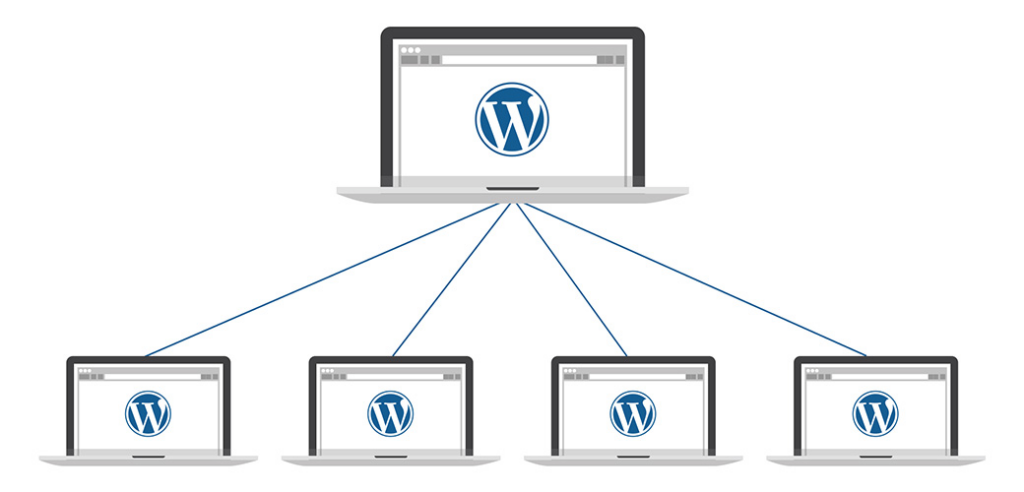
Before answering the main question, let’s quickly clarify what WordPress Multisite actually is.
WordPress Multisite is a built-in feature that allows you to run multiple websites from a single WordPress installation. Instead of managing separate dashboards, hosting environments, and updates, everything is centralized.
With Multisite, you can:
- Create multiple websites under one dashboard
- Share plugins and themes across sites
- Manage users globally or per site
- Control permissions from a network admin level
This setup is often used by:
- Universities managing multiple departments
- Businesses running regional websites
- Agencies handling multiple client sites
- E-commerce brands with localized stores
Is WordPress Multisite One Theme or Multiple?
Now let’s answer the core question directly:
WordPress Multisite supports multiple themes—not just one.
Each site in your Multisite network can use its own theme, or you can standardize everything under a single theme. The system is flexible, and the choice depends entirely on your goals.
How Themes Work in WordPress Multisite
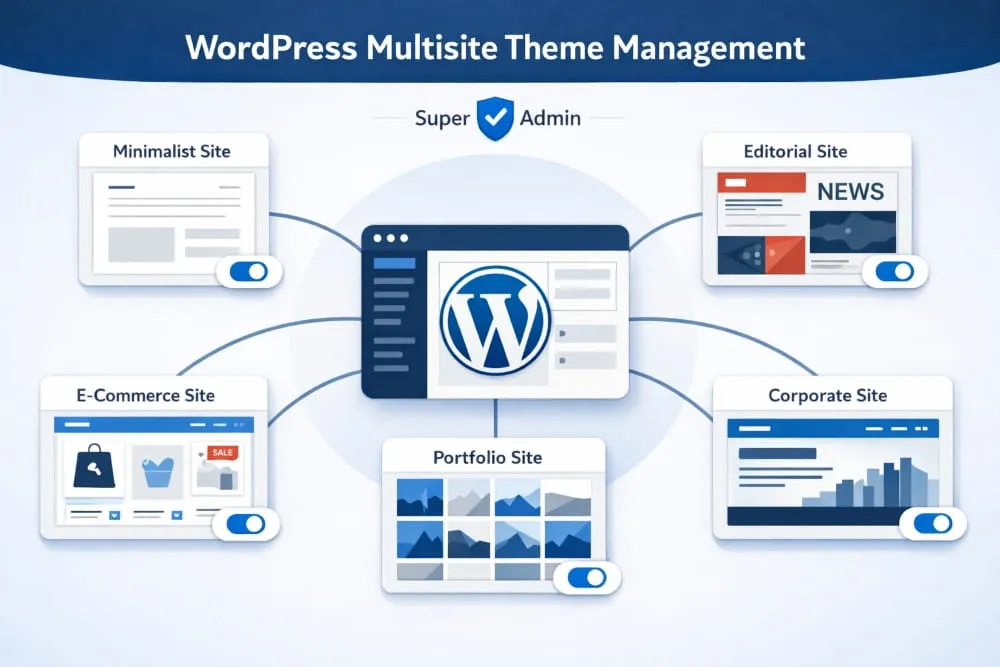
To fully understand this, you need to know how theme management works inside Multisite.
1. Themes Are Installed Network-Wide
In a Multisite setup, themes are installed at the network level, not individually per site. This means:
- You install a theme once
- It becomes available to all sites in the network
- Individual sites can choose whether to use it
2. Themes Must Be Enabled
After installing a theme, you must enable it for the network. Only enabled themes can be selected by individual sites.
3. Each Site Can Choose Its Own Theme
Once enabled, site admins can:
- Select different themes
- Customize layouts independently
- Build unique branding experiences
So again, to reinforce:
👉 WordPress Multisite is not limited to one theme—it supports multiple themes across different sites.
When Should You Use One Theme Across All Sites?
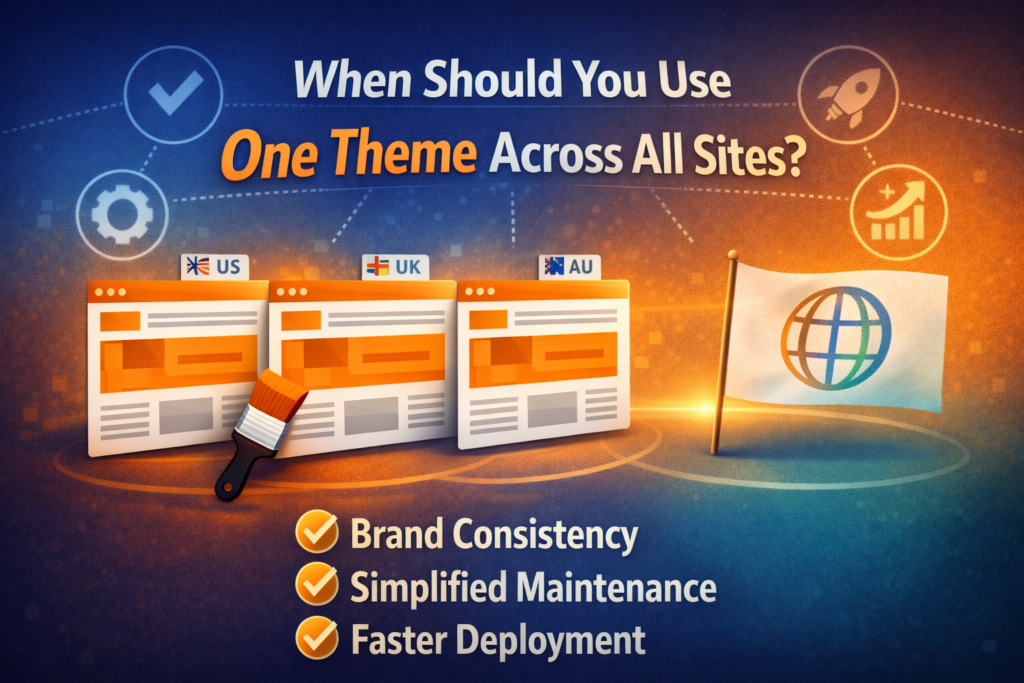
Even though multiple themes are supported, there are situations where using a single theme across all sites makes more sense.
1. Brand Consistency
If all your websites belong to the same brand, using one theme ensures:
- 시각적 일관성
- Unified user experience
- Stronger brand identity
예:
A global company with regional sites (US, UK, AU) may want the same look and feel.
2. Easier Maintenance
Using one theme simplifies:
- Updates
- Bug fixes
- Design adjustments
You only need to manage one theme instead of several.
3. Faster Deployment
When launching new sites, you can:
- Clone existing layouts
- Reuse design structures
- Reduce development time
When Should You Use Multiple Themes?
On the other hand, there are many cases where using different themes is the better approach.
1. Different Target Audiences
If your sites serve different audiences, you may need:
- Different layouts
- Unique messaging styles
- Customized user journeys
2. Different Industries or Niches
예를 들어:
- A corporate site
- An e-commerce store
- A blog or media site
Each may require a completely different design structure.
3. Creative Freedom
Using multiple themes allows:
- Design experimentation
- A/B testing
- Unique branding per site
Advantages of Using Multiple Themes in Multisite
Choosing multiple themes gives you flexibility, but it also comes with specific benefits.
Design Flexibility
You can tailor each site to its specific purpose without limitations.
Better User Experience
Different audiences get experiences optimized for their needs.
확장성
As your network grows, you can diversify your design approach.
Challenges of Using Multiple Themes
However, it’s not all perfect. Using multiple themes also introduces complexity.
Increased Maintenance
다음이 필요합니다:
- Update multiple themes
- Monitor compatibility
- Fix issues across different designs
Performance Considerations
Some themes may:
- Load slower
- Conflict with plugins
- Require extra optimization
Inconsistent Branding
Without proper guidelines, your network may feel fragmented.
Best Practices for Managing Themes in Multisite
To get the best results, follow these practical tips:
1. Limit the Number of Themes
Even though you can use many themes, it’s better to:
- Keep only necessary ones
- 어수선함을 피하세요
- Reduce maintenance workload
2. Use High-Quality Themes
Choose themes that are:
- Well-coded
- Regularly updated
- Compatible with your plugins
3. Standardize Key Elements
Even with different themes, try to maintain:
- Similar typography
- Consistent color palette
- Unified navigation structure
4. Test Before Deployment
Always test themes for:
- Speed
- Responsiveness
- 플러그인 호환성
Common Misconceptions About Multisite Themes
Let’s clear up a few misunderstandings:
“Multisite forces one theme for all sites”
❌ False
✔ You can use multiple themes.
“Each site installs its own theme”
❌ False
✔ Themes are installed at the network level.
“Themes cannot be customized per site”
❌ False
✔ Each site can customize its theme independently.
Real-World Use Cases
Here are some examples of how businesses use themes in Multisite:
Case 1: Franchise Business
- Same theme across all locations
- Minor content differences
- 일관된 브랜딩
Case 2: Digital Agency
- Different themes for different clients
- Fully customized designs
- Flexible structure
Case 3: Educational Institution
- Shared theme for departments
- Custom pages per faculty
- Balanced consistency and flexibility
One Theme vs Multiple Themes: Which Is Better?
There’s no one-size-fits-all answer.
It depends on:
- Your branding strategy
- Your operational capacity
- Your design requirements
Choose One Theme If:
- You want consistency
- You prefer easy management
- Your sites are similar
Choose Multiple Themes If:
- You need flexibility
- Your sites are very different
- You want creative freedom
마지막으로
So, is 워드프레스 Multisite one theme or multiple?
The answer is simple: it supports both.
WordPress Multisite gives you the flexibility to use a single theme for consistency or multiple themes for customization. The right choice depends on your goals, your audience, and how you want your websites to grow.
By understanding how themes work in Multisite, you can make smarter decisions, build better user experiences, and manage your network more efficiently.
In the end, it’s not about choosing one or multiple themes—it’s about choosing the approach that best fits your strategy.
자주 묻는 질문
Yes, all sites in a WordPress Multisite network can use the same theme. You can install one theme at the network level and assign it across multiple sites to maintain a consistent design and branding.
Using one theme helps ensure brand consistency, simplifies maintenance, and speeds up deployment. It also makes it easier to manage updates and reduces the risk of design inconsistencies across sites.
In many cases, yes. Using a single optimized theme can improve performance because it reduces complexity, minimizes compatibility issues, and allows for more consistent optimization across all sites.
Yes, even if all sites use the same theme, each site can customize layouts, colors, content, and settings independently without affecting other sites in the network.
You should avoid using one theme if your sites serve different audiences, industries, or purposes that require unique designs and user experiences. In such cases, multiple themes provide better flexibility.


완전한 전자상거래 시스템을 갖춘 워드프레스 웹사이트 또는 기업 사이트를 디자인하고 구축하세요.
가격 범위: $200.00~$2,500.00custom-requirements-or-special-quotations
원래 가격: $2.00.$1.00현재 가격: $1.00. 워드프레스 전자상거래 쇼핑몰에 플러그인 50개는 너무 많은 걸까요?
실제 성능에 미치는 영향 이해하기 워드프레스 전자상거래 사이트에 50개의 플러그인이 있다고 해서 자동으로 문제가 되는 것은 아닙니다. 사실 그 숫자만으로 성능이 결정되는 경우는 거의 없습니다....

아마존 가정용 물리치료 기기 메인 이미지 디자인 설명
소개 소개: 아마존에서 홈 테라피 기기의 신뢰할 수 있는 이미지 구축 아마존에서 홈 테라피 기기의 기본 이미지를 디자인할 때 기본 ...

아마존 립스틱 전환을 위한 메인 이미지 디자인
소개: 소개: 아마존에서 판매되는 립스틱 메인 이미지 디자인하기 아마존 립스틱의 메인 이미지를 디자인할 때 우리의 책임은 그 이상입니다.

해커들이 워드프레스 관리자 이메일을 훔치는 방법(그리고 이를 막는 방법)
불편한 진실부터 말씀드리자면, 워드프레스 관리자 이메일은 생각보다 훨씬 더 많이 공개되어 있습니다. 그들은 그것을 좋아합니다. 해커에게 여러분의...

아마존 리퀴드 파운데이션 메인 이미지 변환의 특징은 무엇일까요?
서론 아마존 리퀴드 파운데이션의 메인 이미지 디자인은 단순히 제품을 아름답게 보이게 하는 것만이 아닙니다. 아마존에서 메인 이미지와...

필터 카트리지 제품을 위한 효과적인 아마존 메인 이미지 디자인하기
서론 아마존 메인 이미지 디자인은 단순히 제품을 매력적으로 보이게 하는 것만이 아닙니다. 명확성, 신뢰, 그리고 즉각적인 이해를 제공하는 것이 중요합니다. 특히...

워드프레스에 대한 리플레이 공격: 실제 위협인가, 과장된 신화인가?
먼저 한 가지를 분명히 해두죠. 리플레이 공격은 겉보기에 무섭지 않습니다. 비밀번호를 날려버리지도 않고, 초록색 해커 텍스트가 사방에 흩날리는 악성 코드를 주입하지도 않습니다. 그저 교묘하게 이루어질 뿐입니다.

WordPress 페이지를 손상 없이 복제하는 방법
솔직히 말해봅시다. 때로는 새 페이지를 만들고 싶지 않을 때가 있죠. 그냥 기존 페이지를 약간만 다르게 하고 싶을 때가 있어요. 레이아웃도, 블록도, 설정도 그대로요. 왜냐하면...

반려동물 관련 워드프레스 테마 5가지 비교
서론 반려동물 관련 워드프레스 테마를 선택하는 것은 단순한 디자인 결정 이상의 의미를 지닙니다. 사용성, 확장성, 그리고 장기적인 비즈니스 성장에 직접적인 영향을 미치기 때문입니다. 반려동물 관리 및 관련...

수영복 온라인 쇼핑몰 테마 5가지 비교
서론 수영복이나 란제리 독립 매장에 적합한 테마를 선택하는 것은 단순히 시각적인 결정에 그치는 것이 아니라, 전환율, 확장성, 그리고 장기적인 성공에 직접적인 영향을 미칩니다.

워드프레스에서 댓글 기능을 끄는 방법 (정신줄 놓지 않고)
워드프레스 댓글에 대해 이야기해 봅시다. 이론적으로 댓글은 훌륭합니다. 토론을 장려하고, 커뮤니티를 형성하며, 웹사이트에 생동감을 불어넣습니다. 하지만 현실은 어떨까요? 댓글은 종종 문제를 야기하기도 합니다...

워드프레스 500 오류: 웹사이트가 갑자기 오류를 일으킬 때
방금 전까지만 해도 워드프레스 사이트는 아무 문제 없었는데, 페이지를 새로고침하자마자 갑자기 💥 500 내부 서버 오류가 발생했습니다. 아무런 설명도, 사과도 없이 그저 차갑고 혼란스러운 메시지만 남았습니다.

과학 중심 브랜드를 위한 확장 가능한 워드프레스 웹사이트 구축: 아미노USA 프로젝트
서론 오늘날의 디지털 환경에서 웹사이트는 단순히 제품을 나열하는 공간 이상의 의미를 지닙니다. 규제 산업이나 연구 중심 산업에서 활동하는 과학 기반 브랜드에게 웹사이트는 더욱 중요한 역할을 합니다.

글로벌 블레이드 브랜드를 위한 확장 가능한 쇼피파이 스토어 구축: 쿨카타나 프로젝트
서론: 국경을 넘나드는 전자상거래에서 Shopify 웹사이트는 단순한 매장 이상의 의미를 지닙니다. 특정 문화권에서 사업을 운영하는 브랜드의 경우, 웹사이트는 단순한 판매 공간을 넘어 훨씬 더 많은 기능을 수행해야 합니다.

포켓몬 카드 판매를 위한 높은 전환율을 자랑하는 쇼피파이 스토어 디자인하기
서론 수집품 전자상거래, 특히 포켓몬 트레이딩 카드 게임(TCG) 시장에서 웹사이트는 단순히 제품 목록을 나열하는 것 이상의 역할을 해야 합니다.

맞춤형 오프라인 브랜드에 최적화된 전환율 높은 쇼피파이 디자인
서론 오늘날 경쟁이 치열한 전자상거래 환경, 특히 맞춤형 선물 및 수집품 분야에서 Shopify 웹사이트는 단순히 제품을 전시하는 것 이상의 역할을 해야 합니다. ...

Shopify 고객 지원팀에 문의하는 방법: 간단하고 스트레스 없는 가이드
쇼피파이 스토어 운영은 흥미진진해야지 혼란스러워서는 안 됩니다. 궁금한 점이 생기거나 문제가 발생하여 진행이 늦어질 때, 쇼피파이는 상황에 따라 다양한 지원 경로를 제공합니다.

쇼피파이 스토어 비활성화 방법: 명확하고 실용적인 가이드
쇼피파이 스토어를 비활성화하는 것은 복잡하지 않지만, 많은 판매자가 간과하는 몇 가지 결과가 따릅니다. 이 가이드에서는 비활성화 과정을 간단하고 유익하게 설명합니다.