











Keine Produkte im Warenkorb.

Search engine optimization (SEO) is what helps your WordPress website show up higher in search results like Google. If you want more people to find your content, increase organic traffic, and grow your online presence, understanding how to improve WordPress SEO is essential. WordPress is already built with some SEO‑friendly features, but to truly compete in search results you need a smart strategy that combines technical setup, content optimization, and ongoing improvement.
This guide breaks down the most important steps you can take—whether you’re a beginner or refining your SEO skills—to help your WordPress site rank higher and reach more users.
SEO helps search engines understand your website and show it to users when they search for related terms. Without SEO, even great content might go unnoticed. Think of SEO as the practice of making your site easy for both users and search engines to read, understand, and trust. From how fast your pages load, to how well your content satisfies search intent, SEO affects everything from visibility to user engagement.
Your theme is the foundation of your WordPress site. A theme that’s optimized for SEO will be:
Choosing a high‑quality, SEO‑optimized theme sets your site up for success before you even begin writing content.
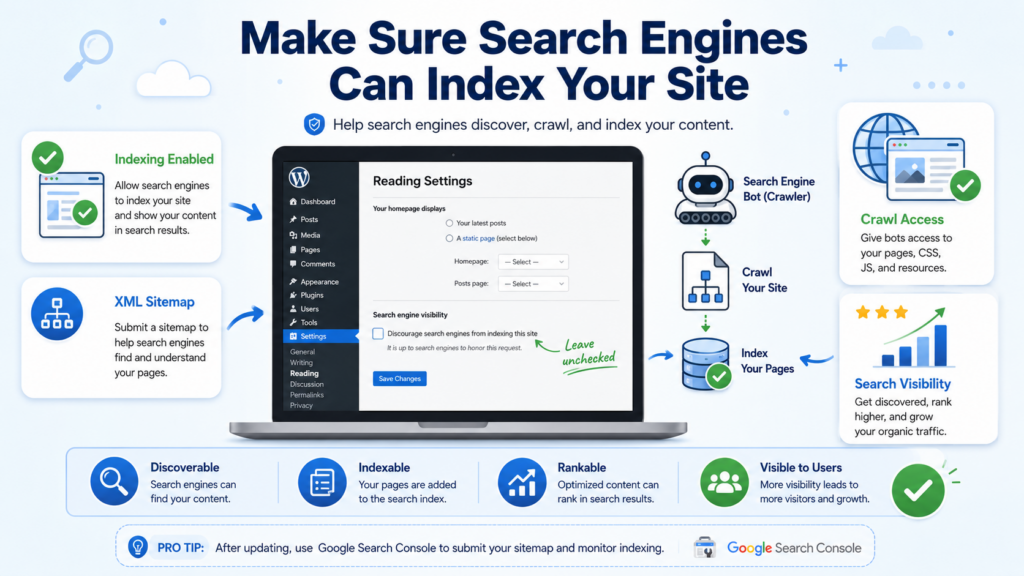
WordPress has a setting that lets you hide a site from search engines. This is useful during development, but if it’s left on after launch, your site won’t show up in search results at all.
✔ Go to Settings → Reading in your WordPress dashboard and ensure the option “Discourage search engines from indexing this site” is NOT checked.
Permalinks are the permanent URLs for your posts and pages. WordPress’s default URLs are not optimized for SEO, but you can change them:
✔ Go to Settings → Permalinks
✔ Choose “Post name” or custom structure with readable terms.
A clean URL like yourwebsite.com/how-to-improve-wordpress-seo is easier for people and search engines to understand.
SEO plugins simplify optimization and give you tools to fix issues without coding. Popular choices include:
These plugins help you:
Using a plugin is one of the quickest ways to improve technical and on‑page SEO.
Choosing the right keywords is at the heart of SEO. Keywords are the terms users type into search engines. Your goal is to understand what your audience is searching for and create content that matches those queries.
Keyword research tips:
Place your main keyword and related terms naturally in your titles, headings, meta descriptions, and body content.
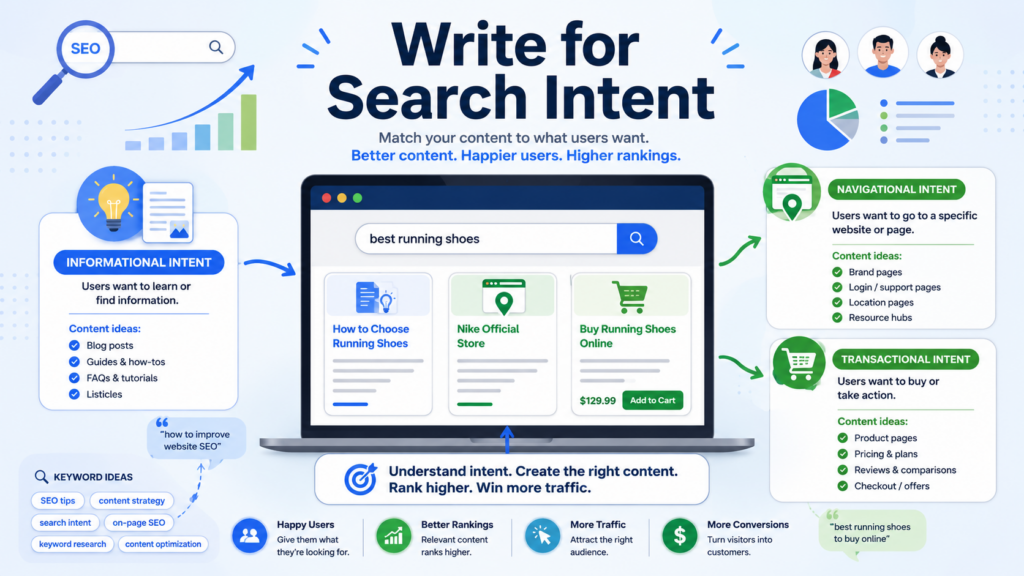
Search intent is Warum people are searching: to learn something, find a website, or make a purchase.
Your content should align with what users are trying to accomplish when they search for your keyword. For example, if someone searches “how to improve WordPress SEO,” they are likely looking for clear, actionable tips—so deliver structured, helpful content.
Header tags (H1, H2, H3, etc.) help organize your content:
Proper headings make content easier to scan and help search engines understand what your page covers.
Fast loading times and mobile‑friendly design are essential. Google uses page speed as a ranking factor, and most users will leave a site that takes too long to load.
Ways to enhance speed:
Also make sure your site layout adjusts smoothly to phones and tablets to satisfy mobile users.
Internal links connect your own content, helping readers navigate and helping search engines understand your content structure.
External links link to high‑authority sources that support your content. Both types of links improve credibility and SEO.
✔ Example: Link related blog posts together under relevant keywords.
Backlinks—links from other reputable websites to yours—are one of the strongest ranking factors. They signal trust and authority to search engines.
Ways to earn backlinks:
Focus on relevance and quality over quantity.
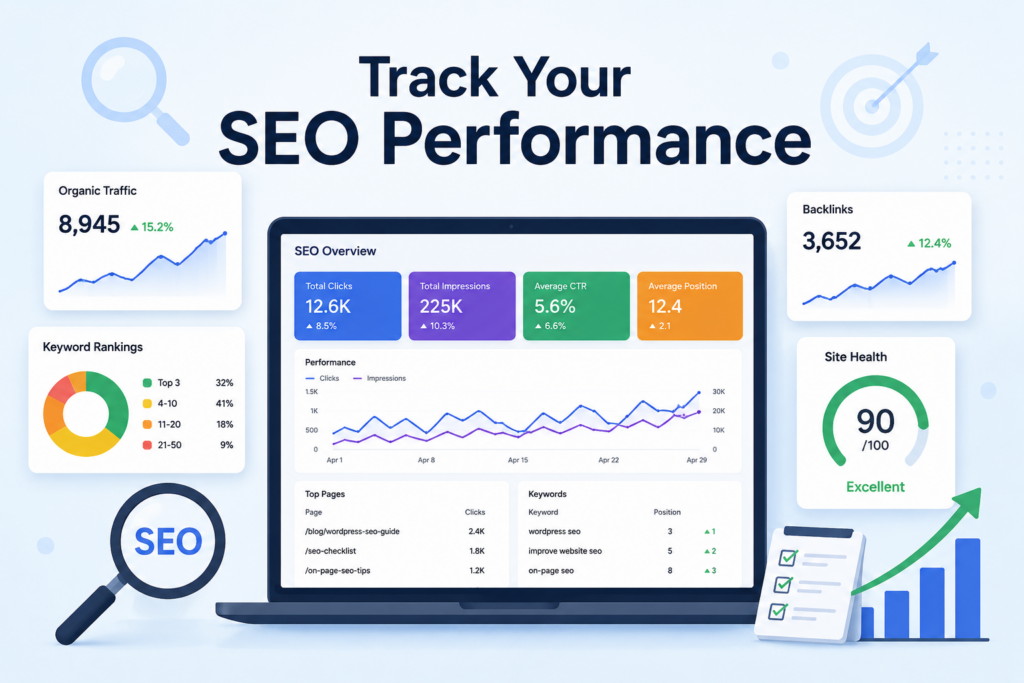
SEO is never finished—it evolves as search engines update their algorithms and your content grows.
Track key metrics using tools like Google Analytics and Google Search Console:
Regular performance monitoring helps you refine your strategy and focus improvements where they matter most.
Improving your WordPress SEO requires a combination of technical setup, smart content planning, and ongoing optimization. Start with a solid foundation—choose an SEO‑friendly theme and plugin, set clean URLs, and ensure search engines can index your site. Then focus on content strategy by researching keywords, aligning with search intent, and structuring content effectively.
Boost performance by improving page speed and mobile usability, use internal and external links wisely, and build authority through quality backlinks. Finally, track your performance and adjust your approach based on data.
By combining these steps thoughtfully, you can improve how your WordPress site performs in search results and grow lasting organic traffic.
1. What is WordPress SEO and why is it important?
WordPress SEO refers to optimizing your WordPress website to rank higher in search engines. It helps increase visibility, attract organic traffic, and improve user engagement.
2. How do I make sure search engines can index my WordPress site?
Check your WordPress Reading Settings and ensure the option “Discourage search engines from indexing this site” is unchecked. Also, submit an XML sitemap to help search engines crawl your pages.
3. Which SEO plugins are recommended for WordPress?
Popular SEO plugins include Yoast SEO, Rank Math, and All in One SEO Pack. These tools help optimize meta titles, descriptions, sitemaps, schema, and content for better rankings.
4. How can I improve my WordPress site’s content for SEO?
Focus on keyword research, writing high-quality content, using headings (H1–H3), including internal and external links, and matching your content to search intent.
5. How do I boost my WordPress site speed and performance?
Use caching plugins, compress images, minify CSS/JS files, and implement a Content Delivery Network (CDN). A fast, mobile-friendly site improves rankings and user experience.
6. How can I track and measure my WordPress SEO performance?
Use Google Analytics and Google Search Console to monitor organic traffic, keyword rankings, click-through rates (CTR), and overall site health. Adjust strategies based on these insights.


















