
Which keywords belong on product category pages, and which belong in blog posts? Start with what customers want to do right now. Someone browsing, filtering, and comparing a group of products should usually reach a category page. Someone learning how to choose, understand use cases, or resolve questions should usually read a blog post. Categories guide people toward products; blogs explain problems and then direct purchase-ready readers to the relevant category. Spreading the same keywords evenly across both usually blurs their titles, content, and next steps.
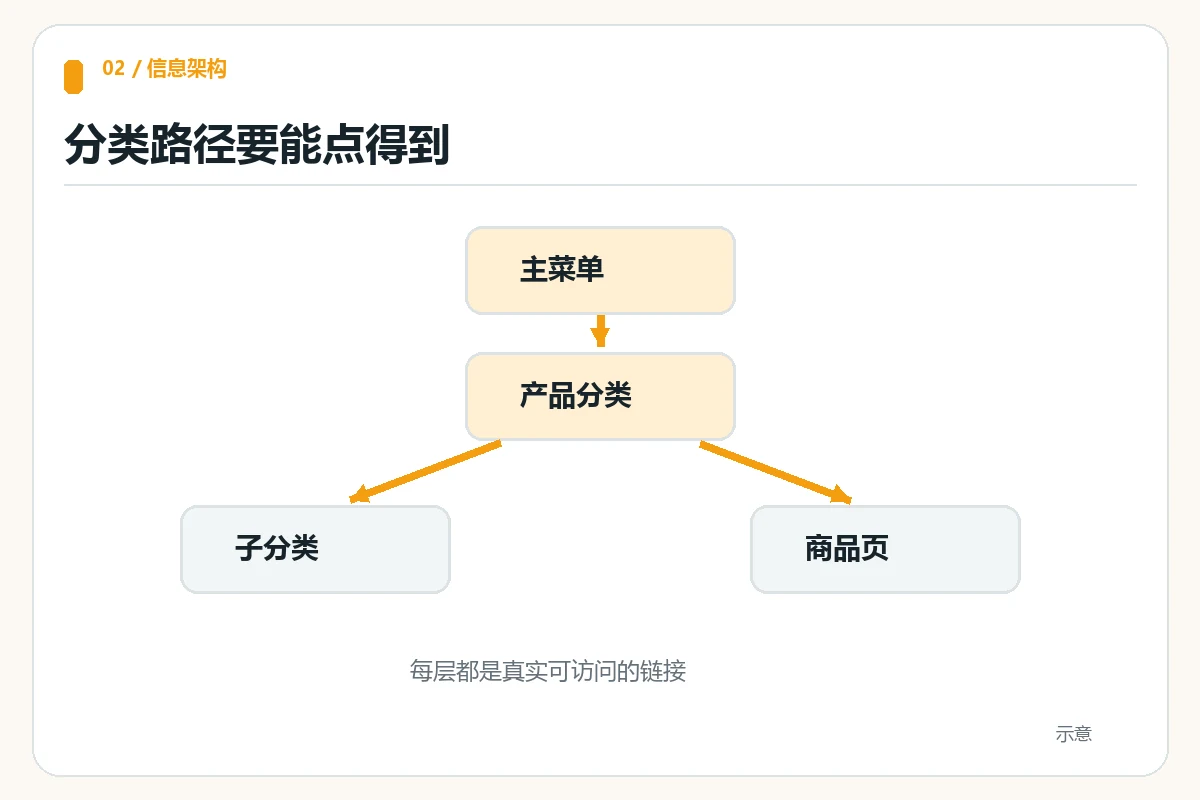
This is an editorial division of responsibilities for independent online stores, not a fixed Google rule restricting particular keywords to particular page types. Google’s ecommerce documentation recommends crawlable menu, category, subcategory, and product links to help search engines understand a site. It notes that category descriptions can address broader queries and emphasizes meeting shoppers’ needs at different stages. Below, we turn those principles into an actionable keyword map and internal-linking tasks.
Distinguish two search intents before choosing a landing page
Instead of first asking how much search volume a keyword has, ask what the searcher expects to see. Queries such as women’s running shoes, industrial air compressors, and pet harnesses often call for product choices, specifications, and filters. Queries such as how to choose running shoe sizes, how to calculate compressor air delivery, or how to measure for a harness need steps, reasoning, and answers. The first group generally suits category pages with product collections and filters; the second suits explanatory blog posts.
Commercial research queries sit between them. For example, home coffee machine recommendations may call for model comparisons or a buying guide. Assign pages by examining search-result types, your actual product range, and whether customers can make a decision directly. A category containing only two products may offer little choice for a broad query. A blog that merely displays product cards without explaining selection criteria does not resolve questions either.
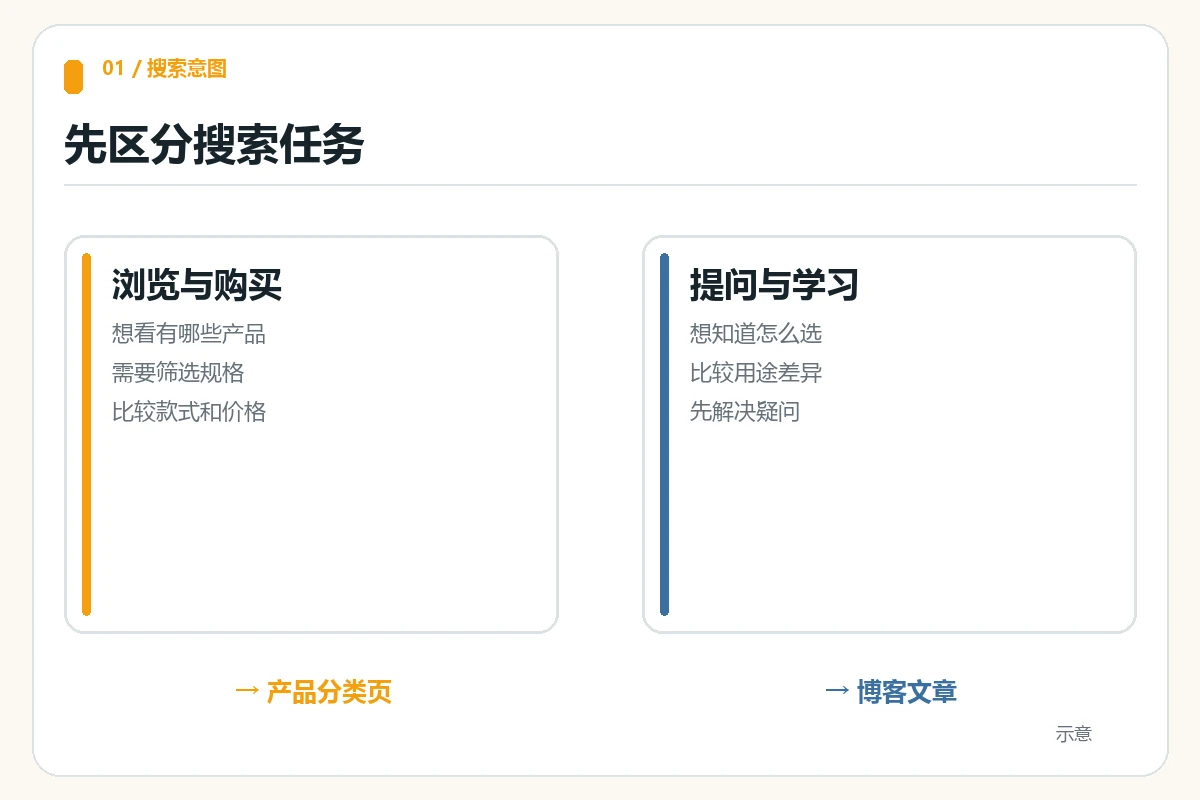
Record four items for each candidate keyword: the phrase, intent, recommended page, and next action. Waterproof hiking backpacks, for example, maps to a category where visitors filter capacity and material. How to understand hiking backpack waterproof ratings maps to an article that explains evaluation before linking to that category. Long-tail questions are not a dumping ground for leftovers from the main keyword; they meet real needs before customers are ready to buy.
Category pages: target product-group terms and genuinely filterable attributes
An effective category must deliver what its title promises. A page titled Outdoor Camping Lights should show relevant products, key differences, and routes to product details. Place the main term in a clear title, natural category introduction, and navigation text. Add material, use, and specification terms only when the catalog actually supports those filters and comparisons. Do not stack a dozen synonyms in the introduction. No keyword list can complete a purchase when customers cannot find products.
Category trees and links matter more than keyword stuffing
Google’s official ecommerce site structure guidance recommends linking from menus to categories, then to subcategories and products. A search box cannot replace these crawlable links. Check whether customers understand category names, whether mobile menus reach them, and whether products exist only inside internal search results. If your navigation still needs organizing, consult AIRSANG’s homepage navigation and product-finding checklist .
A category introduction should explain what is sold here, how to narrow the choices, and common applications, leaving detailed questions to guides. An Industrial Air Pumps category can explain pressure ranges and application groups, while detailed pressure conversions and installation precautions belong in knowledge articles. Customers can browse quickly and explore further when needed.
Blog posts: target questions, methods, and comparisons
A blog’s primary job is to explain, not duplicate the category’s product shelf. Articles can provide decision frameworks for how to choose, what differs, whether something fits, and how to maintain it, with conditions, misconceptions, and examples. Put the central question in the title and opening, with related questions in H2 and H3 headings and answer paragraphs. Each section should genuinely help readers rather than repeatedly rephrasing text to cover keywords.
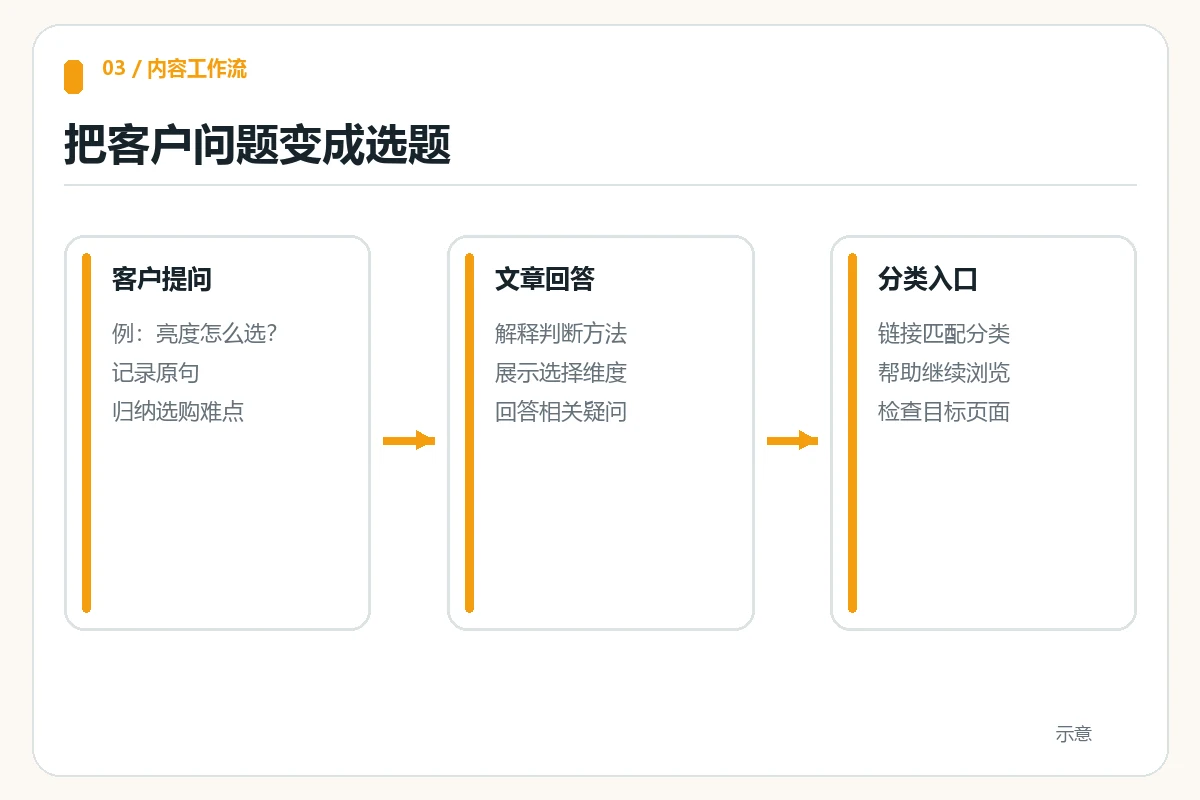
For a portable power station business, a category can show models with different capacities and ports. A blog on estimating camping power capacity can explain appliance wattage, operating time, losses, and a safety margin, then link to the appropriate capacity range after the calculation. Another article comparing lithium iron phosphate and ternary lithium batteries can address comparison intent. However, specific specifications or lifespan figures must identify the model and source; general industry figures are not guarantees for your products.
Google’s SEO Starter Guide emphasizes helpful, readable, well-organized content and descriptive link text. Connect questions, explanations, decisions, and next steps. Build a question library from customer conversations, presales inquiries, and internal searches, removing personal information first. Label supposedly popular questions without evidence of real demand as candidates; do not claim they already attract traffic.
Divide responsibilities within one topic using a mapping table
The following camping-lighting store is a teaching example. Its phrases demonstrate assignment logic; search volume and competition have not been verified. Real sites should validate them against their catalog, search results, and inquiry records.
| Customer phrase | Preferred page | What the page should provide | Next step |
|---|---|---|---|
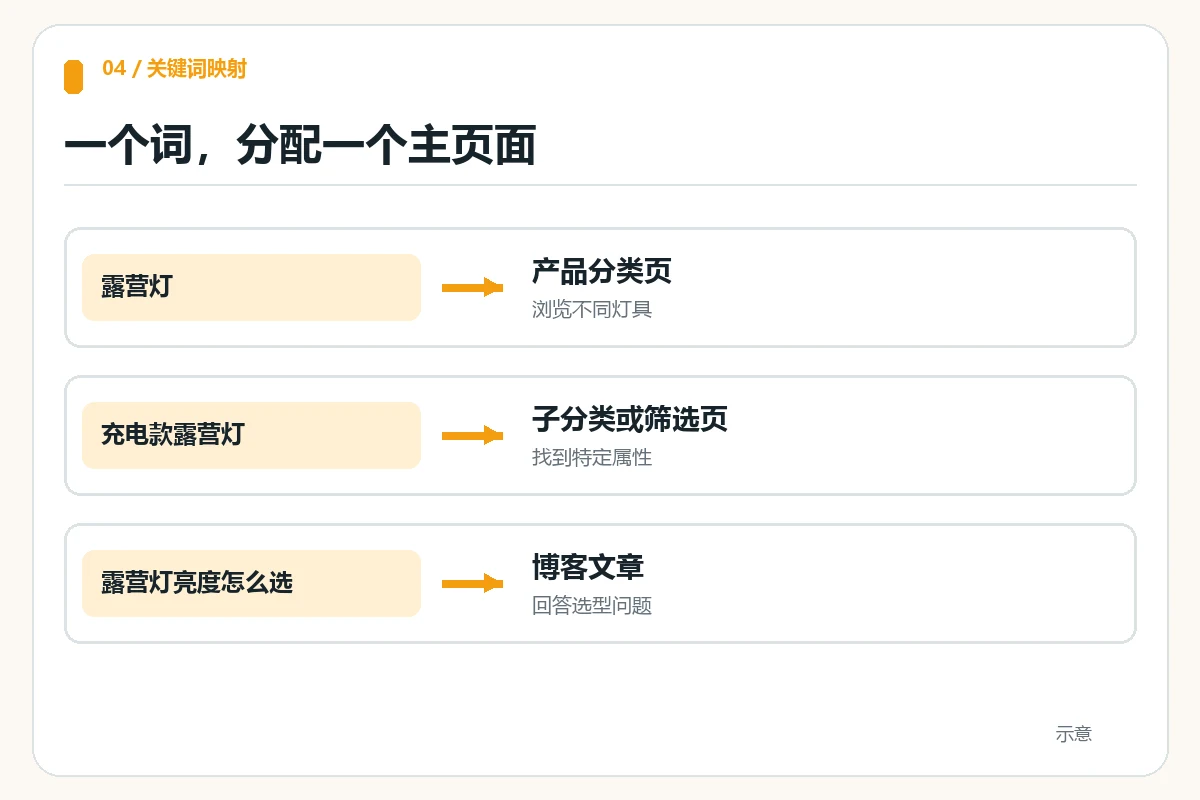
| Camping lights | Product category page | Models and filters for brightness, runtime, and use case | Open product details |
| How to choose camping light brightness | Blog post | Use cases, brightness concepts, and selection steps | View the relevant category |
| Rechargeable versus battery-powered camping lights | Comparison article | Power sources, maintenance, and suitable conditions | Visit both product groups |
| Rechargeable camping lights | Subcategory page | Rechargeable models and port filters | Compare specific models |
This table is not a fixed mapping imposed by search engines. Adjust the actual strategy to search results and product coverage. Do not treat keywords as mutually exclusive under a rule that they can appear only once. Categories may answer short questions, and articles may mention product types. What matters is a clear primary task and distinct main content for each page.
Use internal links to connect reading with buying
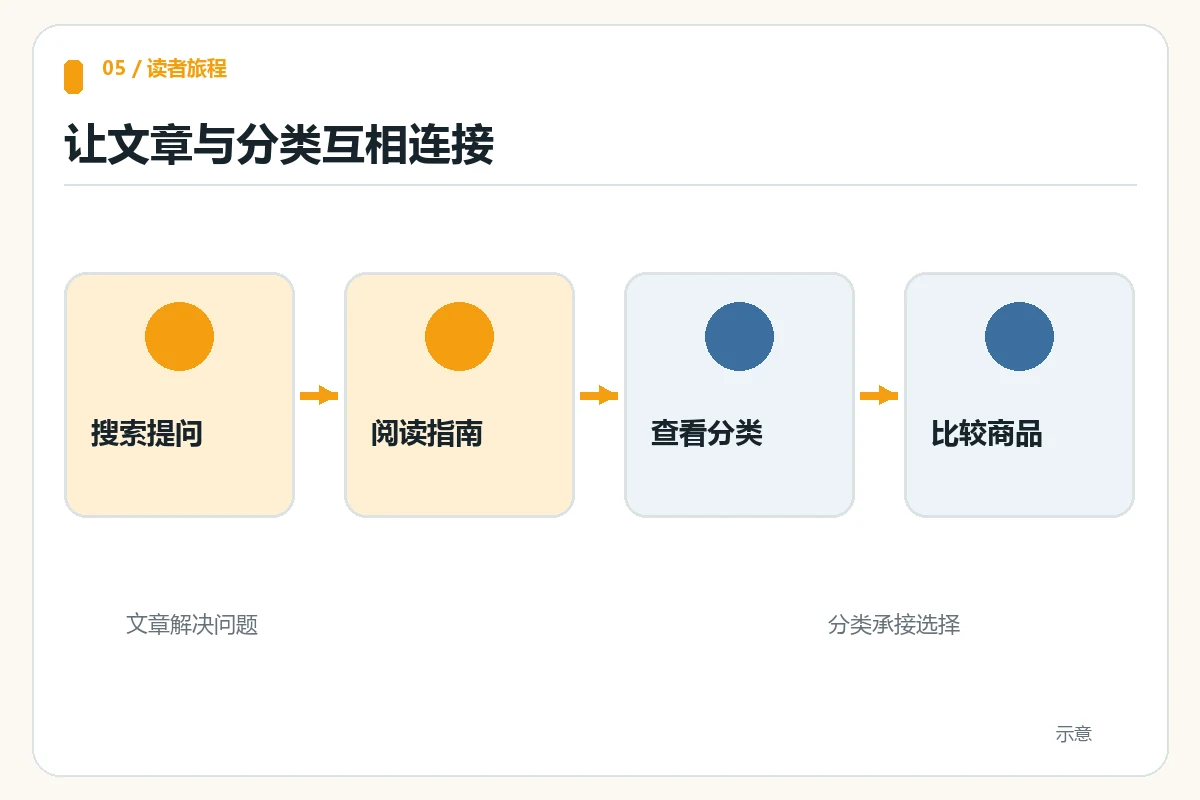
Place internal links around customers’ next steps, not every occurrence of a phrase. Category introductions or FAQs can link to a brightness-selection guide to help uncertain visitors. After explaining selection rules, the article can link to relevant categories or products so ready visitors can continue. Describe the destination in anchor text: View rechargeable camping lights is clearer than Click here. Google’s ecommerce structure guidance also notes that linking from blogs and other content to important products helps communicate relationships between pages.
The same applies to service websites. AIRSANG helps merchants plan websites, so this article’s next step is not a fictional product link. Instead, readers can use the 90-day post-launch website optimization checklist to review categories, content, and inquiry data. Once your actual categories are live, replace article links with verified destination pages. Do not insert a nonexistent category URL first.
Check operations in three steps: enter a category through navigation and confirm key products are findable; follow a question article to the relevant category and check that it does not lead to the wrong group; then return from the category to its guide so customers can keep learning. Repeat on mobile, recording missing entry points, accidental clicks, and repeated backtracking. Prioritize obstacles that block purchases.
Avoid keyword cannibalization: inspect page tasks, not just repeated words
Two pages mentioning camping lights are not automatically a problem. Check whether their titles answer the same question, their bodies duplicate each other, and both try to serve the same buying entry point. A blog titled Complete Camping Light Catalog that only lists products competes with the category’s task. Change it to How to Choose Camping Light Brightness and retain a clear calculation or decision method to make the roles distinct.
When organizing existing content, create a keyword-to-URL table with primary intent, target page, actual ranking queries, conversion action, and update date. Without Search Console or analytics, mark rankings and conversions as unknown. If two older articles answer exactly the same question, merge the content and handle the old URL appropriately. If one covers selection and another maintenance, retain separate pages and cross-link them. Do not blindly delete useful content to eliminate cannibalization.
After publishing, track category browsing, product clicks, article-to-category clicks, and inquiry quality rather than total traffic alone. If articles are read without follow-up actions, check category links first. If categories receive exposure but do not retain customers, inspect products and filters. Record each change and its date, then compare data measured on the same basis.
Conclusion
Product categories primarily target product-group and attribute terms answering Which products can I browse? Blogs primarily address questions and comparisons answering How should I decide? Search intent, the real catalog, and page tasks jointly define the boundary, not a mechanical keyword spreadsheet. Assign a primary landing page to each phrase, connect categories, articles, and products with clear internal links, and validate the arrangement through actual browsing journeys and inquiry feedback. If you are planning a catalog and blog, start with one core category and one frequent customer question, finish that trial, and then expand.