












การแนะนำ
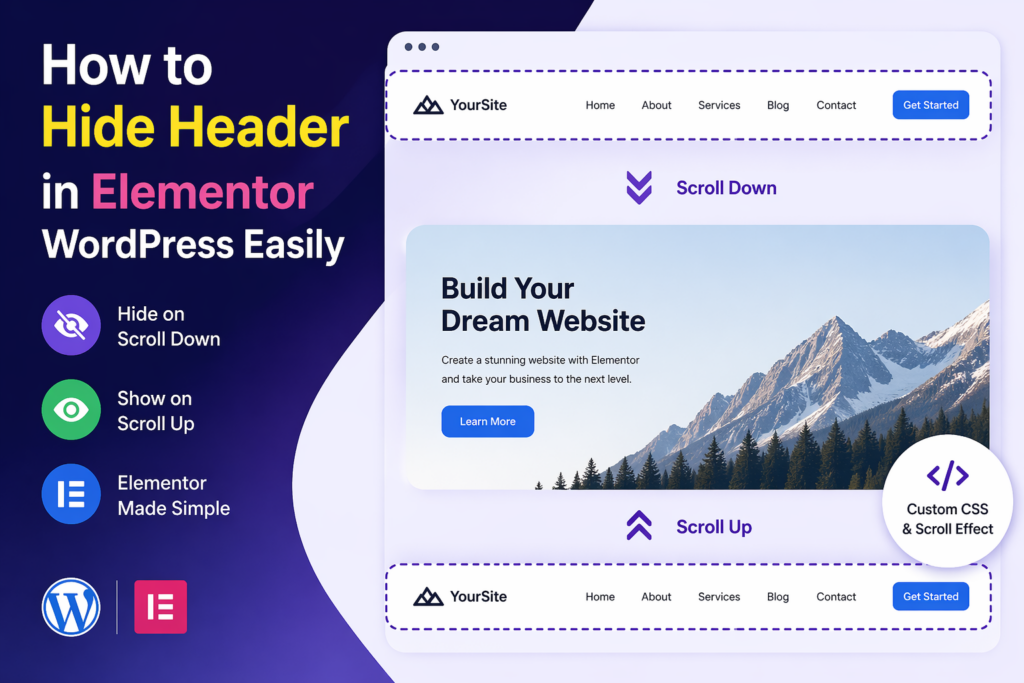
When building a modern website, user experience is everything. Visitors expect clean layouts, fast loading times, and intuitive navigation. One small but powerful design trick that can dramatically improve usability is hiding the header when users scroll down—and revealing it again when they scroll up.
If you’re using Elementor on a วordpress website, you already have a flexible design system. But by default, Elementor doesn’t provide a simple toggle for scroll-based header behavior. That’s why many designers look for ways to implement this feature manually.
In this guide, we’ll explain how to hide header in Elementor WordPress, why it matters, and the different ways you can implement it—even if you’re not a developer.
What Does It Mean to Hide a Header on Scroll?
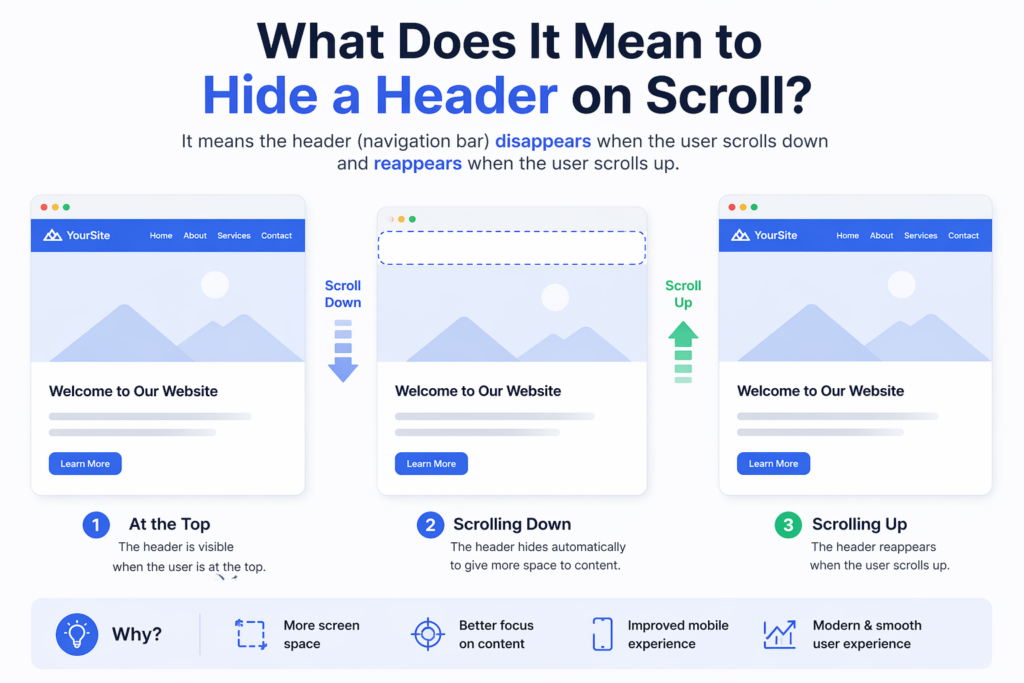
Before diving into the steps, it’s important to understand the concept.
A “hide on scroll” header is a navigation bar that:
- Disappears when the user scrolls down
- Reappears when the user scrolls up
This behavior helps reduce visual clutter and gives more space to content, especially on smaller screens.
Why Hide the Header in Elementor?
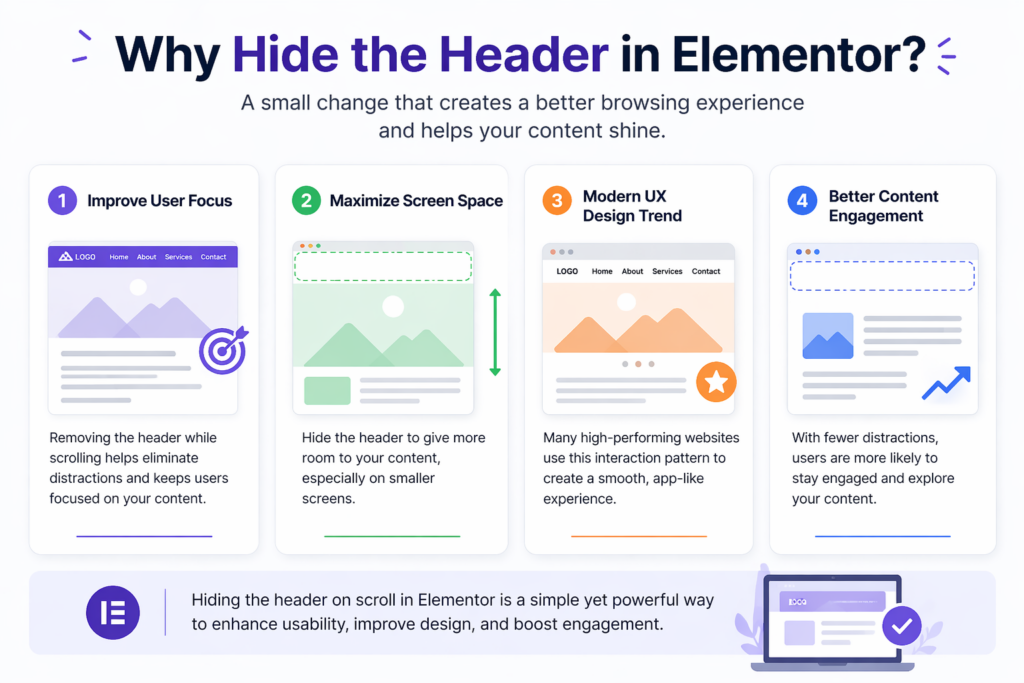
1. Improve User Focus
When users scroll through content, the header can become a distraction. Hiding it allows the content to take center stage.
2. Maximize Screen Space
This is especially useful on mobile devices, where screen space is limited.
3. Modern UX Design Trend
Many high-performing websites adopt this interaction pattern to create a smooth, app-like experience.
4. Better Content Engagement
By removing unnecessary elements during scrolling, users are more likely to stay engaged with your content.
Understanding Elementor Header Structure
In Elementor, headers are typically created using:
- Elementor Pro Theme Builder
- A header template assigned across pages
The header section is usually:
- Set as sticky
- Positioned at the top
- Visible at all times by default
To hide it dynamically, we need to add custom behavior using CSS and JavaScript.
Method 1: Using Custom CSS and JavaScript
This is the most common and flexible approach.
Step 1: Make the Header Sticky
In Elementor:
- Edit your header template
- Select the main section
- Go to Advanced → Motion Effects
- Set Sticky: Top
This ensures the header stays fixed before we add scroll behavior.
Step 2: Add a Custom CSS Class
Assign a class to your header section, for example:
header-hide
This class will be used to control visibility.
Step 3: Add CSS for Transition Effects
Add the following CSS to your site (via Customizer or Elementor Custom CSS):
.header-hide {
    transition: transform 0.3s ease-in-out;
}.header-hide.hide {
    transform: translateY(-100%);
}
What this does:
- Adds smooth animation
- Moves the header out of view when hidden
Step 4: Add JavaScript for Scroll Detection
Now we need logic to detect scroll direction.
Add this script to your site (via footer script or plugin):
let lastScrollTop = 0;
const header = document.querySelector('.header-hide');window.addEventListener('scroll', function () {
    let scrollTop = window.pageYOffset || document.documentElement.scrollTop;    if (scrollTop > lastScrollTop) {
        // scrolling down
        header.classList.add('hide');
    } else {
        // scrolling up
        header.classList.remove('hide');
    }    lastScrollTop = scrollTop;
});
วิธีการทำงาน
- The script tracks scroll direction
- When scrolling down → adds
.hide - When scrolling up → removes
.hide - CSS handles the animation
Method 2: Using Elementor Pro with Custom Code
If you are using Elementor Pro, you can:
- Add JavaScript via Custom Code feature
- Apply CSS directly in the header template
This method avoids external plugins and keeps everything centralized.
Method 3: Using Plugins
If you prefer a no-code approach, some plugins can help.
ตัวอย่างเช่น:
- Sticky Header Effects plugins
- Header animation plugins
However, keep in mind:
- Plugins may add extra weight
- Custom control is limited compared to manual coding
Best Practices for Hiding Headers
1. Keep Animation Smooth
Avoid abrupt movements. Use transitions between 0.3s–0.5s.
2. Ensure Accessibility
Make sure users can still easily access navigation when scrolling up.
3. Test on Mobile Devices
Mobile behavior should feel natural and responsive.
4. Avoid Conflicts
If you’re using other sticky or scroll scripts, test for conflicts.
Common Issues and Fixes
Header Not Hiding
- Check if the correct class is applied
- Ensure JavaScript is loaded properly
Animation Feels Laggy
- Optimize CSS transitions
- Avoid heavy scripts running simultaneously
Header Flickering
- Add a small scroll threshold to prevent constant toggling
Example improvement:
if (Math.abs(scrollTop - lastScrollTop) > 10) {
    // trigger only when meaningful scroll happens
}
Advanced Enhancements
Once you’ve implemented the basic version, you can improve it further.
1. Add Shadow on Scroll
.header-hide.scrolled {
    box-shadow: 0 2px 10px rgba(0,0,0,0.1);
}
2. Change Header Style Dynamically
You can modify:
- Background color
- Logo size
- Menu spacing
Based on scroll position.
When You Should Not Hide the Header
While this feature is useful, it’s not always appropriate.
Avoid it when:
- Your site relies heavily on navigation
- Users need constant access to menus
- Your audience prefers traditional layouts
Real-World Use Cases
This technique is commonly used in:
- SaaS landing pages
- เว็บไซต์ผลงาน
- E-commerce stores
- Blogs with long-form content
It helps create a more immersive browsing experience.
Performance Considerations
- Keep JavaScript lightweight
- Avoid unnecessary DOM queries
- Test performance with tools
Efficient code ensures smooth scrolling and better user experience.
บทสรุป
Learning how to hide header in Elementor วordpress is a simple yet powerful way to improve your website’s usability and design. By combining Elementor’s sticky header feature with custom CSS and JavaScript, you can create a smooth, modern scrolling experience that keeps users focused on your content.
Whether you choose a manual coding approach or a plugin-based solution, the key is to ensure smooth behavior, responsiveness, and usability across devices. With the right implementation, this small interaction can make a big difference in how your website feels and performs.
คำถามที่พบบ่อย
You can hide the header on scroll by making it sticky in Elementor, then adding custom CSS and JavaScript to detect scroll direction and toggle visibility.
Yes, you can use third-party plugins that offer sticky header effects and scroll-based animations, but they may have limited customization compared to custom code.
This usually happens if the header is not set to sticky, the CSS class is missing, or the JavaScript is not properly loaded on the page.
Yes, it can improve user experience by reducing distractions, increasing screen space, and creating a cleaner, more modern browsing experience.
If implemented correctly, it can enhance mobile usability by freeing up space, but you should test carefully to ensure navigation remains easy to access.
A sticky header stays visible at the top at all times, while a hide-on-scroll header disappears when scrolling down and reappears when scrolling up.


ออกแบบและสร้างเว็บไซต์ WordPress หรือเว็บไซต์องค์กรพร้อมระบบอีคอมเมิร์ซครบวงจรสำหรับคุณ.
ช่วงราคา: $200.00 ถึง $2,500.00custom-requirements-or-special-quotations
ราคาเดิมคือ: $2.00.$1.00ราคาปัจจุบันคือ: $1.00. การใช้ปลั๊กอิน 50 ตัวมากเกินไปสำหรับร้านค้าออนไลน์ที่ใช้ WordPress หรือไม่?
การเข้าใจผลกระทบที่แท้จริงต่อประสิทธิภาพ การมีปลั๊กอิน 50 ตัวบนเว็บไซต์อีคอมเมิร์ซ WordPress ไม่ใช่ปัญหาโดยอัตโนมัติ จริงๆ แล้ว จำนวนเพียงอย่างเดียวแทบจะไม่สามารถกำหนดประสิทธิภาพได้....

ภาพหลักสำหรับการออกแบบอุปกรณ์กายภาพบำบัดที่บ้านของ Amazon (อธิบายรายละเอียด)
บทนำ: การสร้างภาพลักษณ์ที่น่าเชื่อถือสำหรับอุปกรณ์บำบัดที่บ้านบน Amazon เมื่อออกแบบภาพหลักสำหรับอุปกรณ์บำบัดที่บ้านบน Amazon สิ่งสำคัญอันดับแรกของเราคือ...

ภาพหลักสำหรับการแปลงลิปสติกเป็นสินค้าสำหรับ Amazon
บทนำ: การออกแบบภาพหลักลิปสติกที่ขายได้บน Amazon เมื่อเราออกแบบภาพหลักสำหรับลิปสติกบน Amazon ความรับผิดชอบของเราไม่ได้จำกัดอยู่แค่...

แฮกเกอร์ขโมยอีเมลผู้ดูแลระบบ WordPress ได้อย่างไร (และวิธีป้องกัน)
มาเริ่มกันด้วยความจริงที่ไม่น่าสบายใจ: อีเมลแอดมิน WordPress ของคุณอาจเปิดเผยต่อสาธารณะมากกว่าที่คุณคิด และแฮกเกอร์? พวกเขาชอบมาก สำหรับพวกเขา...

อะไรทำให้รองพื้นชนิดเหลวของ Amazon (ภาพหลัก) ขายดี?
บทนำ การออกแบบภาพหลักสำหรับรองพื้นชนิดเหลวบน Amazon ไม่ใช่แค่การทำให้ผลิตภัณฑ์ดูสวยงามเท่านั้น บน Amazon ภาพหลักและ...

การออกแบบภาพหลัก Amazon ที่มีประสิทธิภาพสำหรับตลับกรอง
บทนำ การออกแบบภาพหลักสำหรับ Amazon ไม่ใช่แค่การทำให้สินค้าดูน่าดึงดูดเท่านั้น แต่ยังเกี่ยวกับความชัดเจน ความน่าเชื่อถือ และความเข้าใจได้ในทันที โดยเฉพาะอย่างยิ่งสำหรับ...

การโจมตีแบบ Replay Attack บน WordPress: ภัยคุกคามจริงหรือแค่เรื่องที่ถูกพูดเกินจริง?
ก่อนอื่นขอชี้แจงให้ชัดเจนก่อน การโจมตีแบบ Replay Attack นั้นดูไม่น่ากลัว มันไม่ได้ทำลายรหัสผ่าน มันไม่ได้แทรกโค้ดที่เป็นอันตรายพร้อมข้อความแฮ็กเกอร์สีเขียวกระจัดกระจายไปทั่ว มันแนบเนียนกว่า...

วิธีคัดลอกหน้าเว็บ WordPress โดยไม่ทำให้ระบบเสียหาย
ยอมรับกันเถอะ บางครั้งคุณอาจไม่อยากสร้างหน้าเว็บใหม่ คุณแค่อยากได้หน้าเว็บเดิม...แต่แตกต่างไปเล็กน้อย รูปแบบเหมือนเดิม บล็อกเหมือนเดิม การตั้งค่าเหมือนเดิม เพราะ...

เปรียบเทียบธีม WordPress สำหรับสัตว์เลี้ยง 5 แบบ
บทนำ การเลือกธีม WordPress ที่เหมาะสมสำหรับธุรกิจเกี่ยวกับสัตว์เลี้ยงนั้นไม่ใช่แค่เรื่องของการออกแบบเท่านั้น แต่ยังส่งผลโดยตรงต่อการใช้งาน ความสามารถในการขยายขนาด และการเติบโตของธุรกิจในระยะยาว การดูแลสัตว์เลี้ยงและ...

เปรียบเทียบธีมอีคอมเมิร์ซชุดว่ายน้ำ 5 แบบ
บทนำ การเลือกธีมที่เหมาะสมสำหรับร้านค้าอิสระที่จำหน่ายชุดว่ายน้ำหรือชุดชั้นในนั้นไม่ใช่แค่การตัดสินใจด้านภาพลักษณ์เท่านั้น แต่ยังส่งผลโดยตรงต่ออัตราการเปลี่ยนลูกค้าให้เป็นผู้ซื้อ ความสามารถในการขยายธุรกิจ และความยั่งยืนในระยะยาว...

วิธีปิดการแสดงความคิดเห็นใน WordPress (โดยไม่ต้องเสียสติ)
มาพูดถึงระบบแสดงความคิดเห็นของ WordPress กันดีกว่า ในทางทฤษฎีแล้ว ความคิดเห็นนั้นยอดเยี่ยมมาก มันช่วยกระตุ้นการสนทนา สร้างชุมชน และทำให้เว็บไซต์ของคุณดูมีชีวิตชีวา แต่ในความเป็นจริงแล้ว มันมักจะเป็นเหมือนแม่เหล็กดึงดูด...

ข้อผิดพลาด WordPress 500: เมื่อเว็บไซต์ของคุณเกิดอาการผิดปกติ
เว็บไซต์ WordPress ของคุณยังใช้งานได้ปกติดีเมื่อสักครู่ คุณรีเฟรชหน้าเว็บ แล้วจู่ๆ ก็เกิดข้อผิดพลาด 500 Internal Server Error ขึ้นมา ไม่มีคำอธิบาย ไม่มีคำขอโทษ มีเพียงข้อความที่เย็นชาและสับสนซึ่งโดยพื้นฐานแล้ว...

การสร้างเว็บไซต์ WordPress ที่ปรับขนาดได้สำหรับแบรนด์ที่ขับเคลื่อนด้วยวิทยาศาสตร์: โครงการ AminoUSA
บทนำ ในยุคดิจิทัลปัจจุบัน เว็บไซต์เป็นมากกว่าแค่สถานที่สำหรับแสดงรายการสินค้า สำหรับแบรนด์ที่ขับเคลื่อนด้วยวิทยาศาสตร์ซึ่งดำเนินงานในอุตสาหกรรมที่มีการควบคุมหรือเน้นการวิจัย...

สร้างร้านค้า Shopify ที่ปรับขนาดได้สำหรับแบรนด์ใบมีดระดับโลก: โครงการ CoolKatana
บทนำ ในธุรกิจอีคอมเมิร์ซข้ามพรมแดน เว็บไซต์ Shopify เป็นมากกว่าแค่หน้าร้าน สำหรับแบรนด์ที่ดำเนินธุรกิจในกลุ่มเฉพาะหรือกลุ่มที่ขับเคลื่อนด้วยวัฒนธรรม เว็บไซต์ต้องทำมากกว่านั้น...

การออกแบบร้านค้า Shopify ที่มีอัตราการแปลงสูงสำหรับขายการ์ดโปเกมอน
บทนำ ในโลกของอีคอมเมิร์ซสินค้าสะสม โดยเฉพาะอย่างยิ่งในตลาดเกมการ์ดโปเกมอน (TCG) เว็บไซต์จะต้องทำมากกว่าแค่แสดงรายการสินค้า...

ดีไซน์ Shopify ที่เพิ่มยอดขายสำหรับแบรนด์อิฐสั่งทำพิเศษ
บทนำ ในสภาพแวดล้อมการแข่งขันอีคอมเมิร์ซในปัจจุบัน โดยเฉพาะอย่างยิ่งในตลาดของขวัญส่วนบุคคลและของสะสม เว็บไซต์ Shopify ต้องทำมากกว่าแค่แสดงสินค้า...

วิธีติดต่อฝ่ายสนับสนุนของ Shopify: คู่มือที่ง่ายและไม่ยุ่งยาก
การบริหารร้านค้า Shopify ควรเป็นเรื่องที่น่าตื่นเต้น ไม่ใช่เรื่องที่ทำให้สับสน เมื่อมีคำถามหรือปัญหาเกิดขึ้น Shopify มีช่องทางการสนับสนุนหลายช่องทาง ขึ้นอยู่กับสถานการณ์...

วิธีปิดใช้งานร้านค้า Shopify: คู่มือที่ชัดเจนและใช้งานได้จริง
การปิดใช้งานร้านค้า Shopify นั้นไม่ซับซ้อน แต่ก็มีผลกระทบหลายอย่างที่ผู้ขายหลายรายมองข้ามไป คู่มือนี้จะอธิบายขั้นตอนอย่างละเอียดและเข้าใจง่าย...