









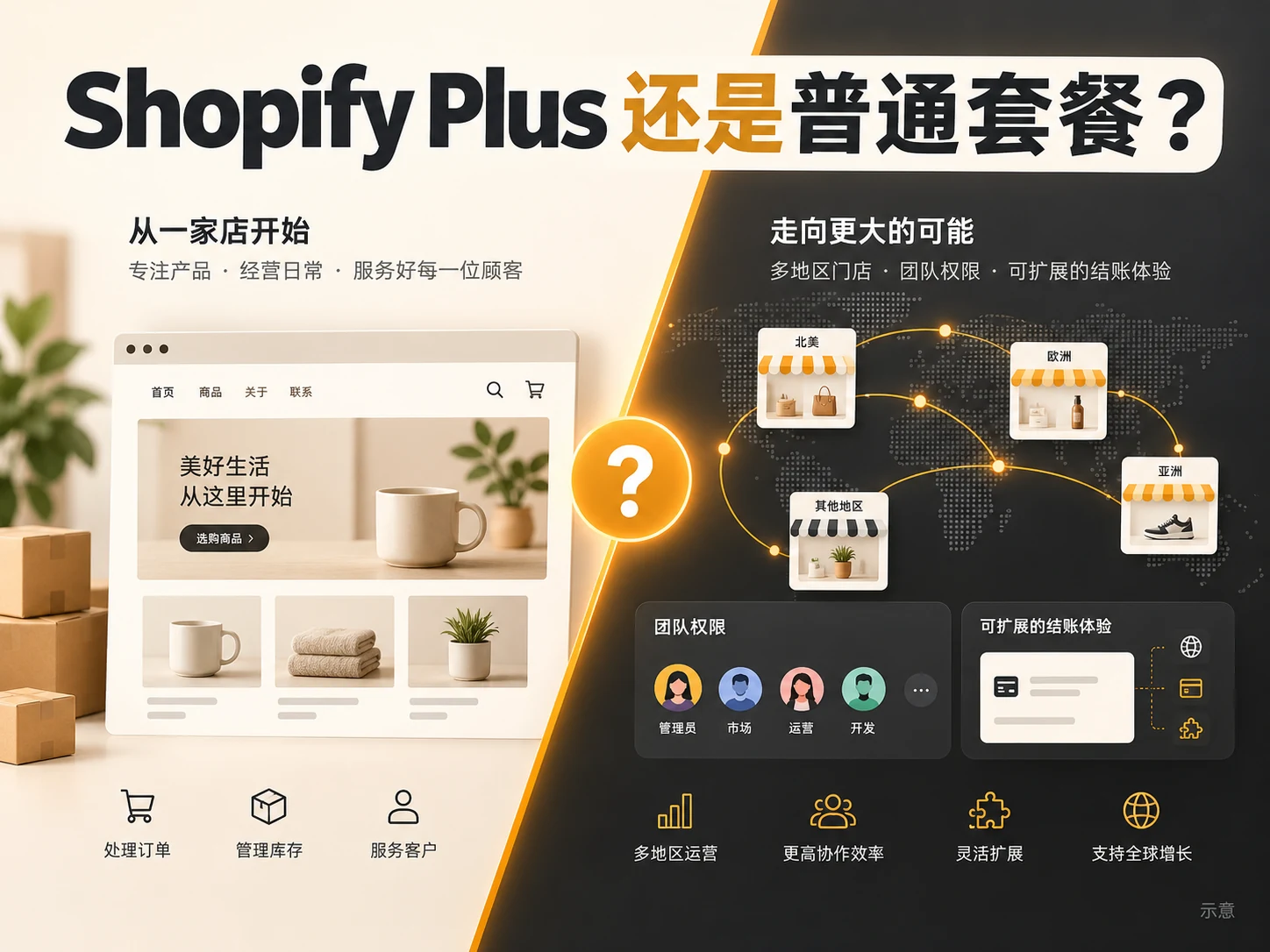
“What is the main difference between Shopify Plus and the ordinary package?” If your store has just started selling, first check whether the ordinary package can complete daily listing, payment collection and order processing; if you already need multiple teams to operate together, allocate exclusive catalogs according to enterprise customers, and reshape the checkout process, it is necessary to carefully calculate Plus. Plus does not simply double every feature of the regular package, but provides more management and expansion space for complex organizations and transaction processes. This article breaks down the actual upgrade decisions one by one and explains which requirements do not require Plus.
First determine the comparison object: the ordinary package does not only have the entry version
The “regular packages” here refer to Basic, Grow and Advanced. The three already have online stores, order management and a large number of basic business capabilities; Advanced also provides stronger reports, market customization and corresponding team seats. When evaluating Plus, you should first use the packages currently used or planned to use as a baseline, rather than directly comparing Basic and Plus, and then omitting the intermediate options.
Especially B2B: Shopify officially lists that Basic, Grow, Advanced and Plus can all use Shopify B2B, and enterprise files, some catalogs and net payment periods are not unique to Plus. If you only need to establish a wholesale buying path for a small number of enterprise customers, you should test existing plans first to avoid increasing costs due to the outdated saying that “if you want to wholesale, you must buy Plus”. There are already articles Comparison between WordPress and Shopify foreign trade website development Directory permission differences explained; organization, checkout, and total costs are further discussed in this article.
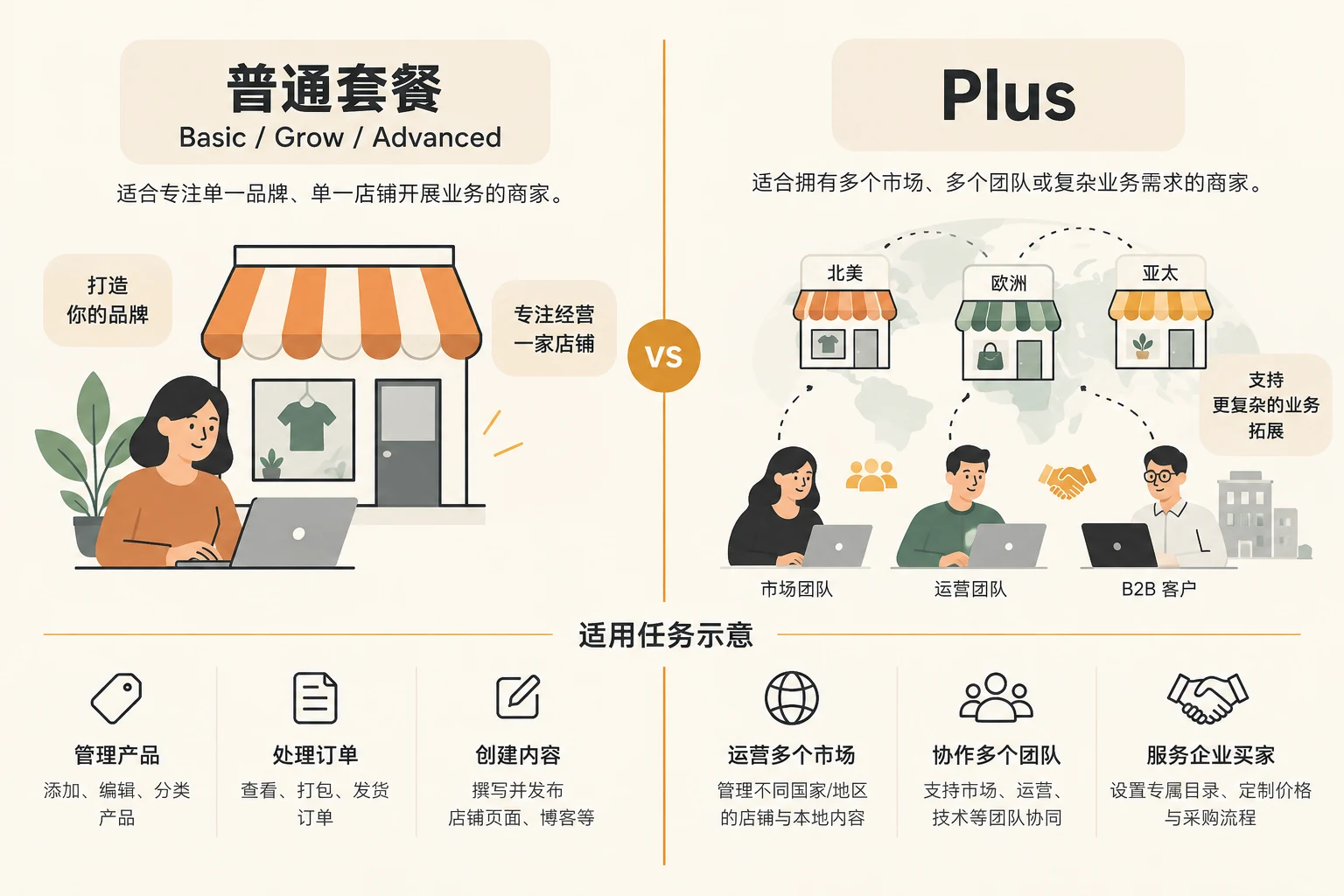
The main differences between Shopify Plus and the regular plan: five decision-making dimensions
First look at the table below, and then compare it with your current real bottleneck. Functional description as of October 15, 2026 Shopify Plus official description 、 Advanced official description и B2B package comparison The available functions are still subject to the store region, activation status and actual contract.
| decision dimension | Normal package (Basic/Grow/Advanced) | Increment of Shopify Plus | When is it worth evaluating? |
|---|---|---|---|
| Teams and multiple stores | Manage users by package; Advanced supports 15 user accounts | Custom user groups, unlimited employee accounts; 9 official extension stores listed | It is difficult to unify the permissions of multiple departments, regions or stores |
| B2B | All support enterprises, account periods, etc.; the B2B market can assign a maximum of 3 active directories in total. | Unlimited B2B market catalogs; can directly assign catalogs to businesses or locations; supports deposits, partial payments, etc. | There are indeed multiple levels of customer-specific pricing and complex collection arrangements. |
| Checkout & Extension | Advanced already has situational checkout and store customization in some markets | Deeper checkout branding, extension and customization process capabilities | Standard checkout and existing applications cannot meet the defined process |
| Contracts and fees | Pay platform fees and other fees based on selected region, cycle and service | Plus needs to compare contract length, possible variable platform fees and DevOps costs | Net benefits cover the full cost of the upgrade |
The table is a framework for judgment, not a promise that all stores will have the same functionality enabled immediately. For example, the normal package uses the B2B market directory and needs to meet Shopify’s conditions for new Markets; while the Plus expansion store also involves brand, theme licensing and contract boundaries.
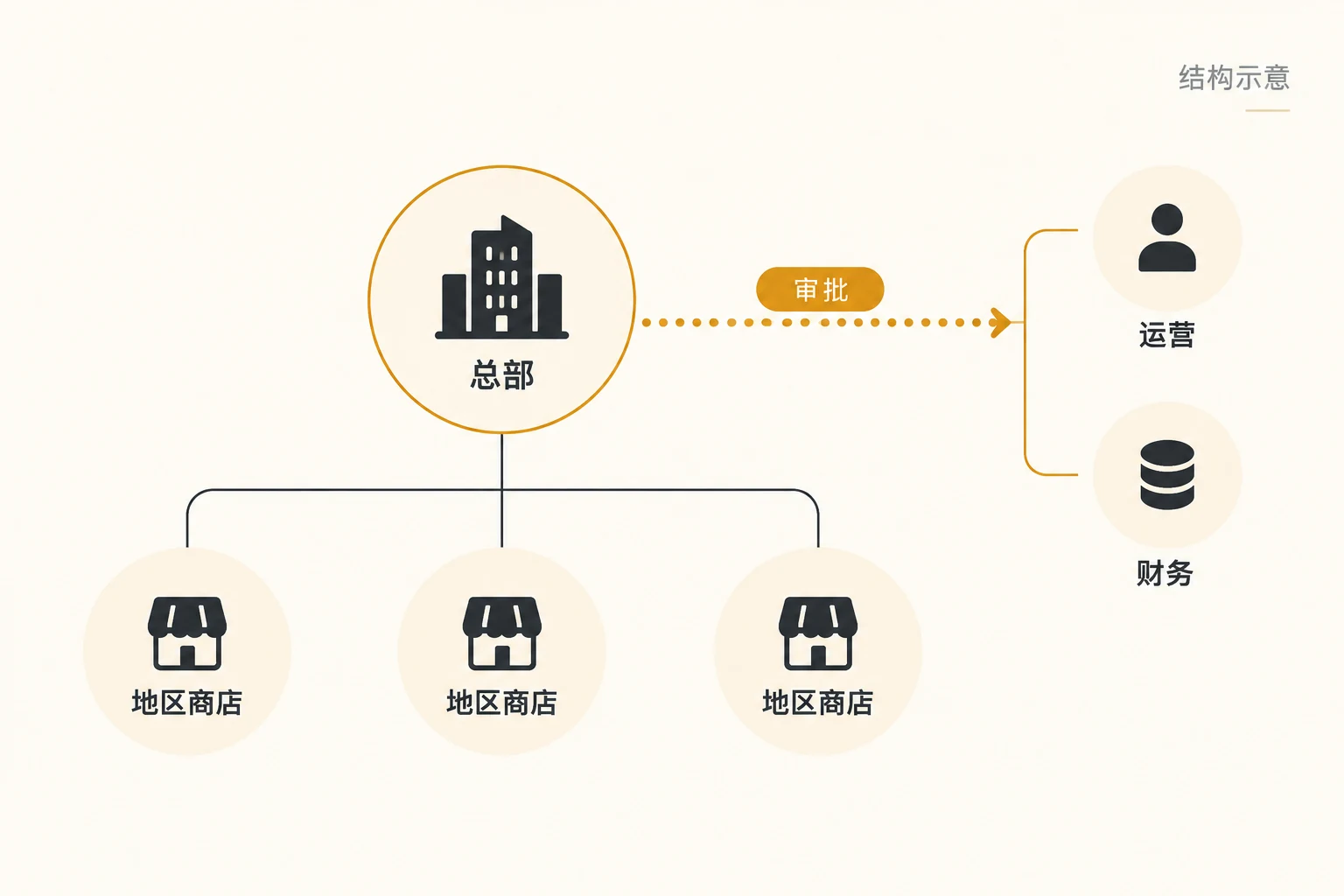
1. Team management: Plus is suitable for complex organizations, not just more employees
The ordinary package is enough to support a small team to handle content, products, orders and customer service; the number of user accounts officially listed by Advanced is 15. The difference with Plus is the ability to create custom user groups and centrally assign permissions, as well as prevent seats from becoming a scaling limitation in large teams. If you have multiple roles such as design, product selection, regional operations, finance, and development, and manage multiple market stores, permission management may be more important than “more accounts.”
Shopify officially lists 9 extended stores as Plus features, but it cannot be assumed that different brands can share the same contract for free. Quotation page instructions are usually handled as a single brand contract, and more extension stores, theme licenses and brand structures still need to be verified by the contract.
2. B2B: Focus on customer-level pricing and payment process complexity
“Being B2B” itself is not a reason to upgrade. The ordinary package already provides basic capabilities such as enterprise and enterprise location, quantity rules, quantity tiered prices, and net account period. The situations where Plus is really needed are to assign the catalog directly to specific enterprises or enterprise locations, to set a more complex price system by customer, or to require deposits, partial payments, or payment requests initiated by fulfillment nodes. The official B2B package table also states that Basic, Grow, and Advanced can be assigned a maximum of 3 active directories in the B2B market, while Plus is not limited by this number of directories.
The way to tell is to list the real contracts: How many customer groupings are there? Do prices vary by customer location? Does the order require payment in stages? If the catalog has not reached the limit and the sales team can still use the existing billing period and order process to complete the work, it is safer not to upgrade now. If complex account periods, cross-border settlement or multiple payment channels are required, they should also be reviewed separately. International business website payment method , don’t confuse platform packages with payment service provider fees.
3. Checkout customization: define the process first, and then determine whether deeper expansion is needed
Plus provides Checkout Branding API, checkout extension and other capabilities, which can be used to create a checkout experience that complies with brand and business rules, and can also plan different processes for B2B and D2C in the same store. But “the regular plan can’t customize checkout at all” is not accurate: Advanced’s official description already lists the ability to customize checkout and customer account pages by market. The difference should be how deep the extension is required, which interfaces are available, and whether they are covered by existing application and theme functionality.
Start by making a list of unachievable checkout needs, then compare existing plans, apps, Advanced and Plus. If you just want the checkout page to “look more advanced” without clear business goals and test metrics, the development investment of Plus may not be worth it.
4. Cross-market and multi-store: Distinguish between market localization and independent stores
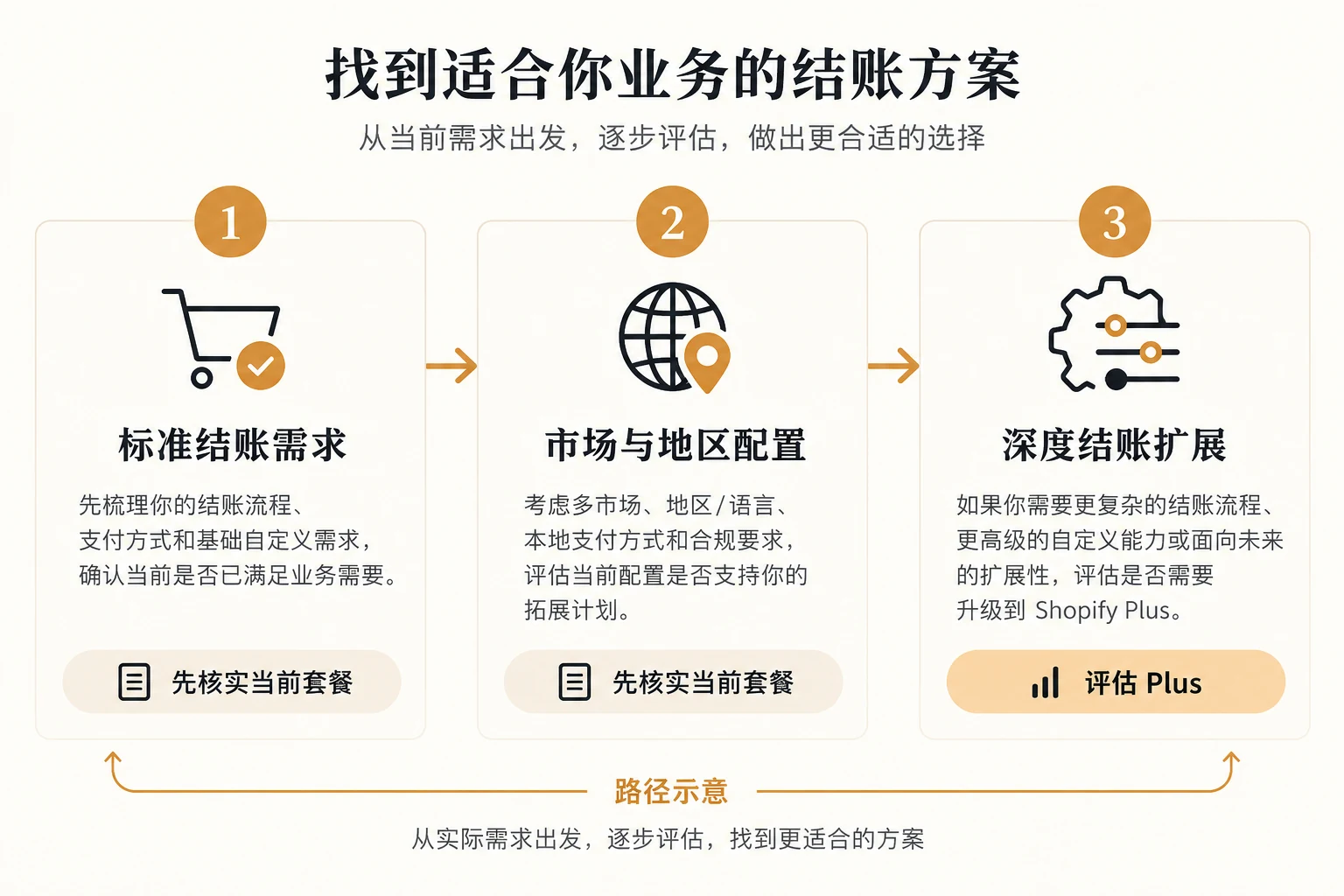
Shopify’s Markets are not the same thing as extending your store. The official Plus page explains that all Shopify packages can create an unlimited number of country or regional markets; Advanced and above support customization such as theme editing by market. So “doing multiple languages, multiple currencies, or entering multiple countries” doesn’t automatically mean Plus. Plus is more suitable for enterprises that need multiple independently operated stores, centrally manage different teams, or need to superimpose a complex B2B market structure.
For cross-border display, test Markets, translation, payment, and delivery first; expand the store when operations need to be split. Specific cross-border rates, payment availability and tax compliance are still determined by regions and service providers, and package upgrades do not mean these issues are automatically resolved.
5. Cost: Compare total cost of ownership with incremental benefits
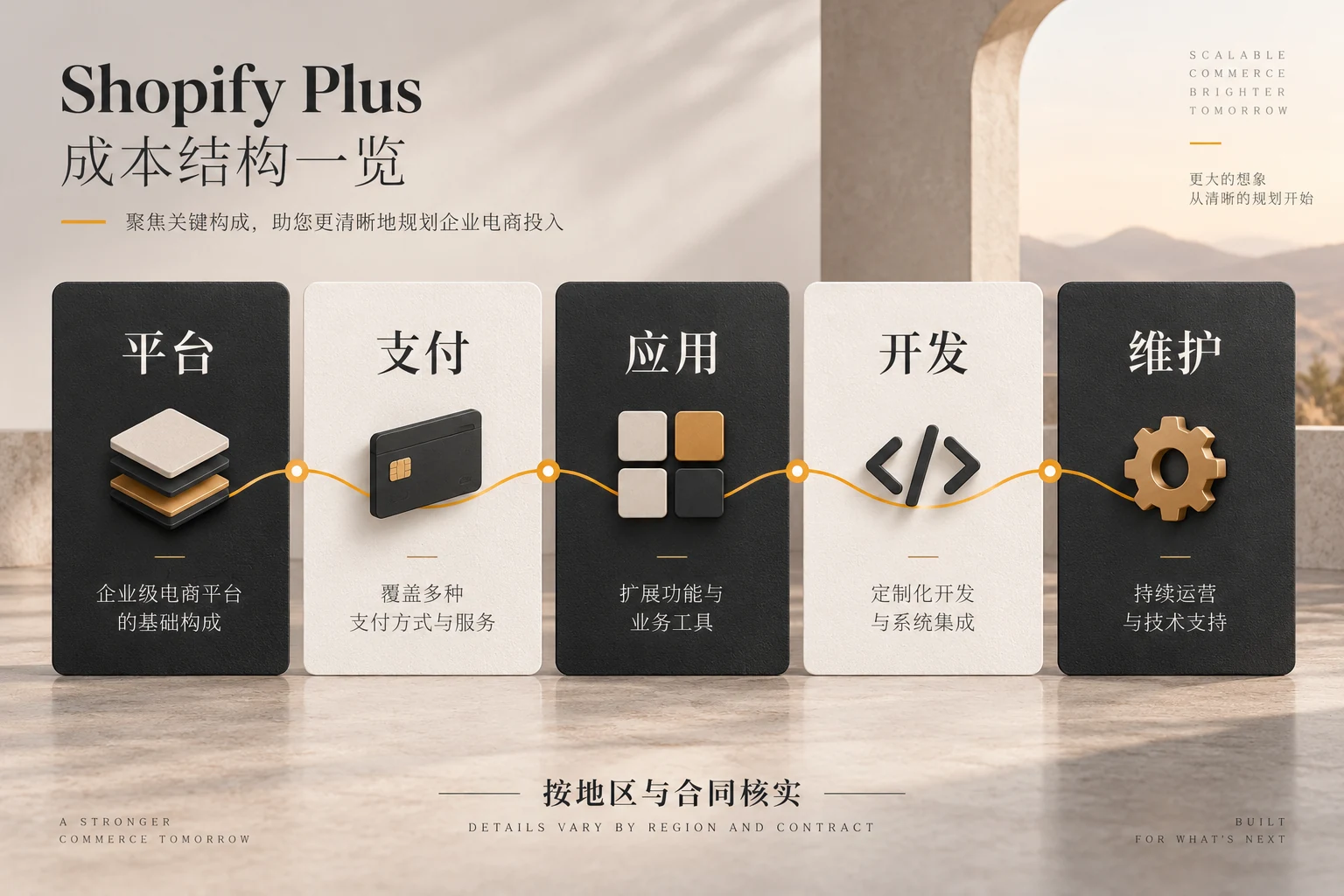
Plus’s platform fee is related to the contract period, settlement currency, and merchant region. Shopify’s official price page lists starting monthly fees for one- and three-year contracts in some regions, and also indicates that complex or high-volume businesses may use variable platform fees. This article does not regard a certain US dollar price as a fixed quotation from Chinese merchants, because the subject area, currency, taxes, payment arrangements and contract terms may be different. A formal quotation from the applicable entity should be obtained when making a decision.
The calculation includes at least platform monthly fees, transaction and payment related fees, application subscriptions, themes, development implementation, system integration, training and ongoing maintenance; it also estimates whether efficiency improvements or new orders can be verified. Only by spreading the one-time investment over the contract period and leaving allowance for peak seasons, business fluctuations and store restructuring can we compare the true difference between Basic, Grow, Advanced and Plus.
Three steps to determine whether your store should be upgraded now
Step 1: Write down three specific tasks that cannot be accomplished with the current package
For example, “Five types of corporate customers need to be directly assigned their own catalogs”, “Financial teams in different regions need separate approval permissions”, “Checkout needs to trigger different payment processes based on corporate accounts”. There are no clear obstacles, and there is no need to make expensive migrations for Plus yet.
Step 2: Do a round of demonstration verification of the normal package and the Plus package
Ask your team to demonstrate on real products, real customer segments, and real market structures to see if it can be implemented with existing packages, Advanced, Apps, or Plus. For links that require customized development, you should first obtain the scope of the solution, launch time, and maintenance responsibilities, rather than just looking at the function names in the sales presentation.
Step 3: Use the net income during the contract period to make decisions
If Plus solves existing losses or clear growth bottlenecks, and the team has the ability to operate multiple stores, customized checkouts, and complex B2B processes, formal quotations and pilots can be entered. If you currently only have a single store, a small number of wholesale customers, and standard checkout, the Normal package or Advanced is often more suitable. The final selection must be based on the current terms, actual quotations and test results in the region.
Conclusion: Plus is a complexity tool, not a necessary stage for brand website
The main differences between Shopify Plus and the regular plan center on larger teams and multi-store management, customer-level B2B catalogs and advanced payment rules, checkout extensions, and higher overall costs comprised of contracts and implementation work. The regular package already has many daily e-commerce and B2B capabilities; Advanced also covers some cross-market and checkout customization. First, write down the limitations of the current process one by one, and then verify which package can solve it and how much value it will bring after solving it. If you need to evaluate platform selection together with page structure and product experience, you can AIRSANG website service entrance Sort out existing store problems and form a demand list that can be quoted.