How to Duplicate Page in WordPress: A Complete Guide

If you manage a WordPress website, you’ve probably faced this situation: you’ve built a well-structured page with the perfect layout, design blocks, SEO settings, and formatting — and now you need a similar page with only minor changes.

Instead of rebuilding everything from scratch, the smarter solution is to duplicate page in WordPress and reuse the existing structure.

In this guide, we’ll explain what it means to duplicate a page, why it matters, and the safest, most efficient methods to do it. Whether you’re running a blog, a business site, or a cross-border eCommerce store, understanding how to duplicate page in WordPress can dramatically improve your workflow and consistency.
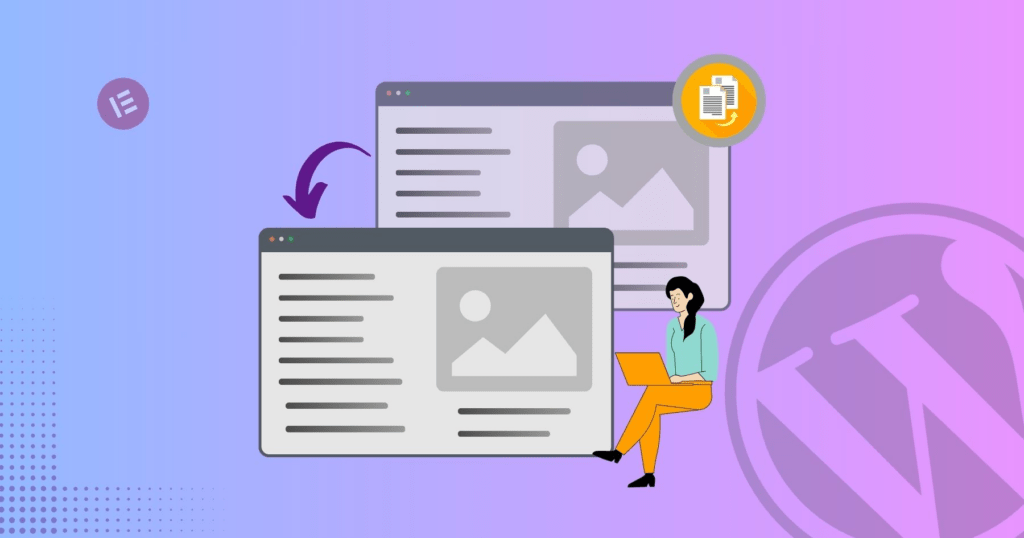
What Does It Mean to Duplicate a Page in WordPress?

How to Duplicate Page in WordPress: A Complete Guide-What Does It Mean to Duplicate a Page in WordPress?

To duplicate page in WordPress means creating an exact copy of an existing page — including its:

  • Layout and design blocks
  • Text content
  • Images and media
  • Пользовательские поля
  • SEO settings (depending on method)
  • Шаблоны страниц

The duplicated page acts as a draft copy. You can modify it without affecting the original version.

This is especially useful when:
  • Creating landing page variations
  • Building product pages with similar layouts
  • Designing seasonal campaigns
  • Testing conversion-focused page variations
  • Maintaining design consistency across multiple service pages

Why Duplicating Pages Is Important

How to Duplicate Page in WordPress: A Complete Guide-Why Duplicating Pages Is Important

Many site owners underestimate how much time is wasted rebuilding pages from scratch. Learning how to properly duplicate page in WordPress helps you:

1. Save Development Time

Instead of reconfiguring blocks, columns, and design elements, you start with a ready-made structure.

2. Поддерживайте согласованность дизайна.

When your website follows a consistent structure, it looks more professional and improves user experience.

3. Reduce Human Error

Manual recreation often leads to spacing issues, inconsistent fonts, broken links, or missing metadata.

4. Speed Up Marketing Campaigns

If you run paid ads, seasonal promotions, or A/B tests, duplicating landing pages is essential.

Method 1: Duplicate Page in WordPress Using a Plugin (Recommended)

The easiest and most reliable way to duplicate page in WordPress is by using a plugin.

Several plugins are designed specifically for this purpose. Popular options include:

  • Duplicate Post
  • Yoast Duplicate Post
  • Post Duplicator

Step-by-Step Process

  1. Log in to your WordPress dashboard.
  2. Go to Plugins → Add New.
  3. Search for a duplication plugin (for example, “Duplicate Post”).
  4. Install and activate it.
  5. Navigate to Pages → All Pages.
  6. Hover over the page you want to copy.
  7. Click Duplicate or Clone (depending on plugin).

A new draft page will instantly appear.

Why Plugins Are Ideal

  • One-click duplication
  • Preserves metadata
  • Maintains custom templates
  • Safe and non-destructive
  • Подходит для начинающих

For most website owners, using a plugin is the safest solution.

Method 2: Duplicate Page in WordPress Manually (Without Plugin)

If you prefer not to install extra plugins, you can duplicate page in WordPress manually.

Option A: Copy and Paste Content

  1. Open the page in the WordPress editor.
  2. Select all content (Ctrl + A).
  3. Copy it.
  4. Create a new page.
  5. Paste the content.

However, this method only copies visible content. It does not copy:

  • SEO-метаданные
  • Page template settings
  • Пользовательские поля
  • Главное изображение

This makes it less efficient for complex websites.

Option B: Duplicate Using Code (Advanced Users)

Developers can duplicate pages via the WordPress database or using PHP functions.

This approach involves:

  • Copying post entries in the database
  • Preserving metadata
  • Handling taxonomies
  • Managing post status

Because this method touches core data, it should only be used by experienced developers. Improper duplication can cause:

  • Неработающие внутренние ссылки
  • SEO conflicts
  • Duplicate slug issues
  • Несоответствия в базе данных

For most business owners, plugins remain the safer choice.

Duplicate Page vs Duplicate Post: What’s the Difference?

In WordPress, pages and posts are different content types.

Pages are typically used for:

  • Главная страница
  • About page
  • Услуги
  • Contact page
  • Целевые страницы

Posts are used for:

  • Blog articles
  • News updates
  • Контент-маркетинг

The process to duplicate page in WordPress is similar to duplicating posts, but be sure you’re duplicating the correct content type.

Common Use Cases for Duplicating Pages

Understanding real-world applications helps clarify why duplication matters.

1. Landing Page Variations

If you’re running Google Ads or Facebook Ads, you may want to test multiple headlines. Duplicating a high-performing landing page lets you adjust messaging while keeping layout intact.

2. Multi-Location Service Pages

If your company operates in multiple cities, you can duplicate page in WordPress and adjust location-specific content without redesigning the entire page.

3. eCommerce Product Templates

Many WooCommerce sites use structured product layouts. Duplicating allows you to maintain consistent product presentation.

4. Seasonal Campaigns

Holiday promotions, limited-time offers, or event pages can reuse design structure from previous campaigns.

SEO Considerations When You Duplicate Page in WordPress

How to Duplicate Page in WordPress: A Complete Guide-SEO Considerations When You Duplicate Page in WordPress

Duplicating pages must be handled carefully from an SEO perspective.

1. Change the Slug

WordPress automatically adds a suffix like “-2”. Always edit the URL to match your new page topic.

2. Update Meta Title & Description

If you use SEO plugins like Rank Math or Yoast, ensure metadata is unique.

3. Avoid Publishing Duplicate Content

Duplicated pages should be edited before publishing. Identical live pages may cause SEO conflicts.

4. Check Canonical Tags

Ensure canonical URLs are properly set to avoid indexing confusion.

Duplicate Page in WordPress with Page Builders

Many websites use builders like:

  • Элементор
  • Divi
  • WPBakery

Most page builders include built-in duplication features.

Например:

  • Duplicate section
  • Duplicate row
  • Save as template
  • Import template

This is especially helpful when managing visually complex designs.

If you’re using a builder, always check whether it offers native duplication before installing additional plugins.

Potential Risks and How to Avoid Them

Although duplicating pages is safe, common mistakes include:

1. Publishing Without Editing

Always modify duplicated content before publishing.

2. Forgetting Internal Links

Old internal links may still point to the original page.

3. Copying Tracking Scripts

Ensure analytics or conversion scripts are updated if needed.

4. Duplicate Images

If media filenames are identical, make sure alt text is updated.

Best Practices for Efficient Page Duplication

Here are practical tips for professionals:

  • Keep original pages as templates
  • Use “Draft” status for duplicated versions
  • Rename clearly (Example: Landing Page – Version B)
  • Create structured naming conventions
  • Review SEO before publishing

If you manage multiple client websites, establishing a duplication workflow can significantly improve productivity.

When Should You Not Duplicate a Page?

There are situations where duplication is not recommended:

  • When creating entirely new content topics
  • When changing site structure
  • When redesigning branding
  • When migrating to a new theme

In those cases, building from scratch ensures structural integrity.

Duplicate Page in WordPress for Cross-Border eCommerce

For cross-border independent websites, duplication becomes even more valuable.

International sellers often need:

  • Multi-language landing pages
  • Regional service pages
  • Variant product showcases
  • Different pricing layouts
  • Market-specific messaging

Instead of redesigning for each market, duplicating and localizing is far more efficient.

A structured duplication strategy ensures consistency across:

  • Визуальная иерархия
  • Conversion elements
  • Call-to-action placement
  • Trust badges
  • Layout rhythm

This is especially critical when scaling globally.

Заключительные мысли

Learning how to duplicate page in WordPress is more than a technical trick — it’s a productivity strategy.

It helps you:

  • Build faster
  • Maintain consistency
  • Scale marketing campaigns
  • Improve operational efficiency
  • Reduce design friction

Whether you use a plugin, manual copy method, or builder feature, the key is applying duplication thoughtfully and strategically.

Need Professional Help?

If you’re building or scaling a cross-border independent website and want structured page systems, conversion-optimized landing pages, or scalable design architecture — this is exactly what we specialize in.

From WordPress website design to full cross-border eCommerce site planning, we help brands create structured, high-converting digital experiences.

На сайте АИРСАНГ, we combine strategy, design logic, and global market understanding to build websites that are not only visually strong — but built for growth.

If you need help duplicating, structuring, or scaling your WordPress website, feel free to reach out.


Доставка по всему миру

АИРСАНГ Предоставляет экономически эффективные решения в области веб-дизайна, фирменного стиля и электронной коммерции. От Shopify и WordPress до изображений товаров для Amazon., Мы помогаем мировым брендам создавать, развивать и расширять свой онлайн-бизнес.

Спроектируем и создадим для вас WordPress-сайт или корпоративный сайт с полной системой электронной коммерции.
Нестандартные требования или специальные предложения

Нестандартные требования или специальные предложения

Первоначальная цена составляла: $2.00.Текущая цена: $1.00.
Не слишком ли много 50 плагинов для интернет-магазина на WordPress?
Понимание реального влияния на производительность Наличие 50 плагинов на сайте электронной коммерции WordPress не является автоматической проблемой. На самом деле, само по себе их количество редко определяет производительность.....
Разработка эффективного основного изображения Amazon для фильтрующих картриджей
Введение. Разработка основного изображения для Amazon — это не просто создание привлекательного внешнего вида товара. Речь идёт о ясности, доверии и мгновенном понимании, особенно для...
Повторные атаки на WordPress: реальная угроза или преувеличенный миф?
Давайте сначала кое-что проясним. Атаки повторного воспроизведения не выглядят страшно. Они не взламывают пароли. Они не внедряют вредоносный код с зелёным хакерским текстом, разлетающимся повсюду. Они действуют коварно...
Сравнение пяти тем WordPress для сайтов о домашних животных
Введение. Выбор подходящей темы WordPress для сайтов, посвященных домашним животным, — это не просто решение, связанное с дизайном; оно напрямую влияет на удобство использования, масштабируемость и долгосрочный рост бизнеса. Уход за домашними животными и...
Сравнение пяти тем оформления для интернет-магазинов купальников
Введение. Выбор правильной тематики для независимого магазина купальников или нижнего белья — это не просто визуальное решение, оно напрямую влияет на коэффициент конверсии, масштабируемость и долгосрочную перспективу...
Ошибка WordPress 500: когда ваш сайт начинает паниковать
Ваш сайт WordPress ещё минуту назад работал нормально. Вы обновили страницу. И вдруг — бац 💥 — ошибка 500 Internal Server Error. Никаких объяснений. Никаких извинений. Просто холодное, непонятное сообщение, которое, по сути...
Как связаться со службой поддержки Shopify: простое и понятное руководство
Управление магазином Shopify должно приносить удовольствие, а не путаницу. Когда возникают вопросы или проблемы замедляют вашу работу, Shopify предлагает несколько вариантов поддержки в зависимости от ситуации...
Сравнение пяти тематических магазинов обуви
Введение. Выбор правильной тематики для независимого магазина, специализирующегося на обуви, — это не просто визуальное решение, оно напрямую влияет на масштабируемость, повседневную работу и долгосрочные показатели конверсии...
Shopify — это легитимный сервис? Пошаговое руководство для начинающих онлайн-продавцов.
Если вы изучаете платформы для электронной коммерции, скорее всего, вы ввели в Google один очень конкретный вопрос: является ли Shopify легитимной платформой? Этот вопрос вполне обоснован. Запуск...

Готовы преобразовать свой бизнес?

Закажите звонок, чтобы узнать больше о том, как наше агентство цифрового маркетинга может вывести ваш бизнес на новый уровень.