





Project overview
Product pictures of rose gold smart watches need to put decorative details and smart functions in the same reading system. This case focuses on the existing 7 Russian works of Ozon, dismantling the arrangements for product identification, theme description and condition verification. For brands and sellers who are preparing to produce pictures of similar products, the focus is not only on the style of the pictures, but also on understanding how different pictures distribute information so that product-related questions have corresponding reading positions.
| 서비스 | Industry | 플랫폼 |
| Ozon product primary and secondary product images design | Digital 3C | 오존 |
| Project requirements | target market | design style |
| Put decorative details and smart functions in the same reading system | Russia | Light luxury jewelry feel|Soft, warm and feminine|Exquisite technological feel |
| project budget | Delivery content | Delivery time |
| ¥500 | 7 case display pictures | 6 working days |
design challenge
This set of watch pictures not only needs to express the decorative theme of the bezel and strap, but also needs to explain the screen, calls, activities and battery life. If all photos of people are used, the functions will be easily weakened; if all parameters are piled up, the appearance theme will be difficult to reflect.
Design strategy: Let the entire group of works form a clear information relationship
01 Allocate information tasks first, and then arrange the key points of the screen
The work is expanded according to “wearing image → bezel and strap → screen operation → call interface → health theme → activity scene → configuration summary”. Figure 1 establishes the identification first, and then switches the composition and description position according to the actual theme. This division of information allows different questions to have their own place, reducing the need to pile up all the text in the first image, and preventing subsequent images from simply repeating the same product photo.
02 Use a consistent visual language to connect different reading tasks
Champagne and rose gold run through the characters, silk and metal straps. The big title is in dark warm colors, and the interface and white information card are responsible for functional reading. The unified style serves the entire group identification, and composition changes serve different contents; the main title, auxiliary labels and product proportions in the picture jointly determine the reading order.
03 Reduce the explanation to specific parts, actions or choices
The focus of this group of works is to put decorative details and smart functions in the same reading system. When dismantling, look at the correspondence between the whole machine and parts, themes and conditions: when there is structural information, look at the positional relationship, when there is scene information, look at the objects used, and when there are numbers, look at the categories and limiting conditions. Letting each picture answer a specific question has more explanatory value than repeatedly emphasizing the excellence of the product.
Dismantling the work: explaining the screen arrangement and information responsibilities of each picture
Figure 1 | Wearing image: first explain the appearance and category
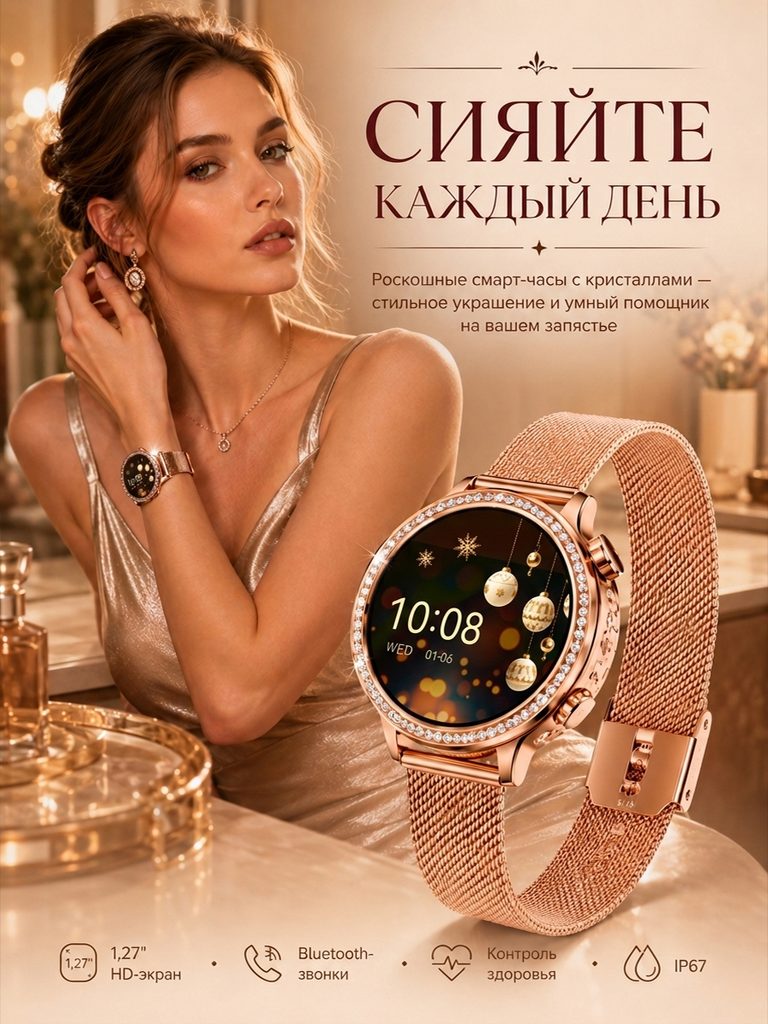
The watch worn by the character and the enlarged machine appear simultaneously. The warm background continues the jewelry theme, and the icons at the bottom summarize screen, call and other information.
The wearing diagram provides reference for proportions and matching, zooming in on the entire device provides identification, and function icons help distinguish smart watches from ordinary accessories.
Figure 2|Bezel and strap: let the decorative details be compared
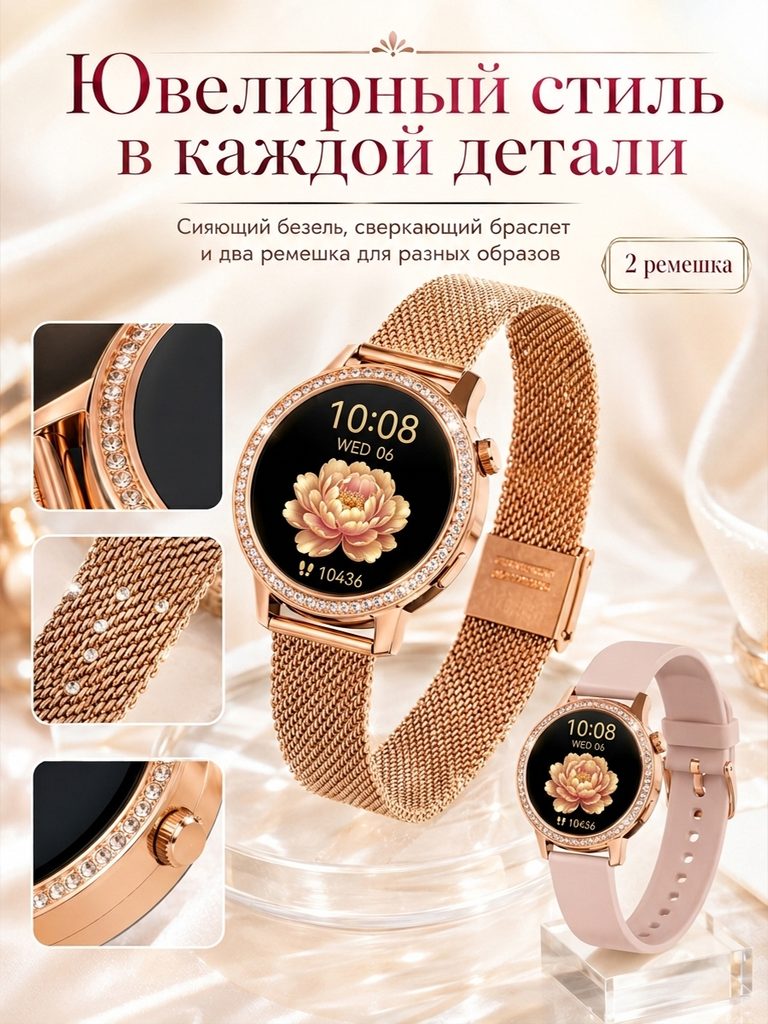
The bezel, metal woven strap and side knobs are enlarged respectively. Another light-colored strap is added next to the whole machine, and two straps are marked.
The differences in material texture and accessories are directly displayed through close-ups, allowing the appearance theme to be implemented into specific parts and matching choices.
Figure 3|Screen operation: parallel actions and interfaces
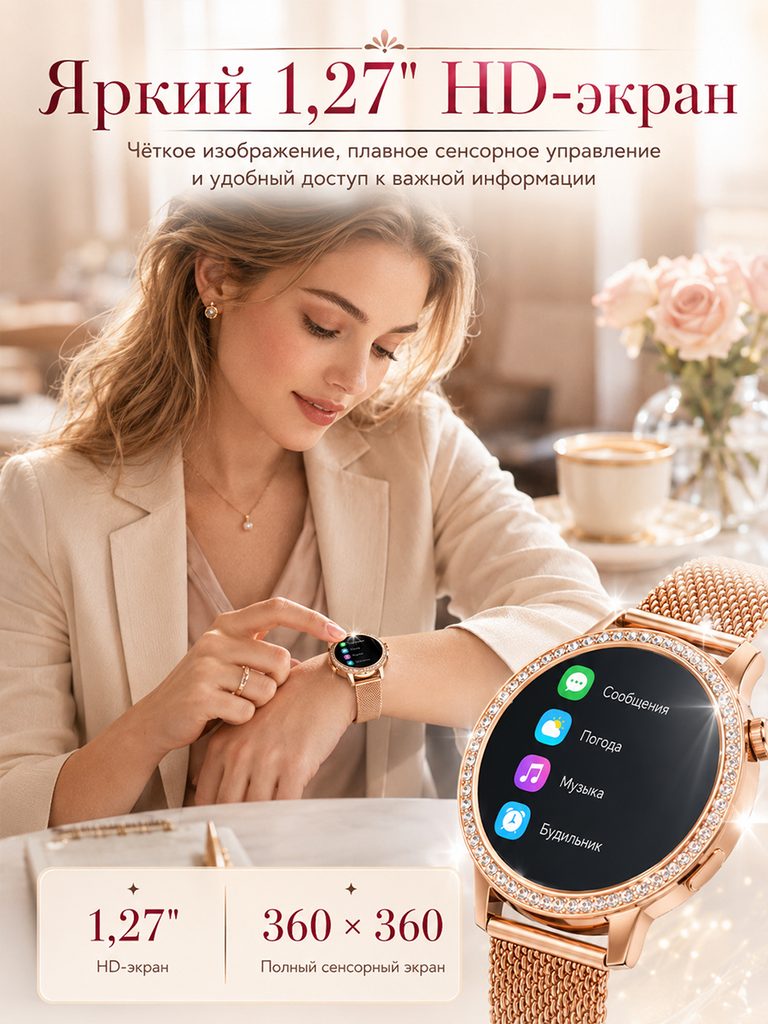
The character taps the screen on the wrist, and the menu interface is enlarged on the right side, and the 1.27-inch and 360×360 annotations are independently displayed below.
The operation screen explains the purpose of the screen, and the specification card makes it easy to check. The two types of information avoid being confused into a general high-definition experience.
Figure 4|Call interface: Use contacts and icons to illustrate functions
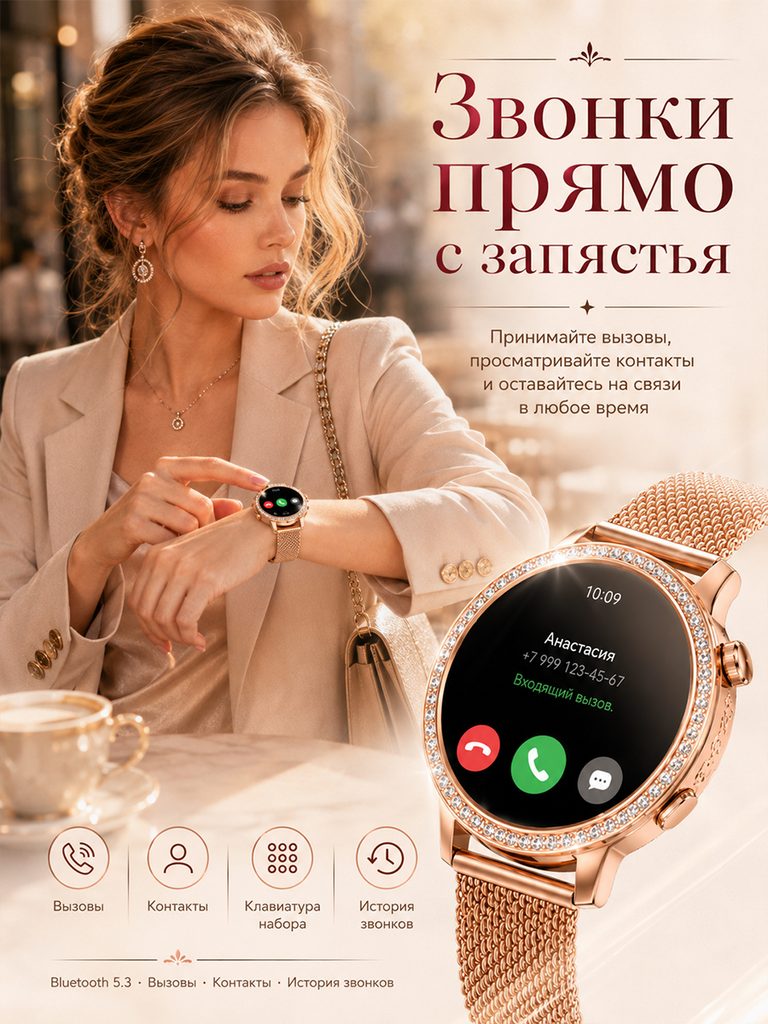
The wrist operation scene is juxtaposed with the incoming call interface, and the icons at the bottom organize calls, contacts, dialing and records.
The interface allows the call topic to be seen, and icons explain related operations separately, making it easier for users to confirm the functions they care about.
Figure 5|Health theme: display information categories using interface
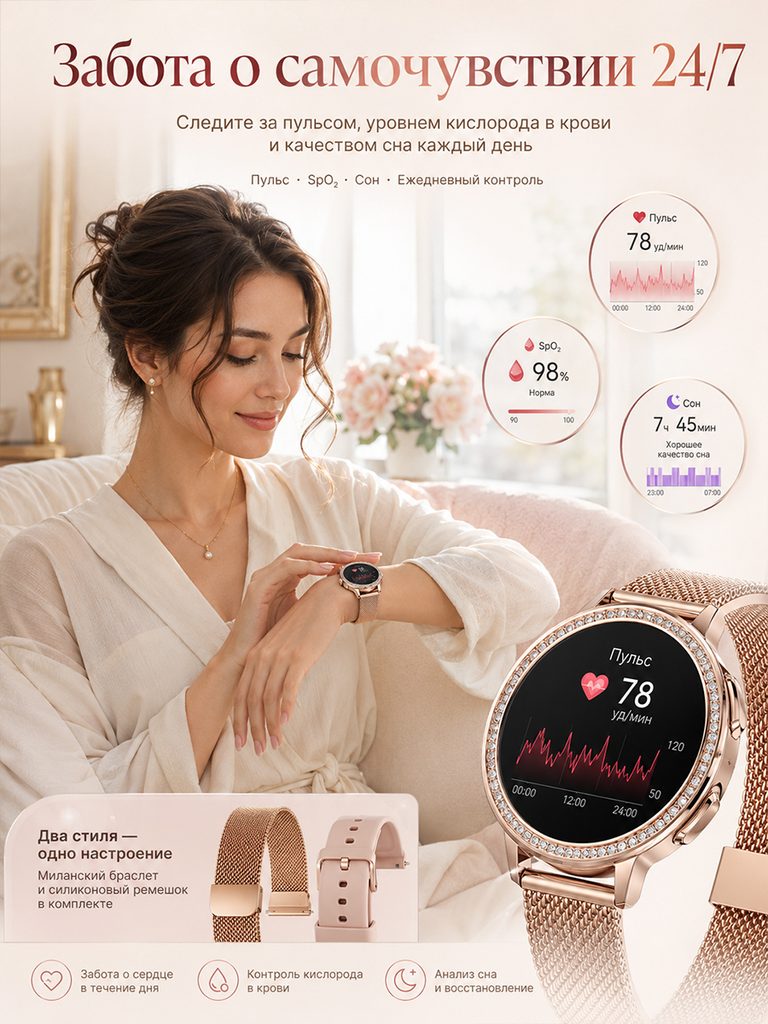
The character checks the watch, with circular cards of heart rate, blood oxygen and sleep patterns arranged next to it, and the screen is enlarged to retain the data interface.
The cards help to understand what information is displayed in the picture, which is a functional presentation, and the schematic values are not regarded as medical test results.
Figure 6|Activity scene: distinguishing between sports, music and notifications
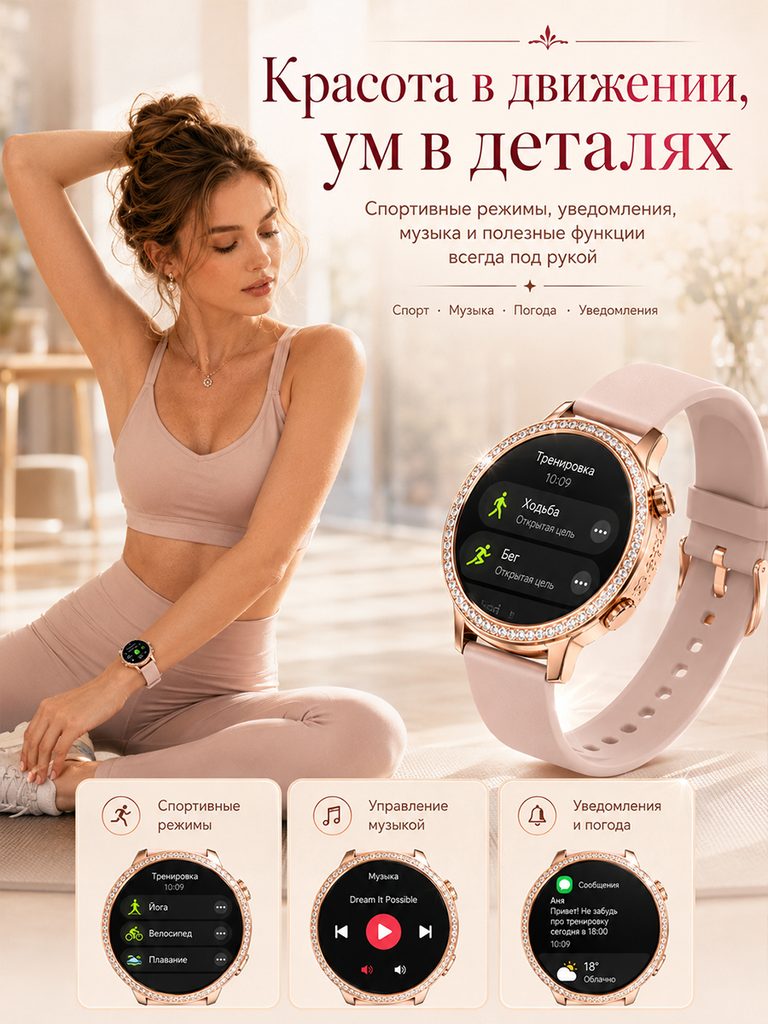
The yoga scene is in the background, the watch displays the sports menu, and the three interface cards at the bottom correspond to sports, music and notification themes respectively.
Separate interfaces in the same environment can illustrate auxiliary functions other than activities and maintain the connection between the character atmosphere and specific operations.
Figure 7|Configuration summary: strap and usage conditions
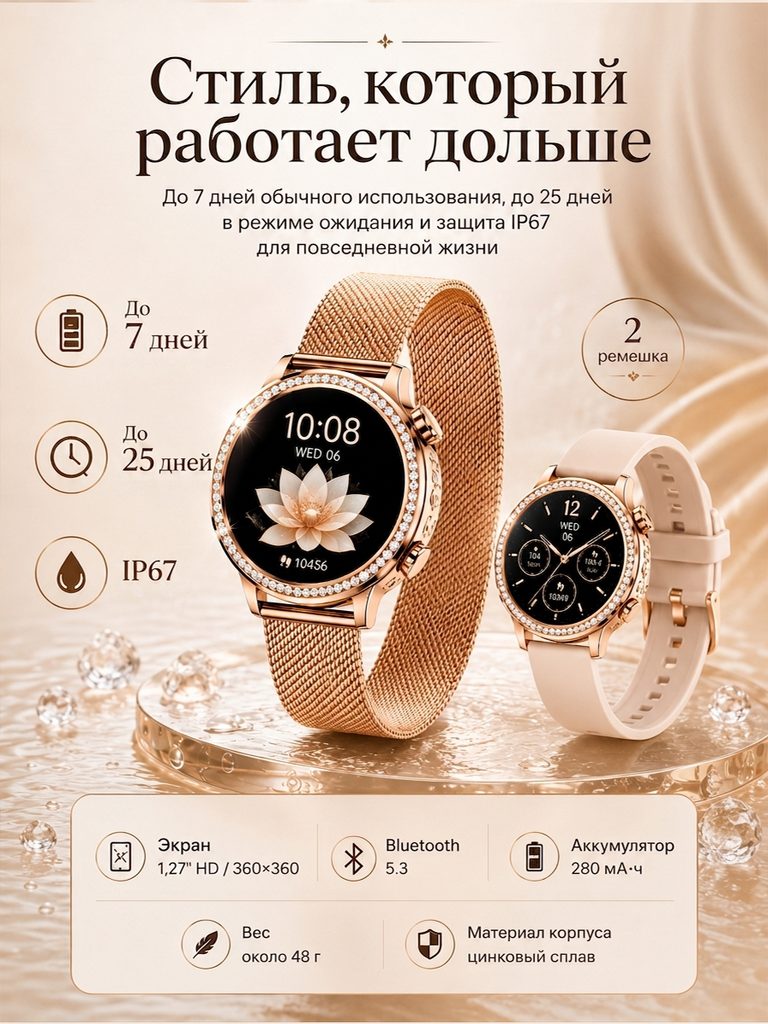
Watches with two straps are side by side, with battery life and IP67 themes in the left column, and the bottom table focusing on screen, battery and body information.
The last page allows users to return to the configuration check, and the corresponding locations for decoration selection and functional conditions can be found.
Delivery summary and design value
The entire team delivers with a clear division of labor
The 7 works in this case respectively cover “wearing image → bezel and strap → screen operation → call interface → health theme → activity scene → configuration summary”. The number of images depends on the actual content, and each image has its own theme while maintaining an overall identity through color, text hierarchy, or composition.
Procurement issues can be more easily mapped to specific information
Focusing on the rose gold smart watch, the work will “put decorative details and smart functions in the same reading system” and implement it into different pictures. When brands plan similar designs, they can first list the content that consumers need to identify, understand and check, and then determine the tasks and order of primary and secondary product images.
Value is based on interpretive methods and authentic works
The whole machine, part, scene and information cards provide different reading entrances, helping to organize product descriptions more clearly. The value of this case is the visible design expression and information division of labor; changes in click-through rates, sales, and conversion rates require additional statistical or test data support.
The parameters, materials and functions in this article are used to explain the content of the accompanying pictures. The specific specifications, applicable conditions and accompanying items are subject to the product information of the corresponding model.
Plan clearer product images for your Ozon products
If you also need to plan primary and secondary product images for your Ozon rose gold smart watch, you can submit product links, existing pictures or product information to AIRSANG, explain the target market and required picture group range, and communicate the information organization and visual direction suitable for the product.
Consultation email: [email protected] · Telephone: 177-5952-2770