












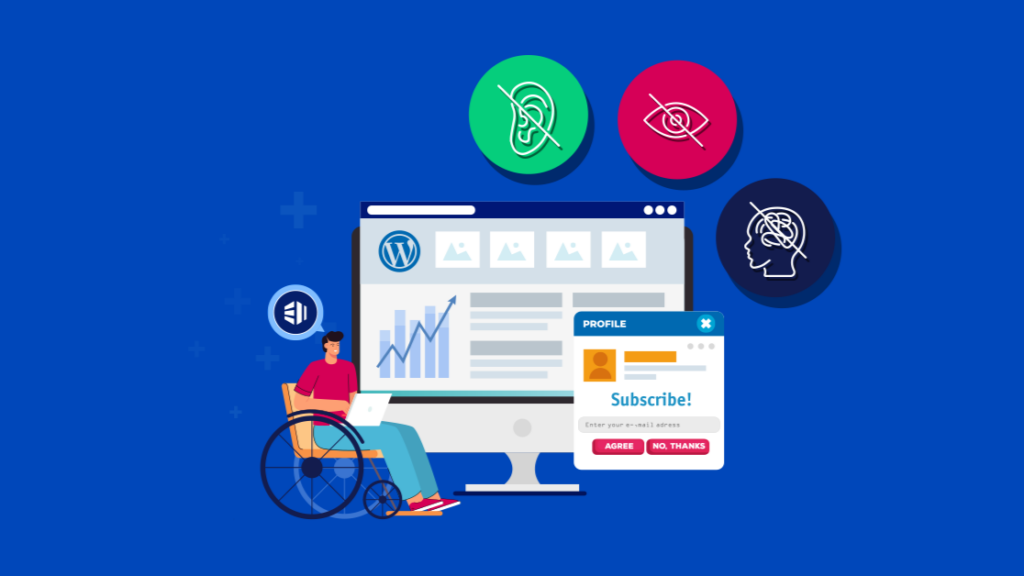
Introduction: Why “WordPress Reads Accessible Data” Matters
When people talk about building a website, they usually focus on design, speed, or SEO. But there’s a deeper layer that often gets overlooked—accessibility.
Accessibility isn’t just about compliance. It’s about making sure your website can be understood, navigated, and used by everyone, including people with disabilities, screen readers, and assistive technologies.
This is where the concept of “WordPress reads accessible data” becomes critical.
At its core, accessibility in 워드프레스 means your content is structured in a way that machines—and humans—can interpret correctly. If your site communicates clearly through code, then screen readers can “read” your content properly, and users can fully interact with your site.
Let’s break this down in a practical, easy-to-understand way.
What Does “WordPress Reads Accessible Data” Actually Mean?
When we say WordPress reads accessible data, we’re not talking about WordPress “reading” content like a human. Instead, we’re talking about how WordPress outputs structured, semantic HTML that can be interpreted by:
- Screen readers
- Voice navigation tools
- Keyboard-only users
- Accessibility APIs
간단히 말해서:
Your website isn’t just for humans—it’s also for machines that help humans.
If your site uses proper headings, labels, alt text, and semantic structure, then assistive technologies can accurately interpret your content.
Why Accessibility Is No Longer Optional
Accessibility used to be considered a “nice-to-have.” Today, it’s essential.
Here’s why:
1. Legal Compliance
Many countries enforce accessibility standards (like WCAG). Failing to comply can lead to legal risks.
2. Larger Audience Reach

Millions of users rely on assistive technologies. If your site isn’t accessible, you’re losing potential customers.
3. SEO Benefits
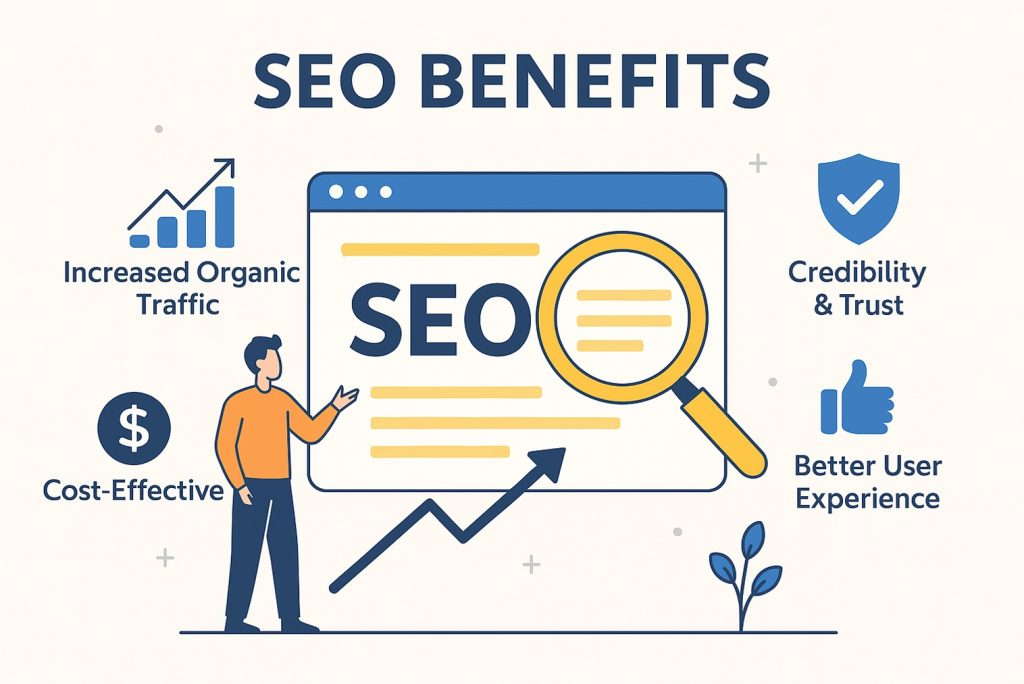
Search engines also rely on structured data—just like screen readers. Accessibility improvements often lead to better rankings.
4. Better User Experience
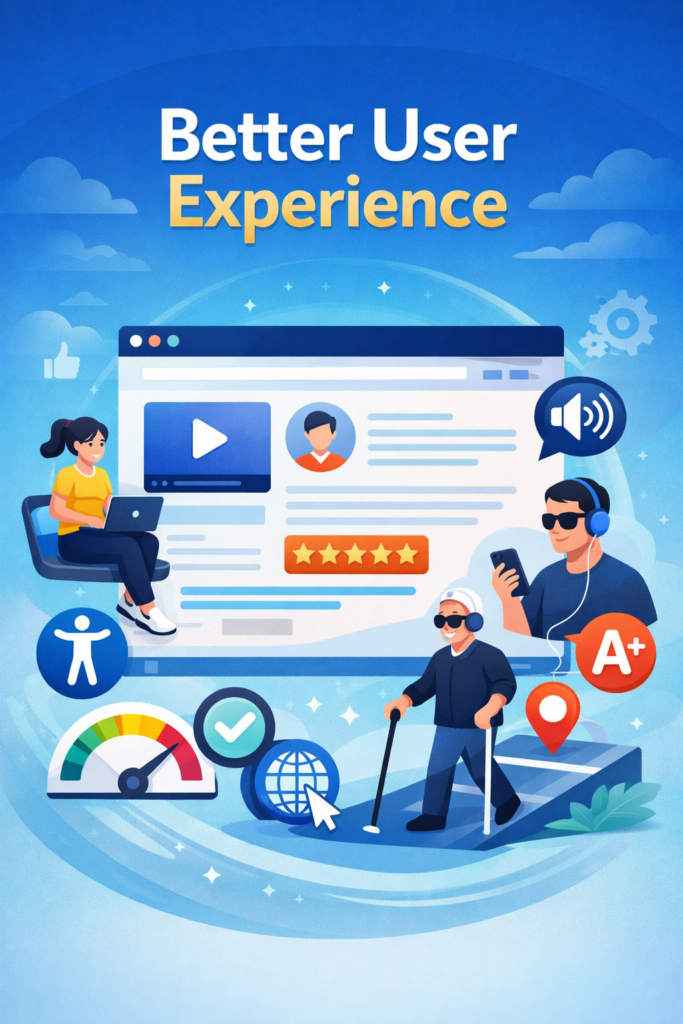
Accessible websites are usually cleaner, clearer, and easier to navigate for everyone.
How WordPress Supports Accessibility by Default
One of the reasons WordPress is so powerful is that it already includes many accessibility-friendly features out of the box.
1. Semantic HTML Structure
WordPress uses proper HTML elements like:
<header><nav><main><article><footer>
These help screen readers understand page structure.
2. Accessible Themes
Many WordPress themes are labeled “accessibility-ready.” These themes follow strict guidelines to ensure usability.
3. Built-in Media Handling
When uploading images, WordPress prompts you to add:
- Alt text
- Titles
- Captions
This is critical for screen readers.
4. Keyboard Navigation Support
WordPress dashboards and many themes allow navigation without a mouse.
Key Elements of Accessible Data in WordPress
To truly understand how WordPress reads accessible data, you need to focus on the building blocks.
1. Headings (H1–H6)
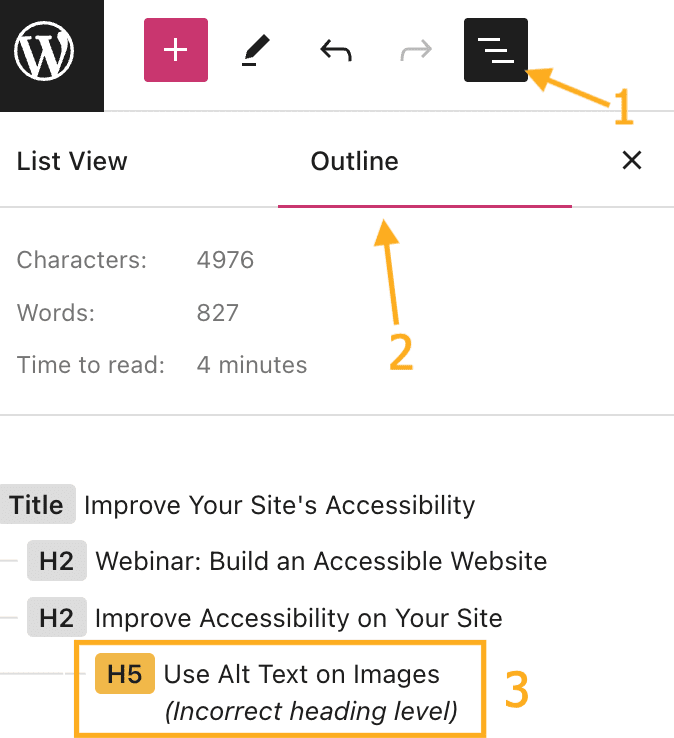
Headings create a logical structure for your content.
Bad example:
- Using headings only for styling
Good example:
- H1 = Page title
- H2 = Sections
- H3 = Subsections
Screen readers rely heavily on this structure.
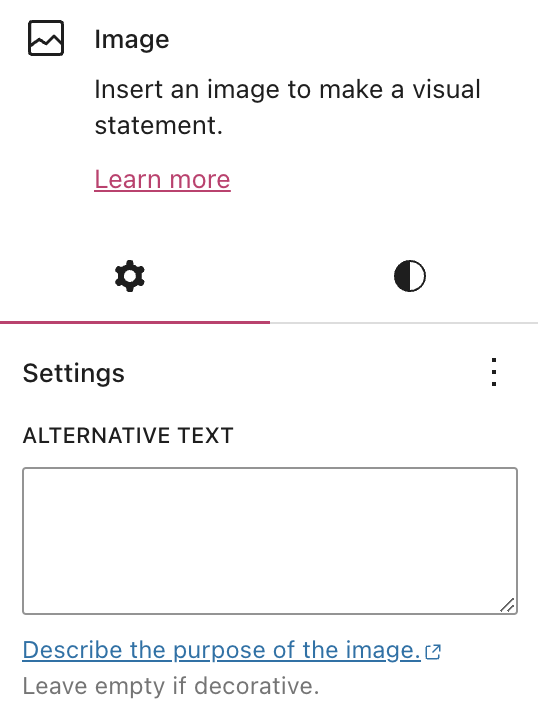
2. Alternative Text (Alt Text)
Every image should include meaningful alt text.
Bad:
- “image1.jpg”
Good:
- “Modern kitchen interior with wooden cabinets and warm lighting”
This allows visually impaired users to understand visual content.
3. Link Descriptions
Avoid vague links like:
- “Click here”
Instead use:
- “Learn more about accessible WordPress design”
This gives context when links are read aloud.
4. Forms and Labels
Forms must include proper labels:
- Input fields should have associated
<label>tags - Error messages should be clear and descriptive
Without this, users relying on assistive tech may not be able to complete forms.
5. Color Contrast
Text must be readable against its background.
Low contrast = inaccessible
High contrast = readable for all users
This impacts users with visual impairments or color blindness.
How Screen Readers Interact with WordPress
Let’s simplify how assistive tools actually “read” your website.
When a screen reader scans your page, it doesn’t see design—it sees:
- HTML 구조
- Text hierarchy
- Metadata
- ARIA labels
If your site is well-structured, the screen reader can:
- Jump between headings
- Read content in logical order
- Describe images
- Identify navigation menus
If not, the experience becomes confusing or unusable.
Common Accessibility Mistakes in WordPress Sites
Even though WordPress supports accessibility, many websites still fail due to poor implementation.
1. Using Divs Instead of Proper Tags
Developers sometimes replace semantic elements with generic <div> blocks.
2. Missing Alt Text
Images without alt text are invisible to screen readers.
3. Overcomplicated Design
Too many animations, popups, or overlays can break accessibility.
4. Poor Mobile Responsiveness
Accessibility also includes usability across devices.
5. Ignoring Keyboard Navigation
If users can’t tab through your site, it’s not accessible.
How to Improve Accessibility in WordPress
If you want WordPress to truly “read accessible data,” here’s what you should do:
1. Choose the Right Theme
다음 내용을 찾아보세요:
- Accessibility-ready certification
- Clean structure
- Minimal unnecessary effects
2. Use Accessibility Plugins
Tools can help identify issues like:
- Missing alt text
- Low contrast
- Broken labels
3. Structure Your Content Properly
Always think in hierarchy, not just visuals.
4. Test with Real Tools
노력하다:
- Screen readers
- Keyboard navigation
- Accessibility checkers
5. Optimize Media Content
Images, videos, and icons should all include descriptive metadata.
Accessibility and SEO: A Hidden Connection
Here’s something many people don’t realize:
Accessibility and SEO are deeply connected.
Search engines “read” your site similarly to screen readers.
사이트가 다음과 같은 경우:
- Uses proper headings
- Includes alt text
- Has clean structure
Then it becomes easier for search engines to understand your content.
This leads to:
- Better indexing
- Higher rankings
- 사용자 참여도 향상
The Future of Accessible Web Design
Accessibility is not a trend—it’s the future.
As technology evolves, more users rely on:
- Voice assistants
- AI readers
- Smart devices
Websites that fail to provide accessible data will fall behind.
WordPress continues to improve in this area, but the responsibility still lies with:
- Designers
- 콘텐츠 제작자
- Site owners
Final Thoughts: Accessibility Is Good Design
At the end of the day, accessibility is not just about rules—it’s about respecting users.
When your website is accessible:
- More people can use it
- Your brand feels more professional
- Your conversions improve
And most importantly, your content becomes truly universal.
About Our Work
If you’re building a website for cross-border business, accessibility becomes even more important—because your audience is global.
We focus exactly on this.
From 워드프레스 그리고 쇼피파이 website design to conversion-focused layouts and international user experience, we help brands create websites that are not only visually appealing—but also structured, readable, and accessible.
If you’re looking to improve how your site communicates, performs, and converts, feel free to explore what we do at AIRSANG.


완전한 전자상거래 시스템을 갖춘 워드프레스 웹사이트 또는 기업 사이트를 디자인하고 구축하세요.
가격 범위: $200.00~$2,500.00custom-requirements-or-special-quotations
원래 가격: $2.00.$1.00현재 가격: $1.00. 워드프레스 전자상거래 쇼핑몰에 플러그인 50개는 너무 많은 걸까요?
실제 성능에 미치는 영향 이해하기 워드프레스 전자상거래 사이트에 50개의 플러그인이 있다고 해서 자동으로 문제가 되는 것은 아닙니다. 사실 그 숫자만으로 성능이 결정되는 경우는 거의 없습니다....

아마존 가정용 물리치료 기기 메인 이미지 디자인 설명
소개 소개: 아마존에서 홈 테라피 기기의 신뢰할 수 있는 이미지 구축 아마존에서 홈 테라피 기기의 기본 이미지를 디자인할 때 기본 ...

아마존 립스틱 전환을 위한 메인 이미지 디자인
소개: 소개: 아마존에서 판매되는 립스틱 메인 이미지 디자인하기 아마존 립스틱의 메인 이미지를 디자인할 때 우리의 책임은 그 이상입니다.

해커들이 워드프레스 관리자 이메일을 훔치는 방법(그리고 이를 막는 방법)
불편한 진실부터 말씀드리자면, 워드프레스 관리자 이메일은 생각보다 훨씬 더 많이 공개되어 있습니다. 그들은 그것을 좋아합니다. 해커에게 여러분의...

아마존 리퀴드 파운데이션 메인 이미지 변환의 특징은 무엇일까요?
서론 아마존 리퀴드 파운데이션의 메인 이미지 디자인은 단순히 제품을 아름답게 보이게 하는 것만이 아닙니다. 아마존에서 메인 이미지와...

필터 카트리지 제품을 위한 효과적인 아마존 메인 이미지 디자인하기
서론 아마존 메인 이미지 디자인은 단순히 제품을 매력적으로 보이게 하는 것만이 아닙니다. 명확성, 신뢰, 그리고 즉각적인 이해를 제공하는 것이 중요합니다. 특히...

워드프레스에 대한 리플레이 공격: 실제 위협인가, 과장된 신화인가?
먼저 한 가지를 분명히 해두죠. 리플레이 공격은 겉보기에 무섭지 않습니다. 비밀번호를 날려버리지도 않고, 초록색 해커 텍스트가 사방에 흩날리는 악성 코드를 주입하지도 않습니다. 그저 교묘하게 이루어질 뿐입니다.

WordPress 페이지를 손상 없이 복제하는 방법
솔직히 말해봅시다. 때로는 새 페이지를 만들고 싶지 않을 때가 있죠. 그냥 기존 페이지를 약간만 다르게 하고 싶을 때가 있어요. 레이아웃도, 블록도, 설정도 그대로요. 왜냐하면...

반려동물 관련 워드프레스 테마 5가지 비교
서론 반려동물 관련 워드프레스 테마를 선택하는 것은 단순한 디자인 결정 이상의 의미를 지닙니다. 사용성, 확장성, 그리고 장기적인 비즈니스 성장에 직접적인 영향을 미치기 때문입니다. 반려동물 관리 및 관련...

수영복 온라인 쇼핑몰 테마 5가지 비교
서론 수영복이나 란제리 독립 매장에 적합한 테마를 선택하는 것은 단순히 시각적인 결정에 그치는 것이 아니라, 전환율, 확장성, 그리고 장기적인 성공에 직접적인 영향을 미칩니다.

워드프레스에서 댓글 기능을 끄는 방법 (정신줄 놓지 않고)
워드프레스 댓글에 대해 이야기해 봅시다. 이론적으로 댓글은 훌륭합니다. 토론을 장려하고, 커뮤니티를 형성하며, 웹사이트에 생동감을 불어넣습니다. 하지만 현실은 어떨까요? 댓글은 종종 문제를 야기하기도 합니다...

워드프레스 500 오류: 웹사이트가 갑자기 오류를 일으킬 때
방금 전까지만 해도 워드프레스 사이트는 아무 문제 없었는데, 페이지를 새로고침하자마자 갑자기 💥 500 내부 서버 오류가 발생했습니다. 아무런 설명도, 사과도 없이 그저 차갑고 혼란스러운 메시지만 남았습니다.

과학 중심 브랜드를 위한 확장 가능한 워드프레스 웹사이트 구축: 아미노USA 프로젝트
서론 오늘날의 디지털 환경에서 웹사이트는 단순히 제품을 나열하는 공간 이상의 의미를 지닙니다. 규제 산업이나 연구 중심 산업에서 활동하는 과학 기반 브랜드에게 웹사이트는 더욱 중요한 역할을 합니다.

글로벌 블레이드 브랜드를 위한 확장 가능한 쇼피파이 스토어 구축: 쿨카타나 프로젝트
서론: 국경을 넘나드는 전자상거래에서 Shopify 웹사이트는 단순한 매장 이상의 의미를 지닙니다. 특정 문화권에서 사업을 운영하는 브랜드의 경우, 웹사이트는 단순한 판매 공간을 넘어 훨씬 더 많은 기능을 수행해야 합니다.

포켓몬 카드 판매를 위한 높은 전환율을 자랑하는 쇼피파이 스토어 디자인하기
서론 수집품 전자상거래, 특히 포켓몬 트레이딩 카드 게임(TCG) 시장에서 웹사이트는 단순히 제품 목록을 나열하는 것 이상의 역할을 해야 합니다.

맞춤형 오프라인 브랜드에 최적화된 전환율 높은 쇼피파이 디자인
서론 오늘날 경쟁이 치열한 전자상거래 환경, 특히 맞춤형 선물 및 수집품 분야에서 Shopify 웹사이트는 단순히 제품을 전시하는 것 이상의 역할을 해야 합니다. ...

Shopify 고객 지원팀에 문의하는 방법: 간단하고 스트레스 없는 가이드
쇼피파이 스토어 운영은 흥미진진해야지 혼란스러워서는 안 됩니다. 궁금한 점이 생기거나 문제가 발생하여 진행이 늦어질 때, 쇼피파이는 상황에 따라 다양한 지원 경로를 제공합니다.

쇼피파이 스토어 비활성화 방법: 명확하고 실용적인 가이드
쇼피파이 스토어를 비활성화하는 것은 복잡하지 않지만, 많은 판매자가 간과하는 몇 가지 결과가 따릅니다. 이 가이드에서는 비활성화 과정을 간단하고 유익하게 설명합니다.