











Aucun produit dans le panier.

WordPress powers millions of websites worldwide, making it one of the most popular website platforms on the internet. But popularity also attracts attention from hackers, bots, malware distributors, and automated attacks. Whether you run a business website, blog, online store, or portfolio, protecting your WordPress files is one of the most important parts of keeping your website safe.
Many website owners focus only on design and content while ignoring file security. Unfortunately, vulnerable WordPress files can expose your database, themes, plugins, login information, and even customer data. A single weak file permission or outdated plugin can become an entry point for attackers.
The good news is that WordPress file protection does not always require advanced coding skills. With the right security practices, you can significantly reduce the risk of unauthorized access, malware infections, and file manipulation.
In this guide, you will learn how to protect WordPress files using practical and beginner-friendly methods. From securing wp-config.php to managing file permissions and blocking malicious access, these strategies can help keep your website safer and more stable.
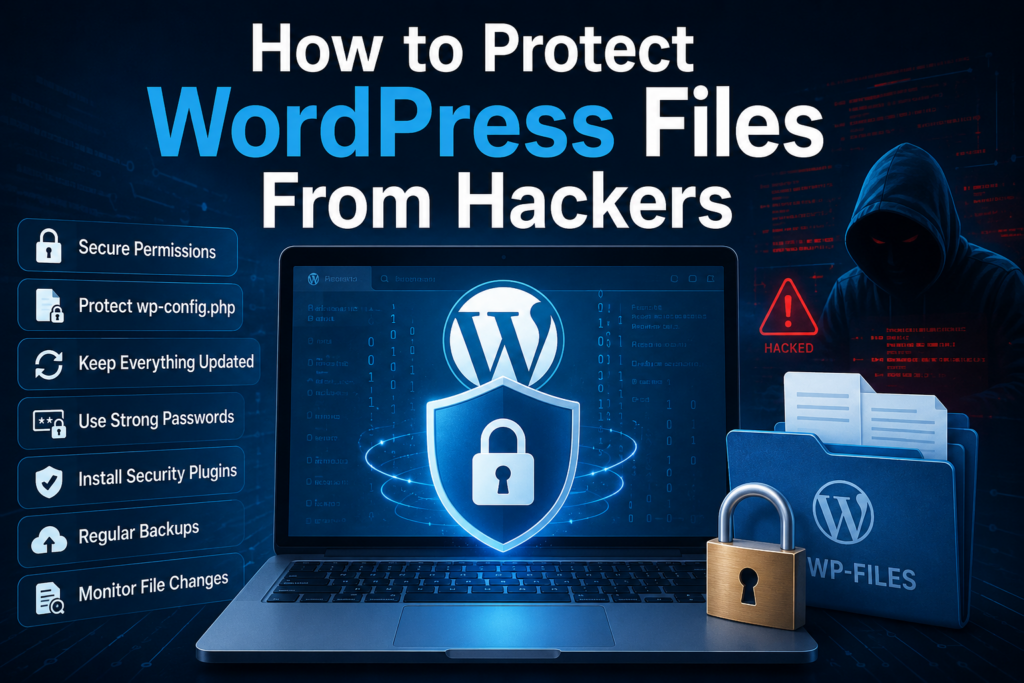
Every WordPress website contains critical system files that control how the site operates. Some files handle database connections, while others manage plugins, themes, uploads, and user authentication.
If attackers gain access to these files, they may:
Many website compromises happen because of simple security mistakes. Weak passwords, outdated plugins, incorrect permissions, and unsecured hosting environments are common causes.
Learning how to protect WordPress files helps reduce these risks and improves overall website stability.
One of the simplest ways to protect WordPress files is by keeping everything updated.
Cela comprend :
Updates often include security patches that fix known vulnerabilities. Hackers actively scan websites running outdated software because those weaknesses are publicly documented.
When developers discover security flaws, they release updates to fix them. If your website stays outdated, attackers may exploit those vulnerabilities before you even notice.
Enable automatic updates whenever possible for:
Before major updates, always create a backup to avoid compatibility problems.
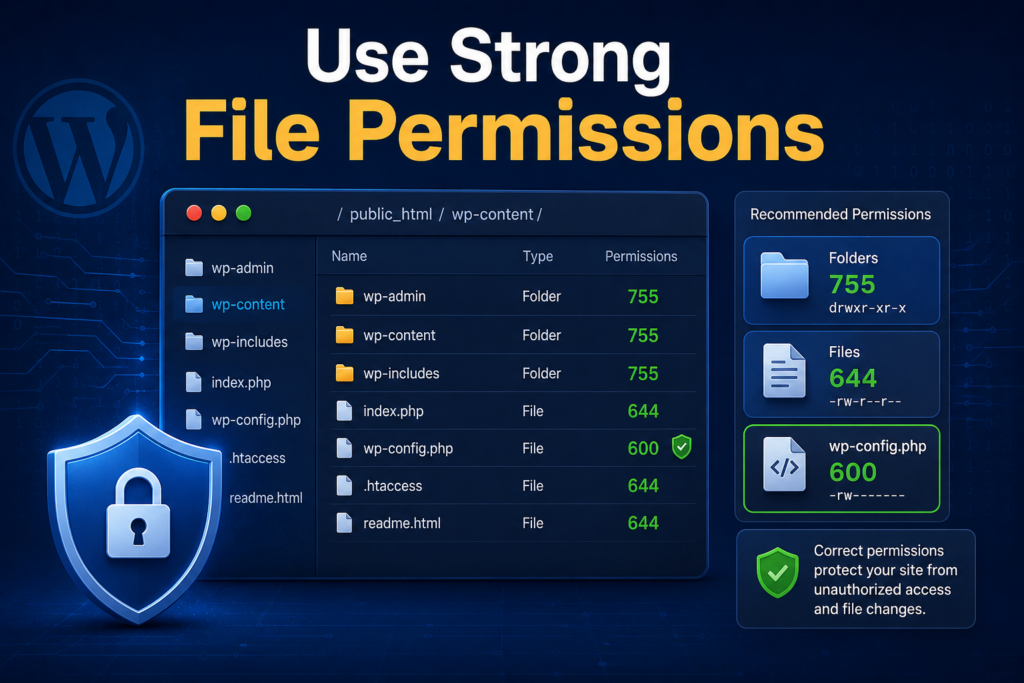
File permissions determine who can read, write, or execute files on your server.
Incorrect permissions are one of the biggest WordPress security mistakes.
Typical secure settings include:
| File Type | Recommended Permission |
|---|---|
| Files | 644 |
| Folders | 755 |
| wp-config.php | 600 or 640 |
These settings help prevent unauthorized users from modifying important files.
If permissions are too open, attackers may upload malicious scripts or modify existing files.
Par exemple:
777 permissions are extremely riskyMost hosting panels allow permission changes through:
Always verify permissions after migrations or plugin installations.
Le wp-config.php file is one of the most sensitive files in WordPress.
It contains:
If attackers access this file, they may gain control over your entire website.
Several common protection methods include:
Many website owners also use server-level configurations to deny external access to this file.
Protecting wp-config.php should always be a top priority when learning how to protect WordPress files.
By default, WordPress allows administrators to edit plugin and theme files directly inside the dashboard.
While convenient, this feature can become dangerous if an attacker gains admin access.
Hackers often inject malicious code into:
Disabling file editing helps reduce this risk.
Many security-conscious website owners turn this feature off entirely, especially on production websites.
Your hosting provider plays a major role in website security.
Even if your WordPress settings are perfect, weak hosting infrastructure can still expose your files.
Look for hosting providers that offer:
Cheap hosting plans sometimes sacrifice security for lower costs.
Reliable hosting can significantly improve WordPress file protection.
Security plugins can help monitor, scan, and protect your WordPress files.
Popular features often include:
Some plugins compare your current files with original WordPress core files.
If suspicious changes appear, the plugin alerts you immediately.
This helps detect:
File monitoring is especially useful for business websites and online stores.
Brute-force attacks are extremely common on WordPress websites.
Attackers use automated bots to repeatedly guess usernames and passwords.
Limiting login attempts can:
Combining login limits with strong passwords and two-factor authentication creates a much safer environment.
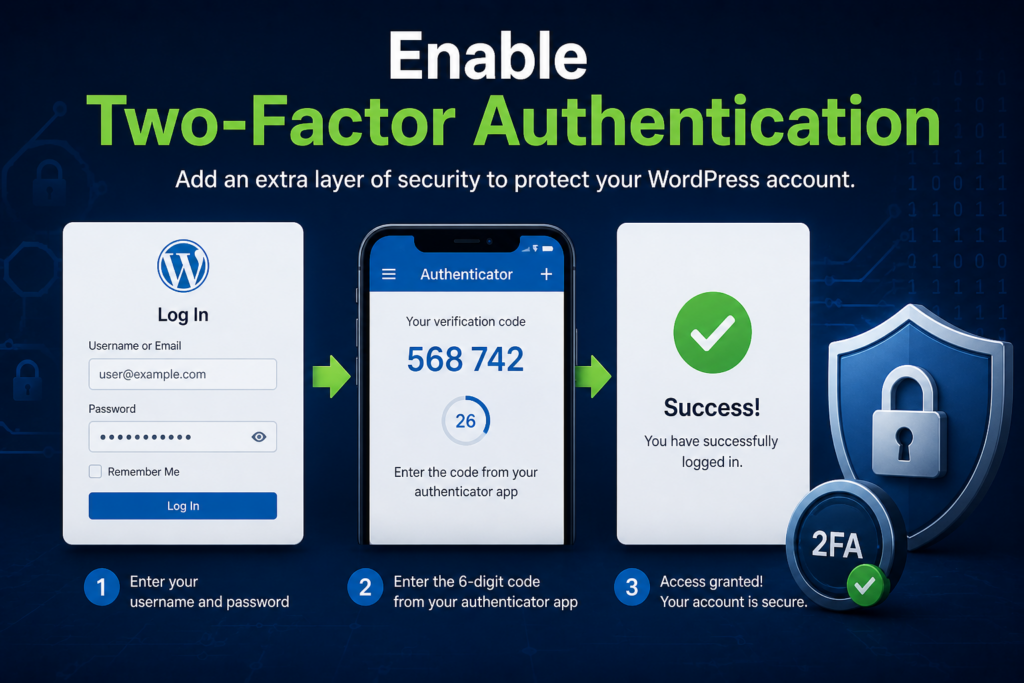
Two-factor authentication adds an extra layer of security.
Instead of relying only on passwords, users must also verify their identity through another method.
Exemples :
Even if hackers steal your password, they may still fail to access your dashboard without the second verification step.
This is one of the most effective ways to secure WordPress admin access.
Weak passwords remain one of the biggest causes of hacked websites.
Avoid passwords like:
Use passwords that contain:
Longer passwords are generally harder to crack.
Password managers can also help generate and store secure credentials safely.
Many automated attacks target the default username:
admin
Changing the administrator username makes brute-force attacks more difficult.
Hackers already know many websites use predictable usernames.
When the username is hidden or unique, attackers must guess both:
This creates an additional security barrier.
Backups are essential for WordPress security.
Even secure websites can still experience:
A complete backup should contain:
Store backups in multiple locations, such as:
Automatic backups provide additional protection against unexpected issues.
The uploads directory stores media files such as:
Attackers sometimes upload malicious scripts disguised as media files.
Website owners often:
This helps prevent attackers from running harmful scripts through the media folder.
SSL certificates encrypt data between visitors and your website.
Websites using HTTPS are generally safer than those using plain HTTP.
SSL helps protect:
Search engines also prefer secure HTTPS websites.
Most hosting providers now offer free SSL certificates through services like Let’s Encrypt.
Unused plugins and themes still create security risks.
Even inactive software can contain vulnerabilities.
Old plugins may:
Delete anything you no longer use.
Keeping your WordPress installation lean improves both:
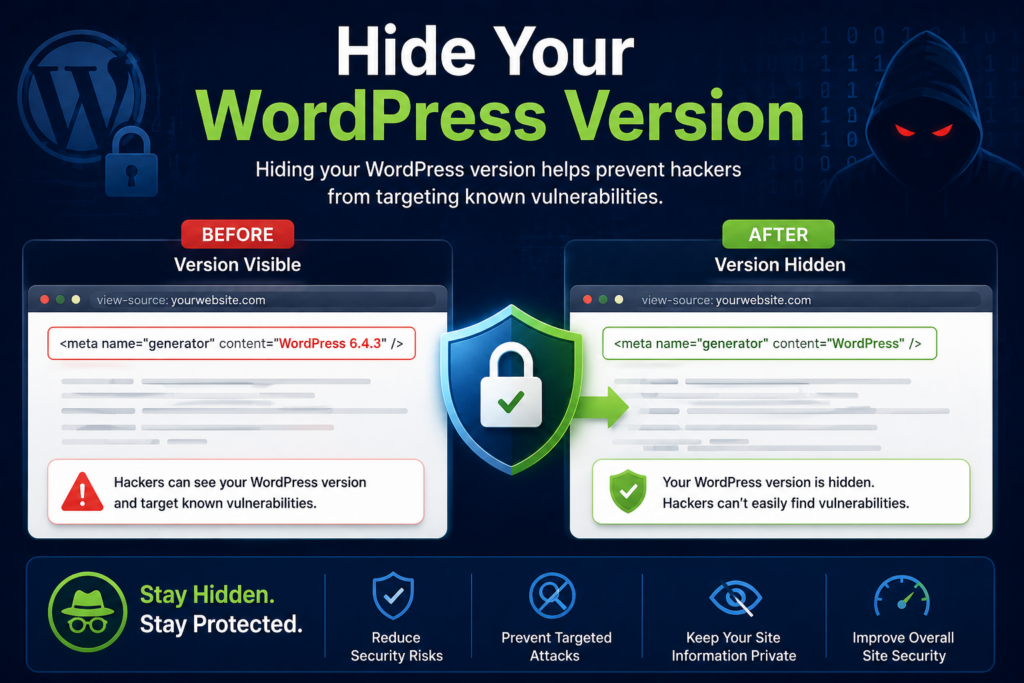
Displaying your WordPress version publicly may help attackers identify vulnerabilities.
Some bots specifically target older WordPress versions.
Concealing version details adds a small but useful layer of security.
While it is not a complete defense, reducing exposed information makes automated targeting harder.
File monitoring tools help detect suspicious activity early.
Unexpected changes may indicate:
Watch for:
Early detection can prevent larger security incidents.
If directory browsing is enabled, visitors may view your file structure directly in the browser.
This can expose:
Attackers can use exposed directories to:
Disabling directory browsing helps reduce unnecessary exposure.
Malware can damage your website reputation and SEO rankings.
Some malware redirects users to spam pages, while others steal sensitive information silently.
Malware often enters through:
Regular scans and proactive monitoring help reduce these risks.
Nulled software refers to pirated premium themes or plugins distributed illegally.
While they may seem free, they often contain:
Many hacked WordPress websites trace back to infected premium downloads from untrusted sources.
Always download themes and plugins from:
Free pirated software can end up costing far more in security damage.
Although database security is separate from file protection, the two are closely connected.
Attackers who access WordPress files may also target the database.
Good practices include:
Database security strengthens your overall WordPress protection strategy.
A web application firewall filters malicious traffic before it reaches your website.
This helps block:
Firewalls can:
Many security services offer cloud-based firewall protection for WordPress websites.
Routine scans help identify vulnerabilities before attackers exploit them.
Scans can detect:
Some infections remain hidden for weeks or months.
Frequent security checks improve your chances of catching problems early.
Security is not only a technical issue.
Anyone with website access should follow good security practices.
Encourage users to:
Human mistakes often create security vulnerabilities.
Understanding how to protect WordPress files is essential for maintaining a safe and reliable website. From securing sensitive files and using proper permissions to installing security plugins and monitoring file changes, every security layer helps reduce potential risks.
No single method guarantees complete protection, but combining multiple security practices creates a much stronger defense against hackers, malware, and automated attacks.
WordPress security should never be treated as a one-time task. Regular updates, backups, monitoring, and proactive maintenance all play important roles in keeping your website protected over time.
By following these best practices, website owners can improve stability, reduce vulnerabilities, and build a safer online experience for visitors and customers alike.
Protecting WordPress files helps prevent hackers from accessing sensitive website data, injecting malware, stealing customer information, or damaging your website. Strong file security improves overall website stability and reduces vulnerabilities.
Most WordPress websites use:
755644600 ou 640These permission settings help limit unauthorized access while allowing WordPress to function properly.
You can protect the wp-config.php file by:
This file contains important database and security information, so protecting it is critical.
Yes. Hiding your WordPress version makes it harder for attackers to identify known vulnerabilities associated with outdated versions. While it is not a complete security solution, it adds an extra layer of protection.
Two-factor authentication adds a second verification step during login, such as a mobile authentication code. Even if someone steals your password, they cannot access your account without the additional verification method.
Yes. WordPress security plugins can monitor file changes, scan for malware, block suspicious activity, limit login attempts, and strengthen overall website security. They are one of the easiest ways to improve WordPress protection for beginners.


















