











Aucun produit dans le panier.

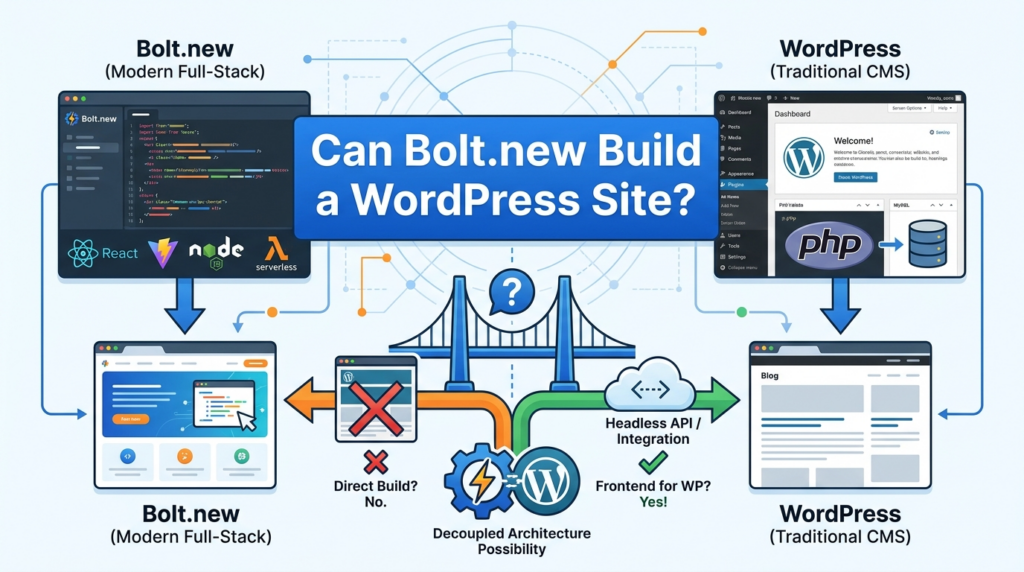
AI website builders are changing the way people think about web design. Instead of opening a blank code editor, learning several programming languages, or hiring a developer for every small idea, you can now describe what you want and watch an AI tool turn that description into a working web project.
One tool that has gained a lot of attention is Bolt.new. It allows users to create websites and JavaScript-based web applications from natural language prompts. According to Bolt’s own support documentation, Bolt is designed for building websites and JavaScript-based full-stack web applications, and it also allows users to publish projects through Bolt hosting or export project files.
This leads to a common question: can Bolt.new build a WordPress site?
The simple answer is: Bolt.new can help you design, prototype, and generate parts of a website that may later be adapted for WordPress, but it does not directly build a native WordPress site in the same way WordPress itself does.
That difference matters. A website made in Bolt.new and a website built in WordPress are not exactly the same thing. Bolt.new focuses on AI-generated web apps, landing pages, and front-end experiences. WordPress is a content management system, also known as a CMS, built around themes, plugins, posts, pages, media libraries, user roles, and a database-driven dashboard. WordPress.org describes WordPress as an open-source publishing platform and CMS with flexible design tools, themes, blocks, and plugins.
So, if you are asking “can Bolt.new build a WordPress site?”, the better question is: what part of a WordPress website do you want Bolt.new to help with?
This guide explains the difference in simple terms.
Bolt.new is an AI-powered website and app builder. Instead of manually writing every part of a site, you give Bolt a prompt. The prompt can describe the layout, color style, page sections, functions, and overall feeling you want.
For example, you might ask it to create a modern landing page for a fitness coach, a clean portfolio for a designer, or a dashboard for a small software product. Bolt then generates a working project based on your instructions.
This style of building is often called “vibe coding.” The idea is that you describe the mood, structure, and purpose of the website, and the AI translates that into usable code. The original Learn Prompting article explains Bolt.new as a tool that lets users describe a website or app idea and quickly turn it into a real project.
For beginners, this is powerful because it lowers the barrier to creating something visual and interactive. You do not need to start with HTML, CSS, JavaScript, React, or deployment settings. You can begin with plain English.
For designers, marketers, founders, and small business owners, Bolt.new is especially useful for fast prototyping. You can test a homepage idea, create a product landing page, or visualize a new website concept before spending time on full development.
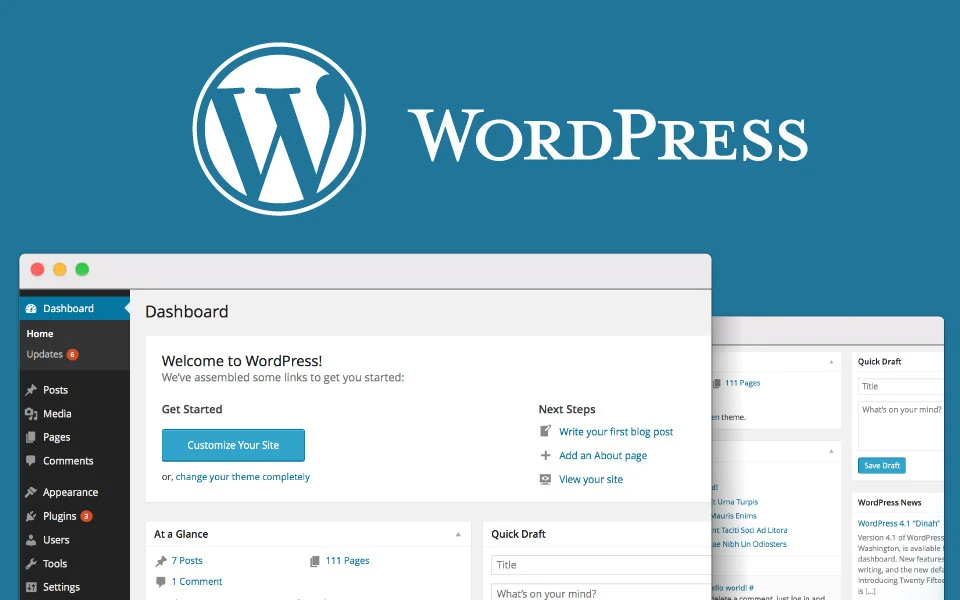
WordPress is different from Bolt.new. WordPress is not only a page generator. It is a full content management system.
A WordPress website usually includes:
WordPress.org says WordPress can be downloaded and installed on hosting, and it recommends modern PHP and MySQL or MariaDB versions for self-hosted installations.
This means WordPress is not just a static website. It is a system for managing content over time. A business owner can log in, edit text, publish blog posts, change product information, upload photos, manage comments, or update pages without touching code.
That is why WordPress is popular for blogs, company websites, service websites, WooCommerce stores, portfolios, news sites, and many other content-heavy projects.
Not in the strict native WordPress sense.
Bolt.new can build websites. It can create front-end layouts. It can generate web app interfaces. It can help you create a design concept. It can produce code that you may export and work with elsewhere. But a native WordPress site needs WordPress-specific structure.
A real WordPress site usually needs theme files, PHP templates, WordPress functions, database integration, plugin compatibility, admin settings, custom fields, and sometimes WooCommerce or Elementor support.
Bolt.new does not simply generate a complete WordPress installation with a working WordPress dashboard, editable posts, plugin settings, theme options, and database-managed content in the same way a WordPress setup does.
So the accurate answer is:
Bolt.new can help you create a website concept that could inspire or support a WordPress build, but it should not be treated as a one-click WordPress website builder.
Even though Bolt.new does not directly replace WordPress, it can still be useful in a WordPress workflow.
You can use Bolt.new to create a homepage concept before building it in WordPress. For example, you can ask it to generate a homepage with a hero banner, service cards, testimonial section, FAQ block, and call-to-action area.
This is useful because you can quickly see whether the structure works. Instead of imagining the layout in your head, you get a visual draft.
Once the layout is approved, you can rebuild the design inside WordPress using a theme, block editor, Elementor, Gutenberg blocks, or custom templates.
Bolt.new is helpful for landing pages because landing pages are often simpler than full websites. A landing page may only need one focused page with a headline, benefits, product images, social proof, and a conversion button.
You can use Bolt.new to test different page angles. One version may feel bold and modern. Another may feel clean and professional. Another may focus more on storytelling.
After choosing the strongest version, you can recreate it inside WordPress.
Sometimes the hardest part of a WordPress project is not the technical build. It is deciding what the site should look like.
Bolt.new can help generate style ideas, such as:
This helps you move faster during the creative planning stage.
You can also use Bolt.new to create individual website sections. For example, you might ask it to design a pricing section, testimonial grid, feature comparison block, FAQ area, or newsletter signup layout.
Those sections can then become references for a WordPress designer or developer.
Because Bolt.new can generate project files and code, it may help developers create front-end examples. Bolt’s documentation says users can export project files by downloading them from the project menu.
However, exported Bolt code is not automatically a WordPress theme. It may still need to be converted, cleaned, rewritten, or adapted to fit WordPress standards.

Bolt.new is useful, but it does not remove every WordPress requirement.
A major benefit of WordPress is the dashboard. Clients can log in and edit content without dealing with code. Bolt.new does not automatically provide the same WordPress admin experience.
If a business wants to manage blog posts, pages, products, forms, users, and SEO settings inside WordPress, the site still needs to be built within WordPress.
WordPress has thousands of plugins for SEO, forms, security, performance, translation, backups, memberships, and eCommerce. A Bolt.new project does not automatically connect to this plugin ecosystem.
If the website needs WooCommerce, Rank Math, Yoast SEO, Elementor, WPForms, multilingual plugins, booking plugins, or membership tools, WordPress is still the better base.
A WordPress site depends on a theme structure. Themes control templates, headers, footers, archives, single posts, WooCommerce pages, and responsive behavior.
Bolt.new can create a visual design, but that design must be translated into a WordPress theme, page builder layout, or custom block system.
WordPress is built for dynamic content. Blog posts, product pages, categories, authors, archives, and search results are all generated from the database.
A Bolt.new-generated page may look great as a prototype, but dynamic WordPress content requires WordPress logic.
Most business websites need updates over time. WordPress provides a familiar content workflow for non-technical users. Bolt.new may be great for building and editing through prompts, but a traditional WordPress client may prefer the stability of the WordPress dashboard.
The best way to think about Bolt.new is not “WordPress replacement.” It is better to see it as a planning, prototyping, and creative production tool.
A smart workflow could look like this:
First, use Bolt.new to create a rough design concept. Describe the website’s goal, audience, style, sections, and content direction.
Second, review the generated result. Look at the layout, spacing, colors, page flow, and call-to-action placement.
Third, improve the concept with more prompts. Ask Bolt.new to make the page more premium, more minimal, more conversion-focused, or more suitable for a specific industry.
Fourth, use the best version as a reference.
Fifth, rebuild the final site inside WordPress using the right theme, page builder, blocks, plugins, and content structure.
This method gives you the speed of AI and the long-term management power of WordPress.
In some cases, yes, but it is not usually automatic.
If Bolt.new creates a static website or front-end project, a developer may be able to convert the design into WordPress. But conversion requires work.
The process may include:
For a simple landing page, the conversion may be manageable. For a complex web app, dashboard, or interactive project, conversion can be much harder.
This is why Bolt.new is better for inspiration and prototyping than for directly producing a finished WordPress website.
Yes, but with realistic expectations.
If you are a beginner, Bolt.new can help you understand what kind of website you want. You can experiment with prompts and see different design possibilities. This can make it easier to explain your idea to a WordPress designer or developer.
However, if your final goal is a WordPress website, you still need to understand the WordPress side. You need hosting, a domain, a theme, plugins, pages, menus, SEO settings, backups, and security.
Bolt.new may help you build the concept, but WordPress still manages the actual CMS structure.
Bolt.new may be a better choice when you want to:
If your website does not need a WordPress dashboard, blog system, plugin ecosystem, or WooCommerce-style store, Bolt.new may be enough for the early version.
WordPress is usually better when you want:
For most business websites, WordPress remains a strong choice because it is built for long-term content control.
If you want to use Bolt.new as a planning tool for a WordPress site, your prompt should be specific.
A weak prompt would be:
“Build me a WordPress website.”
A better prompt would be:
“Create a modern homepage concept for a WordPress service business website. Include a header with logo and navigation, a hero section with headline and CTA, service cards, about section, testimonial area, FAQ section, blog preview, and footer. Use a clean American business style, soft neutral colors, strong spacing, and mobile-friendly layout.”
This prompt does not ask Bolt.new to create a real WordPress installation. Instead, it asks Bolt.new to create a concept that can later be rebuilt in WordPress.
You can also ask for specific page types:
“Design a WordPress-style blog homepage for a marketing agency. Include featured articles, category filters, newsletter signup, author cards, and a clean editorial layout.”
Or:
“Create a product landing page concept that can later be rebuilt in WordPress with Elementor. Include hero image, benefits, product details, comparison table, reviews, FAQ, and sticky CTA.”
The more specific your prompt is, the better the result will be.
The first mistake is expecting Bolt.new to replace WordPress completely. It can generate websites, but that does not mean it creates a complete native WordPress CMS.
The second mistake is using vague prompts. AI tools need direction. You should describe the site structure, target audience, visual style, content sections, and conversion goal.
The third mistake is assuming exported code is ready for WordPress. Exported files may still need technical conversion.
The fourth mistake is ignoring content management. A beautiful page is not enough if the client needs to update posts, products, images, and SEO settings later.
The fifth mistake is building too much too soon. Start with a homepage or landing page concept first. Then expand into inner pages, blog layouts, product pages, and other templates.
Bolt.new can build websites and app prototypes, but it does not directly build a complete native WordPress site with the full WordPress dashboard, theme system, plugin ecosystem, and database-managed content.
However, Bolt.new can still be very useful for WordPress projects. It can help you create homepage concepts, landing page drafts, design directions, section layouts, and front-end inspiration. You can then use those ideas as a blueprint for building the final website inside WordPress.
So the most accurate answer is:
Bolt.new cannot fully replace WordPress, but it can help you plan, prototype, and speed up the design stage of a WordPress website.
Bolt.new is a powerful AI website builder for quickly turning ideas into visual web projects. WordPress is a full content management system designed for long-term website management, content editing, plugins, themes, and dynamic pages. If you are asking “can Bolt.new build a WordPress site,” the answer depends on what you mean. Bolt.new can help create the design concept and front-end direction, but a true WordPress site still needs to be built within the WordPress environment. For the best result, use Bolt.new for fast prototyping and use WordPress for the final CMS-powered website.
Bolt.new can help create website concepts, layouts, and front-end prototypes, but it does not directly build a complete native WordPress site with a WordPress dashboard, theme system, plugins, and database-managed content.
Yes. Bolt.new is useful for creating homepage concepts, landing page drafts, and section layouts. You can use the result as a visual reference, then rebuild the final page inside WordPress.
No. Bolt.new is better for fast website and app prototyping, while WordPress is a full content management system for long-term website editing, blogging, plugins, SEO tools, and dynamic content.
In some cases, yes, but it usually requires manual work. The design or code may need to be rebuilt as a WordPress theme, Elementor layout, Gutenberg block design, or custom template.
Designers, marketers, founders, and business owners can use Bolt.new to quickly test layout ideas, page structures, visual styles, and landing page concepts before building the final website in WordPress.
The best approach is to use Bolt.new for planning and prototyping, then use WordPress for the final website build, content management, plugins, SEO setup, and long-term updates.


















