











لا توجد منتجات في سلة التسوق.

If you want your website to feel modern, interactive, and visually engaging, adding animations is one of the most effective strategies. Subtle motion can guide users’ attention, highlight important content, and make your site feel more dynamic—without overwhelming visitors.
In this guide, we’ll walk through how to make cool CSS animations to ووردبريس, using beginner-friendly methods. Whether you’re running a blog, an eCommerce store, or a business site, you’ll learn how to add animations without needing deep coding knowledge.
CSS animations are visual effects created using Cascading Style Sheets (CSS). They allow elements on your website—like text, images, or buttons—to move, fade, scale, or change styles over time.
However, balance is key. Overusing animations can slow down your site or distract users. The goal is to enhance—not overwhelm.
There are three main ways to add animations:
Let’s explore each method in detail.
For most users, plugins are the easiest way to add animations without coding.
Search for animation plugins in your WordPress dashboard. Popular options typically include features like:
Install and activate your chosen plugin.
After activation, you’ll usually see new settings in:
Select an element (text, image, button), then:
Always preview your page before publishing. Check:
Small tweaks can make a big difference.
If you’re using a page builder like Elementor or similar tools, animation becomes even easier.
Common animation types include:
You can also control:
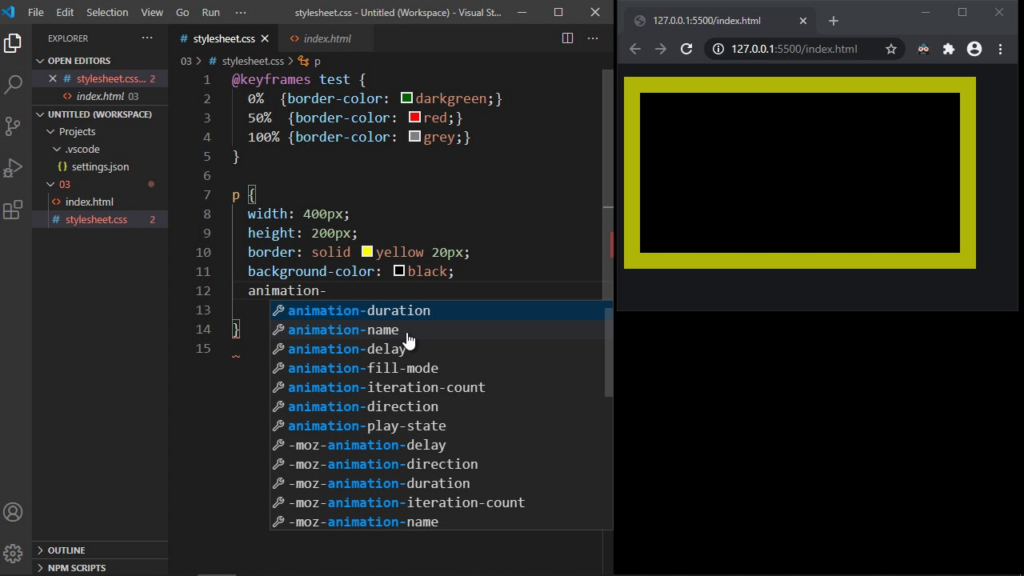
If you want complete control, you can create your own animations using CSS.
A simple animation includes:
Example concept:
@keyframes fadeIn {
  from { opacity: 0; }
  to { opacity: 1; }
}.element {
  animation: fadeIn 2s ease-in-out;
}
You can add CSS in:
To animate a specific element:
To create effective animations, follow these principles:
Avoid excessive movement. Smooth, minimal animations feel more professional.
اسأل نفسك:
If not, it may not be necessary.
Heavy animations can slow down your site.
Tips:
Animations should work smoothly on mobile devices.
يفحص:
Stick to a unified animation style across your site:
This improves visual consistency.
Here are commonly used animation styles:
Best for: content appearance, sections
Best for: menus, banners, transitions
Best for: product highlights
Best for: call-to-action buttons
Best for: buttons, cards, images
Animations are most effective in these areas:
Avoid overusing animations in:
Too many animations can:
Mixing too many animation styles creates confusion.
Some users prefer reduced motion. Consider:
Always test animations on:
You can also use external tools to generate animations:
These tools help you create animations faster without coding from scratch.
Learning how to make cool CSS animations to WordPress doesn’t require advanced technical skills. Whether you use plugins, page builders, or custom CSS, you can easily enhance your website’s visual appeal and user experience.
The key is to use animations strategically—focusing on clarity, performance, and consistency. When done right, animations can transform a static website into an engaging and memorable experience.
CSS animations are a powerful way to bring life to your ووردبريس website. By choosing the right method—plugin, builder, or custom code—you can create smooth, modern effects that improve user interaction and highlight important content.
Keep your animations simple, purposeful, and optimized. With the right balance, your site will not only look better but also perform better.
You can add CSS animations in WordPress without coding by using animation plugins or page builders. These tools provide ready-made effects that can be applied with just a few clicks.
The easiest way is to use a plugin or a visual page builder. They allow you to add animations like fade, slide, and zoom without writing any CSS code.
Yes, too many animations or poorly optimized effects can impact performance. It’s best to use lightweight animations and avoid overloading your pages.
You can use various animations such as fade-in, slide-in, zoom, bounce, and hover effects. These help improve visual appeal and user engagement.
Basic CSS knowledge is helpful if you want to create custom animations. However, most users can achieve great results using plugins or builders.
Yes, CSS animations can work well on mobile devices if optimized properly. Always test animations on different screen sizes to ensure smooth performance.


















