When discussing the pros and cons of building a website with WordPress, first distinguish the open-source software you can install and manage on hosting of your choice from a particular managed hosting package. WordPress suits teams that plan to publish content over the long term, gradually add pages and features, and assign responsibility for maintenance. If you only need a few informational pages quickly and have no one to handle updates and backups, it may not be the easiest option to manage. Look beyond the initial design fee: consider who can make changes after launch, who handles problems, and the total cost over two or three years.
Start with the Fit: What Kind of Website Are You Building?
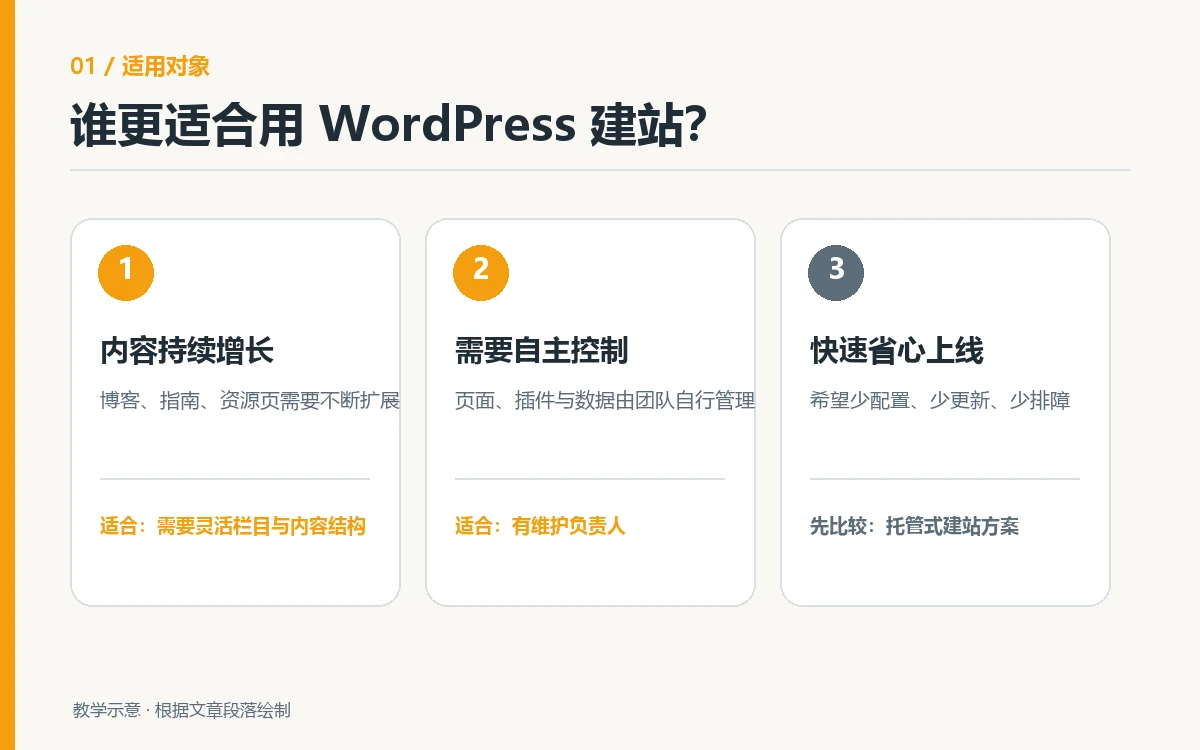
Company websites, content-driven business websites, and product showcase sites often need new case studies, industry articles, or multilingual pages. WordPress lets you manage pages, posts, media, and user roles in its dashboard. Themes define the presentation framework, while plugins can add functionality. This gives teams considerable flexibility. But being extensible does not mean every feature is already in place: inquiry forms, online stores, translation, backups, and caching each require selection, configuration, and testing. WordPress identifies themes and plugins as ways to extend the platform and notes that site owners need to arrange hosting. WordPress features
Other projects include campaign pages with tight deadlines, few sections, and almost no updates after launch, as well as sites with peak transaction loads or complex business systems. The former may benefit most from bundled hosting and service; the latter need product, permission, payment, and integration requirements validated first. The availability of plugins does not mean every business requirement can be implemented inexpensively. If your first concern is whether you need coding skills, see our guide to WordPress websites and coding requirements. That article covers implementation methods; this one focuses on the platform’s benefits and responsibilities.
The Main Benefits of Building with WordPress
Your Content and Pages Can Keep Growing
As you expand from a five-page company website to a product catalog, knowledge center, or several language versions, you can keep using the same systems for posts, pages, categories, and media. Editors can manage content within their assigned permissions, designers can work on templates, and developers can handle specialized features. This division of work is especially useful for companies publishing new products, projects, and insights every month. The value is not a slogan about unlimited pages; it is being able to add content without developing a new administration system each time. Before launch, have the people who will actually edit the site publish a post and update a page themselves to verify that the handoff works.
Greater Control over Themes, Features, and Data
You can install open-source WordPress on hosting that meets its requirements, modify themes, or develop plugins as needed. Content and site files can also be backed up and migrated according to a plan. The official WordPress license information confirms that the core software uses GPLv2 or later. WordPress also supports extensions through themes and plugins. This leaves room for businesses that need branded layouts, specific fields, or the option to change providers later. However, control does not mean every third-party plugin is free, compatible, or transferable without restrictions. Purchased themes, plugins, and external services have their own licenses and terms; review each one before a migration.
Start Small and Expand Based on Evidence
A practical approach is to launch core pages, forms, and basic search settings first, observe whether visitors find products and submit inquiries, and then add more complex features. WordPress core is available free of charge, but your budget must include the domain, hosting, design and development, paid extensions, and ongoing maintenance. If you have not established which features deliver business value, start with a content structure your team can update and postpone expensive custom integrations until the need is validated. When considering several platforms, our comparison of business website platforms provides a useful next step. This article does not replace testing the capabilities of a specific platform.
The Main Costs and Limitations of WordPress
Maintenance Responsibilities Continue after Launch
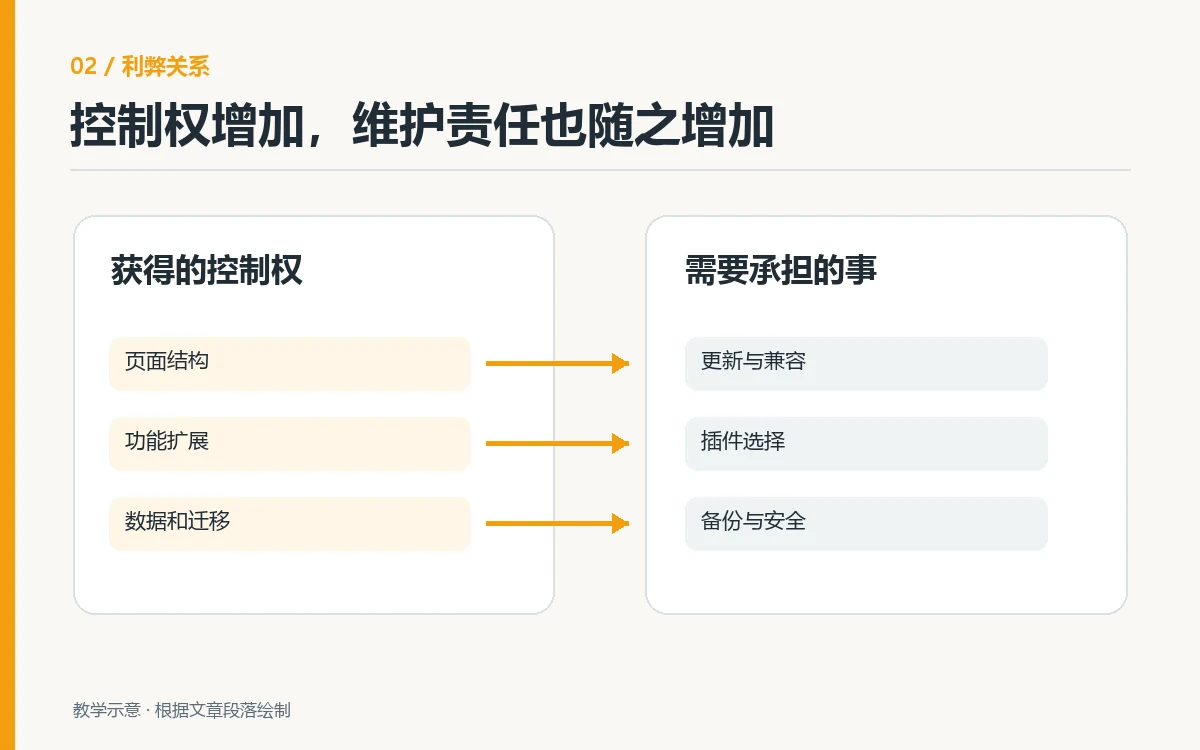
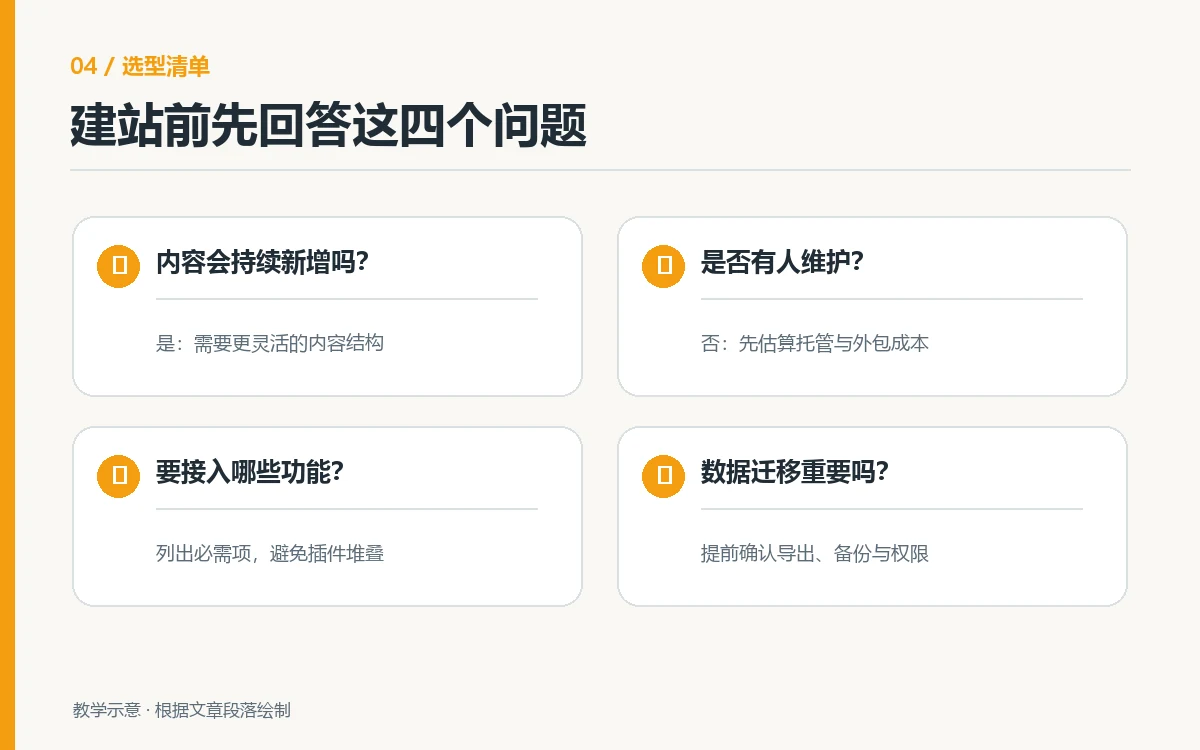
With self-hosting, someone must handle hosting renewals, core and plugin updates, backup restoration, administrator permissions, and alerts about unusual activity. WordPress recommends keeping plugins and themes updated and creating a backup you can restore before automatic updates. Its Site Health tool also flags configuration issues. If your company has no internal owner for these tasks, the service agreement should specify who performs updates, who restores the site if an update fails, and the response time. Do not treat “maintenance included” as an unlimited promise. Official update guidance
More Plugins Can Increase Testing and Coordination Costs
Plugin flexibility is a benefit, but it also introduces dependencies. Updating a form plugin, page builder, or multilingual plugin may affect styling, caching, or data flows. The risk depends on the actual combination; it is inaccurate to assume WordPress must be slow or insecure. A more reliable approach is to document each plugin’s purpose, owner, license, and alternatives, update it in a test environment first, and then check mobile pages, important forms, and dashboard editing. Before removing or replacing a plugin, also confirm that you can export its data completely.
Performance and Security Depend on the Actual Setup
Two WordPress sites can load very differently depending on hosting resources, image sizes, theme code, caching strategy, and visitor location. The built-in Site Health screen can identify some security and performance issues, but it does not replace testing real pages. To determine why a specific site is slow, measure representative pages, then investigate images, plugins, and caching in sequence. See our website speed troubleshooting workflow. For security, assign clear responsibility for regular updates, access management, and recoverable backups. Buying a security plugin does not replace this work. WordPress security guide

Compare Benefits and Responsibilities in One Decision Table
The following table compares the benefits of self-hosted WordPress with the responsibilities that come with them. It is not a price ranking of WordPress against a particular provider. Actual costs vary with hosting region, traffic, paid plugins, delivery scope, and service duration. Do not enter fixed amounts before obtaining a quote.
| Area | What You Gain | What You Take On | What to Verify Before Signing |
|---|---|---|---|
| Content editing | Add pages and posts through the dashboard over time | Maintain design templates and editorial standards | Have a business user update a page during a demonstration |
| Feature expansion | Choose themes and plugins to meet your needs | Check licenses and test compatibility and upgrades | List the plugins and their alternatives |
| Data and hosting | Plan backups and migrations | Assign responsibility for hosting, security, and recovery | Request a demonstration of a complete restoration |
| Total cost | Invest in stages | Budget for recurring costs beyond the initial build | Request an itemized two-year cost breakdown |
How to Decide Whether WordPress Is Worthwhile for Your Project
List the Content That Will Change over the Next Year
List the products, case studies, articles, languages, and user roles you expect to add. If your team will update content frequently, a well-organized dashboard and editing permissions are worth investing in. If nearly every page will stay the same, first consider whether scalability justifies additional implementation and maintenance costs. This is a project planning decision, not a promise of search rankings. WordPress SEO settings provide basic controls, but content quality, technical configuration, and ongoing publishing still require separate management.
Clarify Maintenance Ownership, Budget, and an Exit Plan
Ask the provider three questions: who upgrades the core software, themes, and plugins; who backs up the database and media and verifies restoration; and which files, content, and accounts you can take with you when the engagement ends. If payments, memberships, or synchronization across systems are involved, run a small prototype to validate permissions, data, and rollback behavior. Divide the quote into one-time website work, hosting and subscriptions, and monthly maintenance. Until you have an actual proposal and quote, mark specific amounts as unconfirmed.
Conclusion: WordPress Can Be Worthwhile When Responsibilities Are Clear
The pros and cons of WordPress are connected choices. Content management, design flexibility, and control over data make it a strong candidate for websites maintained over the long term. Hosting, updates, plugin compatibility, and backup restoration are the ongoing responsibilities that accompany those capabilities. If you have a consistent content plan, are willing to establish a maintenance process, and need to customize gradually, WordPress is usually worth considering. If you only need simple, short-lived pages that rarely change, compare options requiring less maintenance first. Base the final decision on real requirements, a dashboard editing demonstration, a backup restoration demonstration, and a two-year cost review, rather than a single label such as “free” or “most flexible.”