









Improve Website Inquiries: Product Pages, Forms, and Email Delivery
To optimize international business website customer inquiry, first check three links: whether the buyer can judge whether the product is suitable, whether the request can be submitted smoothly, and whether the team can receive and follow up. If the website is visited but there is no customer inquiry, it does not automatically mean that the traffic is invalid. First use a complete test record to locate the problem, and then decide to change the product page, form or notification process.
1. Product page: let buyers know whether they can purchase it
Answer purchasing questions first, then demonstrate company strength
When B2B buyers open the product page, they usually need to confirm specifications, applicable scenarios, minimum order quantity, customizable range, and delivery conditions. Display this information in groups and distinguish between standard parameters and conditions requiring sales confirmation. If there is no definite delivery date or certification, it means that verification is needed, and there is no need to make vague promises to complete the page.
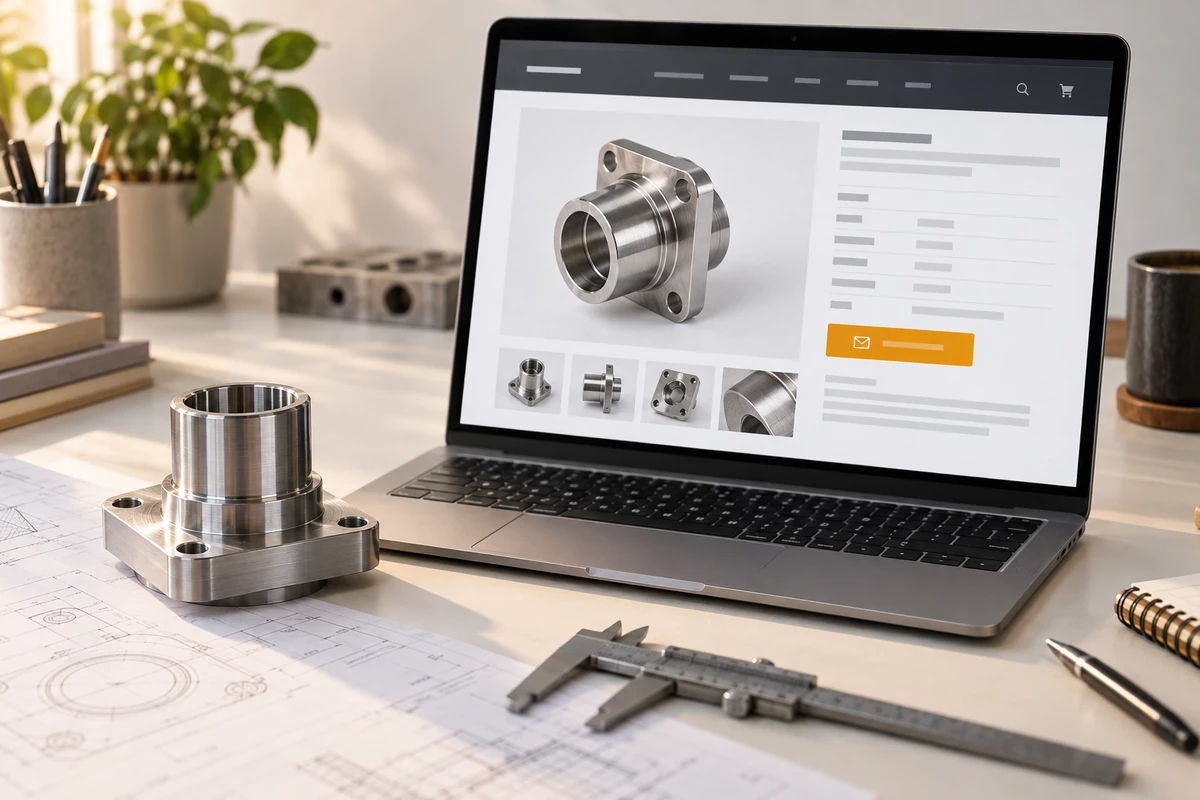
For example, for an industrial part, physical details, dimensional drawings and material options can be displayed first, and then the purchase quantity and drawing upload portal can be provided. This is an example of page organization, not a real customer example. Pictures should help determine structure and use; decorative drawings cannot replace the information required for purchasing.
Let the customer inquiry portal carry product information
The button can say “Get a quote for this product” and retain the product name or model after entering the form, reducing the buyer’s burden of re-describing it. You must also see the entrance on the mobile phone and be able to select specifications, open information and return to the page normally. When testing, pay attention to whether the button is covered by the floating navigation and whether the operation can continue after the pop-up window is closed.
The website is still under construction, you can WordPress official website construction Unify product templates and customer inquiry entrances. If there are already stable visits, first select an important product page for testing, record the modification date, device and source, and then gradually promote it to similar pages.
International business website customer inquiry optimization also needs to distinguish between customer acquisition and conversion: product page content serves purchasing decisions first, and search visibility can be combined Tối ưu hóa SEO Check. Don’t revise the version repeatedly just because there are no customer inquiries in one day. You should make a judgment based on the scale of visits, purchasing cycle and actual feedback.
2. Customer inquiry form: retain what is needed for quotation and reduce filling resistance
Required fields have a clear purpose
Let sales list the information necessary to first determine the need and then decide which fields are required. The email address is used for replying, the product or model is used for allocation, and the quantity and demand description help determine the quotation range. The company website, phone number, and attachments can be set according to business needs, and should not be forced to fill in all without judgment.
Each input box should have a visible name that is still legible after typing. W3C Form Tag Guidelines It illustrates the importance of the association between labels and controls; placeholder prompts cannot assume all label functions. The error message should point out the specific fields and correction methods, rather than just showing “Submission failed”.
The following are editorial recommendations, not industry statistics or conversion rate guarantees. Actual fields should be adjusted by product, quoting method, and sales process.
| Check dimensions | Practices that are likely to cause distress | Suggested acceptance method |
|---|---|---|
| Field | All information is required | Only mandatory collection of information required for first-time processing |
| Error message | Only give general failure information | Specify the fields and keep the filled-in content |
| Submit feedback | There is no status description after clicking | Display processing and clear results |
| Mobile phone operation | Keep the desktop look and feel without testing | Actual keyboard, drop-down items and attachment upload |
Test mobile experience by full path
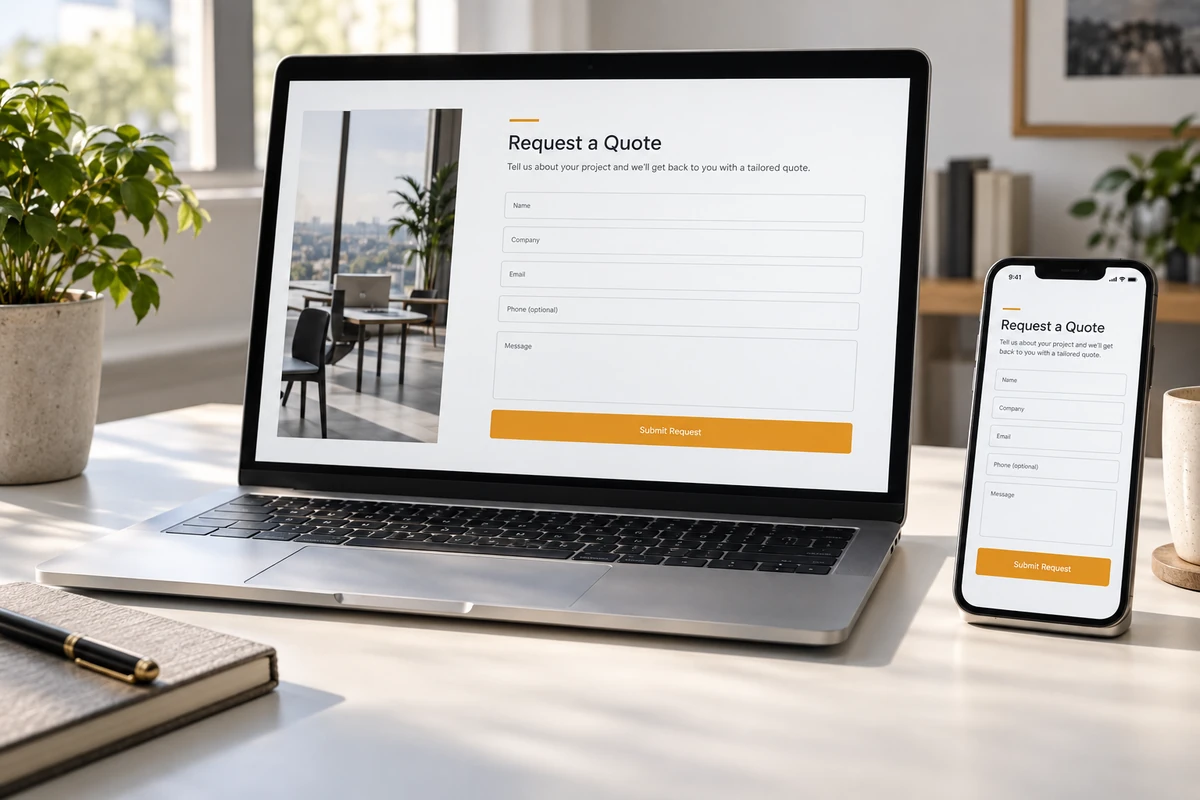
web.dev form design basics Provides label, spacing and control design ideas. During acceptance, enter from the product page and test empty fields, incorrect email addresses, correct submissions, and slow network conditions. If attachments are supported, the format and size restrictions should be stated; other required information cannot be cleared just because the upload fails.
For example, if the purchaser inquires about a batch of customized accessories, the first form can prompt to fill in the model number, estimated quantity, destination and key requirements. When the drawings are not ready, it is allowed to describe the purpose first, and then sales will provide supplementary communication. This example is used to illustrate field selection and does not represent that the same form will be suitable for all industries.
For the verification code, it is also necessary to test whether normal buyers can complete it and whether they can try again after failure. After completing a submission, the follow-up processing method should be stated; the response time should only be stated when the team can execute it. Don’t let a thank you page promise a response time that no one is actually responsible for.
3. Delivery inspection: Match submission records with sales receipts
Still need to check after successful prompt
Seeing the success prompt only means that the front end has entered a certain processing state. You should continue to check whether the server saves records, whether notifications are sent, whether the target mailbox or CRM is received, and whether sales can read products and requirements. Notifications that end up in spam, attachments that are missing, or fields that are mapped incorrectly can disrupt follow-up.
When testing, use an address that the team has permission to use, give each record an identifiable test number, and note the submission time, device, and intended recipients. First check the website records, then check the notification channel, and finally ask the recipient to confirm that the content is complete. Don’t use real customer information for demonstrations, and don’t assume that it has been finally delivered just because the email interface returns successfully.
Record analysis events separately from valid customer inquiries
GA4 Enhanced Measurement Instructions Lists form start and submit events. These events can help observe interactions, but whether they are collected correctly still needs to be verified against the actual form; they are not equal to email delivery, let alone a valid customer inquiry recognized by sales.
It is recommended to record the start of the form, successful submission, receipt by the business end and valid requirements respectively, and clarify the respective judgment conditions. For example, “effective demand” can be determined by sales combined with product matching and contactability; specific standards should be agreed upon by the team, and all submission times cannot be directly regarded as potential orders.
When recording analysis events, do not write your name, email address, phone number or complete requirement content into the GA4 event parameters. Business data is retained in permissioned systems, and the analysis side uses events and classifications that do not contain personal information, and the collection is configured in accordance with applicable privacy and consent requirements.
If you need automatic introduction of products, conditional fields or CRM docking, you can organize the requirements into a functional development list, and write down the responsibilities for failure handling, repeated submissions and maintenance. Keep a complete acceptance record after going online, and retest when you modify the plug-in or email configuration later.

Conclusion: First run through a complete customer inquiry, and then expand the optimization scope
International business website customer inquiry optimization needs to cover product information, filling experience and delivery follow-up at the same time. First select an important product page, submit a test request from your mobile phone, check the website records and sales receipts, and then fix the problem based on the evidence. Only by continuously recording changes and results can you determine whether to add content, change interactions, or improve business processes in the next step.