












การแนะนำ
If you want your website to feel modern, interactive, and visually engaging, adding animations is one of the most effective strategies. Subtle motion can guide users’ attention, highlight important content, and make your site feel more dynamic—without overwhelming visitors.
In this guide, we’ll walk through how to make cool CSS animations to วordpress, using beginner-friendly methods. Whether you’re running a blog, an eCommerce store, or a business site, you’ll learn how to add animations without needing deep coding knowledge.
What Are CSS Animations and Why They Matter
CSS animations are visual effects created using Cascading Style Sheets (CSS). They allow elements on your website—like text, images, or buttons—to move, fade, scale, or change styles over time.
Why use animations in WordPress?
- Improve user experience: Smooth transitions make navigation feel natural
- Increase engagement: Motion naturally draws attention
- Highlight key elements: Call-to-action buttons or promotions stand out
- Enhance brand perception: A polished interface builds trust
However, balance is key. Overusing animations can slow down your site or distract users. The goal is to enhance—not overwhelm.
Methods to Add CSS Animations in WordPress
There are three main ways to add animations:
- Using plugins (easiest and most popular)
- Using page builders (visual control)
- Writing custom CSS (advanced control)
Let’s explore each method in detail.
Method 1: Add CSS Animations Using a Plugin
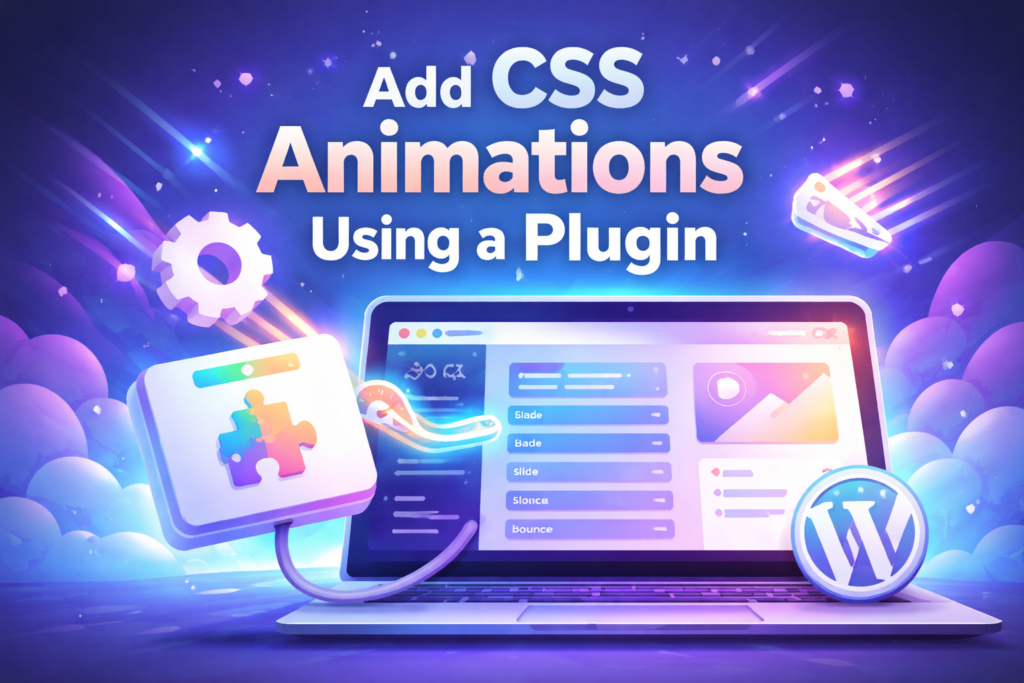
For most users, plugins are the easiest way to add animations without coding.
Step 1: Install an Animation Plugin
Search for animation plugins in your WordPress dashboard. Popular options typically include features like:
- Pre-built animation effects (fade, slide, bounce, zoom)
- Scroll-triggered animations
- Delay and duration controls
Install and activate your chosen plugin.
Step 2: Apply Animations to Elements
After activation, you’ll usually see new settings in:
- Post editor
- Page editor
- Block editor sidebar
Select an element (text, image, button), then:
- Choose animation type (e.g., fade-in, slide-up)
- Set animation speed
- Add delay (optional)
Step 3: Preview and Adjust
Always preview your page before publishing. Check:
- Does the animation feel smooth?
- Is it too fast or too slow?
- Does it match your site’s style?
Small tweaks can make a big difference.
Method 2: Use a Page Builder for Visual Animations
If you’re using a page builder like Elementor or similar tools, animation becomes even easier.
Key Features of Page Builder Animations
- Drag-and-drop interface
- Built-in motion effects
- ไม่ต้องเขียนโค้ด
- Real-time preview
How to Add Animations with a Page Builder
- Open your page in the builder
- Click on any element (image, heading, section)
- Go to the “Advanced” or “Motion Effects” panel
- Choose an animation style
Common animation types include:
- Fade In
- Slide In (left/right/up/down)
- Zoom In
- Bounce
You can also control:
- Duration
- Delay
- Trigger (on scroll, on hover, etc.)
When to Use Page Builders
- You want full visual control
- You design landing pages or product pages
- You prefer real-time editing
Method 3: Add Custom CSS Animations (Advanced)
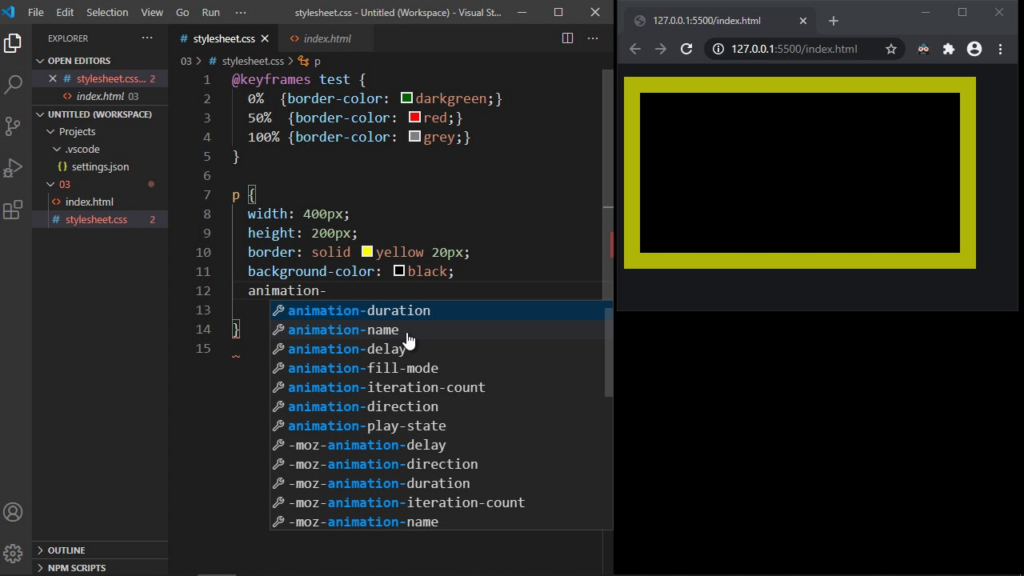
If you want complete control, you can create your own animations using CSS.
Basic CSS Animation Structure
A simple animation includes:
- @keyframes (defines the animation steps)
- animation property (applies the animation to elements)
Example concept:
@keyframes fadeIn {
  from { opacity: 0; }
  to { opacity: 1; }
}.element {
  animation: fadeIn 2s ease-in-out;
}
How to Add Custom CSS in WordPress
You can add CSS in:
- Customizer → Additional CSS
- Theme stylesheet
- Custom CSS plugin
Applying Animation to Elements
To animate a specific element:
- Assign a class in HTML or block editor
- Apply your CSS animation to that class
Benefits of Custom CSS
- Full creative freedom
- Unique animations
- No plugin dependency
Drawbacks
- Requires coding knowledge
- Harder to maintain
- Can break layout if not done properly
Best Practices for CSS Animations
To create effective animations, follow these principles:
1. Keep It Subtle
Avoid excessive movement. Smooth, minimal animations feel more professional.
2. Focus on Purpose
ลองถามตัวเองดูว่า:
- Does this animation guide the user?
- Does it highlight something important?
If not, it may not be necessary.
3. Optimize Performance
Heavy animations can slow down your site.
Tips:
- Avoid too many animations on one page
- Use lightweight CSS instead of JavaScript when possible
- Test page speed after adding animations
4. Make It Mobile-Friendly
Animations should work smoothly on mobile devices.
ตรวจสอบ:
- Load speed
- Responsiveness
- Touch interaction
5. Use Consistent Style
Stick to a unified animation style across your site:
- Same speed
- Same motion direction
- Same timing
This improves visual consistency.
Popular Types of CSS Animations
Here are commonly used animation styles:
Fade Animations
- Fade In
- Fade Out
Best for: content appearance, sections
Slide Animations
- Slide from left/right/top/bottom
Best for: menus, banners, transitions
Zoom Animations
- Zoom In
- Zoom Out
Best for: product highlights
Bounce Animations
- Slight bouncing effect
Best for: call-to-action buttons
Hover Animations
- Triggered when user hovers
Best for: buttons, cards, images
When Should You Use Animations?
Animations are most effective in these areas:
- Homepage hero section
- Product highlights
- Call-to-action buttons
- Testimonials
- Feature sections
Avoid overusing animations in:
- Long text blocks
- Navigation menus (unless subtle)
- Critical content areas
ข้อผิดพลาดทั่วไปที่ควรหลีกเลี่ยง
Overloading the Page
Too many animations can:
- Slow down your site
- Distract users
- Reduce conversions
Using Inconsistent Effects
Mixing too many animation styles creates confusion.
Ignoring Accessibility
Some users prefer reduced motion. Consider:
- Keeping animations optional
- Avoiding flashing or rapid movement
Not Testing on Devices
Always test animations on:
- Desktop
- Tablet
- Mobile
Tools That Help with CSS Animations
You can also use external tools to generate animations:
- Animation libraries (pre-built effects)
- CSS generators
- UI animation frameworks
These tools help you create animations faster without coding from scratch.
ข้อคิดส่งท้าย
Learning how to make cool CSS animations to WordPress doesn’t require advanced technical skills. Whether you use plugins, page builders, or custom CSS, you can easily enhance your website’s visual appeal and user experience.
The key is to use animations strategically—focusing on clarity, performance, and consistency. When done right, animations can transform a static website into an engaging and memorable experience.
บทสรุป
CSS animations are a powerful way to bring life to your วordpress website. By choosing the right method—plugin, builder, or custom code—you can create smooth, modern effects that improve user interaction and highlight important content.
Keep your animations simple, purposeful, and optimized. With the right balance, your site will not only look better but also perform better.
คำถามที่พบบ่อย
You can add CSS animations in WordPress without coding by using animation plugins or page builders. These tools provide ready-made effects that can be applied with just a few clicks.
The easiest way is to use a plugin or a visual page builder. They allow you to add animations like fade, slide, and zoom without writing any CSS code.
Yes, too many animations or poorly optimized effects can impact performance. It’s best to use lightweight animations and avoid overloading your pages.
You can use various animations such as fade-in, slide-in, zoom, bounce, and hover effects. These help improve visual appeal and user engagement.
Basic CSS knowledge is helpful if you want to create custom animations. However, most users can achieve great results using plugins or builders.
Yes, CSS animations can work well on mobile devices if optimized properly. Always test animations on different screen sizes to ensure smooth performance.


ออกแบบและสร้างเว็บไซต์ WordPress หรือเว็บไซต์องค์กรพร้อมระบบอีคอมเมิร์ซครบวงจรสำหรับคุณ.
ช่วงราคา: $200.00 ถึง $2,500.00custom-requirements-or-special-quotations
ราคาเดิมคือ: $2.00.$1.00ราคาปัจจุบันคือ: $1.00. การใช้ปลั๊กอิน 50 ตัวมากเกินไปสำหรับร้านค้าออนไลน์ที่ใช้ WordPress หรือไม่?
การเข้าใจผลกระทบที่แท้จริงต่อประสิทธิภาพ การมีปลั๊กอิน 50 ตัวบนเว็บไซต์อีคอมเมิร์ซ WordPress ไม่ใช่ปัญหาโดยอัตโนมัติ จริงๆ แล้ว จำนวนเพียงอย่างเดียวแทบจะไม่สามารถกำหนดประสิทธิภาพได้....

ภาพหลักสำหรับการออกแบบอุปกรณ์กายภาพบำบัดที่บ้านของ Amazon (อธิบายรายละเอียด)
บทนำ: การสร้างภาพลักษณ์ที่น่าเชื่อถือสำหรับอุปกรณ์บำบัดที่บ้านบน Amazon เมื่อออกแบบภาพหลักสำหรับอุปกรณ์บำบัดที่บ้านบน Amazon สิ่งสำคัญอันดับแรกของเราคือ...

ภาพหลักสำหรับการแปลงลิปสติกเป็นสินค้าสำหรับ Amazon
บทนำ: การออกแบบภาพหลักลิปสติกที่ขายได้บน Amazon เมื่อเราออกแบบภาพหลักสำหรับลิปสติกบน Amazon ความรับผิดชอบของเราไม่ได้จำกัดอยู่แค่...

แฮกเกอร์ขโมยอีเมลผู้ดูแลระบบ WordPress ได้อย่างไร (และวิธีป้องกัน)
มาเริ่มกันด้วยความจริงที่ไม่น่าสบายใจ: อีเมลแอดมิน WordPress ของคุณอาจเปิดเผยต่อสาธารณะมากกว่าที่คุณคิด และแฮกเกอร์? พวกเขาชอบมาก สำหรับพวกเขา...

อะไรทำให้รองพื้นชนิดเหลวของ Amazon (ภาพหลัก) ขายดี?
บทนำ การออกแบบภาพหลักสำหรับรองพื้นชนิดเหลวบน Amazon ไม่ใช่แค่การทำให้ผลิตภัณฑ์ดูสวยงามเท่านั้น บน Amazon ภาพหลักและ...

การออกแบบภาพหลัก Amazon ที่มีประสิทธิภาพสำหรับตลับกรอง
บทนำ การออกแบบภาพหลักสำหรับ Amazon ไม่ใช่แค่การทำให้สินค้าดูน่าดึงดูดเท่านั้น แต่ยังเกี่ยวกับความชัดเจน ความน่าเชื่อถือ และความเข้าใจได้ในทันที โดยเฉพาะอย่างยิ่งสำหรับ...

การโจมตีแบบ Replay Attack บน WordPress: ภัยคุกคามจริงหรือแค่เรื่องที่ถูกพูดเกินจริง?
ก่อนอื่นขอชี้แจงให้ชัดเจนก่อน การโจมตีแบบ Replay Attack นั้นดูไม่น่ากลัว มันไม่ได้ทำลายรหัสผ่าน มันไม่ได้แทรกโค้ดที่เป็นอันตรายพร้อมข้อความแฮ็กเกอร์สีเขียวกระจัดกระจายไปทั่ว มันแนบเนียนกว่า...

วิธีคัดลอกหน้าเว็บ WordPress โดยไม่ทำให้ระบบเสียหาย
ยอมรับกันเถอะ บางครั้งคุณอาจไม่อยากสร้างหน้าเว็บใหม่ คุณแค่อยากได้หน้าเว็บเดิม...แต่แตกต่างไปเล็กน้อย รูปแบบเหมือนเดิม บล็อกเหมือนเดิม การตั้งค่าเหมือนเดิม เพราะ...

เปรียบเทียบธีม WordPress สำหรับสัตว์เลี้ยง 5 แบบ
บทนำ การเลือกธีม WordPress ที่เหมาะสมสำหรับธุรกิจเกี่ยวกับสัตว์เลี้ยงนั้นไม่ใช่แค่เรื่องของการออกแบบเท่านั้น แต่ยังส่งผลโดยตรงต่อการใช้งาน ความสามารถในการขยายขนาด และการเติบโตของธุรกิจในระยะยาว การดูแลสัตว์เลี้ยงและ...

เปรียบเทียบธีมอีคอมเมิร์ซชุดว่ายน้ำ 5 แบบ
บทนำ การเลือกธีมที่เหมาะสมสำหรับร้านค้าอิสระที่จำหน่ายชุดว่ายน้ำหรือชุดชั้นในนั้นไม่ใช่แค่การตัดสินใจด้านภาพลักษณ์เท่านั้น แต่ยังส่งผลโดยตรงต่ออัตราการเปลี่ยนลูกค้าให้เป็นผู้ซื้อ ความสามารถในการขยายธุรกิจ และความยั่งยืนในระยะยาว...

วิธีปิดการแสดงความคิดเห็นใน WordPress (โดยไม่ต้องเสียสติ)
มาพูดถึงระบบแสดงความคิดเห็นของ WordPress กันดีกว่า ในทางทฤษฎีแล้ว ความคิดเห็นนั้นยอดเยี่ยมมาก มันช่วยกระตุ้นการสนทนา สร้างชุมชน และทำให้เว็บไซต์ของคุณดูมีชีวิตชีวา แต่ในความเป็นจริงแล้ว มันมักจะเป็นเหมือนแม่เหล็กดึงดูด...

ข้อผิดพลาด WordPress 500: เมื่อเว็บไซต์ของคุณเกิดอาการผิดปกติ
เว็บไซต์ WordPress ของคุณยังใช้งานได้ปกติดีเมื่อสักครู่ คุณรีเฟรชหน้าเว็บ แล้วจู่ๆ ก็เกิดข้อผิดพลาด 500 Internal Server Error ขึ้นมา ไม่มีคำอธิบาย ไม่มีคำขอโทษ มีเพียงข้อความที่เย็นชาและสับสนซึ่งโดยพื้นฐานแล้ว...

การสร้างเว็บไซต์ WordPress ที่ปรับขนาดได้สำหรับแบรนด์ที่ขับเคลื่อนด้วยวิทยาศาสตร์: โครงการ AminoUSA
บทนำ ในยุคดิจิทัลปัจจุบัน เว็บไซต์เป็นมากกว่าแค่สถานที่สำหรับแสดงรายการสินค้า สำหรับแบรนด์ที่ขับเคลื่อนด้วยวิทยาศาสตร์ซึ่งดำเนินงานในอุตสาหกรรมที่มีการควบคุมหรือเน้นการวิจัย...

สร้างร้านค้า Shopify ที่ปรับขนาดได้สำหรับแบรนด์ใบมีดระดับโลก: โครงการ CoolKatana
บทนำ ในธุรกิจอีคอมเมิร์ซข้ามพรมแดน เว็บไซต์ Shopify เป็นมากกว่าแค่หน้าร้าน สำหรับแบรนด์ที่ดำเนินธุรกิจในกลุ่มเฉพาะหรือกลุ่มที่ขับเคลื่อนด้วยวัฒนธรรม เว็บไซต์ต้องทำมากกว่านั้น...

การออกแบบร้านค้า Shopify ที่มีอัตราการแปลงสูงสำหรับขายการ์ดโปเกมอน
บทนำ ในโลกของอีคอมเมิร์ซสินค้าสะสม โดยเฉพาะอย่างยิ่งในตลาดเกมการ์ดโปเกมอน (TCG) เว็บไซต์จะต้องทำมากกว่าแค่แสดงรายการสินค้า...

ดีไซน์ Shopify ที่เพิ่มยอดขายสำหรับแบรนด์อิฐสั่งทำพิเศษ
บทนำ ในสภาพแวดล้อมการแข่งขันอีคอมเมิร์ซในปัจจุบัน โดยเฉพาะอย่างยิ่งในตลาดของขวัญส่วนบุคคลและของสะสม เว็บไซต์ Shopify ต้องทำมากกว่าแค่แสดงสินค้า...

วิธีติดต่อฝ่ายสนับสนุนของ Shopify: คู่มือที่ง่ายและไม่ยุ่งยาก
การบริหารร้านค้า Shopify ควรเป็นเรื่องที่น่าตื่นเต้น ไม่ใช่เรื่องที่ทำให้สับสน เมื่อมีคำถามหรือปัญหาเกิดขึ้น Shopify มีช่องทางการสนับสนุนหลายช่องทาง ขึ้นอยู่กับสถานการณ์...

วิธีปิดใช้งานร้านค้า Shopify: คู่มือที่ชัดเจนและใช้งานได้จริง
การปิดใช้งานร้านค้า Shopify นั้นไม่ซับซ้อน แต่ก็มีผลกระทบหลายอย่างที่ผู้ขายหลายรายมองข้ามไป คู่มือนี้จะอธิบายขั้นตอนอย่างละเอียดและเข้าใจง่าย...