












การแนะนำ
If you’ve ever explored scaling a website or managing multiple sites under one system, you’ve probably come across วordpress Multisite. One of the most common questions people ask is: is WordPress Multisite one theme or multiple?
This question is more important than it seems. Understanding how themes work in a Multisite network can directly affect your design consistency, user experience, maintenance workflow, and even performance.
In this guide, we’ll break it down in a simple, easy-to-understand way. Whether you’re a beginner or planning to manage multiple websites, this article will give you a clear answer—along with practical insights you can actually use.
What Is WordPress Multisite?
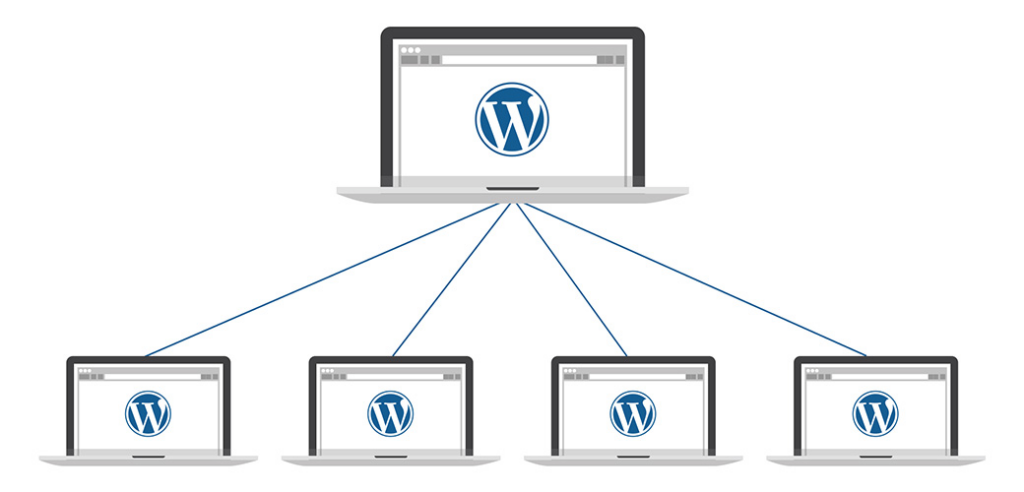
Before answering the main question, let’s quickly clarify what WordPress Multisite actually is.
WordPress Multisite is a built-in feature that allows you to run multiple websites from a single WordPress installation. Instead of managing separate dashboards, hosting environments, and updates, everything is centralized.
With Multisite, you can:
- Create multiple websites under one dashboard
- Share plugins and themes across sites
- Manage users globally or per site
- Control permissions from a network admin level
This setup is often used by:
- Universities managing multiple departments
- Businesses running regional websites
- Agencies handling multiple client sites
- E-commerce brands with localized stores
Is WordPress Multisite One Theme or Multiple?
Now let’s answer the core question directly:
WordPress Multisite supports multiple themes—not just one.
Each site in your Multisite network can use its own theme, or you can standardize everything under a single theme. The system is flexible, and the choice depends entirely on your goals.
How Themes Work in WordPress Multisite
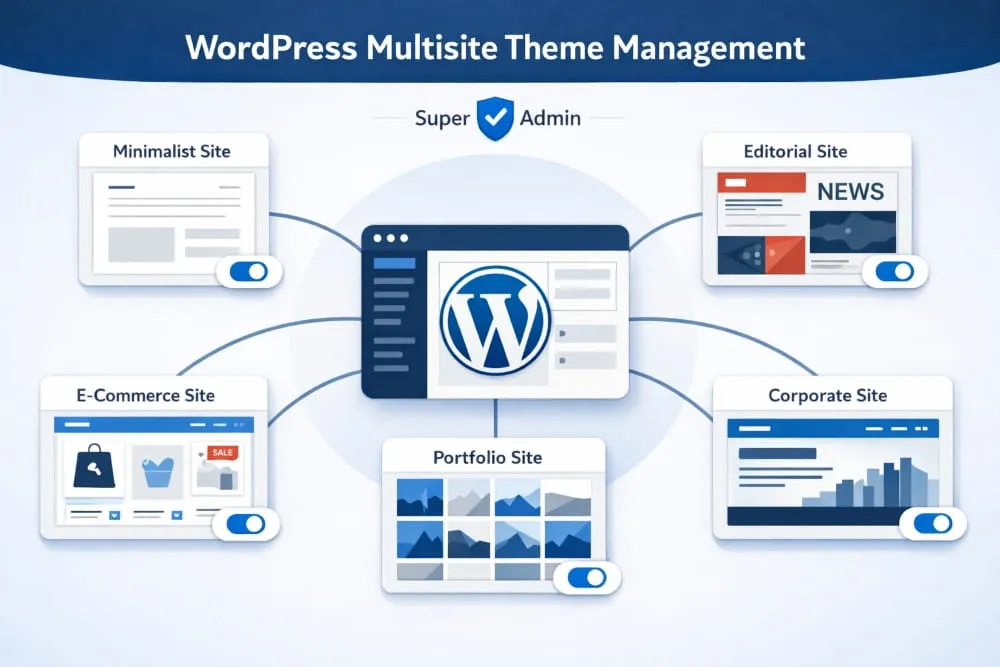
To fully understand this, you need to know how theme management works inside Multisite.
1. Themes Are Installed Network-Wide
In a Multisite setup, themes are installed at the network level, not individually per site. This means:
- You install a theme once
- It becomes available to all sites in the network
- Individual sites can choose whether to use it
2. Themes Must Be Enabled
After installing a theme, you must enable it for the network. Only enabled themes can be selected by individual sites.
3. Each Site Can Choose Its Own Theme
Once enabled, site admins can:
- Select different themes
- Customize layouts independently
- Build unique branding experiences
So again, to reinforce:
👉 WordPress Multisite is not limited to one theme—it supports multiple themes across different sites.
When Should You Use One Theme Across All Sites?
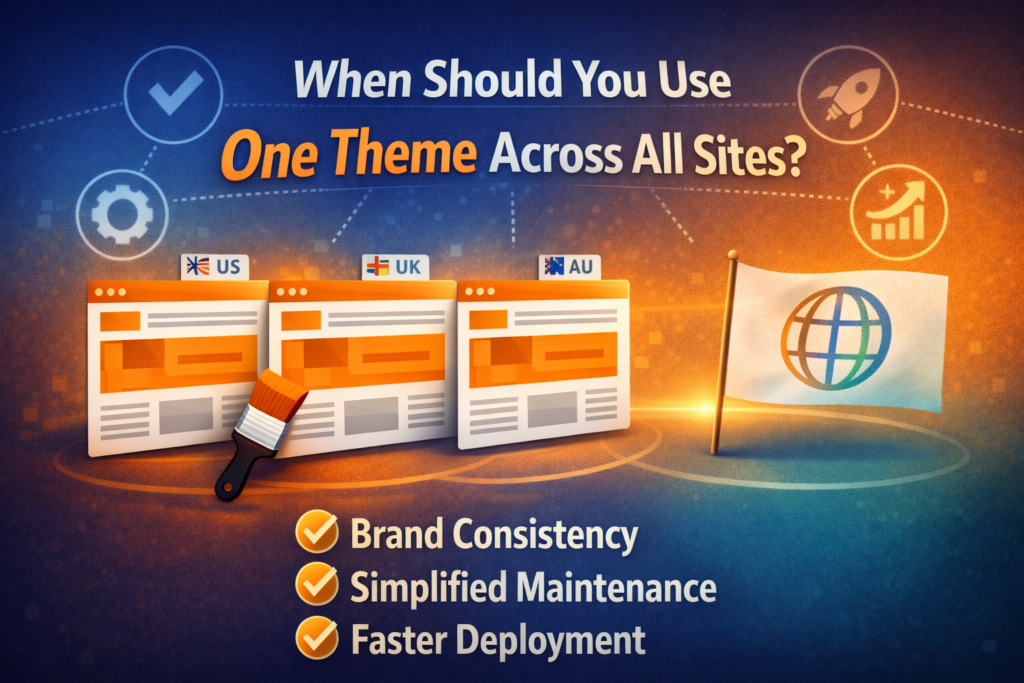
Even though multiple themes are supported, there are situations where using a single theme across all sites makes more sense.
1. Brand Consistency
If all your websites belong to the same brand, using one theme ensures:
- Visual consistency
- Unified user experience
- Stronger brand identity
ตัวอย่าง:
A global company with regional sites (US, UK, AU) may want the same look and feel.
2. Easier Maintenance
Using one theme simplifies:
- Updates
- Bug fixes
- Design adjustments
You only need to manage one theme instead of several.
3. Faster Deployment
When launching new sites, you can:
- Clone existing layouts
- Reuse design structures
- Reduce development time
When Should You Use Multiple Themes?
On the other hand, there are many cases where using different themes is the better approach.
1. Different Target Audiences
If your sites serve different audiences, you may need:
- Different layouts
- Unique messaging styles
- Customized user journeys
2. Different Industries or Niches
ตัวอย่างเช่น:
- A corporate site
- An e-commerce store
- A blog or media site
Each may require a completely different design structure.
3. Creative Freedom
Using multiple themes allows:
- Design experimentation
- A/B testing
- Unique branding per site
Advantages of Using Multiple Themes in Multisite
Choosing multiple themes gives you flexibility, but it also comes with specific benefits.
ความยืดหยุ่นในการออกแบบ
You can tailor each site to its specific purpose without limitations.
Better User Experience
Different audiences get experiences optimized for their needs.
ความสามารถในการปรับขนาด
As your network grows, you can diversify your design approach.
Challenges of Using Multiple Themes
However, it’s not all perfect. Using multiple themes also introduces complexity.
Increased Maintenance
You’ll need to:
- Update multiple themes
- Monitor compatibility
- Fix issues across different designs
Performance Considerations
Some themes may:
- Load slower
- Conflict with plugins
- Require extra optimization
Inconsistent Branding
Without proper guidelines, your network may feel fragmented.
Best Practices for Managing Themes in Multisite
To get the best results, follow these practical tips:
1. Limit the Number of Themes
Even though you can use many themes, it’s better to:
- Keep only necessary ones
- หลีกเลี่ยงความรก
- Reduce maintenance workload
2. Use High-Quality Themes
Choose themes that are:
- Well-coded
- Regularly updated
- Compatible with your plugins
3. Standardize Key Elements
Even with different themes, try to maintain:
- Similar typography
- Consistent color palette
- Unified navigation structure
4. Test Before Deployment
Always test themes for:
- Speed
- Responsiveness
- ความเข้ากันได้ของปลั๊กอิน
Common Misconceptions About Multisite Themes
Let’s clear up a few misunderstandings:
“Multisite forces one theme for all sites”
❌ False
✔ You can use multiple themes.
“Each site installs its own theme”
❌ False
✔ Themes are installed at the network level.
“Themes cannot be customized per site”
❌ False
✔ Each site can customize its theme independently.
Real-World Use Cases
Here are some examples of how businesses use themes in Multisite:
Case 1: Franchise Business
- Same theme across all locations
- Minor content differences
- การสร้างแบรนด์ที่สอดคล้องกัน
Case 2: Digital Agency
- Different themes for different clients
- Fully customized designs
- Flexible structure
Case 3: Educational Institution
- Shared theme for departments
- Custom pages per faculty
- Balanced consistency and flexibility
One Theme vs Multiple Themes: Which Is Better?
There’s no one-size-fits-all answer.
It depends on:
- Your branding strategy
- Your operational capacity
- Your design requirements
Choose One Theme If:
- You want consistency
- You prefer easy management
- Your sites are similar
Choose Multiple Themes If:
- You need flexibility
- Your sites are very different
- You want creative freedom
ข้อคิดส่งท้าย
So, is วordpress Multisite one theme or multiple?
The answer is simple: it supports both.
WordPress Multisite gives you the flexibility to use a single theme for consistency or multiple themes for customization. The right choice depends on your goals, your audience, and how you want your websites to grow.
By understanding how themes work in Multisite, you can make smarter decisions, build better user experiences, and manage your network more efficiently.
In the end, it’s not about choosing one or multiple themes—it’s about choosing the approach that best fits your strategy.
คำถามที่พบบ่อย
Yes, all sites in a WordPress Multisite network can use the same theme. You can install one theme at the network level and assign it across multiple sites to maintain a consistent design and branding.
Using one theme helps ensure brand consistency, simplifies maintenance, and speeds up deployment. It also makes it easier to manage updates and reduces the risk of design inconsistencies across sites.
In many cases, yes. Using a single optimized theme can improve performance because it reduces complexity, minimizes compatibility issues, and allows for more consistent optimization across all sites.
Yes, even if all sites use the same theme, each site can customize layouts, colors, content, and settings independently without affecting other sites in the network.
You should avoid using one theme if your sites serve different audiences, industries, or purposes that require unique designs and user experiences. In such cases, multiple themes provide better flexibility.


ออกแบบและสร้างเว็บไซต์ WordPress หรือเว็บไซต์องค์กรพร้อมระบบอีคอมเมิร์ซครบวงจรสำหรับคุณ.
ช่วงราคา: $200.00 ถึง $2,500.00custom-requirements-or-special-quotations
ราคาเดิมคือ: $2.00.$1.00ราคาปัจจุบันคือ: $1.00. การใช้ปลั๊กอิน 50 ตัวมากเกินไปสำหรับร้านค้าออนไลน์ที่ใช้ WordPress หรือไม่?
การเข้าใจผลกระทบที่แท้จริงต่อประสิทธิภาพ การมีปลั๊กอิน 50 ตัวบนเว็บไซต์อีคอมเมิร์ซ WordPress ไม่ใช่ปัญหาโดยอัตโนมัติ จริงๆ แล้ว จำนวนเพียงอย่างเดียวแทบจะไม่สามารถกำหนดประสิทธิภาพได้....

ภาพหลักสำหรับการออกแบบอุปกรณ์กายภาพบำบัดที่บ้านของ Amazon (อธิบายรายละเอียด)
บทนำ: การสร้างภาพลักษณ์ที่น่าเชื่อถือสำหรับอุปกรณ์บำบัดที่บ้านบน Amazon เมื่อออกแบบภาพหลักสำหรับอุปกรณ์บำบัดที่บ้านบน Amazon สิ่งสำคัญอันดับแรกของเราคือ...

ภาพหลักสำหรับการแปลงลิปสติกเป็นสินค้าสำหรับ Amazon
บทนำ: การออกแบบภาพหลักลิปสติกที่ขายได้บน Amazon เมื่อเราออกแบบภาพหลักสำหรับลิปสติกบน Amazon ความรับผิดชอบของเราไม่ได้จำกัดอยู่แค่...

แฮกเกอร์ขโมยอีเมลผู้ดูแลระบบ WordPress ได้อย่างไร (และวิธีป้องกัน)
มาเริ่มกันด้วยความจริงที่ไม่น่าสบายใจ: อีเมลแอดมิน WordPress ของคุณอาจเปิดเผยต่อสาธารณะมากกว่าที่คุณคิด และแฮกเกอร์? พวกเขาชอบมาก สำหรับพวกเขา...

อะไรทำให้รองพื้นชนิดเหลวของ Amazon (ภาพหลัก) ขายดี?
บทนำ การออกแบบภาพหลักสำหรับรองพื้นชนิดเหลวบน Amazon ไม่ใช่แค่การทำให้ผลิตภัณฑ์ดูสวยงามเท่านั้น บน Amazon ภาพหลักและ...

การออกแบบภาพหลัก Amazon ที่มีประสิทธิภาพสำหรับตลับกรอง
บทนำ การออกแบบภาพหลักสำหรับ Amazon ไม่ใช่แค่การทำให้สินค้าดูน่าดึงดูดเท่านั้น แต่ยังเกี่ยวกับความชัดเจน ความน่าเชื่อถือ และความเข้าใจได้ในทันที โดยเฉพาะอย่างยิ่งสำหรับ...

การโจมตีแบบ Replay Attack บน WordPress: ภัยคุกคามจริงหรือแค่เรื่องที่ถูกพูดเกินจริง?
ก่อนอื่นขอชี้แจงให้ชัดเจนก่อน การโจมตีแบบ Replay Attack นั้นดูไม่น่ากลัว มันไม่ได้ทำลายรหัสผ่าน มันไม่ได้แทรกโค้ดที่เป็นอันตรายพร้อมข้อความแฮ็กเกอร์สีเขียวกระจัดกระจายไปทั่ว มันแนบเนียนกว่า...

วิธีคัดลอกหน้าเว็บ WordPress โดยไม่ทำให้ระบบเสียหาย
ยอมรับกันเถอะ บางครั้งคุณอาจไม่อยากสร้างหน้าเว็บใหม่ คุณแค่อยากได้หน้าเว็บเดิม...แต่แตกต่างไปเล็กน้อย รูปแบบเหมือนเดิม บล็อกเหมือนเดิม การตั้งค่าเหมือนเดิม เพราะ...

เปรียบเทียบธีม WordPress สำหรับสัตว์เลี้ยง 5 แบบ
บทนำ การเลือกธีม WordPress ที่เหมาะสมสำหรับธุรกิจเกี่ยวกับสัตว์เลี้ยงนั้นไม่ใช่แค่เรื่องของการออกแบบเท่านั้น แต่ยังส่งผลโดยตรงต่อการใช้งาน ความสามารถในการขยายขนาด และการเติบโตของธุรกิจในระยะยาว การดูแลสัตว์เลี้ยงและ...

เปรียบเทียบธีมอีคอมเมิร์ซชุดว่ายน้ำ 5 แบบ
บทนำ การเลือกธีมที่เหมาะสมสำหรับร้านค้าอิสระที่จำหน่ายชุดว่ายน้ำหรือชุดชั้นในนั้นไม่ใช่แค่การตัดสินใจด้านภาพลักษณ์เท่านั้น แต่ยังส่งผลโดยตรงต่ออัตราการเปลี่ยนลูกค้าให้เป็นผู้ซื้อ ความสามารถในการขยายธุรกิจ และความยั่งยืนในระยะยาว...

วิธีปิดการแสดงความคิดเห็นใน WordPress (โดยไม่ต้องเสียสติ)
มาพูดถึงระบบแสดงความคิดเห็นของ WordPress กันดีกว่า ในทางทฤษฎีแล้ว ความคิดเห็นนั้นยอดเยี่ยมมาก มันช่วยกระตุ้นการสนทนา สร้างชุมชน และทำให้เว็บไซต์ของคุณดูมีชีวิตชีวา แต่ในความเป็นจริงแล้ว มันมักจะเป็นเหมือนแม่เหล็กดึงดูด...

ข้อผิดพลาด WordPress 500: เมื่อเว็บไซต์ของคุณเกิดอาการผิดปกติ
เว็บไซต์ WordPress ของคุณยังใช้งานได้ปกติดีเมื่อสักครู่ คุณรีเฟรชหน้าเว็บ แล้วจู่ๆ ก็เกิดข้อผิดพลาด 500 Internal Server Error ขึ้นมา ไม่มีคำอธิบาย ไม่มีคำขอโทษ มีเพียงข้อความที่เย็นชาและสับสนซึ่งโดยพื้นฐานแล้ว...

การสร้างเว็บไซต์ WordPress ที่ปรับขนาดได้สำหรับแบรนด์ที่ขับเคลื่อนด้วยวิทยาศาสตร์: โครงการ AminoUSA
บทนำ ในยุคดิจิทัลปัจจุบัน เว็บไซต์เป็นมากกว่าแค่สถานที่สำหรับแสดงรายการสินค้า สำหรับแบรนด์ที่ขับเคลื่อนด้วยวิทยาศาสตร์ซึ่งดำเนินงานในอุตสาหกรรมที่มีการควบคุมหรือเน้นการวิจัย...

สร้างร้านค้า Shopify ที่ปรับขนาดได้สำหรับแบรนด์ใบมีดระดับโลก: โครงการ CoolKatana
บทนำ ในธุรกิจอีคอมเมิร์ซข้ามพรมแดน เว็บไซต์ Shopify เป็นมากกว่าแค่หน้าร้าน สำหรับแบรนด์ที่ดำเนินธุรกิจในกลุ่มเฉพาะหรือกลุ่มที่ขับเคลื่อนด้วยวัฒนธรรม เว็บไซต์ต้องทำมากกว่านั้น...

การออกแบบร้านค้า Shopify ที่มีอัตราการแปลงสูงสำหรับขายการ์ดโปเกมอน
บทนำ ในโลกของอีคอมเมิร์ซสินค้าสะสม โดยเฉพาะอย่างยิ่งในตลาดเกมการ์ดโปเกมอน (TCG) เว็บไซต์จะต้องทำมากกว่าแค่แสดงรายการสินค้า...

ดีไซน์ Shopify ที่เพิ่มยอดขายสำหรับแบรนด์อิฐสั่งทำพิเศษ
บทนำ ในสภาพแวดล้อมการแข่งขันอีคอมเมิร์ซในปัจจุบัน โดยเฉพาะอย่างยิ่งในตลาดของขวัญส่วนบุคคลและของสะสม เว็บไซต์ Shopify ต้องทำมากกว่าแค่แสดงสินค้า...

วิธีติดต่อฝ่ายสนับสนุนของ Shopify: คู่มือที่ง่ายและไม่ยุ่งยาก
การบริหารร้านค้า Shopify ควรเป็นเรื่องที่น่าตื่นเต้น ไม่ใช่เรื่องที่ทำให้สับสน เมื่อมีคำถามหรือปัญหาเกิดขึ้น Shopify มีช่องทางการสนับสนุนหลายช่องทาง ขึ้นอยู่กับสถานการณ์...

วิธีปิดใช้งานร้านค้า Shopify: คู่มือที่ชัดเจนและใช้งานได้จริง
การปิดใช้งานร้านค้า Shopify นั้นไม่ซับซ้อน แต่ก็มีผลกระทบหลายอย่างที่ผู้ขายหลายรายมองข้ามไป คู่มือนี้จะอธิบายขั้นตอนอย่างละเอียดและเข้าใจง่าย...