












ช็อปฟี่ is built for selling. That is one of the platform’s biggest strengths. Product pages, collection pages, checkout flows, and themes are all designed to move a visitor from discovery to purchase as smoothly as possible. But not every store owner wants every product to be instantly purchasable.
Sometimes you want visitors to browse without buying. Sometimes you need a digital catalog for wholesale clients. Sometimes you want to launch a “coming soon” collection, showcase custom work, or display sold-out items as part of your brand story. In these situations, learning how to make products view only on Shopify becomes incredibly useful.
The good news is that Shopify can absolutely support this kind of setup. The limitation is that it does not offer a simple built-in switch that says “make this product view only.” Instead, store owners usually achieve the same result through theme edits, template customization, or store structure decisions.
This guide explains the concept in a practical, beginner-friendly way. Rather than treating it like a purely technical task, we will look at the business reasons behind it, the most common implementation methods, and the pros and cons of each approach. By the end, you will have a clearer understanding of how to turn Shopify into a view-only product catalog when your business model calls for it.
“ดูได้อย่างเดียว” บน Shopify หมายความว่าอย่างไร?
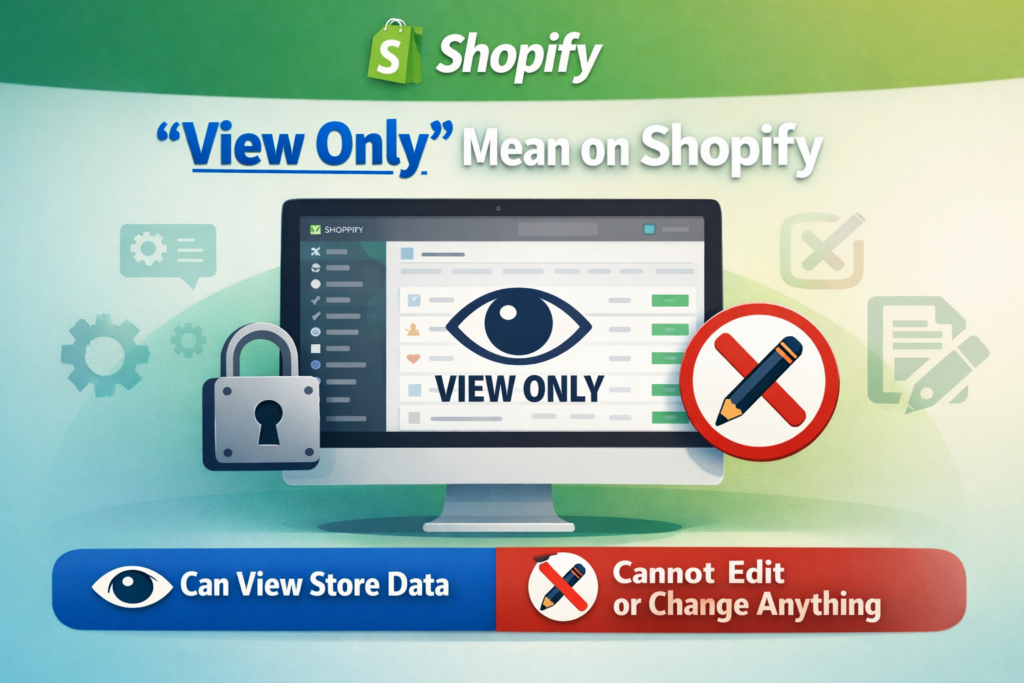
A view-only product is a product that customers can see, read about, and explore, but cannot directly purchase through the normal add-to-cart flow.
In most Shopify stores, a product page includes:
- product title
- product images
- price
- description
- variant selectors
- Add to Cart button
- sometimes a Buy Now button
When a product is made view only, the page usually still keeps the visual and informational parts, but removes or changes the purchase action. Instead of buying immediately, the visitor may simply view the item, contact the seller, request a quote, or wait for the product to become available later.
This is especially valuable for businesses that use Shopify as more than a simple retail storefront. A modern ecommerce site can also function as a catalog, a lead-generation tool, a B2B showroom, or a presentation layer for custom services and made-to-order products.
Why Store Owners Want View-Only Products
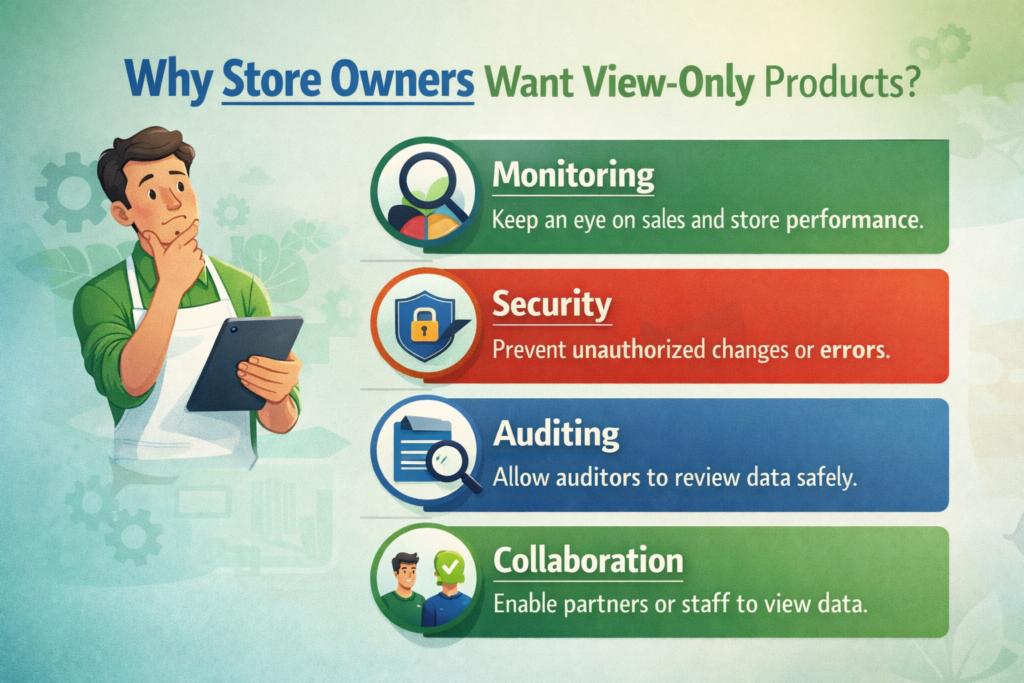
Before talking about methods, it helps to understand why this setup matters. The answer depends on the type of store you run.
Digital Catalogs
Many brands want a polished online catalog without opening the door to direct checkout. This is common in wholesale, manufacturing, industrial supply, furniture, custom goods, and premium product categories where pricing depends on volume, location, or negotiation.
In that case, the product page becomes a presentation page. The goal is not to trigger instant conversion, but to inform the buyer and start a conversation.
Wholesale and B2B Sales
Wholesale buyers often do not behave like regular retail customers. They may need custom pricing, minimum order quantities, shipping discussions, or sales support before placing an order.
For that reason, many B2B-focused Shopify merchants prefer to show the products while removing the retail purchase path. This creates a more controlled experience and makes the store feel like a trade catalog rather than a consumer storefront.
Coming Soon Launches
New product launches benefit from anticipation. If a product is not ready for sale yet, you may still want to show it to build awareness, grow an email list, or gather early interest.
A view-only page works well here because it lets customers explore the product without creating confusion at checkout.
Custom Orders or Inquiry-Based Products
Some products cannot be sold through a normal Shopify checkout because each order is unique. That might include custom packaging, bespoke jewelry, tailored clothing, print projects, industrial components, or large wholesale bundles.
In these cases, replacing Add to Cart with a “Contact Us” or “Request a Quote” button often makes more sense than pretending the product can be bought like a standard retail item.
Portfolio and Past Work
Not every item on a Shopify site needs to be active inventory. Some brands use product pages to showcase previous collections, one-off pieces, finished client projects, or sold-out designs.
This is especially useful for creative studios, makers, artists, and design-led brands that want to prove capability, style, and craftsmanship.
Does Shopify Have a Built-In View-Only Setting?
This is the first question most merchants ask, and the honest answer is no.
Shopify does not include a default product-level setting that instantly turns a product into “view only.” There is no simple checkbox in the admin that says “disable purchase but keep visible.”
That means store owners usually need to create the effect themselves. Fortunately, that does not mean the process is overly difficult. In many cases, it is simply a matter of adjusting theme logic and deciding how you want the user journey to work.
The best method depends on one important question:
Do you want all products to be view only, or only some products?
Once you know the answer, the right approach becomes much easier to choose.
Method 1: Remove the Add to Cart Button
The most direct method is to hide the Add to Cart button from the product page.
This is often the cleanest approach if your main goal is to let customers browse products without purchasing them. The page still looks like a product page, but the final purchase action disappears.
From a user-experience perspective, this works well when the purpose of the page is purely informational.
วิธีการทำงาน
Every Shopify theme includes code that controls how the product form appears. Inside that code is the logic for the Add to Cart button. By editing the relevant theme file, you can remove or comment out that button.
In simple terms, you are telling the theme not to display the purchasing action.
เหตุใดวิธีการนี้จึงเป็นที่นิยม
This method is popular because it is:
- straightforward
- low cost
- effective
- visually clean
You are not adding extra apps or creating complicated workarounds. You are simply changing what the product page shows.
What to Watch Out For
If you remove the Add to Cart button directly from the main product template, the change may affect every product using that template. For some stores, that is fine. For others, that is too broad.
That is why store owners should first decide whether the view-only mode should apply store-wide or only to selected products.
กรณีการใช้งานที่ดีที่สุด
This method works best when:
- you want most or all products to be informational
- you want a simple catalog-style presentation
- you do not need a different call to action in place of Add to Cart
If your goal is not just to hide purchasing, but to generate inquiries, then the next method is often stronger.
Method 2: Replace Add to Cart with an Inquiry Button
Sometimes hiding the purchase button is not enough. You may still want customers to take action, just not through checkout.
In that case, instead of removing Add to Cart completely, you can replace it with a different button such as:
- ติดต่อเรา
- Request a Quote
- Inquire Now
- Ask About This Product
- Get Pricing
This turns the product page into a lead-generation page instead of a transactional page.
Why This Can Be Better Than Hiding the Button
A completely button-free page can sometimes feel incomplete. Visitors may understand the product, but not know what to do next.
Replacing the purchase button with an inquiry button solves that problem. It gives the shopper a clear path forward and aligns the page with your sales process.
For businesses that sell wholesale, custom products, or high-ticket items, this is often the most practical approach.
Examples of Strong Use Cases
This method is especially effective for:
Manufacturers and Suppliers
A manufacturer may want to show specifications, finishes, dimensions, and product photos, but handle pricing offline.
Custom Design Businesses
If every project requires discussion before ordering, the inquiry button becomes the logical next step.
Premium or Complex Products
Products with shipping restrictions, installation requirements, or volume-based pricing are often better handled through inquiry than instant checkout.
UX Advantage
This method keeps the product page active and useful. Instead of creating a dead end, it transforms the page into the start of a conversation.
That matters because many Shopify stores are not only trying to “sell online.” They are also trying to educate buyers, qualify leads, and support longer decision cycles.
Method 3: Create a Private Collection
Another smart method is to create a collection that is technically live but not linked in the store navigation.
This allows you to build a hidden catalog that only certain people can access through a direct URL.
Why This Is Useful
A private collection is ideal when you want to share products with a specific audience without making them part of the main public browsing experience.
ตัวอย่างเช่น:
- wholesale buyers
- VIP clients
- early access groups
- special event customers
- private product previews
You create the collection, add the relevant products, and simply avoid placing it in the main menu or footer. As a result, casual visitors are unlikely to discover it through normal navigation, but anyone with the link can browse it.
What This Method Does Well
This method is useful for segmentation. It gives you a flexible way to present curated product groups to specific customers.
It is not the same thing as fully locking down a page with advanced permissions, but for many brands, it is enough. It creates a lighter version of private access without dramatically changing the store architecture.
Best Strategic Use
This works well when you want:
- a soft-hidden catalog
- audience-specific access
- simple direct-link sharing
- a lightweight private browsing experience
It is especially appealing for merchants who want to test B2B or special collections without rebuilding the whole storefront.
Method 4: Use a Custom Product Template for Selected Products
This is one of the most powerful methods for stores with mixed inventory.
A mixed-inventory store may sell some items normally while keeping other items as inquiry-only, preview-only, or catalog-only. In that situation, changing the default product template for the entire store is usually not the right move.
Instead, you create a separate product template specifically for view-only products.
Why This Method Matters
This method gives you control.
Instead of forcing one behavior across all products, you create two different product experiences:
- standard purchasable products
- view-only or inquiry-based products
You then assign the custom template only to the products that need it.
Practical Advantage
This is often the best long-term option for stores that are growing and becoming more operationally complex.
For example, you may have:
- regular retail products that customers can buy immediately
- custom products that require consultation
- upcoming products still in pre-launch mode
- portfolio products kept live for branding purposes
A custom template lets all of these coexist inside one Shopify store without creating a confusing customer journey.
Why It Is Often the Best Professional Setup
From a design and store-management perspective, this is often the most scalable method because it separates product behavior intentionally.
That means your team can manage product strategy more clearly, and your storefront feels more polished. Customers are less likely to feel confused when each product page behaves according to the business logic behind that specific product.
คุณควรเลือกวิธีใด?
There is no single best answer for every store. The right choice depends on how you sell.
Here is the simplest way to think about it.
Choose Method 1 if:
You want a fast, simple way to remove purchasing from products and turn pages into display-only product pages.
Choose Method 2 if:
You want the page to generate leads, quotes, or conversations rather than sales at checkout.
Choose Method 3 if:
You want hidden or semi-private product browsing for a specific audience through shared links.
Choose Method 4 if:
You want some products to remain sellable while others become view only.
For most growing brands, Method 4 is the most flexible. For most service-driven or B2B brands, Method 2 is usually the most effective. For simple catalogs, Method 1 can be enough.
Will View-Only Products Hurt SEO?

In most cases, no.
If the product pages remain live, indexable, and accessible to search engines, they can still contribute to your SEO. Product titles, descriptions, images, and metadata still matter even if the page does not include an active Add to Cart button.
In fact, for catalog-based businesses, view-only pages can be a strong SEO asset. They let you publish more product-focused content, target long-tail search queries, and attract buyers earlier in the research process.
The key is to avoid treating the page as incomplete. A view-only page should still be useful. It should include:
- clear product naming
- informative descriptions
- strong images
- useful specifications
- an intentional call to action
SEO performance depends on the value of the page, not just whether checkout is enabled.
ข้อผิดพลาดทั่วไปที่ควรหลีกเลี่ยง
When merchants try to learn how to make products view only on Shopify, they sometimes focus too much on the technical change and forget the user experience.
That leads to a few common mistakes.
Removing the Button Without Explaining Anything
If the Add to Cart button disappears and nothing replaces it, some customers may assume the page is broken.
A short message can help, such as:
“This product is currently available by inquiry only.”
“Contact us for pricing and ordering.”
“This collection is for preview purposes only.”
Using One Setup for Every Product
Not every item in your catalog needs the same behavior. A store with mixed inventory should avoid one-size-fits-all logic.
Ignoring Mobile Layout
A view-only setup should still feel polished on mobile. If you replace Add to Cart with another button, make sure spacing, visibility, and tap behavior work well on smaller screens.
Forgetting Brand Positioning
A view-only experience should feel intentional, not temporary. Good design makes the difference between “this store looks unfinished” and “this store clearly uses a catalog-first strategy.”
A Smarter Way to Think About View-Only Products
This topic is not only about hiding a button. It is really about controlling the buying journey.
Shopify is flexible enough to support many business models, but the default setup assumes you want instant retail conversion. When your business works differently, your storefront should reflect that.
A wholesale brand should not behave like a standard DTC brand. A custom design studio should not force customers through a generic cart flow. A pre-launch collection should not look identical to a ready-to-ship product line.
Making products view only is one way to align the site with the real business model behind it.
That is why this decision should involve both functionality and design. You are not just editing code. You are shaping the way people understand your brand, your offer, and the next step they should take.
ข้อคิดส่งท้าย
If you have been wondering how to make products view only on ช็อปฟี่, the important thing to remember is that Shopify can do it, even though it does not provide a simple built-in toggle.
You can remove the Add to Cart button, replace it with an inquiry action, create private collection experiences, or build custom templates for selected products. The best solution depends on whether your goal is catalog presentation, wholesale access, lead generation, pre-launch visibility, or a mixed product strategy.
The real opportunity is bigger than the technical change itself. A well-executed view-only setup can make your Shopify store more aligned with your customers, your sales process, and your brand positioning. It can turn a basic storefront into a more strategic ecommerce tool.
ที่ AIRSANG, this is exactly the kind of cross-border ecommerce work we help clients with. We do not just build pages that look good. We help brands create website experiences that match how they actually sell, whether that means direct checkout, inquiry-based sales, wholesale catalog structures, or conversion-focused Shopify design. If your business needs a smarter Shopify setup or a stronger ecommerce website design direction, AIRSANG is ready to help.


ออกแบบและสร้างเว็บไซต์ WordPress หรือเว็บไซต์องค์กรพร้อมระบบอีคอมเมิร์ซครบวงจรสำหรับคุณ.
ช่วงราคา: $200.00 ถึง $2,500.00custom-requirements-or-special-quotations
ราคาเดิมคือ: $2.00.$1.00ราคาปัจจุบันคือ: $1.00. การใช้ปลั๊กอิน 50 ตัวมากเกินไปสำหรับร้านค้าออนไลน์ที่ใช้ WordPress หรือไม่?
การเข้าใจผลกระทบที่แท้จริงต่อประสิทธิภาพ การมีปลั๊กอิน 50 ตัวบนเว็บไซต์อีคอมเมิร์ซ WordPress ไม่ใช่ปัญหาโดยอัตโนมัติ จริงๆ แล้ว จำนวนเพียงอย่างเดียวแทบจะไม่สามารถกำหนดประสิทธิภาพได้....

ภาพหลักสำหรับการออกแบบอุปกรณ์กายภาพบำบัดที่บ้านของ Amazon (อธิบายรายละเอียด)
บทนำ: การสร้างภาพลักษณ์ที่น่าเชื่อถือสำหรับอุปกรณ์บำบัดที่บ้านบน Amazon เมื่อออกแบบภาพหลักสำหรับอุปกรณ์บำบัดที่บ้านบน Amazon สิ่งสำคัญอันดับแรกของเราคือ...

ภาพหลักสำหรับการแปลงลิปสติกเป็นสินค้าสำหรับ Amazon
บทนำ: การออกแบบภาพหลักลิปสติกที่ขายได้บน Amazon เมื่อเราออกแบบภาพหลักสำหรับลิปสติกบน Amazon ความรับผิดชอบของเราไม่ได้จำกัดอยู่แค่...

แฮกเกอร์ขโมยอีเมลผู้ดูแลระบบ WordPress ได้อย่างไร (และวิธีป้องกัน)
มาเริ่มกันด้วยความจริงที่ไม่น่าสบายใจ: อีเมลแอดมิน WordPress ของคุณอาจเปิดเผยต่อสาธารณะมากกว่าที่คุณคิด และแฮกเกอร์? พวกเขาชอบมาก สำหรับพวกเขา...

อะไรทำให้รองพื้นชนิดเหลวของ Amazon (ภาพหลัก) ขายดี?
บทนำ การออกแบบภาพหลักสำหรับรองพื้นชนิดเหลวบน Amazon ไม่ใช่แค่การทำให้ผลิตภัณฑ์ดูสวยงามเท่านั้น บน Amazon ภาพหลักและ...

การออกแบบภาพหลัก Amazon ที่มีประสิทธิภาพสำหรับตลับกรอง
บทนำ การออกแบบภาพหลักสำหรับ Amazon ไม่ใช่แค่การทำให้สินค้าดูน่าดึงดูดเท่านั้น แต่ยังเกี่ยวกับความชัดเจน ความน่าเชื่อถือ และความเข้าใจได้ในทันที โดยเฉพาะอย่างยิ่งสำหรับ...

การโจมตีแบบ Replay Attack บน WordPress: ภัยคุกคามจริงหรือแค่เรื่องที่ถูกพูดเกินจริง?
ก่อนอื่นขอชี้แจงให้ชัดเจนก่อน การโจมตีแบบ Replay Attack นั้นดูไม่น่ากลัว มันไม่ได้ทำลายรหัสผ่าน มันไม่ได้แทรกโค้ดที่เป็นอันตรายพร้อมข้อความแฮ็กเกอร์สีเขียวกระจัดกระจายไปทั่ว มันแนบเนียนกว่า...

วิธีคัดลอกหน้าเว็บ WordPress โดยไม่ทำให้ระบบเสียหาย
ยอมรับกันเถอะ บางครั้งคุณอาจไม่อยากสร้างหน้าเว็บใหม่ คุณแค่อยากได้หน้าเว็บเดิม...แต่แตกต่างไปเล็กน้อย รูปแบบเหมือนเดิม บล็อกเหมือนเดิม การตั้งค่าเหมือนเดิม เพราะ...

เปรียบเทียบธีม WordPress สำหรับสัตว์เลี้ยง 5 แบบ
บทนำ การเลือกธีม WordPress ที่เหมาะสมสำหรับธุรกิจเกี่ยวกับสัตว์เลี้ยงนั้นไม่ใช่แค่เรื่องของการออกแบบเท่านั้น แต่ยังส่งผลโดยตรงต่อการใช้งาน ความสามารถในการขยายขนาด และการเติบโตของธุรกิจในระยะยาว การดูแลสัตว์เลี้ยงและ...

เปรียบเทียบธีมอีคอมเมิร์ซชุดว่ายน้ำ 5 แบบ
บทนำ การเลือกธีมที่เหมาะสมสำหรับร้านค้าอิสระที่จำหน่ายชุดว่ายน้ำหรือชุดชั้นในนั้นไม่ใช่แค่การตัดสินใจด้านภาพลักษณ์เท่านั้น แต่ยังส่งผลโดยตรงต่ออัตราการเปลี่ยนลูกค้าให้เป็นผู้ซื้อ ความสามารถในการขยายธุรกิจ และความยั่งยืนในระยะยาว...

วิธีปิดการแสดงความคิดเห็นใน WordPress (โดยไม่ต้องเสียสติ)
มาพูดถึงระบบแสดงความคิดเห็นของ WordPress กันดีกว่า ในทางทฤษฎีแล้ว ความคิดเห็นนั้นยอดเยี่ยมมาก มันช่วยกระตุ้นการสนทนา สร้างชุมชน และทำให้เว็บไซต์ของคุณดูมีชีวิตชีวา แต่ในความเป็นจริงแล้ว มันมักจะเป็นเหมือนแม่เหล็กดึงดูด...

ข้อผิดพลาด WordPress 500: เมื่อเว็บไซต์ของคุณเกิดอาการผิดปกติ
เว็บไซต์ WordPress ของคุณยังใช้งานได้ปกติดีเมื่อสักครู่ คุณรีเฟรชหน้าเว็บ แล้วจู่ๆ ก็เกิดข้อผิดพลาด 500 Internal Server Error ขึ้นมา ไม่มีคำอธิบาย ไม่มีคำขอโทษ มีเพียงข้อความที่เย็นชาและสับสนซึ่งโดยพื้นฐานแล้ว...

การสร้างเว็บไซต์ WordPress ที่ปรับขนาดได้สำหรับแบรนด์ที่ขับเคลื่อนด้วยวิทยาศาสตร์: โครงการ AminoUSA
บทนำ ในยุคดิจิทัลปัจจุบัน เว็บไซต์เป็นมากกว่าแค่สถานที่สำหรับแสดงรายการสินค้า สำหรับแบรนด์ที่ขับเคลื่อนด้วยวิทยาศาสตร์ซึ่งดำเนินงานในอุตสาหกรรมที่มีการควบคุมหรือเน้นการวิจัย...

สร้างร้านค้า Shopify ที่ปรับขนาดได้สำหรับแบรนด์ใบมีดระดับโลก: โครงการ CoolKatana
บทนำ ในธุรกิจอีคอมเมิร์ซข้ามพรมแดน เว็บไซต์ Shopify เป็นมากกว่าแค่หน้าร้าน สำหรับแบรนด์ที่ดำเนินธุรกิจในกลุ่มเฉพาะหรือกลุ่มที่ขับเคลื่อนด้วยวัฒนธรรม เว็บไซต์ต้องทำมากกว่านั้น...

การออกแบบร้านค้า Shopify ที่มีอัตราการแปลงสูงสำหรับขายการ์ดโปเกมอน
บทนำ ในโลกของอีคอมเมิร์ซสินค้าสะสม โดยเฉพาะอย่างยิ่งในตลาดเกมการ์ดโปเกมอน (TCG) เว็บไซต์จะต้องทำมากกว่าแค่แสดงรายการสินค้า...

ดีไซน์ Shopify ที่เพิ่มยอดขายสำหรับแบรนด์อิฐสั่งทำพิเศษ
บทนำ ในสภาพแวดล้อมการแข่งขันอีคอมเมิร์ซในปัจจุบัน โดยเฉพาะอย่างยิ่งในตลาดของขวัญส่วนบุคคลและของสะสม เว็บไซต์ Shopify ต้องทำมากกว่าแค่แสดงสินค้า...

วิธีติดต่อฝ่ายสนับสนุนของ Shopify: คู่มือที่ง่ายและไม่ยุ่งยาก
การบริหารร้านค้า Shopify ควรเป็นเรื่องที่น่าตื่นเต้น ไม่ใช่เรื่องที่ทำให้สับสน เมื่อมีคำถามหรือปัญหาเกิดขึ้น Shopify มีช่องทางการสนับสนุนหลายช่องทาง ขึ้นอยู่กับสถานการณ์...

วิธีปิดใช้งานร้านค้า Shopify: คู่มือที่ชัดเจนและใช้งานได้จริง
การปิดใช้งานร้านค้า Shopify นั้นไม่ซับซ้อน แต่ก็มีผลกระทบหลายอย่างที่ผู้ขายหลายรายมองข้ามไป คู่มือนี้จะอธิบายขั้นตอนอย่างละเอียดและเข้าใจง่าย...