












Введение
When people ask, “how much is WordPress?”, the answer can feel confusing because WordPress is not just one product with one fixed price. In reality, WordPress can mean two different things: WordPress.org, the free open-source software you install on your own hosting, and WordPress.com, a hosted website-building service with free and paid plans. That difference matters because one version is technically free, while the other works more like an all-in-one website platform with monthly or yearly pricing.
The simplest answer is this: WordPress can cost $0 to start, but a serious website usually costs money. A basic personal site can be very cheap, while a business website, online store, or high-traffic publishing platform can cost much more. Your final WordPress cost depends on the platform you choose, your hosting, domain name, design needs, plugins, security tools, maintenance, and whether you plan to sell products online.
What Does “WordPress” Actually Mean?
Before calculating the cost, you need to understand the difference between WordPress.com and WordPress.org.
WordPress.org is the free content management system. You can download and use the software without paying a license fee. However, you still need a hosting provider, a domain name, and possibly paid themes or plugins. This option gives you more control, but you also take more responsibility for setup, updates, backups, and troubleshooting.
WordPress.com is a hosted service. It includes hosting, website-building tools, support, security basics, and different plan levels. This version is easier for beginners because you do not need to arrange hosting separately. The trade-off is that some features, such as plugin installation, advanced customization, and eCommerce tools, may require higher-tier plans. WordPress.com currently offers paid plans such as Personal, Premium, Business, and Commerce, plus a free option.
So, when someone asks “how much is WordPress?”, the real question should be: Do you want the free WordPress software with separate hosting, or do you want the hosted WordPress.com platform?
Is WordPress Really Free?
WordPress can be free, but a complete website usually is not.
With WordPress.org, the software itself is free. You can install it, edit your site, publish content, and build pages without paying WordPress a software fee. But a website needs a place to live online. That means you need hosting. You also need a domain name if you want a professional address like yourbrand.com.
With WordPress.com, you can start with a free plan. This is useful for testing the platform, learning how pages and posts work, or creating a very simple personal site. However, free plans usually come with limits. For example, free sites may use a WordPress.com subdomain, show platform branding or ads, and offer less control over design and functionality.
In other words, WordPress is free in the same way a free app can be free: you can start without paying, but professional use often requires upgrades.
WordPress.com Pricing Explained
WordPress.com is the easier option for beginners because hosting is already included. You pick a plan, create your site, and manage everything from one account.
The free plan costs $0 and has no expiration date. It is best for testing, learning, or publishing simple content without worrying about technical setup. However, it is not usually the best choice for a serious business website because it has branding, fewer customization options, and limited professional features.
The Personal plan is designed for simple websites and personal brands. On the current WordPress.com pricing page, it is listed at $9 per month when paid monthly or $4 per month when paid yearly. It includes a free domain for the first year, 6 GB of storage, no visitor-facing ads, and support.
The Premium plan is a better fit for creators, bloggers, and small websites that need more design flexibility. WordPress.com currently lists it at $18 per month when paid monthly or $8 per month when paid yearly. It includes 13 GB of storage, premium themes, analytics features, payment buttons, and video uploads.
The Business plan is where WordPress.com becomes much more powerful. It is currently listed at $40 per month when paid monthly or $25 per month when paid yearly. This plan is important because it allows plugin installation, advanced customization, 24/7 priority support, real-time backups, SFTP/SSH access, and other business-level tools.
The Commerce plan is built for online stores. It is currently listed at $70 per month when paid monthly or $45 per month when paid yearly. It includes store-focused features, WooCommerce tools, premium store themes, and the ability to sell internationally.
For enterprise-level websites, WordPress.com also points users toward enterprise WordPress hosting, which currently starts at $25,000 annually. This is not meant for normal blogs or small business sites. It is designed for large publishers, major brands, and high-traffic organizations.
WordPress.org Cost Explained
WordPress.org works differently because the software is free, but you build your own setup around it.
A small WordPress.org site may only need three things at the beginning: a domain name, web hosting, and a theme. The domain is your website address. Hosting is the server space where your website files live. The theme controls the visual design and layout.
For a simple site, low-cost shared hosting may be enough. This is often the cheapest way to run WordPress. Many beginners choose this route because it keeps the monthly cost low while still allowing more flexibility than a free hosted plan.
However, the cost grows when your website becomes more serious. A business site may need better hosting, a premium theme, security tools, backup plugins, SEO plugins, form tools, performance optimization, and possibly professional design help. An eCommerce website may need WooCommerce extensions, payment tools, shipping tools, email marketing integrations, and stronger hosting.
That is why WordPress.org can be either very cheap or fairly expensive. The software does not cost money, but the website around it does.
Main Cost Factors of a WordPress Website
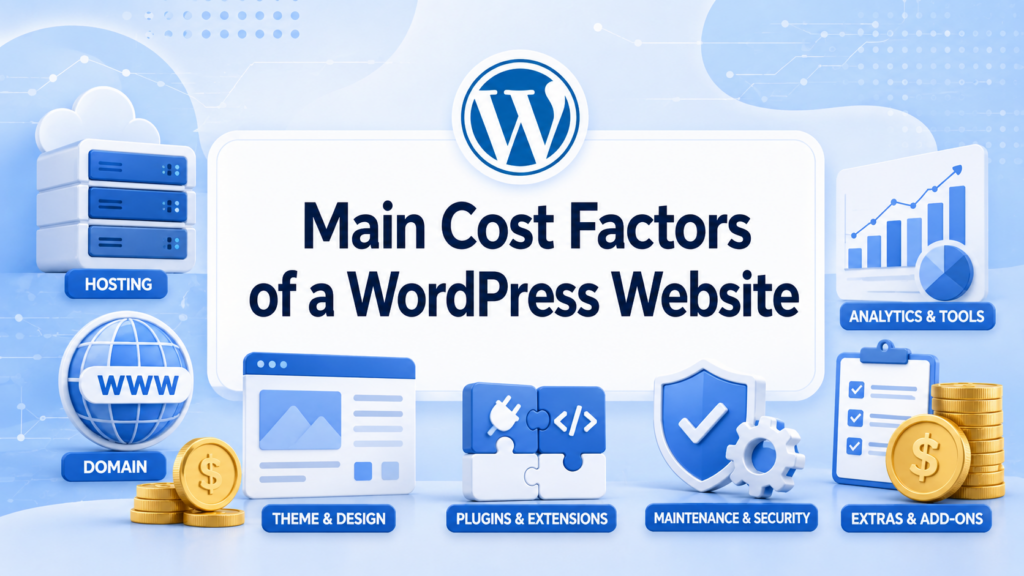
The first cost is the domain name. Most professional websites need a custom domain. Some WordPress.com plans include a free domain for the first year, but after that, you should expect renewal costs. With WordPress.org, you usually buy the domain separately from a registrar or hosting provider.
The second cost is hosting. WordPress.com includes hosting inside its plans. WordPress.org requires separate hosting. Cheaper hosting can work for small sites, but growing businesses often need faster and more reliable hosting.
The third cost is design. You can use a free theme, buy a premium theme, or hire someone to create a custom design. Free themes are fine for basic websites, but premium or custom design usually creates a more polished and trustworthy result.
The fourth cost is plugins. Plugins add features such as contact forms, SEO controls, image compression, security, booking systems, memberships, and online payments. Many plugins have free versions, but advanced features often require paid plans.
The fifth cost is maintenance. WordPress websites need updates, backups, security checks, speed optimization, and occasional troubleshooting. If you handle this yourself, the direct cost may be low. If you hire someone, it becomes an ongoing monthly expense.
The sixth cost is content and marketing. A website is not only about pages and design. You may also need SEO writing, product descriptions, blog posts, images, videos, email marketing, or ads. These costs are not always part of WordPress pricing, but they affect the total budget.
How Much Is WordPress for a Blog?
For a simple blog, WordPress can be very affordable.
A beginner can start with the free WordPress.com plan, but it is better for testing than building a serious brand. If you want a cleaner blog with a custom domain and no visitor-facing ads, the Personal or Premium plan is more practical.
With WordPress.org, a basic blog may only require affordable hosting and a domain. You can use a free theme and free plugins at the beginning. This keeps the cost low while giving you more control over your content and future growth.
For most bloggers, the real decision is convenience versus control. WordPress.com is easier to manage. WordPress.org gives you more flexibility, especially if you plan to grow the blog into a business later.
How Much Is WordPress for a Small Business Website?
A small business website usually needs more than a blog. It may need service pages, a contact form, location information, testimonials, SEO setup, tracking tools, and a professional design.
For WordPress.com, the Business plan is often the more realistic option because it unlocks plugins and advanced tools. Lower plans can work for basic websites, but they may feel limited once you need more features.
For WordPress.org, the cost depends on how much work you do yourself. A small business can start with hosting, a domain, a premium theme, and a few key plugins. But if the business needs a custom layout, strong branding, or conversion-focused pages, design and content costs can become the biggest part of the budget.
A small business should not only ask, “how much is WordPress?” It should also ask, “What does the website need to do?” A simple online brochure costs less than a lead-generation website built to attract customers.
How Much Is WordPress for an Online Store?
An online store is usually more expensive than a blog or business website because it needs product pages, payment processing, shipping settings, tax settings, checkout design, customer emails, security, and performance optimization.
On WordPress.com, the Commerce plan is designed for selling online. It includes WooCommerce-focused features and store tools. This makes setup easier for users who want a hosted solution.
On WordPress.org, you can build an online store with WooCommerce. WooCommerce itself is free, but many stores need paid extensions for shipping, subscriptions, product options, abandoned cart emails, advanced checkout features, and payment-related tools. Hosting also matters more for eCommerce because slow loading and checkout issues can hurt sales.
For online stores, the lowest price is not always the best choice. A store needs stability, security, speed, and a smooth buying experience. Saving a few dollars on hosting may not be worth it if the site becomes slow or unreliable.
WordPress.com vs WordPress.org: Which Costs Less?
WordPress.com is easier to predict because the plans have clear pricing. You know what you pay each month or year, and hosting is included. This is helpful for beginners who want fewer technical decisions.
WordPress.org can be cheaper at the beginning, especially if you choose budget hosting and free tools. But it can also become more expensive if you add premium plugins, better hosting, custom design, and professional maintenance.
So the cheaper option depends on your situation.
Choose WordPress.com if you want simplicity, included hosting, built-in support, and a clearer monthly price.
Choose WordPress.org if you want more ownership, more flexibility, and the ability to control your hosting, plugins, themes, and long-term site structure.
Are There Hidden WordPress Costs?
There are not always “hidden” costs, but there are easy-to-forget costs.
A domain may be free for the first year but paid after renewal. A plugin may start free but require a paid upgrade later. A theme may look good in the demo but require extra customization. A cheap hosting plan may work at first but need an upgrade when traffic grows. A website may launch successfully but still need maintenance, backups, and security monitoring.
These costs are not tricks. They are part of owning a website. The best way to avoid surprises is to plan your budget before you build.
What Is a Realistic WordPress Budget?
For a personal project, WordPress can cost almost nothing at the beginning. A free WordPress.com site or a low-cost WordPress.org setup is enough for learning and experimenting.
For a serious blog or personal brand, expect to pay for a custom domain, a better plan or hosting, and possibly a premium theme.
For a small business website, you should budget for professional presentation, SEO basics, contact forms, security, performance, and future updates.
For an online store, you should budget more carefully because eCommerce requires stronger functionality and a better user experience.
The most important thing is to match the budget to the purpose of the website. A hobby blog does not need the same setup as a business website. A local service website does not need the same tools as a full online store.
Заключение
So, how much is WordPress? WordPress can be free to start, but a professional website usually comes with real costs. WordPress.com offers a simpler hosted experience with clear plans, while WordPress.org gives you free software and more control, but requires separate hosting, domains, themes, plugins, and maintenance.
For beginners, WordPress.com can be easier because many essentials are included. For users who want flexibility and long-term control, WordPress.org may be the better choice. The final price depends on your website type, your design needs, your technical comfort level, and the features you want to add.
In the end, WordPress is not expensive or cheap by itself. It is flexible. You can build a simple site with a small budget, or you can create a powerful business website with a larger investment. The best choice is the one that fits your goals, your skill level, and the kind of website you want to grow.
Часто задаваемые вопросы
1. How much is WordPress for beginners?
WordPress can be free to start, especially if you use the free WordPress.com plan or the free WordPress.org software. However, beginners who want a professional website usually need to pay for a domain, hosting, a better plan, or premium tools.
2. Is WordPress completely free?
WordPress.org software is free, but a complete website usually is not. You may still need hosting, a domain name, themes, plugins, security tools, backups, and maintenance. WordPress.com also has a free plan, but advanced features require paid plans.
3. How much does WordPress cost per month?
The monthly cost depends on the version you choose. WordPress.com has fixed paid plans, while WordPress.org costs vary based on your hosting, domain, plugins, theme, and maintenance needs. A simple site costs less than a business website or online store.
4. Which is cheaper, WordPress.com or WordPress.org?
WordPress.com is easier to predict because pricing is plan-based. WordPress.org can be cheaper at first, but costs can increase when you add premium hosting, plugins, themes, or professional support. The cheaper choice depends on your website goals.
5. How much is WordPress for an online store?
A WordPress online store usually costs more than a basic website because it needs eCommerce tools, payment setup, product pages, checkout features, security, and stronger hosting. WordPress.com offers a Commerce plan, while WordPress.org users often build stores with WooCommerce.
6. Are there hidden WordPress costs?
There can be extra costs that beginners overlook, such as domain renewals, premium plugins, paid themes, security tools, backups, maintenance, and hosting upgrades. These are not always hidden, but they should be included in your website budget.


Спроектируем и создадим для вас WordPress-сайт или корпоративный сайт с полной системой электронной коммерции.
Ценовой диапазон: от $200.00 до $2,500.00custom-requirements-or-special-quotations
Первоначальная цена составляла: $2.00.$1.00Текущая цена: $1.00. Не слишком ли много 50 плагинов для интернет-магазина на WordPress?
Понимание реального влияния на производительность Наличие 50 плагинов на сайте электронной коммерции WordPress не является автоматической проблемой. На самом деле, само по себе их количество редко определяет производительность.....

Дизайн главного изображения для домашнего физиотерапевтического устройства Amazon: пояснения.
Введение: Создание достоверного изображения для домашних терапевтических приборов на Amazon При разработке главного изображения для домашнего терапевтического прибора на Amazon мы в первую очередь...

Дизайн основного изображения для конвертации помады на Amazon.
Введение: Разработка главного образа помады, которая продается на Amazon Когда мы разрабатываем главный образ для помады Amazon, наша ответственность выходит далеко за рамки...

Как хакеры крадут электронные письма администраторов WordPress (и как им это предотвратить)
Начнем с неприятной истины: ваша электронная почта администратора WordPress, вероятно, гораздо более публична, чем вы думаете. А хакеры? Им это нравится. Для них ваш...

Что делает основное изображение жидкой тональной основы Amazon конвертируемым?
Введение. Разработка дизайна основного изображения для жидкой тональной основы на Amazon — это не просто создание красивого внешнего вида продукта. На Amazon основное изображение и...

Разработка эффективного основного изображения Amazon для фильтрующих картриджей
Введение. Разработка основного изображения для Amazon — это не просто создание привлекательного внешнего вида товара. Речь идёт о ясности, доверии и мгновенном понимании, особенно для...

Повторные атаки на WordPress: реальная угроза или преувеличенный миф?
Давайте сначала кое-что проясним. Атаки повторного воспроизведения не выглядят страшно. Они не взламывают пароли. Они не внедряют вредоносный код с зелёным хакерским текстом, разлетающимся повсюду. Они действуют коварно...

Как скопировать страницы WordPress, ничего не сломав
Давайте посмотрим правде в глаза. Иногда вам не хочется создавать новую страницу. Вам нужна та же самая страница… но немного другая. Тот же макет. Те же блоки. Те же настройки. Потому что….

Сравнение пяти тем WordPress для сайтов о домашних животных
Введение. Выбор подходящей темы WordPress для сайтов, посвященных домашним животным, — это не просто решение, связанное с дизайном; оно напрямую влияет на удобство использования, масштабируемость и долгосрочный рост бизнеса. Уход за домашними животными и...

Сравнение пяти тем оформления для интернет-магазинов купальников
Введение. Выбор правильной тематики для независимого магазина купальников или нижнего белья — это не просто визуальное решение, оно напрямую влияет на коэффициент конверсии, масштабируемость и долгосрочную перспективу...

Как отключить комментарии в WordPress (не сойдя с ума)
Давайте поговорим о комментариях в WordPress. В теории комментарии — это здорово. Они стимулируют дискуссии. Они создают сообщество. Они делают ваш сайт “живым”. А на практике? Зачастую они притягивают...

Ошибка WordPress 500: когда ваш сайт начинает паниковать
Ваш сайт WordPress ещё минуту назад работал нормально. Вы обновили страницу. И вдруг — бац 💥 — ошибка 500 Internal Server Error. Никаких объяснений. Никаких извинений. Просто холодное, непонятное сообщение, которое, по сути...

Создание масштабируемого веб-сайта на WordPress для научно-ориентированного бренда: проект AminoUSA
Введение. В современном цифровом пространстве веб-сайт — это больше, чем просто место для размещения информации о товарах. Для научно-ориентированных брендов, работающих в регулируемых или научно-исследовательских отраслях, это….

Создание масштабируемого магазина Shopify для глобального бренда ножей: проект CoolKatana
Введение. В трансграничной электронной коммерции веб-сайт Shopify — это больше, чем просто витрина магазина. Для брендов, работающих в нишевых, ориентированных на культуру категориях, веб-сайт должен делать гораздо больше, чем...

Разработка высокоэффективного магазина Shopify для карточек Pokémon.
Введение. В мире электронной коммерции коллекционных товаров, особенно на рынке коллекционных карточных игр Pokémon, веб-сайт должен делать больше, чем просто перечислять товары...

Высокоэффективный дизайн Shopify для индивидуального бренда стационарной торговой точки.
Введение. В условиях современной конкурентной среды электронной коммерции, особенно в сегменте персонализированных подарков и коллекционных товаров, веб-сайт на платформе Shopify должен делать гораздо больше, чем просто отображать товары. Он...

Как связаться со службой поддержки Shopify: простое и понятное руководство
Управление магазином Shopify должно приносить удовольствие, а не путаницу. Когда возникают вопросы или проблемы замедляют вашу работу, Shopify предлагает несколько вариантов поддержки в зависимости от ситуации...

Как деактивировать магазин Shopify: понятное и практичное руководство
Деактивация магазина Shopify — несложная процедура, но она влечет за собой последствия, которые многие продавцы упускают из виду. В этом руководстве процесс описан простым и понятным языком...