












Введение
If you have ever searched for an easy way to build a website, you have probably heard of WordPress. It powers personal blogs, business websites, online stores, portfolios, learning platforms, news sites, and many other types of websites. But one common question still comes up for beginners: how does WordPress work?
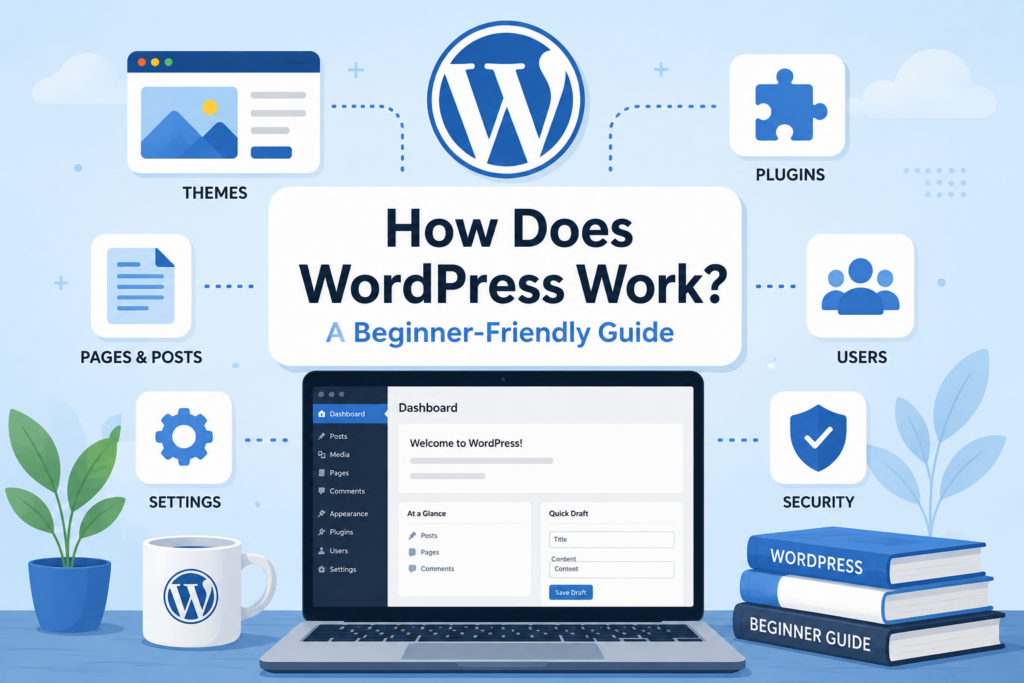
At first, WordPress may look like a simple website builder. You log in, choose a design, write some pages, add images, and publish your site. Behind that simple experience, however, WordPress works like a complete content management system. It gives you a dashboard for managing your website, a database for storing content, themes for controlling design, plugins for adding features, and settings for organizing how your site appears to visitors and search engines.
The best way to understand WordPress is to think of it as the control center of a website. Instead of editing code every time you want to change a page, WordPress lets you manage most things through a visual admin area. You can write content, change menus, install tools, update images, manage users, and adjust site settings without needing to build everything from scratch.
This guide explains how WordPress works in a simple, beginner-friendly way. It walks through the main parts of WordPress, how they connect, and how a website moves from setup to launch.
Что такое WordPress?
WordPress is a content management system, often called a CMS. A CMS is software that helps you create, organize, edit, and publish digital content. In simple terms, WordPress gives you a structured way to build and manage a website.
When someone visits a WordPress website, they see the front end. This is the public-facing part of the site, including the homepage, blog posts, product pages, images, buttons, menus, and footer. When the site owner logs in, they use the back end, also known as the WordPress dashboard. This is where all the management happens.
WordPress separates content from design. Your pages, posts, images, categories, and settings are stored in the website’s database. Your theme controls how that content looks. This separation is one of the reasons WordPress is flexible. You can change the design of a website without deleting all your content.
How WordPress Works Behind the Scenes
To understand how does WordPress work, it helps to know the basic process.
First, your website needs hosting. Hosting is the server space where your website files and database live. Your domain name points visitors to that server. When someone types your domain into a browser, the browser requests your website from the server.
Next, WordPress loads the correct files, pulls the needed content from the database, applies the active theme, and displays the final page to the visitor. The visitor does not see the database or admin dashboard. They only see the finished page.
This process happens quickly. For example, when a visitor opens a blog post, WordPress finds the post content, checks the theme layout, loads images and styles, and creates the page the visitor sees. If plugins are active, they may also add extra features such as contact forms, SEO data, reviews, shopping carts, or security checks.
Setting Up WordPress
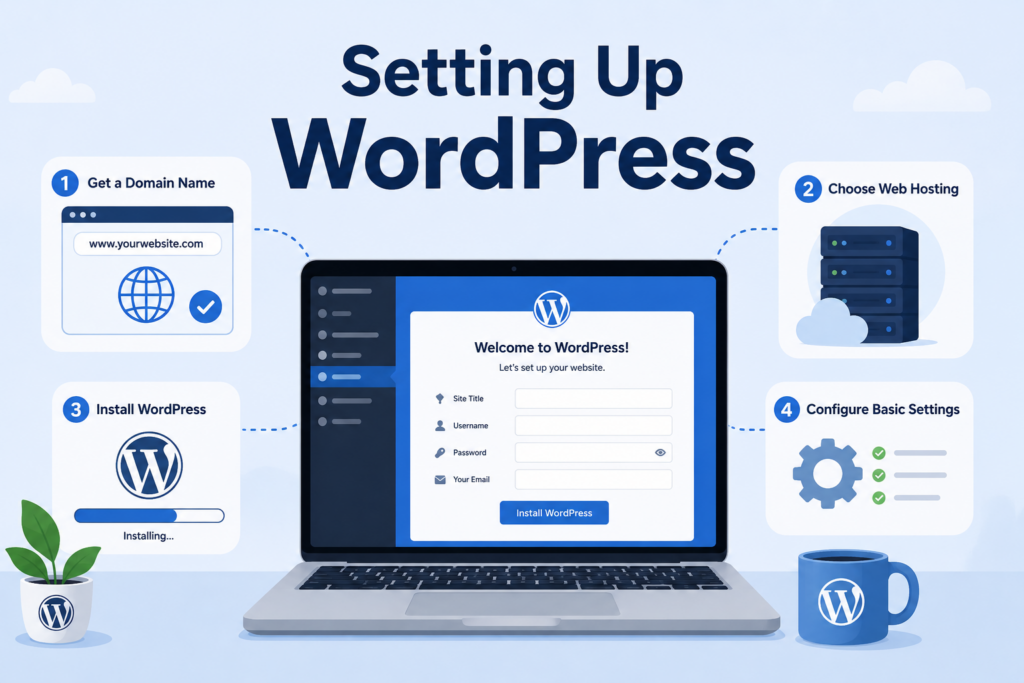
Before you can use WordPress, you need a few basic pieces: a domain name, web hosting, and a WordPress installation.
The domain name is your website address. The hosting account is where your website is stored. WordPress is the software that manages the website. Many hosting providers offer one-click WordPress installation, which makes the setup process easier for beginners.
After installing WordPress, you usually configure basic settings. These include your site title, tagline, time zone, language, homepage display, and permalink structure. Permalinks are the URLs for your pages and posts. A clean permalink structure makes your links easier for visitors and search engines to understand.
For example, a URL like:
yourwebsite.com/how-does-wordpress-work
is usually clearer than a URL filled with numbers and symbols. Clean URLs help users understand what a page is about before they click.
Another important setup step is SSL. SSL allows your site to use HTTPS, which helps protect data between the visitor’s browser and your server. It also gives visitors more confidence when browsing your website.
The WordPress Dashboard
The dashboard is the main control room of a WordPress website. After logging in, you can access tools for posts, pages, media, comments, appearance, plugins, users, settings, and more.
The left-side admin menu is where most tasks begin. For example, you can click “Posts” to manage blog articles, “Pages” to edit static pages, “Media” to upload images, and “Appearance” to change the site design.
The dashboard makes WordPress easier because you do not need to open server files every time you want to make a change. Instead, you can manage most updates through menus, forms, editors, and settings panels.
For beginners, the dashboard may feel large at first. But once you understand the main sections, it becomes much easier. Most daily website tasks happen in only a few areas: posts, pages, media, themes, plugins, and settings.
Posts and Pages
WordPress uses two main content types: posts and pages.
Posts are usually used for blog content, news updates, articles, tutorials, announcements, and time-based content. They can be organized with categories and tags. Categories group related posts under broad topics, while tags describe more specific details.
Pages are usually used for more permanent content. Common examples include Home, About, Contact, Services, Privacy Policy, and FAQ pages. Pages are not usually organized by date like blog posts.
Understanding the difference between posts and pages is important because it helps you structure your website clearly. A business website may only need a few pages and a small blog. A content website may rely heavily on posts and categories.
The Block Editor
WordPress uses a block-based editor for creating content. Instead of writing everything in one plain text area, you build pages and posts with blocks. Each block represents a piece of content.
A paragraph is a block. A heading is a block. An image is a block. A button, quote, list, video embed, spacer, gallery, or table can also be a block.
This system makes content creation more flexible. You can move blocks around, adjust layouts, add media, and create structured pages without needing advanced technical skills. It also helps beginners build more visually organized content.
For example, a blog post may include a title, introduction, several headings, paragraphs, images, a call-to-action button, and an FAQ section. With blocks, each part can be added and adjusted separately.
Themes Control the Website Design
A WordPress theme controls the visual style of your website. It affects layout, colors, typography, spacing, headers, footers, blog layouts, page templates, and sometimes extra design options.
When you install a theme, you give your website a design foundation. Some themes are simple and lightweight. Others include many templates, customization panels, and design elements.
Themes are important because they shape the first impression of your website. A clean theme can make your site feel professional and easy to use. A messy or outdated theme can make the same content feel less trustworthy.
Most themes let you customize basic design settings. You may be able to change the logo, fonts, colors, menu layout, header style, footer columns, button styles, and page widths. Some themes also work with page builders, which allow more advanced visual design.
However, a theme should not only look good. It should also be responsive, meaning it adapts well to desktop, tablet, and mobile screens. Since many users browse websites on phones, mobile-friendly design is essential.
Plugins Add Extra Features
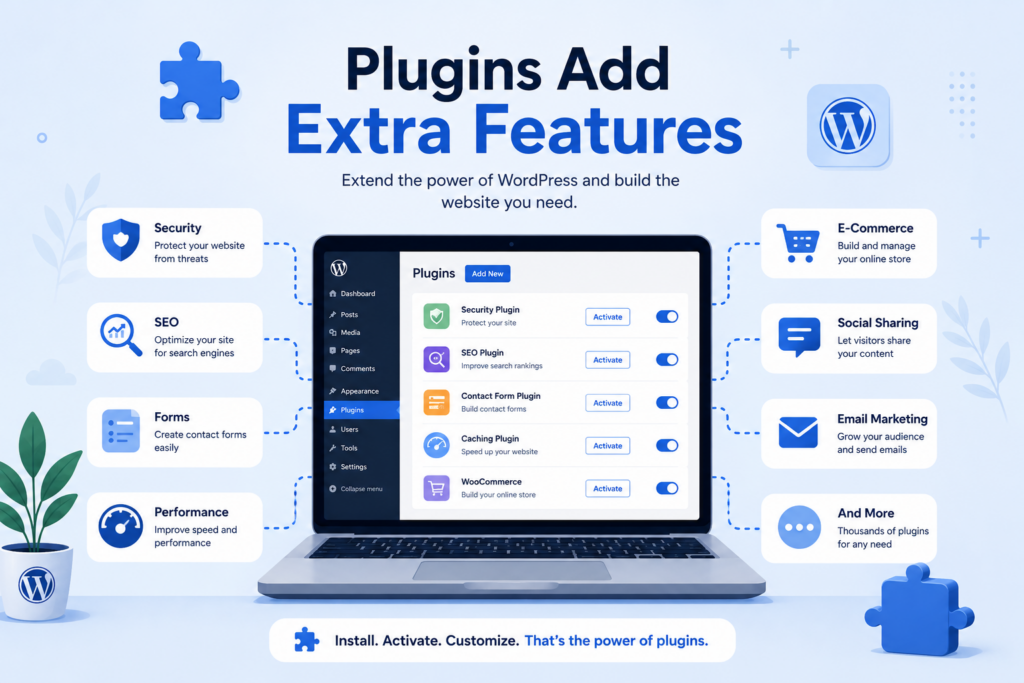
Plugins are one of the biggest reasons WordPress is popular. A plugin is an add-on that extends what your website can do.
For example, you can use plugins to add contact forms, SEO tools, caching, image optimization, online store features, booking systems, membership areas, security protection, analytics, popups, reviews, backups, and more.
Without plugins, WordPress gives you the basic website structure. With plugins, you can turn that basic website into many different types of platforms.
For example, a simple business site may only need a form plugin, SEO plugin, and security plugin. An e-commerce site may need a shopping cart, payment gateway, product filters, review tools, and email marketing integration.
The key is to use plugins wisely. Installing too many plugins can slow down a website or create conflicts. A good WordPress setup uses the plugins that are truly needed and keeps them updated.
Media Library
The Media Library stores images, videos, documents, and other uploaded files. When you add an image to a page or blog post, WordPress stores that file in the media section.
The Media Library also lets you edit basic image details, such as title, alt text, caption, and description. Alt text is especially important because it helps describe images for accessibility and search engines.
Good media management makes a website easier to maintain. Instead of uploading the same image repeatedly, you can reuse files from the library. You can also organize content better by naming files clearly before uploading them.
Large images can slow down a website, so it is usually best to compress images and upload them at an appropriate size. A website with optimized images often loads faster and gives visitors a smoother browsing experience.
Menus and Navigation
Menus help visitors move around your website. A typical WordPress site may have a main menu at the top, a footer menu at the bottom, and sometimes additional menus for mobile navigation or sidebar links.
A clear menu structure improves user experience. Visitors should quickly understand where to find important pages. Common menu items include Home, About, Services, Blog, Shop, Contact, and FAQ.
WordPress allows you to create custom menus and assign them to different locations depending on your theme. For example, one menu may appear in the header, while another appears in the footer.
Navigation should stay simple. Too many menu items can overwhelm visitors. A clean structure helps users reach the right page faster.
Widgets and Reusable Site Elements
Widgets are small content blocks that appear in specific areas of a website, such as sidebars, footers, or widget-ready sections. Depending on the theme, widgets may include search bars, recent posts, categories, custom HTML, social icons, newsletter signup forms, or product filters.
Widgets help you add useful content without editing the entire page layout. For example, a blog sidebar might show recent posts and categories. A footer might show contact information, quick links, and social media icons.
Modern WordPress also uses block-based widget areas, which means you can add many types of content blocks to these sections.
Users and Permissions
WordPress supports multiple users. This is useful when several people manage the same website.
Each user can have a role. The main roles include Administrator, Editor, Author, Contributor, and Subscriber. Each role has different permissions.
An Administrator can control almost everything. An Editor can manage content. An Author can usually publish their own posts. A Contributor can write content but may need approval before publishing. A Subscriber has very limited access.
User roles help protect the website. Not everyone needs full admin access. Giving each person the right permission level reduces mistakes and improves security.
How WordPress Handles SEO
WordPress is naturally friendly for content organization, but SEO still requires planning. SEO stands for search engine optimization. It helps search engines understand your pages and helps users find your content.
WordPress supports SEO through clean URLs, headings, categories, tags, image alt text, internal links, and content structure. SEO plugins can add more control, such as meta titles, meta descriptions, XML sitemaps, schema markup, and keyword analysis.
To make a WordPress website more SEO-friendly, you should create useful content, use clear headings, optimize images, write descriptive page titles, add internal links, and make sure the site loads quickly.
SEO is not only about plugins. A plugin can guide you, but the quality of your content and user experience matters just as much.
Performance and Speed
Website speed affects user experience. If a WordPress site loads slowly, visitors may leave before reading the content.
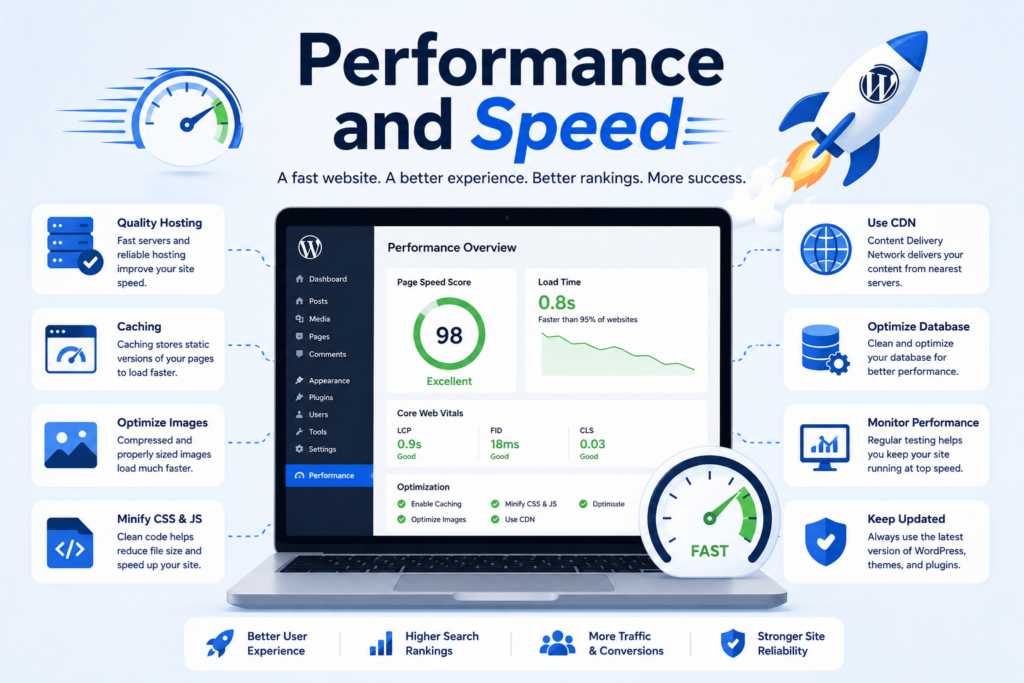
Several things affect performance, including hosting quality, theme weight, plugin usage, image size, caching, database optimization, and external scripts.
Caching is one common way to improve speed. A caching tool stores a ready-made version of a page so the server does not need to rebuild it from scratch for every visitor.
Image compression also helps. Large images are one of the most common reasons websites feel slow. Choosing a lightweight theme and removing unnecessary plugins can also improve performance.
A fast WordPress website feels smoother, performs better on mobile devices, and can support stronger SEO results.
WordPress Security
Security is an important part of understanding how WordPress works. Because WordPress is widely used, website owners need to take protection seriously.
Basic security steps include using strong passwords, keeping WordPress updated, updating themes and plugins, removing unused plugins, using SSL, limiting admin access, and creating regular backups.
Security plugins can add features such as login protection, malware scanning, firewall rules, and activity monitoring. Backups are also essential because they give you a recovery option if something goes wrong.
A secure website is not built once and forgotten. It needs regular maintenance.
Troubleshooting WordPress Problems
Like any website system, WordPress can sometimes run into problems. A plugin may conflict with another plugin. A theme update may affect layout. A page may load slowly. A form may stop sending emails.
The usual troubleshooting process starts with identifying what changed. Did you update a plugin? Install a new theme? Add custom code? Change hosting settings?
Common troubleshooting steps include clearing cache, disabling plugins one by one, switching to a default theme, checking error messages, reviewing hosting logs, and restoring a backup if needed.
WordPress also has a large community, which means many common issues already have explanations and solutions available. This makes it easier for beginners to learn and fix problems over time.
Going Live With a WordPress Website
Before launching a WordPress website, you should test the important parts. Check your homepage, menus, buttons, forms, mobile layout, links, images, page speed, SEO titles, and contact information.
You should also make sure search engines can index the site if you want it to appear in search results. During development, some websites block search engines. Before launch, that setting should be reviewed.
After going live, the work continues. A website needs updates, new content, performance checks, security monitoring, and occasional design improvements. WordPress makes these tasks manageable because most updates can be handled through the dashboard.
Заключение
So, how does WordPress work? WordPress works by combining website files, a database, themes, plugins, and an easy-to-use dashboard into one flexible content management system. The database stores your content, the theme controls your design, plugins add extra features, and the dashboard gives you a simple way to manage everything.
For beginners, WordPress removes much of the technical pressure from website creation. You can publish posts, build pages, upload images, customize design, manage users, improve SEO, and maintain your website without starting from zero. At the same time, WordPress is flexible enough to support more advanced websites as your needs grow.
In simple terms, WordPress works like a website engine. Hosting gives it a place to run, your domain gives visitors a way to find it, themes shape how it looks, plugins expand what it can do, and your content gives the site its purpose. Once you understand these parts, WordPress becomes much easier to use, manage, and improve.
Часто задаваемые вопросы
1: How does WordPress work?
WordPress works as a content management system. It stores your website content in a database, uses themes to control design, and uses plugins to add extra features. When someone visits your site, WordPress combines these parts and displays the finished webpage.
2: Do I need coding skills to use WordPress?
No. You can create pages, publish blog posts, upload images, install themes, and add plugins through the WordPress dashboard without writing code. Coding can help with advanced customization, but beginners can build a basic website without it.
3: What is the difference between WordPress themes and plugins?
A WordPress theme controls how your website looks, including layout, colors, fonts, headers, and page design. Plugins add extra functions, such as contact forms, SEO tools, security protection, online payments, caching, and e-commerce features.
4: What is the WordPress dashboard used for?
The WordPress dashboard is the main control area of your website. You can use it to manage posts, pages, images, menus, comments, plugins, themes, users, settings, and other important website features.
5: Is WordPress good for SEO?
Yes. WordPress can be good for SEO because it supports clean URLs, headings, categories, tags, image alt text, and structured content. SEO plugins can also help you manage meta titles, meta descriptions, sitemaps, and keyword optimization.
6: How can I make a WordPress website faster?
You can improve WordPress speed by using quality hosting, compressing images, enabling caching, removing unnecessary plugins, choosing a lightweight theme, using a CDN, and keeping WordPress, themes, and plugins updated.


Спроектируем и создадим для вас WordPress-сайт или корпоративный сайт с полной системой электронной коммерции.
Ценовой диапазон: от $200.00 до $2,500.00custom-requirements-or-special-quotations
Первоначальная цена составляла: $2.00.$1.00Текущая цена: $1.00. Не слишком ли много 50 плагинов для интернет-магазина на WordPress?
Понимание реального влияния на производительность Наличие 50 плагинов на сайте электронной коммерции WordPress не является автоматической проблемой. На самом деле, само по себе их количество редко определяет производительность.....

Дизайн главного изображения для домашнего физиотерапевтического устройства Amazon: пояснения.
Введение: Создание достоверного изображения для домашних терапевтических приборов на Amazon При разработке главного изображения для домашнего терапевтического прибора на Amazon мы в первую очередь...

Дизайн основного изображения для конвертации помады на Amazon.
Введение: Разработка главного образа помады, которая продается на Amazon Когда мы разрабатываем главный образ для помады Amazon, наша ответственность выходит далеко за рамки...

Как хакеры крадут электронные письма администраторов WordPress (и как им это предотвратить)
Начнем с неприятной истины: ваша электронная почта администратора WordPress, вероятно, гораздо более публична, чем вы думаете. А хакеры? Им это нравится. Для них ваш...

Что делает основное изображение жидкой тональной основы Amazon конвертируемым?
Введение. Разработка дизайна основного изображения для жидкой тональной основы на Amazon — это не просто создание красивого внешнего вида продукта. На Amazon основное изображение и...

Разработка эффективного основного изображения Amazon для фильтрующих картриджей
Введение. Разработка основного изображения для Amazon — это не просто создание привлекательного внешнего вида товара. Речь идёт о ясности, доверии и мгновенном понимании, особенно для...

Повторные атаки на WordPress: реальная угроза или преувеличенный миф?
Давайте сначала кое-что проясним. Атаки повторного воспроизведения не выглядят страшно. Они не взламывают пароли. Они не внедряют вредоносный код с зелёным хакерским текстом, разлетающимся повсюду. Они действуют коварно...

Как скопировать страницы WordPress, ничего не сломав
Давайте посмотрим правде в глаза. Иногда вам не хочется создавать новую страницу. Вам нужна та же самая страница… но немного другая. Тот же макет. Те же блоки. Те же настройки. Потому что….

Сравнение пяти тем WordPress для сайтов о домашних животных
Введение. Выбор подходящей темы WordPress для сайтов, посвященных домашним животным, — это не просто решение, связанное с дизайном; оно напрямую влияет на удобство использования, масштабируемость и долгосрочный рост бизнеса. Уход за домашними животными и...

Сравнение пяти тем оформления для интернет-магазинов купальников
Введение. Выбор правильной тематики для независимого магазина купальников или нижнего белья — это не просто визуальное решение, оно напрямую влияет на коэффициент конверсии, масштабируемость и долгосрочную перспективу...

Как отключить комментарии в WordPress (не сойдя с ума)
Давайте поговорим о комментариях в WordPress. В теории комментарии — это здорово. Они стимулируют дискуссии. Они создают сообщество. Они делают ваш сайт “живым”. А на практике? Зачастую они притягивают...

Ошибка WordPress 500: когда ваш сайт начинает паниковать
Ваш сайт WordPress ещё минуту назад работал нормально. Вы обновили страницу. И вдруг — бац 💥 — ошибка 500 Internal Server Error. Никаких объяснений. Никаких извинений. Просто холодное, непонятное сообщение, которое, по сути...

Создание масштабируемого веб-сайта на WordPress для научно-ориентированного бренда: проект AminoUSA
Введение. В современном цифровом пространстве веб-сайт — это больше, чем просто место для размещения информации о товарах. Для научно-ориентированных брендов, работающих в регулируемых или научно-исследовательских отраслях, это….

Создание масштабируемого магазина Shopify для глобального бренда ножей: проект CoolKatana
Введение. В трансграничной электронной коммерции веб-сайт Shopify — это больше, чем просто витрина магазина. Для брендов, работающих в нишевых, ориентированных на культуру категориях, веб-сайт должен делать гораздо больше, чем...

Разработка высокоэффективного магазина Shopify для карточек Pokémon.
Введение. В мире электронной коммерции коллекционных товаров, особенно на рынке коллекционных карточных игр Pokémon, веб-сайт должен делать больше, чем просто перечислять товары...

Высокоэффективный дизайн Shopify для индивидуального бренда стационарной торговой точки.
Введение. В условиях современной конкурентной среды электронной коммерции, особенно в сегменте персонализированных подарков и коллекционных товаров, веб-сайт на платформе Shopify должен делать гораздо больше, чем просто отображать товары. Он...

Как связаться со службой поддержки Shopify: простое и понятное руководство
Управление магазином Shopify должно приносить удовольствие, а не путаницу. Когда возникают вопросы или проблемы замедляют вашу работу, Shopify предлагает несколько вариантов поддержки в зависимости от ситуации...

Как деактивировать магазин Shopify: понятное и практичное руководство
Деактивация магазина Shopify — несложная процедура, но она влечет за собой последствия, которые многие продавцы упускают из виду. В этом руководстве процесс описан простым и понятным языком...