












Введение
If you’ve ever explored scaling a website or managing multiple sites under one system, you’ve probably come across WordPress Multisite. One of the most common questions people ask is: is WordPress Multisite one theme or multiple?
This question is more important than it seems. Understanding how themes work in a Multisite network can directly affect your design consistency, user experience, maintenance workflow, and even performance.
In this guide, we’ll break it down in a simple, easy-to-understand way. Whether you’re a beginner or planning to manage multiple websites, this article will give you a clear answer—along with practical insights you can actually use.
What Is WordPress Multisite?
Before answering the main question, let’s quickly clarify what WordPress Multisite actually is.
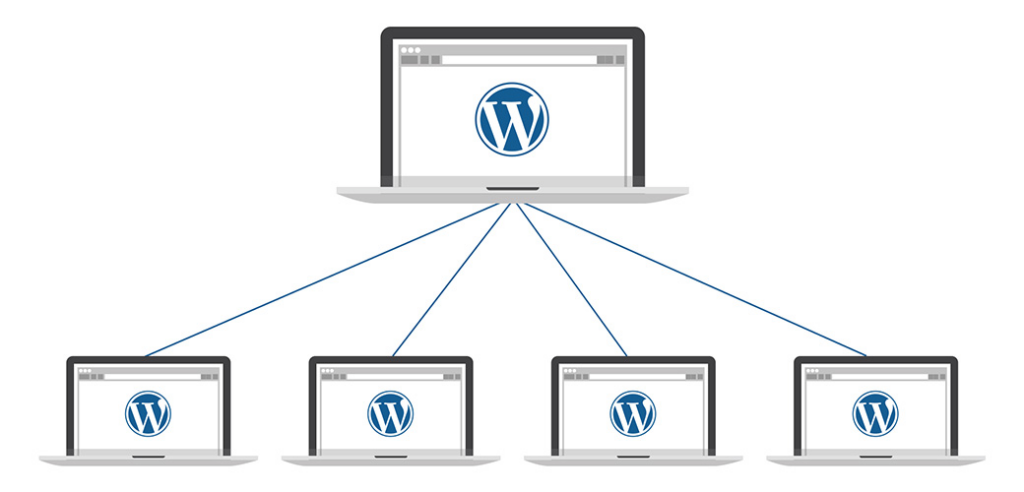
WordPress Multisite is a built-in feature that allows you to run multiple websites from a single WordPress installation. Instead of managing separate dashboards, hosting environments, and updates, everything is centralized.
With Multisite, you can:
- Create multiple websites under one dashboard
- Share plugins and themes across sites
- Manage users globally or per site
- Control permissions from a network admin level
This setup is often used by:
- Universities managing multiple departments
- Businesses running regional websites
- Agencies handling multiple client sites
- E-commerce brands with localized stores
Is WordPress Multisite One Theme or Multiple?
Now let’s answer the core question directly:
WordPress Multisite supports multiple themes—not just one.
Each site in your Multisite network can use its own theme, or you can standardize everything under a single theme. The system is flexible, and the choice depends entirely on your goals.
How Themes Work in WordPress Multisite
To fully understand this, you need to know how theme management works inside Multisite.
1. Themes Are Installed Network-Wide
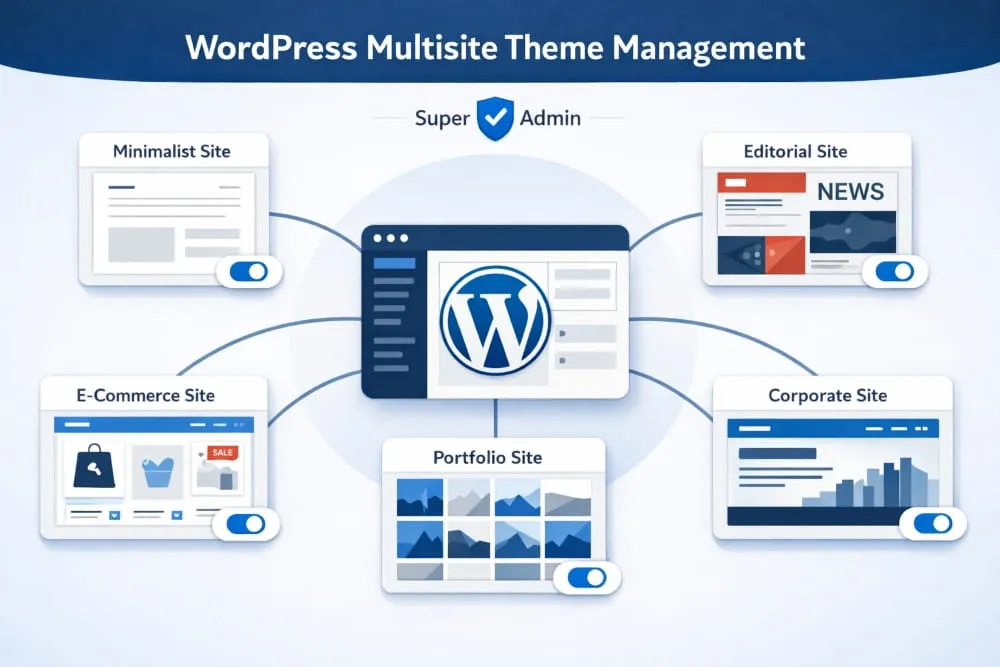
In a Multisite setup, themes are installed at the network level, not individually per site. This means:
- You install a theme once
- It becomes available to all sites in the network
- Individual sites can choose whether to use it
2. Themes Must Be Enabled
After installing a theme, you must enable it for the network. Only enabled themes can be selected by individual sites.
3. Each Site Can Choose Its Own Theme
Once enabled, site admins can:
- Select different themes
- Customize layouts independently
- Build unique branding experiences
So again, to reinforce:
👉 WordPress Multisite is not limited to one theme—it supports multiple themes across different sites.
When Should You Use One Theme Across All Sites?
Even though multiple themes are supported, there are situations where using a single theme across all sites makes more sense.
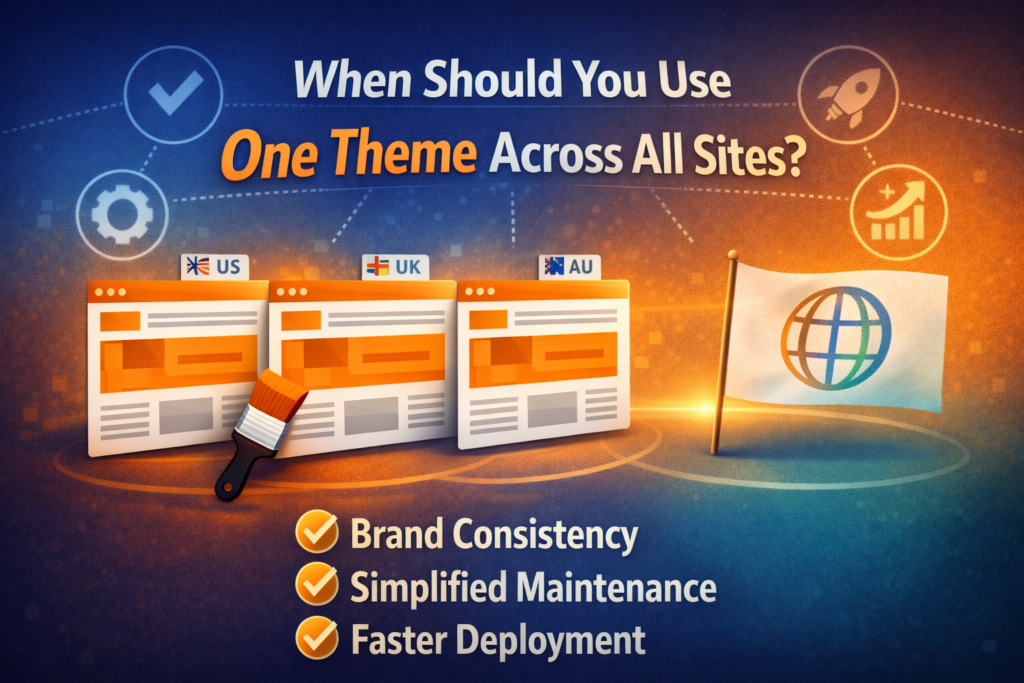
1. Brand Consistency
If all your websites belong to the same brand, using one theme ensures:
- Visual consistency
- Unified user experience
- Stronger brand identity
Пример:
A global company with regional sites (US, UK, AU) may want the same look and feel.
2. Easier Maintenance
Using one theme simplifies:
- Updates
- Bug fixes
- Design adjustments
You only need to manage one theme instead of several.
3. Faster Deployment
When launching new sites, you can:
- Clone existing layouts
- Reuse design structures
- Reduce development time
When Should You Use Multiple Themes?
On the other hand, there are many cases where using different themes is the better approach.
1. Different Target Audiences
If your sites serve different audiences, you may need:
- Different layouts
- Unique messaging styles
- Customized user journeys
2. Different Industries or Niches
Например:
- A corporate site
- An e-commerce store
- A blog or media site
Each may require a completely different design structure.
3. Creative Freedom
Using multiple themes allows:
- Design experimentation
- A/B testing
- Unique branding per site
Advantages of Using Multiple Themes in Multisite
Choosing multiple themes gives you flexibility, but it also comes with specific benefits.
Design Flexibility
You can tailor each site to its specific purpose without limitations.
Better User Experience
Different audiences get experiences optimized for their needs.
Масштабируемость
As your network grows, you can diversify your design approach.
Challenges of Using Multiple Themes
However, it’s not all perfect. Using multiple themes also introduces complexity.
Increased Maintenance
You’ll need to:
- Update multiple themes
- Monitor compatibility
- Fix issues across different designs
Performance Considerations
Some themes may:
- Load slower
- Conflict with plugins
- Require extra optimization
Inconsistent Branding
Without proper guidelines, your network may feel fragmented.
Best Practices for Managing Themes in Multisite
To get the best results, follow these practical tips:
1. Limit the Number of Themes
Even though you can use many themes, it’s better to:
- Keep only necessary ones
- Избегайте беспорядка
- Reduce maintenance workload
2. Use High-Quality Themes
Choose themes that are:
- Well-coded
- Regularly updated
- Compatible with your plugins
3. Standardize Key Elements
Even with different themes, try to maintain:
- Similar typography
- Consistent color palette
- Unified navigation structure
4. Test Before Deployment
Always test themes for:
- Speed
- Responsiveness
- Совместимость плагинов
Common Misconceptions About Multisite Themes
Let’s clear up a few misunderstandings:
“Multisite forces one theme for all sites”
❌ False
✔ You can use multiple themes.
“Each site installs its own theme”
❌ False
✔ Themes are installed at the network level.
“Themes cannot be customized per site”
❌ False
✔ Each site can customize its theme independently.
Real-World Use Cases
Here are some examples of how businesses use themes in Multisite:
Case 1: Franchise Business
- Same theme across all locations
- Minor content differences
- Последовательный брендинг
Case 2: Digital Agency
- Different themes for different clients
- Fully customized designs
- Flexible structure
Case 3: Educational Institution
- Shared theme for departments
- Custom pages per faculty
- Balanced consistency and flexibility
One Theme vs Multiple Themes: Which Is Better?
There’s no one-size-fits-all answer.
It depends on:
- Your branding strategy
- Your operational capacity
- Your design requirements
Choose One Theme If:
- You want consistency
- You prefer easy management
- Your sites are similar
Choose Multiple Themes If:
- You need flexibility
- Your sites are very different
- You want creative freedom
Заключительные мысли
So, is WordPress Multisite one theme or multiple?
The answer is simple: it supports both.
WordPress Multisite gives you the flexibility to use a single theme for consistency or multiple themes for customization. The right choice depends on your goals, your audience, and how you want your websites to grow.
By understanding how themes work in Multisite, you can make smarter decisions, build better user experiences, and manage your network more efficiently.
In the end, it’s not about choosing one or multiple themes—it’s about choosing the approach that best fits your strategy.
Часто задаваемые вопросы
Yes, all sites in a WordPress Multisite network can use the same theme. You can install one theme at the network level and assign it across multiple sites to maintain a consistent design and branding.
Using one theme helps ensure brand consistency, simplifies maintenance, and speeds up deployment. It also makes it easier to manage updates and reduces the risk of design inconsistencies across sites.
In many cases, yes. Using a single optimized theme can improve performance because it reduces complexity, minimizes compatibility issues, and allows for more consistent optimization across all sites.
Yes, even if all sites use the same theme, each site can customize layouts, colors, content, and settings independently without affecting other sites in the network.
You should avoid using one theme if your sites serve different audiences, industries, or purposes that require unique designs and user experiences. In such cases, multiple themes provide better flexibility.


Спроектируем и создадим для вас WordPress-сайт или корпоративный сайт с полной системой электронной коммерции.
Ценовой диапазон: от $200.00 до $2,500.00custom-requirements-or-special-quotations
Первоначальная цена составляла: $2.00.$1.00Текущая цена: $1.00. Не слишком ли много 50 плагинов для интернет-магазина на WordPress?
Понимание реального влияния на производительность Наличие 50 плагинов на сайте электронной коммерции WordPress не является автоматической проблемой. На самом деле, само по себе их количество редко определяет производительность.....

Дизайн главного изображения для домашнего физиотерапевтического устройства Amazon: пояснения.
Введение: Создание достоверного изображения для домашних терапевтических приборов на Amazon При разработке главного изображения для домашнего терапевтического прибора на Amazon мы в первую очередь...

Дизайн основного изображения для конвертации помады на Amazon.
Введение: Разработка главного образа помады, которая продается на Amazon Когда мы разрабатываем главный образ для помады Amazon, наша ответственность выходит далеко за рамки...

Как хакеры крадут электронные письма администраторов WordPress (и как им это предотвратить)
Начнем с неприятной истины: ваша электронная почта администратора WordPress, вероятно, гораздо более публична, чем вы думаете. А хакеры? Им это нравится. Для них ваш...

Что делает основное изображение жидкой тональной основы Amazon конвертируемым?
Введение. Разработка дизайна основного изображения для жидкой тональной основы на Amazon — это не просто создание красивого внешнего вида продукта. На Amazon основное изображение и...

Разработка эффективного основного изображения Amazon для фильтрующих картриджей
Введение. Разработка основного изображения для Amazon — это не просто создание привлекательного внешнего вида товара. Речь идёт о ясности, доверии и мгновенном понимании, особенно для...

Повторные атаки на WordPress: реальная угроза или преувеличенный миф?
Давайте сначала кое-что проясним. Атаки повторного воспроизведения не выглядят страшно. Они не взламывают пароли. Они не внедряют вредоносный код с зелёным хакерским текстом, разлетающимся повсюду. Они действуют коварно...

Как скопировать страницы WordPress, ничего не сломав
Давайте посмотрим правде в глаза. Иногда вам не хочется создавать новую страницу. Вам нужна та же самая страница… но немного другая. Тот же макет. Те же блоки. Те же настройки. Потому что….

Сравнение пяти тем WordPress для сайтов о домашних животных
Введение. Выбор подходящей темы WordPress для сайтов, посвященных домашним животным, — это не просто решение, связанное с дизайном; оно напрямую влияет на удобство использования, масштабируемость и долгосрочный рост бизнеса. Уход за домашними животными и...

Сравнение пяти тем оформления для интернет-магазинов купальников
Введение. Выбор правильной тематики для независимого магазина купальников или нижнего белья — это не просто визуальное решение, оно напрямую влияет на коэффициент конверсии, масштабируемость и долгосрочную перспективу...

Как отключить комментарии в WordPress (не сойдя с ума)
Давайте поговорим о комментариях в WordPress. В теории комментарии — это здорово. Они стимулируют дискуссии. Они создают сообщество. Они делают ваш сайт “живым”. А на практике? Зачастую они притягивают...

Ошибка WordPress 500: когда ваш сайт начинает паниковать
Ваш сайт WordPress ещё минуту назад работал нормально. Вы обновили страницу. И вдруг — бац 💥 — ошибка 500 Internal Server Error. Никаких объяснений. Никаких извинений. Просто холодное, непонятное сообщение, которое, по сути...

Создание масштабируемого веб-сайта на WordPress для научно-ориентированного бренда: проект AminoUSA
Введение. В современном цифровом пространстве веб-сайт — это больше, чем просто место для размещения информации о товарах. Для научно-ориентированных брендов, работающих в регулируемых или научно-исследовательских отраслях, это….

Создание масштабируемого магазина Shopify для глобального бренда ножей: проект CoolKatana
Введение. В трансграничной электронной коммерции веб-сайт Shopify — это больше, чем просто витрина магазина. Для брендов, работающих в нишевых, ориентированных на культуру категориях, веб-сайт должен делать гораздо больше, чем...

Разработка высокоэффективного магазина Shopify для карточек Pokémon.
Введение. В мире электронной коммерции коллекционных товаров, особенно на рынке коллекционных карточных игр Pokémon, веб-сайт должен делать больше, чем просто перечислять товары...

Высокоэффективный дизайн Shopify для индивидуального бренда стационарной торговой точки.
Введение. В условиях современной конкурентной среды электронной коммерции, особенно в сегменте персонализированных подарков и коллекционных товаров, веб-сайт на платформе Shopify должен делать гораздо больше, чем просто отображать товары. Он...

Как связаться со службой поддержки Shopify: простое и понятное руководство
Управление магазином Shopify должно приносить удовольствие, а не путаницу. Когда возникают вопросы или проблемы замедляют вашу работу, Shopify предлагает несколько вариантов поддержки в зависимости от ситуации...

Как деактивировать магазин Shopify: понятное и практичное руководство
Деактивация магазина Shopify — несложная процедура, но она влечет за собой последствия, которые многие продавцы упускают из виду. В этом руководстве процесс описан простым и понятным языком...