












소개
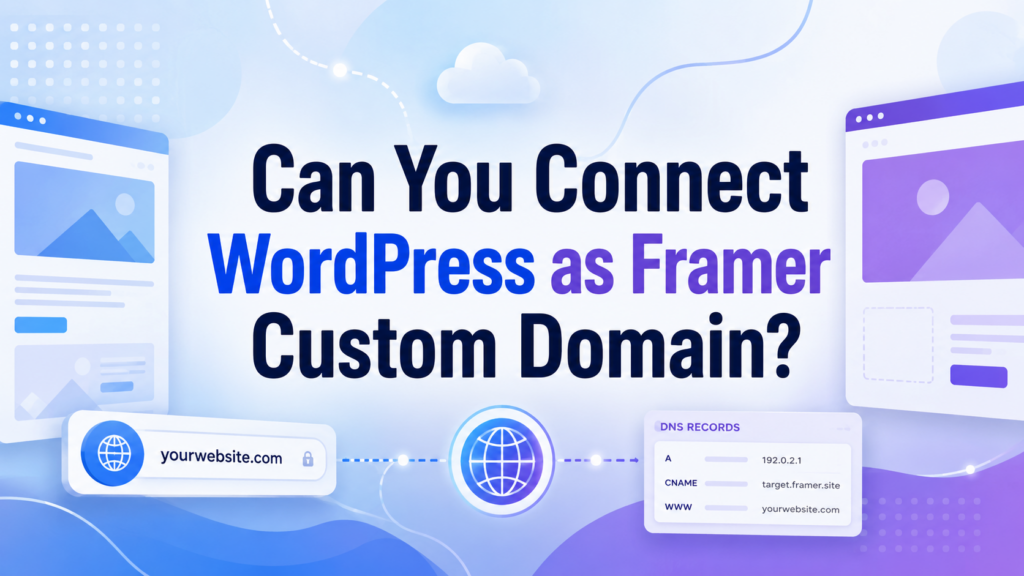
Many website owners eventually reach a point where one platform does not feel like enough. WordPress may already power their blog, service pages, online store, or business website, while Framer may feel more attractive for modern landing pages, interactive visuals, campaign pages, or fast design experiments. Because of this, a common question appears: can you connect WordPress as Framer custom domain?
The simple answer is yes, but it depends on what you mean by “connect.” WordPress and Framer are not the same kind of platform. 워드프레스 is a content management system that usually runs on hosting you control. Framer is a hosted website builder focused on visual design, animation, and modern page experiences. You do not install WordPress inside Framer, and you do not directly host a Framer project inside WordPress like a normal WordPress page.
Instead, the connection usually happens through your domain settings. In other words, you use DNS records, subdomains, redirects, embeds, or more advanced server setups to decide where visitors should land when they type a specific web address. Once you understand this idea, the process becomes much easier to understand.
This guide explains the topic in a beginner-friendly way. It covers what the connection really means, when it makes sense, the safest method to use, and what problems you should avoid before changing your domain settings.
Understanding WordPress and Framer First
Before answering can you connect WordPress as Framer custom domain, it helps to understand what each platform does best.
WordPress is built for content control. It is commonly used for blogs, business websites, service pages, membership sites, online stores, knowledge bases, and large SEO-focused websites. With WordPress, you can manage posts, pages, categories, plugins, themes, forms, products, and many other website functions from one dashboard.
Framer works differently. It is more design-first. Many designers use it to create sleek landing pages, startup websites, product pages, portfolio pages, and visual presentations. It offers a modern editing experience and can make polished page layouts feel easier to build and publish.
Because the two platforms serve different purposes, some website owners want to use both. For example, a company may want to keep its main website on WordPress but publish a new product launch page in Framer. A designer may want to keep a WordPress blog but show a Framer portfolio on a separate URL. A business may want to test a Framer landing page without rebuilding the entire WordPress site.
That is where custom domains and subdomains become important.
What Does “Connect WordPress as Framer Custom Domain” Mean?
When people ask can you connect WordPress as Framer custom domain, they often mean one of three things.
First, they may want to use a WordPress-related domain, such as yourwebsite.com, for a Framer project. Second, they may want a Framer page to appear under a subdomain, such as landing.yourwebsite.com. Third, they may want Framer content to appear inside an existing WordPress website without changing the main domain structure.
These are three different goals, and each one requires a different approach.
The most common and safest method is to use a subdomain. For example, your main website can stay on WordPress at yourwebsite.com, while your Framer project appears at promo.yourwebsite.com 또는 launch.yourwebsite.com. This keeps both systems separate but still connected under the same brand domain.
A more advanced method is using a reverse proxy. This can make Framer content appear under the main domain or a specific path, but it requires technical knowledge and careful server configuration.
A simpler alternative is embedding a Framer project inside a WordPress page using an iframe. This does not fully connect the domain to Framer, but it lets you display Framer content inside WordPress.
Can You Really Use a WordPress Domain With Framer?
Yes, you can use a domain that is currently connected to WordPress with a Framer project. However, you must be careful because a domain can only point to one destination in a specific way at a time.
For example, if your root domain yourwebsite.com already points to your WordPress hosting, changing the main DNS records to point to Framer could disconnect your WordPress website. That is why beginners should not randomly replace DNS records without understanding what each record does.
A better approach is to leave the main WordPress domain alone and create a subdomain for Framer. This gives you a clean setup. WordPress continues working as usual, and Framer gets its own dedicated address.
For most users, this is the best answer to can you connect WordPress as Framer custom domain: yes, but use a subdomain unless you have a specific reason to do something more advanced.
What You Need Before Starting
Before connecting anything, you should prepare a few things.
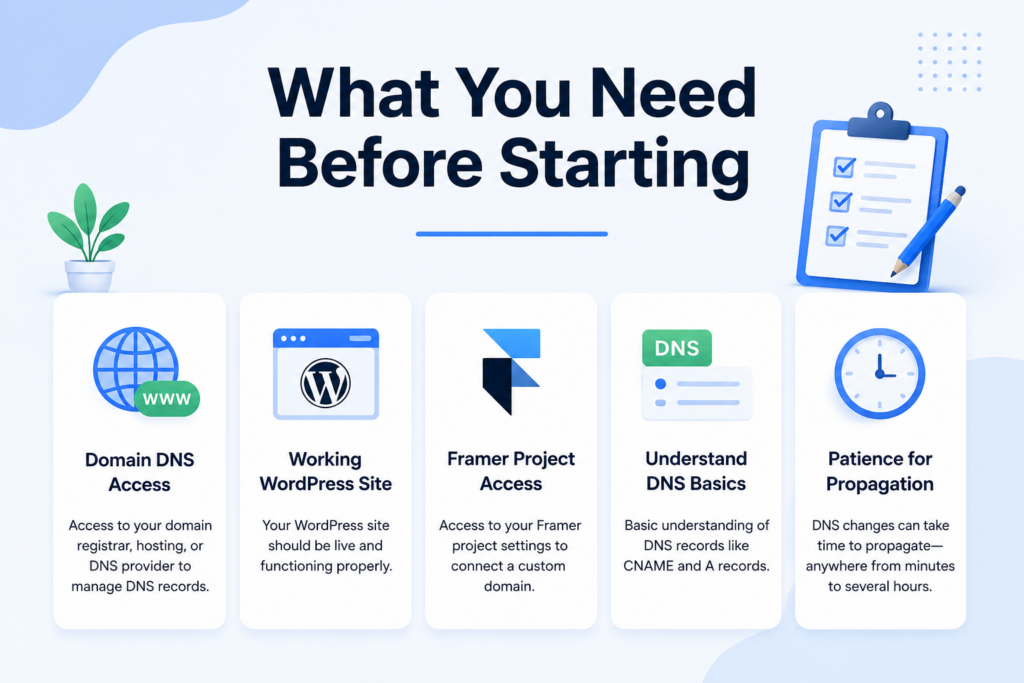
You need access to the place where your domain DNS is managed. This may be your domain registrar, hosting provider, Cloudflare account, or another DNS platform. This is where you add records such as CNAME records or A records.
You also need access to your Framer project settings. Framer will show you what domain records to add when you connect a custom domain.
Your WordPress site should already be working properly. If your WordPress website has existing traffic, SEO rankings, forms, or eCommerce functions, you should avoid making risky domain changes that could break it.
You should also understand that DNS updates are not always instant. Sometimes changes work within a few minutes. Other times, they can take several hours. In some cases, full propagation may take longer depending on your DNS provider.
Method One: Connect Framer to a WordPress Subdomain
Using a subdomain is the easiest and safest method. It lets WordPress and Framer work side by side without interfering with each other.
예를 들어:
yourwebsite.com stays on WordPress.
landing.yourwebsite.com points to Framer.
This setup is useful for product launches, campaign pages, temporary promotions, event pages, portfolio pages, or design experiments.
Step 1: Choose a Subdomain
First, choose a name for your Framer page. Common examples include:
launch.yourwebsite.com
promo.yourwebsite.com
design.yourwebsite.com
app.yourwebsite.com
demo.yourwebsite.com
Choose something short, clear, and related to the page purpose. If the Framer project is a landing page for ads, landing.yourwebsite.com may be simple and direct. If it is for a new product launch, launch.yourwebsite.com may work better.
Step 2: Add the Custom Domain in Framer
Open your Framer project and go to the domain or publishing settings. Choose the option to add a custom domain. Enter the full subdomain you want to use, such as promo.yourwebsite.com.
Framer will then provide DNS instructions. Usually, this includes a CNAME record. A CNAME record tells the internet that your subdomain should point to another destination.
Step 3: Add the DNS Record
Next, go to your DNS manager. This may be inside your domain registrar, hosting account, or Cloudflare dashboard.
Add the record that Framer provides. A common setup may look like this:
Type: CNAME
Name: promo
Value: sites.framer.app
The exact value may vary, so always follow the information shown in your Framer dashboard.
After saving the record, do not delete your existing WordPress DNS records unless you fully understand what they do. Your main WordPress site needs its own records to keep working.
Step 4: Wait and Publish
After adding the DNS record, return to Framer and verify the domain. Once Framer confirms that the DNS record is correct, publish the project.
Your Framer site should then appear on the subdomain. Your WordPress site remains on the main domain, and the two platforms stay separated.
This method is usually the best choice because it is clean, simple, and low risk.
Method Two: Use Framer on the Main Domain
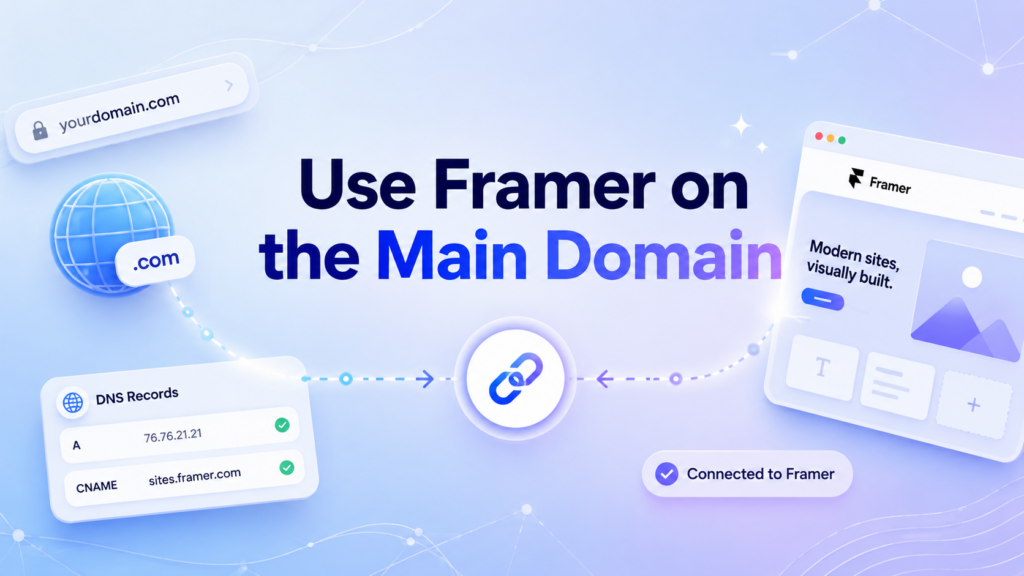
Some users do not want a subdomain. They want Framer to appear on the main domain, such as yourwebsite.com. This is possible, but it is more complicated.
If your main domain currently shows WordPress, pointing it directly to Framer could replace the WordPress site at that address. That may be fine if you are moving the whole site to Framer, but it is not ideal if you still need WordPress for blogging, SEO, WooCommerce, or backend content management.
A reverse proxy can solve this in some cases. A reverse proxy acts like a middle layer between the visitor and the website content. When someone visits a URL, the server can fetch content from Framer and display it while keeping the URL structure you want.
However, this is not a beginner-friendly setup. It may require access to server configuration, NGINX, Apache, Cloudflare Workers, or other technical tools. It may also create issues with caching, scripts, forms, SEO metadata, redirects, and page performance if configured incorrectly.
For this reason, using the main domain for both WordPress and Framer is only recommended when there is a clear strategy and someone technical can manage the setup.
Method Three: Embed Framer Inside WordPress
Another option is to embed a Framer project directly into a WordPress page. This does not truly make WordPress a Framer custom domain, but it can be useful for simple displays.
For example, you may have a Framer prototype, portfolio section, animation, or visual page that you want to show inside WordPress. You can publish the Framer project and place it inside a WordPress page using an iframe.
A basic iframe looks like this:
<iframe src="https://your-framer-site.framer.website" width="100%" height="600" frameborder="0"></iframe>You can paste this into a Custom HTML block in WordPress.
This method is fast and does not require DNS changes. It also keeps your WordPress site safe because you are not changing your domain records. However, it has limitations. The embedded content may not give you full SEO benefits inside WordPress. It may also need height adjustments for mobile screens. Some interactions may not feel as smooth as a fully native page.
Still, for prototypes, visual demos, and simple presentations, embedding can be a practical solution.
Which Method Is Best?
The best method depends on your goal.
If you want to keep WordPress as your main site and use Framer for a separate page, choose a subdomain. This is the cleanest and most reliable method.
If you want Framer to fully replace WordPress on your main domain, you can point the main domain to Framer, but you should understand that WordPress may no longer appear there.
If you want both platforms to appear under the same main domain structure, you may need a reverse proxy. This is powerful but more technical.
If you only want to display a Framer design inside a WordPress page, use an iframe embed.
For most people asking can you connect WordPress as Framer custom domain, the subdomain method is the best answer. It gives you flexibility without risking the existing WordPress website.
When Does This Setup Make Sense?
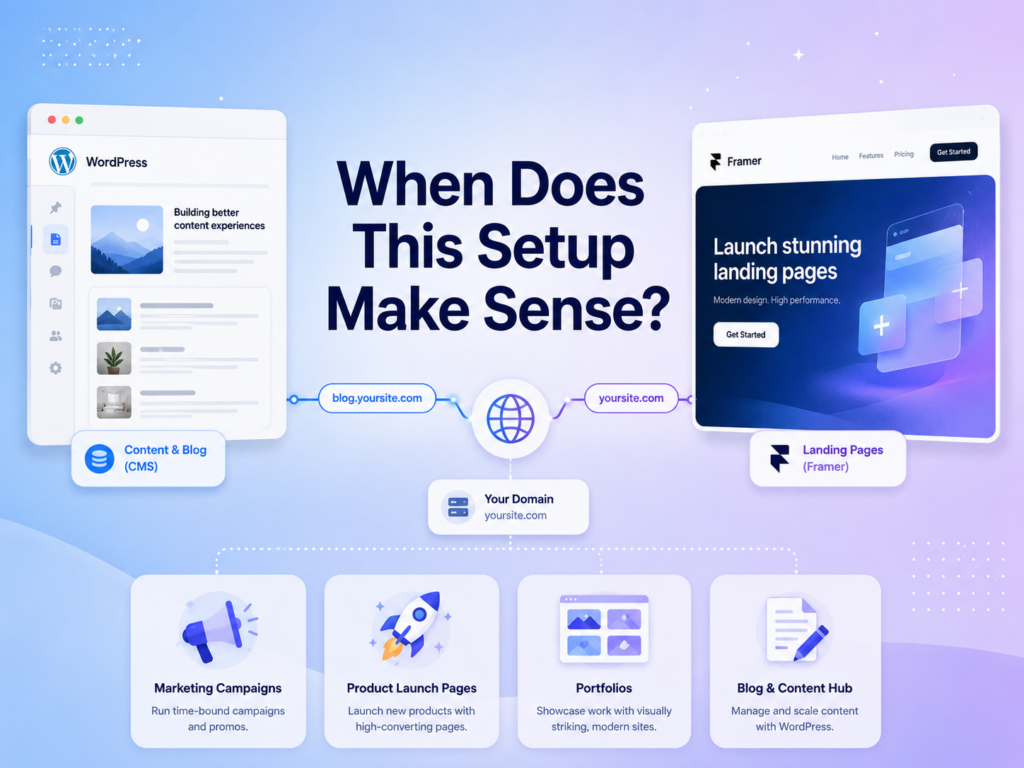
Connecting WordPress and Framer makes sense when each platform has a clear job.
For example, WordPress can handle your blog, service pages, SEO content, product pages, and long-term website structure. Framer can handle high-impact landing pages, campaign pages, visual prototypes, or creative pages that need a more design-focused layout.
This setup is especially useful for marketing teams. They can keep the main website stable while launching new landing pages quickly. Designers can also test new layouts in Framer without touching the WordPress theme. Businesses can run temporary campaigns without rebuilding their whole website.
It also makes sense when you want to test conversion-focused pages. Instead of redesigning your full WordPress site, you can launch a Framer page on a subdomain and send ad traffic there.
Possible Problems to Watch For
Although the setup can work well, there are a few risks.
The biggest risk is changing the wrong DNS record. If you accidentally edit the main domain record instead of the subdomain record, your WordPress site may stop loading.
Another issue is SEO. If your main content is split between WordPress and Framer, you should think carefully about indexing, canonical URLs, metadata, and analytics. A Framer landing page can rank, but your SEO strategy should remain organized.
Analytics can also become fragmented. If WordPress uses one tracking setup and Framer uses another, you may need to make sure both platforms send data correctly to your analytics tools.
Brand consistency is another consideration. If your WordPress site and Framer page look completely different, visitors may feel like they have moved to another website. Try to keep colors, fonts, tone, navigation, and calls to action consistent.
Forms are also important. If your Framer page includes lead forms, test them carefully. Make sure submissions go to the right email, CRM, or database.
Best Practices Before Connecting WordPress and Framer
Before making changes, write down your current DNS records or take screenshots. This gives you a backup reference in case something goes wrong.
Use a subdomain whenever possible. It is safer, easier to troubleshoot, and better for keeping platforms separated.
Avoid making DNS changes during busy business hours if your website receives important traffic. It is better to make changes during a low-traffic period.
After publishing, test the page on desktop and mobile. Check loading speed, buttons, forms, images, links, and tracking scripts.
Also test your main WordPress site after the Framer connection. Make sure the homepage, blog, contact forms, checkout pages, and admin login still work properly.
Finally, keep your structure simple. Do not use complicated proxy setups unless you truly need them.
결론
So, can you connect 워드프레스 as Framer custom domain? Yes, but the right method depends on your goal. WordPress and Framer do not merge into one single platform. Instead, you connect them through domains, subdomains, DNS records, embeds, or advanced proxy setups.
For most users, the safest solution is to keep the main WordPress website on the root domain and connect Framer to a subdomain. This allows WordPress to handle long-term content and website management while Framer handles modern, design-focused landing pages. A reverse proxy can place Framer closer to the main domain experience, but it requires more technical control and can create maintenance risks. An iframe embed is the simplest option when you only need to show a Framer project inside WordPress.
In the end, the best setup is the one that protects your existing website, supports your marketing goals, and keeps the visitor experience clear. WordPress is strong for content, structure, and flexibility. Framer is strong for visual design and fast page creation. When both tools are used with the right domain strategy, they can work together without breaking your website.
자주 묻는 질문
1: Can you connect WordPress as Framer custom domain?
Yes. You can connect WordPress and Framer through domain settings, usually by using a subdomain such as landing.yourwebsite.com for Framer while keeping the main WordPress site on yourwebsite.com.
2: Can Framer and WordPress use the same domain?
They can work under the same brand domain, but not always in the same way. The safest setup is to keep WordPress on the main domain and use Framer on a subdomain.
3: Will connecting Framer affect my WordPress website?
It can affect your WordPress site if you change the wrong DNS records. To avoid problems, do not replace your main domain records unless you want Framer to take over the main domain.
4: What is the safest way to use Framer with WordPress?
The safest method is to connect Framer to a subdomain. For example, your WordPress site can stay at yourwebsite.com, and your Framer landing page can use promo.yourwebsite.com.
5: Can I embed a Framer page inside WordPress?
Yes. You can embed a Framer page into WordPress using an iframe or custom HTML block. This is useful for prototypes, visual sections, or simple landing page displays.
6: Is Framer better than WordPress for landing pages?
Framer is often better for modern, design-focused landing pages, while WordPress is stronger for blogs, SEO content, eCommerce, and long-term website management. Using both can be a smart setup when each platform has a clear purpose.


완전한 전자상거래 시스템을 갖춘 워드프레스 웹사이트 또는 기업 사이트를 디자인하고 구축하세요.
가격 범위: $200.00~$2,500.00custom-requirements-or-special-quotations
원래 가격: $2.00.$1.00현재 가격: $1.00. 워드프레스 전자상거래 쇼핑몰에 플러그인 50개는 너무 많은 걸까요?
실제 성능에 미치는 영향 이해하기 워드프레스 전자상거래 사이트에 50개의 플러그인이 있다고 해서 자동으로 문제가 되는 것은 아닙니다. 사실 그 숫자만으로 성능이 결정되는 경우는 거의 없습니다....

아마존 가정용 물리치료 기기 메인 이미지 디자인 설명
소개 소개: 아마존에서 홈 테라피 기기의 신뢰할 수 있는 이미지 구축 아마존에서 홈 테라피 기기의 기본 이미지를 디자인할 때 기본 ...

아마존 립스틱 전환을 위한 메인 이미지 디자인
소개: 소개: 아마존에서 판매되는 립스틱 메인 이미지 디자인하기 아마존 립스틱의 메인 이미지를 디자인할 때 우리의 책임은 그 이상입니다.

해커들이 워드프레스 관리자 이메일을 훔치는 방법(그리고 이를 막는 방법)
불편한 진실부터 말씀드리자면, 워드프레스 관리자 이메일은 생각보다 훨씬 더 많이 공개되어 있습니다. 그들은 그것을 좋아합니다. 해커에게 여러분의...

아마존 리퀴드 파운데이션 메인 이미지 변환의 특징은 무엇일까요?
서론 아마존 리퀴드 파운데이션의 메인 이미지 디자인은 단순히 제품을 아름답게 보이게 하는 것만이 아닙니다. 아마존에서 메인 이미지와...

필터 카트리지 제품을 위한 효과적인 아마존 메인 이미지 디자인하기
서론 아마존 메인 이미지 디자인은 단순히 제품을 매력적으로 보이게 하는 것만이 아닙니다. 명확성, 신뢰, 그리고 즉각적인 이해를 제공하는 것이 중요합니다. 특히...

워드프레스에 대한 리플레이 공격: 실제 위협인가, 과장된 신화인가?
먼저 한 가지를 분명히 해두죠. 리플레이 공격은 겉보기에 무섭지 않습니다. 비밀번호를 날려버리지도 않고, 초록색 해커 텍스트가 사방에 흩날리는 악성 코드를 주입하지도 않습니다. 그저 교묘하게 이루어질 뿐입니다.

WordPress 페이지를 손상 없이 복제하는 방법
솔직히 말해봅시다. 때로는 새 페이지를 만들고 싶지 않을 때가 있죠. 그냥 기존 페이지를 약간만 다르게 하고 싶을 때가 있어요. 레이아웃도, 블록도, 설정도 그대로요. 왜냐하면...

반려동물 관련 워드프레스 테마 5가지 비교
서론 반려동물 관련 워드프레스 테마를 선택하는 것은 단순한 디자인 결정 이상의 의미를 지닙니다. 사용성, 확장성, 그리고 장기적인 비즈니스 성장에 직접적인 영향을 미치기 때문입니다. 반려동물 관리 및 관련...

수영복 온라인 쇼핑몰 테마 5가지 비교
서론 수영복이나 란제리 독립 매장에 적합한 테마를 선택하는 것은 단순히 시각적인 결정에 그치는 것이 아니라, 전환율, 확장성, 그리고 장기적인 성공에 직접적인 영향을 미칩니다.

워드프레스에서 댓글 기능을 끄는 방법 (정신줄 놓지 않고)
워드프레스 댓글에 대해 이야기해 봅시다. 이론적으로 댓글은 훌륭합니다. 토론을 장려하고, 커뮤니티를 형성하며, 웹사이트에 생동감을 불어넣습니다. 하지만 현실은 어떨까요? 댓글은 종종 문제를 야기하기도 합니다...

워드프레스 500 오류: 웹사이트가 갑자기 오류를 일으킬 때
방금 전까지만 해도 워드프레스 사이트는 아무 문제 없었는데, 페이지를 새로고침하자마자 갑자기 💥 500 내부 서버 오류가 발생했습니다. 아무런 설명도, 사과도 없이 그저 차갑고 혼란스러운 메시지만 남았습니다.

과학 중심 브랜드를 위한 확장 가능한 워드프레스 웹사이트 구축: 아미노USA 프로젝트
서론 오늘날의 디지털 환경에서 웹사이트는 단순히 제품을 나열하는 공간 이상의 의미를 지닙니다. 규제 산업이나 연구 중심 산업에서 활동하는 과학 기반 브랜드에게 웹사이트는 더욱 중요한 역할을 합니다.

글로벌 블레이드 브랜드를 위한 확장 가능한 쇼피파이 스토어 구축: 쿨카타나 프로젝트
서론: 국경을 넘나드는 전자상거래에서 Shopify 웹사이트는 단순한 매장 이상의 의미를 지닙니다. 특정 문화권에서 사업을 운영하는 브랜드의 경우, 웹사이트는 단순한 판매 공간을 넘어 훨씬 더 많은 기능을 수행해야 합니다.

포켓몬 카드 판매를 위한 높은 전환율을 자랑하는 쇼피파이 스토어 디자인하기
서론 수집품 전자상거래, 특히 포켓몬 트레이딩 카드 게임(TCG) 시장에서 웹사이트는 단순히 제품 목록을 나열하는 것 이상의 역할을 해야 합니다.

맞춤형 오프라인 브랜드에 최적화된 전환율 높은 쇼피파이 디자인
서론 오늘날 경쟁이 치열한 전자상거래 환경, 특히 맞춤형 선물 및 수집품 분야에서 Shopify 웹사이트는 단순히 제품을 전시하는 것 이상의 역할을 해야 합니다. ...

Shopify 고객 지원팀에 문의하는 방법: 간단하고 스트레스 없는 가이드
쇼피파이 스토어 운영은 흥미진진해야지 혼란스러워서는 안 됩니다. 궁금한 점이 생기거나 문제가 발생하여 진행이 늦어질 때, 쇼피파이는 상황에 따라 다양한 지원 경로를 제공합니다.

쇼피파이 스토어 비활성화 방법: 명확하고 실용적인 가이드
쇼피파이 스토어를 비활성화하는 것은 복잡하지 않지만, 많은 판매자가 간과하는 몇 가지 결과가 따릅니다. 이 가이드에서는 비활성화 과정을 간단하고 유익하게 설명합니다.