











 Japanese
ウェブサイトを開いた途端、「WordPress データベース接続エラー」というメッセージが表示された経験がある方は、決して少なくありません。これは、WordPressユーザーが遭遇する最も一般的な、そして最も混乱を招くエラーの一つです。.
良いニュースですか?
このエラーは通常、WordPress がデータベースと通信できないことを意味し、サイトが永久に壊れていることを意味するわけではありません。.
このガイドでは、このエラーの真の意味、発生理由、そしてトラブルシューティング方法を、専門用語ではなく分かりやすい言葉で段階的に解説します。ビジネスサイト、ブログ、越境ECストアなど、どんなサイトを運営している場合でも、この記事は問題を理解し、問題解決に役立つでしょう。.
「データベース接続の確立エラー」とはどういう意味ですか?
本質的に、WordPress はメッセンジャーのように機能します。.
誰かがあなたのサイトにアクセスすると、WordPress は次の処理を実行します。
- データベースに接続する
- コンテンツ(投稿、ページ、製品、設定)を取得します
- テーマを使用してすべてを表示します
WordPress がデータベースにアクセスできない場合は表示するものがないので、代わりにエラーが表示されます。.
言い換えると:
WordPress 自体は実行されていますが、データベース接続に失敗しました。.
これは通常、テーマやページ ビルダーの破損ではなく、構成の問題、サーバーの問題、またはデータベースの停止を示しています。.
WordPressがデータベースに接続する方法(簡単な説明)
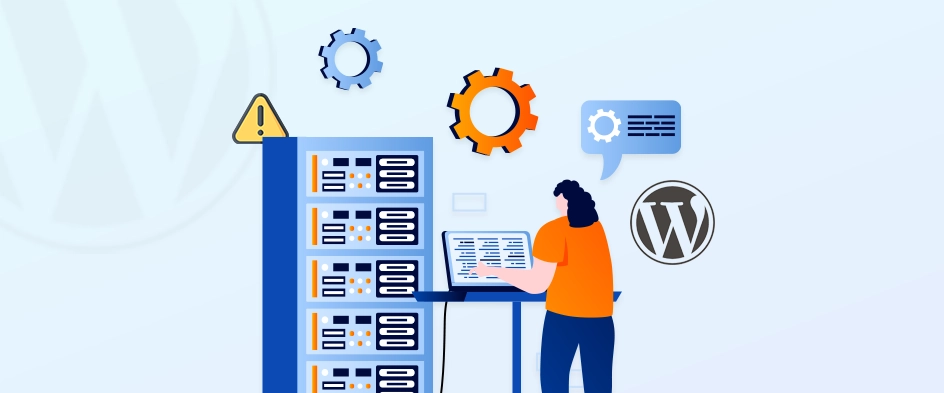
この問題を理解するには、WordPress がどのようにデータベースに接続するかを知っておくと役立ちます。.
WordPress は、重要な接続の詳細を次のファイル内に保存します。
wp-config.php
このファイルには次のものが含まれます。
- データベース名
- データベースユーザー名
- データベースパスワード
- データベースホスト(サーバーアドレス)
これらの値の 1 つでも間違っている場合、またはデータベース サーバーが利用できない場合、WordPress は接続できません。.
このエラーの最も一般的な原因
このエラーが発生する実際の理由を分析してみましょう。.
1. データベースの資格情報が正しくない
これが最も一般的な原因です。.
データベース名、ユーザー名、またはパスワードが wp-config.php サーバー上のものと一致しない場合、接続は失敗します。.
これは次のような場合によく発生します:
- サイトを新しいホストに移行する
- バックアップの復元
- データベースのパスワードの変更
- ステージングサイトまたは開発サイトの設定
たった 1 つのタイプミスでもエラーが発生する可能性があります。.
2. 破損したWordPressデータベース
データベースが破損する原因としては、次のようなことが考えられます。
- サーバークラッシュ
- プラグインの競合
- 更新に失敗しました
- マルウェアまたはブルートフォース攻撃
このような場合、WordPress はデータベース サーバーにアクセスしても、データを正しく読み取れないことがあります。.
3. データベースサーバーがダウンしている
場合によっては、問題が WordPress にまったく関係ないこともあります。.
データベース サーバー (MySQL/MariaDB) がオフラインまたは過負荷の場合、正しい資格情報を使用しても WordPress は接続できません。.
これは次のような場合によく発生します:
- 共有ホスティング
- 安価なVPSセットアップ
- トラフィックが急増しているサーバー
4. WordPressコアファイルの破損
あまり一般的ではありませんが、それでも可能です。.
WordPress のコア ファイルが破損しているか不完全な場合 (多くの場合、更新の失敗や手動アップロードが原因)、WordPress が正しく初期化されないことがあります。.
5. ホスティング環境の問題
ホスティングの問題には次のようなものがあります:
- PHPメモリ不足
- 無効化されたMySQLサービス
- サーバーの権限が正しくありません
- ファイアウォールルールの設定ミス
これらの問題は、DIY サーバーや最適化されていないホスティング環境で特によく発生します。.
ステップバイステップ:エラーを修正する方法
最も簡単なものからより高度なものまで、実践的なトラブルシューティング手順を見ていきましょう。.
ステップ1: データベースの資格情報を確認する
開ける wp-config.php 次の行を探します:
定義('DB_NAME', 'データベース名'); 定義('DB_USER', 'ユーザー名'); 定義('DB_PASSWORD', 'パスワード'); 定義('DB_HOST', 'localhost');
ホスティング プロバイダーが表示するものと完全に一致していることを確認してください。
- cパネル
- プレスク
- クラウドパネル
- ホスティングダッシュボード
よくある間違い:
- 余分なスペース
- 移行後のデータベース名が間違っています
- 古い資格情報の使用
最近ホストを変更した場合は、この手順だけで問題が解決することがよくあります。.
ステップ2: データベース接続を手動でテストする
資格情報が正しいと思われる場合は、データベース自体にアクセスできるかどうかをテストします。.
ほとんどのホストは以下を提供します:
- phpMyAdmin
- 管理者
- データベース管理パネル
同じユーザー名とパスワードを使用してログインしてみてください。.
ログインに失敗した場合、問題は WordPress ではなく、データベースまたは資格情報にあります。.
ステップ3: 破損したデータベースを修復する
WordPress には組み込みのデータベース修復ツールが含まれています。.
この行を wp-config.php:
定義('WP_ALLOW_REPAIR'、true);
次に、次のサイトにアクセスします。
yourwebsite.com/wp-admin/maint/repair.php
修復プロセスを実行します。.
⚠️ 重要:
修復後は行を削除してください。アクティブのままにしておくとセキュリティ上のリスクが生じます。.
ステップ4: データベースホストを確認する
ほとんどのサイトでは以下を使用します:
DB_HOST = ローカルホスト
ただし、一部のホストでは以下が必要です:
- カスタムIP
- 別のホスト名
- 内部ネットワークアドレス
不明な場合は、ホストに問い合わせるか、ホストのドキュメントを確認してください。.
間違ったデータベース ホストを使用すると、資格情報が正しい場合でもこのエラーが発生します。.
ステップ5: データベースサーバーを再起動する(上級)
独自のサーバー(VPS または専用)を管理している場合、データベース サービスが停止する可能性があります。.
共通サービス:
- MySQL
- マリアDB
サービスを再起動すると、メモリ不足やクラッシュによる一時的な停止が解決されることがよくあります。.
マネージドホスティングをご利用の場合は、代わりにサポートにお問い合わせください。.
ステップ6: プラグインまたはテーマの競合を確認する
場合によってはプラグイン:
- 不正なクエリを送信する
- データベースに過負荷をかける
- トラフィック中の接続を切断します
もし可能なら:
- 名前を変更する
プラグイン一時的にフォルダ - サイトが読み込まれるか確認する
- プラグインを1つずつ復元する
これは問題のあるプラグインを特定するのに役立ちます。.
ステップ7: WordPressコアファイルを再アップロードする
他に何も効果がない場合は、コア ファイルが破損していることが問題の原因である可能性があります。.
以下の新しいコピーをアップロードします:
wp-adminwp-includes
⚠️ する ない 上書きする wp-コンテンツ または wp-config.php.
この手順により、不完全な更新またはファイルの破損によって発生した問題が修正されます。.
今後このエラーを防ぐ方法
問題を解決することと同じくらい、予防も重要です。.
ベストプラクティス:
- 信頼できるホスティングを使用する
- 低品質のプラグインを過度に使用しない
- WordPress、テーマ、プラグインを最新の状態に保つ
- 自動バックアップを設定する
- サーバーリソースの使用状況を監視する
- ブルートフォース攻撃からサイトを保護する
ビジネスサイトや電子商取引サイトにとって、これらの手順は重要です。ダウンタイムは収益と信頼に直接影響します。.
このエラーがビジネスウェブサイトにとって重要な理由
サイトにデータベース エラーが表示される場合:
- 顧客は閲覧できません
- 検索エンジンはページのインデックスを削除する可能性があります
- 広告トラフィックが無駄になっている
- ブランド信頼は瞬時に低下
国境を越えたブランドの場合、以下の理由により影響はさらに大きくなります。
- 複数のタイムゾーン
- 有料トラフィックキャンペーン
- 海外のお客様
そのため、データベースの安定性とホスティング アーキテクチャは「単なる技術的な詳細」ではなく、ビジネスの基礎となります。.
最後に
「WordPress データベース接続の確立エラー」というメッセージは恐ろしく見えますが、通常は明確で修正可能な問題を示しています。.
ほとんどの場合:
- 資格情報が正しくありません
- データベースを修復する必要があります
- サーバーに負荷がかかっています
エラーの背後にあるロジックを理解することで、エラーをより早く修正したり、ホスティング プロバイダーや技術チームと明確にコミュニケーションしたりできるようになります。.
AIRSANGがどのように役立つか
で エアサン, 弊社は越境ウェブサイトを専門としており、, ワードプレス アーキテクチャとパフォーマンス重視の設計 - サイトの見た目だけでなく、実際のトラフィックの状況でどのように機能するかも考慮します。.
私たちはブランドを支援します:
- 安定したWordPressインフラストラクチャを構築する
- データベースとホスティング設定を最適化する
- コンバージョン重視のウェブサイトをデザインする
- 重大なダウンタイムの問題が発生する前に防止する
国際的なウェブサイトを運営している、または計画していて、信頼性、拡張性、プロフェッショナルな実行を求めているなら、, エアサン お手伝いいたします。.
最初から正しい方法で WordPress サイトを構築したい場合は、お気軽にお問い合わせください。.


WordPressのウェブサイトや、完全なeコマースシステムを備えたコーポレートサイトをデザイン・構築します。.
価格帯$200.00~$2,500.00カスタム要件または特別見積もり
元価格は$2.00。.$1.00現在の価格は$1.00。. WordPress の電子商取引ストアに 50 個のプラグインは多すぎますか?
WordPressのeコマースサイトに50個のプラグインがあるからといって、それが自動的に問題になるわけではありません。実際、数だけでパフォーマンスが決まることはほとんどありません。.

Amazon リップスティックコンバージョンのメイン画像デザイン
はじめにアマゾンで売れる口紅のメイン画像をデザインする アマゾンの口紅のメイン画像をデザインするとき、私たちの責任は...

ハッカーがWordPress管理者のメールアドレスを盗む方法(そしてそれを阻止する方法)
WordPressの管理者メールアドレスは、あなたが思っている以上に公開されているのです。ハッカーはそれが大好きです。彼らにとって、あなたの...

Amazonのリキッドファンデーションのメイン画像がコンバージョンにつながる理由
はじめに Amazonリキッドファンデーションのメイン画像デザインは、単に商品を美しく見せるだけではありません。Amazonでは、メイン画像と….

フィルターカートリッジの効果的なAmazonメインイメージのデザイン
はじめに Amazonのメイン画像をデザインする上で、商品を魅力的に見せることは決して重要ではありません。明確さ、信頼性、そして瞬時に理解できることが何よりも重要です。特に….

WordPress へのリプレイ攻撃: 本当の脅威か、それとも誇張された神話か?
まず最初に明確にしておきましょう。リプレイ攻撃は見た目には怖くありません。パスワードを破壊したり、緑色のハッカーテキストが飛び交うような悪質なコードを挿入したりもしません。彼らは狡猾なのです…。.

WordPressページを何も壊さずに複製する方法
正直に言って、新しいページを作りたくない時もあるでしょう。同じページを少しだけ変えたいだけなのに。レイアウトもブロックも設定も全部同じ。なぜなら….

ペット向けWordPressテーマ5選を比較
はじめに ペット関連のWordPressテーマを適切に選ぶことは、単なるデザイン上の決定ではありません。使いやすさ、拡張性、そして長期的なビジネスの成長に直接影響します。ペットケアとペット...

5つの水着eコマーステーマを比較
はじめに 水着やランジェリーの独立ストアに適切なテーマを選択することは、見た目だけの問題ではなく、コンバージョン率、拡張性、長期的な効果に直接影響します...

WordPressでコメント機能をオフにする方法(気が狂わずに)
WordPressのコメントについてお話しましょう。理論上は、コメントは素晴らしいものです。議論を促し、コミュニティを築き、ウェブサイトに「活気」を与えてくれます。しかし実際にはどうでしょうか?コメントはしばしば人を惹きつけ….

WordPress 500エラー:ウェブサイトがパニックに陥ったとき
WordPressサイトはほんの少し前までは問題ありませんでした。ページを更新した途端、突然…ドカーン💥…500 内部サーバーエラーが発生してしまいました。説明も謝罪もありませんでした。ただ冷たく、混乱を招くメッセージが表示され、その内容は….

Shopifyサポートへの問い合わせ方法:シンプルでストレスフリーなガイド
Shopifyストアの運営は、混乱するのではなく、ワクワクするものであるべきです。疑問が生じたり、問題が発生して作業が滞ったりした場合でも、Shopifyは状況に応じて複数のサポートパスをご用意しています。.

Shopifyストアを非アクティブ化する方法:分かりやすく実践的なガイド
Shopifyストアの無効化はそれほど複雑ではありませんが、多くのマーチャントが見落としている影響があります。このガイドでは、そのプロセスを分かりやすく解説します。.

5つの靴店のテーマを比較
はじめに フットウェアを専門とする独立系ストアに適切なテーマを選択することは、見た目だけの問題ではなく、拡張性、日々の業務、長期的なコンバージョン パフォーマンスに直接影響します。...

Shopify vs Etsy:究極のオンライン販売対決
はじめに: 2 つのプラットフォームがバーにやって来ました... Shopify と Etsy が人間だとしたら、Etsy はすでにブースを構えている魅力的な友人のような存在でしょう...

ShopifyまたはWordPressサイトがハッキングされたら?対処法はこちら
はじめに: 割れた窓で目覚めることのデジタル版 目覚めて、朝のコーヒーを手に取り、ノートパソコンを開いて…そして自分の Web サイトを発見するところを想像してみてください….

頭を悩ませることなくShopifyストアを始める方法
Shopifyストアを始めるなんて、なんだか華やかに聞こえますよね。お昼にコーヒーを飲みながら、セールの通知をチェックしながら、友達に「そうそう、うちのストア、結構売れたんだよね…」なんてさりげなく話している自分を想像してみてください。.

Shopifyは本当に信頼できるのか?オンラインセラー初心者のための分かりやすいガイド
eコマースプラットフォームを調べているなら、Googleに「Shopifyって本当に信頼できるの?」という具体的な質問を入力したことがあるのではないでしょうか。この疑問は当然のことです。Shopifyを立ち上げるには….